Category: Education Marketing

  • Unlocking GA4 for Student Recruitment Journey

    Unlocking GA4 for Student Recruitment Journey

    Reading Time: 15 minutes

    Google Analytics 4 (GA4) has reshaped how colleges and universities track prospective student behaviour online. With the retirement of Universal Analytics (UA) in 2023, GA4 is now the default analytics platform, and for many higher ed marketers, the transition has been disorienting. Gone are the familiar sessions and pageviews; in their place is an event-based model, a redesigned interface, and new metrics that require a shift in thinking.

    But while the learning curve is real, so are the opportunities. GA4 offers deeper insights into student intent, behaviour, and engagement, insights that, when used effectively, can support measurable enrollment growth.

    This guide breaks down GA4 in a practical, approachable way. We’ll walk through how to use its core features at each stage of the student recruitment funnel: Discovery, Engagement, Decision-Making, and Enrollment. You’ll learn which reports matter, which metrics to ignore, and how to use GA4’s exploration tools to uncover new conversion opportunities. Throughout, we’ll also highlight how Higher Education Marketing (HEM) can help you make the most of GA4, from free audits to CRM integration support.

    Let’s start by shifting our perspective on what analytics can do, and then dive into how GA4 can support every phase of your student journey.

    GA4 unlocks powerful enrolment insights.

    Turn student journey data into smarter recruitment decisions with HEM.
    GA4’s Event-Based Mindset vs. Universal Analytics

    The most significant shift from Universal Analytics (UA) to Google Analytics 4 (GA4) is the underlying measurement model. UA was centred on sessions and pageviews, essentially counting a sequence of “hits” during a user’s visit. GA4, by contrast, is entirely event-based. Every interaction, whether it’s a pageview, a button click, a form submission, or a video play, is captured as an event. This model allows for a more flexible, granular view of user behaviour across devices and platforms, reflecting the idea that “everything is an event that signals user intent.”

    What makes GA4 different from Universal Analytics for higher ed marketers? Higher ed marketers accustomed to UA’s pageviews and sessions are now confronted with a new event-based model, a slew of unfamiliar reports, and an interface that looks nothing like the old Google Analytics. GA4 offers richer insights into student behaviour and intent, which can directly fuel enrollment growth.

    Crucially, GA4 is built for today’s privacy-first, multi-device world. It can track a single user’s journey across devices using User IDs or Google Signals and relies less on cookies, instead using machine learning to fill in data gaps, helping you stay compliant with emerging privacy standards.

    For higher ed marketers, this opens up richer insight into the prospective student journey. GA4 for student recruitment automatically tracks many common interactions (like scrolls and file downloads) and lets you define custom events aligned to your goals.

    New metrics also reflect this shift. Engagement Rate replaces bounce rate, highlighting sessions that last 10+ seconds, include 2+ pageviews, or trigger a conversion. Other core metrics include Engaged Sessions per User and Average Engagement Time, which are helpful indicators of whether your content holds attention or needs refinement.

    GA4 also brings predictive capabilities. With built-in machine learning, it can surface emerging trends or flag anomalies in student behaviour. While some advanced features like Predictive Metrics may feel out of reach initially, knowing they exist helps future-proof your analytics approach.

    It’s true, GA4 isn’t just an upgrade, it’s an entirely new platform. Many familiar reports have been retired or redesigned, and the interface now favours customizable dashboards over static reports. But don’t let the overhaul overwhelm you.

    The key is to focus on the metrics that support your enrollment goals. In the next section, we’ll show how GA4’s event-based model aligns with each stage of the student journey, from first visit to application.

    If you need support getting started, HEM offers a free GA4 audit to help identify top-performing lead sources, evaluate your marketing ROI, and ensure your setup is recruitment-ready.

    Mapping GA4 to the Student Journey Stages

    Every prospective student moves through distinct phases on the path to enrollment. GA4 can provide actionable insights at each stage if you know where to look. Below, we break down how to use GA4 effectively across the four stages of the student journey: Discovery, Engagement, Decision-Making, and Enrollment. We’ll also highlight key metrics to prioritize and reports you can skip to avoid analysis paralysis.

    Stage 1: Discovery: Awareness & Early Interest

    What it is:
    At this stage, prospective students are just beginning to explore postsecondary options. They may land on your site via a Google search, a digital ad, or a social post. They’re not ready to apply yet, but they’re starting to investigate. Your goal is to attract the right audiences and create a strong first impression.

    What to use in GA4:
    Focus on the Acquisition reports under Life cycle > Acquisition:

    • User Acquisition Report
      Shows how new users first arrive, by channel, campaign, or source. This answers, “Where are our new prospects coming from?” and helps assess brand awareness performance.
    • Traffic Acquisition Report
      Tracks sessions from all users (new and returning). Use it to evaluate which traffic sources deliver engaged sessions and prompt interaction.

    Key metrics to monitor:

    • Engaged Sessions per User: Are visitors exploring more than one page?
    • Engagement Rate: What percentage of sessions include meaningful interaction?
    • Event Count per Session: Are users watching videos, downloading brochures, or clicking calls-to-action?

    These metrics reflect traffic quality, not just quantity. For example, if organic search traffic has a 75% engagement rate while paid social sits at 25%, that’s a clear sign of where to invest.

    Landing Pages: Your Digital First Impression
    Check Engagement > Pages and Screens to see which pages users land on most. Are your program or admissions pages pulling in traffic? Are they generating long engagement times? That’s a signal they’re working. If top landing pages show low engagement, it’s time to refine content, CTAs, or UX.

    What to skip:

    • Demographics and Tech Reports: Too broad to act on for now.
    • Real-time Report: Interesting, but not useful for strategic planning.

    Pro tip:
    HEM’s free GA4 assessment can help you identify your highest-quality channels and flag low-performing ones so you can optimize marketing spend and attract better-fit prospects.

    Stage 2: Engagement & Consideration: Mid-Funnel Interest

    Once prospective students are aware of your institution and begin browsing your site in earnest, they enter the engagement or consideration stage. Here, they’re comparing programs, evaluating fit, and building interest, but may not yet be ready to contact you. Your goal is to nurture their intent by providing relevant content, encouraging micro-conversions, and guiding them toward decision-making.

    GA4 Focus: Engagement & Behaviour Reports

    In GA4, shift your attention to the Engagement reports under Life cycle > Engagement. These include:

    • Pages and Screens
    • Events
    • Conversions
    • Landing Pages

    As HEM notes, “Engagement reports are all about what prospects do after landing on your site”, whether they go deeper or drop off.

    1. Pages and Screens Report

    This is your new “Top Pages” view. Use it to identify high-interest pages such as:

    • Program descriptions
    • Tuition and aid
    • Admissions criteria
    • Campus life

    Key metrics:

    • Average Engagement Time
    • Conversions per Page
    • User Navigation Paths (Where users go next)

    If your BBA program page has high engagement and links to “Schedule a Tour,” make sure the CTA is prominent and functional. If engagement is low, revise the content or layout.

    2. Events Report

    GA4 automatically tracks events like:

    • Scroll depth (90%)
    • File downloads
    • Outbound clicks
    • Video plays

    You should also configure custom events for micro-conversions, such as:

    • “Request Info” form submissions
    • Brochure downloads
    • “Schedule a Visit” or “Start Application” clicks

    These are the mid-funnel signals that indicate increasing interest. Mark them as Conversions in GA4 to elevate their importance in reporting.

    Pro tip: Track 3–5 key events that correlate strongly with application intent.

    3. Conversions Report

    Once key events are marked as conversions, the report will show:

    • Total conversions by event type
    • Event frequency over time
    • Value (if assigned)

    This helps determine which micro-conversions are driving engagement and which campaigns or pages are most effective.

    4. Path Exploration

    GA4’s Explorations > Path Analysis lets you visualize what users do after key pages or events. For example, if many students visit the “Admissions FAQ” after reading a program page, that suggests rising intent. Use this to improve internal linking and user flow.

    What to Skip

    Avoid advanced GA4 reports like:

    • Cohort Analysis
    • User Lifetime
    • User Explorer

    These are often too detailed or irrelevant for short-term funnel optimization. Also, don’t feel obligated to use every Exploration template; build your own around your specific enrollment steps instead.

    HEM Insight: Unsure if your GA4 is tracking these mid-funnel behaviours correctly? HEM offers audits, event configuration, and CRM integration support, ensuring that when a student requests info, that action is tracked, stored, and acted upon.

    Ready for the next stage? Let’s move on to how GA4 supports Decision-Making.

    Stage 3: Decision-Making: High Intent & Lead Conversion

    In the decision-making stage, prospective students move from casual interest to serious consideration. They’re comparing programs, costs, outcomes, and culture. By now, they’ve likely returned to your site several times. The goal here is clear: convert an engaged visitor into a lead or applicant.

    GA4 Focus: Conversion Tracking & Funnel Analysis

    This is where your earlier GA4 setup pays off. With key conversion events (e.g., “Request Info,” “Submit Application”) defined, you can now analyze how and where those conversions happen. GA4’s Traffic Acquisition, Explorations, and Conversions tools are central at this stage.

    Conversions by Source/Medium

    To understand which marketing channels drive high-intent actions, use the Traffic Acquisition report and add columns for specific conversions (e.g., “Request Info count” and conversion rate). Alternatively, build an Exploration with source/medium as the dimension and conversion events as metrics.

    HEM’s webinar emphasizes looking beyond raw volume: ask “Which sources deliver my highest-intent leads?” For example:

    • Organic Search: 30 info requests, 10 applications
    • Paid Social: 5 info requests, 0 applications

    This data helps optimize channel strategy. If certain channels underperform in lead quality, revisit targeting, messaging, or landing pages.

    Funnel Exploration

    GA4’s Funnel Exploration is ideal for visualizing conversion paths. You can define steps like:

    1. View Program Page
    2. Click “Request Info”
    3. Submit RFI Form
    4. Start Application
    5. Submit Application

    Example funnel insight:

    • 1,000 users view program pages
    • 200 click “Inquire” (20%)
    • 50 submit forms (25% of clicks)
    • 30 start applications
    • 20 submit applications (67% of starters)

    This highlights where friction occurs, perhaps a clunky form (25% completion) or weak CTAs (20% inquiry rate). Use this to improve form UX, reinforce CTAs, or add nurturing touchpoints.

    You can also segment student recruitment funnels by device or user type (e.g., international vs. domestic). If drop-off is worse on mobile, consider layout changes; if international students abandon applications, address barriers like unclear visa info.

    Path Exploration

    GA4’s Path Exploration can show common user journeys leading to conversion. Start with “Application Submitted” and trace backward. If scholarship pages, FAQs, or department overviews frequently appear in these paths, you’ve identified key conversion content.

    Conversely, if users loop across pages without converting, that may signal confusion. Use these insights to surface critical info sooner or rework unclear sections.

    User Explorer: Qualitative Insights

    While not scalable, inspecting User Explorer for select journeys (e.g., converters vs. non-converters) can offer qualitative insight. One user might watch webinars and return five times before applying, proving content value. Others bounce after one visit, highlighting the need for nurturing.

    Metrics That Matter

    Focus on:

    • Conversion counts and rates per channel and funnel stage
    • Engaged sessions per user
    • Average engagement time for converters

    Example: applicants average 5 sessions and 10 engagement minutes; non-converters average 1 session and 2 minutes. Clearly, repeat engagement correlates with conversion, and nurturing campaigns (email, retargeting) are essential.

    What to Skip

    Avoid getting distracted by:

    • Cohort Analysis or User Lifetime
    • Attribution modelling (unless you’re running major ad campaigns)
    • Default GA4 templates that don’t fit your student recruitment funnel

    Stick with the custom funnel and path reports that reflect your application process.

    Pro Tip: Not confident in GA4 setup? HEM’s experts can build your funnels, configure conversion tracking, and connect GA4 to your CRM, giving you clear, enrollment-focused dashboards and team training to act on the insights confidently.

    Stage 4: Enrollment: Application to Enrollment (Bottom of Funnel)

    The enrollment stage is the final stretch, transforming applicants into enrolled students. While much of this process shifts to admissions and offline workflows (e.g., application review, acceptance, deposit), digital analytics still play a critical role. GA4 helps marketing teams identify friction points, evaluate channel performance, and inform efforts that influence yield. It also closes the loop on campaign effectiveness, especially if tied to downstream outcomes.

    GA4 Focus: Funnel Completion, Attribution, and Post-Application Insights

    Application Funnel Completion

    Using Funnel Exploration, ensure your funnel captures key milestones like “Apply Clicked” and “Application Submitted.” If many click “Apply” but few complete the form, GA4 highlights a clear drop-off. For instance, if desktop converts at 30% but mobile only 10%, there may be UX issues on mobile or a third-party form that isn’t optimized. This insight can guide IT discussions or quick fixes (e.g., warning banners or responsive design improvements).

    Attribution Paths

    GA4’s Advertising > Attribution > Conversion Paths report reveals the sequence of marketing touches that lead to applications. Common patterns in higher ed include:

    • Organic Search → Direct → Conversion
    • Paid Search → Organic → Direct → Conversion
    • Email → Direct → Conversion

    These paths underscore that enrollment isn’t a single-touch journey. For instance, Organic Search may start the process, while Direct or Email closes it. If you frequently see Email leading to conversions, it validates your nurture sequences. Also, keep an eye on new referral sources, like “Chat” or “Perplexity”, which may signal traffic from AI tools, as teased in HEM’s presentation.

    Post-Application Engagement

    Some schools track events beyond submission (e.g., clicking an admitted student portal link, viewing housing or financial aid info). While GA4 may not capture yield or melt directly, it can show post-application interest signals. Continued engagement, like visiting tuition or residence life pages, suggests intent to enroll or lingering questions that marketing content can address.

    Benchmarking and Outcomes

    Use GA4 to evaluate ROI by channel. For example, if Paid Search generates 10 applications at $5,000, while Organic Search drives 30 at no direct ad cost, that’s a critical insight. While GA4 doesn’t include media spend (unless connected to Google Ads), you can overlay cost data offline to calculate rough efficiency.

    You can also segment Applicants vs. Non-Applicants using GA4’s Explorations. Let’s say applicants averaged 8 sessions while non-applicants averaged 2. That suggests high engagement correlates with conversion, reinforcing the value of remarketing, email campaigns, and sticky content.

    Research supports this: EAB found that highly engaged users (multiple sessions, longer duration) were significantly more likely to apply.

    What to Skip

    Once a student applies, most enrollment decisions move to CRM or SIS platforms, not GA4. Don’t expect GA4 to tell you who enrolled, who melted, or who was denied. Similarly, ignore reports like Predictive Metrics, User Lifetime, and Cohort Analysis, which are less actionable for enrollment marketing. Focus instead on your core funnel, attribution, and engagement data.

    Final Takeaway

    By now, your GA4 setup should illuminate your recruitment funnel: how students find you, how they behave, when they convert, and where they fall off. This data is crucial for optimizing spend, improving user experience, and shaping strategic decisions.

    Priority GA4 Reports:
    • Traffic & User Acquisition (channel quality)
    • Pages and Screens (top content, engagement)
    • Events & Conversions (key actions)
    • Funnel & Path Explorations (journey analysis)
    • Attribution Paths (multi-touch influence)
    Reports to Skip:
    • Demographics & Tech (unless troubleshooting)
    • Realtime (not strategic)
    • Cohorts, LTV, Default Templates (too advanced or unfocused)

    Pro tip: HEM can help you build enrollment-specific GA4 funnels, connect data to your CRM, and surface dashboards that show “visits → inquiries → apps → yield” at a glance, so you can finally act on your data with confidence.

    Real-World Examples: GA4 Insights Driving Enrollment in Higher Ed (from various colleges & universities)

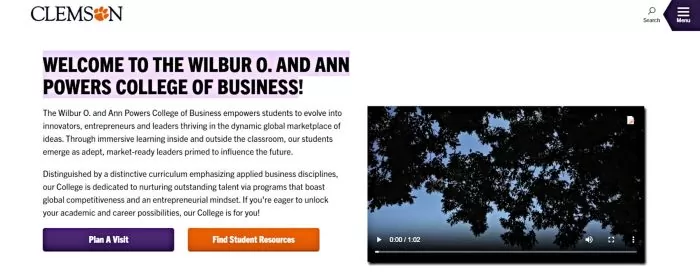
    Clemson University (College of Business) Clemson’s Wilbur O. and Ann Powers College of Business leveraged targeted digital campaigns and GA4 event tracking to dramatically increase prospective student engagement.

    The college saw a 207% increase in page engagement and a 222% growth in program page views for a key graduate program after the campaign. In just a two-month push, GA4 recorded 498 users requesting information and 44 clicking “Apply” to begin their applications.
    HEM BP Image 2HEM BP Image 2Source: Clemson University

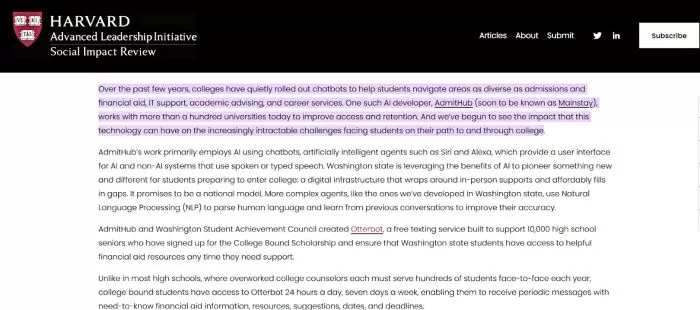
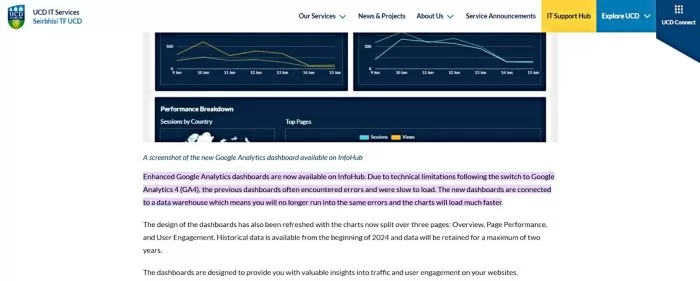
    University College Dublin (UCD). This university fully transitioned to GA4 and implemented a unified analytics dashboard via a data warehouse for all its websites. The new GA4-powered reporting interface, featuring Overview, Page Performance, and User Engagement reports, loads much faster and retains up to two years of data.

    This enables UCD’s faculties and departments to easily track user behaviour across the university’s web presence, gaining insights into what content is engaging visitors and where improvements can be made.
    HEM BP Image 3HEM BP Image 3

    Source: University College Dublin

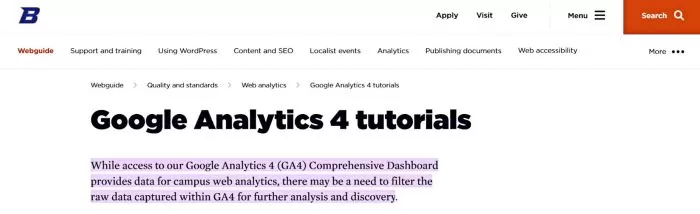
    Boise State University. Boise State created a centralized GA4 “Comprehensive Dashboard” accessible to campus stakeholders and paired it with training tutorials on common GA4 tasks. Their web team produced self-paced video guides on how to filter GA4 data to answer specific questions (such as finding top pages, viewing traffic sources, or seeing visitor geolocation).

    This approach empowers individual departments to slice the raw GA4 data for their own needs and quickly get answers about user behaviour, for example, identifying the most popular pages or where visitors are coming from, without needing advanced technical skills.
    HEM BP Image 4HEM BP Image 4

    Source: Boise State University

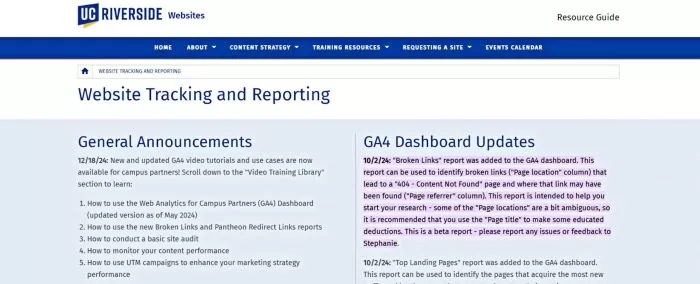
    UC Riverside. UC Riverside moved all its many departmental and unit websites to GA4 under a centralized analytics structure. The university’s web team built a curated “Web Analytics for Campus Partners” GA4 dashboard with custom reports, including a Broken Links report and a Top Landing Pages report.

    These tailored GA4 dashboards help site owners across campus quickly spot issues (e.g. finding and fixing 404 error pages) and identify content that attracts new traffic. By giving each department actionable insights, such as which pages are bringing in the most new visitors, UCR has improved user experience and informed content strategy across dozens of sites in its domain.
    HEM BP Image 5HEM BP Image 5

    Source: UC Riverside

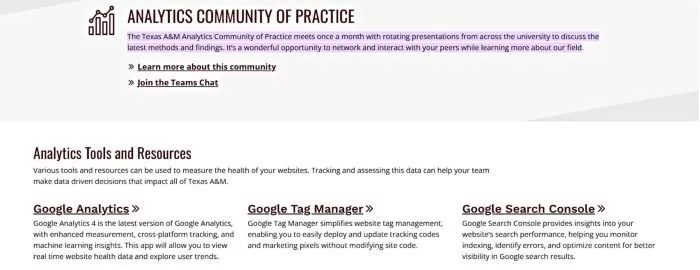
    Texas A&M University. Texas A&M established an Analytics Community of Practice that meets monthly, bringing together marketers and communicators from different colleges and units to share GA4 insights and techniques.

    In these sessions, participants discuss recent findings (for example, which pages on their sites show unusually high engagement rates, or how referral traffic patterns are shifting) in a collaborative forum. This ongoing knowledge exchange ensures continuous learning and helps cultivate a data-informed culture campus-wide.
    HEM BP Image 6HEM BP Image 6

    Source: Texas A&M University

    Turning GA4 Insights into Enrollment Growth

    Embracing GA4’s event-based, student-centric model can reshape how your team drives recruitment outcomes. By moving beyond vanity metrics like pageviews, GA4 prompts higher ed marketers to focus on real indicators of student intent, such as engaged sessions, application clicks, and program page sequences. Across each funnel stage, GA4 reveals which channels attract interest, what content sustains it, and which actions convert it.

    This clarity empowers you to refine campaign targeting, improve website performance, and simplify the inquiry or application path. GA4 also bridges the long-standing gap between marketing and admissions by giving both teams shared metrics and a common funnel narrative. Instead of saying, “We got 10,000 visits,” marketing can report: “We drove 300 info requests and 50 applications, and here’s what influenced them.”

    It’s true, GA4 can feel overwhelming at first. But by focusing on core engagement metrics, key conversion events, and simple funnel analyses, you can avoid the noise and surface what truly matters. Start small, then grow into more advanced insights as you gain confidence. What should higher ed marketers avoid focusing on in GA4? Don’t worry if GA4 isn’t tracking beyond the application. 

    Also, avoid misattributing things to GA4 that it can’t measure – e.g., GA4 won’t tell you ‘admitted vs. denied’ or ‘enrolled vs. melt’ – that’s outside its scope. Focus on what GA4 can concretely tell you about the marketing funnel leading up to enrollment.

    Above all, GA4 is most powerful when used collaboratively. Share funnel data with admissions. Highlight high-performing content to your copy team. Use insights to inform international recruitment or retargeting campaigns. And if needed, partner with specialists. At HEM, we help institutions build clear, actionable GA4 setups, from audits and event tracking to CRM integrations, so your analytics directly support enrollment.

    GA4 isn’t just an upgrade; it’s a strategic advantage. When aligned with your funnel, it can become your most effective tool for enrollment growth.

    GA4 unlocks powerful enrolment insights.

    Turn student journey data into smarter recruitment decisions with HEM.

    FAQs

    What makes GA4 different from Universal Analytics for higher ed marketers?
    Higher ed marketers accustomed to UA’s pageviews and sessions are now confronted with a new event-based model, a slew of unfamiliar reports, and an interface that looks nothing like the old Google Analytics. GA4 offers richer insights into student behaviour and intent, which can directly fuel enrollment growth.

    What should higher ed marketers avoid focusing on in GA4?
    Don’t worry if GA4 isn’t tracking beyond the application. Also, avoid misattributing things to GA4 that it can’t measure, e.g., GA4 won’t tell you ‘admitted vs. denied’ or ‘enrolled vs. melt’, that’s outside its scope. Focus on what GA4 can concretely tell you about the marketing funnel leading up to enrollment.

    Which GA4 reports should we prioritize for enrollment marketing?
    Focus on the critical reports:

    • Traffic Acquisition & User Acquisition (for awareness channel quality)
    • Engagement > Pages and Screens (for top content and engagement per page)
    • Engagement > Events & Conversions (for tracking micro and macro conversions)
    • Explorations: Funnel Analysis (for visualizing the enrollment funnel and drop-offs)
    • Explorations: Path Analysis (for seeing common user journeys and sequences)
    • Advertising > Attribution Paths (for understanding multi-touch conversion paths)”

    Source link

  • Generative Engine Optimization & GEO Keywords

    Generative Engine Optimization & GEO Keywords

    Reading Time: 18 minutes

    Search behaviour among prospective students is evolving fast. Instead of scrolling through pages of search results, many now turn to AI-powered tools for instant, conversational answers. This shift has introduced a new layer to traditional SEO: Generative Engine Optimization (GEO).

    GEO focuses on optimizing content so that generative AI search engines like ChatGPT or Google’s AI Overview can find, interpret, and feature it in their responses. In essence, GEO ensures your institution’s information is selected, summarized, or referenced in AI-generated answers, rather than simply ranking in a list of links.

    Higher education marketers in Canada and beyond must pay attention to this trend. Recent global studies indicate that nearly two-thirds of prospective students use AI tools such as ChatGPT at some stage of their research process, with usage highest during early discovery and comparison phases. 

    These tools pull content from across the web and present synthesized answers, often eliminating the need for users to click. This “zero-click” trend reduces opportunities for organic traffic, raising the stakes for visibility within AI systems.

    This guide explores GEO’s role in education marketing, how it differs from traditional SEO, and why it matters for student recruitment in the age of AI. You’ll find practical guidance on aligning your content with generative AI, from keyword strategy to page prioritization. We’ll also look at how to measure GEO’s impact on inquiries and enrolment, and share examples from institutions leading the way.

    AI is rewriting how students discover institutions.

    Partner with HEM to stay visible in the age of generative search.

    What Is Generative Engine Optimization (GEO) in Higher Education Marketing?

    Generative Engine Optimization (GEO) is the practice of tailoring university content for AI-driven search tools like ChatGPT and Google’s AI Overview. Unlike traditional SEO, which targets search engine rankings, GEO focuses on making content readable, reliable, and retrievable by generative AI.

    In higher ed, this means structuring key program details, admissions information, and differentiators so that AI tools can easily surface and cite them in responses. GEO builds on classic SEO principles but adapts them for a zero-click, conversational environment, ensuring your institution appears in AI-generated answers to prospective student queries.

    How Is GEO Different from Traditional SEO for Universities and Colleges?

    While both SEO and GEO aim to make your institution’s content visible, their approaches diverge in method and target. Traditional SEO is designed for search engine rankings. GEO, on the other hand, prepares content for selection and citation by AI tools that deliver instant answers rather than search results.

    Let’s break it down.

    Search Results vs. AI Answers
    SEO optimizes for clicks on a search results page. GEO optimizes for inclusion in a conversational answer. Instead of showing up as a blue link, your institution may be quoted or named by the AI itself.

    Keyword Strategy
    SEO prioritizes high-volume keywords. GEO relies on semantic relevance. Instead of “MBA program Canada,” think “How long is the MBA at [University]?” or “What are the admission requirements?”

    Content Structure
    Traditional SEO values user navigation. GEO values clarity for AI parsing. Bullet points, Q&A formatting, and schema markup make it easier for AI to extract information. Summary boxes and tables work better than long paragraphs.

    Authority Signals
    E-E-A-T (Experience, Expertise, Authoritativeness, Trustworthiness) still matters. But for GEO, authority is inferred from citation style, accuracy, and consistency, not design or branding. Highlighting faculty credentials or linking to research enhances AI credibility scoring.

    Technical Approach
    Both SEO and GEO require clean, crawlable websites. But GEO adds machine-readable formatting. Schema.org markups, downloadable data files, and clean internal linking increase your chances of being selected by AI.

    Measuring Success
    SEO measures traffic, rankings, and form fills. GEO measures citations in AI responses, brand mentions, and voice assistant visibility. You might not get the click, but you still win visibility if the AI says your name.

    In practice, this means layering GEO on top of existing SEO. A strong program page might combine narrative storytelling with a quick facts section. An admissions page should include both persuasive copy and an FAQ schema.

    Bottom line: SEO helps you get found. GEO helps you get cited. And in the age of AI, both are essential to capturing attention at every stage of the student search journey.

    Why GEO Matters for Student Recruitment in the Age of AI Search

    Why is GEO important for student recruitment in the age of AI search? Generative AI search is already reshaping how prospective students discover, evaluate, and select postsecondary institutions. GEO (Generative Engine Optimization) equips institutions to remain visible and competitive in this changing environment. Here’s why it matters now more than ever:

    1. Widespread Adoption by Gen Z

    Today’s students are early adopters of generative AI. A 2024 global survey found that approximately 70% of prospective students have used AI tools like ChatGPT to search for information, and more than 60% report using chatbots during the early phases of their college research. This shift means fewer students are navigating university websites as a first step. 

    Instead, they’re posing detailed questions to AI, questions about programs, financial aid, campus life, and more. GEO ensures your institution’s information is accessible, machine-readable, and accurate in this discovery environment. Without it, you risk being excluded from the initial consideration set.

    1. The Rise of Zero-Click Search Behavior

    AI-generated responses often satisfy a query without requiring a website visit. This zero-click trend is accelerating, as nearly 60% of searches now end without a click. If a student asks, “What are the top universities in Canada for engineering?” and an AI tool responds with a synthesized answer that names three schools, those schools have won visibility without needing a traditional click-through. 

    GEO is your institution’s strategy for occupying that limited space in the answer. It’s how you shape perceptions in a search landscape where attention is won before a student reaches your homepage.

    1. AI Is Becoming a College Advisor

    Though current data shows AI has limited direct influence on final enrollment decisions, that influence is growing. As AI tools become more trusted, students will increasingly rely on them for shortlisting programs or comparing institutions. GEO ensures your content is part of those suggestions and comparisons. 

    For example, a prospective student might ask, “Which is better for computer science, [Competitor] or [Your University]?” Without well-structured, AI-optimized content, your institution may be left out or misrepresented. GEO levels the playing field, ensuring that when AI generates side-by-side evaluations, your offerings are accurate, current, and competitive.

    1. Fewer Chances to Impress

    Traditional SEO offered multiple entry points: page one, page two, featured snippets, and ads. AI-generated answers are far more concise, often limited to a single paragraph or a brief list of citations. That means your institution must compete for a narrower spotlight. 

    GEO increases your odds of selection by helping AI tools find and cite the most relevant, structured, and authoritative content. When students ask about tuition, deadlines, or international scholarships, you want the answer to come from your website, not a third-party aggregator or a competing institution.

    1. Boosting Brand Trust and Authority

    Being cited in AI responses lends credibility. Much like appearing at the top of Google results used to signal trustworthiness, consistent AI mentions confer authority. If ChatGPT, Google SGE, or Bing AI repeatedly reference your institution in educational queries, students begin to perceive your brand as reliable. 

    This builds long-term recognition, resulting in some students visiting your site simply because they’ve encountered your name often in AI responses. GEO helps position your institution as a trusted source across AI-driven search platforms, reinforcing brand equity and enhancing recruitment outcomes.

    In Summary

    GEO is rapidly becoming a critical component of modern higher education student recruitment marketing strategies. It ensures your institution is visible in the conversational, AI-driven search experiences that are now shaping student decisions. Just as universities once adjusted to mobile-first web browsing, they must now adapt to AI-first discovery. 

    GEO helps your institution appear in AI answers, influence prospective students early in their journey, and remain top of mind even when clicks don’t happen. For institutions navigating declining enrollments and intensifying competition, GEO is a forward-facing strategy that keeps you in the conversation and in the race for the next generation of learners.

    How Can a University Website Be Optimized for AI Tools like ChatGPT and Google AI Overviews?

    Optimizing a university website for generative AI search requires a blend of updated content strategy, technical precision, and practical SEO thinking. The goal is to ensure your institution’s content is not only findable but also understandable and usable by AI models such as ChatGPT or Google’s AI Overviews. Here are two key strategies to implement:

    1. Embrace a Question-First Content Strategy Using GEO Keywords

    Begin by identifying the natural-language queries prospective students are likely to ask. Instead of traditional keyword stuffing, build your content around direct, conversational questions with what we call “geo keywords.” For example: “What is the tuition for [University]’s nursing program?” “Does [University] require standardized tests?”, or “What scholarships are available for international students?”

    Structure content using Q&A formats, headings, and short paragraphs. Include these questions and their answers prominently on program, admissions, or financial aid pages. FAQ sections are particularly effective since AI tools are trained on question-based formats and favor content with semantic clarity.

    Audit your current site to uncover missing or buried answers. Use data from tools like Google Search Console or internal search analytics to surface frequent queries. Then, present responses in clear formats that both users and AI systems can digest.

    2. Create Clear, Canonical Fact Pages for Key Information

    AI tools rely on consistency. If your website offers multiple versions of key facts, such as tuition, deadlines, or admission requirements, AI may dismiss your content entirely. To avoid this, create canonical pages that serve as the single source of truth for essential topics.

    For example, maintain a central “Admissions Deadlines” page with clearly formatted lists or tables for each intake period. Similarly, your “Tuition and Fees” page should break down costs by program, year, and student type.

    Avoid duplicating this information across many pages in slightly different wording. Instead, link other content back to these canonical pages to reinforce credibility and reduce confusion for both users and AI. By prioritizing clarity, structure, and authority, your website becomes significantly more AI-compatible.

    3. Structure Your Content for AI (and Human) Readability

    Generative AI reads websites the way humans skim for quick answers, only faster and more literal. For your institution to show up in AI-generated results, your site must be structured clearly and logically. Here are six modern content strategies that improve readability for both users and machines:

    1. Put Important Information Up Front

    AI tools often extract the first one or two sentences from a page when forming answers. Lead with essential facts: program type, duration, location, or unique rankings. For example:
    A four-year BSc Nursing program ranked top 5 in Canada for clinical placements.

    Avoid burying key points deep in your content. Assume the AI won’t read past the opening paragraph, and prioritize clarity early.

    2. Use Headings, Lists, and Tables

    Break up long content blocks using headings (H2s and H3s), bullet points, and numbered lists. These structures improve scanning and help AI identify and categorize information correctly.

    Instead of a paragraph on how to apply, write:

    How to Apply:

    1. Submit your online application
    2. Pay the $100 application fee
    3. Upload transcripts and supporting documents

    For data or comparisons, use simple tables. A table of admissions stats or tuition breakdowns is easier for AI to interpret than buried prose.

    3. Standardize Terminology Across Your Site

    Inconsistent language can confuse both users and AI. Choose one label for each concept and use it site-wide. For example, if your deadline page says “Application Deadline,” don’t refer to it elsewhere as “Closing Date” or “Due Date.”

    Uniform terminology supports clearer AI parsing and reinforces credibility.

    4. Implement Schema Markup

    Schema markup is structured metadata added to your HTML that explicitly communicates the purpose of your content. It is critical to make content machine-readable.

    Use JSON-LD and schema types like:

    • FAQPage for question-answer sections
    • EducationalOccupationalProgram for program details
    • Organization for your institution’s info
    • Event for admissions deadlines or open houses

    Google and other AI systems rely heavily on this data. Schema also helps with traditional SEO by enabling rich snippets in search results.

    5. Offer Machine-Readable Data Files

    Forward-looking universities are experimenting with downloadable data files (JSON, CSV) that list key facts, such as program offerings or tuition. These can be made available through a hidden “data hub” on your site.

    AI systems may ingest this structured content directly, improving the likelihood of accurate citations. For example, the University of Florida’s digital team reported that their structured content significantly improved the accuracy of Google AI Overviews summarizing their programs.

    4. Keep Content Fresh and Consistent Across Platforms

    AI tools favor accurate and current information. Outdated or conflicting content can lead to mistrust or exclusion. Best practices include:

    • Timestamping pages with “Last updated [Month, Year]”
    • Conducting regular audits to eliminate conflicting data
    • Using canonical tags to point AI toward the primary source when duplicate content is necessary
    • Aligning off-site sources like Wikipedia or school directory listings with your website’s data

    For instance, if your homepage says 40,000 students and Wikipedia says 38,000, the AI may average the two or cite the incorrect one. Keep external sources accurate and consistent with your site.

    5. Optimize for Specific AI Platforms (ChatGPT, Google SGE, etc.)

    Each AI platform has different behaviors. Here is how to tailor your content for them:

    ChatGPT (OpenAI)

    Free ChatGPT may not browse the web, but ChatGPT Enterprise and Bing Chat do. These versions often rely on training data that includes popular and high-authority content.

    To increase visibility:

    • Publish long-form, high-quality content that gets cited by others
    • Use backlink strategies to improve domain authority
    • Create blog posts or guides that answer common student questions clearly

    Even if your content isn’t accessed in real time, if it has been crawled or cited enough, it may be paraphrased or referenced in AI answers.

    Google AI Overview (formerly SGE)

    Google’s AI Overviews (formerly Search Generative Experience, or SGE draws from top-ranking search results. So, traditional SEO performance directly influences GEO success.

    Best practices include:

    • Use concise, answer-oriented snippets early in content (e.g., “General admissions require a 75% average and two references.”)
    • Ensure pages are crawlable and not blocked by scripts or logins
    • Reinforce AI clarity with schema and consistent internal linking

    Voice Assistants (Siri, Alexa, Google Assistant)

    These tools favor featured snippets and structured content. A direct response like: “Yes, we offer a co-op program as part of our Bachelor of Computer Science” is more likely to be read aloud than a paragraph with buried details.

    Emerging Tools (Perplexity.ai, Bing Chat)

    These newer AI search tools cite sources like Wikipedia and high-authority sites. To prepare:

    • Keep your institution’s Wikipedia page accurate and updated
    • Monitor and correct public conversations (e.g., Reddit, Quora) with official clarifications on your website
    • Consider publishing myth-busting content to preempt misinformation

    Structuring your content for AI doesn’t mean abandoning human readers. In fact, the best practices that help machines, clarity, structure, and accuracy, also create better experiences for prospective students. By aligning your strategy with the expectations of both audiences, your university remains visible, credible, and competitive in the evolving search landscape.

    6. Leverage Institutional Authority and Unique Content

    Your organization holds content assets that AI deems both authoritative and distinctive, be sure to leverage them strategically. Showcase faculty research, student success outcomes, and institutional data on your site in clear, extractable formats. For instance:
    “Over 95% of our graduates secure employment within six months (2024 survey).”

    Include program differentiators, accolades, and unique offerings that set your institution apart. AI-generated comparisons often cite such features. Strengthen content credibility with E-E-A-T principles:

    • Add author bylines and bios to expert-led blog posts
    • Cite trusted third-party sources and rankings
    • Present information factually while still engaging human readers

    For example, pair promotional language (“modern dorms”) with direct answers (“First-year students are required to live on campus”). This dual-purpose approach ensures your content feeds both AI responses and prospective student curiosity.
    In short, AI rewards clear, credible, question-first content. Make sure yours leads the conversation.

    Which Higher Education Pages Should Be Prioritized for GEO?

    Not all web pages carry equal weight when it comes to generative engine optimization (GEO). To improve visibility in AI-generated search responses, universities should prioritize content that addresses high-intent queries and critical decision-making touchpoints.

    1. Academic Program Pages
      These are foundational. When users ask, “Does [University] offer a data science degree?”, AI tools pull from program pages. Each page should clearly outline program type, duration, delivery mode, concentrations, accreditations, rankings, and outcomes. Include key facts in the opening paragraph and use structured Q&A to address specifics like “Is co-op required?” or “Can I study part-time?”
    2. Admissions Pages
      AI queries often focus on application requirements. Structure admissions pages by applicant type and use clear subheadings and bullet points to list requirements, deadlines, and steps. Include canonical deadline pages with visible timestamps, and FAQ-style answers such as “What GPA is required for [University]?”
    3. Tuition, Scholarships, and Financial Aid
      Cost-related questions are among the most common. Ensure tuition and fee data are presented in clear tables, by program and student type. Scholarship and aid pages should state eligibility, values, and how to apply in plain language, e.g., “All applicants are automatically considered for entrance scholarships up to $5,000.”
    4. Program Finders and Academic Overview Pages
      Ensure your program catalog and A–Z listings are crawlable, up-to-date, and use official program names. Pages summarizing academic strengths should highlight standout offerings: “Our business school is triple-accredited and ranked top 5 in Canada.”
    5. Student Life and Support Services
      AI often fields questions like “Is housing guaranteed?” or “What mental health resources are available?” Answer these directly: “All first-year students are guaranteed on-campus housing.” Showcase specific services for key demographics (e.g., international students, veterans) with quantifiable benefits.
    6. Career Outcomes and Alumni Success
      Publish recent stats and highlight notable alumni. Statements like “93% of our grads are employed within 6 months” or “Alumni have gone on to roles at Google and Shopify” provide AI with strong content to surface in answers.

    How Can Institutions Measure the Impact of GEO on Inquiries and Enrolment?

    Measuring the impact of Generative Engine Optimization (GEO) requires a mix of analytics, qualitative monitoring, and attribution strategies. Since GEO outcomes don’t always show up in traditional SEO metrics, institutions must adopt creative, AI-aware approaches to track effectiveness.

    1. Monitor AI Referral Traffic
      Check Google Analytics 4 (GA4) or similar platforms for referral traffic from AI tools like Bing Chat or Google SGE. While not all AI sources report referrals, look for domains like bard.google.com or bing.com and configure dashboards to track them. Even small traffic volumes from these sources can indicate growing visibility.
    2. Track AI Mentions and Citations
      Manually query AI tools using prompts like “Tell me about [University]” or “How do I apply to [University]?” and log whether your institution is cited. Note if AIs reference your site, Wikipedia, or other sources. Track frequency and improvements over time, especially following content updates. Screenshots and logs can serve as powerful internal evidence.
    3. Use Multi-Touch Attribution
      Students may not click AI links, but still recall your brand. Add “How did you hear about us?” options in inquiry forms, including “ChatGPT” or “AI chatbot.” Monitor brand search volume and direct traffic following GEO updates. Qualitative survey insights and CRM notes from admissions teams can help reveal hidden AI touchpoints.
    4. Analyze GEO-Optimized Page Engagement
      Watch how the pages you optimize for GEO perform. Increased pageviews, lower bounce rates, and higher conversion (e.g., info form fills) may indicate better alignment with AI outputs and human queries alike, even if AI is only part of the traffic source.
    5. Observe Funnel Shifts and Segment Trends
      Notice any spikes in inquiries for certain programs or demographics that align with AI visibility. For example, a rise in international applications after enhanced program content could suggest AI exposure.
    6. Build a GEO Dashboard
      Create simple internal dashboards showing AI referrals, engagement trends, citation screenshots, and timelines of GEO initiatives. Correlate those with enrollment movement when possible.
    7. Test, Refine, Repeat
      Experiment continuously. A/B test content formats, restructure FAQs, and see which phrasing AI picks up. Treat AI outputs as your new SEO testbed.

    While GEO analytics are still evolving, early movers gain visibility and mindshare. Measuring what’s possible now ensures institutions are positioned to lead as AI search reshapes student discovery.

    10 Global Examples of GEO in Practice (Higher Ed Institutions)

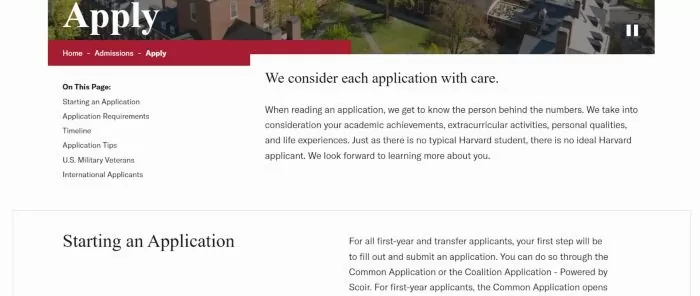
    1. Harvard University: Harvard College Admissions “Apply” Page

    Harvard’s undergraduate admissions Apply page (Harvard College) is a model of clear, structured content. The page is organized with intuitive section headings (e.g., Application Requirements, Timeline) and even an on-page table of contents for easy navigation.

    It provides a bullet-point list of all required application components (from forms and fees to test scores and recommendations), ensuring that key information is presented succinctly.

    HEM Blog Post Image 2HEM Blog Post Image 2

    Source: Harvard University

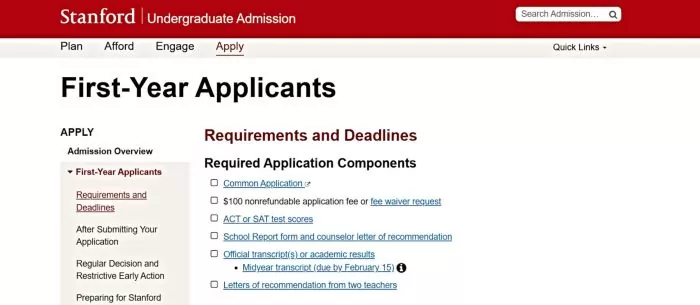
    2. Stanford University: First-Year Applicants “Requirements and Deadlines” Page

    Stanford’s first-year admission page stands out for its semantic, structured presentation of information. It opens with a clearly labeled checklist of Required Application Components, presented as bullet points (e.g., Common Application, application fee, test scores, transcripts, etc.). Following this, Stanford provides a well-organized Requirements and Deadlines table that outlines key dates for Restrictive Early Action and Regular Decision side by side.

    In this table, each milestone, from application submission deadlines (e.g., November 1 for early, January 5 for regular) to notification dates and reply deadlines, is neatly aligned, which is both user-friendly and easy for AI to parse.

    HEM Blog Post Image 3HEM Blog Post Image 3

    Source: Stanford University

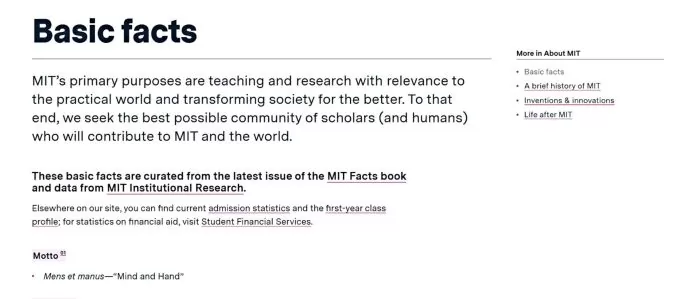
    3. Massachusetts Institute of Technology (MIT): “About MIT: Basic Facts” Page

    MIT Admissions offers an About MIT: Basic Facts page that is essentially a treasure trove of quick facts and figures presented in bullet form. This page exemplifies GEO best practices by curating the institute’s key data points (e.g., campus size, number of students, faculty count, notable honors) as concise bullet lists under intuitive subheadings.

    For instance, the page lists campus details like acreage and facilities, student demographics, and academic offerings in an extremely scannable format. Each bullet is a self-contained fact (such as “Undergraduates: 4,576” or “Campus: 168 acres in Cambridge, MA”), making it ideal for AI summarization or direct answers. Because the content is broken down into digestible nuggets, an AI-powered search can easily extract specific information (like *“How many undergraduate students does MIT have?”) from this page.

    HEM Blog Post Image 4HEM Blog Post Image 4

    Source: MIT

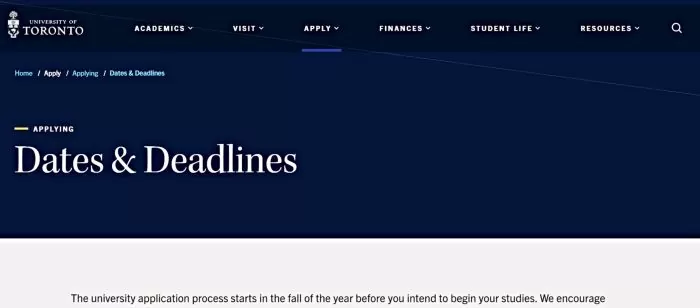
    4. University of Toronto: Undergraduate “Dates & Deadlines” Page

    The University of Toronto’s Dates & Deadlines page for future undergraduates is a great example of structured scheduling information. It presents application deadlines in a highly structured list, broken down by program/faculty and campus. The page is organized into expandable sections (for full-time, part-time, and non-degree studies), each containing tables of deadlines.

    For example, under full-time undergraduate applications, the table clearly lists each faculty or campus (Engineering, Arts & Science – St. George, U of T Mississauga, U of T Scarborough, etc.) alongside two key dates: the recommended early application date and the final deadline. This means a prospective student can quickly find, say, the deadline for Engineering (January 15) and see that applying by November 7 is recommended.

    Such a format is not only user-friendly but also easy for AI to interpret. The consistency and labeling (e.g., “Applied Science & Engineering, November 7 (recommended) / January 15 (deadline)”) ensure that an AI answer to “What’s the application deadline for U of T Engineering?” will be accurate.

    HEM Blog Post Image 5HEM Blog Post Image 5

    Source: University of Toronto

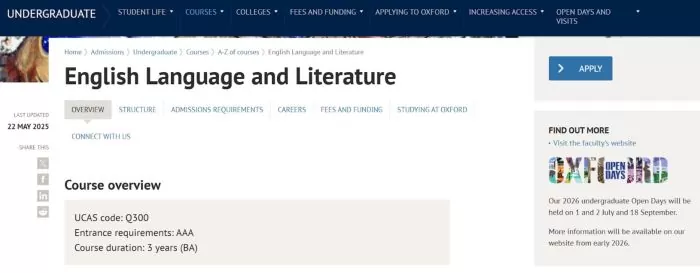
    5. University of Oxford: English Language and Literature Course Page

    Oxford’s course page for English Language and Literature showcases GEO-friendly content right at the top with a concise Overview box. This section acts as a quick-reference summary of the course, listing crucial facts in a compact form. It includes the UCAS course code (Q300), the entrance requirements (AAA at A-level), and the course duration (3 years, BA) clearly on separate lines. Immediately below, it outlines subject requirements (e.g., Required: English Literature or English Lang/Lit) and other admission details like whether there’s an admissions test or written work, all in the same straightforward list format.

    This means a prospective student (or an AI summarizing Oxford’s offerings) can get all the key info about the English course at a glance – from how long it lasts to what grades are needed.

    HEM Blog Post Image 6HEM Blog Post Image 6

    Source: Oxford University

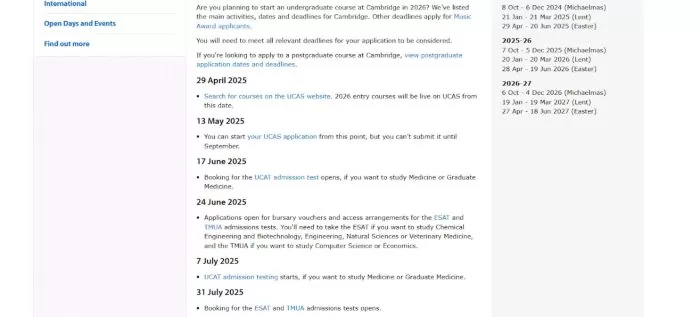
    6. University of Cambridge: Application Dates and Deadlines Page

    Cambridge’s admissions website provides a dedicated Application Dates and Deadlines page that reads like a detailed timeline of the entire admissions process. This page lays out, in chronological order, all the key steps and dates for applying to Cambridge, with each date accompanied by a short explanation of what happens or what is due.

    For example, it starts as early as the spring of the year before entry, noting when UCAS course search opens and when you can begin your UCAS application. Critically, it flags the famous 15 October UCAS deadline with emphasis: “15 October 2025 – Deadline to submit your UCAS application (6 pm UK time)”. Other entries include deadlines for supplemental forms like the My Cambridge Application (22 October), dates for admissions tests, and notes about interview invitations in November and December.

    HEM Blog Post Image 7HEM Blog Post Image 7

    Source: University of Cambridge

    Staying Discoverable in the Age of Generative Search

    Generative Engine Optimization (GEO) is rapidly shifting from trend to necessity in higher education marketing. As AI-driven platforms like ChatGPT, Google SGE, and voice assistants reshape how students seek information, institutions must adapt their content strategies accordingly. 

    By aligning with modern GEO practices, universities enhance both discoverability and user experience, meeting students where they are and ensuring their narratives are accurately represented. In today’s competitive enrolment landscape, GEO is not optional; it is foundational. The strategies outlined above provide a roadmap for sustainable visibility in the age of generative search. Continue refining your approach, and your institution will not just appear in AI responses; it will lead them. In this new era, the goal is simple: be cited, not sidelined.

    AI is rewriting how students discover institutions.

    Partner with HEM to stay visible in the age of generative search.

    FAQs

    Q: What is generative engine optimization (GEO) in higher education marketing?

    A: Generative Engine Optimization (GEO) is the practice of tailoring university content for AI-driven search tools like ChatGPT and Google’s AI Overview. Unlike traditional SEO, which targets search engine rankings, GEO focuses on making content readable, reliable, and retrievable by generative AI.

    Q: How is GEO different from traditional SEO for universities and colleges?

    A: While both SEO and GEO aim to make your institution’s content visible, their approaches diverge in method and target. Traditional SEO is designed for search engine rankings. GEO, on the other hand, prepares content for selection and citation by AI tools that deliver instant answers rather than search results.

    Q: Why is GEO important for student recruitment in the age of AI search?

    A: Generative AI search is already reshaping how prospective students discover, evaluate, and select postsecondary institutions. GEO (Generative Engine Optimization) equips institutions to remain visible and competitive in this changing environment.

    Source link

  • How to Show Up In Results

    How to Show Up In Results

    Reading Time: 17 minutes

    Search behavior in higher education is changing fast. With Google’s Search Generative Experience (SGE), prospective students and parents are no longer just scanning lists of links; they’re receiving direct, AI-generated answers at the top of the page. These summaries pull from multiple sources to deliver concise, conversational responses to complex questions about programs, costs, outcomes, and campus life.

    For schools, the implication is clear: your content must be structured, authoritative, and context-rich to be surfaced by AI. If it isn’t, your institution may be invisible, regardless of how strong your traditional SEO once was.

    This article explores Google SGE in education, explains what Google SGE means for higher education marketing, and how schools can adapt. We’ll cover why AI search matters, how generative AI changes content discovery, and the practical steps institutions can take, from content optimization to local SEO and reputation management, to remain visible in this new search landscape.

    Need help refining your school search optimization strategy?

    Discover how our specialized services can help you connect with and enroll more students.

    What Is Google’s AI Search (SGE) and Why Does It Matter for Schools?

    Google’s Search Generative Experience, now commonly surfaced as AI Overviews, represents a major shift in how search results are delivered. Instead of presenting users with a list of links, Google increasingly provides synthesized, AI-generated answers that pull information from multiple sources and present it as a concise, conversational summary.

    Google SGE in education functions like an advanced featured snippet. For example, when a parent searches “best engineering programs in Ontario,” Google’s AI may generate a short comparison of several institutions, highlighting locations, strengths, and differentiators without requiring the user to click through to individual websites. This fundamentally changes how prospective students and families discover schools.

    For institutions, the stakes are high. AI Overviews often answer questions about programs, admissions, outcomes, and comparisons directly in the search results. If your school is not referenced in that response, you may miss visibility at an important early decision-making moment. Visibility in AI-generated answers is quickly becoming as important as first-page rankings once were in traditional SEO.

    There is also an opportunity. Early third-party studies suggest that Google’s AI Overviews may cite content beyond the top organic rankings, particularly when pages clearly and directly answer a user’s question. Well-structured, authoritative content that clearly answers a specific question can be surfaced even if it does not rank first in classic search. This creates room for smaller or lesser-known institutions to compete based on content quality and relevance rather than brand dominance alone.

    SGE also changes user behavior. Search becomes conversational, with follow-up questions that refine intent and narrow comparisons. Schools must be prepared to show up for detailed, context-driven queries, supported by accurate content and complete institutional data across Google platforms.

    Google’s AI search prioritizes clarity, authority, and usefulness. Schools that adapt to this shift gain visibility at critical moments. Those who do not risk being bypassed entirely.

    How Can My School Improve Its Visibility in AI-Powered Search?

    Achieving visibility in AI-driven search results requires a blend of traditional SEO best practices and newer approaches often referred to as Generative Engine Optimization. This means maintaining a strong SEO foundation so Google understands and trusts your site, while also optimizing your content and digital presence for how AI retrieves, synthesizes, and presents information.

    Below are the key strategies schools should focus on to improve their chances of being featured in AI-powered search results.

    1. Maintain a Strong SEO Foundation

    First and foremost, SEO is not dead. It is the foundation on which AI search visibility is built. Google’s AI Overviews continue to rely on reliable, well-structured, and authoritative content, often drawing from pages that already follow SEO best practices.

    Google has made it clear that content aligned with its established guidelines, including experience, expertise, authoritativeness, and trustworthiness, performs well in AI-driven results. Schools should continue to invest in core SEO fundamentals, including the following.

    Keyword Optimization and Metadata
    Use clear, relevant keywords in page titles, headings, and meta descriptions so both traditional search algorithms and AI systems can quickly understand your content. A program page titled “MBA Program in Data Analytics | XYZ University” clearly communicates relevance and improves discoverability.

    Logical Site Structure
    Organize your site navigation and URLs logically so search engines can easily crawl and contextualize content. A clean hierarchy helps AI retrieve specific details such as tuition, admissions requirements, or program outcomes by following your site’s structure.

    Mobile-Friendly, Fast-Loading Pages
    Most prospective students search on mobile devices. Google prioritizes mobile usability and fast load times regardless of AI. A strong user experience encourages engagement and signals content quality to Google’s systems.

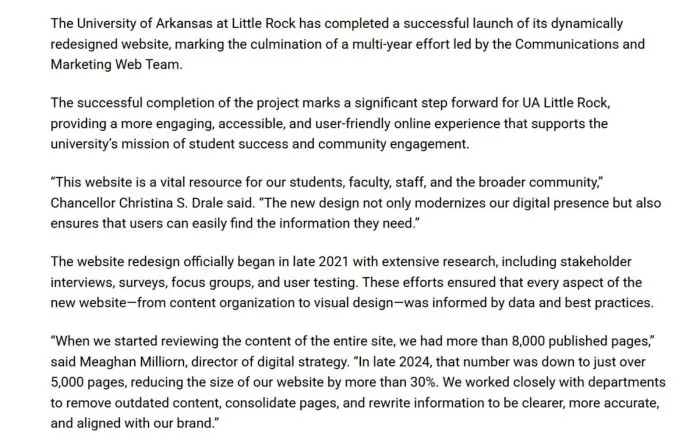
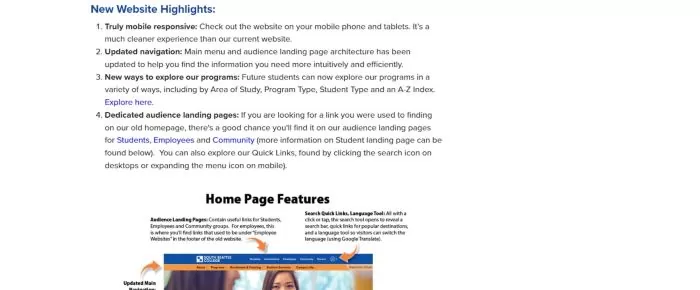
    Example: University of Arkansas at Little Rock (UA Little Rock): Launched a redesigned website in 2025 that prioritized technical SEO fundamentals. The web team conducted a full content audit to streamline site architecture, consolidating and rewriting content for clarity and removing outdated information to improve crawlability and usability. This resulted in a leaner, more crawlable site aligned with best practices.

    HEM 1HEM 1

    Source: University of Arkansas at Little Rock

    Quality Content and User Engagement
    Continue publishing in-depth, high-quality content. This attracts backlinks, increases time on site, and positions your pages as authoritative sources that AI systems are more likely to reference.

    Think of traditional SEO as the bedrock. If your site is not technically sound and rich in valuable content, AI-focused tactics will not compensate. A strong foundation amplifies everything that follows.

    2. Create High-Quality, AI-Friendly Content (Answer the Questions)

    With the basics in place, the next step is tailoring content for conversational, answer-focused search behavior. AI-powered search excels at interpreting natural-language questions, especially longer and more specific queries.

    To improve visibility, your content should directly address the questions prospective students and parents are asking, using clear structure and plain language.

    Incorporate Long-Tail, Question-Based Keywords
    Shift part of your keyword strategy toward detailed, conversational queries. Instead of focusing only on broad terms like “MBA Canada,” develop content around questions such as “best MBA programs in Canada for working professionals” or “how to get a scholarship for an MBA.” AI systems are more likely to surface content that closely matches how users phrase their questions.

    Use Q&A and FAQ Formats
    Question-and-answer formats are particularly effective for AI extraction. Admissions, financial aid, and program pages benefit from clearly labeled questions followed by concise, factual answers. This structure improves usability for readers and makes it easier for AI to identify relevant information.

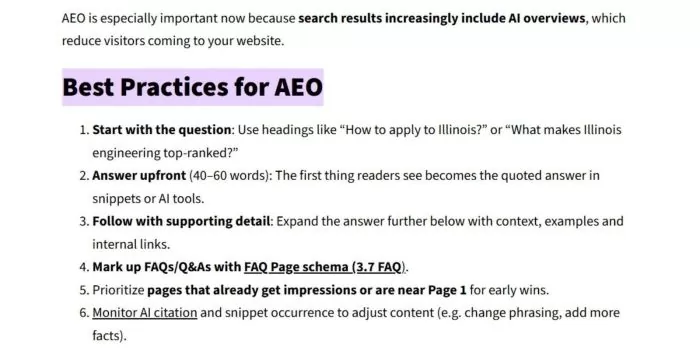
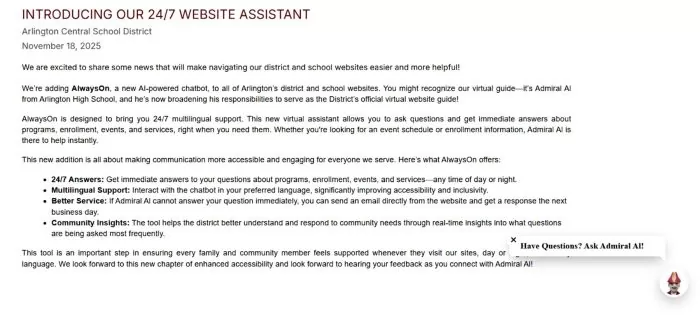
    Example: University of Illinois Urbana-Champaign: Incorporates “Answer Engine Optimization (AEO)” into its content guidelines for web writers. The University’s brand training recommends structuring content in a Q&A format: start with a question in a heading (e.g. *“How do I apply to Illinois?”), Immediately answer it in a brief, concise paragraph before expanding with additional detail. This approach, coupled with applying FAQ schema markup, is designed to make Illinois’s content the direct answer in featured snippets or AI summary boxes. By focusing on full questions and concise answers, Illinois ensures its high-value content is AI-friendly and voice-search ready.
    HEM 2HEM 2

    Source: University of Illinois Urbana-Champaign

    Emphasize Authoritative, In-Depth Content
    AI systems favor content that demonstrates expertise and depth. Schools can leverage faculty insight, research, and real-world outcomes to establish authority. Long-form guides, career pathway articles, and program explainers grounded in institutional expertise are strong candidates for AI-generated answers.

    Structured Headings and Clear Writing
    Organize content using descriptive headings and subheadings. Avoid burying key information in long paragraphs. Specific headings aligned with search intent help AI match your content to relevant queries. Lists and step-by-step explanations are especially useful, as AI often presents answers in list form.

    Evergreen Content and Regular Updates
    Keep content current. Evergreen content still requires periodic updates to remain accurate and competitive. AI systems favor up-to-date information, particularly for admissions policies, program offerings, and career outcomes.

    By focusing on high-quality, question-oriented content, schools make it easier for AI to identify, trust, and reuse their information.

    3. Leverage Local SEO and Google Business Profiles

    For institutions with physical campuses, local SEO is a critical component of AI visibility. Many education-related searches carry local intent, and Google’s AI frequently integrates local data into its answers.

    Claim and Optimize Your Google Business Profile
    Ensure your Google Business Profile is claimed, complete, and accurate. Fill out all fields, including locations, contact information, categories, and descriptions. This data is often pulled directly into AI-generated results.

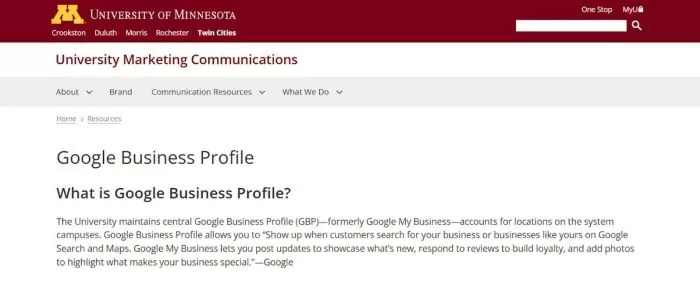
    Example: University of Minnesota: Manages a centralized Google Business Profile (GBP) for its campuses to maximize local search visibility. The University’s marketing team keeps each campus’s GBP listing complete and up-to-date with addresses, hours, phone numbers, and descriptive text. They also utilize GBP features like posts and photos to highlight campus events and attributes. Following Google’s best practices, Minnesota fills out “as much location information as possible,” keeps listings current (e.g., holiday hours), and uses relevant keywords in descriptions and local posts to improve local search ranking. This ensures the University’s locations appear prominently on Google Search/Maps for relevant queries.

    HEM 3HEM 3

    Source: University of Minnesota

    Keep Photos and Media Up to Date
    AI-generated listings frequently include logos and photos. Upload high-quality, current images of your campus, facilities, and branding. Visuals influence perception and can strengthen your presence in AI results.

    Incorporate Local Keywords on Your Site
    Mention your city, region, and community naturally within site content. Blog posts, news updates, and program pages that reference local partnerships or opportunities help AI associate your institution with specific locations.

    Maintain Consistent Local Citations
    Ensure your institution’s name, address, and phone number are consistent across directories, education portals, and social platforms. Consistency reinforces credibility for AI systems aggregating information.

    Use Google Business Features Strategically
    Google Posts, Q&A sections, and program listings provide additional structured data that AI can reference. Schools that actively manage these features offer clearer signals to Google’s systems.

    Strong local SEO increases the likelihood that your institution appears in AI-generated responses to geographically relevant searches.

    4. Embrace Online Reviews and Social Proof

    Why are online reviews important for AI search results? Online reviews provide fresh, user-generated content that signals credibility and relevance to AI systems. Positive, detailed reviews can help your institution appear in AI-generated answers by reinforcing trust, boosting visibility, and enriching the data AI uses to evaluate and summarize schools in search results.

    Online reviews now influence both human decision-making and AI-generated search results. Google’s AI Overviews often incorporate ratings and review themes directly into responses.

    Maintain Strong Ratings
    In competitive searches, AI systems tend to highlight institutions with strong review profiles, as ratings and review sentiment are commonly incorporated into AI-generated summaries. Strong ratings are increasingly a prerequisite for visibility, not just a reputation metric.

    Monitor Review Content
    AI systems analyze recurring themes within reviews. Frequently mentioned strengths or concerns can appear in AI-generated summaries. Active monitoring helps ensure accuracy and context.

    Encourage Positive Reviews
    Develop a structured approach to requesting reviews from satisfied students, alumni, and parents. Reviews that mention specific programs, facilities, or experiences provide richer signals for AI.

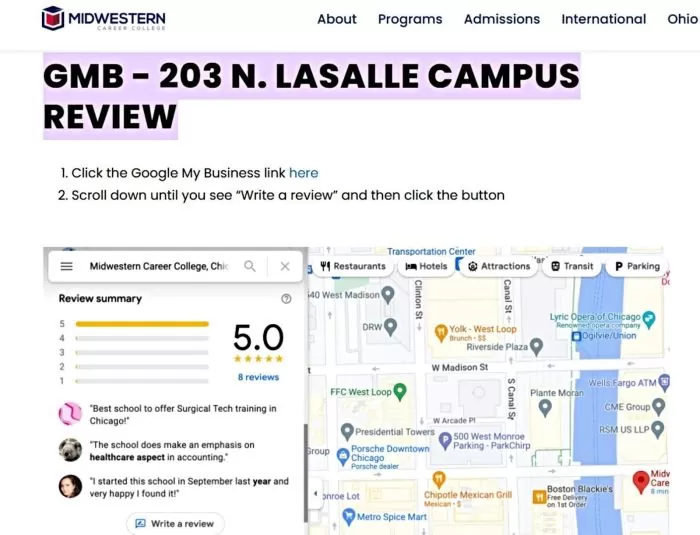
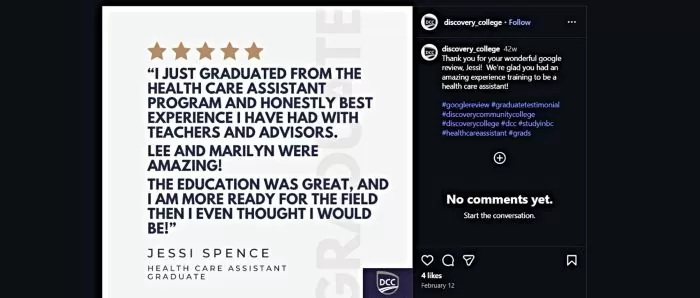
    Example: Midwestern Career College: Encourages its community to engage on Google’s review platform for each campus location. On its official website, MCC provides step-by-step instructions for students to leave a Google review – from clicking the campus’s Google My Business link to hitting the “Write a review” button. This call-to-action shows MCC actively seeks public feedback. By driving satisfied students to post reviews, the college strengthens its online reputation and local search rankings. The steady flow of positive Google reviews serves as social proof to prospective students scanning the web for authentic feedback.

    HEM 4HEM 4

    Source: Midwestern Career College

    Diversify Review Sources
    While Google reviews are most influential, other education-focused platforms and social feedback also contribute to the broader information ecosystem AI systems draw from.

    Showcase Testimonials on Your Site
    Highlight authentic testimonials and success stories on your website. When properly structured, these can reinforce credibility for both users and AI-driven search systems.

    Online reviews have become direct inputs into how AI describes institutions. Active review management strengthens both reputation and search visibility.

    AI-powered search rewards clarity, authority, and usefulness. Schools that invest in strong SEO foundations, question-driven content, local optimization, and reputation management are far more likely to appear when prospective students turn to AI for answers.

    In an AI-first search environment, visibility belongs to institutions that make it easy for both people and machines to understand their value.

    5. Optimize Visual and Multimedia Content

    AI search results are no longer limited to text. They increasingly include images and videos to help users evaluate options more quickly. A search about campus life may trigger a photo carousel, while a branded university query could surface a campus tour video alongside the AI-generated answer. If your visual assets are weak, outdated, or poorly optimized, you risk losing attention even when your institution is referenced.

    To compete effectively, schools must treat multimedia as a core part of search optimization, not a design afterthought.

    Image Optimization
    Images should be handled with the same rigor as written content. Start by using descriptive file names that clearly indicate what the image represents. Replace default camera names with specific, readable names such as school-name-library.jpg or university-science-lab.jpg.

    Alt text is equally important. It should accurately describe the image in plain language and, where appropriate, align with the page topic. For example, an image of a new facility might use alt text such as “State-of-the-art science lab at [School Name].” Avoid keyword stuffing or vague descriptions.

    Page performance matters. Large, uncompressed images slow load times, which negatively affects SEO and user experience. Since AI systems often surface images closely tied to page content, it is also important to place your strongest visuals on pages where the surrounding text is directly relevant. If a user asks what your campus looks like, Google can only surface your images if they are indexable, contextualized, and optimized.

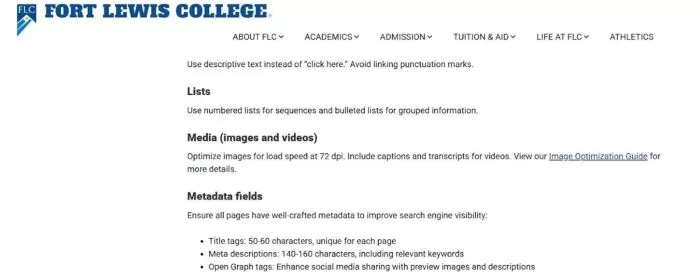
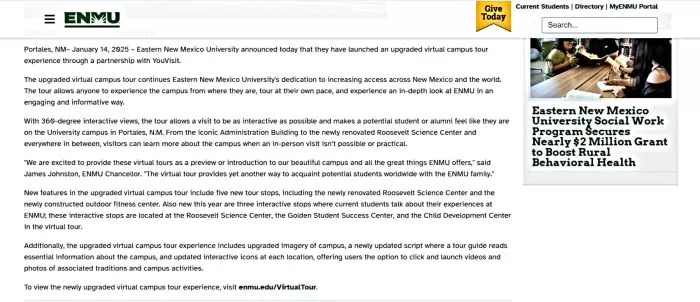
    Example: Fort Lewis College: Ensures that images and videos on its site are optimized for both user experience and search visibility. Fort Lewis’s Web Style Guide instructs editors to compress and properly size images for fast loading, and to always include descriptive alt text for accessibility and SEO. For multimedia content, the college provides captions or transcripts for videos, knowing that search engines (and users) can’t index what isn’t in text form. By adding text transcripts to videos and alt tags to images (with relevant keywords where appropriate), Fort Lewis makes its visual content discoverable by AI and voice search tools while also improving page load times.

    HEM 5HEM 5

    Source: Fort Lewis College

    Infographics and Charts
    Custom graphics can strengthen authority, especially when they communicate outcomes, rankings, or program pathways. When using infographics or charts, include them on relevant pages with concise captions that explain what the visual shows. Captions help users and clarify context for search systems.

    Do not place critical information exclusively inside images. If a chart highlights graduate employment rates or admissions statistics, repeat the key points in HTML text. This improves accessibility and ensures AI systems can accurately interpret and reference the information.

    Video Content (YouTube and Beyond)
    Video is often the first impression prospective students have of an institution. Google regularly surfaces YouTube videos in search results, including AI-enhanced answers. A query like “tour of [School Name] campus” may show a playable video immediately, making video optimization essential.

    Focus on video content that addresses high-intent questions, such as campus tours, residence life walkthroughs, student testimonials, program overviews, and admissions explainers. Titles and descriptions should be clear, descriptive, and aligned with how users search. For example, “Campus Tour | [School Name] | Student Life and Facilities” is more effective than a generic welcome video title.

    On your website, embed key videos on relevant pages and include a transcript or written summary. Video alone provides limited context for AI. Supporting text gives search systems content they can analyze and reference. Engagement signals also matter. Videos with strong watch time and interaction are more likely to surface in search results.

    Schema for Videos and Images
    Use schema markup where appropriate, particularly VideoObject schema for important videos. Structured data helps search engines understand what a video contains, its duration, and its purpose. While schema does not guarantee AI inclusion, it improves clarity and future-proofs your content as search becomes more structured.

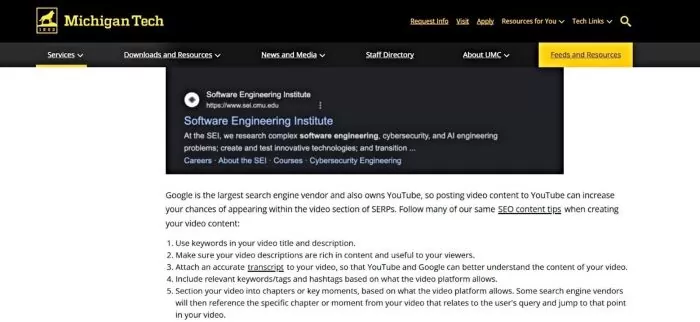
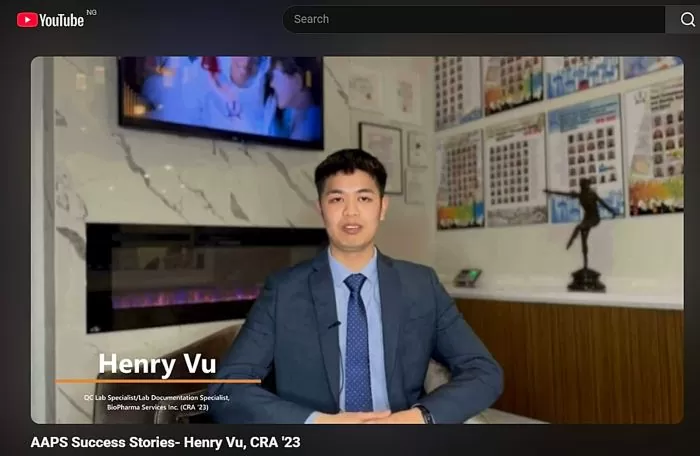
    Example: Michigan Technological University: Integrates video SEO into its content strategy to capitalize on the popularity of video content. Michigan Tech advises its departments to treat video content like web text content for optimization: use keyword-rich titles and descriptions on YouTube, and crucially, attach accurate transcripts or captions to each video. Providing a transcript allows Google and other AI-driven search engines to “understand” the video’s content. 

    Michigan Tech emphasizes the importance of captions and transcripts so search engines can understand video content. More broadly, platforms like Google and YouTube use metadata such as titles, descriptions, and timestamps to better interpret video relevance in search results.These practices ensure the university’s lectures, tutorials, and marketing videos are accessible to search engines and can surface in voice or AI search responses.

    HEM 6HEM 6

    Source: Michigan Technological University

    Speakable Content and Voice Search
    As AI search integrates more closely with voice assistants, content clarity becomes even more important. While Speakable schema is not widely used in education yet, schools should focus on writing concise, well-structured answers to common questions. Clear summaries on admissions, tuition, and programs prepare your content for both visual and voice-based search experiences.

    Multimedia optimization improves both visibility and perception. Strong images and videos help schools appear in AI results and stand out once they do.

    6. Use Structured Data and Clean Site Architecture

    Structured data and clean site architecture significantly improve how accessible your content is to AI systems. Generative AI for colleges relies on context, and schema markup provides that context explicitly. A logical site structure ensures important information is easy to find and understand.

    Education-Specific Schema
    Schools should implement schema types relevant to higher education. EducationalOrganization schema supports institutional information. Course schema describes programs and credentials. FAQPage schema is ideal for admissions and financial aid questions, while Event schema works well for open houses and webinars. When the schema aligns with visible page content, it increases Google’s confidence in surfacing that information.

    Example: University of Minnesota: Embraces structured data to enhance how its content appears in AI-powered results. In October 2025, U of M’s marketing tech team rolled out new schema features across its Drupal web platform to better label content for search engines. Their official guide explains “that’s the power of structured data” – snippets of code that help search engines and AI understand page details like program offerings, alumni, FAQs, etc., leading to rich search results. Minnesota’s web environment includes a Schema.org metatag module, and they continually update it (e.g., adding support for alternate organization names and parent organizations in 2025) so that university webpages can output a comprehensive JSON-LD schema. This clean, machine-readable markup boosts the visibility of U of M content in rich results and AI summaries.

    HEM 7HEM 7

    Source: University of Minnesota

    FAQ and Q&A Schema
    The FAQPage schema is especially valuable for AI-powered search. It clearly signals which text answers specific questions. If a prospective student asks about tuition or application deadlines, schema-marked answers increase the likelihood that AI systems pull accurate snippets directly from your site.

    Clean URLs and Logical Hierarchy
    Your site structure should be intuitive and reflected in URLs. Paths like /academics/programs/computer-science help both users and crawlers understand content relationships. Important pages should not be buried or scattered across PDFs without internal links. AI systems are more likely to surface well-organized pages than fragmented information.

    Internal Linking
    Use internal links to connect related content using descriptive anchor text. Admissions pages should link to financial aid details. Program pages should link to career outcomes or internship information. Internal linking helps AI systems follow context across your site and identify authoritative pages.

    Technical Hygiene
    Keep sitemaps updated, fix broken links, and ensure key pages are indexed. Avoid blocking important content with noindex tags or robots.txt. Do not rely solely on PDFs or images to communicate essential information. Always provide HTML text summaries for critical details.

    Data Accuracy and Consistency
    Structured data must match on-page content exactly. Inconsistent tuition figures, dates, or requirements can confuse AI systems and undermine trust. Centralizing frequently updated information reduces errors and improves reliability.

    Clean structure and accurate schema make your site easier for AI to understand and more likely to be referenced correctly.

    7. Stay Current and Adapt

    The final requirement for AI-era visibility is continuous adaptation. AI-powered search is evolving quickly, and static strategies will fall behind.

    Monitor Performance
    Track impressions, click-through rates, and query patterns. Declining clicks may indicate users are getting answers directly from AI results. Identify affected pages and strengthen their value or clarity.

    Use AI Evaluation Tools
    Emerging tools can highlight gaps, such as missing schema or slow performance. While imperfect, they can help prioritize improvements.

    Keep Content Updated
    Refresh pages when programs, policies, or deadlines change. Update older content with current data and examples. AI systems favor recent, accurate information, especially for admissions and cost-related queries.

    Watch Industry Trends
    Follow credible SEO and higher education marketing sources to understand how AI search is evolving. Use early signals to adjust content strategy before visibility declines.

    Example: University of Utah: Stays on the cutting edge by rapidly adapting to emerging search technologies and educating its staff. In late 2025, Utah’s Web Support & Usability team hosted a campus Web Editor Summit focused on the latest SEO and AI trends. They urged content editors to adjust strategies for AI-driven search, for example, by optimizing site content even if certain pages are blocked from traditional indexing (since AI models might analyze them regardless). Utah is even preparing for the next wave of AI by securing an enterprise ChatGPT license to integrate advanced AI into its services. By proactively training web editors on tools like custom GPTs and emphasizing new ranking factors, the University of Utah shows a commitment to continuous learning and quick adaptation in the AI era.

    HEM 8HEM 8

    Source: University of Utah

    Balance Optimization With Human Experience
    AI visibility is only the first step. When users click through, your site must guide them clearly toward next actions. Strong user experience, clear calls to action, and authentic messaging remain essential.

    Schools that combine technical discipline with ongoing refinement will remain visible as search continues to evolve. Continuous improvement is the most reliable long-term strategy in an AI-driven search environment.

    Preparing Your School for AI-Driven Search

    AI-powered search is fundamentally changing how prospective students discover, evaluate, and compare institutions. Visibility is no longer determined solely by blue-link rankings but by how clearly and credibly a school’s information can be understood and reused by AI systems. To remain competitive, schools must move beyond isolated SEO tactics and adopt a more holistic approach to search visibility.

    This means maintaining strong technical SEO foundations, publishing content that directly answers real student questions, and ensuring visual, video, and structured data assets are optimized and accessible. Clean site architecture, accurate information, and consistent updates all play a role in whether an institution is surfaced or overlooked in AI-generated results. Just as important is a commitment to ongoing adaptation. AI search will continue to evolve, and schools that monitor performance, refine content, and prioritize the student experience will be best positioned to earn trust, attention, and engagement.

    Need help refining your school search optimization strategy?

    Discover how our specialized services can help you connect with and enroll more students.

    FAQs

    Question: What is Google’s AI Search (SGE) and why does it matter for schools?

    Answer: Google’s Search Generative Experience, now commonly surfaced as AI Overviews, represents a major shift in how search results are delivered. Instead of presenting users with a list of links, Google increasingly provides synthesized, AI-generated answers that pull information from multiple sources and present it as a concise, conversational summary.

    Question: How can my school improve its visibility in AI-powered search?

    Answer: Achieving visibility in AI-driven search results requires a blend of traditional SEO best practices and newer approaches often referred to as Generative Engine Optimization. This means maintaining a strong SEO foundation so Google understands and trusts your site, while also optimizing your content and digital presence for how AI retrieves, synthesizes, and presents information.

    Question: Why are online reviews important for AI search results?

    Answer: Online reviews provide fresh, user-generated content that signals credibility and relevance to AI systems. Positive, detailed reviews can help your institution appear in AI-generated answers by reinforcing trust, boosting visibility, and enriching the data AI uses to evaluate and summarize schools in search results.

    Source link

  • The Year of the AI Agent in Higher Education

    The Year of the AI Agent in Higher Education

    Reading Time: 15 minutes

    Higher education is entering a new era defined by proactive, intelligent digital helpers. Tech leaders such as Marc Benioff and Sam Altman have described 2025 as a pivotal year for AI agents, as colleges shift from basic chatbots to more advanced, autonomous AI systems. AI agents are not just tools; they are digital partners designed to support the entire student lifecycle.

    AI agents are transforming how colleges recruit, support, and engage learners. Unlike static chatbots, these systems analyze context, adapt over time, and take initiative. Their capabilities include automating application nudges, answering complex questions, and supporting academic success. This marks a major technological leap for institutions aiming to do more with fewer resources.

    In this article, we’ll define what AI agents are, explain how they differ from traditional digital assistants, and explore the growing role of agentic AI in higher education. We’ll also highlight practical benefits and examine why 2025 is a turning point for adoption.

    Are you prepared for the next evolution of enrollment and student support?

    What Is an AI Agent in Higher Education?

    In higher education, an AI agent is a software-based digital colleague designed to carry out tasks and make decisions autonomously, much like a human team member. Unlike traditional rule-based chatbots or static analytics dashboards, AI agents are dynamic, context-aware, and capable of proactive engagement. They anticipate needs, analyze data, and take meaningful action without waiting for human prompts.

    Key Capabilities of AI Agents in Higher Ed:

    • Real-Time Data Analysis: AI agents continuously ingest data from various systems, such as student information systems (SIS), learning management systems (LMS), and CRMs, and analyze it instantly. For example, if a student hasn’t logged into their course portal in over a week, the agent can flag this as a concern before a human staff member might even notice.
    • Complex Reasoning: While a basic chatbot might reply, “You missed your payment deadline,” an AI agent can infer that the student might be facing financial hardship. It reasons through that context and may recommend financial aid outreach or support services.
    • Proactive Action: Rather than waiting for a student to reach out, an AI agent can send reminders, book appointments, or trigger alerts based on predefined conditions and patterns it observes. This proactive behavior is one of the defining features that separates agents from other digital tools.
    • Human Collaboration: AI agents are not replacements for staff but digital teammates. They handle repetitive and data-heavy tasks, freeing up staff to focus on complex, high-touch interactions like one-on-one advising or sensitive student concerns.

    Imagine a first-year student named Alex who begins missing classes and deadlines. An AI agent, let’s call it “Corey,” detects these signs, reviews Alex’s recent activity, and notices additional indicators such as a missed financial aid deadline and a recent visit to the counseling center. Corey logs this information and acts.

    Corey sends Alex a supportive message suggesting tutoring and financial aid options, recommends an advising appointment, and even books a time. It also notifies the academic advisor and shares a detailed context summary, ensuring a more informed, empathetic meeting. Behind the scenes, the agent identifies other at-risk students based on similar patterns and launches personalized interventions.

    This example illustrates the power of agentic AI in higher education in managing complex student workflows with speed, precision, and care. From recruitment and enrollment to retention and autonomous student support, AI agents are redefining digital service delivery across higher education.

    AI Agents vs. Chatbots: How Are They Different?

    As colleges explore digital tools to improve student support and enrollment outcomes, it’s critical to understand the difference between AI agents and traditional chatbots. While the two terms are sometimes used interchangeably, their capabilities and strategic value are markedly different.

    Reactive vs. Proactive

    Chatbots are reactive tools. They wait for a student to initiate a question and respond with a scripted answer, often drawn from an FAQ database. Their usefulness is limited to straightforward interactions like, “What’s the application deadline?” AI agents, by contrast, are proactive. 

    They can detect when something needs attention, such as a missing transcript or a disengaged student, and initiate outreach or action without being prompted.

    Scripted Responses vs. Intelligent Actions

    Chatbots operate within a narrow script. If a question falls outside their programmed flow, they may fail to respond meaningfully. AI agents go further. They are autonomous systems capable of analyzing context, making decisions, and completing tasks. 

    For example, if a student asks about uploading a transcript, a chatbot might share a link. An AI agent would identify the missing document, send a personalized reminder, check for completion, and escalate if necessary, driving the outcome rather than just responding.

    Single-Channel vs. Omnichannel Engagement

    Chatbots often live on a single webpage and lack memory of past conversations. AI agents work across platforms, web chat, SMS, email, and student portals, and retain context across all interactions. They recognize students, recall prior discussions, and tailor communications accordingly, enabling more seamless and personalized support.

    FAQ Support vs. Lifecycle Engagement

    Chatbots help with quick answers, but AI agents support multi-step processes and lifecycle touchpoints. In admissions, for instance, a chatbot might handle inquiries, but an AI agent can follow up on incomplete applications, suggest resources, and nurture leads through enrollment. In student services, chatbots may share library hours, while AI agents detect academic disengagement and initiate support outreach.

    In short, chatbots answer questions. AI agents drive outcomes. As one expert noted, chatbots are like automated help desks, while AI agents function as full digital assistants embedded in institutional workflows. In an era of rising service expectations and limited staff capacity, this distinction matters more than ever. Institutions that embrace AI agents gain a powerful ally in delivering timely, personalized, and outcome-driven student experiences.

    How Do AI Agents Benefit Colleges and Students?

    The excitement around AI agents in higher education isn’t just about cool technology. It’s about solving real problems and creating tangible improvements for both institutions and learners. Here are some of the major benefits AI agents offer:

    1. Enhanced Student Support: Personalized, Timely, 24/7

    AI agents provide around-the-clock assistance, giving every student a digital personal assistant. Whether it’s midnight before an assignment is due or a weekend deadline looms, students can get timely help. More importantly, the support becomes proactive. For example, Georgia State University’s “Pounce” chatbot texts reminders to new students about critical steps like completing financial aid. 

    The result? Summer loss dropped from 19% to 9%, meaning hundreds more students showed up in the fall. Multiple surveys indicate that a significant share of students feel AI-powered tools help them learn more effectively, often citing faster access to personalized support.

    2. Increased Efficiency and Staff Augmentation

    AI agents act as force multipliers for campus teams. They handle thousands of repetitive inquiries, freeing staff for high-value work. Maryville University’s AI assistant “Max” answers thousands of student questions each month, resolving the majority without the need for human intervention.

    Some institutions report up to 75% time savings on routine tasks. Agents send deadline reminders, track document submissions, and streamline follow-ups. This eases staff workload and ensures faster responses for students.

    3. Improved Outcomes (Enrollment, Retention, and Success)

    AI agents improve key metrics. Integrated AI systems have been linked to measurable gains in student engagement and retention, particularly when used to support proactive outreach and early intervention.

    At Bethel University, a chatbot named “Riley” helps identify and guide prospective students to relevant resources, reducing the risk of drop-off. Since every 1% yield increase can represent hundreds of thousands in tuition revenue, tools that drive application completion and enrollment are essential.

    4. Consistency, Accuracy, and Scalability

    AI agents help deliver more consistent and accurate information across student-facing touchpoints. Unlike human staff who may interpret rules differently, agents follow uniform protocols. They scale effortlessly during peak periods. 

    When the University of Pretoria launched its chatbot, it handled 30,000+ queries in just months, easing pressure on staff and speeding up student responses. In crises or transitions, agents can quickly disseminate accurate updates to thousands.

    5. More Engaging and Proactive Student Experience

    AI agents make engagement feel more personalized. They nudge students with reminders and timely suggestions, reducing anxiety. For instance, an agent might prompt early tutoring or check in on disengaged students. 

    Nearly 48% of students report that chatbots improve their academic performance. For routine questions, many prefer AI over navigating office bureaucracy.

    6. Addressing Staff Challenges and Burnout

    With high student-to-staff ratios, burnout is common. AI agents ease this by managing low-level tasks, allowing staff to focus on complex support. Georgia Tech’s AI teaching assistant “Jill Watson” answered student questions so effectively that many didn’t realize she wasn’t human. The result was higher satisfaction and improved grades. Faculty benefit from fewer repetitive queries and more time for meaningful instruction.

    7. Data-Driven Decision Making

    AI agents generate actionable insights. For example, if hundreds of students ask how to change majors, administrators might simplify that process. Rising mental health-related queries might justify expanding counseling services. These agents serve students individually and help institutions see patterns and improve policies.

    AI agents are not about replacing human support. Instead, they enhance it. They handle scale, speed, and consistency, while humans deliver empathy, strategy, and complex care. In the ideal model, AI handles the routine so people can focus on relationships, creating a stronger, more responsive higher education experience for all.

    Why 2025 Is Called “The Year of the AI Agent”

    AI in higher education is not new. Predictive analytics, early chatbots, and automated workflows have existed on campuses for years. So Why is 2025 considered the “Year of the AI Agent”?

    The answer lies in a rare convergence of technological maturity, institutional urgency, and cultural readiness. Together, these forces have pushed AI agents out of experimentation and into real, scalable deployment across higher education.

    From Generative AI Hype to Agentic Execution

    The last few years have delivered dramatic advances in generative AI, particularly large language models capable of human-like reasoning and communication. By late 2024, however, many institutions were still grappling with a familiar challenge: impressive technology without clear operational value.

    That changed as agentic AI frameworks emerged. Unlike standalone chatbots, AI agents can reason across systems, make decisions, and take action autonomously. By 2025, the standards, tooling, and governance models needed to deploy these agents had largely solidified. Technology leaders across industries began openly describing 2025 as the moment when AI moves from novelty to infrastructure, and higher education followed suit.

    A Shift From Reactive to Proactive Campus Systems

    Perhaps the most profound change is philosophical. Traditional campus technologies are reactive: staff respond to dashboards, alerts, or student inquiries after problems arise. AI agents invert that model.

    In 2025, institutions are deploying systems that continuously monitor behavior, detect risk signals, and intervene before issues escalate. Instead of waiting for a student to ask for help, AI agents can proactively reach out with reminders, resources, or guidance. This shift, from responding to problems to preventing them, marks a fundamental evolution in how universities support students.

    A Mature Ecosystem Ready for Scale

    Another reason 2025 stands out is ecosystem readiness. Major CRM and LMS platforms now support AI agent integrations, while many universities have already launched institution-wide AI environments that allow teams to build custom tools safely and responsibly.

    Equally important, AI literacy has improved dramatically. Faculty, administrators, and students now have a shared baseline understanding of AI, reducing resistance and accelerating adoption. The organizational “soil,” in other words, is finally fertile.

    Urgency in a Challenging Higher Ed Landscape

    The broader context cannot be ignored. Enrollment pressure, budget constraints, staffing shortages, and growing student support needs have created an acute demand for scalable solutions. AI agents offer a compelling return on investment: automating routine tasks, extending staff capacity, and directly supporting recruitment, retention, and student success.

    Early results have reinforced this case, demonstrating that modest investments can yield outsized operational and experiential gains.

    Momentum and Institutional Confidence

    Finally, momentum matters. As respected associations, peer institutions, and sector leaders publicly endorse AI adoption, hesitation gives way to action. The conversation has shifted decisively, from “Should we use AI?” to “How do we implement it effectively and responsibly?”

    Taken together, these forces explain why 2025 feels different. This is the year of AI execution in higher education. Agentic AI has moved from concept to practice, and institutions embracing it now are redefining what responsive, student-centered operations look like in the modern university.

    Real-World Examples of AI Agents in Higher Ed

    University of Toronto (Canada): U of T is integrating AI agents into autonomous student support and advising. A university-wide task force recommended deploying AI tools in these areas, and a pilot program is underway for a course-specific AI chatbot that lives on course websites. This “virtual tutor” agent can answer students’ questions about class materials and guide them through content.

    Unlike public chatbots, U of T’s version runs on a secure platform with course-specific knowledge, protecting instructors’ content and student privacy. If successful, the AI tutor will be rolled out across the institution to enhance how students receive academic help outside of class.

    HEM BP Image 2HEM BP Image 2

    Source: University of Toronto

    Arizona State University (USA): ASU has implemented AI-powered digital assistants – including a voice-activated campus chatbot through Amazon’s Alexa. In a first-of-its-kind program, ASU provided Echo Dot smart speakers to students in a high-tech dorm and launched an “ASU” Alexa skill that anyone can use to get campus information.

    Students can ask the voice assistant about dining hall menus, library hours, campus events, and more. This AI agent offers on-demand answers via natural conversation, extending student engagement and support to a hands-free, 24/7 format.

    HEM BP Image 3HEM BP Image 3

    Source: Arizona State University

    University of British Columbia (Canada): UBC is leveraging AI agents to enhance advising and student services. For example, the Faculty of Science piloted “AskCali,” an AI academic advising assistant that uses generative AI to answer students’ questions about course requirements and program planning at any time of day.

    AskCali draws on UBC’s academic calendar and official documents to provide accurate, personalized guidance, helping students navigate complex requirements. UBC’s Okanagan campus has also deployed chatbots for departments like IT help and student services, reportedly handling the vast majority of routine inquiries and dramatically reducing wait times.

    HEM BP Image 4HEM BP Image 4

    Source: University of British Columbia

    University of Michigan (USA): U–M has rolled out AI-driven assistants to support students in academics and campus life. Notably, the College of Literature, Science, and Arts introduced “LSA Maizey,” a 24/7 AI advising chatbot described as a “smart sidekick for college life.” Maizey answers questions about degree requirements, academic policies, registration, study strategies, and more – anytime, day or night. It provides links to official information and helps students find advising info outside of business hours.

    This AI agent augments U–M’s human advisors by handling common queries and pointing students to the right resources instantly. (U–M has also developed a campus-wide assistant called “MiMaizey” for general questions like dining, events, and wayfinding, further personalizing the student experience)

    HEM BP Image 5HEM BP Image 5

    Source: University of Michigan

    Harvard University (USA): Harvard is experimenting with autonomous AI tutors and assistants to improve learning and advising. In one pilot, Harvard faculty built a custom AI “tutor bot” for an introductory science course that allows students to get immediate help with difficult concepts outside of class.

    Students could ask this bot unlimited questions at their own pace, without fear of judgment, and a study found it improved engagement and motivation in the course. Harvard’s IT department has also launched AI chat assistants (nicknamed “HUbot” and “PingPong”) to aid students with tech or academic questions, and Harvard Business School tested an AI teaching assistant in a finance course.

    HEM BP Image 6HEM BP Image 6

    Source: Harvard University

    Stanford University (USA): Stanford has been a leader in using AI agents to support students academically. One example is a Stanford-developed AI system that monitors online learning platforms to detect when a student is struggling. Researchers created a machine-learning agent that predicts when a student will start “wheel-spinning” (getting stuck repeatedly on practice problems) and recommends targeted interventions to help the student overcome the obstacle.

    Essentially, the AI acts like an autonomous tutor/coach in self-paced digital courses, flagging at-risk students and suggesting that instructors or the system intervene (for example, by reviewing an earlier concept). Beyond this, Stanford has trialed AI chatbots as virtual TAs in large classes (answering common questions on course forums) and used data-driven AI models to alert advisors about students who may need support.

    HEM BP Image 7HEM BP Image 7

    Source: Stanford University

    University of Sydney (Australia): The University of Sydney developed “Cogniti,” an AI platform that serves as an “AI stunt double” for instructors, essentially allowing teachers to clone their expertise into custom AI agents for their courses. More than 800 Sydney faculty are already using Cogniti to support their teaching.

    These AI agents (designed by the educators themselves) can answer student questions, provide instant feedback on practice exercises, and offer guidance 24/7, in alignment with the instructor’s curriculum and guidelines.

    For example, a speech pathology class uses a Cogniti bot that role-plays as a patient’s parent to help students practice clinical conversations. Cogniti won a national award for innovation, and it’s given students at Sydney access to personalized help at all hours – while letting instructors remain in control of the AI’s scope and knowledge.

    HEM BP Image 8HEM BP Image 8

    Source: University of Sydney

    Deakin University (Australia): Deakin Genie is a pioneering digital assistant that has been serving Deakin students since late 2018. Branded as a “digital concierge,” Genie lives in the Deakin University mobile app and uses AI (natural-language processing with voice and text) to help students navigate university life. It can answer thousands of common questions (“When is my assignment due?”, “Where is the library?”), manage personal schedules and reminders, and even proactively prompt students to study or register for classes.

    Genie’s rollout was phased; it started with pilot groups and went university-wide in 2018. Within the first year, its user base more than doubled, reaching over 25,000 student downloads by 2019. At peak times (such as the start of term), Genie handles up to 12,000 conversations per day, a volume equivalent to Deakin’s call center traffic. Top queries center on first-year needs: class timetables, assignment details, finding unit (course) resources, and key dates. The Genie team closely monitors performance and tracks whether Genie’s answers resolve the question or if a human staff follow-up is needed, continually updating Genie’s knowledge base and dialog flow. 

    This iterative improvement has paid off in high student satisfaction; many students treat Genie like a supportive “friend” always on hand. Genie is also context-aware: it knows who the student is (program, year, campus) and personalizes responses (“Your next class is…”, “Your assignment 2 is due next Monday”).

    HEM BP Image 9HEM BP Image 9

    Source: Deakin University

    Humans + AI Agents: A New Collaborative Workforce

    As AI agents gain traction across higher education, one point deserves emphasis: their value lies not in replacing people, but in working alongside them. The most successful institutions view AI agents as tools that extend human capacity rather than diminish it. 

    The goal is a blended workforce in which routine, data-heavy tasks are automated, freeing faculty and staff to focus on what humans do best: empathy, judgment, creativity, and mentorship.

    In practice, this collaboration is already taking shape across campus operations. Admissions offices are using AI agents to track application completeness and communicate with prospective students, while human counselors retain responsibility for final decisions and nuanced conversations. 

    Advising teams rely on agents to monitor engagement data and flag potential risks, but the advising itself remains a human-centered interaction and is strengthened by better insight and preparation rather than automated away.

    This shift also requires a cultural adjustment. Institutions leading the way are investing in AI literacy and professional development to help staff understand how these tools work and how they can be applied responsibly. When employees are empowered to experiment and contribute ideas, AI adoption becomes collaborative rather than imposed, encouraging innovation from the ground up.

    From Experimentation to Organizational Advantage

    Human oversight remains essential to responsible AI deployment. AI agents operate most effectively within clear governance frameworks that prioritize data privacy, institutional policy alignment, and human oversight. For high-impact decisions, such as academic standing, financial aid determinations, or student well-being, humans stay firmly in the loop. The agent may analyze data or draft recommendations, but people make the final call.

    Importantly, AI agents can actually strengthen the human touch. By helping staff prioritize outreach and monitor large student populations, they reduce the likelihood that students fall through the cracks. The result is a campus environment that is more responsive, more personalized, and ultimately more humane, where technology supports, rather than replaces, meaningful human connection.

    Are you prepared for the next evolution of enrollment and student support?

    Frequently Asked Questions

    Question: What is an AI agent in higher education? 

    Answer: In higher education, an AI agent is a software-based digital colleague designed to carry out tasks and make decisions autonomously, much like a human team member. Unlike traditional rule-based chatbots or static analytics dashboards, AI agents are dynamic, context-aware, and capable of proactive engagement. They anticipate needs, analyze data, and take meaningful action without waiting for human prompts.

    Question: How do AI agents benefit colleges and students?

    Answer:  The excitement around AI agents in higher education isn’t just about cool technology. It’s about solving real problems and creating tangible improvements for both institutions and learners. Here are some of the major benefits AI agents offer:

    Question: Why is 2025 considered the “Year of the AI Agent”?

    Answer: The answer lies in a rare convergence of technological maturity, institutional urgency, and cultural readiness. Together, these forces have pushed AI agents out of experimentation and into real, scalable deployment across higher education.

    Source link

  • AI Agents for Colleges: Intelligent Systems Uses

    AI Agents for Colleges: Intelligent Systems Uses

    Reading Time: 13 minutes

    Artificial intelligence has rapidly evolved from experimental pilots into practical tools in higher education. Colleges and universities are now adopting AI agents, intelligent, autonomous systems designed to perform tasks, learn continuously from data, and act proactively to support students and staff throughout the entire enrollment and student journey.

    Unlike traditional chatbots that offer scripted responses, AI agents for colleges can analyze behavior, adapt to changing inputs, and take meaningful actions based on goals or context. They can handle tasks like personalized communication, lead nurturing, application guidance, and even predicting student attrition, all with minimal human intervention.

    For higher ed leaders, enrollment managers, and marketing teams, the question is no longer if AI will play a role in education; it’s how to use it strategically, ethically, and effectively. The potential is significant: smarter outreach, streamlined operations, and stronger support for students.

    In this article, we’ll unpack what AI agents are, how they differ from simpler tools, how institutions are using them today, and what practical steps schools can take to get started or scale up AI-powered initiatives.

    Are you prepared for the next evolution of enrollment and student support?

    What Is an AI Agent?

    An AI agent is a dynamic, intelligent system designed to perform tasks autonomously on behalf of users or institutions. Unlike static tools or rule-based chatbots, AI agents can analyze data, interpret complex intent, and act independently in pursuit of defined goals. They are capable of:

    • Understanding and responding to user intent across multiple interactions
    • Taking proactive actions based on predefined goals, real-time context, or behavioral triggers
    • Continuously learning and improving from user inputs and outcomes
    • Integrating with core institutional platforms such as CRMs, student information systems (SIS), learning management systems (LMS), and communication tools

    In a higher education context, AI agents are not simply answering questions; they’re helping institutions solve problems. These agents can assist with lead nurturing, application guidance, appointment scheduling, academic advising, and more. Their ultimate purpose is to support institutional goals such as improving enrollment conversion, enhancing student engagement, and reducing the manual workload on admissions, marketing, and student services teams.

    Key Characteristics of AI Agents in Higher Education

    AI agents for colleges are defined by several core capabilities that set them apart from traditional tools or scripted chatbots:

    • Autonomy: They operate independently, completing tasks or initiating interactions without requiring constant human oversight.
    • Context Awareness: AI agents can recognize a student’s position within the enrollment or academic lifecycle and adjust their responses accordingly.
    • Goal-Oriented Behavior: They are built with specific institutional outcomes in mind, such as increasing conversion rates, reducing summer melt, or improving retention.
    • Continuous Learning: These systems improve over time by analyzing data patterns and learning from past interactions.

    Together, these characteristics enable AI agents to act as proactive, adaptive partners in student engagement, going well beyond static digital assistants to drive meaningful institutional impact.

    AI Agent vs. Chatbot: What’s the Difference?

    A common source of confusion in higher education is the distinction between traditional chatbots and AI agents. While the terms are sometimes used interchangeably, the capabilities and strategic impact of each are vastly different.

    Traditional Chatbots

    Chatbots are typically rule-based or scripted tools that respond to user prompts. They are reactive rather than proactive, meaning they wait for a user to initiate contact. Most chatbots are limited in scope: they may answer FAQs or provide links to resources, but they cannot understand context or evolve. Their utility is often confined to narrow use cases like answering admissions deadlines or sharing campus event information.

    AI Agents

    AI agents, by contrast, are intelligent, goal-driven systems that can operate autonomously across platforms. They are capable of interpreting complex intent, initiating actions, and retaining memory across sessions and channels. These agents integrate with CRMs, SIS, and learning platforms to deliver personalized experiences. More importantly, AI agents can adapt their strategies based on behavioral data and outcomes. For example, an AI agent might detect that an admitted student has not opened key onboarding emails and proactively reach out with a nudge or alternative format.

    The Key Distinction

    What makes an AI agent different from a chatbot? AI agents are autonomous, goal-driven systems that understand context, learn over time, and take proactive actions. Unlike chatbots, which respond to scripted prompts, AI agents can guide users through processes and initiate engagement across multiple platforms. 

    In essence, chatbots answer questions, but AI agents help move students through a process. They not only provide information but also drive outcomes like enrollment completion, financial aid submission, and course registration. As institutions seek to improve service quality and efficiency at scale, AI agents offer a more strategic, integrated approach than chatbots alone.

    Why AI Agents Matter for Colleges Today

    Higher education is undergoing a seismic shift. Institutions are under mounting pressure from multiple directions: growing competition for a shrinking pool of prospective students, fluctuating domestic enrollment in many regions, rising expectations for personalized and digital-first engagement, and increasingly limited internal resources. In this environment, colleges and universities need tools that enable them to do more with less without sacrificing student experience.

    AI agents offer a powerful solution. These intelligent systems enable colleges to shift from reactive service models to proactive, anticipatory engagement across the student lifecycle. Whether guiding prospective applicants through the admissions process or supporting enrolled students with course selection and financial aid navigation, AI agents help scale operations while preserving a sense of personal touch.

    Core Education AI Use Cases for Colleges

    1. AI in Enrollment Management

    One of the most transformative applications of AI agents is in enrollment management. Traditional outreach methods often rely on bulk communications and static timelines. AI agents, by contrast, enable real-time, tailored engagement based on where each student is in the funnel.

    Key functions include:

    • Sending automated, personalized nudges to incomplete applicants
    • Identifying prospects who show signs of disengagement or drop-off
    • Providing 24/7 responses to common admissions questions
    • Supporting post-admit engagement and reducing summer melt

    Rather than replacing admissions professionals, these agents act as digital extensions of the team, helping manage volume while maintaining quality interactions.

    2. Intelligent Assistants in Higher Education Recruitment

    On websites, landing pages, and student portals, intelligent AI assistants for higher ed help convert interest into action. These systems can dynamically guide users to the most relevant content or next steps based on browsing behavior, geography, or persona.

    Use cases include:

    • Directing students to matching academic programs
    • Surfacing key dates and requirements based on applicant type
    • Offering localized content or multilingual support for international visitors
    • Capturing high-intent inquiries for CRM integration and follow-up

    When embedded at strategic touchpoints, these tools improve the prospective student experience and boost lead conversion rates.

    3. Student Services and Academic Support

    Beyond recruitment, AI agents are increasingly being used to reduce administrative burden and expand access to essential student services. This is especially valuable for institutions serving diverse populations, including adult learners, international students, and part-time students who may need help outside of regular office hours.

    Key areas of support:

    • Assisting with course registration logistics and policies
    • Answering financial aid questions and helping students navigate fees
    • Referring students to on-campus services based on need (e.g., mental health, tutoring, IT help)
    • Acting as a triage point for academic advising requests

    By handling routine inquiries, AI agents free up staff to focus on more complex or sensitive cases.

    4. Retention and Student Success

    Student success teams often lack real-time visibility into which students are disengaging. AI agents can analyze signals such as missed logins, dropped classes, or overdue assignments to flag early risk indicators.

    Once identified, agents can:

    • Trigger automated check-ins or reminders
    • Recommend helpful resources (e.g., peer tutoring)
    • Notify academic advisors or success coaches
    • Encourage re-engagement through timely, personalized outreach

    These interventions help prevent attrition by reaching students before they fully disengage.

    5. Marketing and Communications Automation

    AI agents also bring efficiency to enrollment marketing operations. They can support:

    • Real-time content personalization on websites
    • Automated follow-up workflows based on behavior (e.g., abandoned form fill)
    • Cross-channel engagement across email, SMS, and chat
    • Handling campaign-related inquiries or call-to-action responses instantly

    For marketing teams, this means campaigns can scale without losing relevance. AI ensures that prospective students receive the right message, at the right time, via the right channel, improving conversion rates and ROI.

    In short, AI agents are not a future-facing concept. They’re a current strategic advantage. By embedding intelligence and automation into student engagement, colleges can improve outcomes, reduce strain on staff, and create experiences that meet the expectations of today’s digital-native learners.

    How Are Colleges Using AI Agents Today?

    Across Canada, the United States, and internationally, colleges and universities are already deploying AI agents to support critical areas like enrollment, student services, academic advising, and marketing. These are no longer just experimental tools or isolated pilot projects. Instead, many institutions are integrating AI agents into their core strategies, using them to improve responsiveness, personalize outreach, and ease the burden on staff.

    From automating admissions follow-ups to guiding students through financial aid, real-world use cases are multiplying. The focus has shifted from “if” to “how best” to implement these tools.

    (See the curated examples at the end of this article.)

    Do AI Agents Replace College Staff?

    This is a common concern, and the answer is no. AI agents are not designed to replace college staff, but to support them.

    These intelligent tools handle routine, high-volume, and time-sensitive tasks that can overwhelm busy teams. They can respond instantly to frequently asked questions, guide users to resources, and even operate around the clock, especially useful during evenings, weekends, or high-traffic application periods.

    By managing first-line support, AI agents free up staff to concentrate on what matters most: personalized advising, meaningful relationship-building, and strategic planning. They also surface real-time data and student behavior insights that staff can use to make more informed decisions.

    Importantly, human expertise remains essential for nuanced conversations, equity-based support, and complex decision-making. Rather than replacing staff, AI agents extend their capacity, allowing institutions to offer more consistent, timely, and personalized service without adding headcount. When implemented thoughtfully, AI agents strengthen, not diminish, the human touch in education.

    Ethical and Practical Considerations

    As colleges adopt AI agents, ethical implementation is paramount. Institutions must ensure these tools align with institutional values and uphold trust.

    Data Privacy and Security:
    AI agents must comply with relevant privacy laws such as PIPEDA or GDPR. Clear, transparent data usage policies help reassure users and safeguard institutional integrity.

    Bias and Fairness:
    To prevent unintended bias, especially in areas like admissions or advising, institutions should conduct regular audits, use diverse training data, and maintain human oversight in high-stakes decisions.

    Governance and Oversight:
    Successful AI initiatives require clear accountability. Define who owns the AI agent, how it’s monitored, and when human staff should step in.

    Ultimately, AI agents should enhance equitable access, not compromise it. Thoughtful design and oversight are essential.

    How Can Colleges Get Started with AI Agents?

    For colleges and universities exploring AI agents for the first time, a phased and strategic approach ensures alignment with institutional goals while minimizing risks.

    Step 1: Identify High-Impact Use Cases
    Start by targeting clear, high-volume needs where automation delivers immediate value. Common entry points include admissions inquiries, application follow-ups, and frequently asked questions in student services. These areas typically require timely, consistent responses and are ideal for early pilots.

    Step 2: Align with Enrollment and Marketing Strategy
    AI agents should reinforce your institution’s enrollment goals, not operate in a silo. Ensure that the use cases support broader priorities such as inquiry-to-application conversion, yield improvement, or retention. Collaboration between admissions, marketing, and IT is key.

    Step 3: Integrate with Existing Systems
    To be effective, AI agents must connect with your existing technology stack. Integrate them with CRM platforms, student portals, and marketing automation tools to ensure seamless data flow and actionable insights.

    Step 4: Pilot, Measure, Optimize
    Launch a limited-scope pilot with clear objectives. Track metrics like reduced response times, increased application completion, or staff time saved. Use feedback and data to refine both the agent’s responses and its integration with team workflows.

    Step 5: Scale Thoughtfully
    Once the agent has proven value, consider expanding to new functions (e.g., academic support or financial aid). Establish governance policies, ensure ongoing training and monitoring, and communicate transparently with users.

    With the right foundation, AI agents can scale intelligently, becoming a long-term asset for your institution.

    Examples of Higher Education Institutions Demonstrating AI Agent Use

    Georgia State University (USA): Georgia State pioneered an AI chatbot named “Pounce” to assist incoming students with admissions queries, financial aid forms, and other enrollment steps. By answering thousands of questions 24/7 via text messages, Pounce helped reduce “summer melt” (admitted students failing to enroll) by 22% in its first year, meaning hundreds more freshmen made it to campus. This AI assistant continues to guide students through registration and financial processes, improving support for new Panthers.

    HEM BP Image 2HEM BP Image 2

    Source: Georgia State University

    University of Toronto (Canada): U of T is actively exploring AI-driven tools to enhance student advising and services. A university-wide AI task force has recommended integrating AI into student support and administration. Initiatives include pilot projects for AI chatbots and data analytics to assist academic advisors, streamline routine administrative queries, and personalize student services. By embracing these technologies with a human-centric approach, U of T aims to improve how students receive guidance and navigate campus resources.

    HEM BP Image 3HEM BP Image 3

    Source: University of Toronto

    Arizona State University (USA): ASU has implemented AI-enabled digital assistants (including voice-activated tools) to guide prospective and current students. Notably, ASU partnered with Amazon to create a voice-based campus chatbot via Alexa, allowing users to ask the “ASU” skill about campus events, library hours, dining menus, and more. In residence halls, students received Echo Dot devices as part of a smart campus initiative, making it easy to get instant answers about enrollment or campus life. These AI assistants augment student engagement by conversationally providing on-demand information and support.

    HEM BP Image 4HEM BP Image 4

    Source: Arizona State University

    University of British Columbia (Canada): UBC leverages AI in both research and practical applications to improve student experiences. The university deploys AI chatbots and advising assistants to help answer student questions and streamline services. For example, UBC’s “AskCali” project is an AI-driven advising tool that uses generative AI to answer academic planning questions and direct students to resources. UBC Okanagan’s campus also introduced an AI chatbot across departments like IT support and Student Services, automating routine inquiries and reducing wait times by handling ~99% of chats, which frees up staff for complex issues. Through these efforts, UBC enhances student support while improving operational efficiency.

    HEM BP Image 5HEM BP Image 5

    Source: UBC

    Harvard University (USA): Harvard is applying AI systems to enhance academic advising, streamline administrative tasks, and bolster student engagement. The university’s digital strategy encourages responsible use of AI in advising and student services. For example, Harvard has explored AI chatbots for answering routine student questions and experimented with AI tutors to augment academic advising. These AI initiatives are aimed at improving the efficiency of advising processes and enriching how students interact with academic support, all while maintaining a human-centered approach (Harvard’s advisors and faculty guide AI use to ensure it aligns with educational values).

    HEM BP Image 6HEM BP Image 6

    Source: Harvard University

    University of Michigan (USA): U-M has rolled out AI-powered tools to support student services, including conversational assistants for advising and campus information. The College of LSA launched “Maizey,” a 24/7 AI academic advising chatbot that answers questions on course requirements, policies, and study tips, providing a “smart sidekick” for students seeking guidance after hours. Additionally, U-M developed “MiMaizey,” a personalized AI campus assistant that helps students find information on dining, events, organizations, and more in a chat interface. By deploying these AI-supported services, Michigan offers instant help and tailored support to students while complementing its human advisors.

    HEM BP Image 7HEM BP Image 7

    Source: University of Michigan

    University of Alberta (Canada): UAlberta is integrating AI into student services and campus operations to improve efficiency and support. The university’s AI committees explicitly guide the use of AI to “improve university operations, services, resource management, and administrative tasks.” This means deploying AI tools in areas like student advising, where chatbots or predictive analytics can assist with inquiries, and in back-office processes, where automation can streamline workflows. By embracing these technologies, the U of A seeks to enhance the student service experience (faster responses, 24/7 support) and optimize institutional decision-making and resource use.

    HEM BP Image 8HEM BP Image 8

    Source: University of Alberta

    Stanford University (USA): Stanford has been a leader in leveraging AI agents for student support, learning analytics, and administrative innovation. Researchers at Stanford have developed AI systems that detect when students are struggling in digital courses and then recommend interventions to instructors, effectively acting as an AI tutor/assistant to keep students on track. In student services, Stanford has experimented with chatbots and AI-driven data analysis to personalize learning and improve advising. These efforts—from AI “teaching assistants” that answer student questions to predictive models that inform advisors—illustrate Stanford’s use of AI to enhance learning outcomes and streamline academic administration.

    HEM BP Image 9HEM BP Image 9

    Source: Stanford University

    The Strategic Opportunity Ahead

    AI agents represent a transformative opportunity for colleges and universities that approach them with purpose and alignment. When embedded within broader strategies for enrollment management, student success, and marketing, these tools can significantly enhance institutional impact.

    By automating high-volume tasks and providing real-time, personalized support, AI agents help institutions engage students earlier in their journey, offer more relevant touchpoints, and deliver a seamless digital experience that today’s learners expect. At the same time, they free up staff to focus on strategic, human-centered work, creating a more agile and efficient institution.

    The real value lies not in simply deploying AI tools, but in how they’re integrated across departments and designed to serve long-term goals. For higher education leaders, this means shifting the conversation from technology for its own sake to technology as an enabler of student-centric transformation. With thoughtful implementation, AI agents can become a cornerstone of modern, resilient, and responsive institutions.

    Are you prepared for the next evolution of enrollment and student support?

    Frequently Asked Questions

    Question: What makes an AI agent different from a chatbot?
    Answer: AI agents are autonomous, goal-driven systems that understand context, learn over time, and take proactive actions. Unlike chatbots, which respond to scripted prompts, AI agents can guide users through processes and initiate engagement across multiple platforms.

    Question: How are colleges using AI agents today?
    Answer: Across Canada, the United States, and internationally, colleges and universities are already deploying AI agents to support critical areas like enrollment, student services, academic advising, and marketing. 

    Question: Do AI agents replace college staff?
    Answer: This is a common concern, and the answer is no. AI agents are not designed to replace college staff, but to support them. These intelligent tools handle routine, high-volume, and time-sensitive tasks that can overwhelm busy teams.

    Source link

  • Festive Ideas to Engage Students and Alumni

    Festive Ideas to Engage Students and Alumni

    Reading Time: 15 minutes

    The holiday season offers a valuable opportunity for schools to foster connection and celebrate community. Each year, Higher Education Marketing reviews holiday videos from institutions across the education spectrum to spotlight standout examples that capture the spirit of the season while supporting broader marketing goals.

    This annual holiday video post brings together some of our favourite picks from this year’s festive content. From heartfelt messages of gratitude to creative student-led performances, these videos show how colleges and universities are using year-end storytelling to connect with students, staff, alumni, and prospective families in meaningful ways. Beyond tradition, holiday videos have become a strategic tool in higher education marketing, helping schools showcase their personality, values, and milestones from the past year.

    Whether it is a lighthearted campus moment or a thoughtful message from institutional leadership, a well-crafted holiday video can generate goodwill, boost social engagement, and reinforce school spirit. The best part is that these moments do not require a Hollywood budget. With a strong concept, authentic voices, and a little seasonal creativity, schools of any size can produce compelling year-end content.

    In this post, we will explore what makes an effective holiday video, share practical production tips, and highlight some of the best holiday videos of the season, according to the HEM team.

    Are you looking for education marketing services?

    Our expert digital marketing services can help you attract and enroll more students!

    What Is a Holiday Highlight Video for Schools?

    A holiday highlight video is a short, engaging piece of content that schools create to celebrate the festive season while reflecting on the year’s milestones. Blending seasonal charm with storytelling, these videos typically showcase memorable moments, achievements, and community messages, wrapped in a festive tone that resonates with audiences across generations.

    Unlike a standard event recap, holiday highlight videos often include holiday music, decorations, or creative themes to evoke warmth and cheer. They may feature snippets from campus events, student performances, messages of thanks from leadership, or lighthearted skits that show off your school’s personality.

    These videos are usually concise and shareable, perfect for distribution across social media, email newsletters, and your website. Whether heartwarming or humorous, the goal is to celebrate your school community, express appreciation, and leave viewers with a lasting positive impression. Think of it as a year-in-review meets a holiday greeting card, brought to life on screen.

    Why Should Colleges and Universities Create Holiday Videos For Their Community?

    Producing a holiday video might seem like a lighthearted tradition, but it holds serious strategic value for educational institutions. From strengthening community ties to enhancing your brand visibility, here are five reasons why colleges and universities should consider creating a holiday highlight video:

    1. Strengthen Community Connections

    Holiday videos offer a powerful way to reinforce a sense of belonging. By featuring students, faculty, staff, and alumni, schools can celebrate their shared experiences and spirit. These videos become a reflection of community life, highlighting festive events, volunteer efforts, and everyday moments that matter.

    For example, the University of Louisville once released a holiday video where its mascot delivered handwritten cards across campus, culminating in a warm message from an administrator. This kind of storytelling reinforces school pride and strengthens emotional bonds among viewers.

    2. Showcase Values and Campus Culture

    A holiday video is also a chance to communicate your school’s values in action. Whether it’s highlighting inclusivity, creativity, service, or academic excellence, these videos offer a glimpse of campus life through a seasonal lens.

    Adelphi University, for instance, created a holiday video featuring its panther mascot distributing scarves and hats to students. Along the way, viewers were treated to quick scenes in the library, labs, and dorms, an engaging way to showcase school spirit while spotlighting facilities and values like generosity and community support.

    3. Engage Students, Prospects, and Alumni

    Video is a highly engaging content format, especially across platforms like Instagram, Facebook, and YouTube. A well-produced holiday video grabs attention more effectively than a typical end-of-year message and offers entertainment, recognition, and emotional connection in one package.

    Students enjoy seeing familiar faces and moments captured, while prospective students gain a glimpse of campus life and the people who shape it. A great holiday video can humanize your institution and offer a feel-good experience that’s easy to share, extending your reach organically.

    4. Celebrate Successes and Boost Morale

    The end of the calendar year is the perfect moment to celebrate your school’s accomplishments. A holiday video allows you to highlight academic achievements, sports victories, community impact, and institutional milestones, all wrapped in a festive, uplifting tone.

    The University of Michigan, for example, once released a holiday video of its annual tree lighting ceremony that featured pediatric patients as special guests. The message was heartwarming and celebratory, perfectly blending joy with meaning, boosting morale, and reinforcing shared values.

    5. Build Tradition and Institutional Memory

    Producing a holiday video each year can evolve into a cherished tradition. These videos serve as visual keepsakes, documenting your institution’s journey and growth. Schools like UNC Greensboro (UNCG) have become known for their annual holiday productions, consistently showcasing creativity and school spirit. Over time, these videos build anticipation, tradition, and a deeper emotional connection with your audience.

    In short, holiday videos are more than just festive fun; they’re powerful storytelling tools that strengthen community, showcase culture, engage audiences, and leave a lasting impression.

    Using Holiday Videos for Student Recruitment and Brand Awareness

    Beyond community engagement, holiday videos can also be a strategic asset for student recruitment and brand visibility. How can a school use holiday videos to support student recruitment and brand awareness? Schools can use holiday videos to showcase campus culture, student life, and values in a warm, authentic way. These videos humanize the brand, create an emotional connection, and give prospective students a real glimpse of the community, helping strengthen brand awareness and support recruitment decisions.

    Here’s how they support marketing objectives:

    Showcasing Campus Life to Prospects

    Prospective students want to feel a connection with a school before applying. Holiday videos, featuring real moments, smiling faces, and decorated spaces, offer a genuine snapshot of campus life. When students from diverse backgrounds or student clubs are included, the video subtly highlights key differentiators such as diversity, inclusivity, and student support services.

    Highlighting Unique Selling Points (USPs)

    Some institutions weave their USPs directly into their holiday messaging. Loyola Marymount University’s business school did this creatively with a festive jingle that spotlighted the school’s mission and LA location. Similarly, the University of Georgia released a video featuring the excitement of acceptance letters, reminding viewers of the transformative power of education.

    Boosting Reach and Engagement on Social Media

    Posting your holiday video on YouTube, Instagram, Facebook, and TikTok can significantly increase impressions and engagement. These platforms are ideal for spreading festive content organically, with the potential to reach prospective students through shares, likes, and algorithmic boosts.

    Humanizing Your Brand

    Holiday videos put a friendly face on your institution. Whether it’s professors sending greetings, mascots dancing, or students sharing traditions, this content feels personal. Boston University’s College of Arts & Sciences, for example, created a multilingual video featuring holiday wishes from staff and faculty, an inclusive gesture that made the school feel warm and welcoming.

    Standing Out in the Recruitment Cycle

    Not every school produces a holiday video. Doing so, especially with creativity, helps differentiate your institution. A joyful, thoughtful video signals school spirit, attention to detail, and a people-first culture. In short, holiday videos serve as soft-sell marketing: warm, memorable, and brand-enhancing.

    Creative Holiday Video Ideas (Even on a Small Budget)

    Producing a standout holiday video doesn’t require a Hollywood budget, just heart, creativity, and smart use of the resources at your disposal. In fact, many of the most engaging school holiday videos are simple in execution but rich in authenticity and charm. Here are cost-effective ideas to inspire your next festive project:

    1. Leverage Student Talent

    Involve students in video creation, whether through filming, editing, animation, or music. Georgia State University’s College of the Arts, for example, produced a delightful animated video created entirely by students and alumni. It doubled as a class project and portfolio piece. Similarly, student musicians can perform holiday tunes as soundtracks, adding personality while saving on licensing and production costs.

    2. Use Smartphones and Free Tools

    A smartphone, a tripod (or steady hand), and free apps like iMovie or TikTok are all you need. Many schools shoot short clips of decorated halls, festive events, or faculty greetings using DIY techniques. Planning your shots ahead of time and keeping edits tight will go a long way in producing polished results.

    3. Keep It Short and Focused

    Short videos (under 60 seconds) are cheaper to make and often more effective online. UWE Bristol, for instance, shared a short clip of its lit Christmas tree and the season’s first snow, a serene moment that resonated with viewers. Viewership stats show drop-off rates after two minutes, so brevity is best.

    4. Pick a Simple Theme

    Stick to one clever idea. Clackamas Community College parodied Home Alone with its president on an empty campus, while James Madison University reimagined ’Twas the Night Before Christmas for finals week. Both relied on humor, recognizable formats, and minimal props, proving that creativity trumps complexity.

    5. Crowdsource Clips

    Ask students and staff to submit short videos or photos answering a seasonal prompt (“What’s your favorite winter tradition?”). Compile the submissions into a festive montage with background music. UNC Greensboro’s Bryan School used this approach for a holiday tips video, creating a lively, inclusive piece with no production costs.

    6. Repurpose Existing Content

    Footage from recent concerts, service events, or campus celebrations can be repackaged into a highlight reel. Layer in a new narration or a simple greeting to refresh the narrative and give it a festive twist.

    7. Add Holiday Magic with Simple Effects

    Basic editing tricks, like sparkles, snowfall overlays, or festive text, can elevate even the simplest shots. Trent University created a magical moment by using a glowing book effect in its holiday greeting. Free overlays and royalty-free music can help polish your final product without added expense.

    8. Embrace Authenticity

    When production quality is limited, lean into warmth and sincerity. A candid thank-you message from your president or a casual walk through campus celebrations can feel more genuine, and often more engaging, than a heavily scripted production.

    Ultimately, holiday videos are about joy, gratitude, and connection. With a little planning and a lot of heart, even a small-budget project can leave a lasting impact.

    Optimal Length and Platform: Making Sure Your Holiday Video Hits the Mark

    When planning a holiday video, two key questions often come up: How long should it be? And where should it be posted for the best engagement? Getting these right can make a big difference in how your video performs.

    Ideal Length

    The sweet spot for holiday videos is typically between one and three minutes. Shorter videos tend to perform better across all platforms. Data shows that videos under one minute retain up to 70 percent of viewers, while completion rates drop sharply after the two-minute mark. Unless your content is highly compelling, longer videos are at risk of losing viewers before the message is delivered.

    Platform-Specific Strategy

    Each social platform has its own best practices. TikTok and Instagram Reels are ideal for short-form content under 60 seconds. Facebook and YouTube are more accommodating for videos in the one-to-three-minute range. If your video is for social sharing, create a quick version under a minute. For website placement or email campaigns, a slightly longer version may be appropriate.

    Editing for Pace and Impact

    A well-edited video can deliver a meaningful message in a short amount of time. Quick cuts, engaging visuals, and upbeat music help keep viewers interested. If you have a lot of content, consider creating a teaser or trailer version for social media, with a call to action to watch the full video on your website.

    Aim for clarity, energy, and brevity. Your audience will appreciate a concise, thoughtful message that respects their time.

    Best Platforms for Sharing School Holiday Videos

    To maximize the reach and impact of your holiday video, share it across multiple platforms. Each channel offers unique advantages:

    YouTube
    YouTube is essential. It functions as both a content hub and a search engine, making it ideal for embedding on your website and sharing in emails. Optimize your video with a descriptive title, a thoughtful caption, and tags that include your school’s name and keywords like “holiday video” or “seasonal greeting.” YouTube is particularly effective for reaching a wide audience, including prospective students, alumni, and the public.

    Facebook and Instagram
    These platforms are perfect for community engagement. Upload the video directly to Facebook for better reach and visibility in the algorithm. On Instagram, short videos (under 60 seconds) work well as Reels or posts. For longer content, consider sharing a teaser with a link in your bio or stories. Both platforms allow easy sharing, which helps spread the message organically.

    Twitter (X)
    While not a primary video platform, Twitter is useful for posting short clips or teasers, especially if you want to reach media or partners. Keep videos under the platform’s time limit, or link to the full version elsewhere.

    TikTok
    If your school has a presence on TikTok, share a short, creative version of your holiday message here. This could be a behind-the-scenes moment, a student-led skit, or a festive transformation. TikTok content thrives on authenticity and trend alignment, making it a powerful tool for reaching Gen Z.

    School Website and Emails
    Feature your holiday video prominently on your homepage, news section, or in year-end emails. A dedicated landing page adds a professional touch and provides space for a message or photo gallery.

    Final Tip
    Use strong thumbnails and captions. A festive visual and on-screen text can capture attention and ensure your message gets across, even when the sound is off.

    Planning and Timing: When to Start Working on Your Holiday Video

    Timing is crucial to producing a successful school holiday video. Here’s how to ensure your video comes together smoothly and on schedule.

    Begin Early in the Fall
    Start brainstorming in September or October. This gives you time to develop the concept, write a script, recruit participants, and schedule filming. If your video needs approvals from administration or marketing, building in lead time is essential. Early planning also allows for creativity; you’ll have time to troubleshoot or reshoot if needed.

    Work Around Academic Calendars
    Aim to film before the busiest part of the term. November is ideal, before finals and year-end events begin. If you plan to include winter decorations, schedule shoots for late November when the campus is typically dressed for the season.

    Target a December Release
    The first two weeks of December are the sweet spot. Audiences are still engaged, and the festive mood is building. Releasing too late, such as during winter break, means missing students and staff who have already checked out for the holidays.

    Leave Time for Editing and Approvals
    Once filming is complete, allocate at least one to two weeks for editing and stakeholder review. You’ll need time for feedback, fine-tuning, and adding polish such as titles, transitions, music, and captions.

    Consider a Campus Premiere
    Launch your video at a holiday event or on the last day of classes. Play it on big screens or in student lounges to create buzz, then share it widely online.

    Promote Everywhere All at Once
    Coordinate your launch across YouTube, Instagram, Facebook, email newsletters, and student portals. Simultaneous posting helps your video gain traction and reach the widest audience.

    Learn for Next Year
    After launch, note what worked and what you’d change. Holiday videos often become annual traditions, and each cycle brings opportunities to refine the process.

    Examples of Outstanding School Holiday Videos 

    Looking for inspiration for your school’s next holiday video? These 10 standout examples from colleges and universities around the world illustrate the wide range of creative approaches available. From lighthearted skits to heartfelt messages, these videos show how festive storytelling can connect and delight on any budget.

    The University of Vermont

    The University of Vermont’s 2025 holiday greeting video, titled “Holiday Gratitudes, from UVM to You,” compiles touching moments of gratitude from across the campus community. It features students, faculty, and staff expressing what they’re most thankful for amid warm, wintry scenes of campus. This uplifting montage works as a holiday message because it fosters a sense of community and reflection, leaving viewers feeling appreciative and connected.

    YouTube videoYouTube video

    Source: YouTube

    Camosun College

    Camosun College’s 2025 holiday video features President Dr. Lane Trotter delivering a warm thank-you to the community and a hopeful outlook for the year ahead. Filmed at the new John Horgan Campus, the video highlights the resilience and spirit of the Camosun community. This personal approach works because it puts a familiar face front and center, making the gratitude and optimism feel genuine and resonant.

    Source: Facebook

    University of Toronto (New College)

    New College at the University of Toronto’s 2025 holiday video takes an inclusive approach, uniting heartfelt greetings from alumni, donors, faculty, staff, and students into one festive montage. This warm compilation works well because viewers see themselves represented, which truly reinforces a sense of belonging for all and community pride during the holidays while celebrating the entire New College family’s diversity.

    YouTube videoYouTube video

    Source: YouTube

    Simon Fraser University

    Marking SFU’s 60th anniversary, the 2025 holiday video asks the community, “What is your favourite holiday tradition?” and features students, faculty, and alumni sharing cherished customs old and new, showcasing SFU’s rich tapestry of celebrations. 

    This concept shines by inviting personal storytelling and nostalgia. Celebrating both long-held and emerging traditions creates a warm, inclusive atmosphere that honors the university’s history and diverse holiday spirit.

    YouTube videoYouTube video

    Source: YouTube

    Quinnipiac University

    Quinnipiac University’s 2025 video, “Home for the Holidays,” mixes fun and heart by having Boomer the Bobcat (the mascot) host a festive holiday party. It’s designed to capture the sense of belonging the community gave the new president and her family. 

    This “home” narrative works because a beloved mascot and charming storyline showcase the university community as a family, yielding a feel-good message full of school spirit and inclusivity.

    YouTube videoYouTube video

    Source: YouTube

    Kutztown University

    Kutztown University chose a daring and endearing route this time. Seeking to do something different, the university settled on recreating scenes from some of the most beloved Christmas movies (including, you guessed it, Home Alone), with Kutztown University President Dr. Phil Cavalier dressed as the protagonists each time. 

    Later on, the president appears alongside the student government president and secretary to wish everyone in the community a safe, happy holiday. The simplicity of this concept is its strength: uniting administrators and students in one sincere greeting makes it feel authentic and inclusive to the whole K.U. family.

    YouTube videoYouTube video

    Source: YouTube

    Widener University

    Widener University’s 2025 video, “Holiday Lights: A Chester & Melrose Story,” is a playful short film starring the university’s lion mascots, Chester and Melrose. Framed as a mini holiday movie (even earning cheeky “reviews” like “the purr-fect holiday movie”), it follows the mascots on a festive adventure to light up campus. 

    This fun approach brims with school spirit and works by using mascots in a humorous narrative that makes the message memorable.

    Source: Facebook

    University of St Andrews

    The University of St Andrews’ 2025 festive video celebrates tradition with a beautiful performance by the St Salvator’s Chapel Choir set against a festively decorated campus. It also thanks the global St Andrews community for their support. 

    This concept succeeds by showcasing a cherished university tradition (the chapel choir), evoking nostalgia and pride. The blend of music, scenery, and gratitude creates a heartfelt connection with alumni and students around the world.

    YouTube videoYouTube video

    Source: YouTube

    Loyola Marymount University (College of Business Administration)

    LMU’s College of Business Administration goes musical with a catchy holiday jingle. Students wrote and performed custom lyrics (set to a familiar holiday tune) that highlight the school’s programs and its Los Angeles locale. The video feels like a mini music number. A group of business students don Santa hats and LMU gear as they sing about CBA’s offerings, from entrepreneurship to the sunny L.A. campus,  all to the melody of a well-known Christmas song. It’s professionally shot but student-driven. 

    Notably, LMU credited two student marketing interns for leading the production, emphasizing the student involvement. It’s catchy, festive, and informative. The jingle sticks in your head while subtly conveying the college’s strengths (academic programs, location, vibe). This fun approach differentiates LMU CBA from more standard greetings. Plus, showcasing student talent (both on camera and behind the scenes) sends a message that CBA is a creative, close-knit community, one that knows how to celebrate in style.

    Source: Instagram

    Make Sure To Spread Your Message This Festive Season

    The holiday season is a meaningful opportunity for schools to highlight community, values, and accomplishments in a creative and heartfelt way. A thoughtfully produced holiday video can engage students, alumni, faculty, and prospective families alike, while reinforcing your school’s brand and culture.

    As we’ve seen, schools don’t need a big budget to make a big impression. With early planning, creativity, and collaboration, even small teams can produce memorable content that brings people together. Whether your video is humorous, reflective, musical, or student-led, the most impactful ones are authentic and community-driven.

    So gather your creative team, involve students and staff, and let your school’s spirit shine. Your holiday video won’t just be a seasonal greeting; it will become a tradition, a marketing asset, and a lasting keepsake.

    Are you looking for education marketing services?

    Our expert digital marketing services can help you attract and enroll more students!

    Frequently Asked Questions

    Question: What is a holiday highlight video for schools?

    Answer: A holiday highlight video is a short, engaging piece of content that schools create to celebrate the festive season while reflecting on the year’s milestones. Blending seasonal charm with storytelling, these videos typically showcase memorable moments, achievements, and community messages, wrapped in a festive tone that resonates with audiences across generations.

    Question: Why should colleges and universities create holiday videos for their community?

    Answer: Producing a holiday video might seem like a lighthearted tradition, but it holds serious strategic value for educational institutions. From strengthening community ties to enhancing your brand visibility.

    Question: How can a school use holiday videos to support student recruitment and brand awareness?

    Answer: Schools can use holiday videos to showcase campus culture, student life, and values in a warm, authentic way. These videos humanize the brand, create emotional connection, and give prospective students a real glimpse of the community, helping strengthen brand awareness and support recruitment decisions.


    Source link

  • 10 of the Best School Marketing Ideas to Boost Enrollment in 2025

    10 of the Best School Marketing Ideas to Boost Enrollment in 2025

    Reading Time: 16 minutes

    In today’s highly competitive education landscape, schools at every level, from K–12 academies to public universities, must embrace modern, digital-first marketing strategies to attract and retain students. The era of relying solely on word-of-mouth or physical brochures is long gone. Today’s families and prospective students are browsing school websites, scrolling through social media, and watching virtual campus tours before they fill out an inquiry form or attend an open house.

    To stay relevant and competitive in 2025 and beyond, schools need to meet their audiences where they are: online. That means showing up with targeted, compelling content and a clearly articulated value proposition. This is especially true for private and independent institutions, where high tuition fees and rising parental expectations demand a more persuasive, proactive approach to enrollment marketing.

    So, how can your school stand out in an increasingly crowded space?

    In this article, we break down 10 of the most effective marketing strategies for schools, with a strong emphasis on digital tactics. From strengthening your web presence to leveraging alumni stories and optimizing for SEO, these proven approaches help build awareness, trust, and engagement. Each strategy includes real-world examples from schools and colleges around the world to inspire your next campaign.

    Whether you’re marketing a small language institute or a large university, these strategies are adaptable to your goals and designed to drive results.

    Struggling with enrollment and retention?

    Our innovative marketing strategies can help you generate more leads.

    1. Understand Your Audience and Craft Your Message

    A strong school marketing strategy begins with clarity: who exactly are you trying to reach, and what do they need to hear from you? Whether you’re a K–12 school or a higher ed institution, knowing your audience inside and out is essential. That means digging deeper than just age or location. Consider their priorities, concerns, motivations, and communication preferences.

    Creating audience personas helps bring these insights to life. Is your ideal family looking for academic rigor, a supportive community, or flexible scheduling? Are your prospective students career changers seeking fast-track credentials, or teens drawn to innovation and student life? When you define who you’re speaking to, you can tailor your messaging to resonate and avoid generic outreach that falls flat.

    Your next step is to articulate your school’s unique value proposition. What makes you different? Highlight that core message consistently across all channels. For some schools, it might be small class sizes and a nurturing environment. For others, it could be career outcomes, cutting-edge labs, or global learning opportunities.

    Finally, data can deepen your understanding of your audience. Track behavior, segment leads, and personalize your outreach accordingly. The more relevant your message, the more likely it is to convert.

    Example: Oregon State University (OSU). OSU’s enrollment team uses a CRM (Slate) to segment prospective students by factors like academic interests, intended majors, and geographic location. This lets OSU deliver tailored messages to each audience segment. For example, sharing engineering content with STEM-interested prospects or inviting nearby students to local events. By defining clear audience personas and emphasizing OSU’s unique offerings (like its “Beaver Nation” community and research opportunities) in communications, OSU ensures its outreach resonates more and converts better than one-size-fits-all marketing.

    HEM Image 2 (1)HEM Image 2 (1)

    Source: Oregon State University

    In a nutshell, how do you create a marketing strategy for a school? A strong school marketing strategy starts by defining your goals and audience, then clarifying your unique value proposition. Choose the right channels: website, SEO, social media, email, events, etc., all while keeping messaging consistent. Implement your plan, track performance with analytics, and adjust as needed to improve enrollment results.

    2. Turn Your Website into a Top-Performing Recruiter

    Your school’s website is more than just a digital brochure. It’s your hardest-working recruiter, available 24/7. In most cases, it’s the first real impression you make on prospective students and their families. If it’s outdated, hard to navigate, or slow to load, visitors may bounce before they ever reach your inquiry form. On the other hand, a fast, intuitive, and compelling site can drive real results: inquiries, campus visit bookings, and applications.

    To make your website enrollment-friendly, focus on these key areas:

    • Navigation and user experience: Make it easy for visitors to find what matters most: admissions, tuition, programs, and deadlines, within one or two clicks. Prioritize clarity and mobile optimization, since the majority of users now browse on their phones.
    • Engaging content: Use vibrant photos, student stories, and program highlights to showcase your school’s personality and value. Don’t just state facts; tell stories that build emotional connection.
    • Clear CTAs: Every page should lead users to the next step, whether it’s “Book a Tour” or “Start Your Application.” Make buttons visible, and forms short and intuitive.
    • SEO and visibility: Build search-friendly content using keywords like “STEM high school Toronto” or “MBA in Montreal.” This boosts your visibility when families search online.

    Example: South Seattle College. This college launched a fully redesigned, mobile-responsive website to serve as a “24/7 digital front door” for prospective students. The new site features simplified navigation (with intuitive menus and audience-specific landing pages), fast load times, and engaging content like student stories and virtual tour videos. Key information: admissions steps, programs, costs etc., is now accessible within one or two clicks. After the revamp, South Seattle College saw improved user engagement and more inquiries, validating that an optimized website can effectively guide visitors from interest to application.

    HEM Image 3 (1)HEM Image 3 (1)

    Source: South Seattle College

    3. Meet Students Where They Scroll: Social Media Engagement

    If you’re wondering how to effectively reach today’s students, social media is your answer. Teenagers, young adults, and even their parents spend hours every day scrolling through platforms like Instagram, TikTok, Facebook, YouTube, and LinkedIn. That’s why a modern marketing strategy for schools must go beyond occasional polished posts. It also requires consistent, authentic, and engaging content that brings your school community to life online.

    Social media allows prospective students to virtually experience your school before they set foot on campus. They can witness student life, explore your values, and interact with your team through comments and DMs. It’s a space where schools can showcase achievements, run virtual events, answer questions, and create lasting impressions, all within the platforms students already use. Social media engagement fosters emotional connection, builds trust, and nudges prospective students closer to applying.

    Here are some proven tactics to strengthen your social media presence:

    • Student Takeovers: Give students the reins of your Instagram or TikTok for a day to showcase a “real life” perspective of your campus.
    • Interactive Campaigns: Launch challenges, quizzes, or hashtag contests to generate user content and boost engagement.
    • Alumni & Academic Outcomes: Share stories of success to inspire and build credibility with prospective students and their families.
    • Paid Targeted Ads: Reach niche audiences with specific messaging using Facebook, YouTube, or TikTok ad campaigns.
    • Responsive Community Management: Monitor comments and messages daily. Prompt, friendly responses go a long way in reinforcing your school’s reputation.

    Above all, be authentic. Today’s students crave realness. A spontaneous student dorm tour recorded on a phone often outperforms a high-production video. Showcasing your campus culture in a way that’s natural and not overly scripted can drive stronger connections and higher conversions.

    Example: Randolph-Macon Academy (R-MA). This college-prep boarding school brings campus life directly to student prospects through interactive social media campaigns. On Instagram, R-MA runs “Takeover Tuesday” events where a student cadet literally “takes over” the school’s Story for the day, posting candid glimpses of classes, dorm life, and activities. This unfiltered, student-eye view generates high engagement from peers. R-MA also leverages LinkedIn to celebrate outcomes with a recent post that 100% of its senior class earned college acceptances and over $15 million in scholarships. By showcasing real student experiences and achievements on the platforms teens (and their parents) already use, R-MA humanizes its brand and builds trust.

    HEM Image 4 (1)HEM Image 4 (1)

    Source: Facebook

    4. Bring Your Campus to Their Couch: Virtual Tours and Online Events

    For many families, a campus visit is a pivotal moment in the school decision process. It’s their chance to imagine themselves in your hallways, dorms, and classrooms. But not every prospective student can visit in person, whether due to distance, cost, or scheduling. This is where virtual tours and online events come into play, offering an immersive, flexible way to connect with your audience.

    Virtual campus tours can now offer interactive 360° experiences that let students “walk” the grounds from their laptop or phone. These tours help build familiarity and emotional connection, especially for international or out-of-state students who might otherwise never see your campus. To boost engagement, add clickable info points, video testimonials, or even voiceover guides.

    Online events like virtual open houses or themed webinars allow families to meet admissions teams, ask questions, and hear directly from current students, all from home. They not only replicate key elements of in-person experiences but also allow for on-demand access after the event.

    Example: Eastern New Mexico University (ENMU). ENMU launched an upgraded 360° virtual tour that lets prospective students explore the campus from anywhere in the world. This immersive tour includes interactive 360° views of key locations (from dorms to labs), pop-up info points with photos/videos of traditions, and even student-narrated segments sharing personal stories. A voiceover guide leads viewers through the experience, making it feel like an actual guided tour. ENMU’s chancellor noted the virtual tour “makes a potential student feel like they are on campus” and has become invaluable for out-of-state and international recruits. The tour’s engaging features (clickable videos, student testimonials embedded at certain stops) have driven higher web engagement and helped ENMU widen its reach beyond those able to visit in person.

    HEM Image 5 (1)HEM Image 5 (1)

    Source: ENMU

    5. Let Video Tell Your Story: Content Marketing That Connects

    There’s a reason platforms like YouTube, Instagram Reels, and TikTok dominate attention spans. Video provides an immersive, emotional, and memorable experience. For schools trying to reach prospective students and families, video marketing is one of the most powerful tools available. Whether it’s showcasing campus energy, highlighting academic strengths, or sharing personal student journeys, video content brings your story to life in a way text and photos simply can’t.

    To make the most of this format, consider these video types:

    • Campus Tour Highlights: Condense your full tour into a 2–3 minute walkthrough with student narration. Post it on your homepage and YouTube channel for first-time visitors.
    • Student Testimonials and Success Stories: Capture authentic, unscripted interviews with students or alumni. These peer voices create trust and make your school’s impact tangible.
    • Faculty and Program Spotlights: Let your passionate educators shine. A quick feature on a robotics project or an art studio session can attract students with similar interests.
    • Event Recaps: Turn school events into fast-paced highlight reels for Instagram and Facebook. It shows your community is vibrant and active.
    • Explainer Videos: Break down complex topics, like admissions or financial aid, into short, helpful animations or on-camera guides.

    Authenticity beats polish. Videos filmed on smartphones by students or “vlog ambassadors” can feel more relatable than professional productions. Consistent content, especially when optimized with keywords on YouTube, also improves discoverability in search.

    Example: Academy of Applied Pharmaceutical Sciences (AAPS, Canada). AAPS relies heavily on short-form video content to showcase student life and outcomes viscerally. The college regularly produces “Student Success Story” videos – for example, a 2-minute clip of an alum describing how AAPS training led to their new career in clinical research. It also shares behind-the-scenes footage of lab sessions and student projects on its YouTube channel and Instagram. These authentic clips (often featuring actual students and instructors) put a human face on AAPS’s programs and build credibility.

    HEM Image 6 (1)HEM Image 6 (1)

    Source: YouTube

    In short, video marketing allows your school to connect emotionally and visually with prospective students, meeting them where they already spend time. If you want to advertise in a way that engages and inspires, video is essential.

    6. Be There 24/7 with Smart Chatbots and Live Chat

    Imagine a student browsing your website at midnight, wondering, “Does this college offer scholarships for international students?” If no one’s there to answer, that potential lead might bounce and never return. This is where chatbots and live chat tools step in, transforming your website into a 24/7 support hub.

    Modern AI-powered chatbots go far beyond basic FAQ responses. They’re now capable of delivering personalized answers based on user input, guiding visitors to the right pages, and capturing lead information in real time. In fact, some bots can handle up to 80% of standard inquiries, freeing your admissions team to focus on complex cases or high-touch prospects.

    Schools use chatbots to address questions about tuition, program options, campus life, deadlines, and more. Better still, if a query goes beyond the bot’s programming, it can prompt a human follow-up, keeping the conversation going instead of losing the lead.

    Live chat is another powerful layer. Having staff available during business hours to chat in real time, whether on your site or via Messenger, feels like having a front-desk greeter online. Quick answers build trust and reduce friction in the inquiry process.

    Example: Arlington Central School District (New York). This K–12 district rolled out an AI virtual assistant named “AlwaysOn – Admiral Al” across all its school websites to ensure families can get information anytime. The friendly chatbot (branded with the high school’s mascot) offers 24/7 multilingual support, answering common questions about programs, enrollment procedures, event schedules, and more in English or Spanish. If the question is too specific, “Admiral Al” even lets the user submit an email query right within the chat, guaranteeing a human follow-up by the next business day. The district implemented this tool to improve customer service for busy parents and saw immediate benefits – families could instantly find out, say, how to register a new student or the date of graduation, without calling the office.

    HEM Image 7 (1)HEM Image 7 (1)

    Source: Arlington Central School District

    To make your chatbot successful, keep it friendly and transparent (let users know it’s a virtual assistant), program it with up-to-date FAQs, and offer a handoff to a real person when needed. For international recruitment, consider a multilingual bot to expand your global accessibility.

    Ultimately, integrating chatbot and live chat tools into your school’s marketing strategy ensures you never miss a lead because of timing. Today’s students expect immediate answers. With the right tools, your school can be ready.

    7. Leverage Testimonials and Reviews (Let Your Community Do the Talking)

    Word-of-mouth has long been a trusted marketing strategy for schools, and in today’s digital world, it has taken on new forms, testimonials, reviews, and social proof. These are powerful tools that lend credibility to your school’s messaging by showing that real families and students have had positive experiences.

    Start by gathering testimonials from students and parents. A few genuine quotes or short videos can build trust quickly. Display these across your website, especially on admissions pages and brochures. A heartfelt statement like, “After enrolling here, my daughter blossomed academically and socially,” resonates more than polished ad copy.

    In parallel, encourage online reviews on platforms like Google or Facebook. Higher ratings improve visibility and ease prospective families’ doubts. Politely prompt current families to share feedback after positive experiences, such as school events or parent meetings.

    Social media also plays a role. Repost authentic student or alumni praise, and consider launching hashtags to gather testimonials organically.

    Example: Discovery Community College (Canada). This career college amplifies positive word-of-mouth by actively sharing student reviews on social media. For example, Discovery CC monitors its Google Reviews, and when a 5-star review comes in, the marketing team creates an Instagram post thanking the student by name and highlighting their feedback. One such post reads: “Thank you for your wonderful Google review, Jessi! We’re glad you had an amazing experience training to be a health care assistant!” – accompanied by a screenshot of the review. By publicly celebrating real student voices, the college not only boosts morale but also provides authentic social proof to prospective students scrolling by.

    HEM Image 8 (1)HEM Image 8 (1)

    Source: Instagram

    Letting your community advocate for you builds trust faster than any ad campaign, and it costs nothing.

    8. Nurture Leads with Email Marketing and Personal Touches

    What is the best marketing for independent schools? Independent schools succeed with targeted, budget-friendly inbound marketing. The best approach is a strong online presence: a content-rich, search-optimized website, active social media that highlights student life, and helpful emails or blogs that build trust. These tactics attract the right families and strengthen community engagement.

    Once an inquiry is made, the follow-up becomes mission-critical. One of the most effective marketing strategies for schools includes consistent, personalized nurturing, especially through email and SMS.

    Email remains a powerful tool when tailored. Instead of generic blasts, use segmentation to send relevant content. For instance, a prospect interested in Nursing should receive a series featuring faculty profiles, student success in healthcare, and clinical placement details. Someone focused on Athletics? Highlight sports facilities, team achievements, and balancing academics with sports.

    Drip campaigns work best: Day 1, a welcome email; Day 3, value-focused content; Day 7, a testimonial or event invite. Marketing automation tools like HubSpot or Mailchimp make this scalable and adaptive based on user behavior.

    Complement email with timely SMS reminders for events or deadlines. Use sparingly for impact.

    Finally, add a personal touch. A call or handwritten note after a campus visit or audition can leave a lasting impression. These gestures build trust and demonstrate care, key ingredients in a family’s final decision. Effective nurturing turns interest into action and inquiries into enrollments.

    Example: University of South Carolina (USC). USC’s admissions team adds a decidedly personal touch to lead nurturing by picking up the phone to congratulate admitted students. These informal chats help admitted students feel valued and give them a chance to voice any concerns. USC also involves faculty and current students in the follow-up process; for instance, an admitted engineering major might get an email or call from an engineering professor or student ambassador.

    HEM Image 9 (1)HEM Image 9 (1)

    Source: Facebook

    9. Host Events (On-Campus and Virtual) That Educate and Inspire

    Hosting well-crafted events is one of the most effective ways to turn interest into enrollment. On-campus events like open houses and shadow days allow families to experience your community firsthand. Keep them interactive, offer student-led tours, informal chats with faculty, and performances to showcase school spirit. These real-world interactions make your school more memorable.

    Virtual events also carry weight, especially for international or out-of-town prospects. Live webinars, themed Q&A panels, and online workshops let families connect from anywhere. Consider sessions like “How to Write a Great Application Essay” or alumni panels sharing career outcomes.

    Each event is also a content opportunity. Record webinars, collect quotes, and share visuals across your channels. Personalized follow-ups (“Thanks for attending, here’s what’s next”) help nurture those leads further.

    Example: University of North Texas (UNT). UNT offers an array of admissions events designed to welcome and inform prospective students, including both in-person programs and online sessions. One flagship initiative is the UNT Admissions Webinar Series – live virtual information sessions “designed just for students who haven’t applied yet.” These free webinars walk attendees through what makes UNT unique, tips on the application process, and key deadlines, all from the comfort of home. Admissions counselors appear on camera to answer questions in real time, so participants leave with personalized info and confidence about next steps. For those who can visit campus, UNT also hosts large open-house events like “UNT Preview,” a conference-style open day with academic fairs, tours, and even an on-site Application Station where students can apply and get the fee waived.

    HEM Image 10 (1)HEM Image 10 (1)

    Source: University of North Texas

    10. Showcase Outcomes and Alumni Success (Paint the Long-Term Picture)

    When families invest in an education, whether paying private tuition or college fees, they want proof that it leads to success. That’s why one of the most compelling marketing strategies for schools is to showcase outcomes. You’re not just selling a school experience; you’re selling what it makes possible.

    For K–12 and college-prep institutions, highlight metrics like college acceptance rates and scholarship totals. Randolph-Macon Academy (R-MA), for example, proudly advertises a 100% college acceptance rate and over $15 million in scholarship offers for its 2025 graduates. That kind of evidence quickly signals ROI to prospective families.

    Example: Randolph-Macon Academy (R-MA). R-MA prominently advertises its student outcomes to give families confidence in the long-term ROI of its program. For example, the academy proudly announced that 100% of its Class of 2025 earned college acceptances, collectively securing over $15 million in scholarships and 18 appointments to prestigious U.S. Service Academies. This kind of outcome data is highlighted on R-MA’s website and social media, signaling to prospective parents that an R-MA education leads to tangible success. The school also regularly publishes lists of colleges and universities its graduates attend (Ivies, top public universities, military academies, etc.), and shares alumni spotlights – like profiles of graduates who have become pilots, doctors, or entrepreneurs. By showcasing these results, R-MA helps future students (and their parents) visualize their own potential trajectory and trust that the tuition investment will pay off in opportunities.

    HEM Image 11 (1)HEM Image 11 (1)

    Source: LinkedIn

    Vocational or language schools should spotlight relevant results: job placement rates, certifications earned, or skill development gains.

    Don’t just rely on stats. Share alumni stories that reflect diverse paths: scientists, entrepreneurs, activists, artists. Feature them on your blog or social channels, and invite them to participate in webinars or info sessions.

    On your website, dedicate a section to “Success After Graduation,” including employer logos, testimonials, or infographics. And use social media to celebrate alumni news. These stories build credibility, trust, and vision, which help future students imagine their path through your school.

    Turning Strategy into Enrollment Success

    In today’s dynamic and competitive education landscape, schools can no longer rely on traditional tactics or word-of-mouth alone. To thrive, they need a strategic, student-centric marketing approach that speaks to modern families across digital platforms. The ten strategies outlined in this article, from optimizing your website and leveraging social media to showcasing alumni outcomes, offer a blueprint for schools to increase visibility, build trust, and convert interest into enrollment.

    Whether you’re a K–12 academy, career college, language school, or university, the key is to meet prospective students where they are, communicate your unique value clearly, and guide them confidently through their decision-making journey. When implemented with authenticity and consistency, these strategies not only help fill seats, they strengthen your school’s brand and foster lasting relationships with students and families. In short, great marketing helps the right students find their right-fit school.

    Struggling with enrollment and retention?

    Our innovative marketing strategies can help you generate more leads.

    Frequently Asked Questions

    Question: How do you create a marketing strategy for a school?

    Answer: A strong school marketing strategy starts by defining your goals and audience, then clarifying your unique value proposition. Choose the right channels: website, SEO, social media, email, events, etc., all while keeping messaging consistent. Implement your plan, track performance with analytics, and adjust as needed to improve enrollment results.

    Question: What is the best marketing for independent schools?

    Answer: Independent schools succeed with targeted, budget-friendly inbound marketing. The best approach is a strong online presence: a content-rich, search-optimized website, active social media that highlights student life, and helpful emails or blogs that build trust. These tactics attract the right families and strengthen community engagement.


    Source link

  • Paid Search vs. Paid Social: Why Schools Need Both

    Paid Search vs. Paid Social: Why Schools Need Both

    Reading Time: 11 minutes

    When it comes to digital student recruitment, many institutions feel they need to choose between Paid Search vs Paid Social. Budgets are tight. Teams are often siloed; admissions handles one, marketing handles the other. And with so many moving parts, it’s tempting to simplify: pick one channel and double down.

    But that’s a false choice. Here’s the reality: today’s prospective students don’t live in a single marketing lane. They might first discover your school on Instagram, then Google you weeks later to check deadlines, read reviews, or submit an application. Search and social are part of the same decision journey, and schools that favour one while ignoring the other are leaving attention, applications, and enrollments on the table.

    At Higher Education Marketing (HEM), the right approach isn’t to choose between Paid Search and Paid Social. Instead, the most effective strategy is to combine both channels to engage and optimize the entire enrollment funnel fully. Social media excels at generating awareness and early interest. Search converts when intent is high. Together, they create a powerful synergy, reinforcing your message, capturing more leads, and moving students smoothly from first click to enrollment. In this article, we’ll break down how both channels work, where each shines, and how schools can maximize performance by aligning them strategically.

    Changing Search Behaviours in 2025

    Student search behaviour is fragmented, fast, and heavily value-driven. Today’s prospective students, especially from Gen Z and Gen Alpha, don’t wait to be told what to think. They research across platforms long before filling out an inquiry form.

    This is the Zero Moment of Truth: when students validate a school by triangulating across ads, websites, reviews, and social content. Credibility must show up everywhere, because trust is built before contact is ever made. Zero-click searches, like featured snippets and Google answer boxes, are also reshaping the landscape. Being cited here or placing targeted ads can influence decisions without ever earning a click.

    The numbers speak volumes: 41% of Gen Z use social media to search, while only 32% use traditional engines, and 11% use chatbots. Gen Alpha takes it further. Their research is values-first. They’re looking for sustainability, inclusion, and innovation. And they’re starting earlier than ever.

    The Power of Paid Social

    One of the biggest misconceptions in education marketing is that paid social is only good for brand awareness. While it’s true that platforms like Instagram, Facebook, and TikTok are excellent for reaching new audiences, their real power extends far beyond the top of the funnel.

    Paid social can drive leads, retarget warm prospects, and support conversions when used strategically. It allows schools to engage students emotionally through storytelling and keep them in the conversation through personalized messaging and real-time interactions.

    Is paid search the same as paid social? No. Paid search displays ads based on keyword searches on platforms like Google, while paid social promotes content on social media platforms like Facebook or TikTok. They target users differently and serve distinct stages of the enrollment funnel.

    Best Use Cases:

    • Story-Driven Awareness Campaigns: Think student testimonials, day-in-the-life content, or campus highlights. These build connection and trust.
    • Lead Generation Ads: Click-to-convert campaigns using forms or optimized landing pages can capture inquiries on the spot.
    • Event Promotions and Student Life Visibility: Showcase open houses, webinars, or vibrant campus life to entice prospective students.

    Best Practices:

    • Awareness Ads: Use high-impact visuals and short videos that highlight a key outcome, like career success or global opportunities. Keep the message clear and focused, with an obvious CTA that invites students to learn more.
    • Lead Gen Ads: Avoid generic links to your homepage. Instead, use program-specific landing pages or native lead forms. Segment audiences to tailor messages, and emphasize value on different content, such as scholarships, graduate outcomes, or flexible learning options.
    • Messenger and WhatsApp Ads: These are ideal for live engagement. Use them to invite students to ask questions, book a meeting, or receive instant info.

    The Case for Paid Search

    What is the difference between search and social? While paid social excels at sparking interest and building emotional connection, paid search is unmatched when it comes to capturing high-intent prospects. These are the students actively looking for programs, comparing options, or ready to take the next step. Paid search meets them right at the decision-making moment.

    This channel is especially powerful for reaching mid- and bottom-funnel audiences. When someone types “best MBA programs in Canada” or “nursing diploma with January intake,” they are already considering enrollment. Paid search allows schools to appear at the top of those results, capturing attention before competitors do.

    On the flip side, what are the disadvantages of paid search vs paid social? Paid search can be costly due to high competition for keywords, especially in education. It also depends on users already showing intent, which limits brand-building. Without complementary channels, it may not generate enough awareness or early-stage interest.

    Ideal Use Cases:

    • Branded and Program-Specific Searches: Ensure your school shows up when a student searches your name or flagship program.
    • High-Converting Keywords: Focus on queries like “apply now,” “tuition fees,” or “open house registration.”
    • Deadline-Driven Campaigns: Push applications during key moments, like the final days before a semester starts.

    Recommended Tactics:

    • Responsive Search Ads (RSAs): Automatically test combinations of headlines and descriptions to maximize performance.
    • Dynamic Search Ads (DSAs): Let Google fill in the gaps by matching relevant queries to your website content.
    • Intent Segmentation: Use different ad groups and copy for high, medium, and low-intent keywords. This improves quality scores and keeps your messaging relevant.

    One of the benefits of paid search is that it enables clarity, timing, and precision to come together to convert interest into action.

    Building a Full-Funnel Strategy: Social + Search Together

    Many schools fall into the trap of treating paid search and paid social as separate silos. But in 2025’s student journey, they’re two halves of the same enrollment engine. When integrated properly, they guide prospects from first glance to final decision, boosting visibility, engagement, and conversions along the way.

    Funnel Roles: How Each Channel Contributes

    Let’s break down how these platforms complement each other throughout the marketing funnel:

    • Awareness: Paid social leads the charge. Platforms like TikTok and Instagram are perfect for storytelling, aspirational videos, and brand introductions. These top-of-funnel ads help your school get noticed by students who may not yet be actively searching.
    • Consideration: As interest deepens, both channels play a role. Paid search catches students researching specific programs or comparing schools, while social reinforces your value with student testimonials, video tours, and real-time answers to FAQs.
    • Decision: This is where paid search shines. When students start typing in branded or program-specific queries, they’re ready to act. Paid social can add fuel here with urgency messaging, think deadline countdowns, financial aid reminders, or last-chance open house invites.
    • Enrollment: Now it’s about closing the loop. Use search ads to reinforce time-sensitive messaging, while Meta and WhatsApp retargeting keep your brand top of mind and prompt final steps like booking a call or submitting an application.

    Matching Platforms to Funnel Stages

    To maximize impact, align your platforms with the right funnel phase:

    • TikTok & Instagram: Best for awareness and early engagement. Use these channels to build emotional resonance and plant seeds of interest.
    • Google & Bing: Ideal for high-intent actions. When students are actively searching for answers, programs, or deadlines, your ads need to show up.
    • Meta & WhatsApp: Great for nurturing leads mid-funnel. Messenger CTAs and remarketing help bring students back into the conversation.
    • LinkedIn: A go-to for graduate and professional programs, especially among career switchers and upskillers.
    • Niche Channels: Want to reach Gen Z authentically? Explore Reddit threads, Snapchat lenses, or user-generated TikToks that mimic how real students talk and share.

    What Does This Look Like in Practice?

    Here’s how a real-world campaign could unfold:

    • Week 1–3: Launch TikTok videos to raise awareness: spotlight student stories, “day in the life” clips, or big-picture program benefits.
    • Week 2–3: Add Instagram ads to deepen interest with engaging visuals and strong CTAs.
    • Week 3–6: Deploy Google Search ads targeting keywords like “apply to [Program Name]” or “college deadlines 2025.”
    • Week 6–8: Use Meta retargeting to reconnect with visitors who didn’t convert, offering application checklists or counselor consult invites.

    This layered strategy ensures your message is reinforced across platforms, leading to more informed, confident applicants.

    Sample Budget Breakdown

    • TikTok Ads: $500
    • Instagram Ads: $500
    • Google Search Ads: $2,000
    • Meta Retargeting Ads: $300

    By diversifying spend across the funnel and choosing the right tools for each stage, schools move from guesswork to strategy and from isolated clicks to full-funnel enrollment growth.

    Common Mistakes Schools Make

    Despite investing in digital ads, many schools fall into avoidable traps that limit performance. One of the most common mistakes is relying entirely on paid search. While it excels at capturing high-intent prospects, paid search often reaches students too late in their decision process. Without early-stage awareness from paid social, those leads may never warm up enough to convert.

    Another issue is the widespread misunderstanding of paid social’s role. Some marketers dismiss it as a brand play with no immediate ROI. In reality, paid social plays a crucial role in shaping perception, building familiarity, and generating qualified leads over time. When schools skip this step, they weaken their funnel.

    Disjointed campaigns also create problems. Running separate social and search efforts without coordination means you miss opportunities for synergy and message consistency.

    Additionally, many schools neglect retargeting. If a prospective student browses your program page but leaves, that should trigger follow-up ads to reignite interest. Failing to retarget leaves valuable leads on the table.

    Finally, default settings on ad platforms can be misleading. Relying on them often results in wasted impressions and mismatched audiences. Custom targeting and exclusions are essential to reaching the right students with the right message at the right time.

    Search Trends & Emerging Platforms

    The digital landscape is evolving rapidly, and student search behaviour is shifting along with it. One major trend is the rising cost and competitiveness of Google Ads. As more advertisers bid on the same education-related keywords, prices continue to climb, making it harder for schools with modest budgets to compete effectively.

    At the same time, prospective students are changing how they search. Many now prefer visual, snackable results and quick answers over scrolling through text-heavy webpages. This shift is fueling the rise of social platforms as search engines in their own right.

    TikTok is a clear standout. Its new Search Ads feature allows schools to place short, captioned videos directly within search results, reaching students who are actively exploring options.

    To stay visible, schools must also optimize their organic content for discovery. Think FAQ-style posts, hashtag strategy, and short videos that answer common questions in the formats students prefer.

    Measurement: How to Track Campaign Impact

    Running great campaigns is only half the battle; measuring their true impact is where the real insight lies. To understand which channel is delivering results, schools must go beyond surface-level metrics like clicks or impressions.

    Start by tracking key funnel metrics: Cost per Inquiry (CPI), Cost per Lead (CPL), Cost per Application (CPA), and Cost per Enrollment (CPE). These figures help quantify the effectiveness of your campaigns at every stage of the recruitment journey.

    To gather this data, use platforms that support full-funnel tracking. CRMs like HubSpot or Mautic are ideal for managing contact progression, while Google Analytics 4 provides visibility into multi-touch user journeys across platforms.

    Most importantly, ensure that all campaigns are tagged with UTM codes and that your CRM accurately records lead sources. This lets you attribute not just the first click, but the entire path to enrollment, helping you optimize future budget allocation with confidence.

    Real-World Examples of Integrated Paid Search & Social in Education

    Story-Driven Awareness Campaign: The Rivers School (a private high school in Massachusetts) regularly hosts Instagram student takeovers, where current students share a day in their life via the school’s official Instagram Stories. These takeovers give prospective families an authentic glimpse of campus life. Such story-driven content humanizes the school experience and builds trust with audiences in the awareness stage.

    HEM BP Image 2

    Source: Instagram

    Event Promotions & Student Life Visibility: Concord University (West Virginia) ran a Fall Open House campaign on Facebook, urging students to “REGISTER NOW for Fall Open House”. The official post emphasized that whether you’re just starting your college search or already set on Concord, you should “come experience what being at Concord is like”. This call-to-action, boosted to target local high schoolers, drove sign-ups by promising an immersive campus visit.

    HEM BP Image 3HEM BP Image 3

    Source: Instagram

    Messenger and WhatsApp Engagement: The University at Buffalo (SUNY) launched an official WhatsApp channel for prospective international students. By opting in, students receive personalized updates – announcements, event invites, deadline reminders – right in WhatsApp, a platform they use daily. This allows UB’s admissions team to handle inquiries and nurture leads through quick chats and broadcasts on a familiar channel.

    HEM BP Image 4HEM BP Image 4

    Source: University at Buffalo

    Branded and Program-Specific Search Campaigns: A real example is Assiniboine Community College in Canada, which runs search ads for terms such as “January intake Nursing diploma” – ensuring that students searching for nursing programs with upcoming start dates find Assiniboine’s program page first. By focusing on branded queries (school name, flagship programs) and niche program keywords, schools across the board make sure they capture students who are already intent on a particular school or offering.

    HEM BP Image 5HEM BP Image 5

    Source: Google

    High-Converting Keyword Campaigns: Educational marketers also bid on bottom-funnel keywords that signal immediate intent – like “apply now,” “admissions deadline,” or “tuition fees [School].”  University of Louisville business school promoted its online MBA program with an urgent message: “Don’t miss out – this is your last chance to apply before the application deadline on 12/1! Start your application here.” By targeting such high-converting phrases in ads and search (and using urgency-laden copy), schools push motivated prospects to take action.

    HEM BP Image 6HEM BP Image 6

    Source: Facebook

    Recap: Why You Need Both Paid Search and Paid Social

    Schools that depend on just one marketing channel risk falling behind. Students don’t stick to a single path when researching their options. Instead, they move fluidly between search engines and social platforms, using both to gather information, compare schools, and make decisions.

    This is why a dual-channel strategy matters. Paid Social helps schools introduce themselves, tell a compelling story, and spark curiosity early in the decision journey. It creates awareness and builds emotional connection. Paid Search, on the other hand, reaches students who are actively looking for specific programs, deadlines, and next steps. It captures intent and drives action.

    When both channels are aligned, schools gain full-funnel coverage. Retargeting efforts become more strategic, and nurture campaigns stay relevant from the first interaction to enrollment. As a result, conversions improve and return on investment increases.

    But to unlock the full value, schools must track every touchpoint, not just the final click. Integrating CRM data with UTM tags and analytics tools ensures you’re seeing the full picture and making smarter marketing decisions moving forward.

    Frequently Asked Questions

    Question: Is paid search the same as paid social?
    Answer: No. Paid search displays ads based on keyword searches on platforms like Google, while paid social promotes content on social media platforms like Facebook or TikTok. They target users differently and serve distinct stages of the enrollment funnel.

    Question: What is the difference between search and social?
    Answer: While paid social excels at sparking interest and building emotional connection, paid search is unmatched when it comes to capturing high-intent prospects. These are the students actively looking for programs, comparing options, or ready to take the next step. Paid search meets them right at the decision-making moment.

    Question: What are the disadvantages of Paid Search?
    Answer: Paid search can be costly due to high competition for keywords, especially in education. It also depends on users already showing intent, which limits brand-building. Without complementary channels, it may not generate enough awareness or early-stage interest.


    Source link

  • Convert More Inquiries Into Enrollments in 2025

    Convert More Inquiries Into Enrollments in 2025

    Reading Time: 14 minutes

    Turning inquiries into enrollments is where real growth happens. In today’s competitive education market, generating leads is just the beginning. The bigger challenge? Guiding prospective students through the decision-making journey thoughtfully, strategically, and at scale.

    That’s where lead nurturing in education comes in.

    Done right, lead nurturing builds trust over time. It moves beyond one-off follow-ups or generic emails, instead delivering timely and relevant touchpoints that support prospects at each stage of their journey. For schools and universities, it’s one of the most powerful levers for boosting application and enrollment rates.

    This post breaks down how educational institutions worldwide are evolving their lead nurturing strategies for 2025. We’ll cover actionable techniques like segmenting by intent, building automation that feels personal, and aligning communication with what Gen Alpha expects. Along the way, we’ll share real-life examples to illustrate how schools are implementing this in practice.

    Are you looking for education marketing services?

    Our expert digital marketing services can help you attract and enroll more students!

    Changing Student Expectations in 2025 (Gen Z and Gen Alpha)

    Why is fast response time so important in student lead nurturing? Today’s prospective students, spanning late Gen Z and the emerging Generation Alpha, expect immediacy and personalization. These digital natives grew up with instant streaming, smart devices, and AI assistants. When they reach out to schools, they expect the same level of responsiveness. In fact, most prospective students enroll at the first institution that replies. That first-touch speed is no longer a bonus; it’s the baseline.

    This shift has raised the bar for student engagement. When a teen submits an inquiry at 8 p.m. or a parent messages on Sunday morning, they want a prompt reply. Waiting days for an email or being stuck in a voicemail loop is a fast track to lost leads. Live chat, chatbots, text messaging, and fast email responses have become expected, not exceptional.

    Example: To meet these expectations, the University of Johannesburg implemented MoUJi, an AI-powered chatbot on their website and messaging platforms to provide instant 24/7 answers to prospective student inquiries. This chatbot handles common admissions questions (e.g. application status, program info) and syncs with student records, significantly improving first-response times for Gen Z/Gen Alpha prospects. UJ’s always-on approach has led to faster conversions, as more than half of students now enroll at the first institution to reply, making immediacy the new baseline.

    HEM BP Image 1HEM BP Image 1

    Source: UJ News

    Of course, speed alone isn’t enough. Students also expect relevance. A student asking about health sciences should not receive a generic welcome packet. Provide tailored content, whether it’s a program-specific brochure, alumni video, or next steps based on where they are in the enrollment process.

    Tone and channel matter too. Younger Gen Alpha students may prefer casual WhatsApp or Instagram DMs. Adult learners might gravitate toward email or phone. The goal is to meet students where they are, with the right message, at the right time.

    Actionable insight: Audit your current inquiry process. Are you responding within the first hour? Are you using the same platforms where students made contact? If not, explore adding a chatbot, setting up automated SMS/email alerts, or staggering staff shifts to cover peak hours. In 2025, responsiveness is no longer a luxury; it’s the difference between a lead and a lost opportunity.

    Segmenting Leads for Targeted Nurturing

    To nurture leads effectively, one size cannot fit all, because not all leads are equal. A key early step is lead segmentation: categorizing and organizing your inquiries into meaningful groups. 

    How can segmenting leads improve enrollment outcomes for schools? Segmentation helps you focus your energy where it pays off, ensuring each prospective student gets information and attention tailored to their needs. You can segment leads on multiple dimensions: source of the lead, program interest, timeline to enrollment, and engagement behavior. Breaking your giant inquiry list into smaller segments lets you craft follow-up strategies that resonate with each group, rather than blasting generic messages to everyone.

    What are useful segmentation categories for schools? Consider these four core dimensions from HEM’s lead nurturing in education framework:

    • Source: How did the lead find you (e.g., organic website form, paid ad, education fair)? A student from a high-intent channel, like an agent referral, may need a different approach than someone from a broad awareness campaign.
    • Program or Interest Area: What are they interested in studying? Target content accordingly.
    • Enrollment Timeline: Are they looking to enroll now or years from now? Your follow-up cadence should reflect that.
    • Engagement Behavior: Have they interacted with your emails, attended a webinar, or ignored follow-ups? Hot leads deserve more attention.

    By tagging leads across these criteria, you can prioritize and personalize your outreach, automate smarter, and increase conversion efficiency. For example, “Fall 2025 Business Masters prospects from Facebook” who opened three emails might get invited to an alumni panel, while “2026 boarding school parents” could receive nurturing newsletters and event invites over a longer cycle.

    Example: International House Dublin, a prominent English-language school, effectively segments its wide-ranging audience, which includes everyone from teenagers to corporate professionals, to ensure personalized lead nurturing. The school uses its CRM and marketing automation to group inquiries by age, course interest, and language level. A 15-year-old exploring summer camps receives youth-oriented content like social media snippets or student testimonials, while a 40-year-old business English prospect might get LinkedIn-style resources or an invite to a professional language webinar. This segmentation strategy ensures tailored, relevant communication for each lead, improving both engagement and conversion.

    HEM BP Image 2HEM BP Image 2

    Source: Higher Education Marketing

    Actionable Insight: If you’re just starting, begin by tagging leads by program and temperature (“hot,” “warm,” “cold”). Even a simple domestic vs. international distinction helps tailor outreach. Segmentation is the essential first step in treating leads as individuals, not numbers. And in 2025, that personal touch is now expected.

    Prioritizing and Scoring Your Leads

    Once you’ve segmented your inquiries, the next step is to determine lead quality. Which inquiries are most likely to turn into enrollments? Ideally, your admissions team would personally follow up with every lead. But limited time and resources mean you need to focus on the best opportunities. Lead prioritization and lead scoring allow you to rank leads by their likelihood to enroll, guiding where to devote personalized outreach versus automated nurturing.

    Start by identifying signals that suggest high intent. Did the lead schedule a tour? Attend a webinar? Engage with multiple emails? Our HEM webinar series advises schools to “identify each online source that delivers leads, and rank which sources tend to deliver the highest-intent prospects.” Historical data can help here; perhaps students from referral programs convert more often than those from general ads.

    Lead scoring formalizes this process. Assign points to meaningful actions and attributes: +10 for a virtual event, +5 for local applicants, +5 for a relevant test score, -5 for vague interest in a distant intake. The result is a numeric ranking that helps you target high-potential leads with fast, personal follow-up while keeping lower-interest leads on longer nurturing paths.

    Example: Business School Lausanne (Switzerland) uses a data-driven lead scoring model to prioritize inquiries most likely to enroll. BSL assigns points for behaviors and attributes (e.g., +10 for attending a webinar, +5 if local, -5 if long timeline) and tracks this in their CRM. This scoring helped BSL’s small admissions team focus on quality over quantity. “Each program has its own logic… and season,” notes BSL’s dean, so they leverage data to target high-intent leads by region and timing. By concentrating outreach on top-scoring international prospects, the school not only improved efficiency but also enhanced global diversity in its intakes (since they could devote more time to engaged candidates from various countries rather than chasing every cold lead).

    HEM BP Image 3HEM BP Image 3

    Source: Higher Education Marketing

    Actionable Insight: Define a few high-priority criteria for your school and flag those leads. Build tiered workflows, personal outreach for top scorers, automated flows for the rest, and refine your model over time using enrollment results.

    Ensuring CRM Hygiene and Integration

    A sophisticated CRM is only as effective as the data it holds. Without regular maintenance, even the best platforms can become cluttered, inconsistent, and fragmented, undermining your lead nurturing efforts. CRM hygiene means keeping your database clean, updated, and fully integrated with all your lead capture channels.

    First, ensure every lead source flows directly into your CRM. Whether it’s your website inquiry forms, live chat, student fairs, or Facebook messages, all data should be centralized. Avoid manual transfers whenever possible to reduce errors and response delays. Forms, event sign-ups, and chatbots should automatically populate fields and trigger workflows in real time.

    Next, standardize how data is entered and tagged. Use predefined categories and consistent naming conventions. If one lead source is labeled “HS Fair” and another “High School Event,” your reporting will be skewed. CRM hygiene also means merging duplicate entries, correcting missing data, and regularly reviewing fields for accuracy.

    Compliance is another core aspect. Be sure your CRM tracks communication consent in accordance with regional laws like GDPR, CASL, and CAN-SPAM. Respecting privacy builds trust and protects your institution legally.

    Example: Griffith College (Ireland): Undertook a comprehensive CRM cleanup and integration initiative that paid off in enrollment gains. As Ireland’s largest private college, Griffith had amassed a large inquiry database in HubSpot over the years. In 2022, they partnered with consultants to audit this CRM data, merge duplicates, update missing fields, and standardize lead sources. They also integrated all lead capture points – website forms, event sign-ups, Facebook lead ads – so that every prospect flows directly into HubSpot in real time (eliminating error-prone manual imports). After these hygiene improvements and streamlining of workflows, Griffith saw a 20% year-over-year increase in registered learners for Spring 2023. Clean data also enabled better segmentation; “dedicated workflows” now target specific audiences in their market with relevant content automatically.

    HEM BP Image 4HEM BP Image 4

    Source: Higher Education Marketing

    Actionable Insight: Schedule monthly data checks and quarterly audits to ensure consistency, eliminate duplicates, and verify integration across all lead sources. Clean data enables smarter, faster, and more personalized outreach.

    Automating Lead Nurturing Workflows

    With segmented, prioritized, and clean data in place, automation becomes the engine that powers scalable, personalized communication. Lead nurturing in education workflows ensures that no inquiry is overlooked and that each prospective student receives timely, relevant touchpoints guiding them toward enrollment.

    What role does automation play in modern lead nurturing strategies? Automation enables schools to nurture large numbers of leads while maintaining personalization. Automated workflows deliver timely touchpoints, such as welcome emails, event reminders, application prompts, and follow-up messages, based on a lead’s actions or profile. With branching logic and program-specific workflows, automation ensures no inquiry is overlooked and frees staff to focus on high-value, high-intent leads.

    Workflows are automated sequences of communications and tasks triggered by specific actions or characteristics. For instance, a lead who submits an inquiry form might automatically receive a welcome email, followed by a testimonial video, and later an invitation to apply. Use branching logic that adjusts messaging based on behavior. If a lead clicks a financial aid link, they receive scholarship information. If they remain inactive, they’re routed into a slower, long-term campaign.

    This systematized approach enables your team to engage thousands of prospects without manual effort. It also supports tiered nurturing: high-priority leads can trigger alerts for personal outreach, while low-priority leads receive regular updates through drip campaigns.

    Automation by program type and lead score further refines communication. Undergraduate prospects might get campus life content and application deadlines, while MBA leads receive career stats and admissions webinars.

    Example: Michael Vincent Academy (USA): This Los Angeles beauty academy uses marketing automation to nurture leads at scale. As a small, private school (~350 students/year) without state funding, MVA needed to work “smarter, not harder,” says its CEO. They implemented HEM’s Mautic CRM to automate repetitive recruitment tasks: inquiry form submissions trigger immediate personalized emails, and scheduled drip campaigns send course info and alumni success stories over time. The CRM also tracks each lead’s progress and alerts staff when a high-value prospect engages (so they can personally reach out). The result is that “key elements of the academy’s workflow are now automated, allowing staff to spend more time connecting with prospective students,” rather than manual data entry.

    HEM BP Image 5HEM BP Image 5

    Source: Higher Education Marketing

    Actionable Insight: Start with a “welcome series” automation. Then build event follow-ups and dormant lead workflows. Use branching logic to scale personalization and free your team for high-touch moments.

    Engaging Leads Across Multiple Channels

    In 2025, engaging prospective students effectively means communicating across the full range of channels they use every day. Relying on email alone is no longer enough. Students and their families expect institutions to be present and responsive on email, text, social media, messaging apps, and even video calls. By orchestrating conversations across these platforms, schools can deliver a seamless and personalized lead-nurturing experience.

    Email remains foundational for many schools because it’s scalable and direct. But augmenting email with SMS or text messaging can increase visibility and response, particularly for time-sensitive communications like deadline reminders or event invitations. A friendly text from an admissions counselor often prompts a faster reply than an email alone.

    Messaging platforms such as WhatsApp, Facebook Messenger, and WeChat are essential for reaching international audiences. Schools that integrate their CRM with these apps can ensure students receive real-time support in their preferred environments. Meanwhile, chatbots and live chat widgets on institutional websites offer 24/7 responsiveness, capturing leads and answering questions immediately, even outside business hours.

    Social media content also plays a subtle but powerful role in nurturing. Students often monitor a school’s Instagram or TikTok after inquiring, using it to assess campus life, student experiences, and the overall vibe. Frequent, engaging posts, such as student takeovers, Q&A videos, and highlight reels from events, build trust and connection. Private groups on Facebook or Discord can further nurture admitted students by creating a sense of belonging before they even arrive.

    Finally, video calls and phone consultations remain invaluable for more complex or personal conversations, especially with parents or mature learners. Scheduling one-on-one chats after a lead shows interest helps deepen the relationship and guide the student toward enrollment.

    Example: Queen Anne’s School exemplifies coordinated multi-channel engagement. They ran dual campaigns that targeted both parents and students: engaging Facebook and Instagram ads were tailored for parents, while vibrant Snapchat ads focused on student interests. This approach ensured the entire decision-making unit received relevant messaging on their preferred platforms. By tailoring content and channel per audience, Queen Anne’s created a connected, multi-touch nurturing experience that contributed to better recruitment outcomes.

    HEM BP Image 6HEM BP Image 6

    Source: Higher Education Marketing

    Actionable Insight: Review your communication strategy and expand beyond your primary channel. Add one new platform, whether a texting tool, chatbot, or social campaign, and measure its impact. Prioritize consistency and responsiveness, not volume, and always align messaging with where each prospect is in their decision journey.

    Personalizing the Nurture Journey

    Today’s students are used to hyper-customized experiences from the apps and services they use daily. If your school sends generic emails or one-size-fits-all messages, you risk losing the attention and trust of prospective students. Personalization helps you build real connections, and it can significantly increase your chances of converting an inquiry into an enrollment.

    Start with the basics: use the student’s first name and program of interest in every message. “Hi, Sam, we saw you’re exploring our Biology program…” is far more effective than a bland greeting. Most CRMs and email tools allow this kind of dynamic personalization with ease.

    Next, tailor content to fit the student’s interest and where they are in their journey. Someone researching a business degree should receive content about business-related careers, program features, or a student success story from that faculty – not generic school-wide information. Similarly, if a lead has already applied, they should be receiving reminders about next steps, not introductory program brochures.

    Behavioral personalization adds another layer. If a student lingers on your financial aid page, follow up with a scholarship guide. If they start but don’t finish an application, trigger a helpful reminder email or call.

    Finally, consider personalization at scale through tools like personalized video. A student who receives a message like “Hi, Jordan – congrats on your acceptance to our engineering program!” is more likely to feel recognized and valued.

    Example: West Texas A&M delivered an extraordinary level of personalization in admissions by having its president record 3,000 individual welcome videos for newly admitted students. In Spring 2021, President Walter Wendler spent nearly 200 hours personally addressing each admitted student by name, congratulating them, and mentioning their intended major in a short video clip. The videos helped incoming freshmen feel a human connection to the university before ever setting foot on campus. Indeed, WTAMU officials believed this effort would tip the scales for students deciding where to enroll, by showing that WTAMU sees them as individuals, not numbers.

    HEM BP Image 7HEM BP Image 7

    Source: West Texas A&M

    Measuring Results and Continuously Improving

    Effective lead nurturing starts with emails and running campaigns, but it’s also about tracking what works and refining your strategy over time. Without measurement, you’re flying blind. Schools that succeed in converting inquiries into enrollments are those that monitor their funnel closely: from inquiry to application, admission, and enrollment. Every stage can offer insight if you’re capturing the right data.

    At the core, this means using your CRM to track where leads come from, how they interact with your communications, and what ultimately drives them to enroll. Schools should “measure leads and enrolled students by source”. Knowing, for instance, that webinar attendees convert at a higher rate than paid ad clicks allows you to double down on that tactic.

    Equally important is monitoring engagement: Are students opening your emails? Clicking links? Attending virtual sessions? These are early signals of effectiveness. If email open rates drop off midway through a sequence, your messaging or timing may need adjustment.

    It’s also critical to examine conversion rates between funnel stages. If your inquiry-to-application rate is stuck at 10%, targeted nurturing improvements, like faster replies or more tailored messaging, might lift it to 15%, a meaningful jump.

    Actionable Insight: Create a monthly report that tracks each stage of your funnel, including lead source and engagement metrics. Pick one weak spot each quarter, run a small experiment, and measure the impact. Optimization is ongoing, and the key to sustained enrollment growth.

    Embracing a Digital-First, Student-Centric Approach

    Mastering lead nurturing in education today means more than adopting new tools, it requires a student-first mindset. In 2025, prospective students expect fast responses, personalized communication, and authentic engagement. Schools that align their outreach with these expectations, supported by data and automation, are seeing stronger results across the board.

    The institutions highlighted in this article show that consistent, relevant nurturing works. It builds trust, improves yield, and creates better-fit incoming classes.

    But nurturing is not just about conversions. It’s about respect. When a student receives helpful, well-timed guidance tailored to their interests, it signals that your school sees them as more than a number. That personal attention can tip the scales when it’s time to choose.

    As you refine your student recruitment strategies, ask: Are we showing up where students are? Are we engaging quickly and meaningfully? Are we using our data wisely and ethically? With each improvement, you move closer to a recruitment process that feels less like marketing and more like service.

    In short: every inquiry is the start of a journey. With thoughtful, digital-first nurturing, your school can guide more students to a confident, well-informed “yes.”

    Are you looking for education marketing services?

    Our expert digital marketing services can help you attract and enroll more students!

    Frequently Asked Questions

    Question: Why is fast response time so important in student lead nurturing? 

    Answer: Today’s prospective students, spanning late Gen Z and the emerging Generation Alpha, expect immediacy and personalization. These digital natives grew up with instant streaming, smart devices, and AI assistants. When they reach out to schools, they expect the same level of responsiveness.

    Question: How can segmenting leads improve enrollment outcomes for schools? 

    Answer: Segmentation helps you focus your energy where it pays off, ensuring each prospective student gets information and attention tailored to their needs.

    Question: What role does automation play in modern lead nurturing strategies?

    Answer: Automation enables schools to nurture large numbers of leads while maintaining personalization. Automated workflows deliver timely touchpoints, such as welcome emails, event reminders, application prompts, and follow-up messages, based on a lead’s actions or profile.

    Source link

  • AI Tools for School Administrators

    AI Tools for School Administrators

    Reading Time: 15 minutes

    Artificial Intelligence is reshaping how school administrators, from K–12 principals to university registrars, manage operations, make decisions, and communicate with stakeholders. As resources tighten and expectations rise, AI tools for school administrators offer a powerful opportunity to do more with less. In the 2023–24 school year, a growing majority of K–12 staff are now using AI tools in their work. In a recent Ellucian survey, 61% of higher ed respondents said they’re already using AI, and about 80% cited productivity and efficiency as their main reasons for adopting it.

    This isn’t just a tech trend. It’s a real shift in how schools function. AI can automate repetitive tasks, surface data-driven insights, and generate personalized communications. For busy administrators, that means less time on paperwork and more time supporting students and staff.

    In this article, we’ll break down how AI is transforming educational management. You’ll see practical use cases, benefits like faster decision-making and streamlined workflows, and what to watch out for when it comes to ethics and implementation. Whether you’re running a district office or managing a registrar’s team, this guide will help you lead smarter and work more efficiently, with AI as your partner.

    Are you ready to improve visibility, engagement, and enrollment?

    Partner with HEM for solutions designed to help your institution stand out.

    How AI Enhances Decision-Making for Administrators

    How does AI help school administrators make better decisions? AI’s greatest strength in school management lies in transforming raw data into clear, actionable insights. Administrators regularly face overwhelming volumes of information, grades, attendance, budget reports, and surveys that can be difficult to parse manually. AI tools help by quickly identifying patterns that support evidence-based decisions.

    Predictive analytics, for example, can forecast enrollment trends or flag early warning signs. A high school principal might spot which student groups are at risk of chronic absenteeism, while a registrar could project staffing needs for upcoming semesters based on historical data.

    AI dashboards make this analysis easy to interpret. They can highlight underused programs, suggest reallocating resources, or model different outcomes to support strategic planning. If an extracurricular activity shows consistently low participation, the system might recommend shifting resources to better-performing initiatives.

    The result is faster, more informed decision-making. With AI as a planning partner, administrators gain a sharper view of their institution and can act with confidence and precision.

    Automating Routine Administrative Tasks with AI

    What routine administrative tasks can AI automate in schools? From attendance logs to class schedules, school administrators are buried in repetitive tasks that sap time and focus. AI is stepping in to take care of the busywork, streamlining operations and giving staff space to lead more strategically.

    Take attendance tracking. Instead of manual entry, AI-powered systems can log student presence through smart ID cards or facial recognition check-ins. These tools don’t just record absences; they spot trends. A sudden drop in attendance? The system flags it, prompting early intervention. Some schools now pair attendance with performance data to identify at-risk students before grades slip or disengagement deepens.

    Scheduling is another pain point. Building a timetable involves balancing staff availability, room assignments, student choices, and course caps. AI algorithms solve this puzzle fast. In Boston, a genetic algorithm optimized school bus routes in under an hour, cutting 50 buses and saving $5 million annually. That same principle applies to class scheduling, resource allocation, and beyond.

    Report generation also gets a boost. AI tools for school administrators can pull data and format it into accurate, ready-to-send reports, such as monthly summaries, performance dashboards, and compliance logs, without human input. Even tedious data entry tasks like processing forms or invoices are simplified through OCR-powered automation.

    Need to review a long policy or school social media policy? AI tools now scan, summarize, and highlight what matters. Post-meeting? Transcription services like Otter.ai generate action items and summaries within minutes.

    The impact is clear: by automating the everyday, AI frees up time for what truly matters, strategic thinking, collaboration, and student support.

    AI for Communication and Writing in School Administration

    Strong communication is central to effective school leadership. Yet writing everything from newsletters to policy updates can eat up an administrator’s already busy schedule. That’s where AI can step in, not to replace the human voice, but to support it.

    Generative AI tools like Grammarly, ChatGPT, and Jasper are helping school leaders draft clearer, more consistent communications. Do you need to send a monthly update to parents? AI can suggest section headers, polish grammar, and help set the right tone. Drafting a memo to staff? AI can create a first version that administrators can refine for local context. These tools are especially helpful when writing in a non-native language or tailoring content to a specific reading level.

    They also save time on summarizing. AI can distill a lengthy school board report into a concise briefing in seconds, or help craft sensitive messages with more precision. One district principal used AI to write a winter holiday letter. The tone was spot on, but the AI mistakenly referenced sledding, forgetting the school was in a warm climate. The principal simply edited it. This type of human oversight ensures accuracy while significantly reducing drafting time.

    AI’s reach extends beyond written documents. Many schools and universities now use chatbots to handle FAQs around enrollment, deadlines, and policies. Georgia State’s “Pounce” chatbot reduced summer melt by 21 percent by keeping students engaged. CSUN’s “CSUNny” improved retention by providing 24/7 support. In K–12, chatbots answer parent questions or send automated reminders, freeing staff from phone call overload.

    In short, AI acts as a communication partner, speeding up writing, strengthening clarity, and helping administrators stay connected without burning out.

    Key Benefits of AI in School Management

    When thoughtfully implemented, AI can significantly improve how schools are run, especially for administrators balancing limited resources, increasing demands, and time-sensitive responsibilities. Here are five key advantages that AI brings to school management.

    Greater Efficiency and Time Savings
    AI handles repetitive, time-consuming tasks such as data entry, attendance tracking, report generation, and scheduling. Automating these processes minimizes errors and frees up valuable hours for principals and support staff to focus on more impactful activities, like supporting teachers, engaging with parents, and driving instructional improvements. According to the McKinsey report, AI tools can help educators and administrators reclaim 20 to 40 percent of their time previously spent on routine tasks.

    Cost Savings and Better Use of Resources
    Schools often operate on tight budgets. AI helps by identifying operational inefficiencies and suggesting cost-saving alternatives. AI also helps in allocating resources more wisely, whether adjusting staffing based on predicted needs or identifying underutilized facilities to repurpose. These efficiencies help schools manage tight budgets. Schools can avoid unnecessary expenditures by relying on AI analysis to guide decisions.

    Smarter, Data-Driven Decisions
    AI systems analyze student performance, behaviour trends, and resource utilization far more quickly than a human could. For instance, if data shows that a particular grade level is struggling in math, school leaders can intervene early with targeted support. Having these insights readily available leads to stronger decisions grounded in real evidence.

    Stronger, Personalized Communication
    AI-powered tools like chatbots and automated messaging platforms allow schools to provide timely, personalized updates to parents and students. From attendance alerts to event reminders, these systems ensure important information gets delivered and acted on, without staff needing to make dozens of phone calls or send multiple emails.

    Strategic Focus and Innovation
    By handling operational tasks in the background, AI gives administrators more bandwidth to focus on long-term priorities. Whether that’s improving school culture, mentoring educators, or piloting new programs, leaders can spend less time buried in paperwork and more time driving change.

    Challenges of Implementing AI for School Administrators

    What challenges do schools face when implementing AI tools? The potential of AI in education is vast, but unlocking it requires more than just installing a new tool. For school administrators, adopting AI often brings a mix of excitement and logistical complexity. Here are the key implementation challenges leaders should be prepared to navigate.

    Upfront Costs and Infrastructure Needs
    Launching AI systems can involve steep initial costs. Schools may need to purchase licenses, upgrade hardware, or improve network connectivity. Basic requirements like reliable internet and compatible devices can be hurdles, especially in underfunded or rural districts. While grants or partnerships may offset expenses, planning for these investments is essential.

    Staff Training and Resistance to Change
    AI adoption means changes in workflows. Teachers, clerical staff, and leadership teams must learn how to use new tools effectively. Resistance often stems from fear of job displacement or lack of familiarity. Providing professional development, starting with small pilots, and showing quick wins are all important steps in gaining staff buy-in.

    Data Integration and Quality Issues
    AI is only as good as the data it works with. Many schools operate with siloed or inconsistent data systems. AI needs clean, well-integrated data to function properly. If attendance, grades, or behaviour logs aren’t standardized, outputs can be skewed or misleading. Administrators may need to revamp data practices and work closely with IT teams to ensure accuracy and consistency.

    Ongoing Maintenance and Oversight
    AI tools aren’t set-it-and-forget-it. They require regular updates, monitoring, and occasional recalibration. Schools without dedicated IT support may struggle to sustain them. Assigning responsibility for AI upkeep and budgeting for long-term maintenance are key to success.

    Human Trust and Role Clarity
    Some staff may worry that automation threatens their jobs. Others may be skeptical of the AI’s accuracy. Administrators should communicate clearly that AI augments human work, not replaces it, and maintain human oversight to ensure outputs are reviewed and contextualized.

    Addressing these challenges proactively can turn early hurdles into long-term advantages.

    Ethical and Privacy Considerations with AI in Schools

    Alongside technical and logistical challenges, school administrators must carefully consider the ethical implications of using AI. Because education involves minors and sensitive data, ethical missteps can have lasting consequences. From student privacy to algorithmic bias, it’s essential to put safeguards in place that prioritize safety, equity, and transparency.

    Data Privacy and Security
    AI systems often require access to student records, health information, and sometimes even biometric data. Feeding this information into cloud-based tools or algorithms increases the risk of misuse or breaches. Administrators must ensure that all systems meet rigorous data protection standards, and that families are informed about what data is collected and how it’s used. Best practices include strong encryption, regular audits, transparent data policies, and opt-out or deletion options when appropriate. Over-surveillance, like constant monitoring or facial recognition, can also undermine trust. Schools must strike a balance between data-driven insights and preserving a respectful learning environment.

    Bias and Fairness
    AI systems trained on historical data can unintentionally reinforce existing inequalities. Predictive models used to identify at-risk students, allocate resources, or evaluate staff must be tested for fairness across race, gender, and socioeconomic status. If unchecked, biased outputs could deepen disparities instead of correcting them. Administrators should work with vendors to ensure diverse training data and conduct regular audits of AI decisions. Involving stakeholders, teachers, parents, and even students in reviewing AI use helps bring community accountability into the process.

    Transparency and Accountability
    Schools should avoid “black box” tools that make recommendations without clear reasoning. Any AI system used to inform decisions, like admissions or discipline, should offer interpretable outputs and allow for human oversight. Clear policies must be in place to define who is responsible if the AI makes a mistake. Human judgment should always remain central.

    Academic Integrity and Human Development
    Generative AI tools raise new questions about cheating, originality, and learning. Administrators must set clear guidelines on acceptable and unacceptable use, emphasizing that AI should support learning, not replace it. Over-reliance on AI for writing or problem-solving can weaken essential student skills. Responsible use requires balancing innovation with the core educational mission of developing thinkers and communicators.

    Equity of Access
    AI should not become a new driver of inequality. If only well-funded schools can afford effective AI tools, achievement gaps will widen. Public institutions, nonprofits, and policymakers must work together to promote equitable access through shared resources, training, and support. Every student deserves the benefits of smart technology, not just those in the most resourced districts.

    In short, the power of AI for school management must be matched with principled leadership. Ethical implementation demands vigilance, humility, and transparency, qualities that define the best 

    How to Implement AI in School Administration

    Bringing AI into school administration is a strategic process, not a quick plug-and-play solution. To maximize its benefits and minimize disruption, education leaders need to approach AI adoption methodically. Here’s a roadmap for successfully implementing AI in school operations.

    1. Assess Needs and Define Goals
      Start with a clear-eyed look at current workflows. What drains staff time? Where are inefficiencies or bottlenecks? Pinpoint specific areas where AI could make a meaningful difference, such as automating repetitive data entry or improving enrollment forecasting. From there, define measurable goals, like reducing schedule conflicts or increasing the speed of report generation. These targets will shape your entire implementation and help evaluate success.

    Example: Katy Independent School District (Texas, USA): Facing a growing administrative burden, Katy ISD recognized that its support staff were “outnumbered” by high volumes of repetitive tasks (answering routine inquiries, data entry, etc.). District leaders set a concrete goal for their AI initiative: have AI handle roughly 30% of routine administrative inquiries – with 24/7, bilingual support – so that human staff can focus on high-value interactions. This target was born from a needs assessment of where staff time was being drained. By defining this goal (30% automation of inquiries), Katy ISD created a clear metric for success and a focused vision: use AI as a virtual assistant to improve responsiveness to families while freeing staff for more complex student and parent needs.

    HEM Image 2HEM Image 2

    Source: Community Impact

    1. Research and Select the Right Tools
      Not all AI tools are created equal. Once you’ve identified priorities, explore tools designed for education. Look for platforms that integrate easily with your existing systems (SIS, LMS, HR) and are user-friendly for staff. Prioritize solutions with strong vendor support and a track record in the education sector. Talking to peer institutions or reviewing relevant case studies can offer valuable insights.

    Example: University of Richmond (Virginia, USA): In higher education, institutions are also methodical in choosing AI for administrative use. The University of Richmond explicitly notes the “transformative potential of generative AI…in enhancing administrative efficiencies”, but pairs that excitement with careful evaluation criteria. In official staff guidelines, the university directs its administrative teams to critically vet AI tools for technical fit, security, and ethical considerations. Staff are encouraged to pilot new AI-based services (from chatbots to transcription tools) in a controlled manner – checking that any chosen tool aligns with data privacy policies and the university’s values.

    HEM Image 3HEM Image 3

    Source: University of Richmond

    1. Start with a Pilot
      Choose a small-scale pilot to test your chosen tool. This might mean introducing a scheduling AI in one department or using a chatbot for financial aid inquiries. Track outcomes closely—are tasks being completed faster? Are users more satisfied? Gather feedback and refine the approach before expanding. A strong pilot builds confidence and creates internal champions.

    Example: Indianapolis Public Schools (Indiana, USA): IPS illustrates the wisdom of beginning AI adoption on a small scale. In the first year of its AI initiative, the district ran a pilot with just 20 staff members using a district-approved AI tool to handle some of their tasks. This limited pilot let IPS observe real-world uses and challenges (e.g., how an AI writing assistant might help draft reports) without impacting all schools. District leaders gathered feedback and saw improvements, which informed an official AI policy in development. This phased pilot approach gave IPS the chance to refine guidelines and train users in between phases.

    HEM Image 4HEM Image 4

    Source: MirrorIndy

    1. Train Staff and Build Buy-In
      Training is critical. Provide hands-on sessions, user guides, and a forum for questions. Explain how the AI will support, not replace, staff, and share early successes. Framing AI as a helpful assistant rather than a threat makes adoption smoother. Emphasize the time-saving potential and how it frees up staff for more meaningful work.

    Example: School District of Philadelphia (Pennsylvania, USA): Philadelphia’s public school system, in partnership with the University of Pennsylvania, launched a first-of-its-kind AI training pilot to ensure educators and administrators were on board and prepared. The program, called PASS (Pioneering AI in School Systems), was announced in late 2024 and offers multi-tiered professional development free to a pilot group of district staff. Crucially, PASS explicitly targets mindset and skill-building: it trains district administrators on strategic planning for AI, guides school leaders on implementing AI tools in their schools, and coaches teachers on using AI to enhance (not replace) instruction.

    HEM Image 5HEM Image 5

    Source: Penn GSE

    1. Scale Gradually and Integrate Thoughtfully
      With a successful pilot in hand, plan for phased implementation. Avoid overwhelming staff by rolling out AI features in stages: first attendance, then scheduling, then reporting. Make sure each step integrates well with existing workflows. Be prepared to revise outdated processes to accommodate the new tool, and keep communication open throughout the transition.

    Example: Indianapolis Public Schools (Indiana, USA): After its initial small-scale pilot, IPS is deliberately not rushing into a district-wide rollout – exemplifying thoughtful integration. The district is entering a second pilot year with more staff and a new tool (Google’s Gemini chatbot), but has held off on immediately procuring a permanent, system-wide AI platform. This restraint is intentional: IPS leaders want to ensure any AI tool is truly effective and fits their needs before integrating it into all schools. They are also developing an AI Advisory Committee (including administrators, teachers, tech, and legal experts) to guide integration and update usage policies as the pilot expands. By scaling usage gradually – first 20 staff, now a larger cohort, still not yet student-facing – IPS can adjust its data integration, security settings, and training materials in parallel.

    HEM Image 6HEM Image 6

    Source: MirrorIndy

    1. Monitor, Measure, Improve
      Implementation doesn’t stop at rollout. Regularly assess whether the AI is meeting your goals. Track KPIs like time saved, error rates, or satisfaction levels. Use this data to fine-tune the system and report outcomes to stakeholders. AI platforms often improve with use, especially those built on machine learning. Feeding back your school’s data will make them more effective over time.

    Example: Deakin University (Victoria, Australia): Deakin’s IT and administrative teams exemplify continuous improvement with their AI-powered student services. The university’s digital assistant “Genie” was rolled out in stages and is closely monitored for usage and performance. Since launching across campus, Genie’s user base has more than doubled within a year over 25,000 students having downloaded the app, a metric the university tracks to gauge adoption. Deakin’s Chief Digital Officer noted they analyze conversation data: at peak times, Genie handles up to 12,000 conversations a day, and they review the top categories of student questions (e.g., timetable info, assignment deadlines). By identifying the most common inquiries, the team continuously updates Genie’s responses and adds new features. This ongoing measurement extends to quality checks – the university monitors whether Genie’s answers resolved students’ issues or if human staff had to follow up, informing further training of the AI.

    HEM Image 7HEM Image 7

    Source: Deakin University

    1. Foster a Culture of Innovation
      Successful AI integration requires a mindset shift. Leaders should create an environment where staff feel empowered to try new approaches and share feedback. Celebrate wins, learn from setbacks, and reinforce that AI is a tool to enhance human capacity, not replace it.

    Example: Cottesmore School (West Sussex, UK): This independent boarding school has embraced an innovation-first culture in its administration, particularly with AI. Headmaster Tom Rogerson gained international attention in 2023 for appointing an AI chatbot as an “assistant headteacher” – named “Abigail Bailey” – to support strategic decision-making. The move was less about the tech itself and more about signaling to staff and students that experimenting with new ideas is welcome. Rogerson frames the project as a well-being and innovation initiative: the AI assistant serves as a “strategic leadership mentor,” providing impartial insights, while human leaders remain in charge. In addition to this high-profile experiment, Cottesmore has hosted free AI conferences and masterclasses for educators. For example, the school ran an “AI Festival” where staff from Cottesmore and other schools tried out AI tools and shared ideas in a collaborative environment. By openly discussing both the opportunities and challenges of AI, and even inviting outside experts to weigh in, the headmaster created a safe space for his team to be curious and creative.

    HEM Image 8HEM Image 8

    Source: School Management Plus

    Implementing AI in school administration is an ongoing journey, but with a clear strategy and commitment to collaboration, schools can unlock new levels of efficiency, insight, and impact. The result is a smarter, more responsive administrative operation that supports the broader mission of education.

    Final Thoughts

    AI is transforming education management by enhancing, not replacing, the work of school administrators. It takes on time-consuming tasks, delivers faster insights from data, and strengthens communication with students, families, and staff. The result is more time for leaders to focus on strategy, mentorship, and school culture.

    At HEM, we view AI as a vital part of a modern, responsive education strategy. Schools that adopt AI thoughtfully are better prepared to navigate enrollment shifts, budget pressures, and rising expectations. The key is clear planning, ethical use, and keeping people at the centre.

    AI gives administrators the support they need to lead more effectively. With the right approach, it can elevate the quality and impact of school leadership.

    Are you ready to improve visibility, engagement, and enrollment?

    Partner with HEM for solutions designed to help your institution stand out.

    Frequently Asked Questions

    Question: How does AI help school administrators make better decisions?

    Answer: AI’s greatest strength in school management lies in transforming raw data into clear, actionable insights. Administrators regularly face overwhelming volumes of information, grades, attendance, budget reports, and surveys that can be difficult to parse manually. AI tools help by quickly identifying patterns that support evidence-based decisions.

    Question: What routine administrative tasks can AI automate in schools?

    Answer: From attendance logs to class schedules, school administrators are buried in repetitive tasks that sap time and focus. AI is stepping in to take care of the busywork, streamlining operations and giving staff space to lead more strategically.

    Question: What challenges do schools face when implementing AI tools?

    Answer: The potential of AI in education is vast, but unlocking it requires more than just installing a new tool. For school administrators, adopting AI often brings a mix of excitement and logistical complexity.

    Source link