Category: help

  • Why stories still matter in a fast-moving world

    Why stories still matter in a fast-moving world

    Key points:

    Seventeen years after Suzanne Collins first introduced us to The Hunger Games, the world is still captivated by Panem. The latest installment, Sunrise on the Reaping, dives into Haymitch’s backstory and has been called a “propulsive and heart-wrenching addition” to the series by The New York Times. For many of us, books like these aren’t just stories–they’re cultural moments.

    I remember reading the original trilogy on my iPad while training for a half-marathon. Katniss’ fight against the Capitol powered me through some of my longest runs. That’s the magic of books: They meet us where we are and carry us somewhere else entirely. They become part of our personal history, woven into our memories and milestones.

    But the power of books goes far beyond personal nostalgia. When a major title drops, it’s not just a release date–it’s a shared experience. Readers rush to get their hands on it. Social media lights up with reactions. Libraries field waitlists. These moments remind us why books matter. They connect us, challenge us, and inspire us.

    This fall, we’re about to experience two more of these moments. On October 21, Diary of a Wimpy Kid: Partypooper hits shelves. Jeff Kinney’s beloved series has become a rite of passage for young readers, and this latest installment–centered around Greg Heffley’s attempt to throw himself the ultimate birthday bash–is already generating buzz. It’s funny, relatable, and perfectly timed for a generation that’s grown up with Greg’s awkward, hilarious adventures.

    Just a few weeks later, on November 11, Dog Man: Big Jim Believes arrives. Dav Pilkey’s Dog Man series has redefined what it means to be a children’s book phenomenon. With its blend of humor, heart, and comic-style storytelling, Dog Man has helped countless kids fall in love with reading. This new title promises to be no different, offering a story about belief, friendship, and finding strength within.

    These books aren’t just for kids–they’re cultural touchstones. They bring generations together. Parents read them with their children. Teachers use them to spark classroom discussions. Librarians build displays around them. And kids? They devour them and talk about them with the kind of passion usually reserved for blockbuster movies or viral games.

    And yes, there’s a business side to books. Pricing, distribution, marketing strategies–they all matter. Behind every book on a shelf is a network of people working to make that moment possible. Publishers, authors, illustrators, binders, warehouse teams, sales reps, marketers, and more. It’s easy to forget that when you’re holding a finished book, but every title is the result of countless decisions, collaborations, and passions.

    In a world dominated by screens, short-form content, and constant notifications, books offer something different. They ask us to slow down. To focus. To imagine. To empathize. And that’s more important than ever.

    Literacy isn’t just about reading words on a page–it’s about understanding the world. It’s about critical thinking, emotional intelligence, and the ability to engage with complex ideas. Books help build those skills. They give kids the tools to navigate life, not just school.

    Because in a world that’s constantly changing, books remain one of our most powerful tools for understanding it–and each other. The world needs stories. And stories need us.

    Britten Follett
    Latest posts by Britten Follett (see all)

    Source link

  • Digital learning is different

    Digital learning is different

    Key points:

    In the animated film Up, the character Dug is a talking dog with an interesting mannerism. Each time he sees a movement off to the side, he stops whatever he is doing, stares off in that direction and shouts, “Squirrel!” I feel that this is a perfect representation of how schools often deal with new and emerging technologies. They can be working hard to provide the best instruction for their students but become immediately distracted anytime a new technology is introduced.

    From the internet and computers to cell phones and artificial intelligence, schools continue to invest a lot of time and money into figuring out how best to use these new technologies. Overall, schools have done a good job adapting to the numerous digital tools introduced in classrooms and offices–and often, these tools are introduced as standalone initiatives. Why do school districts feel the need to ‘reinvent the wheel’ every time a new technology is released? Instead of looking at each new technology as a tool that must be integrated in the curriculum, why not determine what is missing from current instruction and identify what prevents integration from occurring naturally?

    Schools need to recognize that it is not just learning how to use these new digital tools that is important. They must learn how to interpret and use the incredible variety of resources that accompany these tools–resources that provide perspectives that students would never have access to when using physical resources.

    Digital is different

    For centuries, learning material has come from a variety of physical resources. These include human-made items (i.e. textbooks, documents, paintings, audio recordings, and movies) as well as one of the most commonly used physical resources: teachers. In traditional instruction, teachers spend a great deal of class time teaching students information from these physical resources. But the physical nature of these resources limits their availability to students. To ensure that students have long-term access to the information provided by these physical resources, most traditional instruction emphasizes memorization, summarizing, and note taking. 

    With digital resources, students can access information at any time from anywhere, which means learning how to retain information is less important than learning how to effectively find credible information. The authenticity of the information is important because the same tools that are used to access digital resources can just as easily be used to create new digital resources. This means there is a lot of misinformation available online, often consisting of nothing more than personal opinions. Students need to not only be able to search for information online, but they also need to be able to verify the authenticity of online information. The ability to identify misleading or false information is a skill that will benefit them in their personal and academic lives.

    Learning

    While it is fairly easy to find information online, especially with the inclusion of AI in search engines, there are some search techniques that will reduce the amount of misinformation found in simple search requests. By teaching students how to refine their searches and discussing the impact of these search skills, students will be more discerning when it comes to reviewing search results. They need to be aware that the most helpful sites do not always appear at the top of the search list. Some sites are sponsored and thus automatically placed at the beginning of the search list. Other sites will tweak their web search parameters to ensure a higher priority in the search list.  A better understanding of how online searching works will result in more effective searches. 

    Once information is found, the authenticity of the resource and the information itself needs to be established. Fortunately, there are standard practices that can be utilized to teach verification. In the early 2000’s, a popular checklist method called CRAAP (Currency [timeliness], Relevance, Authority, Accuracy, Purpose) emerged. While this method was effective in evaluating the authenticity of the website, it did not ensure the accuracy of the information on the website. In 2019, the SIFT (Stop, Investigate, Find confirming resources, and Trace claims) methodology was introduced.  This methodology focuses on determining if online content is credible. These are not the only tools available to teachers. Librarians and media specialists are a good place to start when determining age-appropriate lessons and material to teach verification.

    Students need to have access to some high-quality digital resources starting in elementary school. Teaching website verification at an early age will help students understand, from the beginning, that there is a lot of misinformation available online. At the same time, schools need to ensure that they provide access to digital resources that are age appropriate. Today’s network technology provides many ways for schools to monitor and control what information or sites are available to students at different grade levels. While these network tools are effective, they should be used in conjunction with well-trained teachers who understand how to safely navigate digital resources and students who are expected to practice responsible internet behavior. Introducing a select number of digital resources in elementary classes is the first step toward creating discerning researchers who will gain the ability to effectively judge a website’s appropriateness and usefulness.

    Teaching

    In order to create opportunities for students to experience learning with digital resources, instructional practices need to be less reliant on teacher-directed instruction. The use of physical resources requires the teacher to be the primary distributor of the information. Typically, this is done through lecture or whole-class presentations. With digital resources, students have direct access to the information, so whole-class distribution is not necessary. Instead, instructional practices need to provide lessons that emphasize finding and verifying information, which can be done by shifting to a learner-centered instructional model. In a learner-centered lesson, the onus falls on the student to determine what information is needed, and if the found information is credible for a given task. The class time that previously would have been spent on lecture becomes time for students to practice finding and authenticating online information. Initially, these learning experiences would be designed as guided practice for finding specific information. As students become more proficient with their search skills, the lesson can shift toward project-based lessons.

    Project-based lessons will help students learn how to apply the information they find, as well as determine what unknown information they need to complete the work. Unlike lesson design for practicing information searching and verification, project-based lessons provide opportunities for students to decide what information is needed and how best to use it. Instead of directing the student’s information-gathering, the teacher provides guidance to ensure they are accessing information that will allow the students to complete the project.

    This shift in instruction does not necessarily mean there will be a significant curricular change. The curricular content will remain the same, but the resources could be different. Because students control what resources they use, it is possible that they could find resources different from the ones specified in the curriculum. Teachers will need to be aware of the resources students are using and may have to spend time checking the credibility of the resource. Given the varying formats (text, audio, video, graphic) available with digital resources, students will be able to determine which format(s) best supports their learning style. Because most digital tools utilize the same digital resources and formats, teaching students how to learn with digital resources will prepare them for adapting to the next new digital tool. It is simply a matter of learning how to use the tool–after all, they already know how to use the resource.

    When creating units of study, teachers should consider the type of resources students will be using. To simplify matters, some units should be designed to utilize digital resources only and include lessons that teach students how to find and verify information. Students still need to develop skills to work with physical resources as well. It may be helpful to start off with units that utilize only physical or digital resources. That way teachers can focus on the specific skills needed for each type of resource. As students gain proficiency with these skills, they will learn to use the appropriate skills for the given resources.

    The amount of information available to the public today is staggering. Unfortunately, too much of it is unverified and even purposely misleading. Trying to stop misinformation from being created and distributed is not realistic. But teaching students how to validate online information can make the distribution of and exposure to misinformation much less impactful. The open nature of the internet allows for many divergent opinions and perspectives. We need to ensure that when students graduate, they have the skills necessary to determine the authenticity of online information and to be able to determine its merit.

    Teaching and learning with digital resources is different, and traditional instruction does not meet the learning needs of today’s students. Giving students the opportunity to master learning with digital resources will prepare them for the next technology “squirrel” and will enable them to determine how best to use it on their own.

    Latest posts by eSchool Media Contributors (see all)

    Source link

  • How Gimkit engages my students

    How Gimkit engages my students

    Key points:

    During the height of the COVID-19 outbreak, teachers needed to become resourceful in how they delivered content to students. During this time, students experienced significant change and evolved into a more technologically-dependent group.

    This sparked a period when online learning and digital resources gained substantial popularity, and one tool that helps students learn–while also feeling like a game instead of a lesson–is Gimkit.

    I am an 8th-grade science teacher in a fairly large district, and I recognize the importance of these engaging and interactive resources to help students build knowledge and continue learning.

    What is Gimkit?

    To begin with, what is Gimkit? According to a tutorial, “Gimkit is an excellent game-based learning platform that combines fun and education, making it a highly engaging tool for both teachers and students. It works like a mashup of Kahoot and flash card platforms, but with several unique features that set it apart.

    “Unlike other platforms, Gimkit allows students to earn virtual currency for every correct answer, which they can use to purchase power-ups, adding a competitive edge that keeps students motivated.”

    Gimkit offers so much more than just a game-based learning experience for students–it can be used as an introduction to a lesson, as assigned homework, or as a tool for reviewing.

    Building a Gimkit

    From the teacher’s side of Gimkit, the platform makes it extremely easy to build lessons for the students to use. When you go to create a lesson, you are given many different options to help with the construction.

    Jamie Keet explains: “After establishing your basic Kit information, you will then move onto the fun part–adding your questions! You will be given the option of adding a question, creating your Kit with Flashcards, continuing with KitCollab, adding from Gimkit’s Question Bank, or importing from Spreadsheet.”

    Adding your questions is a great way to make sure your students are getting the exact information they have been provided in class, but some of the other options can help with a teacher’s time, which always seems to be scarce.

    The option to add questions from the question bank allows teachers to view other created kits similar to their topic. With a few simple clicks, a teacher can add questions that meet the needs of their lesson.

    Gimkit as data collection

    Gimkit isn’t just a tool for students to gain knowledge and play games; it is also an excellent way for teachers to collect data on their students. As Amelia Bree observes:

    “Gimkit reports explained show you both big pictures and small details. The look might change sometimes. But you will usually see:

    • Overall Class Performance: This shows the average right answers. It tells you the total questions answered. It also shows how long the game took. It’s a good first look at how everyone understood.
    • Individual Student Results: Click on each student’s name here. You see their personal game path. Their accuracy. Which questions did they get right or wrong? Sometimes, even how fast they answered.
    • Question Breakdown: This part is very powerful. It shows how everyone did on each question you asked. You see how many got it right. How many missed it? Sometimes, it shows common wrong answers for multiple-choice questions.”

    Being able to see this data can help ensure that your students are not just completing the required steps to finish the task, but are also working towards mastering the materials within your class.

    When examining the data, if you identify trends related to specific questions or concepts that students are struggling with, you have the opportunity to revisit and reteach these areas.

    Conclusion

    As you can see, Gimkit isn’t just a tool for students to play games and have fun in class; it is also an opportunity for students to gain knowledge in your lessons while potentially having some fun in the process. Teachers can make creating content for their classes much easier by utilizing some of the built-in features Gimkit provides.

    They can collect the meaningful data needed to ensure students are making progress in the areas where they want them to.

    Works Cited

    Breisacher, J. (2024, October 7). How Teachers Can Use Gimkit in the Classroom (a tutorial). Student-Centered World. https://www.studentcenteredworld.com/gimkit/

    Keet, J. (2021, July 9). How to Use Gimkit- Step By Step Guide. Teachers.Tech.
    https://teachers.tech/how-to-use-gimkit/

    Bree, E. (2025, June 6). Unlock Data-Driven Teaching: Using Gimkit for Meaningful
    Assessment Insights. GIMKIT JOIN.
    https://gimkitjoin.net/gimkit-for-meaningful-assessment-insights/

    Latest posts by eSchool Media Contributors (see all)

    Source link

  • Ignite Reading Again Approved as 1:1 High-Dosage Early Literacy Tutoring Provider in Massachusetts

    Ignite Reading Again Approved as 1:1 High-Dosage Early Literacy Tutoring Provider in Massachusetts

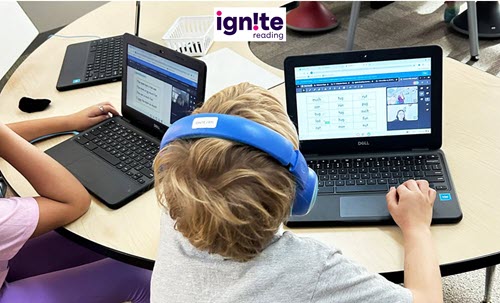
    BOSTON — Ignite Reading — a Science of Reading-based virtual tutoring program serving students in 18 states nationwide — today announced its approval by the Massachusetts Department of Elementary and Secondary Education (DESE) to continue providing 1:1 high-dosage evidence-based literacy tutoring to K-3 students across the commonwealth.

    Massachusetts Governor Maura Healey’s administration called on her state to invest heavily in high-dosage tutoring (HDT) earlier this year, earmarking $25 million in her state budget proposal to help accelerate literacy growth, “complementing the more systemic, long-term improvement work” being supported under the administration’s five-year literacy improvement campaign, Literacy Launch.

    In its approval process, DESE evaluated Ignite Reading’s services to Massachusetts districts over the past three school years and approved the literacy company to again provide school districts and charter schools with tutoring that is focused on building foundational skills — including phonological awareness, phonics knowledge and decoding skills — to help students become independent fluent readers in the early grades.

    Since Ignite Reading first gained DESE approval during the 2022-23 school year:

    • 30 Massachusetts schools and districts have partnered with Ignite Reading to provide students with 15 minutes of daily, 1:1 virtual tutoring.
    • Ignite Reading’s tutor educators have delivered differentiated, evidence-based early literacy instruction to more than 7,800 Massachusetts students.
    • Researchers at Johns Hopkins University’s Center for Research and Reform in Education have followed approximately 2,000 Massachusetts 1st graders enrolled in the program. The quasi-experimental study found the number of students reading on benchmark increased 213% after a year of Ignite Reading tutoring. At the same time, the percentage of students who required intensive reading intervention decreased 55%. All student groups — including Black and Hispanic students, those with IEPs and Multilingual Learners — had equitable skills growth, and those meeting end-of-year reading benchmarks grew more than 125%.

    The Healey-Driscoll Administration recently announced that schools and districts in Massachusetts are invited to apply for high-dosage early literacy tutoring for K-3 students with 1st grade as the state’s top priority.

    “When we get kids reading proficiently by the end of 1st grade, we set them up for a lifetime of academic success,” said Ignite Reading CEO Jessica Sliwerski. “Our continued approval by DESE means we can keep delivering the intensive, personalized support that Massachusetts 1st graders need to learn to read on grade level and on time. We are honored to be able to continue to partner with Massachusetts districts to ensure all students can access the tools they need to succeed as readers.”

    For more information about Ignite Reading’s Massachusetts partnerships, visit https://info.ignite-reading.com/massachusetts.

    About Ignite Reading

    Ignite Reading is on a mission to ensure every student can access the tools they need to be a confident, fluent reader by the end of 1st grade. School districts nationwide depend on Ignite Reading’s virtual tutoring program to deliver literacy support at scale for students who need help learning to read. Our highly trained tutors provide students with 1:1 tutoring in foundational literacy skills each school day, helping them go from learning to read to reading to learn.

    A recent study by the Center for Research and Reform in Education at Johns Hopkins University found that Ignite Reading students across demographics — including students who are English Learners, Black, Hispanic, and those with Individualized Education Programs (IEPs) — achieve the same outstanding gains of more than 5 months of additional learning during a single school year.  For more information about Ignite Reading, visit www.ignite-reading.com.

    eSchool News Staff
    Latest posts by eSchool News Staff (see all)

    Source link

  • How we designed a space where our students connect, collaborate, and flourish

    How we designed a space where our students connect, collaborate, and flourish

    Key points:

    Our charter school, Westbrook Academy, has been serving middle and high school students in the South Los Angeles area for the past six years and stands as a beacon of opportunity for our community. With a student body comprising nearly 99 percent Black and Latinx individuals hailing from historically under-resourced communities, we confront the realities of poverty and the accompanying insecurities head-on.

    Despite the odds, our 400 students consistently demonstrate remarkable resilience and a profound capacity for excellence. Our institution is supported by generous donors and funding sources. Operated and managed by the education nonprofit LA Promise Fund, which provides students with academic and enrichment opportunities that support our mission to spark passion, empower leadership, and prepare them for their chosen college and career paths.

    At one point, our high school students were learning in a church because we didn’t have a traditional classroom set-up. We also lacked the equipment that a traditional high school might have. This changed when we moved into our forever home in South Gate, where an on-campus Empowerment Center serves as a modern, welcoming “student hub.”

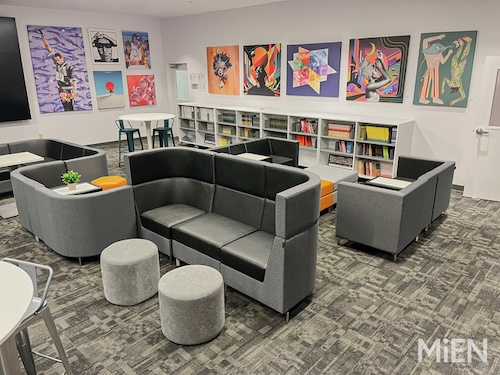
    Designed and outfitted by MiEN and Meteor Education, the Empowerment Center is where kids go to hang out, collaborate, and/or participate in school club activities. The hub is also set up with two wellness rooms where students can go to debrief and disconnect from a long day or just the stresses of being a student. It’s there for the students’ use.

    Here are the steps we took to create a space that consistently makes jaws drop and impresses parents who never thought their children would have access to such a warm, welcoming communal space on campus:

    • Add some flexibility into the process. Our original goal was to open the Empowerment Center’s doors in time for the 2023-24 school year, but getting it done the right way would require a bit more time. Our partners were willing to listen to us in terms of what we wanted to create, but within the realistic timelines. That was really cool.
    • Acknowledge the financial limitations. We largely relied on fundraising for this project and knew that some things just weren’t going to be realistic. To other schools in similar situations, I’d recommend staying flexible enough to hit the timelines and get all of the bases covered while keeping student needs in mind. We can have all the bells and whistles, but at the end of the day, if the car runs, the car runs. We know we can always add a new paint job later.
    • Get the right partners onboard early. As we went through the steps of designing the Empowerment Center, we learned a lot about architecture, planning, and construction. Through it all, having the right partners in its corner helped the school achieve its goals within budget and on time. It was really great to have our design and furniture partners sharing their best practices and other insights with us. We knew what we wanted to do, and a lot of the ideas came from our families and students. We just needed them to show us how we could get those ideas as close to reality as possible.
    • Make it personal. Special features we wanted in our Empowerment Center included a huge, interactive flatscreen TV that students, teachers, and guest speakers use to interact and work together. There’s also a large selection of donated books, the latest technology tools, and artwork that was personally selected by an art curation team. They were able to secure artists from the LA community to create and share visuals that our students are really familiar with. For example, some of the artwork spotlights female empowerment (i.e., with photos of authors like Octavia Butler) and the importance of acknowledging indigenous people. Everything in the hub is meant to spark curiosity. 
    • Brace yourself for some jaw-dropping moments. At our ribbon-cutting ceremony last year, our parents’ jaws were on the floor. They just never thought these resources would be available to their kids. A lot of them grew with us being in the church and a co-located space, and then we asked them to trust us to deliver on our promise, and now we’re able to show that as the reward for supporting us. We feel really proud that our parents were just over the moon about it.

    Hitting it out of the park

    Reflecting on the process we put in place to get our modern student hub designed, built, and open for business, I can say that the end result is an engaging, collaborative space that can be used for hanging out, structured learning, or a little of both. I think we really hit the ball out of the park with this innovative space.

    Student, teacher, and family feedback on the Empowerment Center has been extremely positive. Everyone loves it, and students are always excited to come and spend time in the modern, comfortable space that’s equipped with the technology and tools they need to be able to learn and engage.

    Latest posts by eSchool Media Contributors (see all)

    Source link

  • Microsoft and FFA help students use smart sensors and AI to learn about the future of farming and technology

    Microsoft and FFA help students use smart sensors and AI to learn about the future of farming and technology

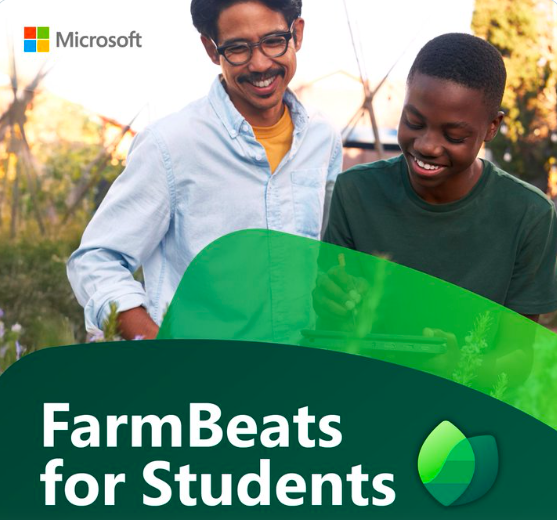
    Microsoft Corp. and the National FFA Organization on Tuesday announced the national expansion of FarmBeats for Students, a cutting-edge educational program integrating smart sensors, data science and artificial intelligence (AI) to teach precision agriculture in classrooms. Starting today, FFA teachers and students throughout the United States, including FFA chapters in 185 middle and high schools, will receive a classroom set of FarmBeats for Students kits free of charge. The kits include ready-to-use sensor systems along with curriculum for teachers and are designed for classrooms of all kinds; no prior technical experience is required.

    More and more farmers are adopting advanced technology, including automating systems such as tractors and harvesters and using drones and data analysis to intervene early against pests and disease, to maximize crop yield, optimize resource usage, and adjust to changing weather patterns. Gaining hands-on experience with machine automation, data science and AI will help American agricultural students remain competitive in the global market.

    Using the FarmBeats for Students kits and free curriculum, students build environmental sensor systems and use AI to monitor soil moisture and detect nutrient deficiencies — allowing them to understand what is happening with their plants and make data-driven decisions in real time. Students can adapt the kit to challenges unique to their region — such as drought, frost and pests — providing them with practical experience in tackling real-world issues in their hometowns.

    “Microsoft is committed to ensuring students and teachers have the tools they need to succeed in today’s tech-driven world, and that includes giving students hands-on experience with precision farming, data science and AI,” said Mary Snapp, Microsoft vice president, Strategic Initiatives. “By teaming up with FFA to bring FarmBeats for Students to students across the country, we hope to inspire the next generation of agriculture leaders and equip them with the skills to tackle any and all challenges as they guide us into the future.”

    “Our partnership with Microsoft exemplifies the power of collaboration in addressing industry needs while fostering personal and professional growth among students,” said Christine White, chief program officer, National FFA Organization. “Supporting agricultural education and leadership development is crucial for shaping the next generation of innovators and problem solvers. Programs like this equip students with technical knowledge, confidence and adaptability to thrive in diverse and evolving industries. Investing in these young minds today sets the stage for a more sustainable, innovative and resilient agricultural future.”

    In addition, teachers, students or parents interested in FarmBeats for Students can purchase a kit for $35 at this link and receive free training at Microsoft Learn.

    Any educator interested in implementing the FarmBeats for Students program can now access a new, free comprehensive course on the Microsoft Educator Learn Center, providing training on precision agriculture, data science and AI, allowing teachers to earn professional development hours and badges. 

    FarmBeats for Students was co-developed by Microsoft, FFA and agriculture educators. The program aligns with the AI for K-12 initiative guidelines; Agriculture, Food and Natural Resources career standards; Computer Science Teachers Association standards; and Common Core math standards.

    For more information about FarmBeats for Students, visit aka.ms/FBFS.

    Kevin Hogan
    Latest posts by Kevin Hogan (see all)

    Source link

  • Alliant Credit Union Foundation Grants $108K to Boost AI and Digital Programs at Ridgewood High School

    Alliant Credit Union Foundation Grants $108K to Boost AI and Digital Programs at Ridgewood High School

    The Alliant Credit Union Foundation has awarded a $108,000 grant to Digital Leaders Now, the nonprofit that powers the Digital Leaders Academy at Ridgewood Community High School District 234, to support the implementation of innovative digital opportunity programs.

    The initiative will begin rolling out in Spring 2025, with full program implementation for the 2025-2026 school year. The grant will help students gain critical digital skills, enhance career preparation opportunities at Ridgewood and beyond, and ensure teachers have the necessary resources to integrate technology into the classroom effectively.

    “The Alliant Credit Union Foundation is committed to fostering educational opportunities that prepare students for the future,” said Meredith Ritchie, President of The Alliant Credit Union Foundation. “By partnering with the Digital Leaders Academy, we are helping to bridge the digital divide and ensure that students in Ridgewood Community High School District 234 are equipped with the skills and knowledge they need to succeed in the evolving workforce.”

    The grant will support key initiatives, including:

    • Integration of AI Tools: Students will gain hands-on experience using AI and emerging technologies to enhance their learning and problem-solving skills.
    • Teacher Training & Development: Supporting professional development programs that empower educators with the tools and knowledge to incorporate digital learning strategies into their curriculum.
    • Digital Fluency Expansion: Enhancing student digital literacy and technology-based learning experiences to build a foundation for future careers.
    • Career Readiness Programs: Preparing students for high-demand technology roles by connecting them with industry experts, mentorship opportunities, and real-world applications of digital skills.

    Through this initiative, the Alliant Credit Union Foundation continues its mission of driving positive change in education by expanding access to technology and professional development resources.

    “The Digital Leaders Academy is a testament to the power of partnership and community. With the support of Alliant, we’re equipping students, teachers, and parents with the tools to thrive in the digital age, because when we invest in digital fluency, we unlock limitless potential,” said Caroline Sanchez Crozier, Founder of Digital Leaders Now, an Illinois-based nonprofit, and creator of Digital Leaders Academy.

    Ridgewood Community High School District 234 students will benefit from enhanced learning experiences, giving them a competitive edge in today’s digital economy.

    Kevin Hogan
    Latest posts by Kevin Hogan (see all)

    Source link

  • Ohio District Awarded CoSN Trusted Learning Environment Mini Seal for Student Data Privacy Practices

    Ohio District Awarded CoSN Trusted Learning Environment Mini Seal for Student Data Privacy Practices

    Washington, D.C.    CoSN today awarded Delaware Area Career Center in Delaware, Ohio, the Trusted Learning Environment (TLE) Mini Seal in the Business Practice. The CoSN TLE Seal is a national distinction awarded to school districts implementing rigorous privacy policies and practices to help protect student information. Delaware Area Career Center is the sixth school district in Ohio to earn a TLE Seal or TLE Mini Seal. To date, TLE Seal recipients have improved privacy protections for over 1.2 million students.

    The CoSN TLE Seal program requires that school systems uphold high standards for protecting student data privacy across five key practice areas: Leadership, Business, Data Security, Professional Development and Classroom. The TLE Mini Seal program enables school districts nationwide to build toward earning the full TLE Seal by addressing privacy requirements in one or more practice areas at a time. All TLE Seal and Mini Seal applicants receive feedback and guidance to help them improve their student data privacy programs.

    “CoSN is committed to supporting districts as they address the complex demands of student data privacy. We’re proud to see Delaware Area Career Center take meaningful steps to strengthen its privacy practices and to see the continued growth of the TLE Seal program in Ohio,” said Keith Krueger, CEO, CoSN.

    “Earning the TLE Mini Seal is a tremendous acknowledgement of the work we’ve done to uphold high standards in safeguarding student data. This achievement inspires confidence in our community and connects us through a shared commitment to privacy, transparency and security at every level,” said Rory Gaydos, Director of Information Technology, Delaware Area Career Center.

    The CoSN TLE Seal is the only privacy framework designed specifically for school systems. Earning the TLE Seal requires that school systems have taken measurable steps to implement, maintain and improve organization-wide student data privacy practices. All TLE Seal recipients are required to demonstrate that improvement through a reapplication process every two years.

    To learn more about the TLE Seal program, visit www.cosn.org/trusted.

    About CoSN CoSN, the world-class professional association for K-12 EdTech leaders, stands at the forefront of education innovation. We are driven by a mission to equip current and aspiring K-12 education technology leaders, their teams, and school districts with the community, knowledge, and professional development they need to cultivate engaging learning environments. Our vision is rooted in a future where every learner reaches their unique potential, guided by our community. CoSN represents over 13 million students and continues to grow as a powerful and influential voice in K-12 education. www.cosn.org

    About the CoSN Trusted Learning Environment Seal Program The CoSN Trusted Learning Environment (TLE) Seal Program is the nation’s only data privacy framework for school systems, focused on building a culture of trust and transparency. The TLE Seal was developed by CoSN in collaboration with a diverse group of 28 school system leaders nationwide and with support from AASA, The School Superintendents Association, the Association of School Business Officials International (ASBO) and ASCD. School systems that meet the program requirements will earn the TLE Seal, signifying their commitment to student data privacy to their community. TLE Seal recipients also commit to continuous examination and demonstrable future advancement of their privacy practices. www.cosn.org/trusted

    About Delaware Area Career Center Delaware Area Career Center provides unique elective courses to high school students in Delaware County and surrounding areas. We work in partnership with partner high schools to enhance academic education with hands-on instruction that is focused on each individual student’s area of interest. DACC students still graduate from their home high school, but they do so with additional college credits, industry credentials, and valuable experiences. www.delawareareacc.org

    Connect With Us

    Facebook,Twitter, LinkedIn

    eSchool News Staff
    Latest posts by eSchool News Staff (see all)

    Source link

  • Empowering school staff with emergency response protocols

    Empowering school staff with emergency response protocols

    Key points:

    Safety response protocols are foundational to creating a culture of safety in schools. District leaders should adopt and implement response protocols that cover all types of emergencies. Schools should have building-level response protocols and protocols for incidents when first responders are needed. These practices are critical to keeping the community safe during emergencies.

    When staff members are empowered to participate in emergency planning and response, their sense of safety is improved. Unfortunately, many staff members do not feel safe at school.

    Thirty percent of K-12 staff think about their physical safety when at work every day, and 74 percent of K-12 staff said they do not feel supported by their employer to handle emergency situations at work.

    Staff disempowerment is a “central problem” when it comes to district emergency planning, said Dr. Gabriella Durán Blakey, superintendent of Albuquerque Public Schools: “What does safety mean for educators to really be able to feel safe in their classroom, to impact student achievement, the well-being of students? And how does that anxiety play with how the students feel in the classroom?”

    School leaders should implement response protocols that empower staff to understand and participate in emergency response using a two-tiered system of emergency response:

    • A building-level emergency planning and response team should develop an Emergency Operations Plan, which includes an emergency response protocol
    • Administrators should adopt protocols to follow when they need first responders to intervene

    For guidance on crafting emergency response protocols and plans, click here.

    Laura Ascione
    Latest posts by Laura Ascione (see all)

    Source link

  • Ryan Lufkin, Vice President of Global Academic Strategy, Brings the Skinny

    Ryan Lufkin, Vice President of Global Academic Strategy, Brings the Skinny

    When the developers of Canvas, the world’s leading web-based learning management system (LMS) software, invite you to a party—July 22-24 this year in Spokane, WA—you might consider the offer. Expected to draw 3,000 attendees across various roles from individual educators to IT leadership, the event promises product reveals, professional development, and collaborative opportunities like Hack Night, designed to help educators and administrators demonstrate tangible value when they return to their institutions. I was able to grab Ryan Lufkin, Vice President of Global Academic Strategy at Instructure, for some pre-show scuttle butt. Have a listen and scroll down for some highlights:

    ➜InstructureCon 2025 is evolving its AI strategy beyond basic features to an “agentic approach,” leveraging partnerships with Anthropic, Microsoft, and Google to create integrated AI experiences across campus environments. Says Ryan: “That’s because our open architecture is the most well-positioned learning platform in the world to really pull in, not just those AI-powered features that we’ve developed, but we also leverage those from our partners.”

    ➜Instructure is responding to educational institutions’ budget constraints by focusing on helping customers maximize their technology investments through better data usage, adoption metrics, and optimization strategies. Says Ryan: “We really want educators and administrators to walk away with just a toolkit of how to use these products better, how to use them more deeply and tangibly show that value because we know the budgets are tight.”

    A few session highlights:  

    Transforming Student Success with Mastery Connect: A Proven Approach to Data-Driven Instruction in Richland One School District

    Get ready to discover how Richland One (R1) School District in South Carolina has been transforming student success with Mastery Connect since 2015! This digital assessment platform has empowered R1 teachers to seamlessly administer standards-based formative and summative assessments, dive into score reports, and collaborate with colleagues. MC has unlocked deeper insights into student mastery, giving teachers and teams the tools they need to drive data-driven instruction. Join us for an exciting session where R1 will share its curriculum map structure and district approach to formative assessments. Discover how to save time on data collection and analysis—whether you’re a teacher or an admin. Learn how newer features like Quick Reassess and Assessment Compare can help you work smarter, not harder! You’ll also explore how to harness real-time data to fuel impactful discussions in your Professional Learning Communities (PLCs), driving focused, results-oriented collaboration.

    Cracking the Code: Turning Data into Action with Mastery Connect

    Drowning in data but struggling to make it meaningful? Join us on a journey to transform numbers into actionable insights using Mastery Connect! In this session, we’ll share how we built educator buy-in, shifted mindsets, and empowered teachers to use data in meaningful ways. Discover practical strategies for making data analysis approachable, actionable, and impactful—without overwhelming teachers. We’ll explore real-world examples, time-saving tips, and effective ways to connect assessment data to instructional decisions. Whether you’re just getting started or looking to refine your approach, this session will equip you with insights and strategies to turn data into a catalyst for student success.

    Beyond the Classroom: Maximizing Canvas for Non-Academic Programs in Resource-Limited Environments.

    As institutions face financial and regulatory challenges, maximizing existing technology investments is essential. While Canvas is primarily used for academic courses, its capabilities extend beyond the classroom. This session explores how a small liberal arts institution has successfully repurposed Canvas for faculty onboarding, professional development, syllabus archiving, student organizations, and institutional assessment—all without additional costs. A key focus will be the development of a syllabus submission portal designed to streamline syllabus collection, ensure compliance with learning outcomes, and create a structured faculty repository. Attendees will gain practical insights into overcoming adoption challenges, achieving measurable ROI, and applying these strategies to institutions of varying sizes.

    Kevin Hogan
    Latest posts by Kevin Hogan (see all)

    Source link