Category: Learning

  • Creating a classroom built for success

    Creating a classroom built for success

    Key points:

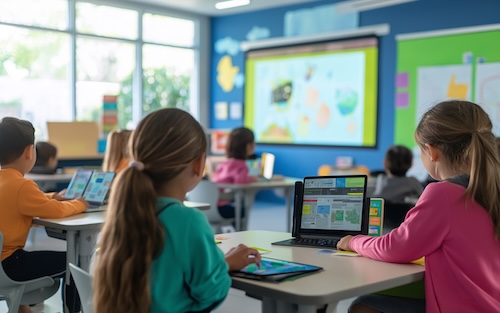
    For decades, curriculum, pedagogy, and technology have evolved to meet the changing needs of students. But in many schools, the classroom environment itself hasn’t kept pace. Classic layouts that typically feature rows of desks, limited flexibility, and a single focal point can often make it harder for educators to support the dynamic ways students learn today.

    Classrooms are more than places to sit–when curated intentionally, they can become powerful tools for learning. These spaces can either constrain or amplify great teaching. By reimagining how classrooms are designed and used, schools can create environments that foster engagement, reduce stress, and help both teachers and students thrive.

    Designing a classroom for student learning outcomes and well-being

    Many educators naturally draw on their own school experiences when shaping classroom environments, often carrying forward familiar setups that reflect how they once learned. Over time, these classic arrangements have become the norm, even as today’s students benefit from more flexible, adaptable spaces that align with modern teaching and learning needs.

    The challenge is that classic classroom setups don’t always align with the ways students learn and interact today. With technology woven into nearly every aspect of their lives, students are used to engaging in environments that are more dynamic, collaborative, and responsive. Classrooms designed with flexibility in mind can better mirror these experiences, supporting teaching and learning in meaningful ways, even without using technology.

    To truly engage students, the classroom must become an active participant in the learning process. Educational psychologist Loris Malaguzzi famously described the classroom as the “third teacher,” claiming it has just as much influence in a child’s development as parents or educators. With that in mind, teachers should be able to lean on this “teacher” to help keep students engaged and attentive, rather than doing all the heavy lifting themselves.

    For example, rows of desks often limit interaction and activity, forcing a singular, passive learning style. Flexible seating, on the other hand, encourages active participation and peer-to-peer learning, allowing students to easily move and reconfigure their learning spaces for group work or individual work time.

    I saw this firsthand when I was a teacher. When I moved into one of my third-grade classrooms, I was met with tables that quickly proved insufficient for the needs of my students. I requested a change, integrating alternative seating options and giving students the freedom to choose where they felt most comfortable learning. The results exceeded my expectations. My students were noticeably more engaged, collaborative, and invested in class discussions and activities. That experience showed me that even the simplest changes to the physical learning environment can have a profound impact on student motivation and learning outcomes.

    Allowing students to select their preferred spot for a given activity or day gives them agency over their learning experience. Students with this choice are more likely to engage in discussions, share ideas, and develop a sense of community. A comfortable and deliberately designed environment can also reduce anxiety and improve focus. This means teachers experience fewer disruptions and less need for intervention, directly alleviating a major source of stress by decreasing the disciplinary actions educators must make to resolve classroom misbehavior. With less disruption, teachers can focus on instruction.

    Supporting teachers’ well-being

    Just as classroom design can directly benefit student outcomes, it can also contribute to teacher well-being. Creating spaces that support collaboration among staff, provide opportunities to reset, and reduce the demands of the job is a tangible first step towards developing a more sustainable environment for educators and can be one factor in reducing turnover.

    Intentional classroom design should balance consistency with teacher voice. Schools don’t need a one-size-fits-all model for every room, but they can establish adaptable design standards for each type of space, such as science labs, elementary classrooms, or collaboration areas. Within those frameworks, teachers should be active partners in shaping how the space works best for their instruction. This approach honors teacher expertise while ensuring that learning environments across the school are both flexible and cohesive.

    Supporting teacher voice and expertise also encourages “early adopters” to try new things. While some teachers may jump at the opportunity to redesign their space, others might be more hesitant. For those teachers, school leaders can help ease these concerns by reinforcing that meaningful change doesn’t require a full-scale overhaul. Even small steps, like rearranging existing furniture or introducing one or two new pieces, can make a space feel refreshed and more responsive to both teaching and learning needs. To support this process, schools can also collaborate with learning environment specialists to help educators identify practical starting points and design solutions tailored to their goals.

    Designing a brighter future for education

    Investing in thoughtfully designed school environments that prioritize teacher well-being isn’t just about creating a more pleasant workplace; it’s a strategic move to build a stronger, more sustainable educational system. By providing teachers with flexible, adaptable, and future-ready classrooms, schools can address issues like stress, burnout, and student disengagement. When educators feel valued and empowered in their spaces, they create a better work environment for themselves and a better learning experience for their students. Ultimately, a supportive, well-designed classroom is an environment that sets both educators and students up for success.

    Latest posts by eSchool Media Contributors (see all)

    Source link

  • 3 strategies to boost student reading fluency this school year

    3 strategies to boost student reading fluency this school year

    Key points:

    With the new school year now rolling, teachers and school leaders are likely being hit with a hard truth: Many students are not proficient in reading.

    This, of course, presents challenges for students as they struggle to read new texts and apply what they are learning across all subject areas, as well as for educators who are diligently working to support students’ reading fluency and overall academic progress. 

    Understanding the common challenges students face with reading–and knowing which instructional strategies best support their growth–can help educators more effectively get students to where they need to be this school year.

    Understanding the science of learning

    Many districts across the country have invested in evidence-based curricula grounded in the science of reading to strengthen how foundational skills such as decoding and word recognition are taught. However, for many students, especially those receiving Tier 2 and Tier 3 interventions, this has not been enough to help them develop the automatic word recognition needed to become fluent, confident readers.

    This is why coupling the science of reading with the science of learning is so important when it comes to reading proficiency. Simply stated, the science of learning is how students learn. It identifies the conditions needed for students to build automaticity and fluency in complex skills, and it includes principles such as interleaving, spacing practice, varying tasks, highlighting contrasts, rehearsal, review, and immediate feedback–all of which are essential for helping students consolidate and generalize their reading skills.

    When these principles are intentionally combined with the science of reading’s structured literacy principles, students are able to both acquire new knowledge and retain, retrieve, and apply it fluently in new contexts.

    Implementing instructional best practices

    The three best practices below not only support the use of the science of learning and the science of reading, but they give educators the data and information needed to help set students up for reading success this school year and beyond. 

    Screen all students. It is important to identify the specific strengths and weaknesses of each student as early as possible so that educators can personalize their instruction accordingly.

    Some students, even those in upper elementary and middle school, may still lack foundational skills, such as decoding and automatic word recognition, which in turn negatively impact fluency and comprehension. Using online screeners that focus on decoding skills, as well as automatic word recognition, can help educators more quickly understand each student’s needs so they can efficiently put targeted interventions in place to help.

    Online screening data also helps educators more effectively communicate with parents, as well as with a student’s intervention team, in a succinct and timely way.

    Provide personalized structured, systematic practice. This type of practice has been shown to help close gaps in students’ foundational skills so they can successfully transfer their decoding and automatic word recognition skills to fluency. The use of technology and online programs can optimize the personalization needed for students while providing valuable insights for teachers.

    Of course, when it comes to personalizing practice, technology should always enhance–not replace–the role of the teacher. Technology can help differentiate the questions and lessons students receive, track students’ progress, and engage students in a non-evaluative learning environment. However, the personal attention and direction given by a teacher is always the most essential aid, especially for struggling readers. 

    Monitor progress on oral reading. Practicing reading aloud is important for developing fluency, although it can be very personal and difficult for many struggling learners. Students may get nervous, embarrassed, or lose their confidence. As such, the importance of a teacher’s responsiveness and ongoing connection while monitoring the progress of a student cannot be overstated.

    When teachers establish the conditions for a safe and trusted environment, where errors can occur without judgment, students are much more motivated to engage and read aloud. To encourage this reading, teachers can interleave passages of different lengths and difficulty levels, or revisit the same text over time to provide students with spaced opportunities for practice and retrieval. By providing immediate and constructive feedback, teachers can also help students self-correct and refine their skills in real time.

    Having a measurable impact

    All students can become strong, proficient readers when they are given the right tools, instruction, and support grounded in both the science of learning and the science of reading. For educators, this includes screening effectively, providing structured and personalized practice, and creating environments where students feel comfortable learning and practicing skills and confident reading aloud.

    By implementing these best practices, which take into account both what students need to learn and how they learn best, educators can and will make a measurable difference in students’ reading growth this school year.

    Latest posts by eSchool Media Contributors (see all)

    Source link

  • How districts can avoid 4 hidden costs of outdated facilities systems

    How districts can avoid 4 hidden costs of outdated facilities systems

    Key points:

    School leaders are under constant pressure to stretch every dollar further, yet many districts are losing money in ways they may not even realize. The culprit? Outdated facilities processes that quietly chip away at resources, frustrate staff, and create ripple effects across learning environments. From scheduling mishaps to maintenance backlogs, these hidden costs can add up fast, and too often it’s students who pay the price. 

    The good news is that with a few strategic shifts, districts can effectively manage their facilities and redirect resources to where they are needed most. Here are four of the most common hidden costs–and how forward-thinking school districts are avoiding them. 

    How outdated facilities processes waste staff time in K–12 districts

    It’s a familiar scene: a sticky note on a desk, a hallway conversation, and a string of emails trying to confirm who’s handling what. These outdated processes don’t just frustrate staff; they silently erode hours that could be spent on higher-value work. Facilities teams are already stretched thin, and every minute lost to chasing approvals or digging through piles of emails is time stolen from managing the day-to-day operations that keep schools running.  

    centralized, intuitive facilities management software platform changes everything. Staff and community members can submit requests in one place, while automated, trackable systems ensure approvals move forward without constant follow-up. Events sync directly with Outlook or Google calendars, reducing conflicts before they happen. Work orders can be submitted, assigned, and tracked digitally, with mobile access that lets staff update tickets on the go. Real-time dashboards offer visibility into labor, inventory, and preventive maintenance, while asset history and performance data enable leaders to plan more effectively for the long term. Reports for leadership, audits, and compliance can be generated instantly, saving hours of manual tracking. 

    The result? Districts have seen a 50-75 percent reduction in scheduling workload, stronger cross-department collaboration, and more time for the work that truly moves schools forward.

    Using preventive maintenance to avoid emergency repairs and extend asset life

    When maintenance is handled reactively, small problems almost always snowball into costly crises. A leaking pipe left unchecked can become a flooded classroom and a ruined ceiling. A skipped HVAC inspection may lead to a midyear system failure, forcing schools to close or scramble for portable units. 

    These emergencies don’t just drain budgets; they disrupt instruction, create safety hazards, and erode trust with families. A more proactive approach changes the narrative. With preventive maintenance embedded into a facilities management software platform, districts can automate recurring schedules, ensure tasks are assigned to the right technicians, and attach critical resources, such as floor plans or safety notes, to each task. Schools can prioritize work orders, monitor labor hours and expenses, and generate reports on upcoming maintenance to plan ahead. 

    Restoring systems before they fail extends asset life and smooths operational continuity. This keeps classrooms open, budgets predictable, and leaders prepared, rather than reactive. 

    Maximizing ROI by streamlining school space rentals

    Gymnasiums, fields, and auditoriums are among a district’s most valuable community resources, yet too often they sit idle simply because scheduling is complicated and chaotic. Paper forms, informal approvals, and scattered communication mean opportunities slip through the cracks.

    When users can submit requests through a single, digital system, scheduling becomes transparent, trackable, and far easier to manage. A unified dashboard prevents conflicts, streamlines approvals, and reduces the back-and-forth that often slows the process. 

    The payoff isn’t just smoother operations; districts can see increased ROI through easier billing, clearer reporting, and more consistent use of unused spaces. 

    Why schools need facilities data to make smarter budget decisions

    Without reliable facilities data, school leaders are forced to make critical budget and operational decisions in the dark. Which schools need additional staffing? Which classrooms, gyms, or labs are underused? Which capital projects should take priority, and which should wait? Operating on guesswork not only risks inefficient spending, but it also limits a district’s ability to demonstrate ROI or justify future investments. 

    A clear, centralized view of facilities usage and costs creates a strong foundation for strategic decision-making. This visibility can provide instant insights into patterns and trends. Districts can allocate resources more strategically, optimize staffing, and prioritize projects based on evidence rather than intuition. This level of insight also strengthens accountability, enabling schools to share transparent reports with boards, staff, and other key stakeholders, thereby building trust while ensuring that every dollar works harder. 

    Facilities may not always be the first thing that comes to mind when people think about student success, but the way schools manage their spaces, systems, and resources has a direct impact on learning. By moving away from outdated, manual processes and embracing smarter, data-driven facilities management, districts can unlock hidden savings, prevent costly breakdowns, and optimize the use of every asset. 

    Latest posts by eSchool Media Contributors (see all)

    Source link

  • Making career readiness meaningful in today’s classrooms

    Making career readiness meaningful in today’s classrooms

    Key points:

    As a high school STEM teacher at Baldwin Preparatory Academy, I often ask myself: How can we make classroom learning more meaningful for our students? In today’s rapidly evolving world, preparing learners for the future isn’t about gathering academic knowledge. It is also about helping all learners explore potential careers and develop the future-ready skills that will support success in the “real world” beyond graduation.

    One way to bring those two goals together is by drawing a clear connection between what is learned in the classroom and future careers. In fact, research from the Education Insights Report shows that a whopping 87 percent of high school students believe that career connections make school engaging–and as we all know, deeper student engagement leads to improved academic growth.

    I’ve tried a lot of different tactics to get kids engaged in careers over my 9 years of teaching. Here are my current top recommendations:

    Internship opportunities
    As many educators know, hands-on learning is effective for students. The same goes for learning about careers. Internship opportunities give students a way to practice a career by doing the job.

    I advise students to contact local businesses about internships during the school year and summer. Looking local is a wonderful way to make connections, learn an industry, and practice career skills–all while gaining professional experience.

    Tallo is another good internship resource because it’s a digital network of internships across a range of industries and internship types. With everything managed in Tallo, it’s easy for high school students to find and get real-world work experience relevant to school learning and career goals. For educators, this resource is helpful because it provides pathways for students to gain employable skills and transition into the workforce or higher education.

    Career events
    In-person career events where students get to meet individuals in industries they are interested in are a great way for students to explore future careers. One initiative that stands out is the upcoming Futures Fair by Discovery Education. Futures Fair is a free virtual event on November 5, 2025, to inspire and equip students for career success.

    Held over a series of 30-minute virtual sessions, students meet with professionals from various industries sharing an overview of their job, industry, and the path they took to achieve it. Organizations participating in the Futures Fair are 3M, ASME, Clayco, CVS Health, Drug Enforcement Administration, Genentech, Hartford, Honda, Honeywell, Illumina, LIV Golf, Meta, Norton, Nucor, Polar Bears International, Prologis, The Home Depot, Verizon, and Warner Bros. Discovery.

    Students will see how the future-ready skills they are learning today are used in a range of careers. These virtual sessions will be accompanied by standards-aligned, hands-on student learning tasks designed to reinforce the skills outlined by industry presenters. 

    CTE Connections
    All students at Baldwin Preparatory Academy participate in a career and technical education pathway of their choosing, taking 6-9 career specific credits, and obtaining an industry-recognized credential over the course of their secondary education. As a STEM teacher, I like to connect with my CTE and core subject colleagues to learn about the latest innovations in their space. Then I connect those innovations to my classroom instruction so that all students get the benefit of learning about new career paths.

    For example, my industry partners advise me about the trending career clusters that are experiencing significant growth in job demand. These are industries like cybersecurity, energy, and data science. With this insight, I looked for relevant reads or classroom activities related to one of those clusters. Then, I shared the resources back with my CTE and core team so there’s an easy through line for the students.

    As educators, our role extends beyond teaching content–we’re shaping futures. Events like Futures Fair and other career readiness programs help students see the relevance of their learning and give them the confidence to pursue their goals. With resources like these, we can help make career readiness meaningful, engaging, and empowering for every student.

    Latest posts by eSchool Media Contributors (see all)

    Source link

  • Why busy educators need AI with guardrails

    Why busy educators need AI with guardrails

    Key points:

    In the growing conversation around AI in education, speed and efficiency often take center stage, but that focus can tempt busy educators to use what’s fast rather than what’s best. To truly serve teachers–and above all, students–AI must be built with intention and clear constraints that prioritize instructional quality, ensuring efficiency never comes at the expense of what learners need most.

    AI doesn’t inherently understand fairness, instructional nuance, or educational standards. It mirrors its training and guidance, usually as a capable generalist rather than a specialist. Without deliberate design, AI can produce content that’s misaligned or confusing. In education, fairness means an assessment measures only the intended skill and does so comparably for students from different backgrounds, languages, and abilities–without hidden barriers unrelated to what’s being assessed. Effective AI systems in schools need embedded controls to avoid construct‑irrelevant content: elements that distract from what’s actually being measured.

    For example, a math question shouldn’t hinge on dense prose, niche sports knowledge, or culturally-specific idioms unless those are part of the goal; visuals shouldn’t rely on low-contrast colors that are hard to see; audio shouldn’t assume a single accent; and timing shouldn’t penalize students if speed isn’t the construct.

    To improve fairness and accuracy in assessments:

    • Avoid construct-irrelevant content: Ensure test questions focus only on the skills and knowledge being assessed.
    • Use AI tools with built-in fairness controls: Generic AI models may not inherently understand fairness; choose tools designed specifically for educational contexts.
    • Train AI on expert-authored content: AI is only as fair and accurate as the data and expertise it’s trained on. Use models built with input from experienced educators and psychometricians.

    These subtleties matter. General-purpose AI tools, left untuned, often miss them.

    The risk of relying on convenience

    Educators face immense time pressures. It’s tempting to use AI to quickly generate assessments or learning materials. But speed can obscure deeper issues. A question might look fine on the surface but fail to meet cognitive complexity standards or align with curriculum goals. These aren’t always easy problems to spot, but they can impact student learning.

    To choose the right AI tools:

    • Select domain-specific AI over general models: Tools tailored for education are more likely to produce pedagogically-sound and standards-aligned content that empowers students to succeed. In a 2024 University of Pennsylvania study, students using a customized AI tutor scored 127 percent higher on practice problems than those without.
    • Be cautious with out-of-the-box AI: Without expertise, educators may struggle to critique or validate AI-generated content, risking poor-quality assessments.
    • Understand the limitations of general AI: While capable of generating content, general models may lack depth in educational theory and assessment design.

    General AI tools can get you 60 percent of the way there. But that last 40 percent is the part that ensures quality, fairness, and educational value. This requires expertise to get right. That’s where structured, guided AI becomes essential.

    Building AI that thinks like an educator

    Developing AI for education requires close collaboration with psychometricians and subject matter experts to shape how the system behaves. This helps ensure it produces content that’s not just technically correct, but pedagogically sound.

    To ensure quality in AI-generated content:

    • Involve experts in the development process: Psychometricians and educators should review AI outputs to ensure alignment with learning goals and standards.
    • Use manual review cycles: Unlike benchmark-driven models, educational AI requires human evaluation to validate quality and relevance.
    • Focus on cognitive complexity: Design assessments with varied difficulty levels and ensure they measure intended constructs.

    This process is iterative and manual. It’s grounded in real-world educational standards, not just benchmark scores.

    Personalization needs structure

    AI’s ability to personalize learning is promising. But without structure, personalization can lead students off track. AI might guide learners toward content that’s irrelevant or misaligned with their goals. That’s why personalization must be paired with oversight and intentional design.

    To harness personalization responsibly:

    • Let experts set goals and guardrails: Define standards, scope and sequence, and success criteria; AI adapts within those boundaries.
    • Use AI for diagnostics and drafting, not decisions: Have it flag gaps, suggest resources, and generate practice, while educators curate and approve.
    • Preserve curricular coherence: Keep prerequisites, spacing, and transfer in view so learners don’t drift into content that’s engaging but misaligned.
    • Support educator literacy in AI: Professional development is key to helping teachers use AI effectively and responsibly.

    It’s not enough to adapt–the adaptation must be meaningful and educationally coherent.

    AI can accelerate content creation and internal workflows. But speed alone isn’t a virtue. Without scrutiny, fast outputs can compromise quality.

    To maintain efficiency and innovation:

    • Use AI to streamline internal processes: Beyond student-facing tools, AI can help educators and institutions build resources faster and more efficiently.
    • Maintain high standards despite automation: Even as AI accelerates content creation, human oversight is essential to uphold educational quality.

    Responsible use of AI requires processes that ensure every AI-generated item is part of a system designed to uphold educational integrity.

    An effective approach to AI in education is driven by concern–not fear, but responsibility. Educators are doing their best under challenging conditions, and the goal should be building AI tools that support their work.

    When frameworks and safeguards are built-in, what reaches students is more likely to be accurate, fair, and aligned with learning goals.

    In education, trust is foundational. And trust in AI starts with thoughtful design, expert oversight, and a deep respect for the work educators do every day.

    Latest posts by eSchool Media Contributors (see all)

    Source link

  • Smart strategies to help students find the perfect college

    Smart strategies to help students find the perfect college

    Key points:

    You’ll often hear two words come up in advising sessions as students look ahead to college: match and fit. They sound interchangeable, but they’re not.

    Match refers to what colleges are looking for from students. It’s mostly determined by admissions requirements such as GPA and test scores, and in some cases, other criteria like auditions, portfolios, or athletic ability. Fit is more of an art than a science; it refers to what the student is looking for in a college, including personal preferences, social and cultural environment, financial factors, and academic offerings. When we talk to students about college fit, it’s an opportunity for them to ask themselves whether they like what a certain institution offers beyond being admitted.

    In the college admissions process, both terms matter. A strong match without a good fit can leave a student disengaged and negatively affect their chances of graduating from college. Nearly a quarter of undergraduate freshmen drop out before their second year, and it seems likely to me that a lot of these cases boil down to bad fits. On the other hand, a great fit that isn’t a match could be difficult for admission in the first place, and if a student is admitted anyway, the rigorous coursework they encounter might be more than they’re ready for. To maximize postsecondary success, advisors, families, and students alike should fully understand the difference between match and fit and know how to approach conversations about each of them.

    Match: Reach, target, and solid

    As I’ve worked with advisors over the years, one of the best ways we’ve found to guide students on match is using the categories of “Reach,” “Target,” and “Solid” schools. We can determine which schools belong to what category using the data that colleges share about the average incoming GPAs and test scores of admitted classes. Typically, they report weighted GPAs and composite test scores from the middle 50 percent of accepted applicants, i.e., from the students who fall anywhere from the 25th to 75th percentile of those admitted.

    • Reach: These are schools where admission is less likely, either because a student’s test scores and GPA are below the middle 50 percent or because the school traditionally admits only a small percentage of eligible applicants.
    • Target: These are schools where either GPA or test scores fall in the middle 50 percent of admitted students.
    • Solid: These are schools where students are well within the middle 50 percent for both GPA and test scores.

    Building a balanced college list across these categories is essential in the college planning process. Often, I see high-achieving students over-index on too many Reach schools, which may make it hard for them to get accepted anywhere on their list, simply because their preferred schools are ultra-selective. Meanwhile, parents and guardians may focus heavily on fit and overlook whether the student actually meets the college’s admission criteria. Advisors play a key role in keeping these data-informed conversations grounded with the goal of a balanced list of college options for students to pursue.

    The importance of early planning

    Timing matters. In general, if you meet with students early enough, conversations about fit are productive, but if you’re meeting with students for the first time in their senior year, the utmost priority should be helping them build a balanced list. Ideally, we want to avoid a situation where a student thinks they’re going to get into the most competitive colleges in the country on the strength of their GPA and test scores, only to find out that it’s not that easy. If advisors wait until senior year to address match, students and families may already have unrealistic expectations, leading to difficult conversations when options are limited.

    On the other hand, we would stress that although GPA is the factor given the most weight by admissions offices, there are ways to overcome match deficits with other elements of a college application. For instance, if a student worked part-time to support their family or participated in co-curricular activities, colleges using holistic review may see this as part of the student’s story, helping to balance a GPA that falls outside the typical range. These experiences highlight a student’s passions and potential contributions to their chosen major and campus community. We don’t want students to have unrealistic expectations, but we also shouldn’t limit them based on numbers alone.

    In any case, advisors should introduce both match and fit concepts as early as 9th grade. If students have a specific college in mind, they need to be aware of the match requirements from the first day of freshman year of high school. This allows students to plan and track academic progress against requirements and lets families begin exploring what kind of environment, resources, and financial realities would make for the right fit.

    Fit: A personal process

    Once match is established, the next step is making sure students ask: “What do I want in my college experience?” The answers will involve a wide range of factors:

    • Institutional type: Public or private? Small liberal arts college or large research university?
    • Academic considerations: What majors are offered? Are there study abroad programs? Internship opportunities?
    • Student life: What is the student body like? What kind of extracurriculars, sports, and support services are offered? Are there fraternities and sororities? What is the campus culture?
    • Affordability: What financial aid or scholarships can I expect? What is the true net cost of attendance?
    • Outcomes: What a student hopes to gain from their postsecondary experience, including specific degrees or credentials, career preparation, financial benefits, personal growth, and skill development.

    Fit also requires conversations within families. I’ve found that open communication can reveal misunderstandings that would otherwise falsely limit students’ options. Sometimes students assume their parents want them close to home, when in fact, parents just want them to find the right environment. Other times, families discover affordability looks very different once they use tools like free cost calculators. Ongoing dialogue about these topics between advisors, students, and families during the high school years helps prepare for better decisions in the end.

    Bringing it all together

    With more than 4,000 colleges and universities in the U.S. alone, every student can find a college or university that aligns with their goals and abilities. Doing so, however, is both an art and a science. Advisors who help families focus on both dimensions, and start the conversation early, set students up to receive those treasured acceptance letters and to thrive once they arrive on campus.

    For school districts developing their proficiency in postsecondary readiness factors, like advising, there is an increasing amount of support available. For one, TexasCCMR.org, has free guidance resources to strengthen advising programs and other aspects of college and career readiness. While Texas-focused, many of the insights and tools on the site can be helpful for districts across the country in building their teams’ capabilities.

    Latest posts by eSchool Media Contributors (see all)

    Source link

  • Funding technology initiatives in uncertain times

    Funding technology initiatives in uncertain times

    Key points:

    Recent policy shifts have caused significant uncertainty in K-12 education funding, especially for technology initiatives. It’s no longer business as usual. Schools can’t rely on the same federal operating funds they’ve traditionally used to purchase technology or support innovation. This unpredictability has pushed school districts to explore creative, nontraditional ways to fund technology initiatives. To succeed, it’s important to understand how to approach these funding opportunities strategically.

    How to find funding

    Despite the challenges, there are still many grants available to support education initiatives and technology projects. Start with an online search using key terms related to your project–for example, “virtual reality,” “virtual field trips,” or “career and technical education.”

    Explore national organizations like the Bill & Melinda Gates Foundation or Project Tomorrow and consider potential local funding sources. Local organizations such as Rotary or Kiwanis clubs can be powerful allies in helping to fund projects. The local library and city or county government may also offer grants or partnership opportunities. Schools should also reach out to locally-headquartered businesses, many of which have community outreach or corporate social responsibility goals that align with supporting local education.

    Colleges and universities are another valuable resource. They may be conducting research that aligns with your school’s technology project. Building relationships with these institutions and organizations can put your school “in the right place at the right time” when new funding opportunities arise.

    Strategies to win the grant

    Once potential funding sources are identified, the next step is crafting a compelling proposal. Consider the following strategies to strengthen your application.

    1. Focus on the “how and why,” not just the “what.” If your school is seeking funds to buy hardware, don’t simply say, “Here’s what we want to buy.” Instead, frame it as, “Here’s how this project will improve student learning and why it matters.” Funders want to see the impact their support will have on outcomes. The more clearly a proposal connects technology to learning gains, the stronger it will be.

    2. Highlight the research. Use evidence to validate your project’s value. For example, if a school plans to purchase virtual reality headsets, cite studies showing that VR improves knowledge retention, engagement, and comprehension compared to traditional instruction. Demonstrating that the technology is research-backed helps funders feel confident in their investment.

    3. Paint a picture. Bring the project to life. Describe what students will experience and how they’ll benefit. For example: “When students put on the headset, they aren’t just reading about ancient civilizations, they’re walking through them.” Vivid descriptions help reviewers visualize the impact and believe in your vision.

    Eight questions to consider when applying for a grant

    Use these guiding questions to sharpen your proposal and ensure a strong foundation for implementation and long-term success.

    1. What is the goal? Clearly define what students will be able to do as a result of the project. Use action-orientated language: “Students will be able to…”
    2. Is the technology effective? Support your proposal with evidence such as whitepapers, case studies, or research that can demonstrate proven impact.
    3. How will the technology impact these specific students? Emphasize what makes your school or district unique, whether it’s serving a rural, urban, or high-poverty community and how this technology addresses those specific needs.
    4. What is the scope of the application? Specify whether the project involves elementary school, secondary school, or a specific subject or program like a STEM lab.
    5. How will success be measured? Too often schools reach the end of a project without a plan to track results. Plan your evaluation from the start. Track key metrics such as attendance, disciplinary data, academic performance, or engagement surveys, both before and after implementation to demonstrate results.
    6. What are your budgetary needs? Include all associated costs, including professional development and substitute coverage for teacher training.
    7. What happens after the grant is over? If you plan to use the technology for multiple years, apply for a multi-year grant rather than assuming future funding will appear. Sustainability is key.
    8. How will success be celebrated and communicated to stakeholders? Share results with the community and stakeholders. Host events recognizing teachers, students, and partners. Invite local media and highlight your funding partners–they’re not just donors, but partners in student success.

    Moving forward with confidence

    Education funding will likely remain uncertain in the years ahead. However, by being intentional about where to look for funds, how to frame proposals, and how to measure and share impact, schools can continue to implement innovative technology initiatives that elevate teaching and learning.

    Latest posts by eSchool Media Contributors (see all)

    Source link

  • Effective tools to foster student engagement

    Effective tools to foster student engagement

    Key points:

    In my classroom, students increasingly ask for relevant content. Students want to know how what they are learning in school relates to the world beyond the classroom. They want to be engaged in their learning.

    In fact, the 2025-2026 Education Insights Report vividly proves that students need and want engaging learning experiences. And it’s not just students who see engagement as important. Engagement is broadly recognized as a key driver of learning and success, with 93 percent of educators agreeing that student engagement is a critical metric for understanding overall achievement. What is more, 99 percent of superintendents believe student engagement is one of the top predictors of success at school.

    Creating highly engaging lesson plans that will immerse today’s tech-savvy students in learning can be a challenge, but here are two easy-to-find resources that I can turn to turbo-charge the engagement quotient of my lessons:

    Virtual field trips
    Virtual field trips empower educators to introduce students to amazing places, new people and ideas, and remarkable experiences–without ever leaving the classroom. There are so many virtual field trips out there, but I always love the ones that Discovery Education creates with partners.

    This fall, I plan to take my K-5 students to see the world’s largest solar telescope, located in Hawaii, for a behind-the-scenes tour with the National Science Foundation and Sesame. For those with older grades, I recommend diving into engineering and architecture with the new Forging Innovation: A Mission Possible Virtual Field Trip.

    I also love the virtual tours of the Smithsonian National Museum of Natural History. Together as a class or individually, students can dive into self-guided, room-by-room tours of several exhibits and areas within the museum from a desktop or smart device. This virtual field trip does include special collections and research areas, like ancient Egypt or the deep ocean. This makes it fun and easy for teachers like me to pick and choose which tour is most relevant to a lesson.

    Immersive learning resources
    Immersive learning content offers another way to take students to new places and connect the wider world, and universe, to the classroom. Immersive learning can be easily woven into the curriculum to enhance and provide context.

    One immersive learning solution I really like is TimePod Adventures from Verizon. It features free time-traveling episodes designed to engage students in places like Mars and prehistoric Earth. Now accessible directly through a web browser on a laptop, Chromebook, or mobile device, students need only internet access and audio output to begin the journey. Guided by an AI-powered assistant and featuring grade-band specific lesson plans, these missions across time and space encourage students to take control, explore incredible environments, and solve complex challenges.

    Immersive learning content can be overwhelming at first, but professional development resources are available to help educators build confidence while earning microcredentials. These resources let educators quickly dive into new and innovative techniques and teaching strategies that help increase student engagement.

    Taken together, engaging learning opportunities are ones that show students how classrooms learnings directly connect to their real lives. With resources like virtual field trips and immersive learning content, students can dive into school topics in ways that are fun, fresh, and sometimes otherworldly.

    Latest posts by eSchool Media Contributors (see all)

    Source link

  • How Windows 11 is powering the next generation of K-12 innovation

    How Windows 11 is powering the next generation of K-12 innovation

    Key points:

    As school districts navigate a rapidly evolving digital landscape, IT and academic leaders face a growing list of challenges–from hybrid learning demands and complex device ecosystems to rising cybersecurity threats and accessibility expectations. To stay ahead, districts need more than incremental upgrades–they need a secure, intelligent, and adaptable technology foundation.

    That’s the focus of the new e-book, Smarter, Safer, and Future-Ready: A K-12 Guide to Migrating to Windows 11. This resource takes an in-depth look at how Windows 11 can help school districts modernize their learning environments, streamline device management, and empower students and educators with AI-enhanced tools designed specifically for education.

    Readers will discover how Windows 11:

    • Protects district data with built-in, chip-to-cloud security that guards against ransomware, phishing, and emerging cyberattacks.
    • Simplifies IT management through automated updates, intuitive deployment tools, and centralized control–freeing IT staff to focus on innovation instead of maintenance.
    • Drives inclusivity and engagement with enhanced accessibility features, flexible interfaces, and AI-powered personalization that help every learner succeed.
    • Supports hybrid and remote learning with seamless collaboration tools and compatibility across a diverse range of devices.

    The e-book also outlines practical strategies for planning a smooth Windows 11 migration–whether upgrading existing systems or introducing new devices–so institutions can maximize ROI while minimizing disruption.

    For CIOs, IT directors, and district technology strategists, this guide provides a blueprint for turning technology into a true driver of academic excellence, operational efficiency, and district resilience.

    Download the e-book today to explore how Windows 11 is helping K-12 districts become smarter, safer, and more future-ready than ever before.

    Laura Ascione
    Latest posts by Laura Ascione (see all)

    Source link

  • How interactive tech simplifies IT and supercharges learning

    How interactive tech simplifies IT and supercharges learning

    Key points:

    Today’s school IT teams juggle endless demands–secure systems, manageable devices, and tight budgets–all while supporting teachers who need tech that just works.

    That’s where interactive displays come in. Modern, OS-agnostic solutions like Promethean’s ActivPanel 10 Premium simplify IT management, integrate seamlessly with existing systems, and cut down on maintenance headaches. For schools, that means fewer compatibility issues, stronger security, and happier teachers.

    But these tools do more than make IT’s job easier–they transform teaching and learning. Touch-enabled collaboration, instant feedback, and multimedia integration turn passive lessons into dynamic, inclusive experiences that keep students engaged and help teachers do their best work.

    Built to last, interactive displays also support long-term sustainability goals and digital fluency–skills that carry from classroom to career.

    Discover how interactive technology delivers 10 powerful benefits for schools.

    Download the full report and see how interactive solutions can help your district simplify IT, elevate instruction, and create future-ready classrooms.

    Laura Ascione
    Latest posts by Laura Ascione (see all)

    Source link