e-Literate is excited to unveil the AI Learning Design Assistant (ALDA) Design/Build Workshop series, a pioneering initiative that brings together a diverse group of colleges and universities to collaboratively tackle the pressing challenges of learning design. This initiative extends beyond standard prompt engineering techniques, inviting participants to participate in co-designing a functioning AI application that we will build and refine throughout the series. It offers participants a unique opportunity to directly influence the development of solutions that will reshape the landscape of educational technology.
Why ALDA?
Despite decades of evolving learning design methodologies, today’s most commonly used tools remain rooted in outdated practices such as word processing and manual note-taking. Meanwhile, the rapid pace of job skill evolution demands more innovative approaches. The ALDA workshop series directly addresses this gap by facilitating a hands-on environment where institutions can collaboratively design, test, and refine AI-driven solutions across six intensive monthly workshops.
Immediate Benefits
Participants will contribute to and gain firsthand experience with cutting-edge technologies poised to revolutionize educational access and quality. This project offers each institution the tools to expand their course offerings and enhance educational quality, significantly impacting their students’ futures.
Participating Institutions
The cohort includes:
Dallas College
Southern New Hampshire University
University of Central Florida
University of Maryland Global Campus
United Negro College Fund, which is including representatives from four Historically Black Colleges and Universities (HBCUs)
Together, these institutions serve over half a million students annually, positioning the cohort to impact educational access on a monumental scale.
Equity Champion Sponsors
D2L and VitalSource are our proud Equity Champion Sponsors, providing scholarships that facilitate cost-free participation for these mission-driven institutions. Their financial support and subject-matter expertise are crucial in paving the way for a future where technology inclusively serves all students.
Supporting Sponsors
Thanks to the generous contributions of Carnegie Mellon University’s Simon Initiative and Engageli, this workshop series has the resources needed to foster robust collaboration and innovation.
Join Us
We look forward to sharing insights and developments from each workshop as we progress.
“UNCF is excited to announce our partnership with the ALDA series and involve historically Black colleges and universities in efforts to co-design a groundbreaking AI application that will revolutionize educational technology. We believe that by harnessing the potential of AI, and involving HBCUs in the creative process, we can launch a transformative tool for faculty members in the development of curricula that will empower every student, regardless of their background or circumstances, to unlock their full potential, and reshape the landscape of educational technology,” said Dr. Shawna Acker-Ball, vice president, scholarships and programs, UNCF. “We look forward to the possibilities this partnership will bring and the positive impact it will have on the lives of students across the nation.”
MJ Bishop, Vice President for Integrative Learning Design at University of Maryland Global Campus shared a similar sentiment: “UMGC’s Integrative Learning Design (ILD) team is thrilled to be part of ALDA cohort and to have the opportunity to pioneer advancements in the use of GAI in instructional design with such an esteemed group of partner institutions and sponsors. We are excited to co-design and refine innovative AI-driven solutions that will enhance our learning design capabilities and significantly impact the educational experiences of our students.”
“I am absolutely thrilled with the quality, diversity, and commitment of the participating organizations,” said Michael Feldstein, CEO of e-Literate. “Artificial intelligence is clearly one of the defining changes of our time with wide-ranging implications for education. We all need to work together and get our hands dirty if we’re going to figure out how best to harness it for our students.”
e-Literate will provide updates as we learn and offer our participants opportunities to share their experiences with you. Institutions and sponsors interested in joining future cohorts or supporting our mission should contact us at [email protected].
On May 23, a group of 13 local and national associations and Texas businesses filed suit in federal court in Texas, challenging the U.S. Department of Labor’s rule setting new minimum salary thresholds for the white collar overtime pay exemptions under the Fair Labor Standards Act (FLSA).
The final rule of April 23, 2024 increases the minimum salary threshold to $43,888 on July 1, 2024, and then to $58,656 on January 1, 2025. The rule also implements automatic updates to the threshold that will occur every three years. The suit claims that the salary threshold that goes into effect on January 1, 2025, is so high it will result in more than 4 million individuals being denied exempt status, even though these individuals could be reasonably classified as exempt based on their duties, and in doing so, the rule violates both the statutory language of the FLSA and prior court decisions. The suit also challenges the automatic updates.
The following are plaintiffs in the case: Plano Chamber of Commerce, American Hotel and Lodging Association, Associated Builders and Contractors, International Franchise Association, National Association of Convenience Stores, National Association of Home Builders, National Association of Wholesaler-Distributors, National Federation of Independent Business, National Retail Federation, Restaurant Law Center, Texas Restaurant Association, Cooper General Contractors and Dase Blinds.
CUPA-HR will be following the case closely and provide you with regular updates.
LinkedIn is one of my favorite social media platforms for academics. It’s become more popular in the last year, especially since things have changed at Twitter. So I wanted to chat with you about LinkedIn today.
I’m Jennifer van Alstyne of The Social Academic. Today we’re going to be talking about LinkedIn.
Twitter isn’t dead, but the state of social media has changed
So first, the state of social media has changed. I would say since things changed at Twitter, people have been asking me where should I go next?
The answer is that academics are on every social media platform. If you don’t want to use threads or Mastodon or Blue Sky or any of these kind of new platforms that are popping up where you hear academics are spending time, that’s totally okay. They’re still on Facebook, YouTube, Instagram, like TikTok, all the major platforms. I promise that you are going to find an academic audience wherever you feel like spending time.
That being said, LinkedIn is my number one recommendation for professors and researchers. LinkedIn is not just for business people. Professors are finding that their audiences are already there. People like their colleagues, administrators at their university, people that they might be talking with, offices on campus, they know that their collaborators are probably on LinkedIn. Even if they don’t have a profile that they use often, that’s somewhere, that they have potential to connect. Who else? Your research funders, editors, publishers, members of the media like journalists, scientific community, policymakers, all sorts of people who might care about your research in particular are already on LinkedIn.
LinkedIn used to be a social media platform that was really specifically for professionals, especially when they were on the job market when career searching. But academics find that LinkedIn is effective and a good use of their time even when they’re not job searching, and that’s kind of my specialty.
I mostly work with professors who want to have a stronger social media and online presence, but they’re not actually looking for jobs. They just want to be better connected with people in their community.
So first, LinkedIn is not just for business people.
Second, your LinkedIn profile shows up in Google search results. This means that it does have a strong impact on your online presence, and LinkedIn profiles tend to show up at the top of those search results.
So not only does it impact your online presence, it can be a really good answer for people when they know that there’s potential to find what they’re looking for. Oftentimes, people might be looking for contact information. They might be looking for what your current research is about. They might be looking for a photo of you because they’re going to meet you at a conference next month. So I want to let you know there’s many reasons why people might be looking for you online, and your LinkedIn profile might be the answer that they can be looking for.
You don’t need to pay for LinkedIn (or other social media platforms)
LinkedIn is free, so there are many social media platforms that are free. Some of them, they have an option for premium, including LinkedIn. But to be honest, you do not need to be spending money on social media platforms to have a strong online presence.
I don’t spend any money on social media platforms, and even though I have friends that have upgraded to say the premium version of Twitter, like it hasn’t really paid off for them in a way that makes it super effective.
I’m just saying that I don’t actually recommend paying for social media even if you have the budget for it. So LinkedIn is a great free way to build your online presence.
Finding people on LinkedIn with advanced search
I love that LinkedIn has a powerful search. So number three is that LinkedIn profiles really do show up in Google search results, but they also show up when people are searching for your name or something that is on your profile on LinkedIn. So for instance, let’s see, what can I use as an example?
Let’s say an English professor who has a specific focus in American literature has a profile on LinkedIn because they have professor of American literature in their profile, both in their headline and in their about section, that profile will show up on Google search results potentially, but also within LinkedIn search results.
So if I’m looking for professors of English, especially people who focus on American literature, I can type that into the LinkedIn search bar and find all the people that are in, say, the United States. You can even narrow it by specific region or location. So I could find American literature professors in Oklahoma, for instance.
There are so many opportunities to find more people who care about the things that you do, who care about the research that you’re working on within a specific location using that search. So LinkedIn search is really powerful. It’s helpful for finding people within your research interest. It’s also helpful for people finding people at your university or who are alumni of the same programs that you are.
Professors are joining LinkedIn (and updating long-forgotten profiles)
Other professors are on LinkedIn. Number four is that you can find the people that you want to connect with there.
Now, I’m not saying that everyone you know is on LinkedIn, but the chances are at some point in the last decade or so, they’ve created a profile. They’ve created a LinkedIn profile, whether they use it or not, and they have some kind of presence on LinkedIn. This isn’t true for everyone.
I mean, for so long, LinkedIn was known as a platform that is not really for academics. It was kind of so business-y and there wasn’t a lot of conversation that was outside of job searching, and so it wasn’t a place where academics were spending time.
I have seen so many more academics who want to post and share their thought leadership and research on LinkedIn. But there’s also thousands and thousands and thousands of professors who are on LinkedIn and never post at all.
The people that you want to connect with are probably there, and if they’re not there yet, they probably will be soon because like I said, it is a growing platform for professors and researchers.
Inviting people to connect with you, build your scholarly community
Number five is that the other people that are there are people that you probably care about, whether they’re research funders, publishers, editors, members of the community or policymakers, the people outside of the ivory tower who need to find what you’re working on, who can be impacted by it and put it into practice.
There is potential to reach those people on LinkedIn, and I’m saying that there’s potential to do that even if you never post.
I want you to be more open-minded about what LinkedIn could do for you as a professor. It’s not just about job searching. It’s not just about talking about your research or kind of showcasing who you are.
It’s kind of an invitation. I like that LinkedIn profiles when they’re filled out are, it’s like you being open to having people find you and connect with you and reach out to you if it’s relevant to them, even if you never post at all. Having an awesome LinkedIn profile is great for professors.
How long does it take to make my LinkedIn profile?
One question I wanted to be sure to answer today is how long does it typically take to do a LinkedIn profile? That’s a really good question because it really depends.
If you are starting from scratch and all you have is an hour or two to put into your LinkedIn profile, please do it.
Any small change that you can make to your online presence for your LinkedIn profile makes a difference. I encourage you to spend any amount of time that you have in your schedule on making an improved LinkedIn presence for yourself as a professor. It can really help people better connect with you.
How long does it take me to do a LinkedIn profile? Well, it’s taken, kind of different amounts of time for different people, and when I’m doing a done for you profile, it typically takes upwards of 7 hours.
I would say 7-9 hours total is about how long it takes for me to do a LinkedIn profile.
That, to be honest, I could probably spend another 5-7 hours on it and to find even more ways to improve it because that’s how my brain works. The more I understand a platform, the more I understand the person that I’m writing for, the better I can make the profile.
So there’s always opportunity, I think to make a difference with our LinkedIn profiles, but typically the amount of time that I spend for what I would say is a really great LinkedIn profile that meets all of my professor clients’ needs, it’s about 7-9 hours. And that includes a planning meeting, includes everything done for you and a review meeting to make sure that we can make any tweaks or changes in real time.
So it takes quite a bit of time, and that’s why when professors come to me and they’re like, I want a stronger LinkedIn presence, but I know I don’t have time to fit into my calendar. I know, I mean 7-9 of your time is like that’s not only a full day away from your research and the things that matter to you. It’s like time away from your family and the people who you care about. It’s a big commitment, and so I would never, I would never say you have to make this commitment for yourself.
If you don’t have 7-9 hours in your time to work on your LinkedIn profile, I absolutely understand. Please don’t push yourself to do something that is beyond your capacity, especially if this is your first time really being intentional about your online presence on LinkedIn.
Tips for your professor LinkedIn profile
There are so many ways that we can have a stronger online presence, but really any small change that you make makes a difference. So let me tell you the sections of your LinkedIn profile I recommend that you update first because these are the places where people are really looking to know a little bit more about your story and the things that matter to you.
On your LinkedIn profile, the thing that people most often see is your LinkedIn headline. It is a specific number of characters (220), and it’s that little kind of section that goes right next to your profile photo right under your name that people will see when they come across your profile on LinkedIn.
They’ll also see it if they’re already connected with you and they’re seeing you post. So your LinkedIn headline shows up in a lot of places.
When I see professors on LinkedIn, what I most often see is associate professor at university name. That’s actually not enough information for people to know whether they should even click on your profile to learn more about you. They need a little bit more information about your field of research, the area that you teach or the values that you really care about, the change that you want to see in the world. And so if you can fit a little bit more about you, a little bit more detail, a little bit more invitation, that will make a huge difference for your LinkedIn headline.
Profile photo
You’re going to want to have a profile photo that looks like you. On LinkedIn, there is I would say a tendency to use your traditional business headshot, but I wouldn’t feel pressured that you have to use that. If you have a selfie, if you have a friend of you take a photo or a family member.
Let’s see. I have had clients who go out and do professional photo shoots, so there’s lots of options to get new photos that you can use on social media.
But for your LinkedIn profile photo, I really encourage you to have something that is more focused on your face, and that’s because when people are on mobile screens and they’re scrolling it’s kind of small. It’s small enough that if it was more of a upper body shot, I might not recognize you from the photo because your head is then so small that it’s hard to recognize features. So if you can have a little bit of a closer shot for your LinkedIn profile photo, that makes a difference.
Cover photo
Ooh, your cover photo. So one of the first things that people see if they’re seeing the entry for your LinkedIn profile in search results is if you have a cover photo, which is a background photo on other social media platforms.
It’s like a horizontal photo that goes on the top of your profile and gives you opportunity to share a little bit more about yourself through that image. Now, some people prefer something simple like just a solid rectangle of a specific color. So you could just choose your favorite color and use that as your cover photo.
But if you have photos that you’ve taken, photos that you care about or even searching stock images on something like Unsplash or Pexels, in order to find photos that feel like you or maybe remind people of your research, this is a great opportunity to add a touch of personality to your profile.
Now in my LinkedIn for Profiles Course, people do learn how to create a simple cover photo using the design platform Canva, and there are templates already in Canva that you can use to create something that is a little bit more custom. So I want you to know that that’s an option. It’s actually pretty easy to learn. There’s YouTube videos about it.
I want you to know that you have the capability to do fun, custom visual things for your LinkedIn profile, but don’t feel pressured. Again, like I said, if you just choose your favorite color and set that, it will make a difference.
Your LinkedIn About section
Faculty often overlook the about section of your LinkedIn profile. This is a section where you can provide your bio or a little welcome note that says, “Hi, I’m Jennifer, welcome to my profile,” and a little bit about you. So some people write this in the first person, some people write this in the third person, whichever feels more comfortable to you is what I would go with. But this is the number one place people will go to learn more about you.
I don’t recommend just copy and pasting your academic bio. A more general audience is going to be visiting your LinkedIn profile than say, your faculty profile or your Academia.edu.
I want to make sure that one, any jargon is explained, any words that people don’t understand could use a phrase or a sentence of definition.
I want people to know what you do, but I also want them to know what you value, what you care about, why you do what you do. That’s what’s going to help them be curious to explore the rest of your profile or to reach out and connect with you.
I also want people to know how to get in touch with you. So don’t forget to include, say your email address or an invitation to maybe send you a LinkedIn message if you would like people to be able to take that next step and get in touch. Let them know what the best way or preferred method of doing that is.
Experience section
The next section the academics should definitely fill out is the Experience section. This is where you can add your work experience entries. This is a good opportunity to talk about your teaching, to talk about your research. You can even share links to your program so people can learn more about the specific courses that you’re taking or the kind of environment that you’re in.
There’s lots of opportunity to give people more information in the LinkedIn experience section, but if you don’t have a lot of time just filling out the entry with the title of your role, the location of your employer and the time span of which you’ve worked there is enough. If you don’t have time to add details, if you don’t have time to add media links like PDFs or links to maybe the website of the program, I want you to know you don’t have to fill all of that out. The more information that you can give people that is curiosity provoking, that is memorable will help make a difference.
Education section
The Education section is the next place that I know academics typically fill out. In your education section, you have opportunity to include a little bit more information. Some things that academics consider including is if they had fellowships during that time, if they had publications that they were particularly proud of, or if they have maybe an event that they organized and wanted to share a little bit more about.
People also use the detail section of the entry in order to include information that may still help people feel better connected to you. Maybe it’s a description of the type of research that you were working on then, the lab that you were working in, any collaborators that you worked with. It’s a great place to add activities or awards, and I’ve also seen people include information like ‘I’m a first generation student,’ or ‘I had a full fellowship for being a minority STEM student and this is something that I’m really proud of because it made an impact on my education.’
You don’t have to just list things there. This is your space to tell more of your story. Those are the sections that I think matter most. I know there’s so many sections on LinkedIn. The more you fill out, I would say the better.
Publications
One thing to avoid is in the publications section, even if you have a lot of publications, it ends up being just a really long list on your LinkedIn profile. So go ahead and pick maybe four to six publications. I wouldn’t say more than that is particularly helpful, but there’s a great opportunity to share . . . things that you don’t have room for on your LinkedIn profile or you’re not quite sure where it fits in.
Featured
LinkedIn has a featured section. It’s something that goes at the top of your profile, and you can add media like your CV. You could add links. You can add links actually to posts that you’ve shared on LinkedIn or articles. It gives you lots of opportunity to be creative.
If you have a link on a personal website or you want to upload your CV for that full list of publications, please do that. There are opportunities to share more, but on your LinkedIn profile, it is better to be a bit selective with the project section and the publication section because those end up being really long lists on a one page profile.
A nice thing about LinkedIn profiles is that even though there can be a lot of information, people aren’t necessarily shown all of that information at once. Typically, they’re just shown your first few experience entries, and then the more you add, there’s a little show more button that you can click to be able to view that information.
So you can add more information, even if it feels a little bit overwhelming for you, and just know that on the other end when people are experiencing your profile, they’re having the opportunity to choose to see that information and are not forced to or anything. It’s a choice. It’s an exploration, an invitation for people to keep reading.
One question I’ve gotten is about a newer feature on LinkedIn profiles. It’s called Creator Mode, and this is an opportunity for people to have the things that they create, like social media posts on LinkedIn be highlighted on their profile. It has a couple other features, like it switches your connect button over to a follow button.
I have creator mode turned on my profile because I do share posts on LinkedIn.
Creator mode is not right for you if you’re probably not going to post on LinkedIn very often. It’s also probably not right for you if you want people to be able to connect with you easily.
A reason why I have creator mode on is because I post a lot and because of that, people have opportunity to follow me and be able to see my posts. Not all of those people are quite right connections for me. Maybe they’re in another field, but they really care about what I’m saying. I want them to still be able to see my posts.
But in a sense, I also want to protect my audience. I want to protect my connections from any business-y things or sales-y things. I don’t want someone just connecting with me and then spam messaging all of the people that I know, and so I am quite protective over who I connect with and who I don’t. Sometimes business people connect with me. Sometimes coaches connect with me, and I really want to protect the academics that are part of my network from any kind of unwanted messaging.
If you have time to kind of go through connection requests and check out your followers list to see if there’s anyone who didn’t know how to connect with you, but wanted to and you want to connect with them, then turning Creator Mode on makes sense.
Like, you want to have that attention and focus to be able to do those steps because otherwise people are going to not know how to connect with you, and it just changes the profile setup to feature those posts.
If you’re not posting and you don’t have time to do the admin side of being in creator mode, which involves checking those things that I just mentioned, it just doesn’t make sense for you.
Actually for each of my clients, we’ve really talked about what is your professor life? Are you someone who is going to be posting often? Because if you’re not, that’s okay.
If you have a filled out LinkedIn profile and it’s inviting people to connect with you in the ways that make sense for you, then you don’t need to post. Posting is a plus, but it’s not a requirement by any means on LinkedIn or frankly on any other social media platform.
I used to have courses that taught people how to post across platforms. Then I realized that what people need is the ability to post when they want to, how they want to, and they don’t need to, to post everywhere. You don’t need to be everywhere. You don’t need to be consistent even if you can show up intentionally when you do.
When you are posting, if you’re thinking about the people you want to reach and you’re providing them with the information that they need to connect, yay! And if it’s not all the time, that’s totally fine. So posting on social media is great when you have time to do it. It’s great when you want to do it. It’s great skill when you want to get better at it, it can reach so many people. But having a filled out LinkedIn profile I would say is more of an important thing. It’s a better use of your time first.
If you’re someone who’s new to social media or you don’t really post on social media, I still recommend a professor LinkedIn profile for you. So Creator Mode, not recommended for most professors. If you’re going to be posting, and you have time to do some admin checking to see about connections versus followers, then you’re good. Turn it on, it’ll help you reach more people. But if you’re not going to post, don’t bother.
Sending connection requests on LinkedIn
Next, ooh, sending connection requests. Once you have a filled out profile, connecting with people is the next step, and that can feel scary to some professors. Even reaching out to people and care about can still feel a little bit worrying, like a little bit like a task that would be easy to avoid. That’s totally okay. I get it. I get it.
Connecting with people can feel awkward. One thing that people worry about is like, “Oh my gosh, it’s going to take me so much time to write messages to each of those people, and I don’t know. What if they don’t even read it?” But I would say if you have a filled out LinkedIn profile, there’s not really a need to send personalized notes to people. If they are visiting your profile and they’re like, “I don’t know what I would ever talk about this person with. I have no idea who they are, and I can’t see myself even having a conversation with them because their profile and what I do and what I think about isn’t really aligned.” I mean, that happens and that’s okay.
Your profile can be kind of that invitation. Your profile when you put thought and intention into it can really help people know whether you’re a good person to connect with or not. And if you are reaching out and connecting with them, my guess is that you probably know them. So all they need to see is your filled out profile.
You may get some messages from people who you’ve reached out to connect with that are like, “Oh my gosh, I’m so excited you’re on LinkedIn!” That’s what happened to my recent professor client once he joined after many years of people telling him he should and not having the time to do it. I mean, it’s understandable. He has children, he has a family, he has research, he has priorities.
You’re a professor with priorities too. It’s okay if your LinkedIn profile isn’t one of them.
Get support for your LinkedIn profile
There are different ways to have a stronger social media presence on LinkedIn.
You can do it yourself
You can totally do this yourself, even if you only have an hour today to set up your LinkedIn profile, and all you do are your headline, your profile photo, and your bio, I will be so proud of you.
That will be a huge plus for you. So please know that any amount of time that you spend on your own LinkedIn profile is great.
All you have to do is a planning meeting with me. We’ll talk about your CV. We’ll talk about the people that you want to reach. We’ll talk about your goals, and if you have things to share with me, if you have projects that you care about and you want me to make sure to include that report that made a difference in people’s lives, we’ll gather all those materials first.
Then on your VIP day, it’s all about your LinkedIn profile. We’ll meet in the morning to get me set up so I have access to your profile. I’ll do the whole profile for you. It’s like a process that you really, you can focus on the things you need to that day.
I might email you a question, but for the most part, I’m doing all of the work for you so you can relax and have the weekend to focus on your family, to have that date focus on your teaching and your research and the things that you care about most.
Once the day is over, we typically meet the next morning, the next day to make sure that we can look at your LinkedIn profile together, make any needed changes in real time so that your profile looks and feels like you.
We always actually have some changes to the cover photo. So cover photos are something that people often are like, “oh, I don’t really have any ideas.” But once we get talking about it, we’re like, “oh, how can we connect this to the places that I love or the research that I care about?” Or people actually find sometimes they have photos of them with their students or photos of them on campus. That is something that we can use for that space.
There’s a lot of opportunity for us to be creative together about how to make your LinkedIn profile more personal, more colorful, more you.
After we review your profile, there’s always time for training on how to use LinkedIn because most of the faculty that come to me, they don’t know how to use LinkedIn at all. They don’t necessarily want to post. Some professors tell me straight up, “I’m probably not ever going to post,” and I say, “That’s okay.”
That’s okay because this work on your profile is still going to help people connect with you. It’s still going to help people be able to find you, share your research, and do these things that you care about, these goals that we’ve talked about.
Now, when you don’t post on LinkedIn, that’s great. You don’t have to, but LinkedIn you should know is a place that you can post. You can post sporadically, you can post longer things like articles. You can have live events, you can share videos. You can share photos and PDFs and reports.
There’s lots of opportunities to share things on LinkedIn if that’s something that you are curious about. So we do personalized training at the end of your LinkedIn, VIP day, at the end of that profile review meeting to make sure that you know how to do the things on LinkedIn that’s going to make sense for your life, for your goals, and for the things that you actually want to accomplish with LinkedIn.
If that’s really networking and connecting with the people, the people that you care about most, we can actually start doing that process together. That’s what my last client and I did, and we had so much fun reaching out to some past students and making sure that we were connecting with people in his life that mattered and making sure that we were connecting with people at the university.
There’s lots of opportunity for us to move your LinkedIn presence and your social media profiles together. Really a full transformation, not only on what goes on the profile, but how you use the platform during that LinkedIn VIP day.
Free resources to support your LinkedIn presence as an academic
If you’re someone who’s like, wow, that sounds amazing, but I think that that’s more than I even want to do. Just start. I have free resources to share with you on The Social Academic that help you update different sections of your profile.
I have one that’s specifically for graduate students, so I’m going to share all of these resources with this podcast episode.
I want you to know that any small change that you do for your LinkedIn profile makes a difference. You do not need to work with me in order to have a great LinkedIn profile.
I work with, I would say, mid-career academics, senior career academics, higher education administrators, principal investigators, people who really have a lot on their plate. They know that this is going to make a difference for the people that they support, the communities that they want to reach and the communities that they care about, but they’re just not going to have the time.
So if that’s you, if you’re someone who knows that you’re not going to have the time, but that this is something that you need, I’m here to help you.
My name is Jennifer van Alstyne. Thank you so much for listening to this episode all about LinkedIn profiles and why LinkedIn is amazing for academics.
New CUPA-HR data show some improvement in turnover in the higher ed workforce, but staffing hasn’t fully bounced back to pre-pandemic levels. Managers still face challenges filling positions and maintaining morale, while employees are seeking jobs where their satisfaction and well-being are prioritized.
Professional development programs driven by employees’ interests
Effective supervisor-employee communication, including stay interviews
Actionable campus climate surveys using liaisons
Mentoring programs and leadership pipelines
Recognition programs and community-building events
Employee Resource Groups to enhance belonging
Here are some of the highlights from their programs.
Stay Interviews at Drake University
A stay interview is a structured, informal conversation between an employee and a trained supervisor — and can be key to retaining top talent. Maureen De Armond, executive director of human resources at Drake, considers stay interviews to be a critical tool that nevertheless go underused in higher ed. Overall, only 8% of employees stated that they participated in a stay interview in the past year, according to The CUPA-HR 2023 Higher Education Employee Retention Survey.
De Armond stresses that stay interviews can build trust, increase communication, and show that you care about employees as people, not just their job performance. If you’re looking to get started, De Armond recommends checking out the Stay Interviews Toolkit.
Actionable Climate Surveys at the University of Texas Rio Grande Valley
What’s worse than not conducting a climate survey? Not doing anything with the answers employees have taken the time to provide, says Nicole Englitsch, organizational development manager at UTRGV. To make surveys actionable, they’ve enlisted campus climate liaisons.
These liaisons, who are mostly HR professionals, are assigned to specific departments. The liaisons have been trained by their external survey partners to help their departments understand the results and engage in action planning, guided by a three-year timeline. This network of partners helps ensure that UTRGV’s goals of making survey results both transparent and actionable are achieved.
Recognition and Community-Building at Rollins College
How can institutions create a culture of belonging and valuing employees? David Zajchowski, director of human resources at Rollins, explains how their high-impact recognition and community-building programs range from informal coffee-and-doughnuts gatherings to special awards ceremonies for employees.
Probably the most popular way of valuing employees while increasing connection is Rollins’s annual Fox Day. On a random day in spring, the president surprises employees and students with a day off from work and class to participate in community-building college traditions.
Despite the effectiveness of employee recognition, many employers may be leaving this low-cost retention incentive on the table, as only 59% of higher ed employees said they received regular verbal recognition for their work in the Employee Retention Survey. Wondering how your employee recognition program stacks up? See a comparison of recognition programs and take a self-assessment here.
EdTech seems to go through perpetual cycles of infatuation and disappointment with some new version of a personalized one-on-one tutor available to every learner everywhere. The recent strides in generative AI give me hope that the goal may finally be within reach this time. That said, I see the same sloppiness that marred so many EdTech infatuation moments. The concrete is being poured on educational applications that use a very powerful yet inherently unpredictable technology in education. We will build on a faulty foundation if we get it wrong now.
I’ve seen this happen countless times before, both with individual applications and with entire application categories. For example, one reason we don’t get a lot of good data from publisher courseware and homework platforms is that many of them were simply not designed with learning analytics in mind. As hard as that is to believe, the last question we seem to ask when building a new EdTech application is “How will we know if it works?” Having failed to consider that question when building the early versions of their applications, publishers have had a difficult time solving for it later.
In this post, I propose a programmatic, sector-wide approach to the challenge of building a solid foundation for AI tutors, balancing needs for speed, scalability, and safety.
The temptation
Before we get to the details, it’s worth considering why the idea of an AI tutor can be so alluring. I have always believed that education is primal. It’s hard-wired into humans. Not just learning but teaching. Our species should have been called homo docens. In a recent keynote on AI and durable skills, I argued that our tendency to teach and learn from each other through communications and transportation technologies formed the engine of human civilization’s advancement. That’s why so many of us have a memory of a great teacher who had a huge impact on our lives. It’s why the best longitudinal study we have, conducted by Gallup and Purdue University, provides empirical evidence that having one college professor who made us excited about learning can improve our lives across a wide range of outcomes, from economic prosperity to physical and mental health to our social lives. And it’s probably why the Khans’ video gives me chills:
Check your own emotions right now. Did you have a visceral reaction to the video? I did.
Unfortunately, one small demonstration does not prove we have reached the goal. The Khanmingo AI tutor pilot has uncovered a number of problems, including factual errors like incorrect math and flawed tutoring. (Kudos to Khan Academy for being open about their state of progress by the way.)
We have not yet achieved that magical robot tutor. How do we get there? And how will we know that we’ve arrived?
Start with data scientists, but don’t stop there
As I read some of the early literature, I see an all-too-familiar pattern: technologists build the platforms, data scientists decide which data are important to capture, and they consult learning designers and researchers. However, all too often, the research design clearly originates from a technologist’s perspective, showing relatively little knowledge of detailed learning science methods or findings. A good example of this mindset’s strengths and weaknesses is Google’s recent paper, “Towards Responsible Development of Generative AI for Education: An Evaluation-Driven Approach“. It reads like a paper largely concieved by technologists who work on improving generative AI and sharpened up by educational research specialists they consulted with after they already had the research project largely defined.
The paper proposes evaluation rubrics for five dimensions of generative AI tutors:
Clarity and Accuracy of Responses: This dimension evaluates how well the AI tutor delivers clear, correct, and understandable responses. The focus is on ensuring that the information provided by the AI is accurate and easy for students to comprehend. High clarity and accuracy are critical for effective learning and avoiding the spread of misinformation.
Contextual Relevance and Adaptivity: This dimension assesses the AI’s ability to provide responses that are contextually appropriate and adapt to the specific needs of each student. It includes the AI’s capability to tailor its guidance based on the student’s current understanding and the specific learning context. Adaptive learning helps in personalizing the educational experience, making it more relevant and engaging for each learner.
Engagement and Motivation: This dimension measures how effectively the AI tutor can engage and motivate students. It looks at the AI’s ability to maintain students’ interest and encourage their participation in the learning process. Engaging and motivating students is essential for sustained learning and for fostering a positive educational environment.
Error Handling and Feedback Quality: This dimension evaluates how well the AI handles errors and provides feedback. It examines the AI’s ability to recognize when a student makes a mistake and to offer constructive feedback that helps the student understand and learn from their errors. High-quality error handling and feedback are crucial for effective learning, as they guide students towards the correct understanding and improvement.
Ethical Considerations and Bias Mitigation: This dimension focuses on the ethical implications of using AI in education and the measures taken to mitigate bias. It includes evaluating how the AI handles sensitive topics, ensures fairness, and respects student privacy. Addressing ethical considerations and mitigating bias are vital to ensure that the AI supports equitable learning opportunities for all students.
Of these, the paper provides clear rubrics for the first four and is a little less concrete on the fifth. Notice, though, that most of these are similar dimensions that generative AI companies use to evaluate their products generically. That’s not bad. On the contrary, establishing standardized, education-specific rubrics with high inter-rater reliability across these five dimensions is the first component of the programmatic, sector-wide approach to AI tutors that we need. Notice these are all qualitative assessments. That’s not bad but, for example, we do have quantitative data available on error handling in the form of feedback and hints (which I’ll delve into momentarily).
That said, the paper lacks many critical research components, particularly regarding the LearnLM-Tutor software the researchers were testing. Let’s start with the authors not providing outcomes data anywhere in the 50-page paper. Did LearnLM-Tutor improve student outcomes? Make them worse? Have no effect? Work better in some contexts than others? We don’t know.
We also don’t know how LearnLM-Tutor incorporates learning science. For example, on the question of cognitive load, the authors write,
We designed LearnLM Tutor to manage cognitive load by breaking down complex tasks into smaller, manageable components and providing scaffolded support through hints and feedback. The goal is to maintain an optimal balance between intrinsic, extraneous, and germane cognitive load.
Towards Responsible Development ofGenerative AI for Education: An Evaluation-Driven Approach
How, specifically, did they do this? What measures did they take? What relevant behaviors were they able to elicit from their LLM-based tutor? How are those behaviors grounded in specific research findings about cognitive load? How closely do they reproduce the principals that produced the research findings they’re drawing from? And did it work?
We don’t know.
The authors are also vague about Intelligent Tutoring Systems (ITS) research. They write,
Systematic reviews and meta-analyses have shown that intelligent tutoring systems (ITS) can significantly improve student learning outcomes. For example, Kulik and Fletcher’s meta-analytic review demonstrates that ITS can lead to substantial improvements in learning compared to traditional instructional methods.
Towards Responsible Development ofGenerative AI for Education: An Evaluation-Driven Approach
That body of research was conducted over a relatively small number of ITS implementations because a relatively small number of these systems exist and have published research behind them. Further, the research often cites specific characteristics of these tutoring systems that lead to positive outcomes, with supporting data. Which of these characteristics does LearnLM Tutor support? Why do we have reason to believe that Google’s system will achieve the same results?
We don’t know.
I’m being a little unfair to the authors by critiquing the paper for what it isn’t about. Its qualitative, AI-aligned assessments are real contributions. They are necessary for a programmatic, sector-wide approach to AI tutor development. They simply are not sufficient.
ITS data sets for fine-tuning
ITS research is a good place to start if we’re looking to anchor our AI tutor improvement and testing program in solid research with data sets and experimental protocols that we can re-use and adapt. The first step is to explore how we can utilize the existing body of work to improve AI tutors today. The end goal is to develop standards for integrating the ongoing ITS research (and other data-backed research streams) into continuous improvement of AI tutors.
One key short-term opportunity is hints and feedback. If, for the moment, we stick with the notion of a “tutor” as software engaging in adaptive, turn-based coaching of students on solving homework problems, then hints and feedback are core to the tutor’s function. ITS research has produced high-quality, publicly available data sets with good findings on these elements. The sector should construct, test, and refine an LLM fine-tuning data set on hints and feedback. This work must include developing standards for data preprocessing, quality assurance, and ethical use. These are non-trivial but achievable goals.
The hints and feedback work could form a beachhead. It would help us identify gaps in existing research, challenges in using ITS data this way, and the effectiveness of fine-tuning. For example, I’d be interested in seeing whether the experimental designs used in hints and feedback ITS research papers could be replicated with an LLM that has been fine-tuned using the research data. In the process, we want to adopt and standardize protocols for preserving student privacy, protecting author rights, and other concerns that are generally taken into account in high-quality IRB-approved studies. These practices should be baked into the technology itself when possible and supported by evaluation rubrics when it is not.
While this foundational work is being undertaken, the ITS research community could review its other findings and data sets to see which additional research data sets could be harnessed to improve LLM tutors and develop a research agenda that strengthens the bridge being built between that research and LLM tutoring.
The larger limitations of this approach will likely spring the uneven and relatively sparse coverage of course subjects, designs, and student populations. We can learn a lot about developing a strategy for uses these sorts of data from ITS research. But to achieve the breadth and depth of data required, we’ll need to augment this body of work with another approach that can scale quickly.
Expanding data sets through interoperability
Hints and feedback are great examples of a massive missed opportunity cost. Virtually all LMSs, courseware, and homework platforms support feedback. Many also support hints. Combined, these systems represent a massive opportunity to gather data about usage and effectiveness of hints and feedback across a wide range of subjects and contexts. We already know how the relevant data need to be represented for research purposes because we have examples from ITS implementations. Note that these data include both design elements—like the assessment question, the hints, the feedback, and annotations about the pedagogical intent—and student performance when they use the hints and feedback. So if, for example, we were looking at 1EdTech standards, we would need to expand both Common Cartridge and Caliper standards to incorporate these elements.
This approach offers several benefits. First, we would gain access to massive cross-platform data sets that could be used to fine-tune AI models. Second, these standards would enable scaled platforms like LMSs to support proven metheds for testing the quality of hints and feedback elements. Doing so would provide benefit to students using today’s platforms while enabling improvement of the training data sets for AI tutors. The data would be extremely messy, especially at first. But the interoperability would enable a virtuous cycle of continuous improvement.
The influence of interoperability standards on shaping EdTech is often underestimated and misunderstood. !EdTech was first created when publishers realized they needed a way to get their content into new teaching systems that were then called Instructional Management Systems (IMS). Common Cartridge was the first standard created by the organization now known as 1EdTech. Later, Common Cartridge export made migration from one LMS to another much more feasible, thus aiding in breaking the product category out of what was then a virtual monopoly. And I would guess that perhaps 30% or more of the start-ups at the annual ASU+GSV conference would not exist if they could not integrate with the LMS via the Learning Tool Interoperability (LTI) standard. Interoperability is a vector for accelerating change. Creating interoperabiltiy around hints and feedback—including both the importing of them into learning systems and passing student performance impact data—could accelerate the adoption of effective interactive tutoring responses, whether they are delivered by AI or more traditional means.
Again, hints and feedback are the beachhead, not the end game. Ultimately, we want to capture high-quality training data across a broad range of contexts on the full spectrum of pedagogical approaches.
Capturing learning design
If we widen the view beyond the narrow goal of good turn-taking tutorial responses, we really want our AI to understand the full scope of pedagogical intent and which pedagogical moves have the desired effect (to the degree the latter is measurable). Another simple example of a construct we often want to capture in relation to the full design is the learning objective. ChatGPT has a reasonably good native understanding of learning objectives, how to craft them, and how they relate to gross elements of a learning design like assessments. It could improve significantly if it were trained on annotated data. Further, developing annotations for a broad spectrum of course design elements could improve its tutoring output substantially. For example, well-designed incorrect answers to questions (or “distractors”) often test for misconceptions regarding a learning objective. If distractors in a training set were specifically tagged as such, the AI could better learn to identify and probe for misconceptions. This is a subtle and difficult skill even for human experts but it is also a critical capability for a tutor (whether human or otherwise).
This is one of several reasons why I believe focusing effort on developing AI learning design assistants supporting current-generation learning platforms is advantageous. We can capture a rich array of learning design moves at design time. Some of these we already know how to capture through decades of ITS design. Others are almost completely dark. We have very little data on design intent and even less on the impact of specific design elements on achieving the intended learning goals. I’m in the very early stages of exploring this problem now. Despite having decades of experience in the field, I am astonished at the variability in learning design approaches, much of which is motivated and little of which is tested (or even known within individual institutions).
On the other side, at-scale platforms like LMSs have implemented many features in common that are not captured in today’s interoperability standards. For example, every LMS I know of implements learning objectives and has some means of linking them to activities. Implementation details may vary. But we are nowhere close to capturing even the least-common-denominator functionality. Importantly, many of these functions are not widely used because of the labor involved. While LMSs can link learning objectives to learning activities, many course builders don’t do it. If an AI could help capture these learning design relationships, and if it could export content to a learning platform in a standard format that preserves those elements, we would have the foundations for more useful learning analytics, including learning design efficacy analytics. Those analytics, in turn, could drive improvement of the course designs, creating a virtuous cycle. These data could then be exported for model training (with proper privacy controls and author permissions, of course). Meanwhile, less common features such as flagging a distractor as testing for a misconception could be included as optional elements, creating positive pressure to improve both the quality of the learning experiences delivered in current-generation systems and the quality of the data sets for training AI.
Working at design time also puts a human in the loop. Let’s say our workflow follows these steps:
The AI is prompted to conduct turn-taking design interviews of human experts, following a protocol intended to capture all the important design elements.
The AI generates a draft of the learning design. Behind the scenes, the design elements are both shaped by and associated with the metadata schemas from the interoperability standards.
The human experts edit the design. These edits are captured, along with annotations regarding the reasons for the edits. (Think Word or Google Docs with comments.) This becomes one data set that can be used to further fine-tune the model, either generally or for specific populations and contexts.
The designs are exported using the interoperability standards into production learning platforms. The complementary learning efficacy analytics standards provide telemetry on the student behavior and performance within a given design. This becomes another data set that could potentially be used for improving the model.
The human learning designers improve the course designs based on the standards-enabled telemetry. They test the revised course designs for efficacy. This becomes yet another potential data set. Given this final set in the chain, we can look at designer input into the model, the model’s output, the changes human designers made, and improved iterations of the original design—all either aggregated across populations and contexts or focused on a specific population and context.
This can be accomplished using the learning platforms that exist today, at scale. Humans would always supervise and revise the content before it reaches the students, and humans would decide which data they would share under what conditions for the purposes of model tuning. The use of the data and the pace of movement toward student-facing AI become policy-driven decisions rather than technology-driven. At each of the steps above, humans make decisions. The process allows for control and visibility regarding the plethora of ethical challenges that face integrating AI into education. Among other things, this workflow creates a policy laboratory.
This approach doesn’t rule out simultaneously testing and using student-facing AI immediately. Again, that becomes a question of policy.
Conclusion
My intention here has been to outline a suite of “shovel-ready” initiatives that could be implemented realitvely quickly at scale. It is not comprehensive; nor does it attempt to even touch the rich range of critical research projects that are more investigational. On the contrary, the approach I outline here should open up a lot of new territory for both research and implementation while ensuring the concrete already being poured results in a safe, reliable, science- and policy-driven foundation.
We can’t just sit by and let AI happen to us and our students. Nor can we let technologists and corporations become the primary drivers of the direction we take. While I’ve seen many policy white papers and AI ethics rubrics being produced, our approach to understanding the potential and mitigating the risks of EdTech AI in general and EdTech tutors in particular is moving at a snail’s pace relative to product development and implementation. We have to implement a broad, coordinated response.
If you are a mature student, returner to learning or someone who has experienced a disrupted education, you may be anxious about the support available for anyone not familiar with higher education and its challenges. Starting your higher education journey is one of the most exciting times of your life, but we realise you might have some concerns as well. Whatever they might be, you don’t need to worry as the University of Liverpool offers lots of support.
OurStudent Services team, who offer a huge range of services, including mental health support like counselling, a Mental Health Advisory Service and wellbeing support including self-help guides, workshops and events. They also provide financial advice, including guidance on managing the rising cost of living and support for disabled students through initiatives like Disability Coaches, a peer support service of trained students with lived experience of disability and accessing disability support. Disability Coaches can help with initial enquiries, support plans, obtaining medical evidence and Disabled Students’ Allowance (DSA).
The Liverpool Guild of Students offer free and confidential advice to all students about the options available to you, covering academic, housing, wellbeing issues and more. Through the Guild you can access a huge range of Societies, providing a brilliant opportunity to make new friends through shared interests. They also provide schemes like Give It A Go and lots of volunteering programmes, giving you the chance to enhance your student experience.
From September 2024, Go Higher students will be able to access Liverpool Plus, a brand new post-entry support programme. Including an Enhanced Welcome package, 1-2-1 support with your transition into first year, bespoke events with University services like Global Opportunities and Libraries, and priority access to schemes like the Liverpool Advocate programme.
With Liverpool Plus, we’ll provide the support you need to make the most out of your time at University
Diagnostic assessment examples can help ground the concepts of diagnostic assessment in education. Plus, these examples can be an effective tool in gauging student progress and comprehension of course concepts.
What is Diagnostic Assessment in Education?
An essential part of course planning for instructors to consider is how to gauge student understanding of course concepts. At the beginning of each academic term, it’s important to consider the upcoming curriculum, and how to best assess students.
Diagnostic assessment typically takes place at the start of a semester to evaluate a student’s current level of knowledge and skills and their strengths and weaknesses on a particular topic.
Similar to ipsative assessments, where professors examine students’ prior work in order to assess their current knowledge and abilities, diagnostic assessments are a type of “assessment as learning.” This is distinct from “assessments of learning” or “assessments for learning.”
Distinction Between Different Types of Assessments
Assessment for learning, also known as formative assessments, make use of information about student progress to improve and support student learning and guide instructional strategies. They are generally instructor-driven but are for student and instructor use. Assessments for learning can occur throughout the teaching and learning process, using a variety of platforms and tools. They engage instructors in providing differentiated instruction and provide feedback to students to enhance their learning.
Assessment as learning (formative assessment) involves active student reflection on learning, monitoring of their own progress by supporting students to critically analyze and evaluate their own learning. Contrarily, they are student-driven and occur throughout the learning process.
Assessment of learning (summative assessment) involves evidence of student learning to make judgments about student progress. They provide instructors with the opportunity to report evidence of meeting course objectives and typically occur at the end of a learning cycle using a variety of tools. The evaluation compares assessment information against criteria based on curriculum outcomes for the purpose of communicating to students about student progress and making informed decisions about the teaching and learning process.
What are Diagnostic Assessments Used For?
Students may write examples of diagnostic assessments to help professors gain insight into their existing awareness and capabilities both preceding and following instruction. As such, a diagnostic evaluation can be either:
A pre-course diagnostic assessment
A post-course diagnostic assessment
Upon completion of a post-course diagnostic assessment, a professor can compare it against the student’s pre-course diagnostic assessment for that same course and semester in order to identify possible improvements in various specific areas. Professors can then use this information to adjust and adapt their curricula to better meet the needs of future students.
Professors can utilize diagnostic assessment in education to plan individualized learning experiences for each student that provide both efficient and meaningful instruction.
Examples of Diagnostic Assessment Tools and Technologies
There are many different educational tools and technologies that enable professors and students to get instant results from learning, including Top Hat, Socrative, Kahoot, Quizziz, Mentimeter and Quizlet. Within each of these tools and technologies are several different examples of diagnostic assessments you can apply to various disciplines.
Diagnostic Assessment Examples
Diagnostic assessments can be conducted in many different ways, including as sets of written questions, such as in short answer or multiple choice form, as well as reflection exercises, long answer questions and creative projects.
In courses containing group work, useful types of diagnostic assessments may include self-assessments in which group members each rate themselves based on various guidelines. The group then collects specific samples of each member’s prior work to understand the member’s mindset that led that member to give him or herself that rating.
Different types of diagnostic assessments include:
Anticipation guides
Conference/interview
Formal assessment
Gap-closing
Graffiti walls
Journals
KWL
Mind maps
Parallel activity
Performance tasks
Posters
Quiz/test
Student surveys
Word splash
Below, we share examples of how diagnostic assessments can be implemented in different disciplines, as well as easy-to-use tools that streamline the assessment design process for instructors.
Diagnostic Assessment Examples for Physics
In physics courses, instructors issue a set of conceptual questions to students at the start of the semester in order to assess the students’ current understanding of the fundamentals of physics.
In certain educational disciplines, standardized diagnostic assessment examples have been developed that instructors can use for any course within that discipline. In physics, one of the most commonly used examples of diagnostic assessment is the Force Concept Inventory, which contains question sets about concepts, like gravity, velocity, mass and force, which are typically taught in a basic first-semester Newtonian physics course.
Tools for Diagnostic Assessments in Physics
Physics instructors can use Top Hat’s Polls and Quizzes feature to design diagnostic evaluations that engage students effectively. Use polls to demonstrate student understanding and see which course concepts may need further review. Frequent quizzes can be used to help students challenge themselves.
Top Hat’s surveys and polls tools include checkpoints to help break lectures up into more manageable chunks, prompt discussions and motivate students to apply what they learn. Top Hat’s in-class polls and quizzes are multimedia-rich, helping professors engage students fully in the learning and assessment process. Examples of diagnostic assessment in education using these tools include click-on-target, word answer and word matching.
Diagnostic Assessment Examples for Psychology
The professor may conduct a survey in order to evaluate assumptions students currently hold about concepts like the nature of the mind versus human behavior.
In psychology or sociology courses dealing with controversial or sensitive topics, instructors may conduct student surveys to allow learners to pose questions or potentially controversial viewpoints anonymously, allowing for more open classroom discussions and more thorough understandings of preconceived notions students might hold.
Examples of Diagnostic Assessment in Psychology Tools
Socrative is a quiz and assessment website that lets instructors design interactive quizzes particularly suitable for complex topics in psychology, like bio-psychology, criminological psychology, statistics and research methods.
D2L lets instructors create several types of diagnostic assessments for psychology, including quizzes, surveys and self-assessments.
Diagnostic Assessment Examples for Creative and Fine Arts
Instructors can also use pre-assessment and self-assessment tests to help better direct their effort to inspire their students to engage with class material by seeing what students already comprehend about the complexities of the creative process. They can also collect initial portfolios to judge fine-arts students’ artistic abilities while simultaneously conveying the course objectives.
Examples of Diagnostic Assessment in Education in Creative Arts and Fine Arts Tools
Besides allowing professors to create customized short-form quizzes, Canvas Quizzes also contains a special “Assignments” feature that lets students upload a file for assessment. This can include a piece of creative written, illustrated or even audio/visual material. That flexibility of media allows professors to examine a broader range of skills and competencies than can be assessed through simple question and answer assessments alone.
Diagnostic Assessment Examples for STEM courses
More than other subjects, math can create a particularly large amount of anxiety in students who struggle with the subject, yet it can be significantly more difficult for instructors to target math interventions for students. If math anxiety and issues with math aren’t properly identified and targeted soon enough, however, they could easily escalate into much more deeply-rooted learning problems even more challenging for students to overcome.
Diagnostic assessments help professors gauge students’ current level of competency in complex problem-solving in a number of prerequisite areas before beginning to teach them concepts intended to build upon that knowledge. This may include basic algebraic manipulations, cell cycles, solving equations and chemical equations. By implementing data-driven approaches, professors can specifically examine how students think about math and what strategies and skills they bring with them to approach a math problem.
An effective diagnostic assessment for math typically examines only one skill or set of skills at a time. That way, professors can more easily identify areas and concepts where students may be in need of further review.
Tools for Diagnostic Assessments in STEM courses
Top Hat offers a suite of secure tests and exam features that allow instructors to create diagnostic assessments for both in-person and online learning settings with equal ease and efficiency. Whether remote and proctored diagnostic assessment for math or on-premise and open book diagnostic assessment for math, Top Hat’s secure tests and exams feature lets you choose from 14 different question types or access the Top Hat Catalog and select from a variety of pre-made test banks for mathematics diagnostic assessment.
For online testing, you can verify identities and devices, monitor activity and receive reports flagging irregular behavior. You can create, deploy and receive exams all in one place and have the exams auto-graded. Helping make mathematics diagnostic assessment easier, you can also customize question types and assignment settings and you can let students upload mathematics diagnostic assessment projects as PDF files, spreadsheets and slide presentations.
Key Examples of Diagnostic Assessments
Unit Pretests
Unit pretests are a type of diagnostic evaluation tool that does not involve students receiving any grades. Instead, unit pretests are a diagnostic test in education example of how to determine a student’s awareness of a certain unit or module of learning within a larger course before proceeding to learn it. This type of diagnostic test in education example may include multiple-choice or fill-in-the-blank questions, as opposed to those of a more open-ended nature. For best use of these examples of a diagnostic test in education, unit pretests are most effective when concentrated on the core skill or concept for students to understand rather than the finer minutiae of the subject matter.
Exit Tickets
Exit tickets are a straightforward example of how to most effectively gauge student understanding after teaching a lesson, when you’re looking to see how effectively your students have met the objectives for that lesson or unit.
Instructors ask students a simple question relating to a key concept taught in the lesson they’ve just concluded. Students jot down their answers on a “ticket” they deliver to the instructor upon their “exit” from the classroom. This allows instructors to adapt and adjust their curriculum for the following lesson or semester to align actual exit ticket results more closely with desired outcomes.
Conclusion
Diagnostic assessment examples like these provide instructors insights that help them to better create curricula customized to their students’ current level of knowledge, skills, strengths and weaknesses and, thereby, to better aid their students in achieving the objectives of the course. Likewise, professors can apply examples of diagnostic assessment in education like these after teaching a lesson or course in order to determine how well the objectives for that lesson or course were met and, based on that information, better strategize and adapt the curriculum for the next lesson or course.
As these diagnostic assessment examples show, diagnostic evaluations are generally informal and simple to use. They typically require no high-level training to create and don’t require following any standardized protocol. Instructors can alter or more finely tune their assessment methods any time they wish. Instructors can share what they discover through the various types of diagnostic assessments they use with their peers quickly and easily. These examples of diagnostic tests in education and others like them work for any discipline and, most importantly, once applied with the right tools and technologies, diagnostic assessments in education show fast and efficient results.
This article will provide you with an understanding of what ‘pedagogy’ is, why it’s important for every classroom and how pedagogy has been evolving to take 21st-century skills and learning into account.
You’ll learn about the different aspects of pedagogy, as well as some common pedagogical knowledge and approaches. Examples for each will provide greater insight into how you can apply different pedagogical teaching styles to your own classroom.
With tips on creating your own pedagogy, including taking into account how digital technology and online and collaborative work are changing teaching, you’ll understand why and how having a clear and concise pedagogy can support your curriculum.
There are countless pedagogies that can work for your course. Download our free guide, which highlights and explains 9 different pedagogical approaches and how they can be used to keep your students motivated and engaged.
Pedagogy is often confused with curriculum. The definition of pedagogy refers to how we teach—the theory and practice of educating. Curriculum refers to the material being taught. Pedagogy, meaning the relationship between learning techniques and culture, is determined based on an educator’s beliefs about how learning takes place. Pedagogy requires meaningful classroom interactions between educators and learners. The goal is to help students build on prior learning and develop skills and attitudes. For educators, the aim is to present the curriculum in a way that is relevant to student needs.
Shaped by the educator’s own experiences, pedagogy must take into consideration the context in which learning takes place, and with whom. It isn’t about the materials used, but the process and the strategy adopted to lead to the achievement of meaningful cognitive learning.
In a literal sense, the word pedagogy stems from the Greek word that effectively means “the art of teaching children.” More specifically, agogos means leader in Greek, and pedagogue refers to the teacher. Paidagogos were slaves tasked with taking boys to school and back, teaching them manners and tutoring them.
Pedagogy vs. Andragogy
Pedagogy is the teaching of children or dependent personalities. This means that it is up to the instructor to determine how, what and when course concepts are learned. Andragogy is the facilitation of learning for adults, who are self-directed learners. Adults are primarily driven by intrinsic motivation and can solve complex problems relying on past experiences. This must be taken into account in order to best support them in retaining new ideas, learning new ways of problem-solving, and strengthening independent thinking.
1.1. Why is pedagogy important?
Having a well-thought-out pedagogy can improve the quality of your teaching and the way students learn, helping them gain a deeper grasp of fundamental material. Being mindful of the way you teach can help you better understand how to help students achieve deeper learning. And it can, in turn, impact student perception, resulting in cooperative learning environments. The proper pedagogical approach helps students move beyond simple forms of thinking as defined in the Bloom’s taxonomy pyramid, like basic memorization and comprehension, to complex learning processes like analysis, evaluation, and creation. Students can leverage their preferred learning styles with a teaching process that supports them, and the way they like to learn.
1.2. How do you say ‘pedagogy’?
Pedagogy is pronounced differently in various countries. The International Phonetic Alphabet pronunciation is ˈpɛdəˌɡoʊdʒi/ /ˈpɛdəˌɡɑdʒi/. In both the U.K. and U.S., it’s often pronounced “ped-a-gaug-gee” (as in “geese”) though some use the “j” sound and pronounce it “paidag-o-jee” (as in the seventh letter of the alphabet, “g”.)
Others, particularly in the U.K., say “pe-de-gaw-jee,” with more of an “ugh” sound in the middle, and replace the “go” sound with “gaw.” The Merriam-Webster dictionary suggests it should be “pe-de-go-je” (or ga).
2. Pedagogical strategies
There are countless pedagogies that can help you engage students. By implementing activities from different pedagogical techniques in your classroom, you’ll ensure students can tackle learning in a way that best meets their needs. Here, we outline nine pedagogical approaches that help students develop higher-order thinking skills and provide a more nuanced understanding of how their learnings fit into the world around them.
2.1. What is constructivist pedagogy?
Constructivist teaching strategies help students understand the meaning of their learning materials, instead of just passively ingesting content. Rather than focusing on the subject or lesson being taught, educators are encouraged to focus on how the student learns.
An example of a constructivist pedagogical practice:
KWL(H) Charts are a great way to get an overview of student progress throughout the term. After finishing a unit or series of lessons, have learners fill out a chart with the following fields: What we know, What we want to know, What we have learned, How we know it.
2.2. What is inquiry-based learning?
Inquiry-based learning encourages students to ask questions and complete research while learning various concepts. The pedagogy focuses on helping learners acquire the skills necessary to develop their own ideas, as well as question themselves and group members in a constructive way. The four steps of inquiry-based learning are:
Developing problem statements that require students to pitch their question using a constructed response, further inquiry and citation.
Researching the topic using time in class where the instructor can guide students in their learnings
Presenting what they’ve learned to their peers or to a small group
Asking students to reflect on what worked about the process and what didn’t. Students focus on how they learned in addition to what they learned, to activate metacognition skills (or thinking about thinking).
An example of inquiry-based learning: One way to incorporate inquiry-based learning in your classroom is through oral history projects. Ask students to research the personal histories of an individual of their choice, conduct interviews with the person (if possible) and create a presentation that includes artifacts, a feature article, a personal memoir and a photograph.
2.3. What is the Socratic method?
The Socratic method is a traditional pedagogy named after Greek philosopher Socrates, who taught students by asking a series of questions. The principle underlying the Socratic method is that students learn through the use of critical thinking, reason and logic.
An example of Socratic learning:
To implement Socratic learning strategies in your classroom, arrange students in inner and outer circles. The inner circle engages in discussion, while the outer circle observes and takes notes. The outer circle then shares their observations and questions the inner circle with guidance from the instructor. The Socratic Method is one of many tools that professors at the University of Chicago Law School use to help theirstudents become lawyers. Elizabeth Garrett writes that “The Socratic Method provides all students greater confidence about talking to large groups, allows them to develop the ability to argue forcefully and persuasively, and teaches them to think critically. “
2.4. What is problem-based learning?
In problem-based learning, students acquire knowledge by devising a solution to a real-world problem. As they do, they acquire knowledge, as well as communication and collaboration skills.
An example of problem-based learning pedagogical practice:
Concept mapping is an engaging activity that helps students tackle complex course concepts. Divide the class into teams and present them with a course-related problem. One team member writes down a solution and passes the sheets of paper along to the next team member, who builds upon that idea and then passes it along to the rest of the team. In the end, a spokesperson can present their ultimate solution. In a study monitoring the learning of students in an Engineering course, the research found that participants’ learning gains from problem-based learning were two times their gains from a traditional lecture.
2.5 What is collaborative pedagogy?
Collaborative pedagogy rejects the notion that students can think, learn and write effectively in isolation. Collaborative pedagogy is a learner-centered strategy that strives to maximize critical thinking, learning and writing skills through peer-to-peer interaction and interpersonal engagement.
An example of collaborative pedagogical practice:
Set up stations or posters in a few locations around the classroom and get students to participate in a gallery walk. Divide students into small groups and have them rotate between each station together sorting their observations into categories. Finally, ask them to write down a list of questions about the source material they are viewing.
2.6. What is integrative pedagogy?
Integrative learning is the process of making connections between concepts and experiences so that information and skills can be applied to novel and complex issues or challenges.
An example of integrative pedagogical practice:
Hands-on learning experiences, like community service, are a great way to bring integrative pedagogy into the classroom. Holding fundraisers, volunteering at local schools or eldercare homes or preparing meals for those experiencing food insecurity are forms of experiential learning that can help students take part in community service activities, like volunteering at food kitchens, tutoring children in local schools, or working in local prisons and detention centers to help with literacy skills, like Queen’s Students for Literacy.
2.7. What is reflective pedagogy?
Reflective pedagogy encourages the instructor to reflect upon lessons, projects and assessments, with the goal of improving them for future use. Students are also encouraged to reflect on their performance on assessments and look for areas where they can improve.
An example of reflective pedagogy:
Conversation stations are a great way for students to engage with their peers and reflect on their own learnings. Instructors start by sharing a list of discussion questions pertaining to a course reading, video or case study. Students are put into groups and given five-to-ten minutes to discuss, before rotating to another group. The students who have just joined a group have an opportunity to share findings from their last discussion, before answering the second question with their new group. Similarly, reflective pedagogy is useful when used as a complement to placement-based internships. These pedagogical strategies allow students to understand what they have learned and experienced on a deeper level.
2.8. What is critical pedagogy?
Critical pedagogy asserts that issues of social justice and democracy are not distinct from acts of teaching and learning. It is a theory and practice that helps students question and challenge prevalent beliefs and practices—and achieve critical consciousness.
An example of critical pedagogy:
Flipped classroom strategies aim to increase student engagement and learning by having students complete readings at home and then work on live problem-solving during class time. These strategies allow instructors to orient their teaching to be knowledge-based, focusing on the development of critical thinking skills and understanding what it means to create a just society.
2.9. What is culturally responsive teaching?
Culturally responsive teaching is a more modern pedagogy that acknowledges, responds to and celebrates fundamental cultures. It strives to offer equitable access to education for students from all cultures.
An example of culturally responsive teaching:
Use learning stations in your classroom to accommodate a variety of student learning styles at the same time. Whether due to culture, socialization, preference or learning needs, students respond differently to a variety of content. You can provide a range of material to each student by setting up learning stations where students can play a game or watch a video.
3. Creating your own pedagogy
To create your own pedagogy, start by forming a personal philosophy of teaching statement. This is a crucial step in the profession of teaching. This helps students manage their expectations about your teaching methods and better approach your curriculum. Critically, make sure to support students in finding the best ways to understand the subject matter and encourage engaging discussions in the classroom.
It’s also important to be mindful of the different educational experiences students have and their preferred methods of participation, as well as their personal experiences and backgrounds. That might include monitoring for cues like wait time between talking in a conversation, eye contact or using written forms of communication, like discussion threads. You can use real-world experiences to demonstrate abstract concepts, and link them back to everyday experiences to which students can relate. Followed by activities that are purpose-built to involve students, this helps learners break down course concepts in their own ways.
3.1. How can pedagogy support your curriculum?
Pedagogy can allow students to gain a deeper understanding of subject matter and can help them apply their learnings to their own personal experiences outside the classroom. Teachers can work together with students to come up with the best way for subject matter to be studied.
Once you’ve created your own pedagogy in higher education, you can then develop course material and activities that are challenging for students. This will assist them in cognitive development, ensuring that they advance their understanding of concepts to higher levels.
With a clear understanding of your pedagogy, students can follow your instruction and feedback clearly. They know what they need to do and how to do it, and can respond in kind. This encourages engaging dialogue between educators and students, as well as among students themselves—that’s because everyone shares ideas, questions, and knowledge to explore concepts and deepen their knowledge.
3.2. How does pedagogy impact the learner?
With a clear and concise understanding of pedagogy, everyone is on the same page. Students can comfortably share ideas and understand how curriculum will be approached and what’s expected of them.
Students expand their knowledge base, but also understand how to use their learnings in authentic and relevant real-world contexts. They can draw on their own cultural knowledge as well to come up with unique and personalized thoughts and opinions. Concrete evidence, facts and data, are combined with the exploration of cultural differences of others to further expand knowledge. This allows students to reflect on new concepts and open their minds to different approaches.
Through your pedagogical strategies, students can also learn what approaches work best for them: Which learning activities and learning styles they tend to gravitate towards—and how to develop concepts and build mental models to further their learning—are all important elements to consider. Overall, active learning makes student engagement rise. Students get to participate in personalized teaching strategies, rather than be mere spectators in the classroom.
4. How is pedagogy changing?
Pedagogy has been evolving to better support 21st-century skills and ideas. The traditional classroom lecture is no longer as effective as it once was. Teaching has expanded to include new forms of learning, like interactive and collaborative projects and online and remote curricula, and to accommodate more flexible schedules.
Real-world scenarios and cultural differences are being taken into account, affording students new ways to acquire, construct and organize their learning. Pedagogy is shifting focus beyond basic memorization and application of simple procedures to aiding students in higher-order learning, including critical thinking skills, effective communication, and greater autonomy.
4.1. Online learning
Online learning has become a significant part of higher education. Any modern pedagogy must account for students finding, analyzing and applying knowledge from a growing number of online tools, platforms and sources. Higher-order skills, like critical thinking and the ability to learn more independently, as well as in larger groups, are essential for engaging in online learning in a meaningful way.
Students must be comfortable using technology to help them learn, and to access, share, and create useful information and gain better fluency in a subject. Educators, in turn, can use technology to enhance course materials and further support their pedagogies through blended learning that combines classrooms with online teaching, flipped classrooms that provide materials students can access after class, like videos, lecture notes, quizzes, and further readings, and overall wider access to sources and experts online.
They can integrate new forms of technology to teach, like videos, animations, and simulations through sources like YouTube channels, podcasts and clickers. Digital textbooks can incorporate content like video and audio clips, animations, and rich graphics that students can access and annotate. All of this content enhances the experience for students, and particularly benefits students who are struggling. It can also reduce spending since students have plenty of valuable, real-time updated information at their fingertips for free.
4.2. Personalizing pedagogies
It’s critical that what you’re teaching students is relevant and meaningful, and personalized to their experiences. The increase in non-formal, self-directed learning methods means that students have more access to information than ever before. It makes it easier for educators to track their learning through digital activities. But it also requires more attention in guiding them to the right sources, adjusting lecture content and adopting approaches purpose-built for engagement and collaboration.
In many innovative pedagogies, there’s a power shared between educator and student. Students learn more independently, instead of following a set course of lectures and textbooks from an instructor. In many cases, students thrive in self-directed learning methods, while educators can use lecture time more effectively for discussion and collaborative work.
The educator, then, becomes a critical guide and assessor for students, linking them to accepted sources of information and emphasizing the importance of accreditation. They are no longer the only source of information, delivered in chunks via lectures. And this requires an overhaul of the strategy towards how student learning is achieved, monitored and assessed.
5. Conclusion
Pedagogies are constantly evolving. You can develop your own, inspired by common ones and modified for 21st-century learning. A pedagogy must fit your audience, and focus on helping students develop an understanding of the material beyond basic memorization and surface knowledge. Students should be able to relate concepts back to the real world, and even their own lives.
Every pedagogy is different. A good starting point is to create a philosophy of teaching statement that outlines your communication goals as an instructor, and how you plan to relate the work you do in the classroom to professional development once the student moves on to a career. Then, design classroom experiences around this philosophy, work with students to adapt methods to encourage positive responses and determine how you will evaluate and assess their performance. It’s also worth considering how you will integrate technology into lesson plans and classwork, as well as promote inclusivity.
Taking all of this into consideration makes for a great recipe for a successful pedagogical approach. The more aware you are of the way you are teaching, the better you’ll understand what works best for your students.
Instructional strategies refer to the techniques instructors use to deliver their lessons. Effective instructional strategies—also known as teaching strategies—help students become actively involved in the learning process. When done right, instructional strategies also support students in reaching their learning objectives.
By reading the guide below (our downloading this free list of instructional strategies), you’ll gain a solid understanding of the various types of teaching strategies, why they’re important and how they can be applied to the learning process to benefit both professors and students.
In this guide, you’ll:
Learn what instructional strategies are, and the various strategies educators can use to teach more effectively
Gain a deeper understanding of how instructional strategies for teachers—including formal and informal assessments, case studies, debates, flipped classrooms and more—play into the overall student learning experience
Get equipped to implement instructional strategies that are appropriate for your course in order to become more effective at teaching and engaging students
With this collection of teaching strategies, you’ll be ready to guide students towards success in any classroom setting. Plus, putting a few of these techniques into practice will ensure students come to class prepared to engage with the material, with their peers and with you.
1. What are instructional strategies?
Instructional strategies encompass any type of learning technique a teacher uses to help students learn or gain a better understanding of the course material. They allow teachers to make the learning experience more fun and practical and can also encourage students to take more of an active role in their education. The objective of using instructional strategies beyond subject comprehension is to create students who are independent, strategic learners. The hope is, with time and practice, students will be able to select the right strategies on their own and use them effectively to complete tasks.
There are various instructional strategy examples that can be used effectively at all levels and subject areas, with a wide range of learning styles. These learning strategies motivate students by improving their engagement, capturing their attention and encouraging them to focus on not only remembering course material, but truly understanding it.
Educators who use instructional strategies allow students to make meaningful connections between concepts learned in class and real-life situations. They offer an opportunity for students to demonstrate their knowledge and course correct on their own when needed. Teachers also benefit from using instructional strategies because they’re able to better monitor and assess student performance through different methods of evaluation.
2. What’s the difference between instructional strategies, teaching strategies, teaching techniques and teaching practices?
In the dynamic landscape of higher education, understanding the nuances between instructional strategies, teaching strategies, teaching techniques, and teaching practices is crucial for educators aiming to enhance their pedagogical approach. Instructional strategies encompass a broader framework, outlining the overarching plans and methods employed to facilitate learning. These strategies guide the selection of teaching methods and techniques, serving as the foundation for effective educational practices. On the other hand, teaching strategies delve into the specific approaches instructors use to convey information and engage students. These strategies act as the vehicles through which instructional goals are achieved, embracing diverse methodologies such as collaborative learning, active participation, and technology integration.
Zooming in further, teaching techniques are the tactical tools and methods employed within a specific teaching strategy. These are the hands-on practices educators implement to deliver content, foster understanding, and promote critical thinking. Examples include case studies, role-playing, and interactive discussions. Finally, teaching practices encompass the comprehensive application of instructional, teaching, and technical strategies in the classroom. It reflects the amalgamation of various methods tailored to the unique needs of learners and the subject matter. By dissecting these components, higher education professors can refine their pedagogical repertoire, fostering a rich and dynamic learning environment for their students.
4. Active learning instructional strategies and teaching strategy examples
4.1. Exit tickets
Before students leave your learning environment, ask them to answer a question related to a key concept discussed in the lesson that day. They can write it down on a piece of paper or index card. Questions can be simple, like asking students what they found most interesting about the lesson. Or, they can be more complex, such as having them draw a sketch that demonstrates what they learned, or asking them to connect the key concept they learned to a real-life situation. Have students hand the ‘tickets‘ to you as they exit (or have them submit a response to your discussion board), then review the responses.
The feedback can help educators determine which students need additional teaching in specific areas. Using this approach, teachers gain a quick understanding of how the whole class is grasping and reacting to the material.
Use the information from the exit tickets to form groups in the class that follows. Place students at similar levels of understanding, or who have similar views on a topic, together. Conversely, group students with opposing views together in order to foster debate and conversation. Learn more about the types of exit tickets you can use in your next course—download an exit ticket template here.
4.2. Flipped classrooms
Regardless of where you teach, flipping your classroom is one of the most popular forms of active learning and among the most well-known instructional strategies. Instead of using classroom time for lecturing, educators provide students with a pre-recorded lecture to watch prior to class. They’re often concise, posted to sites like YouTube, or presented in the form of a podcast that students can listen to at home or during their commute. Educators can then use classroom time to engage students in learning activities related to the lecture they’ve already seen or heard.
Flipped classrooms are an effective teaching technique because they allow students to review and learn concepts on their own time. Students are then free to complete more interactive and collaborative work in class, including discussions and tasks with their peers and teacher. They can also collaborate and discuss material online, via forum discussions with peers and subject matter experts. In class, students can actively apply concepts via peer learning, group work, and presentations.
Flipped learning helps keep students continuously engaged in class instead of just passively listening. And it makes good use of downtime by allowing students to combine a workout or commute time with further learning, when it’s most convenient for them. Built to enable this strategy, Top Hat makes it simple to adopt a flipped classroom—simply run quizzes prior to your lecture and create interactive discussions for students to collaborate during class time.
Looking for more? Get 25 additional instructional strategies in this free guide.
4.3. Journals and learning logs
This instructional strategy lets students record their thoughts, feelings and reflections on a variety of topics. Journal entries could refer to something discussed in your lecture, or they can allow students to reflect on a relevant newspaper article or piece of media they came across. Journals can also be used for getting students to think critically about the course material and how it can be applied to the real world. This activity lets students make predictions, brainstorm ideas, connect ideas and even identify solutions to problems presented in class.
You might consider using the following prompts in advance of a journaling assignment to promote higher-level thinking. At the start of a lesson, you might ask, “What questions do you have from yesterday?” During the middle of a lesson, ask, “What do you want to know more about?” At the end of your lesson, ask, “How could you use these findings outside of class?” Encourage students to note any thoughts that come to mind at these three points. At the end of the semester, their journal can form the foundation of a more comprehensive study guide.
4.4. Minute papers
Pose a question about the day’s teaching, and give students a moment to reflect before writing down their answer on their own or in pairs. The responses can provide valuable insight into student comprehension of the material.
Minute papers can be presented in a number of ways, but the easiest is a “ticket out,” whereby educators wrap up class a few minutes early. (We saw this earlier in our instructional strategies list, under ‘exit ticket’). They then ask students to answer what the most important thing they learned today was and what questions they still have. The first question requires students to think quickly, recall class material, decide on the main points, and put it into their own words. For the second, they must think further about what they’ve understood thus far.
Teachers can use the responses to determine how well students understand the material. Minute papers can also help students understand where their own learning gaps are. Once this is realized, both students and teachers can identify and address weaknesses.
4.5. Muddiest point
The ‘muddiest point’ is another active learning instructional strategy. This activity asks students to use index cards (or an app), to anonymously submit what part(s) of the course material they’re having the most difficulty with. Educators can then use the responses to determine where extra instruction is needed and adjust lessons accordingly.
Alternatively, these topics can be addressed during student review sessions. Ask students to identify topics they feel they need clarification on and consolidate these into a list. Then get each student to select a term from the list they feel they can explain to the rest of the class.
Cross it off the list, and move on to the next. By the end, it will be easy to see which concepts students are having the most issues with by process of elimination. And if terms haven’t been selected, they are being avoided for a reason. Naturally, students will pick the terms they are most comfortable with.
Use that information to devise more instructor-led sessions on the concepts that most students are confused about, or that require more clarification, to eventually complete the entire list.
4.6. Reflection
Hand out blank index cards or a pre-designed worksheet at the end of a class session and ask students to use them to submit a response to a question about the day’s lesson. Alternatively, ask students to submit a discussion board response. The reflection prompt could be simple, like asking what they learned, or what they found the most interesting. Or, you can make your prompt more application-based, like asking them to connect what they learned to a real-life situation, or telling them to explain why what they learned is important.
The purpose of reflection is to encourage students to consider what they have learned. Like a number of other instructional strategies in this list, it also gives the teacher an idea of where students stand on a topic or issue so they can use this information to help better prepare for the next lesson. The added benefit is that having students express these thoughts on paper can result in better memory retention.
To drive this strategy in higher education, Top Hat’s interactive discussions make it easy for students to reflect on what was covered in class. Allow students to discuss concepts with their peers, with the ability to grade discussions as desired.
4.7. Think-pair-share
This active learning technique is another of the best-known instructional strategies. After presenting a lesson, pause the lecture for a moment to ask students to pair up with a partner. Have them discuss the material they just learned. Prepare questions, and, once they’ve had some time to discuss with their partner(s), get students to take turns presenting their observations to the rest of the class.
Make the question challenging, such that it could spark debate between the grouped or paired students. Give them just a few minutes to talk amongst themselves and come to a collective conclusion.
Think-pair-share can work especially well for the first few lessons of a class, keeping students on their toes and interested in the material that is to come. But it can also help recapture student enthusiasm near the middle of a term, reminding students that they aren’t alone in their learning and that others share their views or concerns, and that there are different perspectives to support an issue that are worth considering beyond their own.
5. Assessment-based instructional strategies
5.1. Assessment
One of the most used instructional strategies, assessments are considered any graded test, quiz, project, or exam. Informal checks of student progress throughout the year, such as discussions or presentations, can be included too. There are many different assessment-based instructional strategies (and a few follow in this group).
In general, there are various ways to run assessments and different ways to adapt them to class time. These include: asking certain groups of students to only complete specific parts of a test, allowing students to respond orally versus in writing, or asking students to demonstrate what they’ve learned in a more hands-on way, like building something or drawing a diagram.
The most critical thing to remember with assessments is to try and stay focused on evaluating the concept that’s most important for the student to grasp. This might mean your assessments have to be more practical. Asking a student to put the learning to work and actually do something can be a far better indicator of what they know than simple written or oral answers.
One tip is to include test or quiz questions that vary in complexity, and focus on different aspects of a concept. You could include one question mandatory for responding, but allow students to choose which ones they want to answer among the remaining ones.
“Cubing” is a version of the above. It involves writing a command or question on each of the six sides of a cube, then having students roll the cube like a die and respond to the question or command accordingly.
The questions can relate to describing, comparing, contrasting, applying, predicting or imagining concepts. Get students even more involved in this cooperative learning activity by having them come up with their own questions that they then exchange with classmates, taking turns to answer.
Take it to another level by creating multiple cubes with questions of varying levels of complexity. Assign students to work in groups—have each group of students write or dictate their answers to the questions on their cube. Use the data to determine which students should work on which concepts come assignment time.
5.3. Grade as you go
This instructional strategy is ideal for subjects that involve repetitive practices and rote memorization, such as mathematics and language. Have students work on assignments either alone or in pairs, checking and marking their work.
This teaching technique is motivational because students instantly know if they’re on the right track, allowing them to gauge their achievement level. But it also helps students immediately correct something they’re doing wrong. Once they identify the mistakes, they can translate that learning to subsequent questions, instead of completing the entire assignment incorrectly.
Instructional strategies such as ‘Grade As You Go’ also help educators pinpoint students who have a superior grasp of the material, allowing them to move on to a more challenging assignment.
By the time the assignment is completed, it’s far more likely that the entire class will be ready to move on to the next concept or skill. And since grades have already been given, it reduces after-class grading time for teachers. Put this strategy into practice this fall by relying on the Top Hat Gradebook. This comprehensive tool lets you view attendance, participation and completion data in one place and makes it easy to retroactively adjust grade weights as needed.
5.4. Homework practice
The purpose of homework, as one of the numerous assessment-based instructional strategies, is to extend learning beyond the classroom setting. Homework gives students extra time to master concepts studied in class and further refine their learning. To use this effectively, assign homework based on the student’s skill level, ensuring it aligns with the areas they need more practice in.
The amount and complexity of homework varies depending on subject and level. Students should be able to complete homework independently, with minimal involvement from tutors or peers. If they can’t, it should serve as a red flag to both the student and educator.
Built to enable this strategy, Top Hat makes it easy to create, personalize and assign interactive homework assignments. Choose from a variety of question types including fill-in-the-blank or multiple choice and embed discussion questions throughout your assessments.
5.5. Questions and quizzes
Question-asking is among the simplest of the instructional strategies, but it can still be strategically complex. The simplest way to gauge student understanding of course material is to ask them questions about it. During group discussions, pose several questions of varying complexity so that everyone has a chance to respond, including both those who are experiencing difficulties with the class, as well as those who are mastering the concepts. Strategically adjust the questions you ask based on who you plan to call upon. This helps build student confidence and ensures the class runs smoothly.
Timing is important, too. When the class starts, or there’s a pause between concepts or topics, you can administer a quick quiz or poll to get an understanding of how far along students are in their learning. In order to effectively assess comprehension, it’s best to not attach a grade to this activity. Students will inevitably worry if the quiz is going to impact their overall grade for the class. Platforms like Kahoot! can be used to facilitate informal games or trivia sessions at the start of class, setting the stage for what’s to follow in your lecture.
Use technology like clickers to administer things like multiple choice quizzes that can be tabulated immediately for large classes, with questions that challenge or check an assumption before a lecture begins. Then, administer the same or a similar quiz at the end of class, and compare the results.
Educators can determine how effective the lesson was and see if they need to revisit the subject matter again, or can confidently move on to the next topic.
6. Group teaching techniques
6.1. Case studies
Case studies, as instructional strategies or teaching techniques, are more spontaneous than structured group projects. But this is a good thing. It helps prepare students for when they enter the workforce, where problem solving on the fly is an essential skill. In a practical work environment, students can’t just do what they’re told and expect to succeed. Case studies can help prepare them for life after college or university.
To use case studies, put students into groups and task them with finding a way to apply the knowledge they’ve acquired from reading course materials and listening to lectures into real-world scenarios that match your assigned content area(s).
In a classroom setting, working on case studies encourages students to think critically about what they’ve learned, not just recite points back to the class.
6.2. Debates
Instructional strategies like these work as a structured form of argumentation. Debates require students to research concepts and think critically in order to present their positions in a convincing and justifiable way.
Most fitting for concepts with opposing points of view, debates help students develop listening and presentation skills. Once presented in class, having a debate can also introduce new perspectives on topics, and convince students to conduct further research in order to build stronger arguments, or intelligently counter those of the opposing side.
6.3. Peer instruction
With the teacher’s guidance, students can prepare and present course material in class, encouraging interaction with peers. Try to do this without the use of slides as an aid, so students have to communicate more with classmates and discover more creative ways to present the material.
It’s best to do these kinds of student-led instructional strategies at the beginning of a class, so students can teach one another about what they know, sharing their knowledge and experiences that relate to course material.
6.4. Role play
The use of simulations and games in your instructional toolkit can give you a deeper look at the impact of learning, as well as demonstrate how students can invent and experiment with learned concepts. Role playing also offers students a chance to practice their interpersonal skills in an environment in which they are comfortable and familiar.
Having the opportunity to visualize, model or role play in dynamic situations promotes curiosity, exploration and problem solving. It can aid students in working towards a greater understanding of the material. The more ways that students have of representing the knowledge they’ve acquired beyond writing and oral explanation, the better their comprehension and recall of the information will be.
In math and science fields, for example, students can experiment with simulated projects that would otherwise be difficult or cost-prohibitive to do in real settings. Examples include: designing a model of a roller coaster to understand slopes, angles and speed; using a hard-boiled egg to demonstrate Newton’s Law of Motion; or building a model volcano to understand what makes them erupt.
7. Teaching strategies examples for advanced students
7.1. Curriculum compacting
These instructional strategies encourage educators to identify students who already have advanced knowledge of a subject, skill or concept so they can spend less time on these areas. Curriculum compacting frees students up to focus more on the areas where they need to develop a greater understanding, versus concepts with which they’re already proficient. It’s ideal when working with individual students or small groups.
7.2. Independent study project
If students appear to be ahead of the class, assign them independent study projects. These projects should allow them to focus on a single concept around material discussed in class. They can also work on a separate but related topic for which they’ve expressed an interest or passion, making this an inquiry-based learning exercise.
Once the project is completed, the student can share what he or she learned with the class, demonstrating their mastery of the concept, and further educating the rest of the class on a specific area or example.
Independent study projects usually run anywhere from three to four weeks.
8. Organizational instructional strategies
8.1. Agendas
An agenda sets out a comprehensive list of the assignments, activities, projects and tests students are responsible for working on and completing throughout the year, along with a timeline for each. Students can decide how they want to complete the work and in what order. Do they want to focus on one area of learning for an entire week? Do they want to tackle the subject matter they’re most comfortable with first, or start with more difficult concepts? In addition to encouraging students to come up with a structure they can follow, agendas help them practice time management skills.
To get going, provide each student with a blank calendar to fill in with their own schedule, ensuring they’ve organized work in order to meet assignment and project due dates. If different students are working on the same part of an assignment at the same time, consider allowing them to work together during class. Take on the role of a facilitator here, helping students set reasonable deadlines according to their needs.
8.2. Anchor activities
Also referred to as ‘sponge’ activities, anchor activities are assignments that students must work on immediately in order to maximize instruction time. They can complete these activities at the beginning of every class or right after, but the idea is to keep the learning and educational process going.
Anchor activities might include the student revisiting a question posed in the previous day’s class and composing a response to it, or presenting and discussing an answer out loud to a partner. Another option could be drawing a picture to represent a concept they just learned, or writing down an opinion about a key issue. This instructional strategy for teachers can also be used to provide students with notes as a reference when they’re studying for exams.
Be mindful of anchor activities that are simply ‘busy work’ to pass the time. Just as a sponge soaks up water, the goal of anchor activities is to help students soak up a better understanding of a concept or skill.
8.3. Knowledge charts
Before delving into a new topic or concept, have students submit what they already know, what they want to know and what they’ve learned already. Then, assess their prior knowledge on the subject, and get a feel for how interested they are in a topic.
Knowledge charts, as instructional tools, can also be used at various times to see how students are progressing, and if their interest in the topic is waning or growing. In filling out these graphic organizers, teachers can get an idea of where students are at academically. Students themselves can gauge their own progress and see where more work is needed.
8.4. Learning contracts
Another one of the several instructional strategies aimed at more advanced students is the learning contract. Use it to help students who need to be challenged by providing a specific assignment and list of directives that they must complete within a set period of time. Work with the student to set out the requirements of the contract, and provide a blank calendar they can use to devise a doable timeline, determining what dates and times they need in order to complete different parts of the assignment.
This is an effective instructional strategy to help students set their own learning goals and practice time management skills—both of which are useful in the working world. Once the contract and timeline are set, encourage students who are working on the same parts of the assignment at the same time to work together.
8.5. Portfolio development
Portfolios allow students to gather, organize and illustrate examples of their learning and academic achievements. Portfolio development is the process of creating, collecting, reflecting on and selecting work samples that best showcase students’ understanding of a given concept. Once students select their top pieces that best represent their learning outcomes, they can then use a binder or scrapbook to organize their work.
Work samples kept in a portfolio might include notes from an interview, a diagram, storyboards, essays, infographics and more. Portfolio development is a necessary and effective process for most humanities and STEM majors. Art students can use a portfolio to curate their top pieces—whether paintings, drawings or photographs—at the end of the semester. Alternatively, students in architecture or engineering courses can use a portfolio to house mockups and wireframes of a new building or the parts of an engine. No two students’ portfolios will include the same work since these differ based on discipline and course.
9. Tiered instructional strategies
9.1. Tiered activities
Set up three or four activities of varying complexity for students to participate in. Each should have the same common goal of helping students understand a specific element of the subject material. For example, it might be different experiments that all explain the basic concept of physics.
Start with a mid-level activity that would apply to most students in the class, then include one that’s a step-up in difficulty to challenge students with a better understanding of the material. Alternatively, offer a simplified version for students who are still working to gain a full understanding of the concept.
Place students in groups based on their perceived level, or give a brief description of each of the assignments and let them choose which level they feel most comfortable working in. Once completed, discuss and compare the results.
By the end of this collaborative exercise, each group will have a greater understanding of the material. If students are able to choose which group they join, the teacher will also get a feel for the comfort level of each student.
9.2. Tiered rubrics
Present a couple of rubrics (scoring guides) to students, based on their current level, so they have the skills needed in order to better focus and be successful in class.
The rubrics should all contain the same basic categories, but the point value or required elements should be adjusted based on the student’s readiness. For students equipped to take on greater challenges, add more categories or requirements. Conversely, remove some requirements and/or categories for students who need more assistance, or haven’t quite grasped the material just yet.
10. Conclusion
In exploring various types of instructional strategies, you’ll find that there’s something to suit every type of student level, subject and lecture format. When applied effectively, instructional strategies for teaching can help students gain a deeper understanding of course material and encourage critical thinking, beyond basic retention and surface understanding. Educators, too, can benefit by using different teaching methods throughout the semester to determine the efficacy of lesson plans, and how every student is progressing through each concept.
Download our free instructional strategies guide, filled with 25 effective activities and best practices to use in any college course.
Bloom’s Taxonomy is probably the most widespread and enduringly popular model in education. It was created in 1956 by Dr. Benjamin Bloom and colleagues at the Board of Examinations, University of Chicago. In 2001, the pyramid was revised by Lorin Anderson, a student of Bloom’s, resulting in Bloom’s Revised Taxonomy.
Bloom’s Revised Taxonomy focuses on learning outcomes. The framework demands that very first thing that instructors need to think about is what students have to know by the end of the course. Learning objectives need actions to get to them. And Bloom’s Revised Taxonomy is hierarchical, requiring your students to achieve each level in succession—in order to understand a concept, you must remember it; to apply a concept you must first understand it, and so on.
There’s no doubt that this way of classifying educational objectives has been extremely useful to millions of teachers over the years. But for those who might not have had conclusively positive results evaluating Bloom’s Revised Taxonomy or incorporating it into instruction, it’s worth considering some more ways to think outside the pyramid to improve teaching and learning. Here are three things you could bear in mind when using Bloom’s Revised Taxonomy in your lesson planning.
1. Cultivate judgment rather than transmit information
The instructional strategies behind Bloom’s Revised Taxonomy require educators to begin with “lower order” tasks, arguing that students need to master these first. This means we front-load our courses with information: information that can be recalled, defined, identified or another objective in the lowest layer of the pyramid.
But constructivist theories of learning—and our own classroom experiences—tell us that learning does not happen through information transference alone. A learner is an not empty vessel into which we pour definitions. He or she is not going to truly understand something without interpreting it, questioning it, or relating to it.
So when designing your course, try to incorporate ways to strengthen and take advantage of their faculties of judgment.
What would it mean to cultivate judgment during a course? Start by doing. Engage your students to take action in some relevant way—through a lab experiment, for example, or by field research. Another way to do this is role-play. When I taught history, we started out by taking on the identities of various countries, coming to decisions supported by research and analysis. The historical facts—and there were many—were all taught in this context. In this way, facts are put into the service of learning, rather than becoming an initial goal in themselves.
2. Start, rather than end, with creativity
As educator Shelley Wright has pointed out, Bloom’s Revised Taxonomy gives the impression there’s a “scarcity of creativity.”1 Only those strong enough or talented enough to work their way up to the summit of the pyramid can be creative. The truth is that everybody is naturally creative—just think of a seven year-old at play—except that this way of being in the world is often squelched or squandered. Ken Robinson, for instance, has strongly argued that creativity is typically “educated out” of us.2
What could it mean to start with creativity? Have your students create on day one. (OK, maybe day two or three.) Wright explains how this works for her media studies class. Instead of beginning by laying out design principles and the history of media, she gets the students to make an advert mockup. Then they compare their mockups to published adverts. Wright helps them analyze differences and introduces, through student-facilitated research, the major principles and concepts of design that help them explain their own creation and those of others.
A create-first approach could work just as well in courses that are theory-rich and fact-heavy such as philosophy, literature, or science. In environmental science, for example, ask students to propose a solution to deforestation or ocean acidification. Then, starting from their contributions, explore the principles, factors, concepts, contingencies at play, including the ones that were omitted. Have students compare their solutions to others’. Get them to elicit the principle involved, the recent literature in the area, and articulate and fully describe the concepts and the facts.
3. Promote awareness instead of entrenching hierarchy
The stratification of Bloom’s Revised Taxonomy into “lower” and “higher” order objectives sets up a value proposition. It leads educators to think that certain kinds of learning necessarily reflect superior kinds of cognition.
But as Roland Case argues, tasks at every level of Bloom’s Revised Taxonomy can be performed thoughtfully or thoughtlessly.3 It is possible to defend a position in a completely superficial way. It is possible to propose a plan that lacks good judgment or analysis. It is possible to create something without building from a base of relevant knowledge. Indeed, that is why it’s necessary to practice and develop judgment, critical thinking skills and creative problem-solving.
When Anderson and Krathwohl revised Bloom’s Taxonomy, they accounted for this with a second scale for assessment called The Knowledge Dimension, which lies as another dimension or axis to the cognitive domain. One should assess each of the revised categories (Remember, Understand, Apply, Analyze, Evaluate, Create) according to whether factual, conceptual, procedural or metacognitive knowledge is demonstrated.
If no category is higher or lower than any other, then leveling makes no sense. With proper consideration for The Knowledge Dimension, we are far from a pyramid… and always have been! But who knew? As Leslie Wilson points out, “what most educators are given in training is a simple chart listing levels and related accompanying verbs.”4
Bloom’s Taxonomy revised: A pyramid alternative
And so, if we want to engage students’ creativity, cultivate judgment and make sure that each stage of learning is fully developed and attuned to the right outcome, then organizing anew the existing structure of Bloom’s Revised Taxonomy could go a very long way. Instead of a pyramid, how about a mandala?
Strange things happen when we feel beholden to a structure. If lesson planning with Bloom’s Revised Taxonomy hasn’t been working for you or your class, rethink the background on how it should be applied. Reconsider the way you’re assessing student learning. Break down the hierarchy and rebuild.
Illustration credits: CC-BY 2.0 Vanderbilt University; CC-BY-SA 3.0 K. Aqinsqatsi.
Related stories Bloom’s verbs and how to apply them to questions
Get a set of online teaching resources to help you develop effective teaching practices and foster active learning within your classrooms.
Download your free Top Hat Toolkit Here:
References
Wright, S. (2012, May 15). Flipping Bloom’s Taxonomy [Blog post]. Retrieved from https://plpnetwork.com/2012/05/15/flipping-blooms-taxonomy/
Parker, Q. (2018, October 3). The Possibilities of an Agile Classroom: Sir Ken Robinson [Blog post]. Retrieved from https://tophat.com/blog/sir-ken-robinson-qa/
Case, R. Unfortunate Consequences of Bloom’s Taxonomy. Retrieved from https://tc2.ca/uploads/PDFs/Critical%20Discussions/unfortunate_consequences_blooms_taxonomy.pdf
Wilson, L. O. (2017, January 20). Understanding the New Version of Bloom’s Taxonomy. [Blog post] https://thesecondprinciple.com/teaching-essentials/beyond-bloom-cognitive-taxonomy-revised/

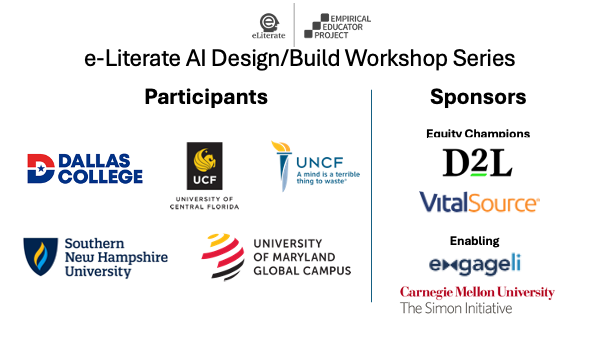





![9 Pedagogical Approaches for Higher Ed Explained [Plus: 40+ Free Strategies to Implement in Your Classroom]](https://blog.college-counseling.com/wp-content/uploads/2025/02/9-Pedagogical-Approaches-for-Higher-Ed-Explained-Plus-40-Free.jpeg)