You can download project topics and share that with us to prepare your synopsis format and final year project report.
Our Team have 10 year+ extensive and in-depth professional background with strong research skills in academic writing, content writing, articles, research papers, mba project making, clinical training related dissertation, nursing or Healthcare Industry projects.
We also offer free revision until you are satisfied with our writing service and offer personalized support with project mentor to guide you for your academic success till your university approve the report from anywhere in the world.
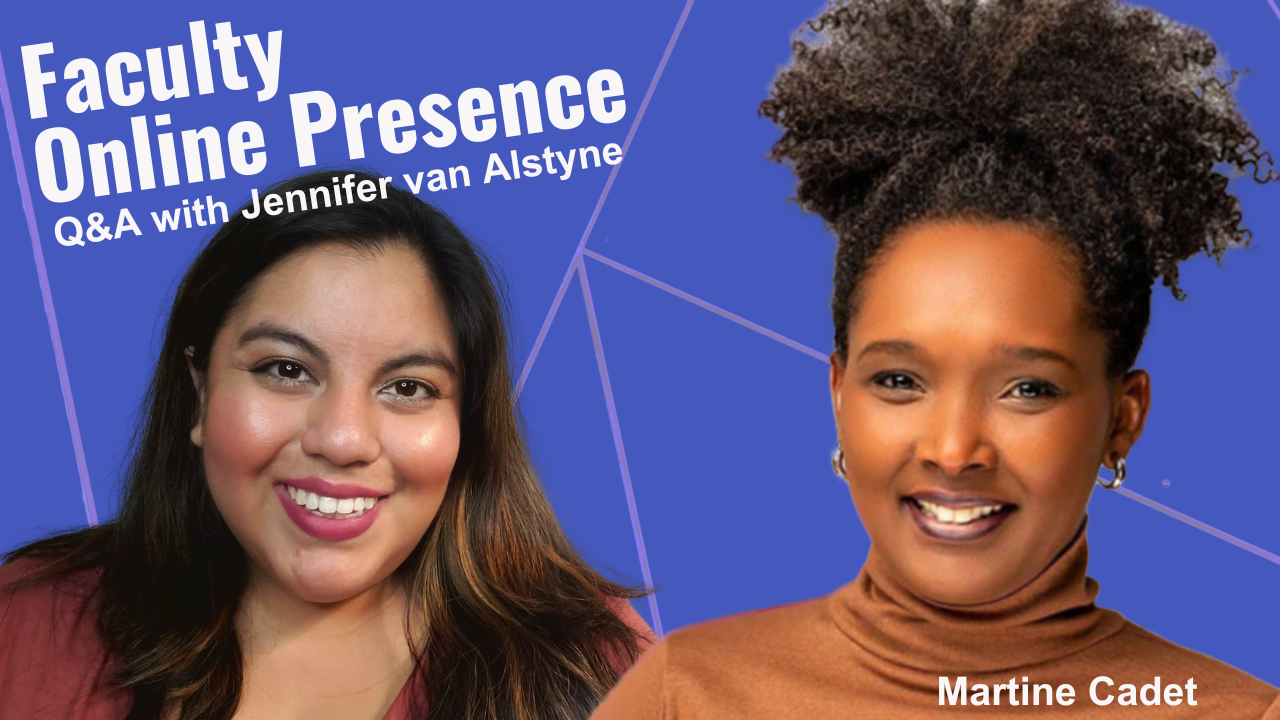
Martine Cadet interviews me about faculty online presence for the professional development workshop she’s hosting at her university. What is faculty online presence? How can a personal academic website help professors and the people they care about? Let’s talk about your digital footprint as an academic.
Jennifer: Hi everyone, this is Jennifer van Alstyne of The Social Academic. Today I have a special guest who’s actually going to be interviewing me, Martine Cadet.
I’m so excited we’re recording this video as part of a faculty development workshop that you’re doing for your university. So let’s chat about online presence for academics. I’m happy to answer your questions.
Martine: I love it. Thank you so much, Jennifer, for taking the time to meet with me. It’s such an important topic, right? Being digital today is like, you know, brushing your teeth every day. It’s like a no brainer. Everybody has their phones and laptops.
I’m an adjunct professor, and I have found that several of my peers are not actually active digitally. And one of the things that came up is having a website. Mind you, digital marketing includes social media for sure, but it also includes that digital presence online overall websites and blogs and conversations like this on channels and podcasts and so on.
Today, I’m so excited to tap into your expertise in this area of building an academic website. I’m, I’m so excited. And so I have four questions that I truly believe will help any, you know, academic person to identify how important it is to explore having a website or perhaps if they already have one, to continue to maintain it and make it better. And so I’d love to dive in. If you’re ready, let me know, Jennifer, because I can’t wait to hear your expertise.
Jennifer: I am ready.
Martine: Wonderful. And so to get started, I wanted to ask you, Jennifer, can you explain the concept of a scholarly website and why it’s important for faculty to have one, even if they already have a strong presence on social media, why should they even look into kicking off a website and or maintaining one?
Jennifer: That is such a great question. I feel like so many faculty want a website. They’re not really sure if it’s for them, or they think that they don’t want a website, but actually it would really meet all of their professional goals. So let’s chat about it. What is a personal academic website? Well, it’s a place online that you own, that you control, where you can share things like your academic bio, a photo of you, and links to anywhere else that you’re online, whether it’s your faculty profile, your social media accounts.
The thing I love about personal websites for professors is that they can grow as big as you need them to be. They can change their shape and what they hold in terms of the contents and what you wanna share over time. So if you just want a one page personal website that has what we talked about, your bio, your headshot and contact links, that’s great. That’s a perfect place to start from.
But some of the professors that I work with have really extensive needs for their website. They’re trying to reach new audiences. They’re trying to communicate with their current collaborators, you know, attract research funders, share their publications, and really be helpful for their students. There is a teaching aspect to this that I think a lot of people don’t realize that they can have with their personal website. So a personal website can be anything you want it to be. And that’s the beautiful thing.
Professors, if you’ve been thinking about a website for yourself, I want you to know you can have one. You could definitely create your own personal website, or you can hire a professional to create one for you. But it can be up in as little as an hour with a service like Owlstown from my friend, Dr. Ian Li, that is an academic website builder that really supports you to make this a reality like today.
But for some people, you know, it takes a lot longer than that. I don’t want you to think it needs to go up fast or it needs to take a long time to be a good website. You can have the website that you want and that you need for your academic life.
Martine: I love that. And so having a website, the takeaway here, I’m getting right, Jennifer, you can be on social media, but it’s like this added bonus for you, right? To do all those things that you wanna do, that you share, sharing your research, engaging with your students, and so on and so forth.
Let’s talk about that content creation a little bit more. You touched on different aspects of the website that could have the content, either the bio and you know, information about your social and whatnot.
But let’s dive in for one that’s just starting out. Let’s just say I’m a faculty. I wanna do a website. I don’t have one. Can we briefly go back to that content creation and perhaps the resource that you shared is actually a template that’s prompting faculty to include that content. Like can you walk us through the most important content pieces as we get started? That should be there.
Jennifer: Definitely. So, yes, the tool that I mentioned, Owlstown does walk you through all of these steps. So if you have pieces and parts of your academic life, you’re not sure how to bring them together, it’s a step-by-step process that will guide you through that. I want you to know that it is very supportive.
But for anyone who’s looking to build a website outside of Owlstown, or who is gonna be working with a professional to make your website, let’s talk about the content that you need. Definitely a bio that’s the most important thing that you can put on your personal academic website. And you want your bio not to be the standard academic bio that you have. Maybe on your faculty profile, it needs to do a little bit more work because the people who see your academic bio are other academics. There are people who are probably seeing you at a conference, who are gonna be talking with you about your research. But people who come across your personal academic website might be from a variety of fields or countries. They may need a little bit more support to understand who you are, what you do, and the things that you value and care about most as a professor. So I want you to take some time and be introspective when you’re writing that bio to, to really help you make it feel like you, but also communicate with that wider audience. I want the media, the public, and your friends and family to also be able to understand you and connect with what you do based on what you share there. So academic bio is the number one thing that you’ll want to gather.
You’ll also want a headshot, a photo of you. Now, that can be a little bit tricky for some people. You know, I just did my first professional photo shoot. I had an amazing photographer for my engagement photos. And it was so much fun. If you can afford or want to work with a professional photographer, I highly recommend it. It was an amazing experience.
But for the longest time, I have only used selfies on my personal academic website. So I don’t want you to think you have to go out and spend money. You can take your phone and go take some selfies. You can ask a friend or a colleague to take some photos of you. I’ve actually done that for friends, for their first books and for a grant award. Things like, I love taking photos of other people. So I want you to know, you probably have someone in your life who’s willing to take a photo of you too.
There’s lots of opportunities to work with the people around you to create content, but sometimes a selfie is the easiest thing to do. Prop it up on some books. Take that photo with a timer and just call it a day. If you can get your photo and your bio, you can have a personal academic website. You don’t really need anything more than that.
Definitely gather your social media links if you have them. But the truth is, a lot of people with personal websites, maybe not on social media, or maybe they’re not super active on social media or that account that they made, they haven’t actually touched it in like four years. That’s okay.
That’s one of the things I love about personal academic websites. It’s this great tool to help share your online presence and the things that you care about, even when you’re sleeping, even when you’re not active on social media, even when you’re traveling for conferences or grants and you don’t have time to check your phone or don’t want to because you’re so focused on what you’re doing at hand. I want you to have those privileges. And when you have a personal website, it’s doing that work for you even when you’re not working. So I really love that.
Now, in terms of growing the site, there is more content to gather and some of that content, in fact, most of it is probably in your curriculum vitae (CV). So updating your CV and then seeing the different pieces of your life that feel important to you, whether it’s publications, speaking engagements, media mentions, or actually talking about your students and mentees and the people that you collaborate closely with that information. You’ve probably already done the hard work of gathering quite a bit of it. And so placing it on your personal academic website just from your CV, is an improvement.
Now, if you can also go in and add things like abstracts for your talks or publications, links to maybe the conference program or a video of that speaking engagement, if there is one. These are all ways to enhance your website, but I don’t want you to feel like if you don’t have these right at the start that you can’t hit publish, you totally can. Your website can grow with you over time.
Martine: Wonderful tips. My goodness, Jennifer. So good. I love the tip about the selfie. So good. ’cause I know as a faculty, we’re so busy, right? With our work and it, it’s so refreshing to hear the tips that you gave about, you know, reach out to a colleague to take your picture, take a selfie. It’s okay. Right?
I wanna hone back into the statement that you made that I love so much for my next question, when you said, let the website do the work for you, right? And I wanna go back to that.
You mentioned that a website has the added value here for us faculty is to be able to engage with our students, other faculty members and beyond. But how do we get them to come and to see it? Let’s talk about that engagement, right? Yeah. This whole SEO, you know, search engine optimization and website, it kind of scares me. What are your tips with that?
Jennifer: That’s a great question, actually. It reminds me of a conversation I had with a client just last week. We were looking over his new website together. It was a redesign from an existing personal academic website that he already has. And we’re right at the end of this project. And so there’s always this like, “Ooh, like is this gonna do everything I need” kind of feeling? And he said, “My current website doesn’t get a lot of views. Like, is this going to reach people?” And the answer is yes. If you do the work to share it, if you make it available, if you mention it to people, people are gonna come regardless of if they’re Googling you or not. You are someone who is on campus meeting people all the time. You have students coming to your classes. You have students considering your classes. You have people considering your talk for, you know, programs and conferences that they’re running. You have people who are thinking about potentially reaching out and working with you. But when you have that online presence, it’s doing a lot of that kind of in-person work with you.
It’s not like you don’t exist as a person anymore. You have an online presence, but your online presence enhances what people can learn about you even when you’re sleeping, even when you’re not in the room. And this is really important for scholars who, you know, maybe don’t have the funds to travel all the time. Or, who really need their work to reach people beyond their university, beyond their state, or even their country.
Online presence is something that can spark further conversations. But the first step is always being willing to share it yourself first. So places like your email signature, your social media profiles, your faculty profile, making sure that you mention your bio in, or excuse me, you mention your website, URL when you’re sharing your bio with event organizers and with other people who mention you in the media, you have agency and helping people find your website because they’re going to be searching your name and finding your website without you too.
But I want you to remember, like you, you shouldn’t hide your website once you’ve created it. There’s no reason to feel embarrassed or anxious. It’s not self-promotion. It’s actually helping people because when they’re on your website, they don’t have to be there. It’s not like social media where they’re scrolling and like they’re forced to, you know, take a quick look at what you share.
A website is exploratory. It sparks curiosity and it’s an invitation for people to learn more about you for the things that they wanna learn. And they can click off at any time. So I don’t want you to feel icky or negative about sharing your website. But sharing your website is definitely the first step. Google and other search engines, they’re gonna crawl your website. They’re going to start serving it in search results when people Google your name, potentially when people Google topics about your research. So that’s gonna do the work too. There are multiple ways that people can find you and your website, and I want you to know that you have responsibility, but also online that’s gonna do a lot of the work for you.
My favorite part about having an online presence with a personal academic website is it facilitates word of mouth references and collaborations. So if you have a collaborator who has an upcoming graduate student who’s interested in the same research as you, they’re looking for a postdoctoral position next year, that person can easily share your personal academic website with a really great potential applicant for your postdoc position. It facilitates that word of mouth connection that people have. It helps ’em better be able to share who you are and what you care about with other people who they think might be a really great fit to connect with you. So I really love that. It’s just, it’s yourself, it’s the people around you and it’s all of those kind of benefits of being online. So search engines can find you that can help share your website.
Martine: Oh, so good. You know what I love the most in all of this, the biggest takeaway that I’m taking from you here is this mindset shift that you shared about your website is not to be yourself promotional tool. It’s more about presenting yourself so you could help people.
Yeah, like when you said that, I’m like, “oh my gosh, that makes so much more sense,” right? Because then I feel more at ease to share what it is that I can help others do, right? I love this mindset statement that you shared such great nuggets. I wish I could be with you forever.
I have one more question for you, Jennifer. And that’s the big one in regards to what you shared that you said the online world is here and it’s here to stay. And it’s evolving, evolving very, very fast. I mean, two decades ago it wasn’t even half of what it is today.
And so my last question to you, Jennifer, as this whole digital landscape grows every day, what would you recommend a faculty to make sure that they keep in mind to ensure that their website remains relevant and that, you know, they, they update it? Because again, two decades ago it was a completely different experience and who knows what it’s gonna be next year, two years from now? What are your suggestions based on how you see the digital landscape is evolving to ensure that we do if we have a website?
Jennifer: Yeah, that is a great question because I wanna protect your futures too. Like, I’m not gonna give you information or guidance that’s gonna steer you down the wrong path and be a waste of your time. I like personal academic websites for professors because it is lasting. It’s not gonna disappear like if a social media platform no longer exists.
Your website not going to go away if you stop using it or stop having time or attention for it. At minimum, I recommend updating the content once a year. So if you can put a reminder in your calendar to, on that date every year you spend an hour looking through your website pages, just making a list,
what needs to be changed
what needs to be added
what needs to go away because it’s no longer relevant
If you can do that once a year, your website is gonna be doing far better than the vast majority of personal websites because most go un updated.
You know, most people, like, once they create it, it’s there and they’re like, I did the work. But the truth is that Google search engines and the people who are coming to your website, they need new and relevant information. They need to know who you are, what you care about, and the work that you’re doing now and the people that you want to be working with in the future. So taking that time for an annual update for sure.
My second tip is really just being open. I mean, things are going to change over time. I had an amazing guest on The Social Academic just last month that was totally focused on augmented reality, virtual reality, gamification, and all these cool things in the classroom. I know that the way that professors communicate about who they are and what they do, that’s gonna change over time too.
But I’ve met so many people on social media who just say, I’m not gonna join because I don’t know what it’s gonna look like 10 years from now. People are looking for you today. They’re not caring about what you’re gonna be doing in eight years unless they care about you now. You have that opportunity to start reaching people this year, this week, this month.
I want you to have all of that time to be reaching the people who actually care, the people who you want to be having conversations with, the people who you want to be collaborating with, the students who you want in your courses. You have more agency in what you share about yourself online than you might expect.
A lot of people don’t realize they can meet so many goals with their personal academic website, but just being open to having one. Being open that your website may and probably will change in the future because you are gonna change in the future. And your needs and your interests are gonna change in the future.
That’s the best thing that you can do. Be adaptable. Be open to new ideas and open to change if something new that you’re interested in exploring comes up. I think if you do that, you’re gonna be golden. You’re gonna be in such a good place with your online presence, not just now, but long-term. I’m excited for you.
Martine: That’s wonderful. I love this tip about, just check it once a year, pick a time and I’m guessing it could be any time of the year. If you wanna do it right at the end of the year or perhaps over the summer. If you have that break in between semesters and you’re just getting ready for the next semester, like maybe that’s the time. I love that. And it’s so relevant. It makes sense.
This is great, Jennifer. I am so, so grateful for this conversation and I know my peers are gonna be excited to hear all the tips that you shared with us today from why having a website is important as a academic faculty, personal academic website is important from that point to what’s the content creation, how do you make sure that it’s engaging and does the work for itself and truly looking out for the future of it?
My goodness, you gave us everything. And now I’m like, okay, I’m going to do what you’re doing right now watching. Go to the description here and, and click, click, click. Because I understand how exciting it feels to be hearing such information.
Like you said, Jennifer, having an online presence is going to really, really bring a reach of things that you never could have ever imagined. I couldn’t agree more. And so thank you again for this wonderful conversation. Jennifer, you’re amazing.
Jennifer: Thank you. I have loved these questions and I hope that your faculty find it super helpful.
From an HR perspective, faculty positions can often look very different from other professional and staff roles on campus, especially when it comes to those faculty on the tenure track. But as HR’s role in academic staffing expands, it’s critical to understand tenure and its role in supporting academic freedom, says Joerg Tiede, the director of the department of research and public policy with the American Association of University Professors (AAUP). In his recent CUPA-HR webinar, Tenure: Past, Present and Future, Tiede explains the nuances of tenure and academic freedom through an HR lens. Here are some key takeaways.
Tenure and Academic Freedom
Tenure
Tenure is an “indefinite appointment that can be terminated only for cause or under extraordinary circumstances such as financial exigency and program discontinuation,” according to the AAUP.
Tiede notes that this simple definition is often surprising to many in higher ed, because tenure frequently comes with other advantages, such as sabbatical or the ability to vote for or hold a position in faculty senate. But these other benefits are often part of an institution’s culture or a faculty member’s contract, rather than inherent to tenure itself.
Academic Freedom
Tiede stresses that tenure exists not as an individual perk, but to protect academic freedom. The AAUP defines academic freedom as “the freedom of a teacher or researcher in higher education to investigate and discuss the issues in his or her academic field, and to teach or publish findings without interference from political figures, boards of trustees, donors, or other entities.” The concept of academic freedom applies to faculty members’ speech and writing on campus as teachers and advisors, in their research, and in their “intramural speech” (e.g., institutional governance) and “extramural speech” (e.g., when speaking as a citizen).
Not all professors have or are eligible for tenure, including non-tenure-track faculty who may work full time as salaried employees with benefits but are not eligible for tenure. An example of this kind of faculty may be someone whose job functions involve instruction rather than a mix of instruction and research. Other non-tenure-track faculty include adjuncts, who are paid per course and typically do not have a benefits package. The breakdown of who is eligible for tenure differs by institution, with some institutions not having a tenure system at all. See the AAUP’s data on the academic workforce.
The Future of Tenure and Academic Freedom
“Tenure is indispensable to the success of an institution,” says Tiede. This is because academic freedom not only strengthens individual institutions by protecting the teaching and research of faculty, but also upholds the public good. The AAUP’s FAQs on academic freedom states: “Those teaching and researching in higher education need academic freedom because the knowledge produced and disseminated in colleges and universities is critical for the development of society and for the health of a democracy, an idea often expressed by the phrase ‘for the common good’ or ‘for the public good.’” In theory, tenure shields faculty from political or religious agendas. It also protects tenured faculty who work in areas that are or may become controversial.
Tiede notes that academic freedom would be made secure with more broadly inclusive tenure policies. One way this can be accomplished is by converting non-tenure-track positions into tenure-track positions, with the AAUP recommending “only minor changes in job description.” In particular, the conversion of teaching-focused positions from non-tenure-track to tenure-track is recommended. Though tenure is often tied to research accomplishments, Tiede and the AAUP do not view this as inherent to the definition of tenure.
A more inclusive tenure process also includes reviewing for implicit bias. In breaking down who is tenured or on the tenure track, CUPA-HR has found that more women faculty are represented in non-tenure-track roles than in tenure-track roles. Moreover, with each increase in rank, the proportions of women faculty and faculty of color decrease for both tenure-track and non-tenure-track faculty. Taken together, this means that women are over-represented in the lowest-paying and lowest-ranking positions.
Who gets tenured also has implications for pay equity. Faculty pay raises are commonly tied to promotion and tenure, which is often the only time faculty see a significant increase in their salary. When there is bias in promoting women and faculty of color to successive ranks, this results in career earnings gaps.
Additional Resources
Watch Tiede’s webinar, Tenure: Past, Present and Future, which covers the origins and history of tenure and answers HR-specific questions, like whether academic freedom applies to provocative posts on social media and how best to nurture a merit-based culture within a tenure system.
Check out CUPA-HR’s e-learning courses, including Boot Camp, which offers a higher ed perspective on essential HR topics, and Understanding Higher Education, which is designed to help all employees be more effective in their roles by developing a deeper understanding of institutional structure and culture.
Ways to support an increasingly contingent faculty workforce are explored in the article The Way Forward: Envisioning New Faculty Models for a Changing Professoriate. The focus is on The Delphi Project, part of the University of Southern California’s Pullias Center for Higher Education, which explores how non-tenure-track faculty working conditions are tied to student success.
Ready for a conversation about educational technology, artificial intelligence, and personal academic websites? The 2024 season of The Social Academic is here.
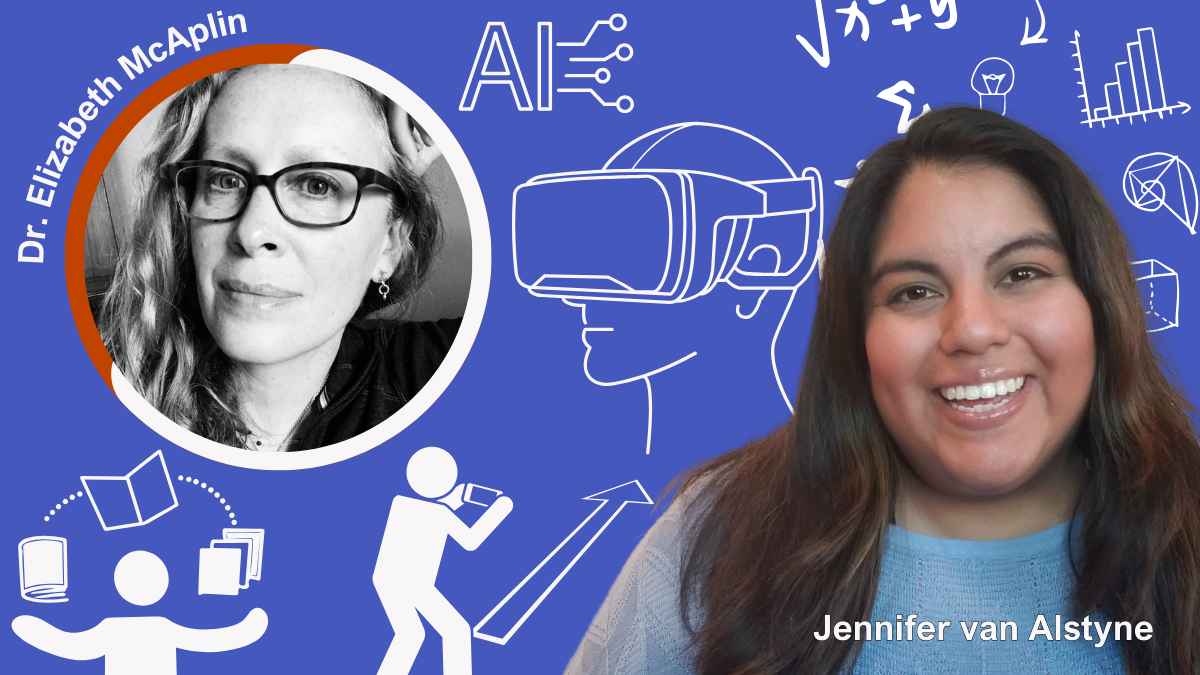
Meet my featured interview guest, Director of Educational Research Technology at New York University, Dr. Elizabeth McAplin. Read, watch, or listen to this episode of The Social Academic.
Jennifer: Hi everyone, my name is Jennifer van Alstyne. Welcome to the new season of The Social Academic. This blog, podcast, and YouTube channel is about managing your online presence in academia. Today we’re gonna be talking about teaching and educational resources.
I’m delighted to introduce my guest to you, Dr. Elizabeth McAplin, who is Director of Educational Research Technology at New York University. Elizabeth, thanks so much for joining me today. Would you please introduce yourself and tell us a little bit about your role at NYU?
Elizabeth: Sure. I’m Director of Educational Technology Research at NYU. I’ve been in this role a little over 7 years now, and at NYU for almost 10 years. I did my PhD at NYU and a MA in Educational Technology at NYU so I have a very long history with NYU.
When I was a student there and worked, I had multiple hats: student, alumni, faculty, and administrator.
Jennifer: Wow.
Elizabeth: Yup, all of them. I was the face of NYU. My role there specifically is to collaborate with faculty who are looking to make pedagogical changes to their courses usually involving some sort of media or technology.
We had a very large provostial push years ago to encourage faculty to start using technology, trying it out. And seeing how well that could enhance their courses and make things better and easier for themselves as well as their students.
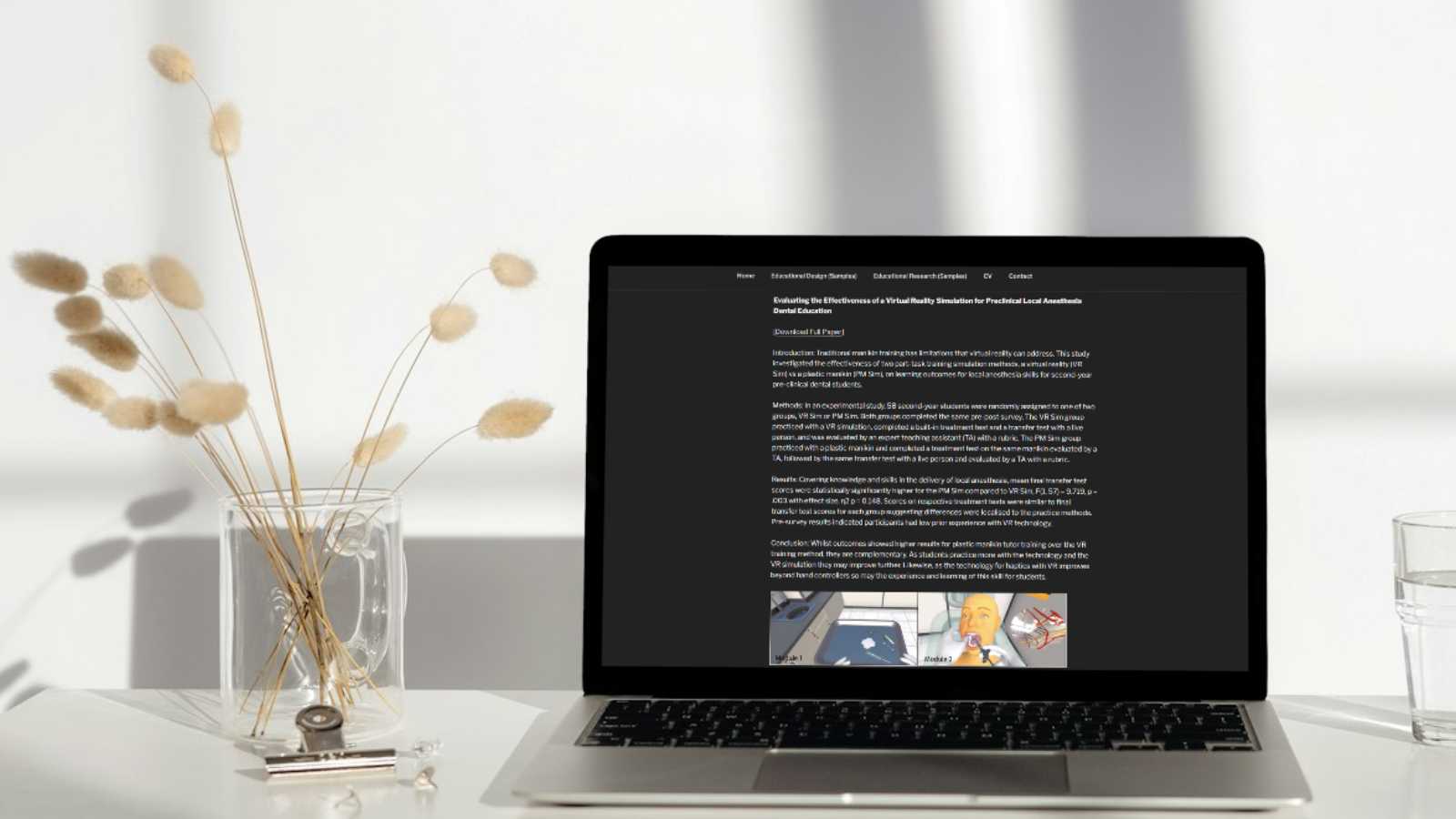
I’ll work with them in part sometimes to develop a technology. Sometimes it might be a virtual reality project that they might want to use in their course or program. As well as conduct scholarly research to see how well that is impacting student learning in their classroom or program. We aim to publish those findings as well.
I’m a central resource. I work with all schools and departments at NYU.
Creating her university-hosted personal academic website
Jennifer: That is amazing. Because you’ve been at NYU for so long, you were a student there, you’ve worked there, and now you’re a director there. I’m curious. You have an internal personal academic website [hosted by NYU]. Is that something you created when you were a student? Or, in your newer role?
Elizabeth: No, I created it during a time when I was both a student and in my current role. I was finishing my PhD while I was still a Director.
I created it not for the purpose of my own portfolio site. I do have a presence at NYU that shows my service within the structure of Research, Instruction, and Technology which is my department, within the larger umbrella of NYU IT. [That presence] does get a little bit lost sometimes in that filter. But it is there. It doesn’t describe me personally, it describes my service to faculty and to the university. It’s not focused on me per se.
The portfolio site is to showcase some of the work I’ve done in the past, mainly at NYU. It does also list my CV, prior work experience as well as teaching experience and the like. In the event life changes, I like to have something available and ready to show.
Jennifer: I love that. When I was exploring your site it was fun for me to see the different types of videos you were posting about educational technology projects you were working on and collaborating with faculty. I like that even though this is a portfolio site, it sounds like maybe a ‘just in case’ site? That it was helping me prepare for this interview and get to know a little bit more about you. At what point did you create that website?
Elizabeth: That was many years ago. It’s hosted through NYU. NYU provides faculty a WordPress service just for that. Sometimes they use it to create a portfolio for grants they’ve received or want to receive. They can provide that to their grant funders. It’s another way to showcase the work that gets done.
It’s an internally managed WordPress hosting site. It’s not something I pay for externally. All faculty have that available to them [at NYU].
Jennifer: Did NYU encourage you to create a website? Or was it something you learned about and then decided to make yourself?
Elizabeth: I think when I knew the service was available, and I was teaching there as well, I decided it was a good idea and why not? I mean, if it’s free and I don’t have to pay for it, there’s no non-incentive not to do it, haha.
Videos for your personal academic website portfolio
Jennifer: Your portfolio had a nice list of videos where you’ve collaborated with faculty to create resources and technologies for their classrooms. Can you tell me about one of the videos that you were excited to share on your website?
Elizabeth: Before I was a Director of Research, I was a Director that oversaw a very large team of instructional designers and media producers. Our role was to create a lot of this content for faculty to be used in their courses. I learned a great deal about each faculty member I worked with and their particular expertise. It’s kind of a wonderful way to learn more, because I love learning. And to create and produce those videos.
Most of those [videos] were created with a team of people. They would be scripted, prepared, and imagery selected for them ahead of time. They were very well planned out videos that were used in their courses.
They’re just fascinating and visually engaging pieces of work. We did a lot of things! A lot of interactive pieces: videos, games, simulations, etc.
Jennifer: That is so cool! And I love that there’s support at NYU for faculty who are looking to introduce those newer technologies into their pedagogy, into their teaching.
Artificial intelligence in the university classroom
Jennifer: I’m curious. What technologies are faculty curious about exploring? I’m coming from literature as a field. There’s newer augmented reality [AR] or virtual reality [VR] technology that can be introduced into that. Most faculty just aren’t aware of it. So I’m curious, what are faculty at NYU curious about learning now?
Elizabeth: Artificial intelligence. It’s a really big topic right now because it has so many unknowns.
I think there’s still a lot of faculty that are hesitant to use a lot of technology. I think since COVID when faculty had to go online during that time period, that was a big change for them. It did kind of give them that opportunity to learn more about technologies they could use moving forward.
There’s giving a Zoom presentation, learning how to present, use technologies within Zoom for their classes, making hybrid courses or fully online versions of them. Learning how to create better videos for their courses.
Not relying so much on lecture as being used for the time in the classroom anymore. Pulling the lecture out, making that as a video or something, and using the classroom for more discussion or interactive uses of the time with their students.
Jennifer: That is so cool.
Elizabeth: It’s such a precious amount of time.
And then, there’s a handful of faculty very interested in virtual reality and augmented reality. Those are mainly in the sciences and medical fields.
And now, artificial intelligence is the biggest buzz at the university. How are faculty going to manage using artificial intelligence, ChatGPT, in a productive and constructive way as opposed to ways that students want to write their papers with.
Jennifer: It’s kind of like a shift in how we think about artificial intelligence in the classroom from fear-based to how can it be a part of it in a meaningful way?
What are your thoughts on it? How are you feeling about artificial intelligence and pedagogy?
Elizabeth: I think there can be a lot of great uses of it, as long as it’s well planned out. There are efficiencies to things like using ChatGPT that we didn’t have before. That can be wonderful.
Even doing literature reviews and such through ChatGPT can help speed up that process. We didn’t have to go to a library before to do a lot of research on articles because now they’re all digitized. We can do that through an online library system.
It just gets a little bit closer to making things more efficient. Maybe we’ll have more doctoral students coming out of it. I’m not sure.
There’s always going to be pros and cons for whatever technology comes before us. We have to acknowledge it. We have to understand what are the risks? What are the affordances? And work with that. That’s always going to be the case.
Just like with a calculator, one of those tools that came out and people said, “You won’t have to learn math anymore because you can just use a calculator.” Regardless of all that, yes, we will still turn to our calculators to make sure we’re right in our math.
It’s not a new problem, and it’s not a new risk. I think some of it comes down to making sure when we’re using these tools, we’re not also putting our students at risk like with identifiable information or grades, things like that. It’s a constant conversation to have with faculty on best uses and practices of these technologies and tools. And to keep monitoring those risks and the things that are gonna come up. They’re going to come up. They always will.
When students get very stressed out and are under pressure, they’re more apt to want to cheat. Or have something, or someone, help them get the work done. So reviewing how much work we’re imposing on our students, or understanding that their social lives are taking a precedence they need to dial back to focus on their academic careers. It’s always a balance: is it the student’s problem? Or, is it our problem? And how do we find a happy medium in between?
Jennifer: I really like that. It’s a beautiful point. When I was a student my parents had just passed away. I was working so hard. There were times I struggled to keep up. My teachers’ empathy for understanding what I was going through, even just a little bit made it feel like a safe place in the classroom, and made me excited to learn (even if I was a little bit behind in some areas). So I loved what you just said.
Which of the technologies you just share with me are you most excited about? You talked about AR, VR, artificial intelligence, games. Which of those kinds of forms of teaching excites you?
Elizabeth: I’ve been working so much in virtual reality recently in the past few years, so I guess that’s the most exciting.
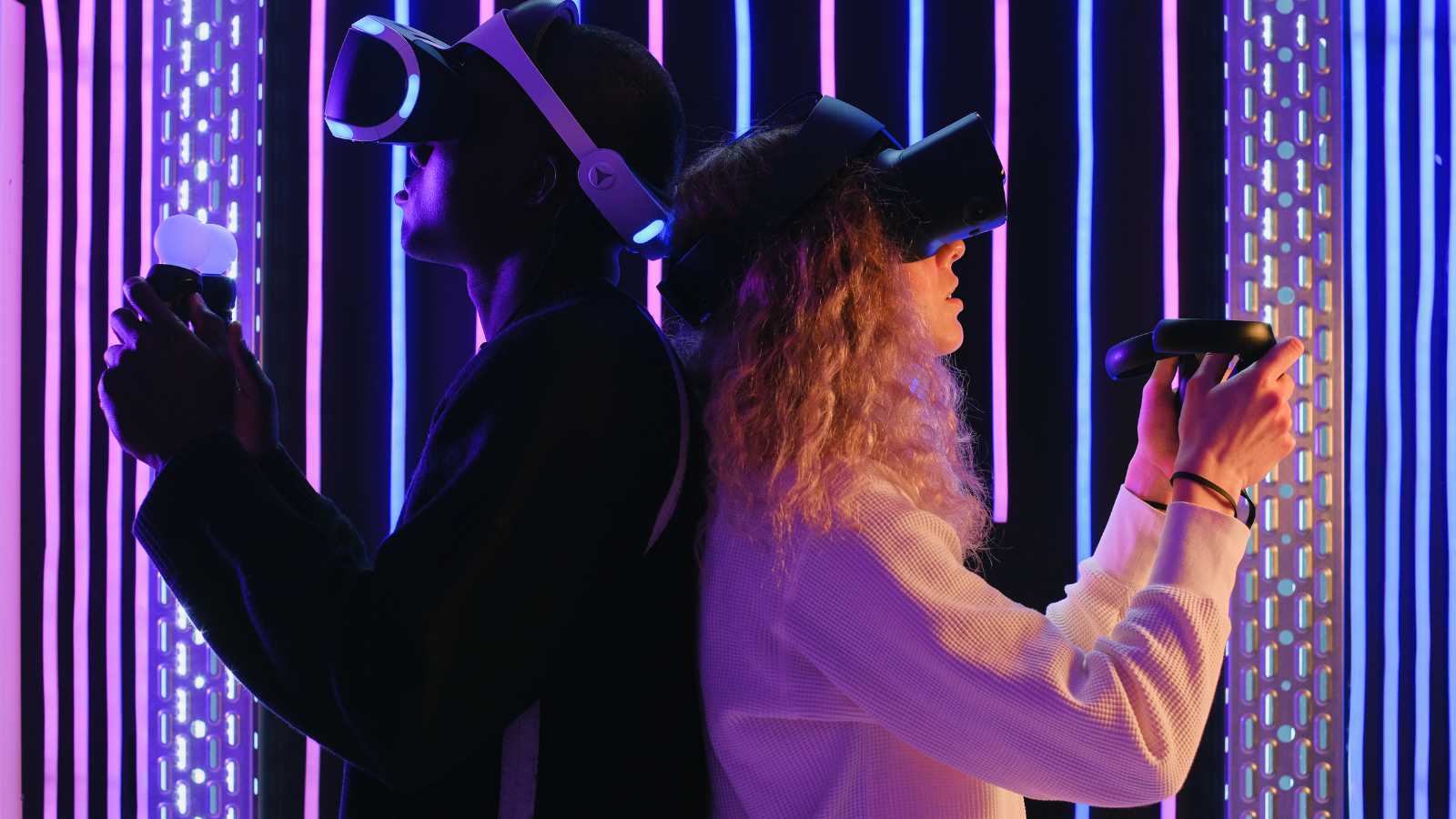
I’ve been working with 1 faculty member for almost 10 years. We just keep evolving resources for her course, which is really large, almost 400 students in her course. The virtual reality project we had for her, we keep trying to find ways to improve the experience overall. We’ve just gotten into working with faculty in the School of Engineering on how to create custom haptics for that virtual reality simulation.
Jennifer: Would you explain haptics for us?
Elizabeth: A virtual reality out of the box headset comes with the headset and 2 hand controllers. When you’re trying to learn a procedure that involves medical instruments like a syringe or a scalpel if you’re doing surgery, you want to know and feel what that device is like as you are performing the procedure. It’s not just cognitive. It’s tactile. It’s procedural. It has multiple learning and practice components to it.
An out of the box hand controller is not particularly authentic to actually holding a syringe and actually practicing learning that procedure. Working with engineers, they developed a 3D printed syringe and connected that to a haptic device that now students can pick up and actually feel something that’s more authentic to that experience as they are in a virtual reality simulation in going through those procedural steps.
It’s never going to replace working on an actual patient. We’re trying to prepare them to get as close as possible to a real patient experience before they work with a patient because there are so many risks involved in working with a real patient. So that’s the impetus behind that. It’s an ongoing process. We keep learning and we keep trying to make things better. That’s for us, part of the learning process as well. And that’s what’s exciting.
Jennifer: That sounds so exciting. And I love it’s been an ongoing project and exploration over 10 years to improve the teaching and tools in that course.
Jennifer on sharing the resources you create online
Jennifer: One of the things I wanted to chat about for faculty who might be listening to this, is that when you do create educational resources or tools like this, it would be great to share on your personal academic website and on social media.
These tools don’t just help your students and other faculty at your university. They might help or inspire faculty across the world. I want you to know when you do take time to share those educational resources that you’ve made in a new way, in a way that’s accessible for people not directly in your classroom or talking with you at a conference 1-on-1. You can actually help more people with the hard work you’ve already done just by sharing it.
There’s so many things you can share on your personal website related to teaching. I thought I’d list a few for those listening: your syllabi, course descriptions, any videos, or tools like PDF resources or guides. That can go on your personal academic website. If you find that it’s helpful for you or your students, I’ve had professor clients who actually create lists of internal resources and external resources at their university that they regularly share with not just one class, but multiple. Putting that on their personal website creates a kind of home for it where your students can go to find those resources when it makes sense for them.
I want you to know that your website can be a portfolio. And that portfolio can be for the job market, it can be for grants like Dr. McAplin said. It can also be for your students. There’s so many ways to share the amazing teaching and educating you do online. I want you to not hide from that if you have resources to share.
Jennifer: Dr. McAplin, why did you actually choose to share the videos on your website? I think that’s the step a lot of people are missing. They create things, but they don’t always decide to share them. What prompted you to actually share the videos and the resources you helped create?
Elizabeth: We’re proud of the work that was done. We want to show what’s possible. We’re not creating things for National Geographic or some NOVA high-production value thing. It doesn’t have to be that. But we took as much time and care as we possibly could with very little budget at all to make these resources. So it’s just to show examples of what’s possible and change a little bit the narrative. We get comfortable lecturing, but when we don’t have a visual idea for our students for what we’re talking about as we’re talking about it…we don’t want to cause a cognitive dissonance with that information either. Thinking carefully about the words with the imagery or short clips of documentaries or films that go along with what we’re saying to describe as examples of what we’re talking about. As long as they’re relevant and not overdoing it, I think it’s a good way to connect what we say with our eyes. We process these two things simultaneously, so we have that cognitive ability to do so, and we should take advantage of that ability.
What we try to encourage with faculty and to try and make it a more enriching experience for our students.
Jennifer: That is beautiful. I’m so glad we got to talk about this today. Elizabeth, is there anything else you’d like to add about your website, or about the amazing work you do at NYU?
Elizabeth: I list [on my website] that I do workshops at the university. I get asked to do talks within the university. Those are important things to share, like this conversation. We have something at NYU called Teach Talks through the Provost department and there’s some other departments that do similar things, that connect with faculty to talk about things like their assessment practices, pedagogical practices. We haven’t really had one that talks about their research. That might be a missing link we could try to fill, which is more what my area is, on the research end.
These are great resources for faculty to connect with other faculty, to learn about more ways to do things, to inspire them to do things differently, and to take a leadership role forward in that department. That’s more or less what I provide on my website.
Jennifer: That’s amazing. I’m so glad you have your website. And, that I was able to explore it so we could have this conversation today.
It makes such a difference when people are open to sharing a little bit more about themselves. So I’m happy you were open to coming on The Social Academic to talk with me. Anything else you’d like to add?
Elizabeth: If anyone has any questions, I’m available to answer them.
Jennifer: Wonderful. Well thank you so much for listening to this new episode of The Social Academic. Be sure to share it with a friend if you think they’d find it helpful. And, be sure to subscribe so you don’t miss the next episode.
I’m Jennifer van Alstyne. I’ve been in conversation with Dr. Elizabeth McAplin. I’m so excited to share this episode with you.
Elizabeth: Thank you Jennifer for asking me to participate.
Dr. Elizabeth McAlpin is the Director of Educational Technology Research at NYU Information Technology. Her team assists faculty in scholarly research on teaching and learning strategies when enhanced with technology to improve student learning. She holds an undergraduate degree from Denison University, an Ed.M. in instructional technology and media from Teachers College, and an M.A. and Ph.D in educational communication and technology from New York University. In addition to her full-time position, she also teaches as an adjunct at NYU. Her interests include educational technology research, effective educational design, innovative pedagogy and assessment, and educational technology and media for all kinds of learning experiences.
Update: It’s official! We’ll be back for another contest in early 2025. Jennifer, Brittany, and Ian look forward to your entry next year.
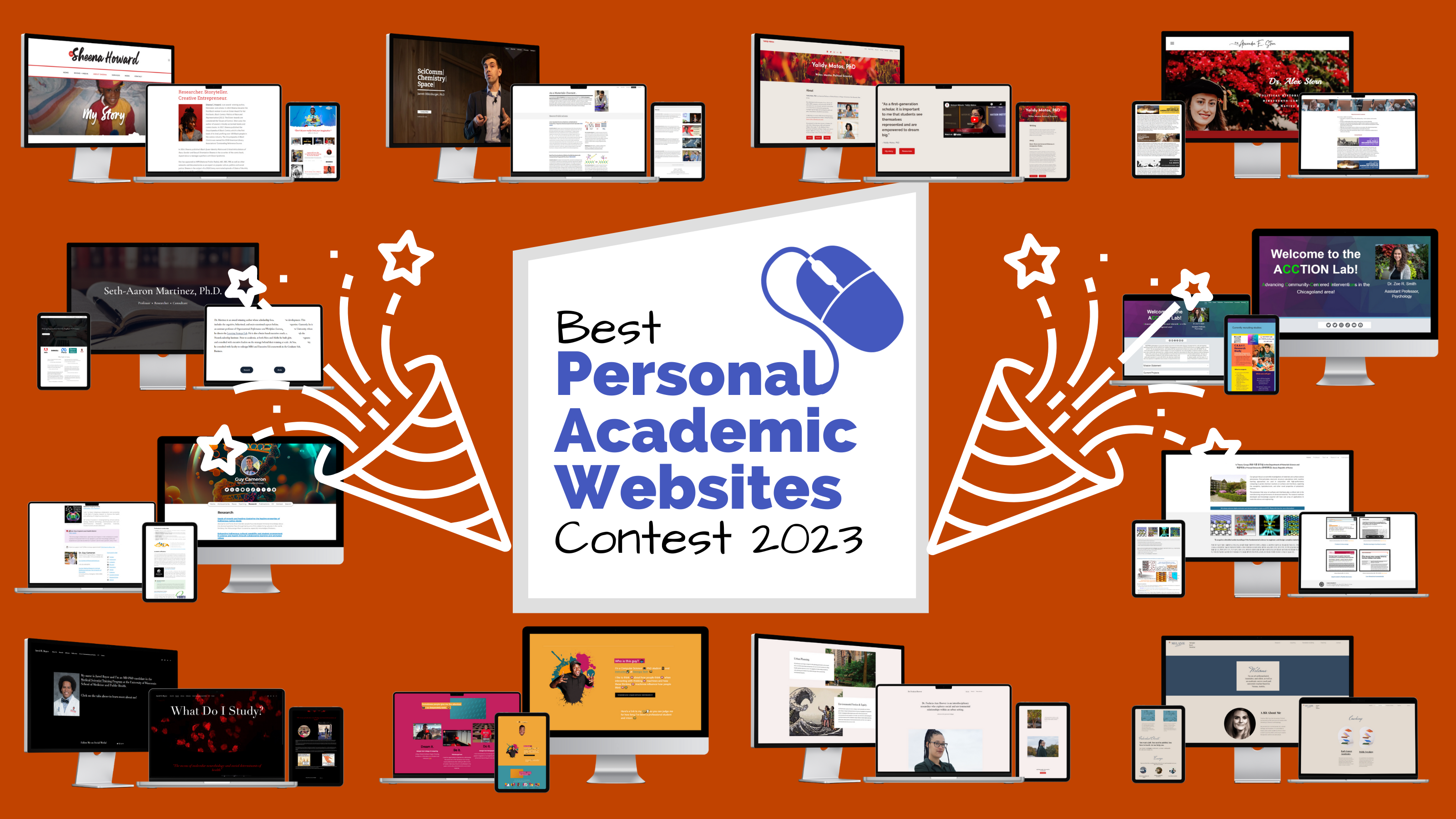
Your personal academic website is a wonderful thing. Professors, researchers, scientists, graduate students, and independent scholars who make their website a reality should be celebrated. That’s why I created the Best Personal Academic Websites Contest last year with my co-hosts Brittany Trinh and Dr. Ian Li.
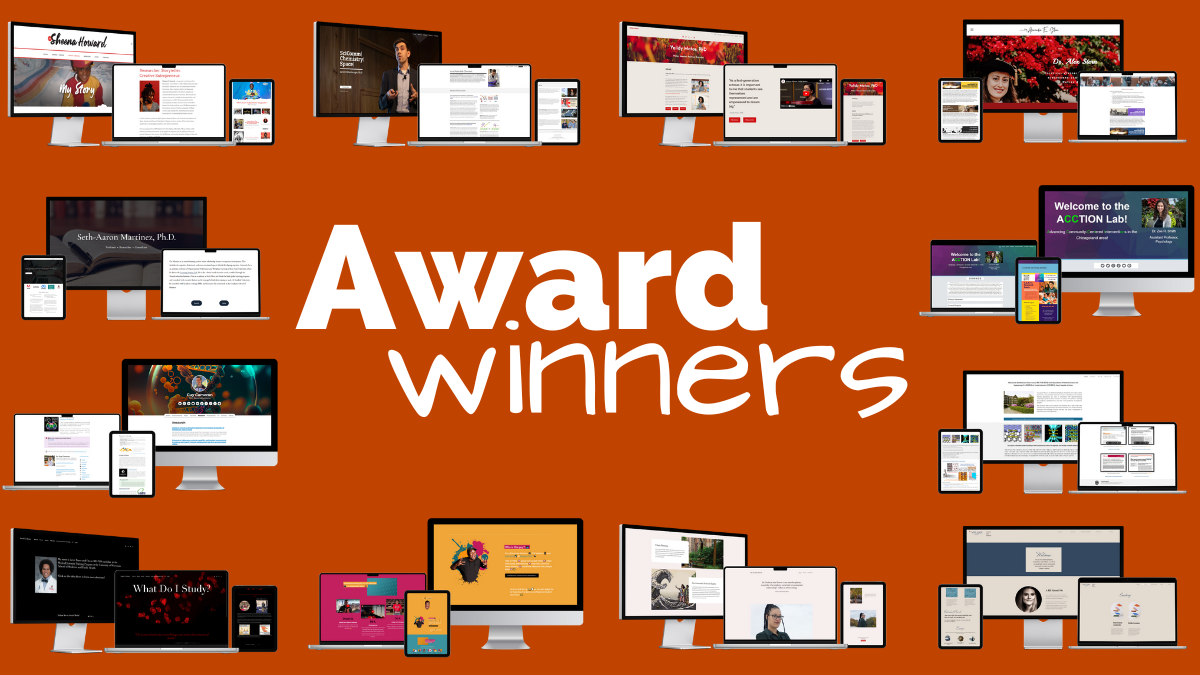
The 2023 award-winning personal academic websites we’re showcasing today are some of the best examples to learn from. I hope exploring their websites inspires you to create your own. Check out winners from the 2nd annual Best Personal Academic Websites Contest.
The Best Personal Academic Websites Contest is brought to you by Jennifer van Alstyne, Brittany Trinh, and Ian Li.
About the contest
The Best Personal Academic Websites Contest was open from July 17 through September 30, 2023. Entries were free. The contest recognizes the best personal websites of
Faculty
Professors
Scientists
Postdocs
Grad students
Independent researchers
Our goal was to award your hard work. And, to create this resource of great examples of personal websites along with with last year’s winners with notes from the judges.
2023 Winners of the Best Personal Academic Websites Contest
Congratulations to our winners, Dr. Sheena Howard, Dr. Seth-Aaron Martinez, Dr. Jarrett Dillenburger, Dr. Guy Cameron, Dr. Alex E. Stern, Dr. Yalidy Matos, Dr. Zoe R. Smith, Dr. Aloysius Soon, Kantwon Rogers, Jared Boyce, Dr. Melanie Sindelar, and Dr. Fuschia-Ann Hoover.
2023 Award Categories
Overall Best Personal Academic Website Award
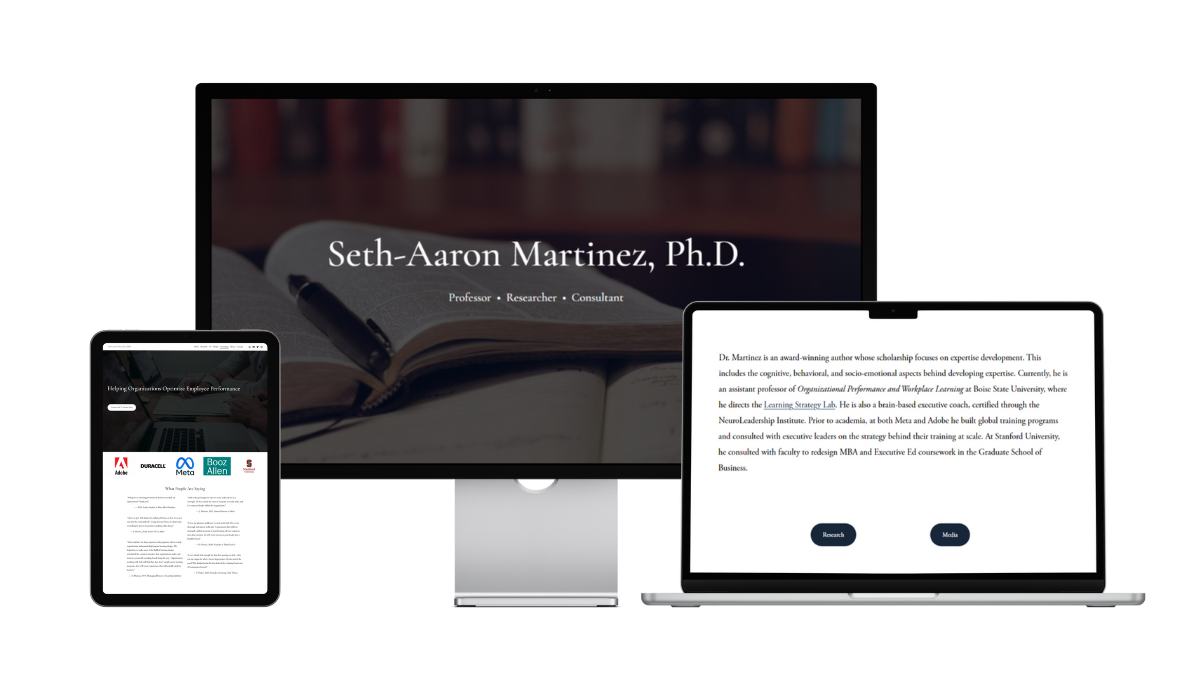
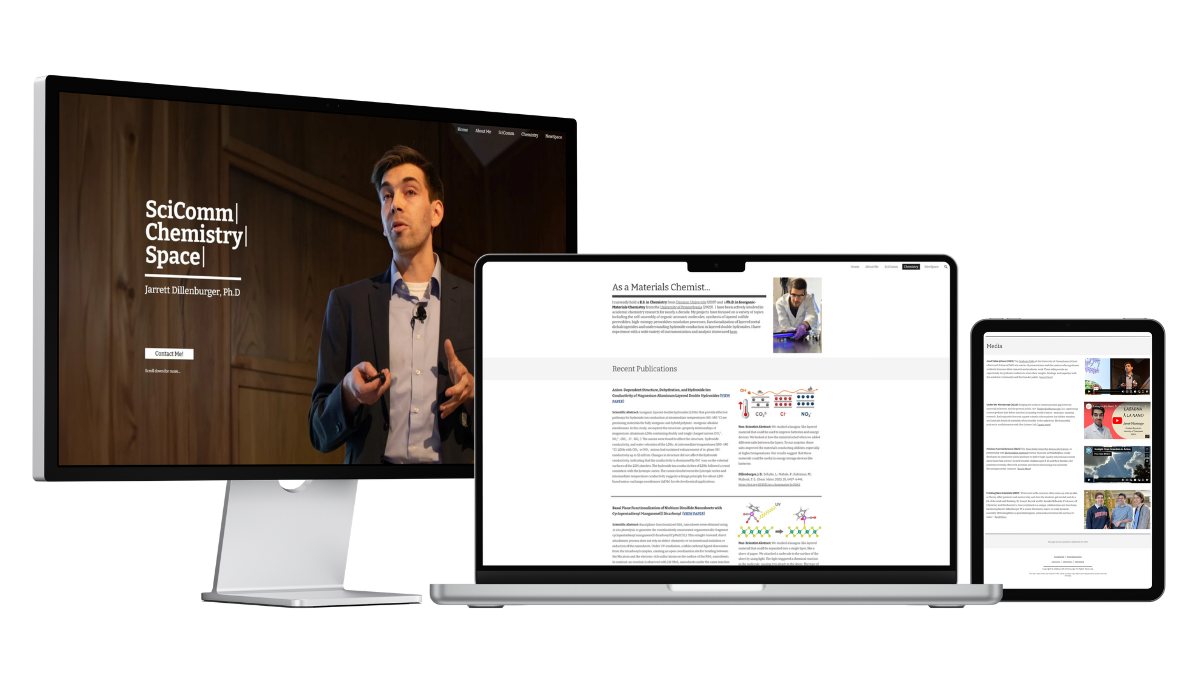
The top 3 websites tied with perfect scores. We are celebrating overall top 3 websites from Dr. Sheena Howard, Dr. Seth-Aaron Martinez, and Dr. Jarrett Dillenburger. Congratulations!
Your websites excelled in every judged category (Website Content, Website Design and Organization, About You, Portfolio, Contact Info). You are the best examples of personal academic websites.
Dr. Sheena Howard
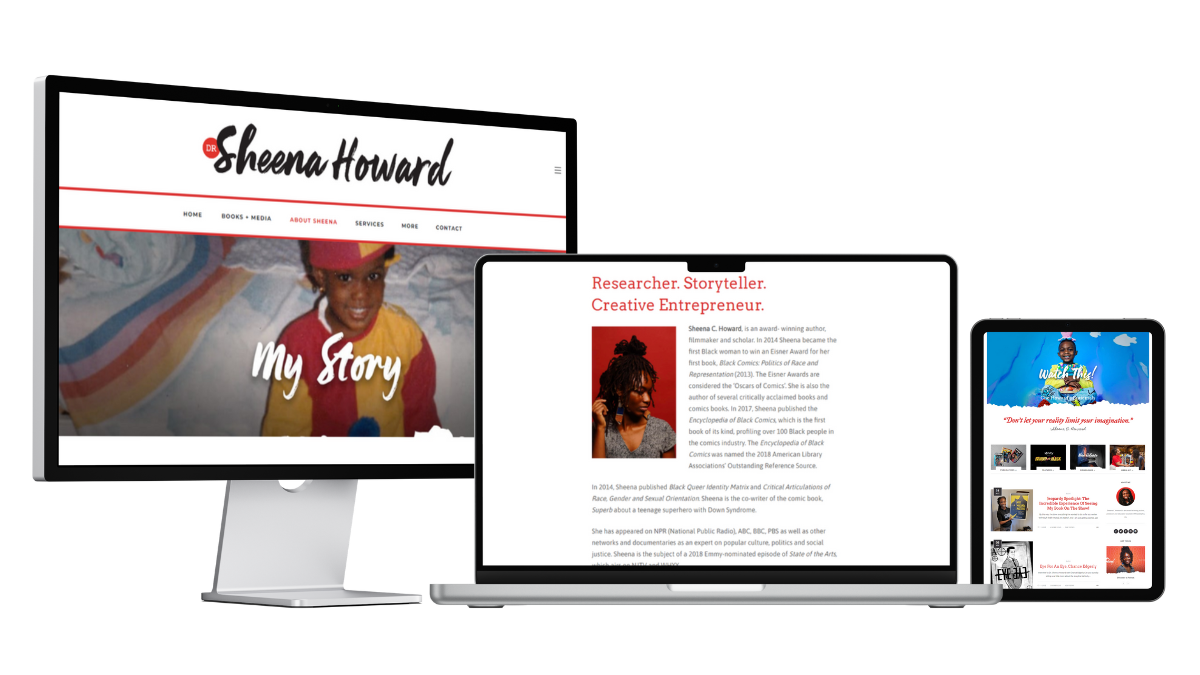
Dr. Sheena Howard created her website “to highlight my work, skills and accomplishments in a way that best aligns with who I am. In addition, to be able to have a closer relationship with the people that are most interested in my work.”
She’d love to acknowledge the website designer, Alesha Randolph.
Notes from the Judges
Brittany Trinh: I love how Dr. Howard’s work and personality is very present throughout the website. She highlights her work by posting on her blog to announce any recent news and photos. The homepage of the website is also set up to showcase her publications and features. Finally, the contact page is used well, as it not only functions as a contact page, but also a media kit for potential speaking gigs.
Jennifer van Alstyne: Colorful, personal, and full of stories, Dr. Sheena Howard’s website shows how there’s no limits to being yourself. A great example of how to share your forthcoming book, like her Academic Branding: A Step-by-Step Guide to Increased Visibility, Authority, and Income, online. This website shares Dr. Howard’s story and media appearances along with a well-organized creative portfolio.
Dr. Ian Li: I really liked Dr. Howard’s website because of the breadth of content that she shares. She has a lot of experiences and accomplishments, which shows through on her website. Dr. Howard shares her academic publications and books, her documentaries and media appearances, and her blog posts.
Dr. Seth-Aaron Martinez created his website “to provide a single source of information for all of my scholarship and professional work.”
Notes from the Judges
Brittany Trinh: My favorite page on Dr. Martinez’s website is the Consulting page. I like how he establishes credibility in his field by including the logos for organizations that he’s worked with along with testimonials. His website is a great example for other professors who want to incorporate their consulting work with their academic work.
Jennifer van Alstyne: With a clean design, simple structure, and friendly About page, this is a website to remember. I wish the About page and the homepage were combined because Dr. Seth-Aaron Martinez’ bio was memorable. I especially like the descriptive Media mentions page for his YouTube video and podcast appearances.
Dr. Ian Li: Dr. Martinez shares a breadth of content on his website. He shares his academic publications and dissertation and his media appearances. I really appreciate that he shared his research philosophy and biography, so you learn more about him as a person. He also shares his consulting services and how his expertise can help organizations.
Dr. Jarrett Dillenburger, “decided to create a personal academic website because it’s challenging to regulate and manage the data and information circulating about us on websites that we cannot modify or keep up-to-date. With my personal website, I gain the power to control what information is accessible to others and how they view it online. The ability to curate my portfolio of research and present the best possible image of myself is crucial for establishing a strong and professional online presence.”
He says, “My current website was designed and built by myself (through many iterations). I fully expect my website to continue to develop and morph as my career does. I have tried my best to create an adaptive design that will allow for future changes easily. My designs and layouts have been influenced by many academic website designers including Jennifer van Alstyne and Brittany Trinh!”
Notes from the Judges
Brittany Trinh: This is a great example of a personal academic website for a chemist! It was built on Google Sites, which just goes to show that it’s not about the platform you use, but how you use it. I like how he incorporates other aspects of his career as a scientist, including his science communication and interest in space science.
Jennifer van Alstyne: This website is well organized for curious website visitors. It’s a deceptively simple website that doesn’t feel overwhelming. You discover more as you’re curious about exploring each page. Then you find new, more specific resources. On the Chemistry page, I love that there’s the Scientific Abstract typically published with articles and a Non-Scientist Abstract too! It would be great if media mentions got their own space as a page on this website.
Dr. Ian Li: Dr. Dillenburger’s website is very clear in what his academic website offers: SciComm, Material Science, and Space Science. For each of these topics, Dr. Dillenburger shares a wealth of academic content such as publications, media appearances, and coaching services.
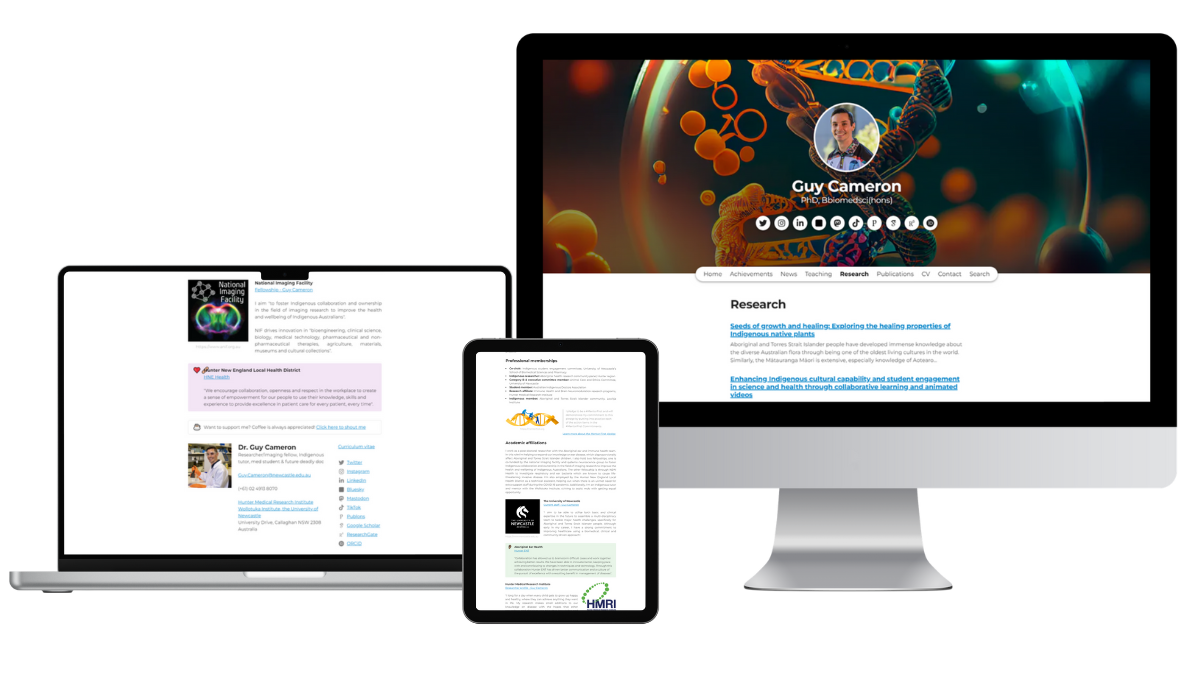
Owlstown is a website builder specifically designed for academics. It is designed for ease of use and maintenance, so you can focus on sharing your research work. Congratulations to Dr. Guy Cameron for having the best Owlstown website!
Dr. Guy Cameron
Dr. Guy Cameron says, “I created my personal academic website to share my journey through medicine and scientific research, and my experiences as a proud Wailwan (Aboriginal) man living in Newcastle, NSW. Through my website, I aim to inspire others by showcasing my achievements in academia and research, especially in the field of Immunology & Microbiology. I also want to highlight the importance of Indigenous representation in the medical and research fields, and the significant role that collaboration and community-driven approaches play in improving healthcare for Aboriginal and Torres Strait Islander people. My website reflects my commitment to being a #MentorFirst, where I aspire to guide and support others, particularly those from Indigenous backgrounds, to achieve their academic and career goals.”
Notes from the Judges
Ian did not judge Dr. Cameron’s website for this contest.
Brittany Trinh: I liked how he personalized his Owlstown website with visuals that are relevant to his research. I also like how he delineates his role in each research project and provides a thorough description of each project.
Jennifer van Alstyne: With memorable details like that he’s a proud catdad, Dr. Guy Cameron is as descriptive about himself as his research. I like that his Research projects page includes details beyond a project description including project status, scheme, role on the project, and the team who worked on it. Dr. Cameron’s Publications page shares abstracts and figures. A great example of a detailed portfolio with an Owlstown website.
How do you showcase all the work you do on a personal website? By creating engaging pages for people to explore. We’re excited to award the Best Portfolio Award to Dr. Alex E. Stern and Dr. Yalidy Matos. Congratulations!
Dr. Alex E. Stern
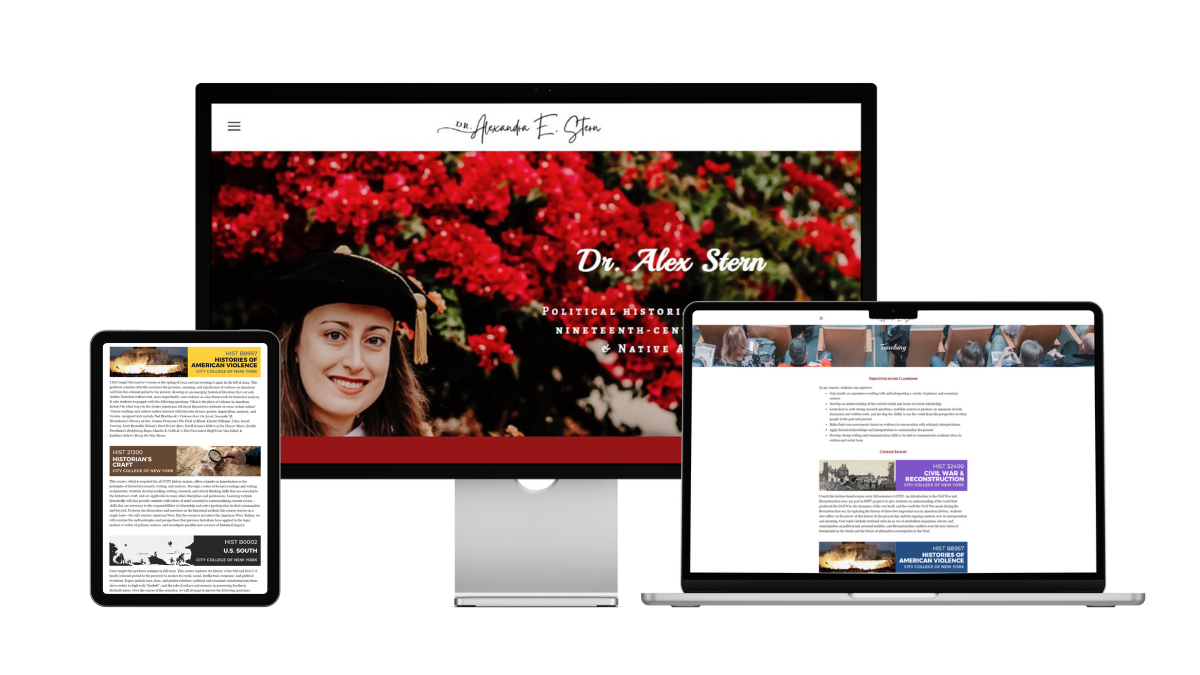
Dr. Alex Stern, “initially created my personal website when I went on the academic job market. During several interviews, faculty members explicitly commented that they had seen my website and were interested in how I had put it together. It gave me a small but positive boost as a candidate for assistant professor roles. My website allows me to take a leading role in how my work is presented to colleagues, students, and the public and has helped me develop a cohesive narrative of my motivations, accomplishments, and future goals as a scholar. My website is entirely my own creation and I am self-taught.”
Notes from the Judges
Brittany Trinh: Dr. Stern’s teaching page stands out to me because of how she clearly states her teaching objectives for students and course descriptions for the classes that she teaches and a photo that complements it. Her research page also highlights a current book project that is in progress and links it to the project’s separate website.
Jennifer van Alstyne: Yes! You can definitely share a book project in progress. Dr. Alex E. Stern’s website effectively shares her research, public writing, and teaching. I love that Dr. Stern’s portfolio has the same care for Media mentions as Courses on her Teaching page. Advising / Mentoring pages are becoming more popular. I like that Dr. Stern creates space to celebrate her students’ theses, projects, and publications on her website. With engaging visuals, descriptions, and thoughtful design, this is a great portfolio website to inspire academics.
Dr. Ian Li: Dr. Stern’s website is a great showcase of her work. In her website, Dr. Stern shares her academic research, public writing, course descriptions, and appearances in events and media. It’s not just a list, instead, she provides summaries, so you can be informed whether you want to dig deeper into learning more about each work.
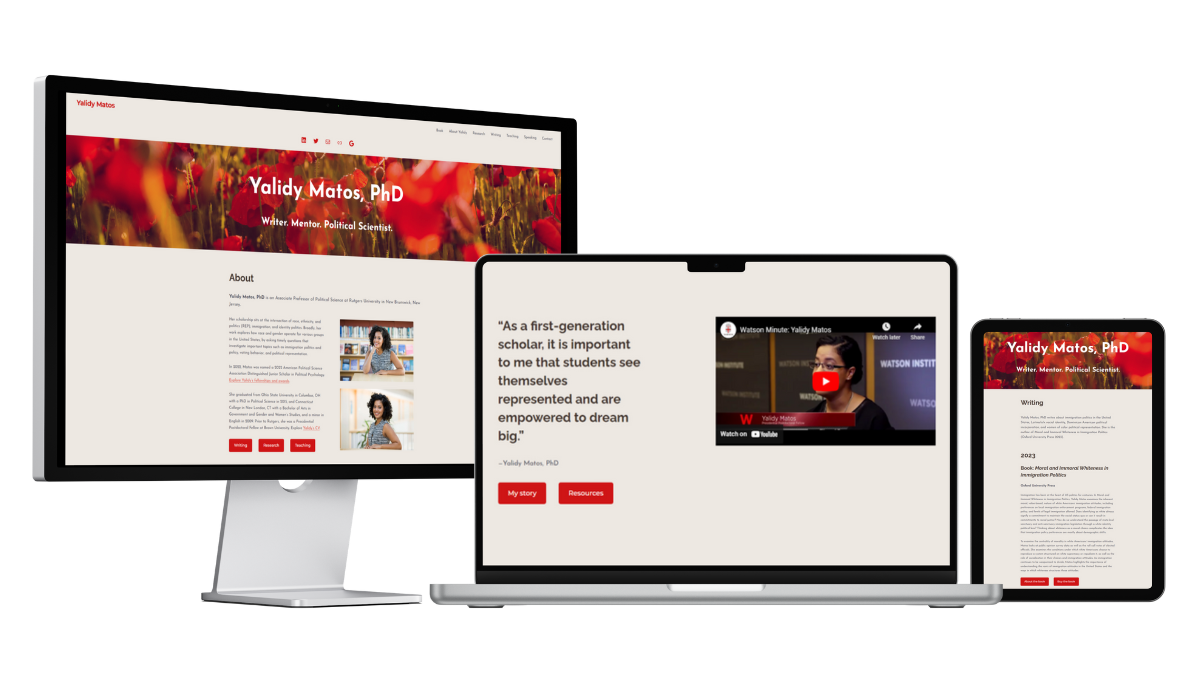
Dr. Yalidy Matos’ academic website “needed a revamp. As an academic, my website serves as a central location to find information about my writing.”
She says, “I’d like to acknowledge Jennifer van Alstyne, who helped me develop the concepts and ideas, pulled out information from our interviews that are really important to who I am as an academic, and helped design the foundation of the website.”
Notes from the Judges
Jennifer did not judge Dr. Matos’s website for this contest.
Brittany Trinh: Dr. Matos’ website is a stellar example for a professor-level website that is designed specifically to land new opportunities. I like how the research page gives a broad overview, then the “About This Research” gives a deeper description of the research, highlights the relevant works/publications, and provides an offer to speak for those relevant topics after establishing her authority.
Dr. Ian Li: Dr. Matos’s website offers a comprehensive view of her work. She shares her publications, writings, courses, and speaking engagements. She presents each work with a detailed description and links to more information, so you can explore her work in more detail.
We’re excited to present the Best Google Site award to Dr. Zoe R. Smith. Congratulations on making your Google Site stand out!
Dr. Zoe R. Smith / ACCTION Lab
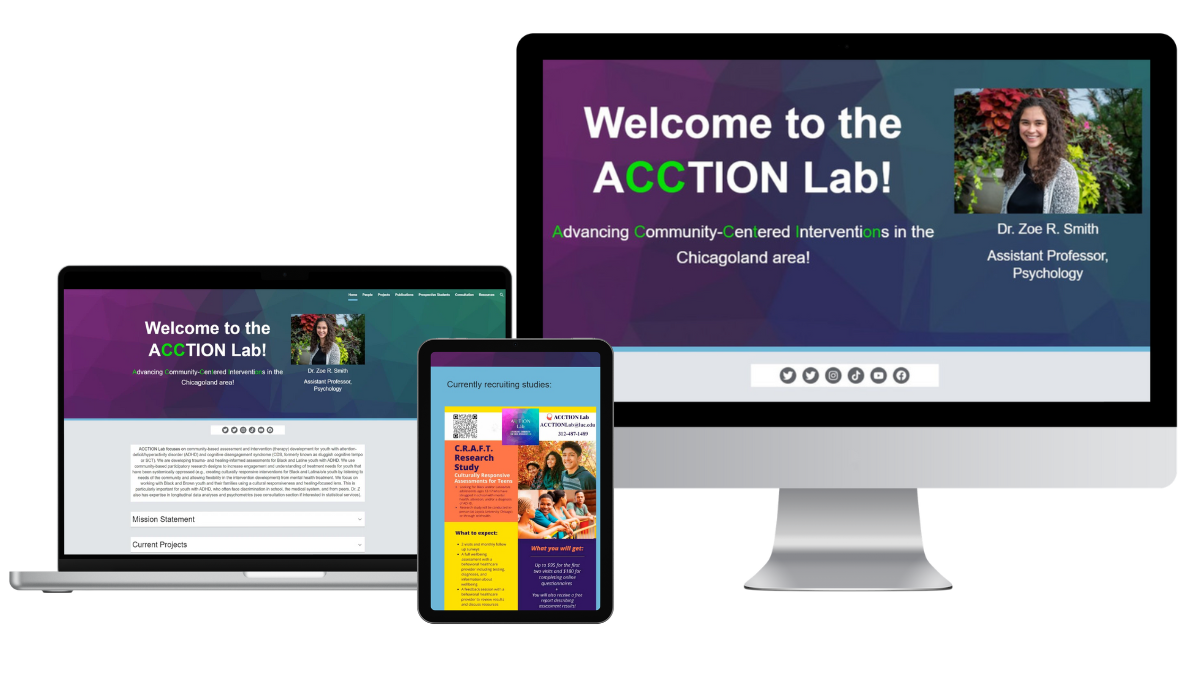
Dr. Zoe R. Smith says, “I wanted our work to be more accessible to our community and students, as a way to disseminate information and also promote the amazing work the ACCTION team does! I also realized that I had skills that were marketable and wanted a place to showcase them, like statistics consulting and workshops. I also wanted to make sure students could get to know what it’s like to work with me and to highlight students’ work so people can see the new exciting things everyone is working on!” She created the website herself.
Notes from the Judges
Brittany Trinh: The ACCTION Lab is a fun and colorful Google Site! I like their “prospective students” page, which outlines very clearly what the PI is looking for in an application.
Jennifer van Alstyne: The colors and branding of the ACCTION Lab flow through each page of this website. Great for visitors who like to skim when reading, this is a great example of using headings and drop downs to organize the written content on your website. I like the Frequently Asked Questions for prospective PhD students interested in joining the lab. I love that the People who are members of the lab are celebrated on their own page with bios that include their photo, pronouns, education, research interests, goals and what I do for fun. “Dr. Z,” as she goes by in her bio, shares what she likes to do for fun in her bio too! I get the personality of this lab and their research.
Dr. Ian Li: The ACCTION Lab website is a great example of a lab website. It’s well-organized with lots of content about the work of the lab. It has a dedicated page of lab members and some of their group activities. The website also shares resources for prospective students and mental health information.
Creating a website for your research lab or group helps everyone. We’re excited to share the Materials Theory Group website as an example for you. Congratulations, Dr. Aloysius Soon!
Dr. Aloysius Soon / Materials Theory Group
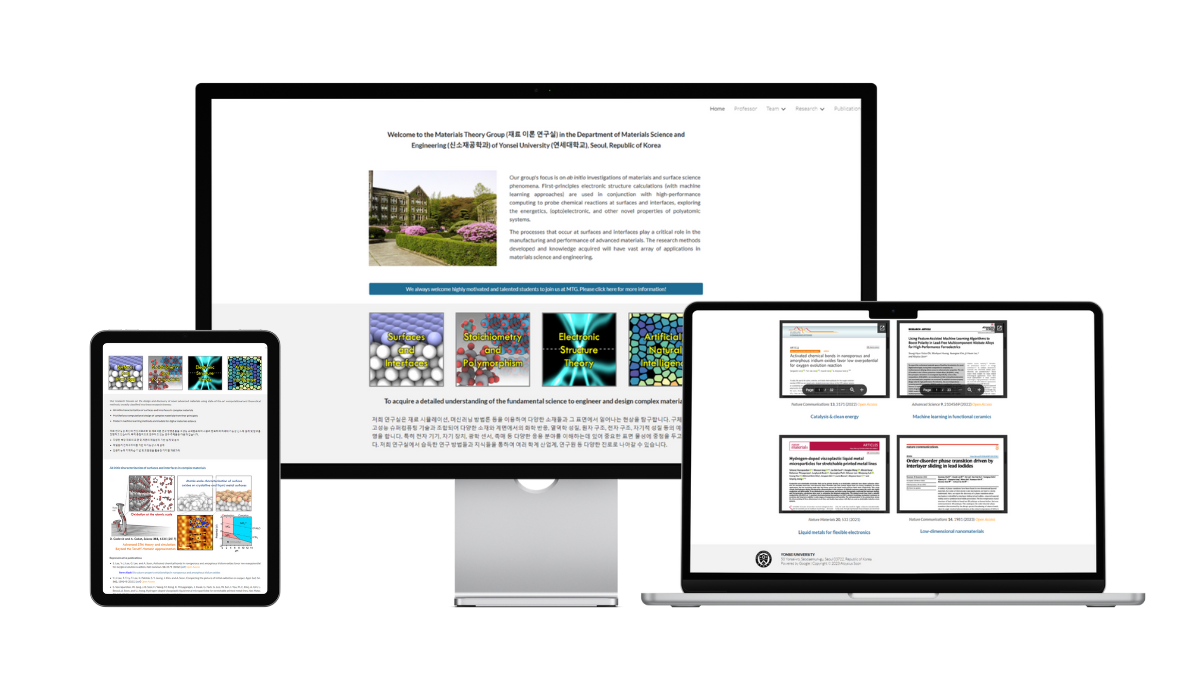
Dr. Aloysius Soon made the Materials Theory Group website “for publicity and to keep a record of the overall performance of my research group.”
Notes from the Judges
Brittany Trinh: As a current graduate student and chemist, I think that this is an awesome example of a lab website made with Google Sites. The homepage highlights their notable papers, making it easy for people to find the right papers to start with. They incorporated their figures into the website to make it more engaging and interesting to look at. I also love how they have videos to promote their group, along with having text in both Korean and English. Finally, my favorite page is the Gallery, which shows annual group photos, which shows the overall group’s personality. It seems like a cool place to do science!
Jennifer van Alstyne: This lab website shares their specific goal, and a description of the group’s focus. It also welcomes students interested in joining the Materials Theory Group right on the homepage. Dr. Aloysius Soon has a page about himself on the website which feels well balanced with the Team pages. I especially like that this research group website considers current researchers and staff as well as alumni and collaborators. A well-organized way of sharing grants and research funding on this website. Despite having many pages with descriptive, detailed information, this website doesn’t feel overwhelming.
Dr. Ian Li: The Materials Theory Group exemplifies the qualities of a great lab website. It has lots of information about the activities of the lab, including research publications, patents, and conferences. The website also has a gallery of lab members and a gallery of group pictures, so you can learn more about the people that do the research.
Telling your story is powerful and memorable. We’re excited to award the Best Storytelling Award to Kantwon Rogers! Congratulations.
Kantwon Rogers
Notes from the Judges
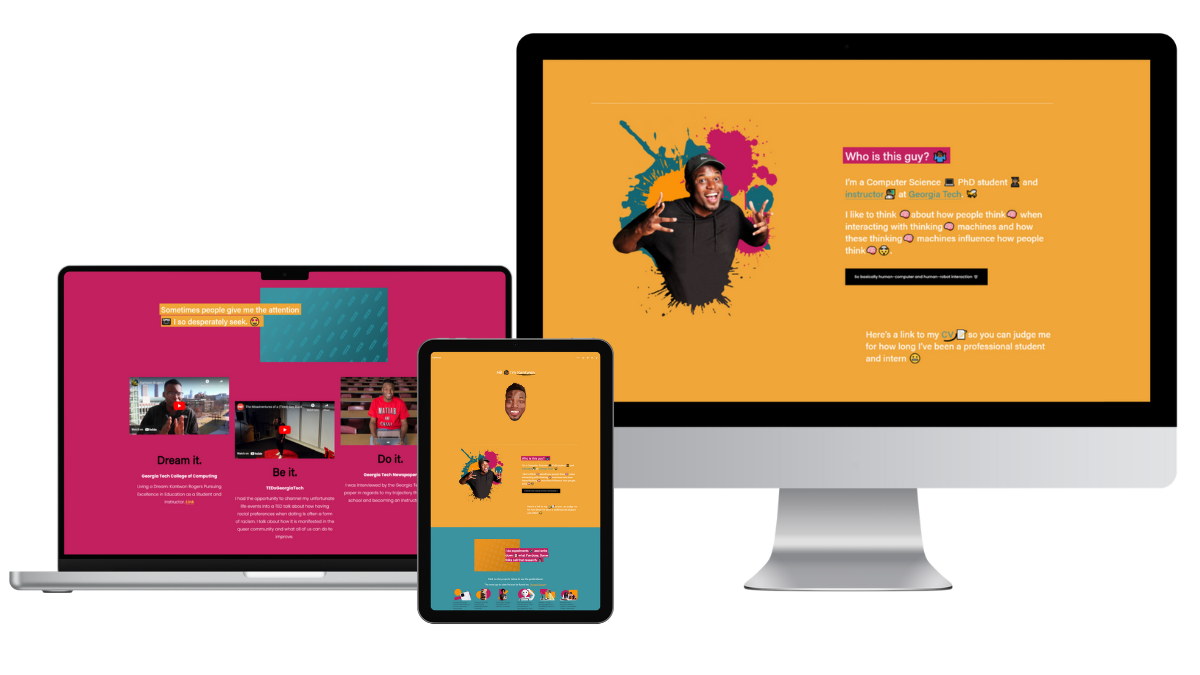
Brittany Trinh: I love this website because of the voice/personality that shines through on the page, through the colors, word choice, and images! It’s also unique in that it is a 1 page website, but has more than everything you need to know, by telling the story in order.
Jennifer van Alstyne: Large font and bright, colorful personality. This PhD student website is one of the best examples I’ve seen of sharing who you are through the aesthetic look and feel of your personal website. 1-page websites can be overwhelming to scroll. Kantwon’s website is exciting to explore. It works as a portfolio, linking to things like his CV, publications with downloadable PDFs, and a sample syllabus. I love that it shares videos Kantwon created for his courses at Georgia Tech too. A beautiful website.
Dr. Ian Li: Kantwon’s website is lively and engaging. Browsing through his website, you get a great sense of his personality and his research. He also presents his academic content in an organized manner and in a variety of media (papers, video, podcasts). He also shares a lot of videos teaching concepts about computing and engineering.
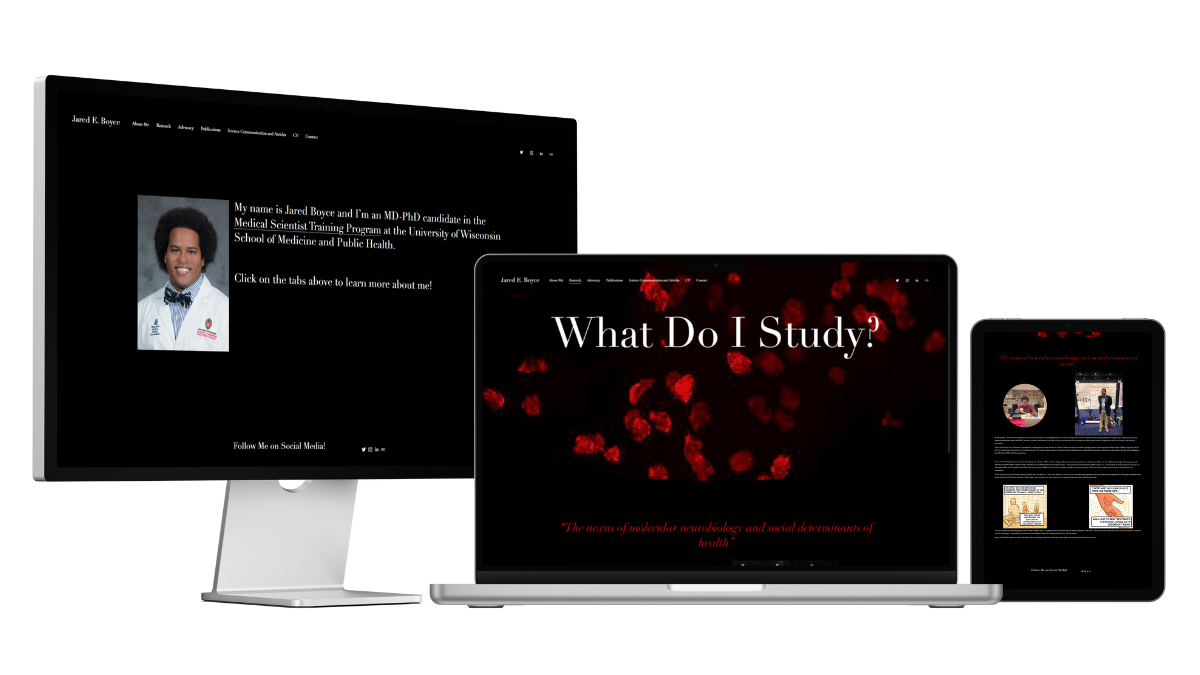
This award goes to a memorable bio on a personal academic website. We’re happy to award Jared Boyce for his academic bio.
Jared Boyce
Jared Boyce “decided to make a personal academic website in order to share more about myself and build my brand as a scientist. I’m an MD-PhD student at the University of Wisconsin School of Medicine and Public Health. I’m interested in becoming a Child and Adolescent Psychiatrist and studying the neurobiology of early life trauma. My personal website serves as a place where potential collaborators, recruiters, etc. can see my CV, learn about my advocacy, research, and clinical interests, and learn more about who I am beyond my CV.” He says, “I used Brittany Trinh’s website for guidance.”
Notes from the Judges
Brittany did not judge Jared’s website for this contest, but has shared a note about it for you.
Dr. Ian Li: Jared writes about his experiences and describes what motivated him to pursue medicine and his research. His story engages viewers and invites them to care about the research. His page on his advocacy is great too because it shows the breadth of his interests.
Jennifer van Alstyne: Jared Boyce’s website feels retro in a good way. His About page shares his personality, family, and journey. This website doesn’t just tell you what Jared does, he shows you why he cares about it too. A great example of how to share your Advocacy and the values important to you. I love the personal photos on this website.
Brittany Trinh: Jared and I have become friends while studying at UW-Madison, so I didn’t judge his website. What I love about his website is how he wrote his bio and integrated his story and motivation for pursuing medicine and research throughout his website.
Some academics are also amazing entrepreneurs. We’re excited to give the Best Academic Entrepreneur Award to Dr. Melanie Sindelar. Congratulations!
Dr. Melanie Sindelar
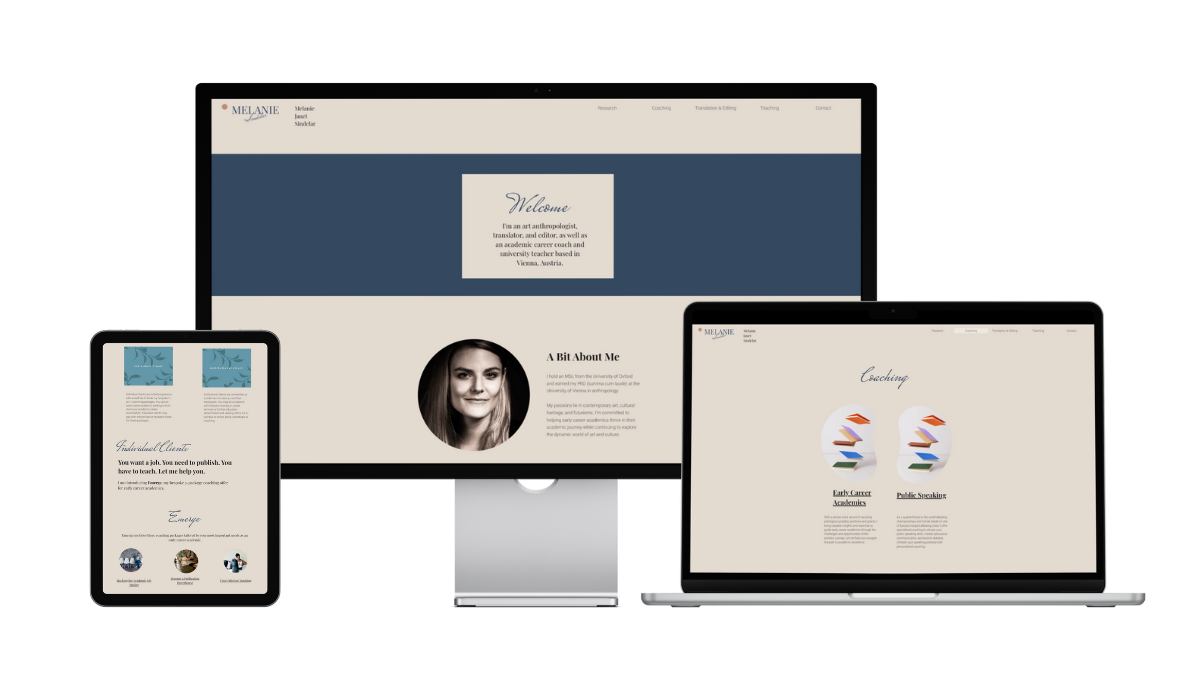
Dr. Melanie Sindelar created her website “to showcase my academic and freelance work, to make my coaching, editing, and translation business more visible, and to attract new clients! I used Canva’s Brand Kit tool to design the logo and the Color Palette, Brand Colours, and Fonts. I wanted my brand to appeal to academics, artists, and institutions (my main clients) while using a muted and reduced color palette that remains timeless.”
Notes from the Judges
Brittany Trinh: Dr. Sindelar’s coaching webpage is very in-depth about the services she offers and provides clear directions on how to work with her. The packages, pricing, and process are transparent, so you know exactly what she can help you with.
Jennifer van Alstyne: Calm. That’s how I felt exploring Dr. Melanie Sindelar’s website from the color palette to the easy navigation. Unapologetic about being a researcher, editor, coach, and teacher, this shows your website can adapt to share all of your identities (if you want it to). Many academic entrepreneur websites I see remove research and/or teaching altogether. This one feels approachable for a variety of audiences. I especially like that Dr. Sindelar’s Research page is descriptive about her interests and shares related publications.
Dr. Ian Li: Dr. Sindelar is a good example of how an academic website can share academic work and teaching as well as other entrepreneurial services. In addition to a Research page, Dr. Sindelar’s website has pages for coaching and translation. Each page has detailed description of how Dr. Sindelar’s expertise can help you.
A new award to honor the best looking website of the pack. Congratulations to Dr. Fuschia-Ann Hoover! This beautiful personal academic website is one to admire.
Dr. Fuschia-Ann Hoover
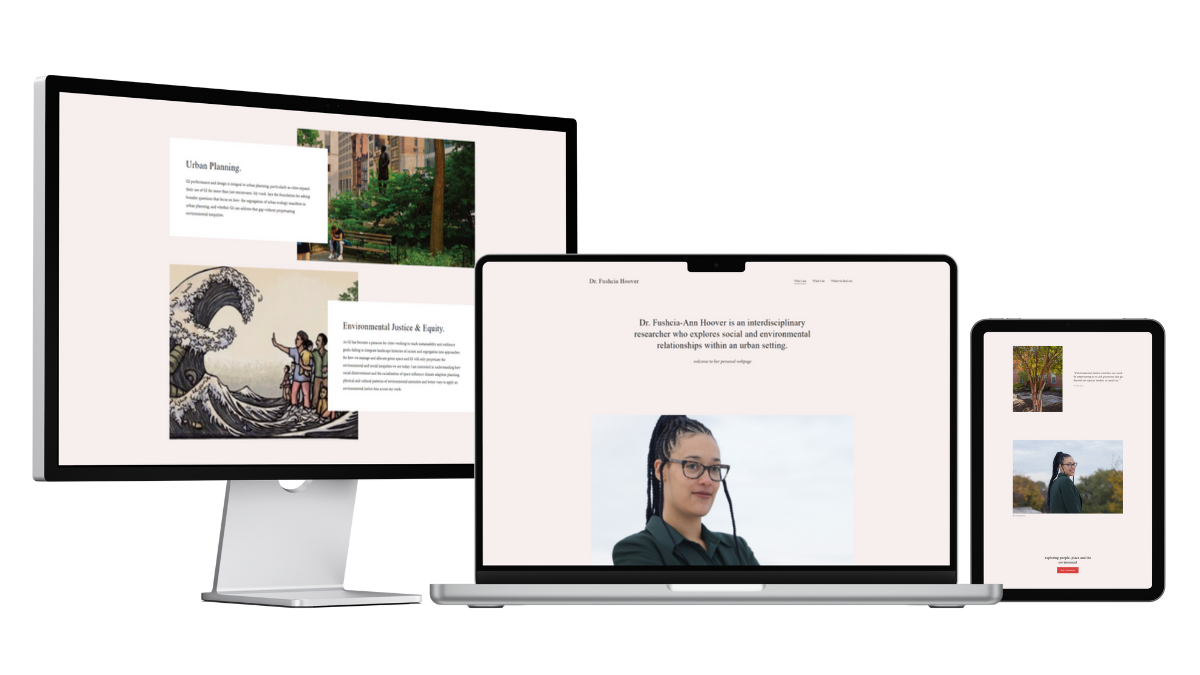
Dr. Fuschia-Ann Hoover says, “I wanted to have a public facing representation of my work, and a research profile that was independent of my affiliation, employer, and business. This allows me to control my own narrative, and in a way that stays with me regardless of where my career takes me.” She’d like to thank the photographers credited on her website.
Notes from the Judges
Brittany Trinh: Dr. Hoover’s website is minimal with an artsy aesthetic to it. Her portraits show that your headshots or photos for your website don’t always have to look the same as everyone else’s.
Jennifer van Alstyne: While there’s an About page with a more traditional bio, Dr. Hoover’s homepage is an excellent example of how to share who you are in different ways. I get a feel for who she is and what she cares about in an easy-to-read way because of how big the font is on Dr. Fushcia-Ann Hoover’s homepage (which I love). The photos on her website compliment the clean, modern design. Green comes in through the photos on Dr. Hoover’s website through trees, landscapes, and even her blazer. It’s a beautiful way to visually relate to her environmental research, using green in the photos rather than in the design of the website itself.
Dr. Ian Li: Dr. Hoover’s website is aesthetically pleasing with its clean and modern design. Its navigation is easy to use and each page has engaging images along with the text. I felt calm and engaged while browsing through her website.
A big thank you to all our contest entrants. We’re so lucky to have you inspiring the world.
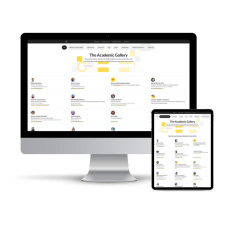
Your website will be added to The Academic Gallery on Owlstown. Thank you for being an amazing example. A website is a big project. You should be proud of sharing who you are and what you do with the world.
We created this contest to help as many people as possible. I hope these personal website examples encourage you to make your own website! Some of our award winners did-it-themselves, others hired help. They all made their personal website work for them. You can too.
Please bookmark this page. Share it with your friends. Make your website a reality. And don’t feel like it needs to be “finished” to hit publish.
Hosts
Brittany Trinhis a website strategist and designer for STEM leaders. She helps grad students, scientists, and academics create impact-driven websites so they can level up in their careers & get paid for their expertise. She’s currently a chemistry PhD student at University of Wisconsin-Madison.
Ian Li is the creator of Owlstown, the website builder for academics. Owlstown websites are easy to make and maintain, so you can focus on your research. With templates for various research artifacts, Owlstown allows you to present your research in various ways to inspire and inform others.
Jennifer van Alstyne helps professors feel confident when showing up online. The Academic Designer LLC is a minority woman-owned business helping academics share their research, teaching, and leadership on websites and social media since 2018. The Social Academic blog, podcast, and YouTube channel helps professors manage their online presence to build a strong digital footprint.
7 free resources for creating your own personal academic website
Our goal is to help as many people as possible. Here are free resources from Ian Li of Owlstown, Brittany Trinh Creative, and The Academic Designer LLC to help you make your website. Please share with your friends.
The 2nd annual Best Personal Academic Websites Contest was hosted by Jennifer van Alstyne, Brittany Trinh, and Dr. Ian Li.
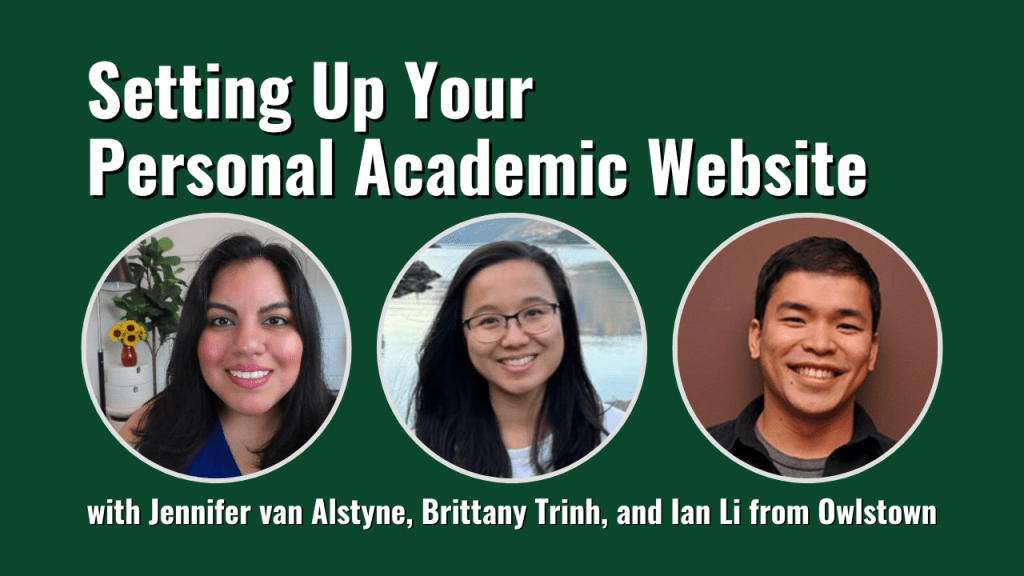
Jennifer van Alstyne, Brittany Trinh, and Dr. Ian Li talk about the best personal academic website hosts. You’ll get a demo of Owlstown. Watch our fireside chat about personal academic websites where we answer your questions.
Thinking about a personal academic website? Whether you want a do-it-yourself website or you’re thinking about hiring help, we hope the replay of our live event helps you. Have a photo of you, your bio, and your social media links? You have everything you need to set up a simple website with Owlstown, a free website builder for academics. Once you make your website, enter it in our Best Personal Academic Websites Contest to win one of multiple awards.
This event was recorded live on August 1, 2023 as part of The Best Personal Academic Websites Contest to help you set up your website.
Jennifer: Hi everyone! My name is Jennifer van Alstyne. Welcome to Setting Up Your Personal Academic Website. My name is Jennifer. I’m talking today with my friends Brittany Trinh who makes websites for scientists, and Dr. Ian Li from Owlstown, which is an academic website
builder for you all to check out. We’re going to have a demo of that today. We’re also going to talk about the most frequently asked questions when it comes to having your own personal website. Just to get us started, my name is Jennifer van Alstyne. I own The Academic Designer LLC where since 2018 I’ve been helping professors have a strong online presence so they can talk about their research and teaching. To really feel comfortable when they show up online. I help people with social media, bio writing, and websites. And I really love my work. But there’s so many people out there who want to D.I.Y. to do-it-yourself for your website. I was excited to put this event together with Brittany and Ian as part of our annual Best Personal Academic Websites Contest. Brittany, would you introduce yourself?
Brittany: Hi, everyone! My name is Brittany Trinh. I am a website strategist and designer for early career researchers. I’m also a third year PhD student in chemistry at the University of Wisconsin-Madison. I’ve been doing this since 2019, and I just really love helping the grad students and early career scientists, even like anybody at any stage, create their website. I think it’s really important for your personal development and your career development. As well, it’s a great place to show off your skills a little bit more about yourself. I also have a podcast called Beyond Your Science, so you can check that out. I’m really excited to chat with you all today.
Jennifer: Ian, please introduce yourself and let us know all about Owlstown too.
Ian: Sure thanks Jennifer hi I’m Ian and I’m the creator of Owlstown. I finished my PhD a long time ago, about 10 years ago now. I remember being in grad school and working on my website. I thought it was a good way to share my work with others. I thought that I could help others make their websites so they can share their work easily. About five years ago, I started working on Owlstown as a hobby. And also a way for it to help other people build their website. Owlstown’s mission has been to make it super easy to make an academic website. I will demo that later and also I’m looking forward to answering questions that people might have about how to share their research online and what things to share about the academic work. Thank you.
Why should academics have a website?
Jennifer: Thank you. You know the biggest question that comes up from academics kind of whatever stage they are in their career is: Is a website right for me? Should I have a website? Why should I have one? Let me know what do you guys think? Why should academics have a website?
Ian: I can answer that first. One reason is we’re in 2023 and people are gonna look for your name on search engines. You want something that you control that will show up on those search engines. If they search for your name, you want it to be a website that you have control over what content shows up. A website is a great way to share what you want to share, like your papers, your posters, an introduction about yourself, and a lot more content about your research.
Jennifer: Brittany what about you? Why should early early career researchers, why should people have a website?
Brittany: I think that early career researchers should have a website because, like Ian said, people will search for you on search engines and things like that. Having a LinkedIn is good. And your CV has a lot of things that you do. But it’s not everything that you do. And there’s a lot more sides to you that you can’t necessarily fit in your LinkedIn or CV because it may not be as relevant or something. But your website is a way to kind of show off that creativity. And it’s also possibly a way to maybe venture into an entrepreneurial side hustle or things like that if that’s something you’re interested in which is like what I did for myself prior to going to grad school and a little bit even right now too. I think that having the website opens you up to like so many more possibilities and opportunities for people to connect with you, with your work, and then maybe learn about services or things like that if that’s something you choose to offer. I think it’s just mostly a space that you can create and make your own and do whatever you want with it. And also right now we’re really in the content creator era I guess. Making a personal brand and just like becoming known for something is also important. Showing people not just what you do, but what you really value, what you’re passionate about. That is something that you can also showcase on your personal website.
Jennifer: I love that. You know I think one thing that you both talked about is having control. Having control over what people find about you when they search online. But also, having control that they’re finding the things that you value and care about, not the things that you know are standard in a CV or that you’re going to find necessarily on your faculty profile. I really feel like having your own space like a personal website having your own space that’s outside of your University, outside of your affiliation, makes such a lasting difference. I even have retired academics reach out to me because now that their faculty profile is just gone completely, they need somewhere to still share the hard work that they’ve done and the ways that they’re helping people. So it’s not like it’s ever too early or too late to create a website for your research, your teaching, the service that you do, and the things you care about. There are so many reasons to have a website, so many different ones that have surprised me whether it’s wanting to share your book, share your research, and connect better with your students. I mean there’s just so many options. I have a poll for you all, for everyone who’s in the audience.
I want to know how long have you wanted a website? Answer this poll. Let me know how long have you wanted a personal academic website. Is it something that’s been on your to-do list for a while? Or, is it something that’s new? Maybe some of you are like, “I don’t know if a website is right for me, that’s why I’m here.” That’s okay too.
All right, let’s see. For some of you, this has been on your to-do list for a long time. You’ve been wanting a personal academic website, and my guess is there’s something that’s been holding you back from making it. Feel free to let me know in the chat. If you’ve recently been inspired to want a website, I’m so glad you’re here. I mean this is the perfect event because we’re gonna help you make sure that you approach this project with a strategy, a plan in mind and think about your long-term goal. I’m excited. A few of you already have a personal website. Let me know how long you’ve had your website for in the chat.
Will my university be angry if I make my own website?
Jennifer: Okay, now one thing I wanted to ask you both before we move on. It’s a fear or anxiety that I’ve heard multiple times from a few people: Will my University get angry at me? Will they get mad if I make my own website? Do they not want me to do this? I have an answer based on my interactions with University Administration and with people who run social media and marketing for universities. But I want to hear from you both. In your experience, have you ever seen anyone get mad at someone for having a personal website?
Brittany: In my personal experience I don’t know about university, but I do know from working in Industry. This wasn’t directly related to my website, but I wanted to do something more in the online space and I asked for permission, which was not the way to go. I should always ask for forgiveness. But I would also say that I don’t know if the university would care. They just seem quite large unless you were very prominent or something. Then maybe they would care. But, I think Jennifer you might probably have the most expertise in this area.
Jennifer: No, that’s fine. I think that’s a perfect example because sometimes if you have an employer or a partnership outside of the University, they do have a strong opinion about it. One of my professor clients, for instance, worked for the military. And the military did not want her specifically to have a website. That’s fine. We found other ways for her to have an online presence. But when it comes to your University, mostly they want their professors to have a stronger online presence because you represent the university and the research that you do is awesome for the University. They want more people to know about it. They want more people to know about the awesome teaching you’re doing and how you’re affecting students. I mean it makes a big difference for them in terms of revenue. I mean I’m not gonna lie, it’s definitely about marketing and money for them, but it’s also about championing the resources that they give you, your lab, your ability to do research on campus, the teaching that you do.
If they give you innovative classes they get really excited about that. I am not going to lie to you, they are looking at your website because they want to see how it helps them. They’re not going to look at your website to see how it makes them mad. Now, one caveat to that is if you have highly confidential information that you’re not allowed to share. That’s something that you might want to check with your University about. One example of that is from a research lab, they had some specific equipment that their University didn’t want them to list as being in their lab just for security reasons. And so there may be some opportunities where you do want to ask permission. But other than that, I agree with Brittany. Go ahead and make your website. And if someone has a problem you know they’ll let you know and you can decide where to go from there. Ian, do you have anything you’d like to add?
Ian: Yeah. From my experience, I had a website in undergrad. And then in grad school, I went to a different school. I also started a website there. I used initially the servers that were provided by the university. And then at some point, I got my own domain name just so that in case I did move, I’d still have control over my own name. I think the university provides the space to share your work so I think they do want you to share your work online. They provide a space to do that. Now, whether it needs to be under the institution’s name or your own domain name, I think that could be up to you. In my case, I was shifting institutions. I wanted to have my own space so I didn’t have to move it. And also, the spaces that I had at my undergrad and my grad school eventually disappeared. It was good that I had my own domain name to kind of hold all that information.
How do I choose the best host for my personal website?
Jennifer: I love that. I feel like space is disappearing is a key reason why some academics reach out to me. I work with academics on really planning strategically their website.
Many professors are thinking about much more extensive websites than the typical person is looking for. But it’s always about, “what do I do? How do I not make the wrong decision when I’m first getting started?” And that’s why I wanted to talk to you both about personal academic website hosts. Because the first question people have when it comes to making their website is where do I even host my website? Ian, I know you’ve created a wonderful option with Owlstown, but there are a few different options that people can choose from. What are the options, Brittany?
Brittany: Yeah. For me, the two that I usually like to champion for people who are starting out would be Google Sites, which is free and it’s available in your Google Drive account. You can start making one there. It’s really good because you can still have some customizability. But everything is pretty like drag-and-drop, so if you know how to use PowerPoint or something like it, you’re good to go. You don’t need to worry about coding or anything. And then the other one I like to recommend is just like the free WordPress.com. That’s what I started out with when I was an undergrad because I wanted to blog. I think it’s good for blogging. And it’s a good introduction to what websites can do. But then of course once you kind of want to level-up then there are even more options. But maybe that’s a little bit further down the line. But yeah, those are the two I would recommend. Of course, Owlstown too. But we’ll see that later.
Jennifer: That’s great! Yes I love Google Sites, especially a beginner option. But I like Owlstown for academics more. Especially if you’re looking for something simple because Owlstown already makes it easy for you to drop things into that are specific for academics. But when it comes to free sites, WordPress.com I totally agree with. That’s my number one pick for academics. It’s what I recommend for all of my clients. Now, some people like using Squarespace. That has great features as well. I don’t typically recommend Wix.com. I know Brittany and I have talked about this before on my podcast, The Social Academic. Wix has issues. Many of my clients come to me with an old Wix website that is just practically impossible for them to update. I don’t recommend it for those reasons. What about you? Anything else that you don’t recommend when it comes to making your own website?
Brittany: Also in my personal experience, Weebly was not the greatest. It works. And I know a lot of people have made websites on Weebly, but I would say that if you haven’t made one yet, maybe not to try. It’s because with Weebly, there’s a lot of functionality that’s usually extra like you have to pay for it. But from other websites, it’s already included which kind of bothers me on principle. So, I don’t recommend [Weebly] for that reason.
Jennifer: Great. Ian, do you have any website hosts that you just don’t recommend?
Ian: I don’t know if I have ones that I don’t recommend. It’ll depend on how much time you have and how much effort you want to put in. I think some people choose to set up their own server and make their own website that way, like I did in undergrad. I guess I didn’t set up my own server, but I made my own website. I had too much time on my hands and in grad school I did set up my own server. Again, I think I maybe had too much time.
But it just depends on how much time you have and how much effort you want to put into it. I think there’s outside of Squarespace, Weebly, WordPress, some people choose to do like GitHub pages. My own personal website I think is GitHub pages. There’s a lot of free options like that. I think that when you’re thinking about when making the website you want to think about how much time you want to put into it, how much money, on top of what you want to share on your website. What I would recommend is focus on what you want to share rather than focusing on what would be the technology that you would use to make the website. Because learning HTML, JavaScript, and CSS can take up a lot of time. I know it. I do websites all the time so I know how much time it takes. You don’t you don’t want to get your PhD in HTML and CSS. You’re working on your PhD in whatever field you’re in and you want to share that and as much as possible spend the time on how you want to present your work and focus on that.
Jennifer: I completely agree with everything you said. Yeah. If you don’t want to learn CSS, JavaScript, or HTML, you don’t want to learn how to code for your website. Don’t try to build it from scratch. It’s not worth your time and honestly it means that you have to go back and make changes and updates using that same method. That can be okay now, but maybe you won’t have that time in the future. When it comes to exactly what Ian was talking about: time, effort, what do you want to focus your energy on? I agree, focusing your energy on what you say, why you’re saying it, and who you’re saying it to is what’s going to make the difference for your personal academic website. And I think that’s why Owlstown is such a good solution. Now I want to caveat and say that if you’re going to have a blog, I really do recommend WordPress and WordPress.com is a great option. That’s because blogging has been done by them for so long they’re going to continue to have very focused blogging Features. But Owlstown, if you want a website and blogging is not guaranteed something you want to do this year.
A demo of Owlstown, a free academic website builder
Jennifer: Let’s talk about Owlstown because this is an academic website builder that is meant to be easy so that you can focus on what you’re seeing and who you’re saying it to. And not on learning how to make your website.
Ian, can you tell us about Owlstown?
Ian: Owlstown compared to the other tools out there is only for academics. The idea is that it has templates that are focused on academics. So you can post your publications, your projects that you work on, courses that you teach, people that you collaborate with, and some blogging features. And also, you can post your CV and other pages that you might want to add on top of your publications and projects. As much as possible, Owlstown tries to get the way of fiddling with the design and the HTML so that you can focus on the content that you’re sharing. I’ve been working on it for about 5 years now. It’s a passion project and I really enjoy working on it. I’m looking forward to sharing it.
Jennifer: That’s great. Will you actually share your screen and give us a little demo of it now? Because if you did bring your bio, headshot, and your social media links with you today, this is so fast to set up. You’ll have time to do it while we’re talking today. Ian, why don’t you show us a demo of Owlstown?
For those of you who are listening, if you have questions drop them in the chat. We’re going to have time for Q&A after our discussion.
Ian sharing his screen: Okay. We’ll make a website. You can find it at Owlstown.com. First, we’re just gonna go through the ‘Create your free website’ [button] here. It’s going to welcome you with a Welcome Page.
Let’s get started. First, when I make this website I’ll put my own information. But you can put in your own information here. As you can see, as I’m filling out the fields here, the website is changing. I’ll set up an image here, but for now I’ll just set up a letter so we can go through this quickly. Here I can just do a short bio. I won’t spend too much time on this. This is something when you’re starting out you can probably just do something quickly. The note here is this is the 1st thing that people will do. This is the first page that people will see, so it might be good to kind of describe what you’re working on and something more about yourself.
Next and here’s one of the things that also when you’re creating a website is that you also have your social links. You might want to share several of your social links here. I have an example of my Twitter account, but you can share your ORCiD [identifier], ResearchGate, your Google Scholar page. If you have Instagram or a YouTube channel you can share it here. You can add those links. And, there’s more options here, for example, if you have Academia.edu, if you have a GitHub page, and so on and so forth.
The next one here is when you start creating an Owlstown website, it randomly picks a theme. Right now the theme it’s using is Flannel. But you can quickly switch, one of the things I mentioned earlier about reducing the friction of fiddling with your website. With Owlstown, changing your theme is just a click away. I click on a theme and it changes immediately. I don’t have to set up any HTML or any CSS. And then I can pick a color. I can also change a font. Again, I’m just clicking through and picking which ones I like. For now, I’ll pick out one of the fonts I like, Lotto. The other thing that you can do is also add your publications. And it’s just another just a click away. I’ve typed in my name, I searched for it, and then among [these entries], I have to figure out which one is mine. This one’s mine right here. I can just click on my name and my publications are automatically included. Okay, and done!
In this case, I have a website with some information about myself, an introduction and some publications. Then, if I want to edit some more things, I can. For example, I can add descriptions from my projects, people that I work with, courses that I teach, and blog posts. Then, if I want to publish this website I can create an account. Then, I can select the domain name that it will be published in.
Jennifer: That was so much easier than any other website creator that I’ve seen. I love how tailored it is for academics. Even when you get to the end and you get to the site editor, it’s giving you options that academics typically need like adding collaborators. That’s wonderful!
Let me ask this question because so many people feel like when they find a website host there’s not really a customer service on the other end. Let’s say you’re creating an Owlstown website. What can people do if they have a question?
Ian: Good question. One of the things that people do is they can contact me through Twitter or email. I try to respond quickly. Usually people email me. Most of the ideas for features for Owlstwon came from suggestions from users. They would email me: “I would like this feature on Owlstown.” If it fits with the goals of Owlstown, I usually try to add it. Also people contact me through Twitter. Just either post mentioning me, or sending a [direct message] D.M. and I answer. I try to answer as quickly as possible, usually there’s a turn back to time of within a day.
Jennifer: I love how personalized that is! So many of my clients, I have them at WordPress.com and they upgrade to the point in which they get good customer service. But it doesn’t always come with that free plan. One of my recent sales calls actually said she loves her small website host because of that personalized experience: when she emails she actually gets a response. That’s the experience you’re gonna get with Ian over at Owlstown for academics. That’s excellent! I’m so glad I asked you about that. Thank you for giving us a demo.
If you want to set up your Owlstown website now you know how. Based on our time, we’re going to keep going and talking about questions. I have another poll for you. Let’s open it up [not seen in replay]. Okay, we’re going to talk about website page ideas. What pages do you want for your personal academic website? Look at this poll and let me know. Check all of the pages that you’re kind of interested in having for your personal website. There’s so many options! And on Owlstown you can do a lot of these pages and add your own. There’s a lot of flexibility to grow your website over time but remember you can start with just one page (I’ve most recommended the About page).
Answer the poll. Let me know what pages you are interested in for your personal academic website. If there’s a page you don’t see here, let us know in the chat. This was the maximum number of options that Zoom let me add. Alright, looks like everyone has responded. Let me share the poll with you all.
Yay! Everyone definitely wants an About page. That’s exciting. Research and Teaching are super popular. Yeah. Many people want to share their Writing and Publications. That’s great! One of the things that I like about Owlstown is that you can add information to your Publications. You can add an abstract. So don’t think that just because it’s just letting you add those things in the list that you can’t make that even more engaging with abstracts. Okay, people are also interested in sharing Speaking Engagements and maybe some News and Media mentions. Definitely Contact. I love it. I love it. This is great.
Where should I start when adding pages to my academic personal website?
Jennifer: Brittany and Ian, where should people start when it comes to what pages should I add to my personal academic website? What would you say is most important? Which should people prioritize?
Ian: I have a particular opinion about this one. My opinion here is that having a description of your projects, so not necessarily your publications, but the projects that you’re working on. I think I’m pushing on this because sometimes people hesitate to have a website because they don’t have a publication yet. When I was in grad school, I didn’t publish until my 5th year. So they took a long time, but the ideas that I was working on started in my 1st year. I think being able to share those ideas and the stuff that I was working on was good. And it led up to getting published at some point.
But I was able to collaborate with people even before I was published because I was sharing my ideas on a website. I would say you have a website. You introduce yourself and then have descriptions of your project, including those project descriptions. You can add posters that you’ve shared, where you’ve shared those projects, and then eventually if it gets published then you can add publications on those project descriptions. But it’s okay to start out with just the description of the projects or ideas and then share that.
Jennifer: Brittany, what about you? Where should people start when it comes to what to prioritize for my personal academic website?
Brittany: I think actually Ian said it perfectly.
And also, if you have anything that’s outside of your research as well that you’re very passionate about, like some type of cause. A lot of people in the research, or at least in the sciences, there’s like science communication, science policy, advocacy, outreach. Any of those things that you do, especially if you’re particularly passionate about it. If you can feature that in some way like on your website. If you already have photos on hand, or just like to write a story about yourself. To Ian’s point, when you write your description about yourself, kind of root it in the why you’re doing this. The why you’re interested in research, or all the things that you’re doing. That’s I think really important in terms of creating that personal connection with somebody in the online space. Then people again can get to know you beyond just whatever they can read like in your CV, or your LinkedIn, or whatever.
Jennifer: I love that so why you’re doing what you’re doing is so important for helping people to connect with what you care about. And with the work that you’re doing now. When it comes to your personal academic website, making sure that why is in your bio and also in your project descriptions is great. Actually, if you only have one sentence for your bio and one sentence for each project description, it should probably be about why you’re doing it.
Now when it comes to helping people find your research on your website, make sure that you’re actually using the words that people are going to Google. If you have a specific phrase that you know that is related to your research, I can’t even think of one. Let’s see, for my recent client, she’s looking specifically at ‘immigration in the United States.’ So, she needs that specific phrase to be on her website so more people can find her research about that specific topic. Make sure you’re being descriptive in how you’re talking about your research as well. Include the why. And, include the words that people will actually use to search for your research topic. That would be my top suggestions for getting up your website.
Do I need a photo of myself on my website?
Jennifer: Let me ask what about a website photo. Do I need a photo of my face on my website? That is a frequent question I get. What would you say?
Brittany: I personally think that you should have at least one photo, if it’s just like a selfie. It doesn’t have to be fancy. Something that again kind of showcases who you are a little bit. And also, I think for a lot of universities, you do also upload a photo for your department anyway. But I think that also helps with the personal connection and such.
Jennifer: I really liked how Owlstown gave you different options so if you’re first getting just getting started you can have like your letter instead of a profile photo. What do you think, Ian, do you need a profile photo on your website?
Ian: Yeah, so Owlstown gives you that option but most people actually just put up their own photos. I think it is helpful to have your photo on there because eventually if they are interested in your work, in your research, you’re going to meet them eventually. The people who visit your website, you’ll meet them eventually at conferences, in talks that you do. When I was in grad school, people mentioned things that were on my website. That was kind of a way to start conversations. It’s probably good for them to associate my face with the content of the website so that when we do see each other at the university or at conferences, they know to associate it with my face.
Jennifer: I completely agree. I think having a photo of yourself is super helpful. If you really are uncomfortable with it, having some kind of avatar, a little cartoon version of yourself, is a great alternative. You could also use a different kind of graphic that is specifically representative of your research. So, a little icon or something I have seen people use. But overall, I just think a photo of your face can make a really big difference. And if you record a short video for your website? That goes such a long way to helping people really recognize you as a human being, as a person, and for remembering your research. Even if you’re like, “Ah, I can’t write a lot for my website, I don’t have a lot of time now. But, I can hop on zoom and record a 1-minute “Hi My Name Is video,” that could make a really big difference too.
Whats my 1st step when making my website?
Jennifer: When it comes to getting started with your personal academic website, where should people start? Ian, Brittany let me know what you think. Brittany, why don’t you go first. Where should people start, what’s their 1st step like physically, where should they start? Everyone here probably either has a website already or they are looking to actually make their website. Owlstown is a great solution. Now we know how to make it. We know how to use that.
But, what about people who are going to use Google Sites or WordPress.com? Where should they start when it comes to their website? Is it their domain name?
Brittany: Yeah, I would say besides the technical things, I think the most important thing we kind of touched on earlier: making sure you’re very clear about your goals for your website. What are you trying to do? How much time you want to put into it? That way you don’t feel like it’s something that you didn’t finish or whatever. Just say, “Okay, I just want to get my website out because of X, Y, Z reasons. And, for this time period, if it’s just like a one-pager website, that’s fine.” That’s better than nothing.
Being able to clarify your reason for creating your website at this point in time will help you feel less mind drama about whether you finish it or not finish it. Then, of course, choose your website builder. Definitely get a domain name. Get it in your name because a lot of the website builders if you use a free plan you are technically a subdomain under like their website name. But a domain name is quite inexpensive, like on Google Domains. I just like Google Domains because it’s simple. A subdomain is like YourName.WordPress.com, which is okay. But personally I really just wanted MyName.com. I have multiple domain names, just in case of other things in the future. You just go on Google Domains and like to buy one for about $12/year. It’s a pretty nice investment and then, it’s pretty simple. It’s just like buying anything else on the internet: you add it to cart and then there are some technical things that you have to figure out, but you basically just follow directions on their F.A.Q. page or Help Guide or something like that.
Jennifer: Ian, can you set up your own domain name on Owlstown?
Ian: Yeah. You can add your own domain name. Owlstown is free for what you mentioned, the subdomain (YourName.OwlsTown.com). But if you want your own custom domain, you have to get a paid plan. On Brittany’s point about where to start: I think having a one-pager is a good way to start. Sometimes people think that they have to have a complete website with multiple pages to feel like they have a website. With just one page I think you already have a website. If you have information about you, you can think of your website as a central place to direct you, or a central place to put your online content. If you have like an introduction about yourself, your contact info, your email for a way to contact you (because people are going to try to contact you about your work), and then maybe if you have links to where your publications are listed on Google Scholar, Academia.edu, or ResearchGate. If you just have links to those, that’s sufficient. Your academic website can act as a hub for people who are interested in your work to get connected to other things that might give more information about your work.
Should I add my middle initial to my domain name?
Jennifer: Asha asked a question. Perfect timing so we can do all of your questions. Drop them in the chat. You’ll also be able to unmute yourself and talk with us.
Asha’s question is: Should we add our middle initial to our domain name? That’s a great question. Ian, what do you think?
Ian: Yeah, I don’t think that’s a problem. I think it’s one way to kind of differentiate yourself if your name is common. For my name, I have two middle names. I was able to get IanLi.com, but I think if I were to try to get IanLi.com now, I wouldn’t be able to get it. I could probably use my middle initials in my domain name. I think that’s probably going to be one way that people are going to be looking for me also. So, Ian A. R. Li is one way to look for me, so if that’s on my domain name then they can find me.
Jennifer: Okay, Brittany what about you? What do you think about adding your middle initial to your domain name?
Brittany: I would say that I was also lucky, like Ian. I have BrittanyTrinh.com.
But I think again there’s a lot of things that play into it. One, do you want your middle initial in there too? Do people know you by your middle initial? I recently found out that I should include my middle initial when I publish academic papers. I didn’t realize that before. It’s just again to differentiate myself. Then the other thing, is it available? Right? You might also come to find out that you can use your name with your middle initial and the URL is still not available. Which is why I think it’s really important to get your domain name as soon as possible. So if there’s nothing else you do today, look up your domain name.
Jennifer: That’s great. One thing I would add to that is that if you have been publishing for a long time and you haven’t used your middle initial, adding it in now is fine. But, you’ll probably want to switch to publishing with your middle initial from now on. Your website is going to be the hub where all of that comes together. But when it comes to how people search and how people look for things, honestly copy/paste. Type in exactly what they see or what they’re looking to expect. If they type in your name without the middle initial and way too many people come up and it’s hard to find you, that’s when you want to add it in. And if you don’t have a middle name, which is true for so many people.
If you don’t have a middle name, that’s okay. A lot of my clients will add like one word or a short phrase that represents their research to the end of their name. That’s an easy way to differentiate yourself. Some people also add their title, like DrYourName.com or YourNamePhD.com to differentiate themselves. There are options. You don’t have to go with your middle initial just because you think that’s what other people are looking for. If you just want to go with your name without the middle initial, because that’s how you feel, that’s how you’re presenting yourself, that’s how you publish, and how you want to share your work with the world, go ahead. Don’t feel like you need to add it unless it becomes problematic for you in the future. But you know, when you build an online presence, things like that happen less and less because people are already able to find your website when they search for your name.
I’m thinking about leaving academia, can I still have a website?
Jennifer: Alright, next question. Would a website still be okay if transitioning away from academia (but not to industry) for a chemist? Is a website still okay if you might be transitioning away from academia? I would say yes. Definitely. What about you two?
Brittany: I think I just wanted to clarify: by ‘not industry,’ do you mean you’re not working in industry, but you’re doing something else? In general I think having a website is fine. I was just curious because I’ve had my website, I started technically, officially started my website while I was working in industry. So, I guess it also depends on what you mean by…Okay, [responding to a text comment], you will not will not be working in industry. Yeah, I feel like there’s nothing to lose with having a website. Except maybe $20, or however much it costs to host a website depending on what you get. Like I mentioned earlier, it’s like your creative space. You can use it for whatever you want. So if you want to use it as a portfolio of sorts for your projects and to get a career in a different field or something, that’s also a really good place to showcase some of that more in depth as well.
Jennifer: I’ve also created a website for someone who was leaving academia, and they were not going back into the workforce. They weren’t at retirement age, but they just weren’t going back. They were taking an extended time away from working and they still wanted a website because their work was still important to them. They still wanted readers for their book. They really wanted to keep in touch with their past students. They still wanted to be part of the community even though they weren’t going to be actively working or receiving employment from a university. And that made a really big difference in their lives and how connected they felt. So if you are feeling like you want a website, no matter what you’re doing after academia, or if you’re staying in academia but switching what you’re doing–say you’re moving into a leadership position. It’s all okay. And the best part is exactly what Brittany said, which is that your website can adapt with you over time. It can be your creative space and it can also be your professional space to showcase what you want when you want. And you can even get rid of those pages if they no longer align with your needs. Ian, what about you?
Ian: Yeah. I have been out of academia for 10 years now and I still have my website up because people still cite the publications I had from grad school. I make the PDFs available on my website so if people are looking for examples if it’s cited and they’re looking for the paper, they can find it on my website.
Jennifer: I just want to note to check your publication contracts or get permission before doing this.
Ian: Also, my dissertations there if they want to see it. I also have some talks, posters, and so it’s great for people who are finding my name on citations that they have a way of still different content related to that work.
Jennifer: I love that. So it’s definitely been something all of us have experienced both in academia and outside of academia. And, our website has been helpful to each of us personally during that time. We definitely think it’ll be helpful for you as well.
How do I know if I should hire help for my website or do-it-myself (D.I.Y.)?
Jennifer: I have a question for you two, how should people know when they should hire help? Like when they don’t want to D.I.Y. [Do-It-Yourself for] their website.
Brittany: Since I am a website designer and I have done this for a couple of clients, I would say usually it’s like a time issue if you are just very busy. The people who have normally hired me, some are more like mid-career professors hire me too which is really funny I think. Everything else is just higher priority than their website. They have to teach their classes, run their research group, write a textbook. They’re running their own business. Everything else is a higher priority, and they just need to delegate. I think that’s just a personal call you need to make: when can you delegate? When can you do it yourself?
The other important thing is making sure that whoever you choose to work with, if you choose to work with somebody, that they also like to show you how it works and stuff. And that they’ve set it up for you in a way that is easy for you to manage, especially if you don’t have a lot of time on your hands to do that later on. Either that, or if you have the funds available to just have someone manage it, I think that’s the important thing. It’s just like how important and how much time can you put into this?
Jennifer: Ian everyone on Owlstown is doing it themselves, is that right?
Ian: Yeah, that’s correct. With Owlstown, it’s all D.I.Y. in that you’re adding the content yourself. If people are asking for help from me, it’s mostly the features of the website rather than the how the content is being added to the website.
Don’t wait, you can publish a 1-page website and grow over time
Jennifer: Yeah, that’s a great point. I really find that when academics come to me, they’re exactly kind of the same as Brittany. They don’t have the time or energy to make their own website. And they know that whatever amount of time it’s gonna take it’s just more than they can afford. Not just in terms of their personal life and their research, but in terms of their attention and what they want to focus on. It makes a big difference if you can be writing your book or working on your dissertation. Focusing on the things that you need to be doing instead of your personal website.
Now, Owlstown makes it really easy. If you have the content, you can just drop it in and have your website published so fast. I just love that as an option. And if you’re like I want a really extensive website, but I don’t have time for it this year, go to Owlstown because maybe it’s gonna meet all of your needs. But, when it comes to hiring help, it’s okay to hire help if you feel like you want support. If you know that having support is going to make your life easier. And it’s okay to go out and reach out to people and ask questions to see if they’re going to be a good fit to work with you. A lot of professors find working with someone locally, a local website developer, works well for them because they already know what they want on their website. But when it comes to your website don’t let the what-should-I-put-on-it hold you back from publishing a one-page website.
We were talking about that earlier but it is so important that you know you don’t need a perfect website. It doesn’t need to be exactly the way you thought of it in your head to hit publish. Launching it now is great. And it also means you can enter our Best Personal Academic Websites Contest. This is our 2nd year running the contest where we’re giving away multiple awards for the best personal academic websites. We are definitely giving an award in the Owlstown category. So if you do decide to build your website with Owlstown, we hope that you’ll submit! But, we also give an award for one-page personal academic websites. So if you can create your website before September 10, 2023, when the deadline closes, we would love for you to submit to our contest. Okay, if you have questions about personal academic websites be sure to drop them in the chat. Or, raise your hand and you can unmute yourself. Brittany, Ian, is there anything we haven’t talked about that you feel like we should definitely talk about?
Share your website with people once it’s live
Brittany: I guess the other part of having a website is once you make it, you gotta share it with people. Put it on your LinkedIn. I know that on Google Scholar, you can also link a website on there, so that might be helpful. You gotta start putting it on things so people can find it beyond just Google Search. On your social media profiles too. Just throw it on there.
Jennifer: Yeah! That’s great. Also in your email signature and on your faculty profile. Those are pretty easy updates for how to share your website. Also in your bio! If you’re presenting at conferences, adding your website to your bio is going to help all those people attending your talk (and the people who can’t attend your talk) find you and your work.
Updating your personal academic website
Jennifer: Oh, we had another question. How often should we be updating our websites? How often should you update a website?
Ian: Yeah. I think if you have new information that you can add to your website. You can add it then. I wouldn’t say it has to be weekly or monthly. As long as you have new information, you can add it in. I think the important thing is that the information on your website is up to date. I’m of the opinion that the worst websites are the ones that are not updated. So if you go in there, you think that they’ve last published 5 years ago but really, they had something published like a year ago. People are looking for information on your website. You want it to be up-to-date now. Whether you need to update it weekly with new information? I don’t think you have to as long as it’s updated with the information that you want them to know.If I’m gonna rank the importance of how the website looks or how updated the website is, I think the how updated the website is is more important. I’ve had too much experience going to an academic website and finding really old information. It just becomes a problem when you’re looking for research or collaborators and things like that.
Jennifer: I like that. Typically with my clients, I tell them that updating your website can be a nice kind of celebration. Every time you were gonna add a line to your C.V. [Curriculum Vitae] or something, add it to your website too. Because it’s actually going to help people when it’s on your website. People will actually be able to learn about it, whereas with your C.V., not a lot of people are going to be reading it on a regular basis. Your website is going to show up when they are Googling your name, so it does make a difference. But on a minimum, I typically recommend it annually. So, if you are so busy and you’re like I know I’m not going to have time to update my website. Even if you’re like, “Yeah, I have publications, but I don’t have time to add them.” Add it into your calendar now to update your website in a year. That reminder will be really helpful to make sure you actually get that done.
Many of my clients have come to me 6-7 years after making their website, and they haven’t updated it since then. So it’s typical. It’s normal. It happens all the time. But, we don’t want that to happen to you. That’s why we’re suggesting updating it more often.
Can I add book review to my personal website?
Jennifer: Next question is: “Can we add book reviews? Even though I’m in theology, I enjoy productive books.”
Yes, definitely. You can add book reviews. You can add any kind of writing that you want. Book reviews may be a good thing to add to a blog, something where you’re regularly updating it, and you can add links to it, you can help share it. People can even subscribe to [your blog] to get more of your book reviews. You could also just publish it as a page and continually update it and add as you have new ones. So definitely add book reviews.
Jennifer: Next question is: “Do we still add when the page was last updated in the footer, or no?” Typically not unless it is relevant to the information that you’re sharing. For example, I have a blog post about the different social media platforms academics typically consider for themselves. At the very bottom of the page, I write that this has been recently updated on this date and that the information is coming mostly from the specific websites of each of the social media platforms. I want to keep that updated because it’s actually important for my readers to know when I’ve updated that. But if it’s not important for your readers to know when you updated a page, it’s probably information that they don’t need. That’s what I would say.
Alright, we are a little bit over time, but if you have any other questions we would love to answer them. Brittany, Ian is there anything I haven’t covered that we should definitely chat about?
Brittany: Just to add on to what we were talking about with updating websites, I also think another good time to update your website is when you decide that whatever’s on your website is not what you want on there anymore because your goals have changed. Or, your intention for your website has changed. When that time comes, you can change out whatever you need to change out.I think earlier we were saying you want to showcase your projects. But I’m also of the opinion that you want to showcase more. Let’s say you’re a science writer and you have a portfolio of sorts. I would want to update or feature the type of science writing that you want to do in the future, that you currently have that you want to do more of, rather than let’s say a blog post that you wrote years ago or something like that. Because that’s something one of my clients had an issue with. She was like, “What do I do with all these blog posts that I’ve written for external contributions?” And I was just like, “Well, is this the type of writing you want to continue to do?” And she was like, “No.” I said, “Well then, this doesn’t necessarily need to be front and center. Instead, let’s focus on the things that you really want to highlight. That’s something to keep in mind when you’re updating your website.
Jennifer: That’s great! That’s so important. Yes, thinking about what your goals are and if your website is going to meet them before you do the updates. You can save yourself time by thinking about what your goals are. That’s great! Anything else we should cover that I haven’t chatted about?
Adding social media links
Ian: I’d like to add to why we might want to add links to our website from social media. I think that helps with discovery of your website. One thing we noted earlier was that people would look for you in search engines. But people will probably encounter your name from Twitter, or they looked at Google Scholar, or other websites. So if they find your name and they have a link to your website, that’s a good way to introduce them to your other work. For example, in Google Scholar you can add a link to your home page. Twitter is the same way. And, Jennifer mentioned this earlier, putting your website on your email signature. So if they forward and see your email, they’re like: “Oh, there’s a link to a homepage I’d like to find out more.”
Jennifer: I love that. Well, thank you all so much for coming to Setting Up Your Personal Academic Website. I’m Jennifer van Alstyne. I’ve been talking with Brittany Trinh and Dr. Ian Li, creator of Owlstown. We’ve had a lot of fun talking with you about websites and we wish you so much luck making your own website. We hope that when you do, you’ll enter our Best Personal Academic Websites Contest. I do want to share with you this resource at the bottom of the contest page on my website. If you scroll down, there are going to be many articles, interviews, and resources from the 3 of us to help you set up your personal academic website. We do wish you the best of luck with this project! And, hope to see you again at our next event. Bye!
Bios
Brittany Trinh is a website strategist and designer for STEM leaders. She helps grad students, scientists, and academics create impact-driven websites so they can level up in their careers & get paid for their expertise. She’s currently a chemistry PhD candidate at University of Wisconsin-Madison.
Ian Li is the creator of Owlstown, the website builder for academics. Owlstown websites are easy to make and maintain, so you can focus on your research. With templates for various research artifacts, Owlstown allows you to present your research in various ways to inspire and inform others.
Update: We’ll be back for another contest in 2025! Jennifer, Brittany, and Ian look forward to your entry next year.
Do you have a personal academic website? Enter to win an award
Thank you for entering to win an award in the Best Personal Academic Websites Contest. The deadline for entries was extended through September 30, 2023.
I’m Jennifer van Alstyne of The Academic Designer LLC. My friends Brittany Trinh and Ian Li of Owlstown and I are teaming up again to bring you this professional development contest for
Faculty
Professors
Scientists
Postdocs
Grad students
Independent researchers
This is the 2nd annual Best Personal Academic Websites Contest. We’re excited to be back in 2023 to celebrate your websites. The entry form is quick to fill out.
Have a personal academic website? Yay! You should be proud of your website. They’re not common. We’re excited your website is in the world.
Watch the replay of our virtual event to help you set up your personal academic website
This event was recorded live on Zoom on August 1, 2023 at 6pm Pacific Time, hosted by Jennifer van Alstyne @HigherEdPR, Brittany Trinh @BrttnyTrnh, and Dr. Ian Li of Owlstown @Owlstown
Hosts
Brittany Trinhis a website strategist and designer for STEM leaders. She helps grad students, scientists, and academics create impact-driven websites so they can level up in their careers & get paid for their expertise. She’s currently a chemistry PhD student at University of Wisconsin-Madison.
“I hope that this contest will motivate more graduate students to get their websites done ASAP. I’m excited to see more academics share their finished websites on Twitter!”
— Brittany Trinh (@BrttnyTrnh)
Ian Li is the creator of Owlstown, the website builder for academics. Owlstown websites are easy to make and maintain, so you can focus on your research. With templates for various research artifacts, Owlstown allows you to present your research in various ways to inspire and inform others.
“I am excited that the contest will encourage people to share their research by creating an academic website. I hope that the experience of creating an academic website will help people to think about how to present their research. I also hope that people may gain inspiration from each other’s websites.”
— Ian Li (@Owlstown)
Jennifer van Alstyne helps professors feel confident when showing up online. The Academic Designer LLC is a minority woman-owned business helping academics share their research, teaching, and leadership on websites and social media since 2018. The Social Academic blog, podcast, and YouTube channel helps professors manage their online presence to build a strong digital footprint.
“This contest inspired so many people last year to make their own websites. I’m delighted we get to bring it back again this year. It’s never too early or too late to make your personal academic website.”
— Jennifer van Alstyne (@HigherEdPR)
Subscribe so you don’t miss the winners announcement!
Winners will be announced at the end of November here on The Social Academic blog.
7 free resources for creating your own personal academic website
Our goal is to help as many people as possible. Here are free resources from Ian Li of Owlstown, Brittany Trinh Creative, and The Academic Designer LLC to help you make your website. Please share with your friends.
For all of us in academia that are now working on properly developing AI Literacy within ourselves so as to then be able to develop AI Literacy within our students, we must ask ourselves how have we directly developed students to properly use AI in an ethical matter without violating academic integrity. We must ensure that we are taking all the necessary steps to set students up for success in multiple ways: Freshman orientation, school assemblies, posters, class discussions/activities, etc. all to help students understands that there are different ways of using AI and that its use is appropriate at times and not appropriate at other times.
The associated Infographic has been designed to directly help students in understanding how to use AI in a proper manner and specifically in a way that will not violate academic integrity. For a full and detailed explanation of this infographic, please check out the associated video:
AI Literacy is a necessity now. Students are already using AI. We in academia must ensure that they know not only how to use AI, but to use it effectively and ethically. Please use this infographic, please share this infographic with as many students and academics as possible so that we can help as many students as possible.
What are your thoughts? What would you add to help students even more?
For professors and scientists, a personal website is a big project that’s well worth your time. It’s the best way to manage your online presence long-term. Your personal academic website can include a portfolio of pages that showcase your
teaching
research
publications
speaking engagements
service
I’m Jennifer van Alstyne. Welcome to my my blog, The Social Academic. Now also a podcast and YouTube channel. This article was updated for 2024.
A personal website can be life changing professors, grad students, and researchers like you. In this guide, discover the 7 steps to an academic website:
You can make your own personal academic website. You’ve got this. When you do, your website will help people explore your research, teaching, and the things you care about. I’m excited for you! And this guide is here to help.
P.S. Bookmark this page so you can come back to it.
7 steps to take your website from start to launch
Creating a personal academic website is a long-journey. It’s not a 10-minute project like some articles claim. A website is typically a multi-day project. It may take you months. And that’s ok.
Some professors reach out to me for an academic website that
brings it all together for professors who “wear many hats” or feel like it may not be possible to “bring my identities together”
highlights their new book while helping past publications better reach new readers
invites aligned partnerships or relationships (i.e. with researchers around the world, community organizations, corporate partners, funders, and the people your research helps most)
creates a legacy for their work for a retired professor
celebrates their new position and prepares for their future for professors who transition to a new role
shares their research so people can engage in meaningful ways
helps them have a stronger online presence that supports a new goal or achievement
redesigns the website they made themselves years ago that “doesn’t feel like me anymore”
When you’re intentional about creating space for your online presence, you can help more people. For many of the professors I work with, a stronger online presence helps them move from the spark of “I can have a website” to “I deserve this space.” We deserve this space.
As academics, I want you to know that “we can create this space for ourselves.” You don’t need to work with me to have a stronger online presence. A PhD student scheduled a time to meet with me about designing her website for her. She didn’t need to wait to meet with me, “Have you heard about Owlstown? It’s a free academic website builder from my friend, Dr. Ian Li.” I wanted her to know she didn’t need my support. There was an easy solution for her personal academic website. That Owlstown is a solution I trust for most professors.
I have resources to help you on my website on The Social Academic blog, podcast, and YouTube channel. You don’t need to work with me to make your personal academic website. Here are my website resources for you. I hope this guide in particular helps you move forward efficiently to make your personal academic website a reality. Following it will help you get your academic personal website from start to launch smoothly.
The best way to start making your personal academic website is by planning the structure of your website. If you don’t have an idea about what you want to share, you’ll get stuck.
Let’s decide what to include on your professor website.
Planning your website
The structure and organization of your academic personal website determines the written, visual, and video content you’ll want to create. If you plan on sharing a lot of information, you can have more pages on your website.
Your personal academic website might include things like
About page with your academic bio and headshot
Research page
Current project
Research outcomes
Teaching page
Course descriptions
Syllabi
Teaching Statement/Philosophy
Publications page
Abstracts or descriptions
Publication links
Speaking Engagements page
Contact page
Links to your social media profiles
Blog
If you want a simpler website, a smaller structure is recommended:
About page with your academic bio and headshot
Link to your CV
Links to your social media profiles
The simplest website structure is just 1-page. But it isn’t right for everyone. This tends to work well for graduate student websites. And professors who want the easiest website to maintain.
The more you want to share, the more pages your site will need.
If you’re unsure about what to include on your personal website, let’s talk. I help professors think through who they help and the real people who will visit their personal or lab websites with my Website Strategy service. I’m here to help you too if you want support.
Gather written content for your website
Once you’ve decided on a structure and what you want to include, write down all the written content you want to share on your website. If it’s text and you want it on your website, write it down.
Make a list of the pages you need to write content for. A sample for a simple 3-page personal website might include
About Page
Academic bio: 150-350 words
Research interests
Research Page
List of current project(s)
Longer description of current research topics
Important outcomes or other research highlights
Publications Page
Publication details (not in standard citation format), preferably with an abstract or description
Write the content for each page in a document to complete this step. You might decide to hire help from a website designer or developer. It’s helpful to have a document with your written content ready to share with them.
If you can get support with this project, I encourage it! If you know what you want on your website, I’ve got an amazing website development partner who can handle the technical side of launching your website. We can also work together 1-on-1 on your website strategy. Don’t hesitate to reach out if you want professional support on your website project.
Edit your content for the web
Most professors don’t write for the web automatically. Academics like you may use
complicated or dense sentences
jargon / specialized terms
long paragraphs
no headings (or few headings)
Each of these can be found in academic writing, but you should avoid them when writing for your professor website.
I’m going to share with you best practices for writing for your personal website. Take the document you’ve drafted and each time, read through to edit with these changes
Can you simplify this sentence? For instance, if I make this sentence into 2 sentences, will it be easier for people to understand?
Is this word jargon? Is it a specialized term people in my field know but other people may not? Is it a term people in my specialization know, but other people may not? That word or term needs a short definition.
How many sentences is this paragraph? Can I break it into shorter paragraphs to make it easier to read on a mobile phone?
What heading will help someone find what they’re looking for on this particular page? For instance, if I have longer description of my research, what headings can I add to make this easier for someone skimming this page?
Photography and headshots
What images do you want to include on your website? At a minimum I recommend these
cover photo (also called a splash image, header photo, etc.)
a photo of you
If you like taking photos, you may have one already that photos that work for your website.
Many people choose stock images for their cover photo. On my personal website, I have photos I took at the San Francisco Botanic Gardens.
For your headshot, you don’t need to go out and do a professional photo shoot. If you have photos from your work then that’s an option. Selfies are a good option for your headshot too. You just want your photo to be friendly, like of your smiling face. Here are 3 ways to get new photos for your personal website.
Are photos required? No, but it really does help. If you’re uncomfortable with photos, consider making an avatar instead. Whichever photos choose, you need to have the rights or license to share those photos online.
Do you want your academic or scientist website to be super engaging? Try adding a video too!
If you got to the end of this step and you’re like, can you please just do the set-up for me? Yes. Let’s talk about working together on set up of your academic website.
2. Pick a domain name and site title
Once you’ve gathered/written all your content, you want to pick a domain name. Do this before choosing a host because it’s literally going to be the 1st thing most of them ask you to do when you sign-up.
Your domain name is your main website URL, or web address. For instance, the full URL to this page is https://theacademicdesigner.com/2020/how-to-make-an-academic-website
So the domain name for the website is theacademicdesigner.com.
Your site title is what your website is called, in my case, The Academic Designer, which is the name of my company.
For a personal website, my top recommendation for choosing your website domain and title is to use your full name. My personal website is jennifervanalstyne.com (site name: Jennifer van Alstyne).
Using your full name will help your page rank in Google and other search engines. Afterall, the keyword most people will use to find your website when searching, is your name.
An easy way to check if your domain name is in use is by typing it into your internet navigation search bar. If it’s taken a website will show up, and you may need to add a middle initial or keyword (e.g. JenniferSVanAlstyne.com or JenniferVanAlstynePoet.com).
3. Choose a website host
Which website host is best for you will depend on your time, budget and technical skills.
It’s time to set up your website. This is an exciting day, because when you have the content written already, your website can come together quickly.
Start by choosing a theme for your website
Most website hosts have themes or looks to choose from for the design of your website. When choosing a theme for your website look for these 3 things. You want a website that is
mobile responsive, which means your website adapts from desktop to mobile screens well
a clean design with a top menu and social media menu
accessibility-ready, which means the theme has built-in features to help people with disabilities explore your website (Accessibility-ready may be an option depending on your website host)
Once you’ve chosen a theme for your website, you can usually choose things like font and color. For font, choose a sans serif font for your body font. A sans serif font means that you want letters without the little feet. So, no Times New Roman for your body font. You can use a serif font (with the little feet) for your headings font though.
In terms of colors on your website, you want something with a high contrast for easy readability. Dark text on a light background is preferred for accessibility.
Place your content
Once you’ve selected a theme, you’re ready to place your content. Depending on how big your website is, you’ll want to know how to do these things
add a page
place text
insert a URL link
upload a photo
make a header
You may also need to know how to add and edit these site-level items
a menu
social media links
a contact form (Update for 2024: I no longer recommend using contact forms, as they don’t always work across devices/countries)
Titles, tags, and other metadata
When you upload photos and other media to your website, you need to add in information like the title of the photo. There are also other options to add information about your media like Alt Text, a written description of your photo. Providing Alt Text for your photos helps more people understand the photo you’re sharing. Especially people who use screen readers to interact with your website. Alt Text also helps Google’s website crawlers better understand your website, so that it shows up in relevant search results.
When you upload photos or other media to your website, it’s important to check that the metadata and Alt Text are descriptive.
Write descriptive Alt Text for all of the images on your website.
For my splash image of succulents the metadata includes
title of the photo (Succulents)
name of the photo (succulents.jpg)
description of the photo (‘Website header photo of many green echeveria succulents’)
After you’ve placed the writing and photos on your website, preview your website. Check your website for
spelling
formatting
readability
Preview your website on different screen types if you have the option
Try your website on different browsers
Chrome
Firefox
Microsoft Edge
Safari
Ask your friends and family to read over your personal website for you. We often miss our own simple errors. You may learn if something is confusing. For instance, if your family notices a bit of jargon, a term they don’t understand about your research, how would you explain it to them in a phrase or sentence?
You may also learn that something is hard to find. You’d be surprised how many personal websites I’ve come across where it’s difficult to find the name of the person who it’s about. Seriously. I even wrote an article about it for The Social Academic.
6. Is it time to take your website live?
If you sell anything on your website including consulting or editing services, you may be required by law to have a Privacy Policy and a Terms and Conditions page. Look to your country’s regulations about this. You will also need a Privacy Policy and Terms page if you are using Google Analytics or other tracking pixels or tools on your website. Do not take your website live until you have those things.
If that is not the case for you, or if you’ve added those policies…
It’s time to take your website live!
Go ahead and Publish your website.
Congratulations! You have a personal academic website ready to be shared with the world.
7. Share your website
Once your website is live, you need to share it with people.
In the next few weeks, Google will crawl your website (unless you tell it not to, but don’t do that). Then your website will start showing up when people Google your name. But Google and search engines shouldn’t be the only way people find your website.
Announce your website on social media. Invite people to check it out.
Update your social media profiles to include your website address.
Add your new website address to your email signature.
Share your website as a way for people to keep in touch with you after a talk or presentation.
Update your bio to include your website.
And, please share your website with me! Send me a direct message on social media, I’d love to congratulate you on your website personally.
Good luck with your website project!
Well that’s the whole process, step-by-step. Good luck setting up your personal website. Be sure to bookmark this page so you can come back and check the steps.
Please share this guide to making your personal academic website with your friends and colleagues. Ask your university library or faculty development office to share it as a resource. This guide has helped professors and grad students around the world make their website a reality.
I hope it helps you too. You’ve got this! Make 2024 your year to launch your personal academic website. You’ll be happy you did.
Feel like you don’t want to do this alone? Get support for your personal academic website
Professors, would you like 1-on-1 support on your personal academic website or their research lab website? Let’s work together on a done-for-you website customized to meet your long-term needs. My most loved website service typically takes 4+ months.
Websites with me are capacity building. When we do it together, you get to “a website ready to take live” with ease. And, you’ll feel confident to make simple changes so you can keep your website updated.

![Hire Academic Writer [MBA, 10Yrs Exp]](https://blog.college-counseling.com/wp-content/uploads/2025/01/Hire-Academic-Writer-MBA-10Yrs-Exp.webp.webp)