Tag: accessibility

  • Top Hat Unveils AI-Powered Content Enhancer to Fuel Title II Accessibility Compliance

    Top Hat Unveils AI-Powered Content Enhancer to Fuel Title II Accessibility Compliance

    New capabilities in Top Hat Ace enable educators to quickly and easily transform static course materials into accessible, interactive content.

    TORONTO – October 28, 2025 – Top Hat, the leader in student engagement solutions for higher education, today announced the launch of a powerful new accessibility tool in its AI-powered assistant, Ace. Ace Content Enhancer gives faculty the ability to upload existing course materials into Top Hat and receive actionable guidance to meet WCAG 2.1 AA accessibility standards with minimal effort.

    Following the U.S. Department of Justice’s 2024 Title II ruling, public colleges and universities must ensure all digital content meets WCAG 2.1 AA standards as early as April 2026, depending on institution size. But for most professors, the path to compliance is anything but clear. The rules are highly technical, and without dedicated time or training, it can be challenging to ensure materials are fully compliant. Ace Content Enhancer removes this burden by scanning materials in Top Hat in seconds, identifying issues, and providing recommendations to help content meet the standards for accessibility outlined under Title II.

    “We’re helping educators meet this moment by simplifying compliance and making it easier to create learning experiences that serve all students,” said Maggie Leen, CEO of Top Hat. “More than meeting a mandate, this is an opportunity to create content that’s more engaging, and ultimately more effective in supporting student success.”

    A faster, simpler path to compliant courseware

    With Ace’s AI-powered Content Enhancer, faculty can:

    • Scan materials for accessibility issues instantly. Uploaded or existing content in Top Hat is analyzed in seconds, with specific accessibility concerns in text and images flagged for quick review.
    • Remediate with ease. Recommendations and features like auto-generated alt-text remove guesswork and save time.
    • Improve clarity for all learners. Suggested tone helps make content easier to understand and more effective.
    • Make content more relevant. Use Ace to generate real-world examples tailored to students’ interests, academic goals, or backgrounds to boost engagement.
    • Reinforce learning through practice. Ace will suggest interactive, low-stakes questions to deepen understanding and support active learning.

    “Educators retain full control of their content, while Ace eliminates the guesswork, making accessibility improvements fast, intuitive, and aligned with instructional goals,” said Hong Bui, Chief Product Officer at Top Hat. “We’re providing a guided path forward so that accessibility doesn’t come at the expense of interactivity, creativity, or sound pedagogy.”

    The launch of Ace Content Enhancer reflects Top Hat’s broader commitment to accessibility. It builds on existing capabilities—like automatic transcription of slide content—and reinforces the company’s focus on ensuring all student-facing tools and experiences, across web and mobile, meet WCAG 2.1 AA standards, including readings, assessments, and interactive content.

    About Top Hat

    As the leader in student engagement solutions for higher education, Top Hat enables educators to employ evidence-based teaching practices through interactive content, tools, and activities in in-person, online and hybrid classroom environments. Thousands of faculty at more than 1,500 North American colleges and universities use Top Hat to create personalized, engaging and accessible learning experiences for students before, during, and after class. To learn more, please visit tophat.com.

    Source link

  • Essay on Faculty Engagement and Web Accessibility (opinion)

    Essay on Faculty Engagement and Web Accessibility (opinion)

    Inaccessible PDFs are a stubborn problem. How can we marshal the energy within our institutions to make digital course materials more accessible—one PDF, one class, one instructor at a time?

    Like many public higher education institutions, William & Mary is working to come into compliance with the Web Content Accessibility Guidelines by April 2026. These guidelines aim to ensure digital content is accessible for people who rely on screen readers and require that content be machine-readable.

    Amid a flurry of other broad institutional efforts to comply with the federal deadline, my colleague—coordinator of instruction for libraries Liz Bellamy—and I agreed to lead a series of workshops designed to help instructors improve the accessibility of their digital course materials. We’ve learned a lot along the way that we hope can be instructive to other institutions engaged in this important work.

    What We’ve Tried

    Our first big hurdle wasn’t technical—it was cultural, structural and organizational. At the same time various groups across campus were addressing digital accessibility, William & Mary had just moved our learning management system from Blackboard Learn to Blackboard Ultra, we were beginning the rollout of new campuswide enterprise software for several major institutional areas, the institution achieved R-1 status and everyone had so many questions about generative AI. Put plainly, instructors were overwhelmed, and inaccessible PDFs were only one of many competing priorities vying for their attention.

    To tackle the issue, a group of institutional leaders launched the “Strive for 85” campaign, encouraging instructors to raise their scores in Blackboard Ally, which provides automated feedback to instructors on the accessibility of their course materials, to 85 percent or higher. The idea was simple—make most course content accessible, starting with the most common problem: PDFs that are not machine-readable.

    We kicked things off at our August 2024 “Ready, Set, Teach!” event, offering workshops and consultations. Instructors learned how to find and use their Ally reports, scan and convert PDFs, and apply practical strategies to improve digital content accessibility. In the year that followed, we tried everything we could think of to keep the momentum going and move the needle on our institutional Ally score above the baseline. Despite our best efforts, some approaches fell flat:

    • Let’s try online workshops! Low engagement.
    • What about in-person sessions? Low attendance.
    • But what if we feed them lunch? Low attendance, now with a fridge full of leftovers.
    • OK, what if we reach out to department chairs and ask to speak in their department meetings? It turns out department meeting agendas are already pretty full; response rates were … low (n = 1).

    The truth is, instructors are busy. Accessibility often feels like one more thing on an already full plate. So far, our greatest success stories have come from one-on-one conversations and by identifying departmental champions—instructors who will model and advocate for accessible practices with discipline-specific solutions. (Consider the linguistics professor seeking an accurate 3-D model of the larynx collaborating with a health sciences colleague, who provided access to an interactive model from an online medical textbook—enhancing accessibility for students learning about speech production.)

    But these approaches require time and people power we don’t always have. Despite the challenges we’ve faced with scaling our efforts, when success happens, it can feel a little magical, like the time at the end of one of our highly attended workshops (n = 2) when a previously skeptical instructor reflected, “So, it sounds like accessibility is about more than students with disabilities. This can also help my other students.”

    What We’ve Learned

    Two ingredients seem essential:

    1. Activation energy: Instructors need a compelling reason to act, but they also need a small step to get started; otherwise, the work can feel overwhelming.

    Sometimes this comes in the form of an individual student disclosing their need for accessible content. But often, college students (especially first year or first generation) don’t disclose disabilities or feel empowered to advocate for themselves. For some instructors, seeing their score in Ally is enough of a motivation—they’re high achievers, and they don’t want a “low grade” on anything linked to their name. More often, though, we’ve seen instructors engage in this work because a colleague or department chair tells them they need to. Leveraging positive peer pressure, coupled with quick practical solutions to improve accessibility, seems to be an effective approach.

    1. Point-of-need support: Help must be timely, relevant and easy to access.

    When instructors feel overwhelmed by the mountain of accessibility recommendations in their Ally reports, they are often hesitant to even get started. We’ve found that personal conversations about student engagement and course content or design often provide an opening to talk about accessibility. And once the door is open, instructors are often very receptive to hearing about a few small changes they can make to improve the accessibility of their course content.

    Where Things Stand

    Now for the reality check. So far, our institutional Ally score has been fairly stagnant; we haven’t reached the 85 percent goal we set for ourselves. And even for seasoned educational developers, it can be discouraging to see so little change after so much effort. But new tools offer hope. Ally recently announced planned updates to allow professors to remediate previously inaccessible PDFs directly in Blackboard without having to navigate to another platform. If reliable, this could make remediation more manageable, providing a solution at the point of need and lowering the activation energy required to solve the problem.

    We’re also considering:

    • Focus groups to better understand what motivates instructors to engage in this work.
    • Exploring the effectiveness of pop-up notifications that appear with accessibility tips and reminders when instructors log in to Blackboard to raise awareness and make the most of point-of-need supports.
    • Defining “reasonable measures” for compliance, especially for disciplines with unique content needs (e.g., organic chemistry, modern languages and linguistics).

    Leading With Empathy

    One unintended consequence we’ve seen: Some instructors are choosing to stop uploading digital content altogether. Faced with the complexity of digital accessibility requirements, they’re opting out rather than adapting. Although this could help our institutional compliance score, it’s often a net loss for students and for learning, so we want to find a path forward that doesn’t force instructors to make this kind of choice.

    Accessibility is about equity, but it’s also about empathy. As we move toward 2026, we need to support—not scare—instructors into compliance. Every step we make toward increased accessibility helps our students. Every instructor champion working with their peers to find context-specific solutions helps further our institutional goals. Progress over perfection might be the only sustainable path forward.

    Source link

  • Counslr Launches in Texas to Increase Access to Mental Health Support for Staff and Students

    Counslr Launches in Texas to Increase Access to Mental Health Support for Staff and Students

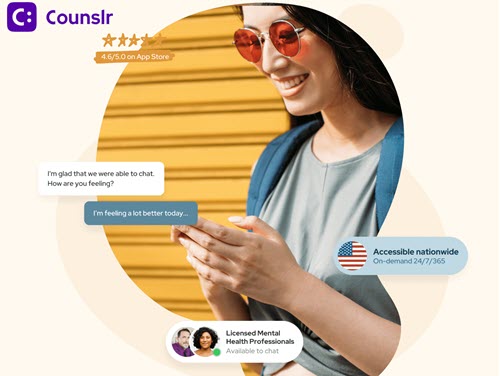
    New York, NY –  Counslr, a leading B2B mental health and wellness platform, announced today that it has expanded its footprint into the State of Texas starting with a partnership with Colorado Independent School District (ISD) in Colorado City, TX. This partnership will empower students and staff to prioritize their mental health by enabling them to access unlimited live texting sessions with Counslr’s licensed and vetted mental health support professionals, who are available on-demand, 24/7/365 and also utilize the app’s robust and curated wellness resources. By increasing accessibility to Counslr’s round-the-clock support, Colorado ISD aims to empower those silent sufferers who previously did not or could not access care, whether due to cost, inconvenience, or stigma.

    Texas is facing a critical mental health care crisis, with over 95% of its counties officially designated as Mental Health Professional Shortage Areas. This alarming statistic underscores the severe lack of access to mental health services across the state, particularly in rural, border, and frontier communities. This resource scarcity underscores the urgent need for additional resources and innovative solutions to bridge this critical care gap for school communities.

    “We’re excited to partner with Counslr to bring innovative, accessible mental health resources to our school community,” said Alison Alvarez, Family and Community Engagement Coordinator, of Colorado ISD. “This partnership empowers our 6-12 grade students and staff with the support they need to thrive—both in and out of the classroom.”

    As factors such as academic pressures, social media influence, burnout and world events contribute to an increase in mental health challenges for young people, schools throughout the country are recognizing the growing need to offer more accessible, prevention-focused resources. A recent study found that digital mental health apps like Counslr can play an important role in expanding access to mental health support, especially for school communities. Most users turned to Counslr through on-demand sessions, showing just how valuable it is to have someone available in the moment when support is needed most. Interestingly, more than 80% of sessions happened between 7 PM and 5 AM, a time when traditional counseling services are usually unavailable. This suggests that Counslr helps fill a critical gap, offering students and school community members a reliable way to talk to licensed counselors around the clock. The app was also used for a wide range of concerns, highlighting its potential to meet diverse mental health needs through both immediate and scheduled support.

    “As we expand across the country, we’re proud to partner with new school communities to ensure that every student, regardless of location or background, has access to the mental health support they deserve,” said Josh Liss, Counslr CEO. Adding that, “With most of Counslr’s users being first-time care seekers, we’re excited to help reach those traditionally unreachable, who need help but do not or cannot access it, no matter where they are located.”

    ABOUT COUNSLR

    Counslr is a text-based mental health support application that provides unlimited access to robust wellness resources and live texting sessions with licensed professionals, 24/7/365. Users can access support on-demand within two minutes of opening the app, or by scheduled appointment. Through real-time texting, users enjoy one-on-one, private communication with a licensed counselor that can be conducted anytime, anywhere. Counslr was designed to help individuals deal with life’s day-to-day issues, empowering individuals to address concerns while they are “small” to help ensure that they stay “small”. Counslr partners with organizations of all shapes and sizes (companies, unions, nonprofits, universities/colleges, high schools, etc) so that these entities can provide Counslr’s services to their employees/members/students at no direct cost. For more information, please visit www.counslr.com.

    eSchool News Staff
    Latest posts by eSchool News Staff (see all)

    Source link

  • Steps Toward Creating a More Accessible and Inclusive College Classroom – Faculty Focus

    Steps Toward Creating a More Accessible and Inclusive College Classroom – Faculty Focus

    Source link

  • Steps Toward Creating a More Accessible and Inclusive College Classroom – Faculty Focus

    Steps Toward Creating a More Accessible and Inclusive College Classroom – Faculty Focus

    Source link

  • Faculty Survey Shows Need for Digital Accessibility Support

    Faculty Survey Shows Need for Digital Accessibility Support

    The U.S. Department of Justice introduced the Americans With Disabilities Act final rule for digital accessibility in 2024, requiring public colleges and universities to follow Web Content Accessibility Guidelines for ensuring that online programs, services and activities are accessible. These laws require institutions to update inaccessible documents and ensure new content follows accessibility requirements.

    A recent survey by Anthology found that faculty members feel they lack sufficient support and access to resources to create an accessible online classroom environment, and they have a general lack of awareness of new ADA requirements.

    Anthology’s survey—which included responses from 2,058 instructors at two- and four-year colleges and universities across the U.S.—highlights a need for professional development and institutional resources to help faculty meet students’ needs.

    Supporting student success: Expanding accessibility isn’t just mandated by law; it has powerful implications for student retention and graduation outcomes.

    Approximately one in five college students has a disability, up 10 percentage points from the previous decade, according to 2024 data from the U.S. Government Accountability Office. A majority of those students have a behavioral or emotional disability, such as attention deficit disorder, or a mental, emotional or psychiatric condition.

    While a growing number of students with disabilities are enrolling in higher education, they are less likely than their peers without a disability to earn a degree or credential, due in part to the lack of accessibility or accommodations on campus.

    Survey says: Only 10 percent of faculty believe their institution provides “absolutely adequate” tools to support students with disabilities, and 22 percent say they consider accessibility when designing course materials.

    Instructors are largely unaware of the ADA’s Web Content Accessibility Guidelines; one-third of survey respondents said they are “not at all” aware of the requirements, and 45 percent said they were aware but “unclear on the details.”

    When asked about the barriers to making course content accessible, faculty members pointed to a lack of training (29 percent), lack of time (28 percent) and limited knowledge of available tools (27 percent) as the primary obstacles.

    A lack of awareness among faculty members can hinder student use of supports as well. A 2023 survey found that only about half of college students are aware of accessibility and disability services, though 96 percent of college staff members said the resources are available.

    In Anthology’s survey, 17 percent of instructors said they were unaware of what tools their institution provides to help students access coursework in different formats, and 30 percent said they were aware but didn’t share information with students.

    Less experienced faculty members were more likely to say they haven’t considered accessibility or were unaware of ADA requirements; one-third of respondents with fewer than two years of teaching experience indicated they rarely or never consider accessibility when creating materials.

    One in four faculty members indicated more training on best practices would help them make their digital content more accessible, as would having the time to update and review course materials.

    Improving accessibility: Some colleges and universities are taking action to empower faculty members to increase accessibility in the classroom and beyond.

    • The University of North Dakota in spring 2023 created an assistive technology lab, which trains faculty and staff members to make course resources accessible. The lab, led by the university’s Teaching Transformation and Development Academy, offers access to tech tools such as Adobe Acrobat Pro and the screen-reader software Job Access with Speech, for course content development. Lab staff also teach universal design principles and conduct course reviews, as needed.
    • The State University of New York system created the SUNY Accessibility Advocates and Allies Faculty Fellowship program in January, designating 11 fellows from across the system to expand digital accessibility and universal design for learning practices at system colleges. Fellows will explore strategies to build a culture of access, share expertise and experience, connect with communities of practice, and design a plan to engage their campus community, among other responsibilities.
    • The University of Iowa built a new digital hub for accessibility-related resources and information, providing a one-stop shop for campus members looking for support. The university is also soliciting questions from users to build out a regularly updated FAQ section of the website. Iowa has a designated Accessibility Task Force with 10 subcommittees that address various applications of accessibility needs, including within athletics, communication, health care, student life and teaching.
    • Colorado State University has taken several steps to improve community compliance for accessibility, including offering free access to Siteimprove, a web-accessibility assessment tool that helps website developers and content managers meet accessibility standards and improve digital user experience. Siteimprove offers training resources to keep users engaged in best practices, as well as templates for creating content, according to CSU’s website. The university also has an accessibility framework to help faculty members bring electronic materials into compliance.

    Get more content like this directly to your inbox. Subscribe here.

    Source link

  • Labor champions education accessibility in sweeping win – Campus Review

    Labor champions education accessibility in sweeping win – Campus Review

    Australians have resoundingly re-elected Anthony Albanese as prime minister delivering Labor a huge majority, while Peter Dutton has lost his own seat in what was one of the most devastating results for the Coalition in living memory.

    Please login below to view content or subscribe now.

    Membership Login

    Source link

  • Counslr Launches in New Mexico and Illinois; Expands Footprint in New York to Increase Access to Mental Health Support

    Counslr Launches in New Mexico and Illinois; Expands Footprint in New York to Increase Access to Mental Health Support

    NEW YORK, NY – Counslr, a leading B2B mental health and wellness platform, announced today that it has expanded its footprint into the State of New Mexico starting with a partnership with Vista Nueva High School, Aztec, NM; and into the State of Illinois starting with a partnership with Big Hollow School District, Ingleside, IL. These initial partnerships will empower students and staff to prioritize their mental health by enabling them to access unlimited wellness resources and live texting sessions with Counslr’s licensed and vetted mental health support professionals, who are available on-demand, 24/7/365. By increasing accessibility to Counslr’s round-the-clock support, Vista Nueva and Big Hollow aim to bridge gaps in mental health support for students and staff, enabling those who previously did not or could not access care, whether due to cost, inconvenience, or stigma, to receive the support they desire.

    1 in 6 youth suffer from a mental illness, but the majority do not receive mental health support due to substantial obstacles to care. Additionally, mental health is even a bigger challenge in rural America due to unique barriers, including fewer providers resulting in longer wait times or insufficient access to crucial mental health services. This resource scarcity underscores the urgency for additional resources and innovative solutions to bridge this critical gap in mental health care for school communities.

    “We are happy to be able to offer students another tool that they can use to support their mental well-being. Knowing that students have been able to speak with a professional outside of school hours helps us know this app was needed and is useful,” states Rebekah Deane, Professional School Counselor, Vista Nueva High School. “We hope this tool also assists students in learning how to navigate systems so that when they graduate high school they know these options exist and they can continue to seek out support when necessary.”

    As factors such as academic pressures, social media influence, burnout and world events contribute to heightened stress levels and mental health challenges, schools throughout the country are recognizing the growing need to offer more accessible resources and preventative mental health services to both students and staff.

    “Counslr provides an extremely easy-to-access platform for those who otherwise may not seek the help they need, and we are very excited to join Counslr in this partnership. We are all very well aware of the impact that technology has had on the mental health of our students and we feel that Counslr can meet our students in a setting they are comfortable with,” states Bob Gold, Big Hollow School District Superintendent. “Outside of our students, we are thrilled to be able to offer this service to the amazing adults who work with our students every day. There are so many families dealing with some sort of trauma, and the life of an educator is no different.  These adults tend to give so much of themselves to their students, so we strongly feel that our efforts here to join with Counslr is our way of providing an opportunity for our educators to focus on their own mental health.”

    In addition to the geographic expansion,Counslr has also expanded its existing footprint in states like New York, most recently partnering with the Silver Creek Central School District to support its students and staff.  

    “We know mental health needs are on the rise, for students and adults.  To me, Counslr is a resource our students and staff both deserve,” states Dr. Katie Ralston, Superintendent, Silver Creek Central. “In the beginning stages at Silver Creek Central, it has proven to be an asset, as it offers access to everyone on the spot, any day, for any situation.”

    “Supporting diverse populations of students and faculty across the country clearly illustrates that mental health knows no boundaries,” said Josh Liss, Counslr CEO. Adding that, “With 86% of Counslr’s users being first-time care seekers, we strive to reach these silent sufferers who need help, but do not or cannot access it, no matter where they are located.”

    ABOUT COUNSLR

    Counslr is a text-based mental health support application that provides unlimited access to robust wellness resources and live texting sessions with licensed professionals, 24/7/365. Users can access support on-demand within two minutes of opening the app, or by scheduled appointment. Through real-time texting, users enjoy one-on-one, private communication with a licensed counselor that can be conducted anytime, anywhere. Counslr was designed to help individuals deal with life’s day-to-day issues, empowering individuals to address concerns while they are “small” to help ensure that they stay “small”. Counslr partners with organizations of all shapes and sizes (companies, unions, nonprofits, universities/colleges, high schools, etc) so that these entities can provide Counslr’s services to their employees/members/students at no direct cost. For more information, please visit www.counslr.com.

    eSchool News Staff
    Latest posts by eSchool News Staff (see all)

    Source link

  • Reassessing Your Institution’s EAP: Steps for HR Pros to Increase Awareness and Accessibility – CUPA-HR

    Reassessing Your Institution’s EAP: Steps for HR Pros to Increase Awareness and Accessibility – CUPA-HR

    by Lakyn Whaley | May 2, 2022

    May is Mental Health Month. Throughout the month, be sure to join the Connect discussion in the General Discussion group to discuss challenges and successes, as well as pose questions and offer advice to higher ed HR peers on the topic of mental health. A Zoom discussion will also take place mid-May. Stay tuned for the link to be posted in the Connect discussion. 

    Employee Assistance Programs (EAPs) are nothing new. In fact, 97 percent of large employers offer an EAP as part of their benefits package. Yet, the utilization rate of these programs is abysmally low, clocking in at an average of less than 5 percent even as concerns around mental health continue to grow. EAPs should be a key resource for struggling employees, so why isn’t anybody using them?

    Lack of Awareness

    Lack of awareness, on multiple levels, plays a large role in the underutilization of EAPs. Usually, employees are introduced to their organization’s EAP and other benefits during their onboarding process. However, the deluge of information new employees are exposed to during this time can easily wash out any memory of an EAP mention.

    In addition, there’s a general lack of awareness as to how EAPs function. People may form their own incorrect assumptions, such as thinking that participating in an EAP will incur an immediate cost or that EAP use will be reflected on performance evaluations, which keep them from accessing this benefit.

    Distrust and Stigma

    From grief counseling to connecting employees to legal resources, the situations that EAPs are designed to provide support for can often be deeply personal. Because of this, some employees may be concerned that personal details or other information related to their EAP access will be shared with their employers, since the EAP is an employer-sponsored program. Others may be hesitant to interact with EAPs due to the stigma surrounding mental and behavioral health topics.

    Accessibility

    If employees are aware and comfortable accessing their organization’s EAP, the next challenge they often have to surmount is the myriad steps required to connect with the resources and services they need. Many of the individuals who would benefit from using an EAP are already operating under higher levels of stress and may be more fatigued than their peers. This can mean that these employees are less likely to have the energy needed to engage with extended processes, even when they’re the ones who need it most.

    How Can HR help?

    It might feel like the issues listed above are too big for one department — and in some cases one person — to overcome, but there are steps you can take to help.

    Start by looking at your organization’s EAP from an employee perspective and map out the steps someone needs to take to access services. Ask questions along the way such as: How many steps are there? How do employees learn more about their EAP? What options are there for contacting someone? Might the hours of service be prohibitive to some? Are the services provided meeting a variety of needs? Note too where you notice the potential for confusion or frustration within the process and remember that if something can be simplified, it should be simplified!

    Once you’ve reassessed the EAP process, take some time to examine how your campus is talking about mental health in general. While communication about the EAP is necessary for program awareness, by itself it’s not enough to improve utilization. Double down on efforts to reduce stigma around mental health and mental illness. Creating a culture where employees feel safe to talk about their mental health and welcome to bring their whole selves to the table has myriad benefits — only one of which is improving EAP usage.

    Related resources:

    Mental Health Toolkit (CUPA-HR members-only resource)

    Destigmatizing Mental Health on Campus: What Can HR Do (Higher Ed HR Magazine)

    Right Direction – Free Turnkey Resources for Organizations to Address Mental Health in the Workplace


    Source link