In South Korea, education has long been the most powerful route to social mobility and prestige, but a recent study shows how that pursuit is changing. Published in the Asia Pacific Education Review (2025), one of the newest article in transnational education (TNE) research investigates why Korean students are now choosing to study at US branch campuses located inside their own country rather than traveling abroad. Focusing on N University, a US-affiliated institution within the Incheon Global Campus, the study explores how students balance ambition, constraint, and identity in one of the world’s most competitive education systems.
Korea’s higher education landscape is characterised by rigid hierarchies in which the name of a university often outweighs individual academic or professional ability. Admission to elite institutions such as Seoul National, Korea, and Yonsei University is still viewed as a ticket to success. At the same time, US degrees continue to hold exceptional symbolic power, representing international competence, social status, and career advantage. Yet, for many families, studying abroad is prohibitively expensive, while competition for domestic university places remains intense. The result is that a growing number of students are enrolling in American branch campuses at home, institutions that promise the prestige of a US education without the cost and distance of overseas study.
To explain this trend, the researchers propose a Trilateral Push–Pull Model. Traditional models of student mobility describe decision-making as a process between two countries or schools: one that pushes students out and another that pulls them in. However, international branch campuses (IBCs) add a third dimension. Korean universities push students away through limited access and rigid hierarchies. US universities attract them with prestige and global capital but are often out of reach financially and logistically. The IBC exists between these poles, offering an American degree and English-language instruction within Korea’s borders. This framework captures how students navigate overlapping pressures from domestic and global systems.
Drawing on interviews with 21 Korean students, the study reveals several interconnected findings. Many participants viewed the IBC as a second choice, not their first preference but a realistic and strategic option when other routes were blocked. They were attracted by the prestige of American degree, USstyle curriculum (in English), smaller classes, and opportunities for studying at the home campus abroad. At the same time, they expressed anxiety about the ambiguous status of their institution. Several students described N University as “in between”, uncertain whether it was truly American or fully Korean. This ambiguity, they said, made it difficult to explain their school to relatives, peers, or teachers, who were unfamiliar with the branch campus model. In a culture where school reputation carries great weight, such uncertainty caused unease even when students were satisfied with their learning experience.
The study also underscores the continuing role of family influence and educational aspiration. Many students reported growing up in households where parents believed education was the only reliable path to success and were willing to make sacrifices for English proficiency and global exposure. For these families, IBCs offered a middle ground: a way to obtain a foreign education without leaving home or paying international tuition. Students who attended Korean secondary schools typically saw the IBC as an alternative after failing to gain admission to top domestic universities. Those with international or bilingual school backgrounds viewed it as a substitute for studying abroad, particularly after the COVID-19 pandemic made overseas education less appealing or feasible.
In both groups, the IBC served as a strategic compromise. It allowed students to maintain a sense of global ambition while avoiding the financial, emotional, and logistical risks of full international mobility. It also provided a form of what sociologist Jongyoung Kim calls global cultural capital: the symbolic value and recognition that come with foreign credentials. By earning an American degree at home, students could claim global status without physically migrating. This pattern illustrates how globalisation in higher education is increasingly taking place within national borders.
Beyond individual motivations, the study connects these choices to larger demographic and policy challenges. Korea’s declining college-age population and government-imposed tuition freezes have created fierce competition among universities for a shrinking pool of students. In this environment, IBCs serve dual roles: they act as pressure valves that absorb unmet domestic demand and as prestige bridges that connect local students to the symbolic power of American education. However, their long-term sustainability remains uncertain. Many IBCs struggle with limited public visibility, uneven recognition, and questions about academic legitimacy. Unless they establish a clearer institutional identity and stronger integration within the local higher education system, they risk being viewed as peripheral rather than prestigious.
The research also broadens theoretical understanding of international education. By incorporating the IBC as a third actor in the push–pull framework, the study challenges the assumption that global learning always requires cross-border mobility. It also refines the concept of global cultural capital, showing that students can now accumulate globally valued credentials and symbolic advantage through domestic avenues. In countries like South Korea, where education is deeply tied to social status, this shift represents an important transformation. The global and the local are no longer opposites but increasingly intertwined within the same institutional spaces.
In conclusion, Korean students’ choices to enroll in US branch campuses reveal a strategic negotiation between aspiration and limitation. These institutions appeal not to those lacking ambition but to those who seek to reconcile global goals with financial and social realities. They reflect a world in which higher education is simultaneously global and local, mobile and immobile. For IBCs to thrive, they must move beyond copying Western models and instead cultivate programs that are meaningful in their local contexts while maintaining international quality.
In 2018, Military Times published a guide titled “8 Tips to Help Vets Pick the Right College.” While the intent was good, the higher education landscape has shifted dramatically since then — and not for the better. For-profit colleges have collapsed and rebranded, public universities are raising tuition while cutting services, and predatory practices continue to target veterans with GI Bill benefits.
Meanwhile, agencies like the Department of Defense (DOD) and the Department of Veterans Affairs (VA) — tasked with protecting veterans — have too often failed in their oversight. Investigations have revealed FOIA stonewalling, regulatory rollbacks, and a revolving door between government and industry. Veterans are left to navigate a minefield of deceptive recruiting, inflated job-placement claims, and programs that leave them indebted and underemployed.
Here’s what veterans need to know in 2025.
1. Don’t Trust the Branding
Colleges love to advertise themselves as “military friendly.” This phrase is meaningless. It’s often nothing more than a marketing slogan used to lure GI Bill dollars. The fact that a school has a veterans’ center or flags on campus tells you little about program quality, affordability, or long-term value.
If a school avoids publishing these numbers or makes them hard to find, that’s a red flag.
3. Understand the Limits of Oversight
The VA’s GI Bill Comparison Tool and DOD “oversight” portals may look official, but they are incomplete and sometimes misleading. The VA has even restored access to schools after proven misconduct under political pressure. DOD contracts with shady for-profit providers continue despite documented abuse.
Oversight agencies are not independent referees — too often, they are captured regulators.
4. Seek Independent Evidence
Avoid relying on large, national veteran nonprofits. Many of these organizations accept funding from schools, corporate partners, or government agencies with vested interests.
Instead, veterans should:
Check state attorney general enforcement actions and FTC press releases.
Read independent investigative journalism (such as the Higher Education Inquirer or Project on Predatory Student Lending).
Ask tough questions of alumni — especially those who dropped out or ended up in debt.
5. Watch Out for Job Placement Claims
Schools often boast of “high job placement rates” without clarifying what that means. Some count temporary or part-time work unrelated to your field. If a program promises guaranteed employment, demand written proof.
6. Don’t Chase Prestige
Big-name universities are not automatically better. Some elite schools partner with for-profit online program managers (OPMs) that deliver low-quality, high-cost programs to veterans and working adults. Prestige branding doesn’t guarantee fair treatment.
7. Weigh Community Colleges and Public Options
Community colleges can be a safer starting point, offering affordable tuition, transferable credits, and practical programs. Some state universities provide strong veteran support at the local level, even when national oversight is weak.
8. Build and Rely on Grassroots Networks
Large veteran organizations at the national level often fail to protect veterans from predatory colleges. Veterans are better served by:
Local veteran groups that are independent and community-based
Direct peer networks of fellow veterans who have attended the schools you’re considering
Public libraries, grassroots councils, and smaller veteran meetups not tied to corporate or political funding
Sharing experiences through independent media when official channels fail
Protect Yourself, Protect Others
Veterans have long been targeted by predatory colleges because their GI Bill benefits represent guaranteed federal money. DOD, VA, and large national veteran groups have too often enabled this exploitation.
The best defense is independent evidence, grassroots testimony, and investigative journalism. By asking hard questions, demanding transparency, and supporting one another at the local level, veterans can avoid the traps that continue to ensnare far too many.
For those who have been targeted and preyed upon, please consider joining the Facebook group, Restore GI Bill for Veterans.
In the not-so-distant past, colleges and universities had tremendous control over how their brands were perceived. From glossy viewbooks mailed to high school students to well-crafted press releases, institutions shaped their reputations from the inside out.
The rise of digital media, the power of algorithms and now the proliferation of AI-generated content have fundamentally reshaped the reputation landscape. Today, your institution’s brand is built not just by what you say, but by what others say — and how machines interpret it.
This major shift was a focus of our recent webinar, Reimagine Higher Ed: Connecting Revenue and Reputation for Sustainable Growth. If you missed it, here’s a summary: Forward-thinking leaders recognize that reputation shapes not only enrollment outcomes, but philanthropy, faculty and staff recruitment, media visibility and institutional resilience. Take heart: You can manage and strengthen your institution’s reputation with the right approach and partners. First, let’s take a brief trip down a reputation memory lane.
A Historical Look at How Reputation Management Transformed Higher Education
The 1980s–1990s: Print and Prestige
If we look back to the 1980s-1990s, when some of us were around (I will admit it) to help tell it, the story one told was the story the public heard. Colleges curated narratives via brochures, campus tours and alumni magazines. Prospective students and parents rarely heard as many counterpoints to what a college wanted them to hear. The media coverage was more limited to local newspapers, occasional coverage in national outlets and at least one higher ed publication you may have heard of: The Chronicle of Higher Education.
Rankings began to chip away at this monopoly. When U.S. News & World Report published its first college rankings in 1983, Special Projects Editor Mel Elfin introduced a powerful player in the perception game. Institutions adapted begrudgingly, and many eventually developed strategies to boost their standing. Reputation was still primarily within institutional control, but cracks were forming.
The 2000s: Rise of the Website
By the early 2000s, the college website was the brand’s central hub. Information had to be continuously updated, visually compelling and accessible to increasingly tech-savvy audiences. Students and families could compare dozens of institutions side-by-side, all without speaking to an admissions officer. We referred to it as people doing their “stealth research.”
Still, institutions owned their domains, literally and narratively. Marketing teams curated words and images, yet they were certainly no longer the only storytellers.
The 2010s: Social Media Disrupts the Narrative
Social media decentralized brand authority and reputational control even further. A single tweet or post could go viral, or a family member’s or alum’s Facebook rant could spiral into a local news headline. Yelp and RateMyProfessor gave voice to myriad opinions, no matter how informed or unfounded. Remember when that was one of the worst things to happen, a bad rating on RateMyProfessor?
Reputation was co-created. Marketing teams needed to monitor, engage and adapt. Reputation management moved from sending press releases and posting web stories to real-time response.
For higher education, the stakes became exceptionally high. Campus incidents that may have once stayed local or at least close to internal could quickly play out nationally and globally. Institutional values, leadership decisions and student culture became fair game for public scrutiny and judgment. All laundry could be aired, and anonymity made it even harder.
The 2020s: The Machines Are Interpreting Your Brand
If social media “democratized” storytelling, AI is mechanizing it.
Search engines, generative AI tools and digital assistants now synthesize information from thousands of sources to summarize, even simplify what your institution appears to represent. AI scrapes your website, news articles, Reddit threads, government databases and third-party rankings. Go ahead and enter this overly basic and now common prompt, “Is my [fill in name of your college here] college a good college?” and prepare to see what we mean.
These AI tools are increasingly the first line of engagement for prospective students, donors or reporters. So, what does the digital world say about your institution? Do you know what’s out there? Are outdated rankings or older controversies showing up in summaries about your institution? Is your website giving the right signals to large language models? Is the content you prefer to share getting picked up, or is it buried?
The Right Reputation Partner Pays Off
This is a defining moment. The institutions that adapt now will build durable brands and resilient reputations. Those that don’t may find others writing, rewriting and rewriting their narrative again.
We work with campus communications and marketing teams that are doing more than ever, including working on enrollment, advancement, student engagement, crisis response, and day-to-day storytelling. Modern reputation management is an interdisciplinary, 24/7 task. It requires real-time media monitoring, data analysis, content optimization, stakeholder engagement and increasingly, AI fluency. That’s where the right partner comes in.
An effective reputation partner does more than defend against crises. You’re often kept busy with that, to be sure, but what about proactively monitoring sentiment, amplifying your institution’s wins, ensuring alignment across your digital footprint and preparing your team for the fast-evolving reputational challenges ahead?
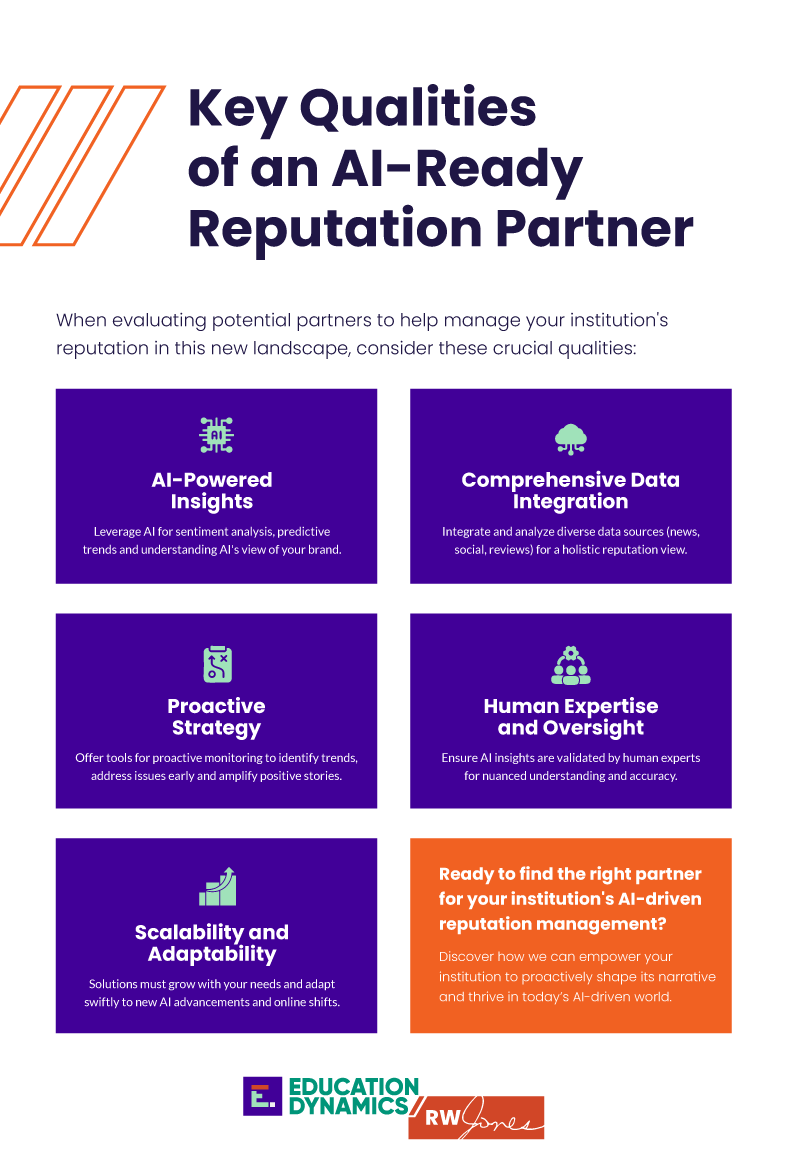
Key Qualities of an AI-Ready Reputation Partner
When evaluating potential partners to help manage your institution’s reputation in this new landscape, consider these crucial qualities:
Specific AI Capabilities Do they leverage AI for sophisticated sentiment analysis, predictive analytics to foresee potential issues, or to help you understand how AI models are interpreting your institution’s online presence?
Comprehensive Data Integration Look for partners who can integrate and analyze information from a wide array of sources—news articles, social media, review platforms, and your own digital assets—to provide a holistic and accurate view of your reputation.
Proactive Monitoring and Strategy Beyond simply reacting to crises, a strong partner will offer tools and strategies for proactive monitoring. This allows you to identify emerging trends, address minor issues before they escalate, and seize opportunities to amplify positive stories.
Human Expertise and Oversight While AI is powerful, human insight remains indispensable. Inquire about their process for ensuring that AI-generated insights are reviewed and validated by experienced professionals to provide nuanced understanding and prevent misinterpretations or “hallucinations.”
Scalability and Adaptability The digital and AI landscapes are constantly changing. Your partner should offer solutions that can scale with your institution’s evolving needs and adapt swiftly to new technological advancements and shifts in online behavior.
Take Back Your Narrative
Colleges and universities never fully owned their institutions’ reputations, but they once controlled more of the variables. Today, this equation is far more complex. What hasn’t changed is the ability to set the tone, guide the conversation and invest in the tools and partners to shape your institution’s future resilience.
Your institution’s story is being written and rewritten daily. Make sure it is one you want to read and repeat.
Discover how we help institutions proactively shape their narrative in an AI-driven world. Contact us at RW Jones and EducationDynamics for a personalized discussion.
Digital learning–in the form of online, hybrid, and blended schools and courses–is growing steadily in U.S. schools. These learning options can transform education because they allow for learning, teaching, and student engagement outside the confines of traditional physical schools.
Students no longer have to show up at a school building every morning, and millions of students and families are demonstrating their preference for more flexible learning options by choosing their district’s online schools, charter schools, and private schools.
Digital learning meets the needs of today’s students, who are seeking flexibility in their scheduling. Many high school students want to pursue sports, arts, and career interests in the form os jobs, internships, and other program. Others simply crave the control an innovative school gives them over the time, place, and pace at which they learn. Digital learning also meets the needs of teachers, who, just like knowledge workers around the world, are interested in employment that allows them to choose their schedules.
Online and hybrid learning is becoming easier to implement as technology grows and improves. Unlike just a few years ago, when teachers were concerned about using multiple technology tools, much-improved integration and interoperability between platforms is making adoption of multiple tools far easier.
While relatively few students and families prefer their education to be 100 percent online, many students are selecting hybrid options that combine online and face-to-face interactions. Much like young knowledge workers who are increasingly blending home offices with corporate headquarters, digital learning is showing up in unexpected places as well. Let’s take a closer look at two examples: career and technical education (CTE) and physical education (PE).
CTE is often perceived as being “hands on” in ways that casual observers might expect would not align well with digital learning–but the truth is exactly the opposite.
Digital learning is broadening the world of CTE for students. Online and hybrid schools provide CTE programs by offering a combination of online career courses and by partnering with businesses, state and regional training centers, and other organizations to combine online learning with on-the-ground, real-world jobs, internships, and learning opportunities.
Hybrid schools and programs, including those run by mainstream districts, provide academic scheduling flexibility to students who seek to prioritize their time in jobs, internships, or career training. No longer do these students have to fit in their career interests after regular school hours or on weekends–when many companies and high-value jobs are not open or available.
For example, a student interested in a veterinary career can work at a vet’s office during the regular week and school hours, completing some of their online coursework after normal work hours.
Virtual Arkansas, a state-supported course provider supporting districts across Arkansas, has made digital CTE a central element of its offerings.
“CTE is a key part of our value to students and schools across Arkansas. Students, teachers, counselors, and the business community, all appreciate that we are providing flexible options for students to gain real-world expertise and experience via our online and hybrid programs,” said John Ashworth, the programs’ executive director.
Perhaps even more surprising than CTE shifting to digital is the idea that next generation physical education is based on online tools, adept teachers, and student voice and choice.
Today’s students are accustomed to going into a coffee shop and ordering their drink with a dozen customized features. And yet, in traditional PE classes, we expect students to all want to learn the same sport, activity, or exercise, at the same time and pace. That’s how too many traditional gym classes operate–based on the factory model of education in which all students do the same thing at the same time.
There’s a better way, which is being embraced by online schools, hybrid schools, and traditional districts. Online and hybrid PE classes shift exercise, activity, and wellness to match student interests and timing. A student chooses from hundreds of detailed instructional videos in dozens of categories, from aquatics to basketball to yoga, trains using the videos combined with instruction provided by a teacher, and tracks her progress.
This doesn’t sound like a traditional gym class; instead, it mimics the ways that young adults are active in gyms, yoga studios, and sports leagues all around the country. Consider fitness clubs from the local YMCA to the most high-end club–they are all offering a wide variety of classes, on varied schedules to fit busy lifestyles, and at different levels of expertise. No school can match this, of course, by the traditional approach to gym class. But Joe Titus, founder and CEO of Hiveclass, which offers online physical education courses, points out that student agency to choose from a wide variety of PE options is possible–when schools are ready to make the leap.
Online schools and district programs are already doing so, with fantastic outcomes as students lean into their choices and options. As futurist William Gibson said decades ago, “the future is here, it’s just not evenly distributed.”
Online and hybrid CTE, physical education, and other options prove the point. The next step is to make these options widely available to all the students who are seeking a better alternative.
John Watson, DLAC
John Watson is the founder of DLAC (formerly Education Education Group), which has been a leading consulting and advisory firm serving school districts, state agencies, foundations, and companies in the K-12 digital learning field for more than 20 years. John writes regularly about various issues related to digital learning and is a contributing author of the Handbook of Research on K-12 Online and Blended Learning. His and DLAC, LLC’s work have been cited in The New York Times, Wall Street Journal, USA Today, Education Week, and eSchool News, and appeared on NBC Nightly News. He has submitted invited testimony to state legislatures, state boards of education, charter school commissions, and other government agencies.
Latest posts by eSchool Media Contributors (see all)
One shaped by search queries, digital experiences, instant communication, and high expectations. Today’s prospective students demand speed, personalization, and clarity from their first interaction. For institutions that want to grow, scale, and compete, relying on spreadsheets or legacy databases is no longer sustainable.
You need a system that works as hard as your team does. One that doesn’t just manage applicants, but empowers strategy, fosters connection, and drives retention.
That’s the promise of a modern Enrollment Management System (EMS), but only if you choose the right one.
What Is an Enrollment Management System?
An Enrollment Management System is more than a tool for admissions; it’s a digital backbone for your recruitment, application, and onboarding processes. Think of it as an intelligent, data-powered engine that drives student acquisition and supports institutional growth goals.
While many systems include basic applicant tracking and form building, a true EMS integrates across departments, touching admissions, marketing, student services, financial aid, and beyond. It’s designed to give your team a real-time view of the applicant pipeline while also enabling automation, analytics, and multichannel communication.
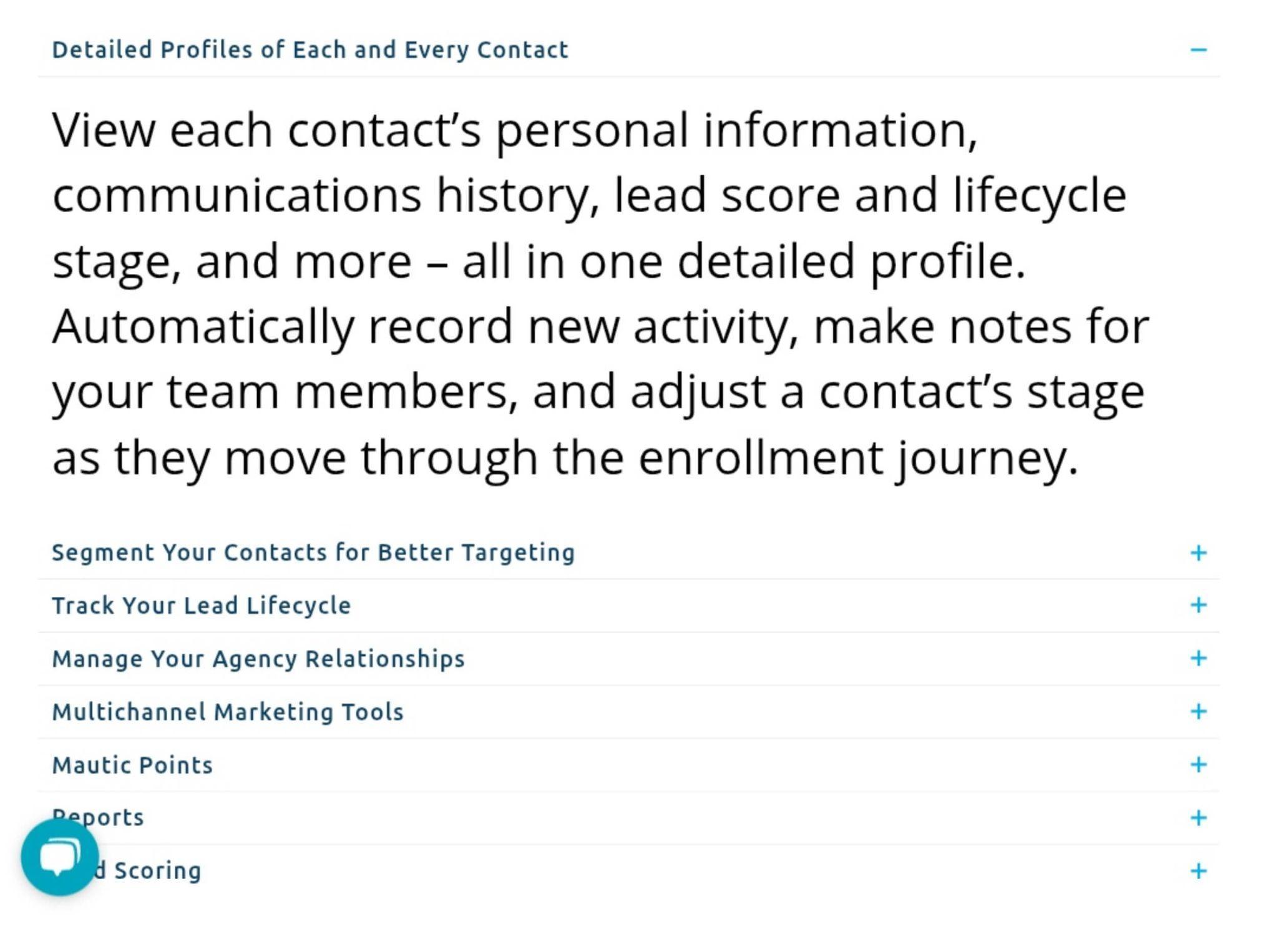
Example: Mautic by HEM is a dedicated, all-in-one CRM and marketing automation platform for education, built on the open-source Mautic tool. It facilitates thorough applicant tracking by letting schools define custom stages and funnels for the enrollment journey: admissions teams can monitor each contact’s progress through stages (inquiry, application, accepted, etc.) and even apply lead scoring to prioritize the most engaged prospects.
The best platforms don’t just move information. They orchestrate outcomes.
A modern EMS aligns your people, data, and processes so that your team spends less time chasing forms and more time building relationships. It adapts to your enrollment strategy, whether that’s growing international reach, increasing diversity, boosting conversion, or all of the above.
What Does an Enrollment System Do?
It streamlines student recruitment and admissions, enabling your team to launch campaigns, collect inquiries, and track applicant engagement without toggling between multiple platforms. While “enrollment management” is often associated with software, it’s fundamentally a strategic function, and the right EMS becomes a catalyst for this function to succeed.
Here’s how:
It streamlines student recruitment and admissions, enabling your team to launch campaigns, collect inquiries, and track applicant engagement without toggling between multiple platforms. From inquiry to enrollment, every stage is logged, measured, and improved.
Example: Tools like TargetX make it easy to launch campaigns, track lead engagement, and move prospects from inquiry to enrollment. TargetX is built on Salesforce and tailored for higher education, especially career colleges that need efficient outreach.
It enables marketing and communications teams to segment audiences, trigger campaigns, and personalize outreach across email, text, and student web portals, all with full visibility into what converts.
Example: EMS platforms such as Finalsite Enrollment combine CRM and marketing automation to segment audiences and personalize outreach across email, SMS, and web. Designed for independent K–12 schools, Finalsite ensures your message resonates from the first click.
It supports financial aid and yield strategy by syncing with your student information system (SIS) or CRM. That means your staff can track aid packages, award statuses, and net tuition impact, all within the same ecosystem.
Example: Integrated EMS like Anthology allows institutions to view aid packages, tuition forecasts, and academic data in one place. Anthology is especially powerful for institutions with complex admissions models or rolling start dates.
It strengthens student retention by providing advisors with access to academic history, risk indicators, and automated nudges that support at-risk students from the very start of their academic journey.
Example: By giving advisors access to risk flags and real-time data, platforms like Salesforce Education Cloud enable timely interventions that support students long after they’ve enrolled.
And most importantly, it delivers data analysis and forecasting that lets institutional leaders plan with precision. From demographic breakdowns to conversion rates, it provides insight into not just who applied but why they enrolled.
Example: With advanced analytics, tools like Technolutions Slate offer actionable insights into yield, demographics, and conversion rates, helping you refine your enrollment strategy over time.
What is the point of strategic enrollment management? The point of strategic enrollment management (SEM) is to align an institution’s recruitment, admissions, retention, and graduation strategies with its long-term goals, using data and coordinated planning to optimize student success and institutional sustainability. An effective EMS ensures that your strategic enrollment plan becomes an operational reality, daily, seamlessly, and at scale.
Core Features to Look For in an EMS
1. Centralized Database and CRM
A unified database helps you keep track of every applicant and their journey, from interactions and submitting forms to uploading documents and communication history. Look for systems that include robust CRM tools with inquiry tracking, source attribution, and segmentation capabilities.
Example: TargetX (Liaison): Provides a single dashboard with a 360° view of each student, consolidating everything from event registrations and communication touchpoints to financial aid info, all in the same place. This unified database supports data-driven decision making in recruitment and admissions.
Choose a system with customizable forms, document upload functionality, e-signature support, and user-friendly applicant portals. Features like drag-and-drop form builders and application status tracking can greatly improve the experience for both students and staff.
Example: Classe365 supports paperless admissions with custom online application forms. Students can easily apply from home, and submitted form data is automatically mapped into the school’s SIS to avoid manual re-entry. This makes the entire application-to-enrollment workflow smooth and efficient for both applicants and staff.
A strong student enrollment management system allows you to send personalized, automated messages via email, SMS, or in-app notifications. You should be able to build workflows, for example, a welcome message on inquiry, a reminder to complete an application, or an invitation to an open house. Some systems even offer AI chatbots for 24/7 engagement.
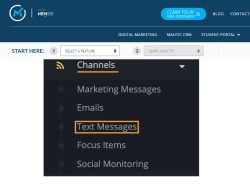
Example: Mautic by HEM features built-in email and text messaging automation, enabling schools to send personalized emails or SMS updates triggered by prospect behavior.
Source: HEM
4. Workflow Automation and Task Management
Look for features that reduce manual work, automatic task assignment, follow-up reminders, and to-do lists. These help your admissions team stay on top of deadlines and reduce errors.
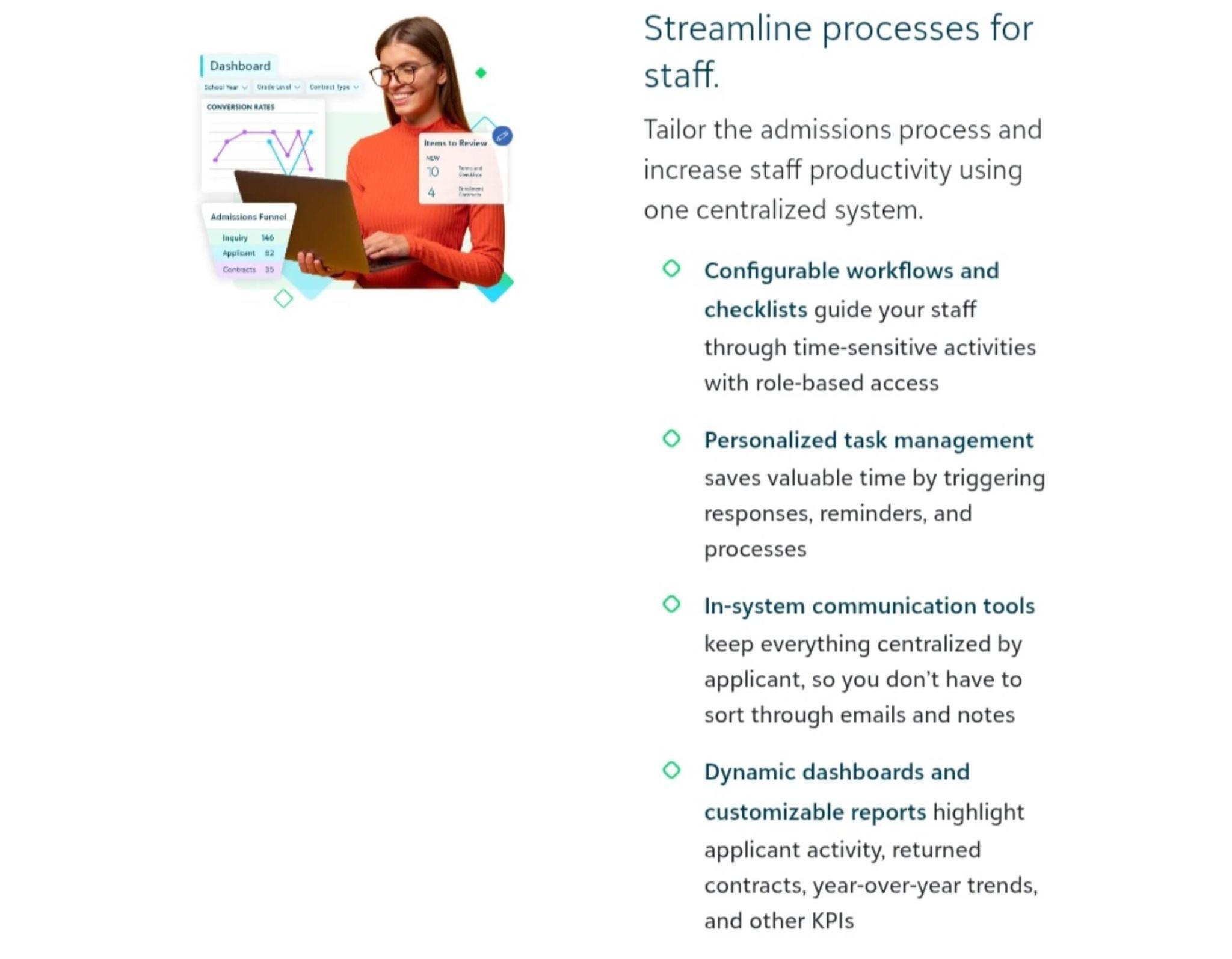
Example:Blackbaud Enrollment Management allows schools to tailor their admissions process with configurable workflows and checklists in one centralized system. Staff have personalized task dashboards, and the system automatically triggers next steps, sending follow-up reminders, updating statuses, or notifying counselors based on defined rules. This saves time and keeps the team on schedule
Your EMS should integrate with your SIS, LMS, financial software, and marketing tools. Data should flow without duplication. Look for open APIs or pre-built integrations with platforms you already use.
Example: Slate supports bi-directional data exchange with campus systems. It can push and pull data to external SIS, LMS, financial aid systems, content management systems, and more via its Integration Center. This means application data or status updates in Slate can automatically appear in the SIS, and vice versa, ensuring consistency across all systems.
Analytics tools allow you to track conversion rates, demographic trends, and recruitment performance. Some EMS platforms even offer predictive analytics to identify at-risk applicants or forecast yield.
Example: TargetX goes beyond basic reporting by incorporating predictive analytics features. It includes a Prospect Scoring tool that lets schools apply tailored scoring models to their applicant pool. This means the system can automatically evaluate and rank prospective students based on likelihood to enroll (or other success indicators), helping admissions teams focus their efforts on the best-fit leads. Of course, standard reports and real-time dashboards are also available in TargetX for monitoring application trends and campaign performance at a glance.
No two schools are the same. Ensure your EMS allows you to customize application workflows, add custom fields, configure user roles, and scale as your institution grows.
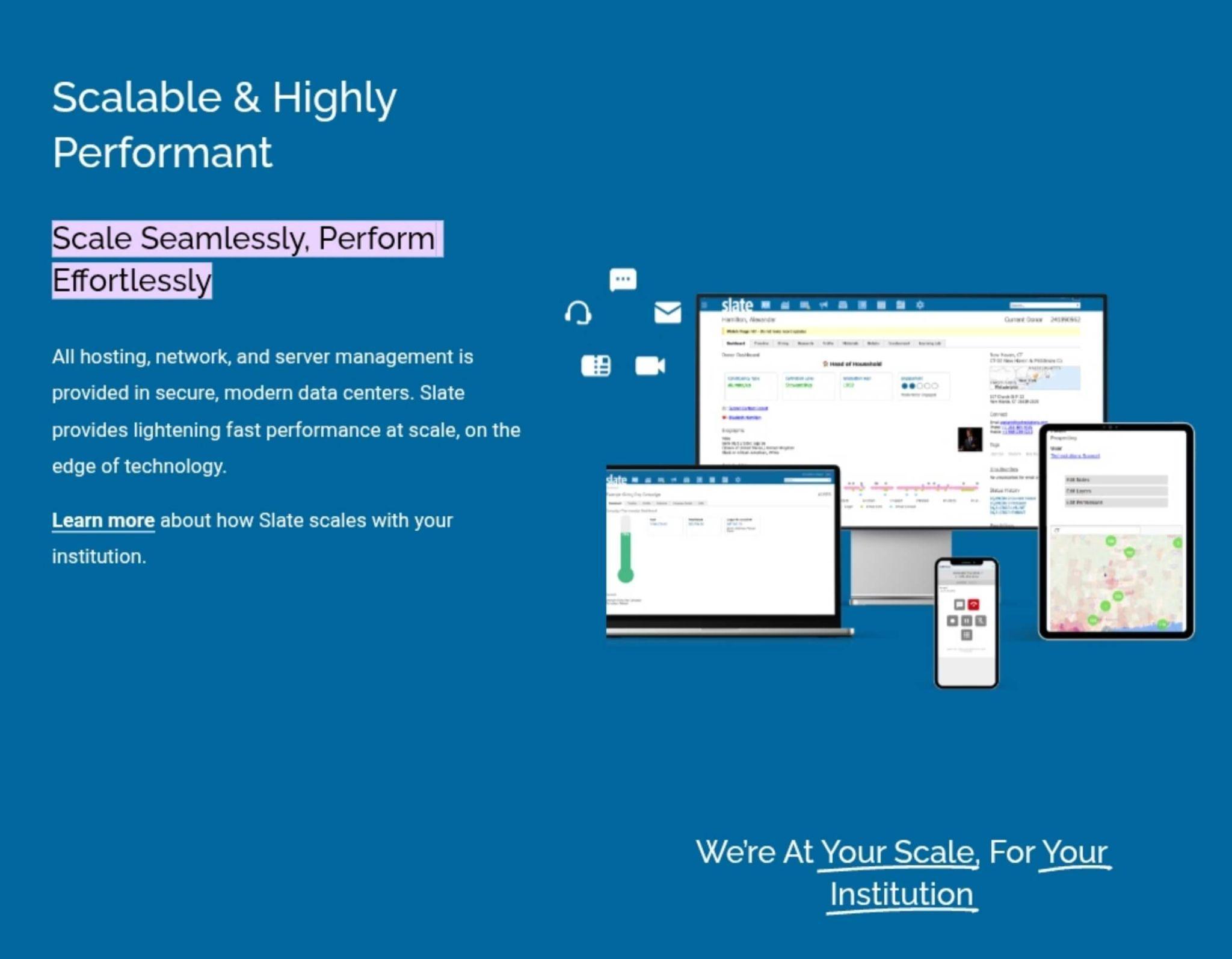
Example:A cloud-based SaaS platform, Slate, is designed to “scale seamlessly” with an institution’s growth. All technical infrastructure is managed in modern, secure data centers, and Slate regularly updates with new features at no extra cost. This means an organization can start small and trust that Slate will accommodate more applicants, programs, or campuses over time without needing a major system overhaul. In short, EMS vendors focus on both customization (to meet unique local needs) and scalability (to support more users, records, and features as needed).
Adoption hinges on usability. During demos, pay attention to how intuitive the interface is for both staff and applicants. If the system is difficult to use, your team simply won’t use it to its full potential.
Example: User experience drives adoption. During evaluations, platforms like Classe365 and Class by Infospeed regularly earn praise for intuitive interfaces, which is important when your team has limited tech support.
Modern students (and parents) expect mobile-friendly platforms. Responsive design or dedicated mobile apps improve application completion rates and accessibility.
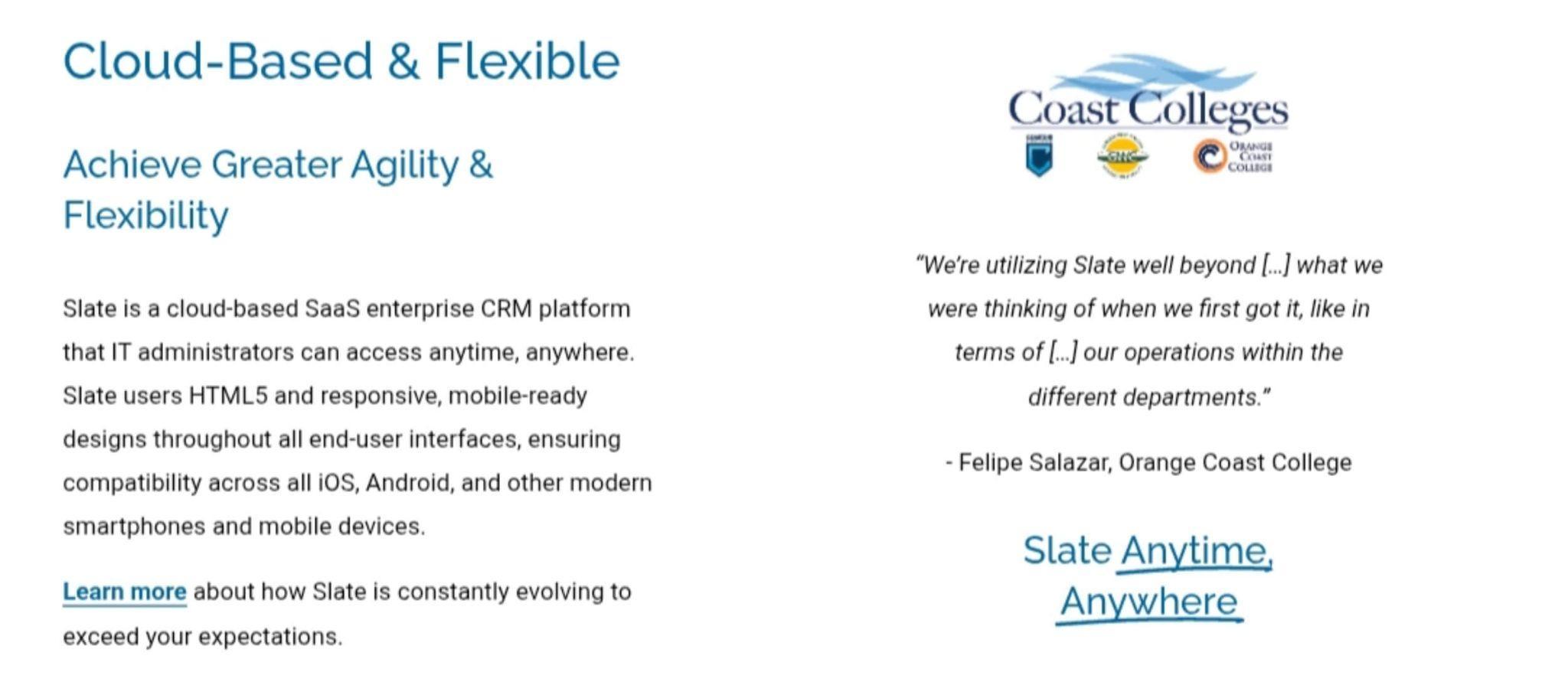
Example: Slate: Entirely web-based and built with responsive HTML5 design, so all end-user interfaces are mobile-ready by default. Admissions officers and applicants can access Slate “anytime, anywhere,” and the system is compatible across iOS, Android, and other modern smartphones without any special app required.
Data privacy is critical. Look for FERPA, GDPR, or other compliance features, role-based access controls, encryption, and regular security audits.
Example:Slate emphasizes that security is an “absolute commitment.” Slate encrypts all data in transit and at rest, and is fully compliant with regulations including PCI-DSS, NACHA, FERPA, GDPR, ADA Section 508, and more. Each client institution’s data is siloed in its own private database, and features like single sign-on integration and multi-factor authentication are supported, all to protect sensitive student information.
Source: Slate
How to Choose the Right System: The Smart Institution’s Guide
Too often, institutions jump into vendor demos before clearly understanding their own needs. But choosing an EMS isn’t like buying a software license. It’s like hiring a new department, one that will touch nearly every part of your student journey.
Too many schools choose an EMS the way they might buy a printer—look at features, pick the cheapest, hope for the best.
That’s a mistake.
Here’s how to do it right:
1. Audit Your Current Process
Bring your admissions, marketing, IT, and registrar teams together. Map the journey from first touch to enrolled student. Identify bottlenecks, duplicate data entry, communication gaps, and missed opportunities.
Ask:
Where are we losing leads?
What’s manual that should be automated?
What data are we not capturing?
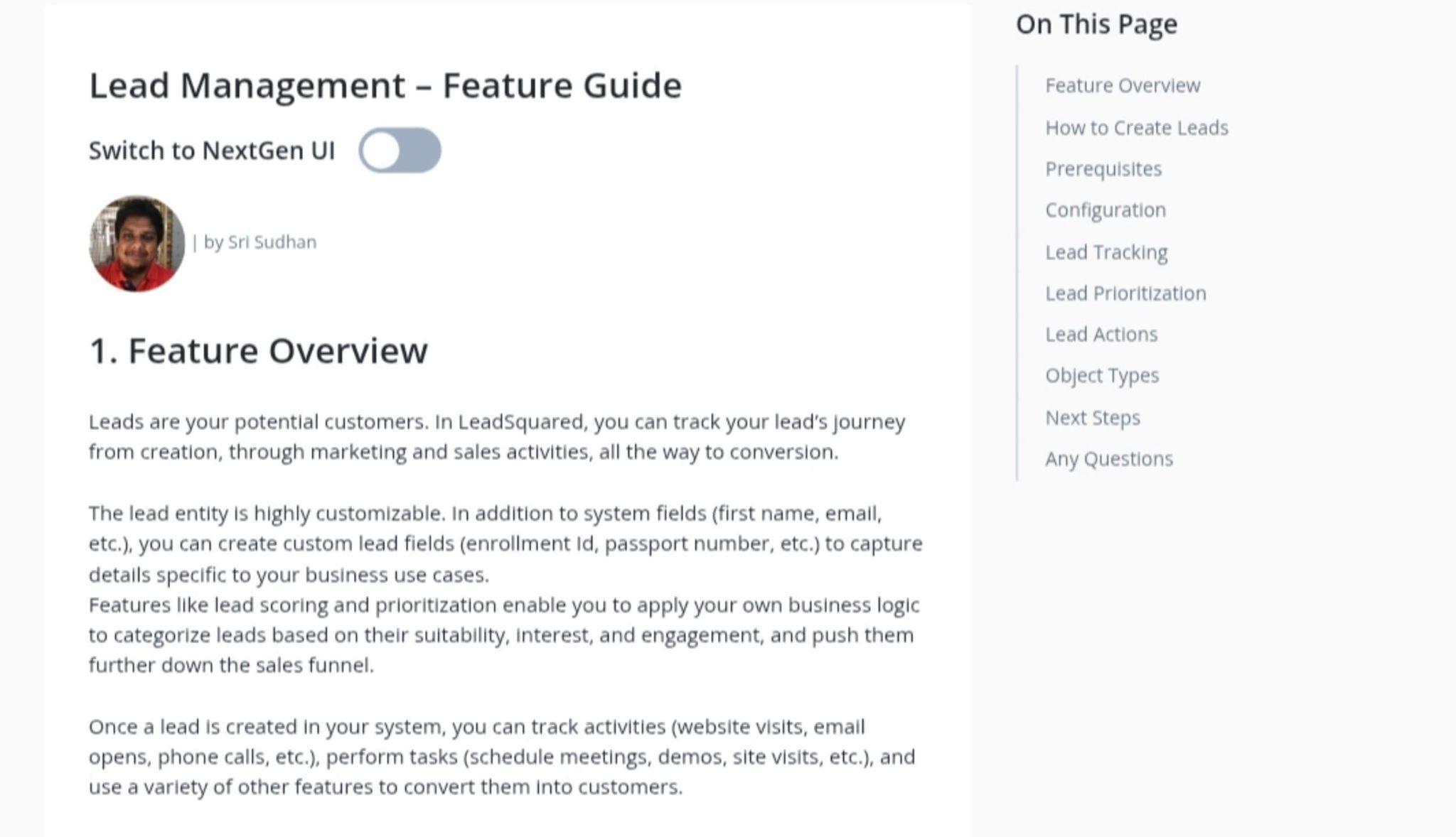
Example: EMS tools like LeadSquared often shine here by centralizing fragmented workflows.
Example: If your institution works with international agents, Class by Infospeed is built for managing agent relationships and complex course offerings, a crucial feature for language schools and ESL programs.
Admissions staff. Recruiters. Advisors. These are the people who will live in the system every day. Their input is gold. Make them part of demos. Let them ask tough questions. Choosing a solution like SchoolMint, praised for its intuitive design, becomes easier when usability is prioritized.
4. Research Vendors Strategically
Not all systems serve all markets equally. Some are better for K-12. Others shine in graduate admissions. Some are strong in portfolio management; others in agent tracking.
Look for:
Reviews from schools like yours
Live or recorded demos
Transparent pricing models
Implementation timelines
Shortlist 3–5 vendors. Your shortlist should reflect your institution’s specific context. For graduate schools, Liaison CAS platforms are especially effective. For community colleges, TargetX offers a powerful combination of CRM and enrollment tools without requiring heavy configuration.
5. Evaluate Integration and Migration
Ask each vendor:
How do you integrate with our SIS, LMS, and payment gateways?
Can you support our CRM, or replace it?
How will you handle data migration?
Do you offer API access?
A disconnected EMS is a ticking time bomb. Ask vendors like Technolutions Slate or Salesforce Education Cloud about APIs and migration support—they’re known for smooth onboarding and flexibility.
6. Test the User Experience
Never buy blind. Ask for a sandbox account or personalized demo. Simulate key tasks: submitting an application, assigning leads, pulling a report. Include both staff and mock student journeys.
What feels intuitive? What’s clunky? What’s fast?
Your system is only as good as the people who use it.
7. Scrutinize Support and Training
Great technology without support is useless. Ask:
Who handles onboarding?
Is training included or extra?
What’s your support SLA?
Can we talk to a current client?
Look for a partner, not just a vendor. Look to vendors like Anthology, which are known for offering detailed implementation timelines, role-based training, and strong post-launch support.
8. Evaluate Total Cost and ROI
Look beyond license fees. Consider:
Implementation and training costs
User seat pricing
Support packages
Future upgrade fees
Opportunity cost of inefficiency
For example, Classe365 offers bundled modules that can be more cost-effective for institutions seeking an all-in-one platform.
Then flip the question:
How much time, enrollment yield, and data quality could we gain?
What to Avoid: Mistakes That Derail Enrollment Success
Let’s be clear: choosing the wrong EMS won’t just slow you down, it can undermine your enrollment goals for years.
Common mistakes include:
Prioritizing brand over fit. The best-known system is not always the best match for your institution’s size, staff capacity, or audience.
Skipping the discovery phase. Without understanding your real process needs, you risk choosing a tool that solves the wrong problems.
Overcomplicating the solution. Feature-rich platforms are great—if your team has the time and training to use them. Don’t choose complexity over usability.
Neglecting integration. A system that doesn’t talk to your CRM or SIS will create data silos and extra work.
Ignoring security and compliance. Your EMS will hold sensitive student data. Ensure it meets regulatory requirements like FERPA or GDPR, and ask vendors for proof of their data protection protocols.
Leaving end-users out of the process. If admissions and marketing staff don’t weigh in, you may end up with a system that leadership likes, but staff resents.
Rushing implementation. A fast deployment might sound appealing, but skipping onboarding, testing, and training will lead to low adoption and missed ROI.
A better approach? Take your time. Do the homework. Involve your people. And choose a system that solves your real problems, not just your imagined ones.
A Strategic Investment, Not Just a Tech Upgrade
The right Enrollment Management System is more than a technology purchase. It’s a strategic accelerator. When implemented well, it becomes the operating system for your admissions engine, fueling smarter campaigns, stronger applicant engagement, faster decision-making, and ultimately, better student outcomes.
Institutions that invest intentionally in their EMS see tangible results: higher yield rates, improved retention, deeper applicant insights, and more efficient operations. They don’t just fill classes, they shape them.
But none of this happens by chance. It requires a clear vision, a methodical evaluation, and a commitment to ongoing improvement.
Partnering for Enrollment Success
Choosing an EMS is just the beginning. Implementing it well, and aligning it with your enrollment strategy requires experience, insight, and a steady hand.
That’s where Higher Education Marketing (HEM) comes in. We’ve helped institutions across Canada and beyond design, implement, and optimize enrollment solutions that work. Whether you need a student-facing CRM portal, a smarter communication strategy, or guidance on vendor selection, our team can help.
Book a free consultation with HEM today, and let’s build an enrollment strategy that’s as forward-thinking as your institution. Because better tools don’t just make your job easier, they make your goals achievable.
Need help sorting through the multitudes of enrollment management systems for the right one for your school? Contact HEM today for more information.
Frequently Asked Questions
Question: What is an enrollment management system?
Answer: An Enrollment Management System is more than a tool for admissions; it’s a digital backbone for your recruitment, application, and onboarding processes
Question: What does an enrollment system do?
Answer: It streamlines student recruitment and admissions, enabling your team to launch campaigns, collect inquiries, and track applicant engagement without toggling between multiple platforms.
Question: What is the point of strategic enrollment management?
Answer: The point of strategic enrollment management (SEM) is to align an institution’s recruitment, admissions, retention, and graduation strategies with its long-term goals, using data and coordinated planning to optimize student success and institutional sustainability.
When a crisis hits a school campus, communication can either save lives or contribute to chaos. Whether it’s a lockdown, severe weather, or a gas leak, the first moments matter most, and so does the ability to reach the right people instantly. For school leaders, this reality has turned the mass notification system for schools from a nice-to-have into a non-negotiable.
In today’s education landscape, safety isn’t just a responsibility; it’s an expectation. Parents demand it. Students rely on it. And legislation like the Jeanne Clery Act mandates it. From K-12 schools to sprawling universities, institutions are under growing pressure to prepare for emergencies. That means having a reliable, fast, and flexible way to communicate campus-wide emergencies across multiple platforms.
Mass notification systems (MNS) offer that capability. They enable school officials to send real-time alerts through text messages, emails, voice calls, desktop pop-ups, sirens, and public address systems, all from a single dashboard. But with so many systems available, selecting the right one can be overwhelming. Some platforms specialize in panic buttons and mobile alerts; others focus on layered communication and integrations with existing infrastructure.
The stakes are high, but the path forward doesn’t have to be murky. This guide will walk you through what a mass notification system is, why it matters for schools of all sizes, and how to evaluate your options with confidence.
Looking for an all-in-one student information and CRM solution tailored to the education sector?
Try the HEM’s Mautic CRM!
What Is a Mass Notification System for Schools?
So, what is a mass notification system for schools?A mass notification system for schools is a platform that enables institutions to quickly inform students, faculty, and staff about emergencies or critical situations.
These alerts, sent via SMS, email, voice calls, app notifications, and digital signage, can communicate anything from severe weather and campus lockdowns to service disruptions and safety instructions from one central platform. This ensures rapid, widespread communication during emergencies.
They integrate with existing infrastructure such as fire alarms, intercoms, and digital signage to ensure every possible communication pathway is covered.
Schools often turn to systems like Rave Alert, Everbridge, Alertus, and Intrado Revolution, among others. These platforms are designed specifically for emergencies, but what if you had a tool that could do that and more?
How Do Mass Notification Systems Work?
Most MNS platforms are cloud-based and integrate with school databases or SIS (student information systems). Here’s how they function:
Message Creation: Administrators draft a message through a web-based interface or mobile app.
Audience Segmentation: Messages can be sent to specific groups (e.g., staff, students, grade levels).
Multichannel Distribution: The system pushes the message across chosen channels simultaneously.
Acknowledgement and Tracking: Some systems allow recipients to confirm receipt, and administrators can track who received what.
Two-Way Communication: More advanced systems allow for replies and real-time updates.
Why MNS Is a Necessity, Not a Luxury
The need for several types of communication channels has made the need for timely notifications undeniable. In response, many universities adopted robust mass notification systems, and today, the Jeanne Clery Act mandates that all U.S. colleges maintain systems for timely warnings and emergency notifications.
In Canada, provinces like Ontario require school boards to implement emergency and lockdown procedures, which may include notification systems. Globally, ISO 22301 emphasizes communication strategies in business continuity planning, applicable to schools.
But this isn’t just a higher ed concern. K–12 schools face their own risks. And communication needs often extend beyond the campus to include parents and guardians.
Mass Notification Has Multiple Uses
Your mass notification system doesn’t have to be reserved for emergency use. It can and should be the most important part of your everyday communications strategy. Ensuring your mass notification system includes all of your main communications mediums like email newsletters, text messages, website alerts, and social media channels will allow you to do it all in one single platform, saving you time and streamlining your efforts.
Need to send your email newsletter, a text reminder, and a social media push all at once? There’s no reason you shouldn’t be able to do that using your mass communications system. Need to send a mobile app and website alert while you’re at it? You’ll save hours by having everything bundled in one mass notifications toolbox.
Think of it this way: your institution already collects valuable contact information, behavioral data, and engagement history through its CRM. That same infrastructure can power smarter alerting during a crisis. Instead of a generic campus-wide message, you could send tailored updates, like notifying only international students during a visa-related policy change, or alerting online learners about digital platform outages. It’s the intersection of immediacy and intelligence: delivering the right message to the right people, at exactly the right moment.
This synergy is especially relevant in higher education, where the line between operational communication and marketing is increasingly blurred. Institutions must build trust not just through promotional emails but also through reliable, timely updates that reassure students and their families. A CRM-integrated mass notification system supports both missions, emergency preparedness and ongoing relationship-building.
HEM’s Mautic CRM: Smarter Messaging in Every Scenario
Mautic by HEM allows institutions to segment their contact lists by criteria such as program, campus, or enrollment stage, ensuring each person gets the right message at the right time. The platform also supports multi-channel outreach; staff can send automated emails and SMS messages, all from one centralized system.
With features like workflow automation to schedule campaigns and trigger communications (for instance, event invitations or follow-up messages), a CRM like this can unify both emergency notifications and routine marketing outreach. In practice, that means a school could broadcast critical alerts to affected individuals during a crisis and also manage day-to-day communications with students or customers, all through the same integrated system.
Key Features to Look For
How do you decide which system is right for your school? The key is to carefully evaluate each option’s capabilities against your institution’s needs. Below, we outline the key features to look for when choosing a mass notification system for schools, and how those features play out in practice at schools and universities.
1. Multi-Channel Delivery
Not everyone will be reached by the same medium, so your system should use multiple channels at once. At minimum, it must support SMS/text, email, and voice calls, since one person might see a text first while another picks up a phone call.
More advanced systems go further, triggering alerts over public address speakers, digital signage, desktop pop-ups, and mobile push notifications. Using multiple channels in parallel provides redundancy to ensure your message gets through. If cellular service is down or a phone is silenced, a desktop or PA alert might still reach them.
Example: Harvard University’s Everbridge-powered Harvard Alert blasts out texts, emails, and phone calls to students and staff simultaneously.
In a crisis, every second counts. The person sending the alert could be under extreme stress, so the interface must be very quick and simple to operate. Ideally, launching an alert should be as easy as pressing a single panic button.
Look for a system with an intuitive dashboard, pre-written templates, and minimal steps to send a message. If the process is too convoluted (requiring multiple logins or too many clicks), precious time will be lost.
One university learned this the hard way. It found that issuing an alert took nearly 30 minutes because staff had to activate separate systems for texts, emails, and PA announcements. Needless to say, that delay was unacceptable. The school eventually moved to a unified platform (the same Everbridge solution now used by the University of Michigan) so that one action triggers every channel at once.
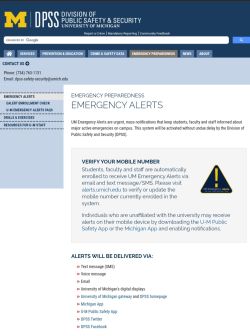
Example: The University of Michigan employs the U-M Emergency Alert system (via Everbridge) to issue real-time emergency messages to students, faculty, and staff.
Will the MNS play nicely with the technology your school already uses? The best platforms can plug into and leverage your existing infrastructure. For example, can it broadcast through your classroom intercoms and PA speakers, or trigger fire alarm strobes and door locks? Many schools have piecemeal safety tools that don’t automatically coordinate with each other. A strong notification system serves as the central hub to unify these.
Example: McGill University’s campus-wide alert system ties into multiple platforms already on campus, including a digital signage network (Omnivex), mass text/email alerts, and loudspeakers. This means one alert can simultaneously pop up on phones, computers, and PA systems across the university, rather than requiring separate actions for each.
Can you target alerts to specific groups or locations when needed? In some situations, you won’t want to blast everyone. The system should let you easily narrow the recipient list based on location or role.
For example, if a small chemical spill affects only the science building, you might alert just that building’s students and staff rather than the entire campus. Conversely, if you have multiple campuses, you may need to send a message only to one site. A good MNS supports both wide-area alerts and precise targeting.
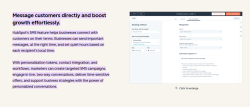
Example: Hubspot’s SMS features offer personalized tokens, contact integration, and workflows, allowing schools to create targeted SMS campaigns and engage in live two-way personalized conversations.
You need a system that works even when things go wrong. Ensure the provider’s network has redundant infrastructure (backup servers, multiple data centers) and built-in fail-safes if one communication mode fails.
For example, if text messages aren’t going through, can it automatically switch to another channel, like email or voice calls? On your side, plan for overlapping alert methods so there’s no single point of failure.
Example: HEM’s Mautic allows you to send notifications via text, email, and mobile app all at once, while the campus also uses sirens and PA announcements as backup.
In an emergency, communication shouldn’t be just one-way. It can be very useful to get feedback or confirmation from recipients and to empower people on the ground to initiate alerts. Some mass notification systems for schools allow two-way interaction. For instance, letting recipients click “I’m Safe” in a mobile app or reply to a text to give their status. This helps account for people and gather instant feedback from the scene.
Equally important is a panic-button capability. Many schools now provide staff with a mobile app or wearable panic button that lets them trigger an emergency alert or call for help with one touch.
Example: University of Southern California’s emergency notification ecosystem is integrated with a smartphone safety application, known as the Trojan Mobile Safety App, powered by LiveSafe. This free downloadable app, managed by the USC Department of Public Safety and Emergency Planning, complements the TrojansAlert system by putting emergency assistance tools directly in users’ hands. Notably, the app includes a panic-alert feature in the form of one-touch emergency calling.
Consider the management and support aspects of the system. You’ll want to control who can send alerts (and to whom). Robust platforms allow role-based permissions. For instance, limiting campus-wide alerts to senior officials while enabling more localized alerts by authorized staff. This ensures alerts can be sent out quickly but still securely by the appropriate personnel.
Data security is critical as well: the system will hold contact info for your students and staff, so it must safeguard that data and comply with privacy laws (such as FERPA or GDPR). Additionally, evaluate the vendor’s customer support and training.
Emergencies can happen anytime, so 24/7 technical support is highly desirable. If an issue arises at 3 AM, you’ll want immediate help. A good provider will also help train your team so everyone knows how to use the system effectively before an emergency occurs.
Example: The University of Washington uses a Rave-powered UW Alert system to manage communications for its large campus community. With tens of thousands of students and employees, UW relies on the system’s strong admin controls to ensure only authorized officials can send out mass alerts, and on the vendor’s support to keep the platform running smoothly.
Prices vary. Some platforms bill per message or user, others charge flat annual fees. Don’t choose based solely on price. Focus on total value and required features, and check for educational discounts.
9. Scalability and Future-Proofing
As your school grows or tech evolves, your MNS should scale accordingly. Look for vendors with a proven track record of innovation and regular updates.
In a nutshell, what features should a good campus mass notification system include? A reliable campus notification system should have multi-channel messaging (SMS, email, phone, app alerts), easy integration with existing databases and software, real-time analytics and reporting, mobile accessibility, and role-based controls. Ideally, it should also allow for geotargeted alerts, two-way communication, and scheduled test alerts. These features help schools deliver timely, relevant updates during both emergencies and routine situations.
Why HEM’s Mautic CRM Is a Smart Choice for Mass Notification and Communication
Choosing a mass notification system is not just a technical decision: it’s a strategic one. That’s why many institutions are turning to HEM’s Mautic CRM, a powerful platform that blends emergency communication with everyday engagement, all in one intuitive system.
HEM’s Mautic isn’t just a marketing tool: it’s a communication hub designed for the complex needs of modern schools. Built specifically for educational institutions, it provides the flexibility and automation required to send the right message to the right person, at exactly the right moment, whether you’re dealing with an emergency or simply sending out a campus newsletter.
Unified Communication Across Channels
Mautic CRM allows schools to centralize their messaging efforts, supporting email, SMS, and in-app alerts from a single dashboard. In a crisis, that means no delays switching between systems, just fast, targeted communication when every second counts.
But its value extends beyond emergencies. With Mautic, you can schedule and automate routine announcements, manage event outreach, and nurture prospective students through personalized workflows, making it a powerful asset for both marketing and crisis response teams.
Segmentation and Personalization
The platform’s segmentation features let you target messages based on program, campus, enrollment stage, or any other custom criteria. This ensures your messages are always relevant, crucial when issuing alerts that may only apply to certain groups, buildings, or locations.
Need to notify only international students about a visa-related change? Or send an urgent weather alert to your downtown campus while leaving other sites unaffected? Mautic makes it easy.
Automation for Every Scenario
From workflow triggers to dynamic content, HEM’s Mautic helps schools automate communication with precision. For example:
Trigger follow-up emails after an info session
Send reminders about registration deadlines
Automate alerts for emergency drills or test scenarios
These workflows can be adapted for both emergency preparedness and ongoing communications, creating a seamless experience for students, faculty, and administrators alike.
Easy Integration and Expert Support
HEM’s CRM integrates with leading SIS and web platforms, enabling real-time syncing of contact data and activity tracking. That makes implementation smooth and ensures your alert system always has up-to-date recipient information.
And because it’s backed by HEM’s education marketing experts, you get more than just software; you get strategic onboarding, training, and long-term support tailored to your institution’s needs.
Ready to Future-Proof Your School Communication?
Whether you’re managing crisis alerts or student outreach campaigns, HEM’s Mautic CRMdelivers reliability, flexibility, and peace of mind. Join institutions that are redefining campus communication and doing it smarter.
Looking for an all-in-one student information and CRM solution tailored to the education sector?
Try the HEM’s Mautic CRM!
Frequently Asked Questions
Question:What is a mass notification system for schools? Answer: A mass notification system for schools is a platform that enables institutions to quickly inform students, faculty, and staff about emergencies or critical situations.
Question: What features should a good campus mass notification system include? Answer: A reliable campus notification system should have multi-channel messaging (SMS, email, phone, app alerts), easy integration with existing databases and software, real-time analytics and reporting, mobile accessibility, and role-based controls.
Restrictive immigration policy in Australia has boosted numbers coming to UK.
75% of the market is searching for undergraduate options with affordable fees.
Medium-of-instruction (MOI) English language waivers are common, and often linked to TNE college partnerships.
Nepal has been a key recruitment market for both Australia and the UK for many years – but as the number of students applying to the UK rises, many more universities are starting to explore the market.
In the year ending March 2024, according to ONS data, 9,003 Nepalese students were issued study visas for the UK, with the number undoubtedly larger for the intakes since.
According to Enroly, the number of CASs issued for the January 2025 intake was up 200% while CAS issuance for its entire UK portfolio was only up 23%. Overall, the total market share of CAS issuance for Nepal grew from 3% to 7% in 2024.
This impressive growth has come at a time when some British universities have seen falling demand from other international markets, and the government has announced a student visa clamp-down on Bangladesh, Pakistan, Nigeria and Sri Lanka – linked to asylum claims.
So why are Nepalese students choosing the UK and will it last?
Over 60,000 Nepalese students previously chose to study in Australia each year, making it the third biggest source market for the country.
Recent visa restrictions imposed by the Albanese government, however, are now forcing many students to seek an alternative destination.
While the Australian visa process requires detailed evidence on income, the UK system allows students to show a mature bank account, often supplemented by private student loans.
Enroly estimates that 78% of Nepalese students are now funded through education loans, or a combination of an education loan and university discount.
Affordable fees and scholarships
Despite economic growth, projected to be 4.61% this fiscal year, Nepal is still a price-senstitive market.
As a consequence, there are 15-20 British universities from the ‘Million Plus’ and ‘Alliance’ groups attracting a large market share in the country.
Many of these institutions are the same UK universities that are diversifying income through franchise activity, brand campuses and TNE articulations.
Offering average annual fees of between £11,500 and £13,500 enables them to attract a large number of predominently undergraduate students to supplement their numbers.
According to HESA statistics, some of the biggest recruiters are BPP, University of Sunderland and Coventry University.
The latter have validation partnerships with local providers such as ISMT College and Softwarica College of IT and eCommerce, respectively, creating a pipeline of students that can top-up with a final year in the UK or progress easily on to masters degree.
The UK universities recruiting the most students from Nepal:
University of West Scotland, London
BPP
Coventry University
University of Sunderland
University of Roehampton
York St John University
Ravensbourne University London
University of East London (UEL)
University of West London
University of Wolverhampton
University of Central Birmingham (UCB)
University of Hertfordshire
University of Greenwich
Ulster University
The trend for universities to accept Nepalese students directly has significantly reduced the demand for foundation programmes in the region.
Accpetance of MOI letters as proof of English
Another key factor is the widespread acceptance of MOI letters as a waiver of additional English language tests.
These letters are used as proof that the qualification gained by a prosepctive student was both taught and assessed in English to a level acdepted by a university as having met English language requirements. The UK government is currently consulting with the sector on the way universities make English language self-assessment decisions for admissions purposes.
Agents and immigration consultants use English language waivers as one of the areas to save prospective students money and support partner universities.
According to Enroly, 82% of course deposits paid by Nepalese students for the UK, come from applications supported by an education agent.
The PIE News visited Nepal to better understand the challenges education agents face in a competitive market. Read the full report here.
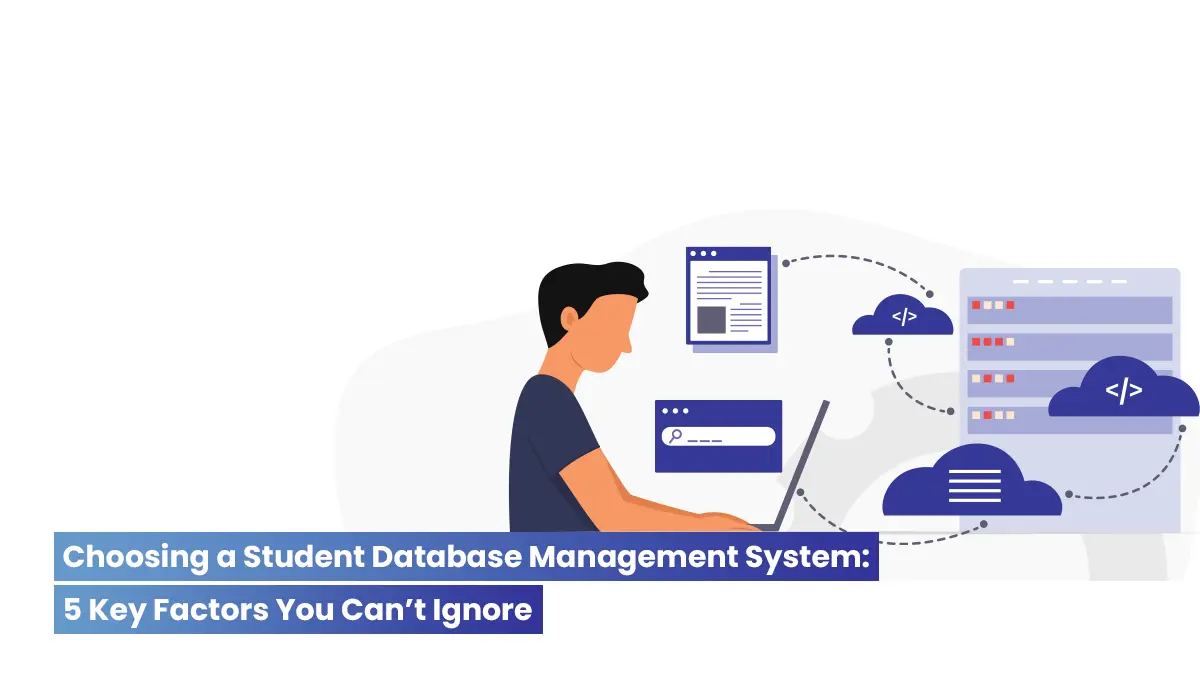
Every educational institution relies on students, and data management is essential to their success. The appropriate Student Database Management System can alter the game for colleges and institutions as they adapt to new technology. With more and more institutions using digital solutions for student data management, as decision makers, it’s necessary to know what aspects matter the most! We recommend you consider these five factors while choosing the optimal system for your higher ed campus!
Five Important Factors to Keep in Mind When Selecting a Student Database Management System
You simply can’t miss taking your institution’s demands into account while selecting a Student Database Management System. Integrating with your current infrastructure saves time, lowers mistakes, and enhances student outcomes. Let’s talk about the five most important factors that will assist you in making a smart decision for the success of your organization.
Cloud Automation
A survey from Educause states that 80% of institutions of higher education have transitioned at least a portion of their services to the cloud. Institutions can be assured that their student data is safe and secured and in an accessbile format with cloud-based student database management systems. This transition to cloud automation guarantees real-time updates and more efficient operations, improving the entire experience for both students and staff. (Source: Educause Horizon Report, 2020)
Locking Down Data Security
A 2023 IBM study found that 60% of higher education institutions faced significant data breaches. The next big thing to consider when choosing the right student database management system is hence data security! University management systems with high data security help prevent incidents with their role-based access controls. By limiting data access to authorized personnel—whether students, staff, or parents—institutions can safeguard sensitive information, mitigate risks, and maintain compliance with data protection regulations like GDPR.
Better Insights, Decisions
Inside Higher Ed found that data analytics improves student retention by 25%. The right student database management system can help administrators spot at-risk students and intervene quickly with real-time performance dashboards. Trust us, predictive analytics improve policymaking and student results by predicting future trends!
Notifications in a Flash
The majority of students (70%) say they are more involved when they are notified about upcoming activities and deadlines promptly highlights Gallup’s study. In order to improve communication and organizational efficiency, automated messages and notifications are put in place to make sure that administrators, students, and teachers never miss any essential information, such as when exams are scheduled or when assignments are due. So this is a never-miss-out when it comes to the right student database management system.
Mobile – All You Need in Your Pocket
A PwC study indicated that over 50% of students prefer mobile apps for academic content. Mobile access keeps students and faculty linked for attendance, grade updates, and fee payments. Trust us, a smooth mobile experience boosts student engagement and satisfaction.
Transform Student Management with Creatrix Campus
A revolutionary student management system, Creatrix Campus simplifies every element of student life for institutions and students. Our technology connects across the web and mobile, making attendance, grading, and communication easy. Technology and student success combine at Creatrix Campus—the future of education management. Contact us now.
Data privacy and compliance in educational cloud solutions is no more a choice, but a mantra. Colleges and universities can get a lot out of moving to the cloud, but picking the right cloud partner is very important. An effective partner can help organizations improve their processes, improve student experience, and work more efficiently. When your institution decides on a cloud partner, you may have to consider these 7 factors that are discussed in the blog:
Data Privacy and Compliance in Educational Cloud Solutions. Why?
Safeguarding sensitive student and institutional data is an absolute necessity in the field of higher education. It has become a mandate that higher education institutions establish robust privacy and compliance standards, as data breaches have increased by 75% between 2021 and 2023.
To protect data across international boundaries, a trustworthy cloud partner must comply with regulations such as the General Data Protection Regulation (GDPR), the Family Educational Rights and Privacy Act (FERPA), and ISO 27001. To give just one example, research has shown that 63 percent of students give higher priority to educational institutions that exhibit robust data protection measures. By selecting a cloud service that offers encryption, access control, and frequent audits, you are not only meeting a technical necessity; you are also taking a step toward developing trust in a world that is driven by data.
Benefits of Cloud Computing in Higher Education Institutions
How to Choose the Right Cloud Provider for Universities? 7 Factors You Can’t Ignore
1. Solutions Tailored for Higher Education
As said earlier, data privacy and compliance in educational cloud solutions is no longer an option but a necessity. Hence, as a first step, verify that your cloud partner provides solutions that are 100 % tailored to higher education institutions. A standard cloud provider may need to adequately meet the specific requirements of academic settings. Solutions created expressly for higher education to understand the complexity of student information systems, academic administration, and compliance regulations, which help avoid inefficiencies and missed opportunities.
2. Several Deployment choices
To maintain data privacy and compliance in educational cloud solutions, the next important thing to consider is to be open to several deployment choices. Flexibility depends on the capacity to choose among several deployment choices. A cloud partner should provide SaaS deployment methods, and hybrid, managed, and cloud-based solutions so your university may move on its terms. This flexibility guarantees that you can pick the right deployment method that is most suited for you, for your long-term and present requirements of your university.
3. Proven History of Smooth Migrations
It can be hard to move to the cloud, so it’s important to work with a partner who has a history of getting cloud transfers done on time and on budget. Before working with educational institutions, a reliable vendor should have shown that they can handle large-scale migrations with little trouble and no loss of data protection for educational institutions.
4. Expertise in Security and Compliance
Cybersecurity is a significant issue for higher education organizations managing sensitive information. Your cloud partner must implement stringent security protocols, with tight-kint encryption, multi-factor authentication, and routine security assessments. Furthermore, verify their adherence to industry standards and regulations, including GDPR and FERPA, to safeguard your institution’s data and uphold legal compliance.
5. Scalability and Flexibility for Growth
Higher education institutions are continually developing. Your cloud partner must provide scalable solutions that can adapt to your institution’s requirements. Your cloud infrastructure must possess the flexibility to scale up or down seamlessly in response to increased student enrollment, new academic programs, or expanded research efforts, without significant disruptions.
6. Continuous Assistance and Enhancement
Considering data privacy and compliance in educational cloud solutions, selecting a cloud partner that offers ongoing assistance after the initial deployment is a must. Continuous advisory services, system enhancements, and routine performance evaluations are a strict must-have. Note that an effective partner actively optimizes processes and identifies areas for improvement.
7. Dedication to Research and Innovation
Your cloud partner ought to be dedicated to ongoing innovation and development. Seek for suppliers who actively support research and development to improve their products depending on client comments. Constant evolution of a partner will allow your university stay at the forefront of educational technology and enable it to move with the times and meet new problems.
Winding Thoughts Creatrix Campus Advantage
With over a decade of experience, Creatrix Campus provides customized cloud solutions to higher education. We are built with data privacy and compliance in educational cloud solutions. You can streamline operations, improve the student experience, and future-proof your technical infrastructure with our focus on security + scalability + educational institution needs. For continuous support or flexible deployment, Creatrix Campus will help your institution succeed in the cloud!
Ready to transform your institution’s cloud journey? Please contact us today.