Surveys show the challenge clearly. In New Zealand, students report feeling less engaged online than in traditional classrooms. In the US, 78 per cent of learners say face-to-face courses hold their attention better.
This pattern appears globally, and universities often identify the same cause: conventional courses are simply too long and dense for digital formats. So how do we make online learning both simpler and more engaging?
Why engagement drops in online university courses
Most online courses still mirror traditional academic structures. Long lectures, heavy materials, and limited interaction assume learners will consume content the same way they would in person – but that rarely happens.
In physical classrooms, engagement comes naturally through conversation, questions, and shared energy. Online, those moments are harder to recreate. Without interaction, digital learners can easily feel isolated or overwhelmed by complicated terms and information overload – and motivation quickly drops.
The three pillars of engagement
Fortunately, research and practice point to three proven solutions: microlearning, interaction, and personalization.
2. Interaction Gamified tasks, simulations, and quizzes turn learners from passive viewers into active participants. Studies show that interactive simulations can boost retention by 67 per cent. In some cases, gamified online learning can be even more engaging than traditional classroom discussions because every learner participates equally.
3. Personalisation When training adapts to a learner’s goals or progress, it becomes more meaningful. 78 per cent of teachers confirm that personalisation drives higher motivation and completion rates. It makes learners feel seen, and helps them focus on what really matters to their growth.
Why short courses are easier to build than ever
Many institutions want to create short, interactive, and personalised courses but worry it will take too much time or too many resources. That was true in the past, when updating course structure meant redoing everything manually.
Now, new authoring tools make the process fast and scalable. For instance, iSpring Suite AI helps educators design short courses directly in PowerPoint, complete with quizzes, interactive scenarios, and gamified elements. Its templates and built-in content library significantly cut course creation time down from months to weeks.
Middlesex University adopted iSpring Suite to increase learner participation through shorter, interactive, and personalised experiences. The result? Over 12,000 quiz views in a single academic year.
With AI-assisted authoring, educators can also now test and refine ideas in real time – no large teams or budgets required.
Creating digital courses is as easy as designing a presentation, and you can try it free for two weeks.
The bottom line
To keep learners engaged, universities must rethink course design and focus on shorter, interactive, and personalised learning experiences. These formats match how people actually consume information today.
The next generation of online education won’t just replicate traditional classrooms It will redefine engagement. And with the right tools, creating meaningful digital learning experiences is now faster, simpler, and more accessible than ever.
When you need to fix your sink, learn how to use AI, or cook up a new recipe, chances are you searched on YouTube, TikTok, Instagram, or even Facebook–and found a video, watched it, paused it, rewound it, and successfully accomplished your goal. Why? Videos allow you to get the big picture, and then pause, rewind, and re-watch the instruction as many times as you want, at your own pace. Video-based instruction offers a hands-free, multichannel (sight and sound) learning experience. Creating educational videos isn’t an “extra” for creating instruction in today’s world; it’s essential.
As an educator, over the past 30 years, I’ve created thousands of instructional videos. I started creating videos at Bloomsburg University early in my career so I could reinforce key concepts, visually present ideas, and provide step-by-step instruction on software functionality to my students. Since those early beginnings, I’ve had the chance to create video-based courses for Lynda.com (now LinkedIn Learning) and for my YouTube channel.
Creating instructional videos has saved me time, expanded my reach, and allowed me to have more impact on my students.
Tips
Creating educational videos over the years has taught me a number of key lessons that can help you, too, to create impactful and effective instructional videos.
Be yourself and have fun
The first rule is to not overthink it. You are not giving a performance; you are connecting with your students. In your instructional video, talk directly to your students and connect with them. The video should be an extension of your personality. If you tell silly jokes in class, tell silly jokes in the video. You want your authentic voice, your expressions, and your energy in the videos you create.
And don’t worry about mistakes. When I first did Lynda.com courses, any small mistake I made meant we had to redo the take. However, over the years, the feedback I’ve received on the videos across LinkedIn Learning indicated that flawless performances were not the way to go because they didn’t feel “real.” Real people make mistakes, misspeak, and mispronounce words. Students want to connect with you, not with flawless editing. If you stumble over a word, laugh it off and keep going. The authenticity makes the student feel like you’re right there with them. If you watch some of my current LinkedIn Learning courses, you’ll notice some mistakes, and that’s okay–it’s a connection, not a distraction.
Speak with the students, don’t lecture
Video gives you the chance to have an authentic connection with the student as if you were sitting across the desk from them, having a friendly but informative chat. When filming, look directly into the camera, but don’t stare–keep it natural. In actual conversations, two people don’t stare at each other, they occasionally look away or look to the side. Keep that in mind as you are recording. Also make sure you smile, are animated, and seem excited to share your knowledge. Keep your tone conversational, not formal. Don’t slip into “lecture mode.” When you look directly into the camera and speak directly to the student, you create a sense of intimacy, presence, and connection. That simple shift from a lecture mindset to conversation will make the video far more impactful and help the learning to stick.
Record in short bursts
You don’t have to record a one-hour lecture all at once. In fact, don’t! A marathon recording session isn’t good for you. It creates fatigue, mistakes, and the dreaded “do-over” spiral where one slip-up makes you want to restart the entire video. Instead, record in short bursts, breaking your content into segments. Usually, I try to record only about four to five minutes at a time. The beauty of this technique is that if it’s completely a mess and needs a total “do over,” you only need to re-record a few minutes, not the entire lecture. This is a lifesaver. Before I began using this technique, I dreaded trying to get an entire one-hour lecture perfect for the recording, even though I was rarely perfect in delivering it in class. But the pressure, because it was recorded, was almost overwhelming.
Now, I record in small segments and either put them all together after I’ve recorded them individually or present them to students individually. The advantage of individually recorded videos for students is that it makes the content easier to learn. They can re-watch the exact piece they struggled with instead of hunting through an hour-long video to find just what they need.
Keep it moving
A word of caution: We’ve all seen those videos. You know the ones: A tiny talking head hovers in the corner, reading every bullet point like it’s the audiobook version of the slide while the same slide just sits there for 15 minutes with no movement and no animation–not even a text flying in from the left. Ugh. Don’t let your visuals sit there like wallpaper. Instead, strive for movement. About every 30 seconds, give learners something new to look at. That could mean switching to the next slide, drawing live on a whiteboard, cutting to you speaking and then back to the slide, or animating an illustration to show movement. The point is that motion grabs attention. For a video, cut down your wall-of-text slides. Use fewer words and more slides. If you have 50 words crammed on one slide, split it into three slides. Insert an image, a chart, or even a simple sketch. If you’re teaching software, demonstrate it on screen instead of describing it in words. If you’re explaining a process, illustrate the steps as you go. The more movement, the more likely you are to hold the learner’s attention.
Keep production simple
The good news about creating educational videos is that you don’t need a big budget or a film crew to get started. All you need is a camera, a good microphone, and a simple video creation tool. Now, I would advise not using your laptop’s built-in camera or microphone. They don’t do the job well. You don’t want a grainy, pixelated picture or muffled audio. They make it too hard for students to focus and even harder for them to stay engaged. For video, I recommend using an external webcam. Even a modest one is a huge step up from what’s baked into most PCs. For audio, go with an external microphone, or even a good-quality headset. For the video tool, I have not found a simpler or easier-to-use tool than Camtasia’s free online, cloud-based tool. The free version lets you record your screen, capture your voice, do slight edits, and add backgrounds. It is more than enough to create clear, useful videos that your students can actually learn from. Remember, the goal isn’t Hollywood production. You want clear, effective, and authentic instructional videos.
By using these five tips, educators can create instructional videos to save time, expand their reach, and create greater impacts on their students. Grab a good camera, a decent headset, and free video software, and create your first instructional video. Just simply start. You’ll wonder why you waited so long.
Karl M. Kapp, Ed.D., Learning and Development Mentor Academy
Karl M. Kapp, Ed.D., is a leading expert in the convergence of learning, technology, and business. A professor of instructional technology at Commonwealth University and current director of its Institute for Interactive Technologies, Kapp has spent more than 25 years helping organizations design engaging, effective learning experiences. Widely recognized as a pioneer in the gamification of learning, he is the author of multiple influential books, including Action-First Learning: Instructional Design Techniques to Engage and Inspire.
Kapp is the founder of the Learning and Development Mentor Academy and co-founder of Enterprise Game Stack, where he empowers professionals to create interactive and meaningful learning through games, technology, and innovative instructional design. A sought-after speaker, consultant, and TEDx presenter, he has worked with Fortune 100 companies and global organizations to transform traditional training into dynamic, performance-driven learning experiences. Connect with Karl on LinkedIn. For more information, please visit https://karlkapp.com/ or check out his YouTube Channel at https://www.youtube.com/ProfKapp01.
Latest posts by eSchool Media Contributors (see all)
For unions and nonprofit organizations committed to civic engagement and economic justice, this represents a unique opportunity: mobilize borrowers in ways that align with their values, rather than against them. Messaging that highlights fairness, personal responsibility, and stewardship—core Christian principles—can resonate deeply while framing student debt as a challenge to both economic and moral accountability.
These borrowers are approaching peak voting age, meaning that engagement now could influence local and national politics in the coming election cycles. Institutions like the University of Phoenix show the scale of the opportunity: over one million borrowers owe more than $21 billion nationwide, suggesting that faith-aligned organizing strategies could have broad impact.
The strategy is clear: educate borrowers about their rights, expose predatory practices, and organize them into civic action, all while respecting their values and beliefs. Done thoughtfully, this approach can build trust and spur meaningful participation in democracy, turning a population long overlooked into an informed, motivated constituency.
The coming years will test whether unions and nonprofits seize this moment. Hundreds of thousands of conservative, Christian borrowers could become a powerful force for accountability and change—but only if engagement is value-driven, strategic, and timely.
For decades, curriculum, pedagogy, and technology have evolved to meet the changing needs of students. But in many schools, the classroom environment itself hasn’t kept pace. Classic layouts that typically feature rows of desks, limited flexibility, and a single focal point can often make it harder for educators to support the dynamic ways students learn today.
Classrooms are more than places to sit–when curated intentionally, they can become powerful tools for learning. These spaces can either constrain or amplify great teaching. By reimagining how classrooms are designed and used, schools can create environments that foster engagement, reduce stress, and help both teachers and students thrive.
Designing a classroom for student learning outcomes and well-being
Many educators naturally draw on their own school experiences when shaping classroom environments, often carrying forward familiar setups that reflect how they once learned. Over time, these classic arrangements have become the norm, even as today’s students benefit from more flexible, adaptable spaces that align with modern teaching and learning needs.
The challenge is that classic classroom setups don’t always align with the ways students learn and interact today. With technology woven into nearly every aspect of their lives, students are used to engaging in environments that are more dynamic, collaborative, and responsive. Classrooms designed with flexibility in mind can better mirror these experiences, supporting teaching and learning in meaningful ways, even without using technology.
To truly engage students, the classroom must become an active participant in the learning process. Educational psychologist Loris Malaguzzi famously described the classroom as the “third teacher,” claiming it has just as much influence in a child’s development as parents or educators. With that in mind, teachers should be able to lean on this “teacher” to help keep students engaged and attentive, rather than doing all the heavy lifting themselves.
For example, rows of desks often limit interaction and activity, forcing a singular, passive learning style. Flexible seating, on the other hand, encourages active participation and peer-to-peer learning, allowing students to easily move and reconfigure their learning spaces for group work or individual work time.
I saw this firsthand when I was a teacher. When I moved into one of my third-grade classrooms, I was met with tables that quickly proved insufficient for the needs of my students. I requested a change, integrating alternative seating options and giving students the freedom to choose where they felt most comfortable learning. The results exceeded my expectations. My students were noticeably more engaged, collaborative, and invested in class discussions and activities. That experience showed me that even the simplest changes to the physical learning environment can have a profound impact on student motivation and learning outcomes.
Allowing students to select their preferred spot for a given activity or day gives them agency over their learning experience. Students with this choice are more likely to engage in discussions, share ideas, and develop a sense of community. A comfortable and deliberately designed environment can also reduce anxiety and improve focus. This means teachers experience fewer disruptions and less need for intervention, directly alleviating a major source of stress by decreasing the disciplinary actions educators must make to resolve classroom misbehavior. With less disruption, teachers can focus on instruction.
Supporting teachers’ well-being
Just as classroom design can directly benefit student outcomes, it can also contribute to teacher well-being. Creating spaces that support collaboration among staff, provide opportunities to reset, and reduce the demands of the job is a tangible first step towards developing a more sustainable environment for educators and can be one factor in reducing turnover.
Intentional classroom design should balance consistency with teacher voice. Schools don’t need a one-size-fits-all model for every room, but they can establish adaptable design standards for each type of space, such as science labs, elementary classrooms, or collaboration areas. Within those frameworks, teachers should be active partners in shaping how the space works best for their instruction. This approach honors teacher expertise while ensuring that learning environments across the school are both flexible and cohesive.
Supporting teacher voice and expertise also encourages “early adopters” to try new things. While some teachers may jump at the opportunity to redesign their space, others might be more hesitant. For those teachers, school leaders can help ease these concerns by reinforcing that meaningful change doesn’t require a full-scale overhaul. Even small steps, like rearranging existing furniture or introducing one or two new pieces, can make a space feel refreshed and more responsive to both teaching and learning needs. To support this process, schools can also collaborate with learning environment specialists to help educators identify practical starting points and design solutions tailored to their goals.
Designing a brighter future for education
Investing in thoughtfully designed school environments that prioritize teacher well-being isn’t just about creating a more pleasant workplace; it’s a strategic move to build a stronger, more sustainable educational system. By providing teachers with flexible, adaptable, and future-ready classrooms, schools can address issues like stress, burnout, and student disengagement. When educators feel valued and empowered in their spaces, they create a better work environment for themselves and a better learning experience for their students. Ultimately, a supportive, well-designed classroom is an environment that sets both educators and students up for success.
Dr. Sue Ann Highland, School Specialty
Dr. Sue Ann Highland is the Lead National Education Strategist at School Specialty.
Latest posts by eSchool Media Contributors (see all)
Amanda Fuchs Miller On this Election Day, it is critical to think about how we as a country want to ensure that more young people vote and get involved in public service. As a democracy, we should all be striving to make it easier for new voters to register, get to the polls, and have their vote count. However, what we are seeing instead are efforts to make it harder for college students to be engaged in our electoral process – through restrictions on supports and language designed to have a chilling effect on voting instead of encouraging it.
Right before college students returned to campuses, the U.S. Department of Education issued new guidance designed to make it harder for college students to vote. Every school year, students receive an email with information about how to register to vote. This is because it is required in law. The Higher Education Act requires institutions of higher education to “make a good faith effort to distribute a mail voter registration form…to each student enrolled in a degree or certificate program and physically in attendance at the institution, and to make such forms widely available to students at the institution.”
Contrary to statute, the Trump Administration is now encouraging schools to limit who they send this information to – saying that if a school doesn’t send it to students who they have “reason to believe” are ineligible to vote, that’s okay. In addition to this being contrary to law, which requires all students to receive this information, this will increase the likelihood of students who are eligible not receiving information about how to register to vote (thus suppressing their votes) – and is likely to most impact students of color. The Department is also encouraging the voter registration information to include language reminding students of the list of ways that voting may be fraudulent – another tactic that may have a chilling effect on students going to the polls.
The same Department guidance prohibits students from being paid with federal work-study funds for any voting-related activities. A press release from the Department says that they are making a change to this longstanding policy because “Federal Work-Study is meant to provide students opportunities to gain real-world experience that prepares them to succeed in the workforce, not as a way to fund political activism on our college and university campuses.”
As we prepare our next generation of leaders to play a role in our democracy, in government, and in public service, it is hard to see how allowing students to participate in nonpartisan voting engagement is not aligned with experience they will benefit from in the workplace. By engaging in nonpartisan voter registration efforts using work-study positions, college students are able to increase the number of their peers who are registered to vote while learning and participating fully in our democratic system – all while earning the funds they are entitled to so that they can afford a college degree. It can’t go without saying that this restriction is also counter to statute and regulations which do not limit the types of on-campus work study positions to those that are in the “public interest,” as the guidance suggests. That limitation is only linked to off-campus work-study positions.
In a survey by CIRCLE following the 2024 elections about why young people didn’t register to vote, more than one in 10 – 12 percent – of people aged 18-34 said they did not know how to register or had problems with voter registration forms. Nearly a third of young people – 31 percent – said they were too busy, ran out of time, or missed the registration deadline. Without receiving voter registration information, in an objective way, from their college or university or their peers on campus, these numbers are likely to go up as more students will lack the information they need about voter registration.
Ensuring college students are able to vote shouldn’t be a partisan issue. In 2024, there were disparities by both gender and race in youth voter turnout. We all benefit from a democracy where everyone’s voice is heard and every vote is counted – for whomever the ballot is cast.
_________
Amanda Fuchs Miller is president of Seventh Street Strategies and former Deputy Assistant Secretary for Higher Education Programs at the U.S. Department of Education in the Biden-Harris Administration.
In my classroom, students increasingly ask for relevant content. Students want to know how what they are learning in school relates to the world beyond the classroom. They want to be engaged in their learning.
In fact, the 2025-2026 Education Insights Report vividly proves that students need and want engaging learning experiences. And it’s not just students who see engagement as important. Engagement is broadly recognized as a key driver of learning and success, with 93 percent of educators agreeing that student engagement is a critical metric for understanding overall achievement. What is more, 99 percent of superintendents believe student engagement is one of the top predictors of success at school.
Creating highly engaging lesson plans that will immerse today’s tech-savvy students in learning can be a challenge, but here are two easy-to-find resources that I can turn to turbo-charge the engagement quotient of my lessons:
Virtual field trips Virtual field trips empower educators to introduce students to amazing places, new people and ideas, and remarkable experiences–without ever leaving the classroom. There are so many virtual field trips out there, but I always love the ones that Discovery Education creates with partners.
I also love the virtual tours of the Smithsonian National Museum of Natural History. Together as a class or individually, students can dive into self-guided, room-by-room tours of several exhibits and areas within the museum from a desktop or smart device. This virtual field trip does include special collections and research areas, like ancient Egypt or the deep ocean. This makes it fun and easy for teachers like me to pick and choose which tour is most relevant to a lesson.
Immersive learning resources Immersive learning content offers another way to take students to new places and connect the wider world, and universe, to the classroom. Immersive learning can be easily woven into the curriculum to enhance and provide context.
One immersive learning solution I really like is TimePod Adventures from Verizon. It features free time-traveling episodes designed to engage students in places like Mars and prehistoric Earth. Now accessible directly through a web browser on a laptop, Chromebook, or mobile device, students need only internet access and audio output to begin the journey. Guided by an AI-powered assistant and featuring grade-band specific lesson plans, these missions across time and space encourage students to take control, explore incredible environments, and solve complex challenges.
Immersive learning content can be overwhelming at first, but professional development resources are available to help educators build confidence while earning microcredentials. These resources let educators quickly dive into new and innovative techniques and teaching strategies that help increase student engagement.
Taken together, engaging learning opportunities are ones that show students how classrooms learnings directly connect to their real lives. With resources like virtual field trips and immersive learning content, students can dive into school topics in ways that are fun, fresh, and sometimes otherworldly.
Leia J. DePalo, Northport-East Northport Union Free School District
Leia J. (LJ) DePalo is an Elementary STEM and Future Forward Teacher (FFT) in the Northport-East Northport School District with over 20 years of experience in education. LJ holds a Master of Science in Literacy and permanent New York State teaching certifications in Elementary Education, Speech, and Computer Science. A dedicated innovator, she collaborates with teachers to design technology-infused lessons, leads professional development, and choreographs award-winning school musicals. In recognition of her creativity and impact, DePalo was named a 2025 Innovator Grant recipient.
Latest posts by eSchool Media Contributors (see all)
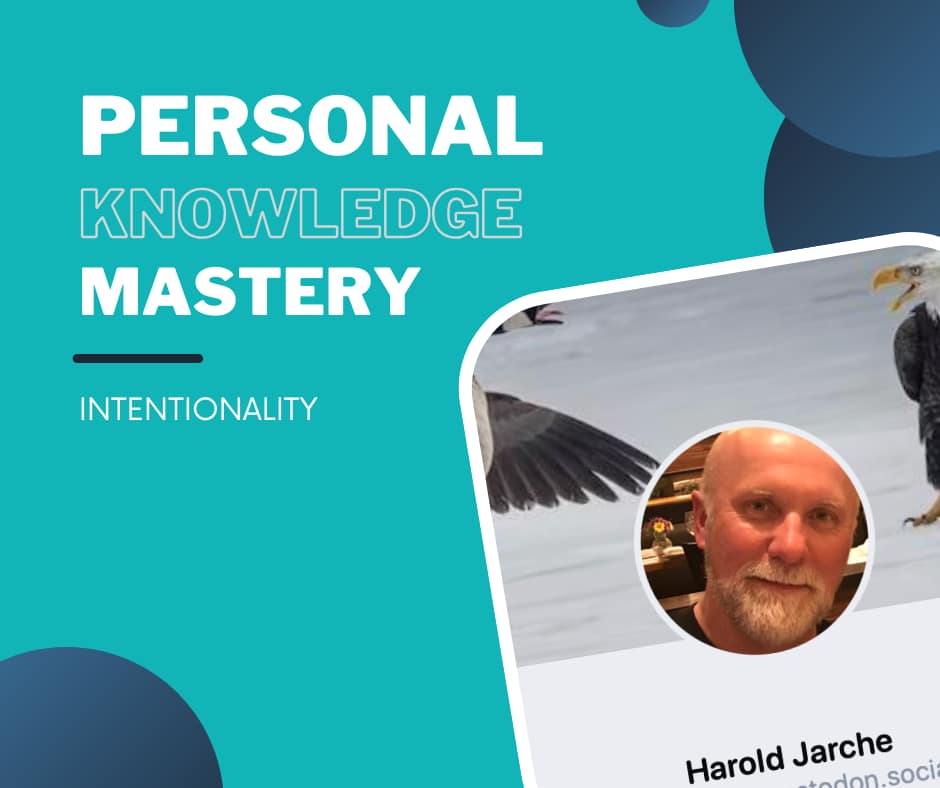
Thus begins week two of Harold Jarche’s Personal Knowledge Mastery workshop. This week’s schedule already feels overly crowded, when my brain may best begin to be described as “fuzzy”… Hardly an opportunity for much sense-making. Still, I noted something as I considered some of the ways that Jarche says are the practices that PKM is built upon. He gives the following examples:
– narrating our work – adding value before sharing information – helping make our networks smarter and more resilient – network weaving and closing triangles – seeking diverse perspectives – sharing half-baked ideas
I instantly thought of the tension between wanting to “add value before sharing information” and “sharing half-baked ideas”. I’ve almost always found incredible things happening in those times when I feel most vulnerable in sharing the unfinished work, while simultaneously wanting the exchange to be worth someone’s time/attention.
My favorite LinkedIn thread of all time (as least as of October 13, 2025) started with me saying that I had needed to get these custom card decks printed before creating the game structure that they would be played on. As in I needed to create a game after having ordered the cards that the game would be made up of… It was then in my sense-making (and writing on LinkedIn) that I realized I wasn’t even sure that I knew what a game was. And then, the beauty of the waterfall of goodness that commenced was amazing.
More than a handful of computer programers. While not a programmer, myself, I do enjoy learning from geeky people.
Primarily individuals and not as many organizations or group entities
Many use what appear to be their “real” names
A few have “request to follow” and I’m wondering what the etiquette is with that.
Found a number of people I recognized from elsewhere, but hadn’t yet “found” on Mastodon
Lots of varieties in profile picture approaches. Some regular photos; others more sketch-drawings; others not people at all)
I try not to be about the numbers, but it depresses me to have gone from 8k on Twitter to 259 on Mastodon. Yes, I know it is quality, not quantity. Still… I won’t try to pretend it doesn’t bum me out a bit.
Lots of personality comes out on these profiles… sense of humor… believe in something that matters to them… good trouble…
Lots of environmental people/professions, which reminds me of a post Harold wrote about wanting differing opinions, but not “both-sides-isms”… I just looked to see if I could find this post in my bookmarks and have come up empty. It’s a bummer, too, because he wanted to hear from people who generally agreed with the 97% of the world’s scientists who agree that climate change is occurring and is an issue, but to hear from people who think differently about what to then do about it.
Wait. Robin DeRosa is actively posting on Mastodon. My goodness, have I missed her on social media.
Back-to-school season arrives every year with a mixed bag of emotions for most educators, including anticipation and excitement, but also anxiety. The opportunity to catch up with friendly colleagues and the reward of helping students connect with material also comes with concern about how best to present and communicate that material in a way that resonates with a new classroom.
An annual challenge for K-12 educators is creating a syllabus that engages students and will be used throughout the year to mutual benefit rather than tucked in a folder and forgotten about. Today’s digital transformation can be a means for educators to create a more dynamic and engaging syllabus that meets students’ and parents’ needs.
While it can be overwhelming to think about learning any new education technology, the good news about a digital syllabi is that anyone who’s sent a digital calendar invite has already done most of the technical-learning legwork. The more prescient task will be learning the best practices that engage students and enable deeper learning throughout the year.
Step one: Ditch the PDFs and print-outs
Creating a syllabus that works begins with educators stepping into the shoes of their students. K-12 classrooms are full of students who are oriented around the digital world. Where textbooks and binders were once the tools of the trade for students, laptops and iPads have largely taken over. This creates an opportunity for teachers to create more dynamic syllabi via digital calendars, rather than printed off or static PDFs with lists of dates, deadlines, and relevant details that will surely change as the year progresses. In fact, many learning management systems (LMS) already have useful calendar features for this reason. Again, teachers need only know the best way to use them. The digital format offers flexibility and connectivity that old-school syllabi simply can’t hold a candle to.
Tips for creating an effective digital syllabus
Classroom settings and imperatives can vary wildly, and so can the preferences of individual educators. Optimization in this case is in the eye of the beholder, but consider a few ideas that may wind up on your personal best practices list for building out your digital syllabus every year around this time:
Make accessing the most up-to-date version of the syllabus as frictionless as possible for students and parents. Don’t attach your syllabus as a static PDF buried in an LMS. Instead, opt-in to the calendar most LMS platforms offer for the mutual benefit of educators, students, and parents. To maximize engagement and efficiency, teachers can create a subscription calendar in addition or as an alternative to the LMS calendar. Subscription calendars create a live link between the course syllabus and students’ and/or parents’ own digital calendar ecosystem, such as Google Calendar or Outlook. Instead of logging into the LMS to check upcoming dates, assignments, or project deadlines, the information becomes more accessible as it integrates into their monthly, weekly, and daily schedules, mitigating the chance of a missed assignment or even parent-teacher conference. Students and parents only have to opt-in to these calendars once at the beginning of the academic year, but any of the inevitable changes and updates to the syllabus throughout the year are reflected immediately in their personal calendar, making it simpler and easier for educators to ensure no important date is ever missed. While few LMS offer this option within the platform, subscription calendar links are like any hyperlink–easy to share in emails, LMS message notifications, and more.
Leverage the calendar description feature. Virtually every digital calendar provides an option to include a description. This is where educators should include assignment details, such as which textbook pages to read, links to videos or course material, grading rubrics, or more.
Color-code calendar invitations for visual information processors. Support different types of information processors in the classroom by taking the time to color-code the syllabus. For example, purple for project deadlines, red for big exams, yellow for homework assignment due dates. Consistency and routine are key, especially for younger students and busy parents. Color-coding, or even the consistent naming and formatting of events and deadlines, can make a large impact on students meeting deadlines.
Encourage further classroom engagement by integrating digital syllabus “Easter eggs.” Analog syllabi often contain Easter eggs that reward students who read it all the way through. Digital syllabi can include similar engaging surprises, but they’re easy to add throughout the year. Hide extra-credit opportunities in the description of an assignment deadline or add an invitation for last-minute office hours ahead of a big quiz or exam. It could be as simple as a prompt for students to draw their favorite animal at the bottom of an assignment for an extra credit point. If students are aware that these opportunities could creep up in the calendar, it keeps them engaged and perhaps strengthens the habit of checking their classroom syllabus.
While the start of the new school year is the perfect time to introduce a digital syllabus into the classroom, it’s important for educators to keep their own bandwidth and comfortability in mind. Commit to one semester with a digital syllabus and spend time learning the basic features and note how the classroom responds. From there, layer in more advanced features or functionality that helps students without being cumbersome to manage. Over time, educators will learn what works best for them, their students and parents, and the digital syllabus will be a classroom tool that simplifies classroom management and drives more engagement year-round.
Joep Leussink, AddEvent
Joep Leussink is the Head of Growth at AddEvent, a San Francisco-based platform that provides event and calendar marketing solutions. With a proven track record in driving growth for B2B SaaS companies from Series B to post-IPO, Joep leverages his expertise in demand generation and growth marketing to make AddEvent known and accessible to everyone.
Latest posts by eSchool Media Contributors (see all)
Hamish Coates, Ellen Hazelkorn, Hans de Wit, Tessa Delaquil, and Angel Calderon
Hans de Wit, Ellen Hazelkorn and Hamish Coates are editors and Tessa DeLaquil is associate editor of Policy Reviews in Higher Education. Angel Calderon is a member of the PRiHE Editorial Board. This blog is based on their editorial for issue 2, 2025.
It often feels like there is lots more ranting and moaning than imagining and evidencing around higher education these days. With excellent policy research, it does not have to be this way.
The immediate post-millennium era was arguably a golden age for universities, with huge interest in massification, investment, especially in research, and institutional autonomy. But the global financial crisis followed a decade later by global pandemic shocked higher education into different worlds. Most countries still promulgate objectives for a sustainable and cost-efficient, equitable and accessible, high quality education system as the basis for growth. In OECD countries, however, assumptions that massification would on its own provide opportunities for everyone with mechanisms for social inclusion and social mobility are being heavily questioned. In developing and emerging economies, the challenge is meeting demand and being able to absorb graduates. Yet, too many countries and research-focused universities keep chasing ‘quick prestige’, leaving others to put up with disproportionately lower funding, as well as poorer facilities, resources and opportunities.
Wealth and opportunity inequalities are increasingly greater within rather than between countries. At the same time, questions about educational outcomes such as employability, skills gaps and skills mismatches and over-qualification which have been long ignored by academic communities as irrelevant, are gaining public and policy traction. Governments and industries document the shift away from credentials towards greater focus on competencies – what people can do with what they know – and alternative accreditation processes.
A few large countries are in the foothills of a demographic cliff, while others are (currently) privileged by demand. Traditional public systems in many countries face an identity crisis and appear too sluggish to grasp new opportunities. Parts of the private subsector are progressively active and more responsive to the needs of diverse and older learners and to competency-based learning, micro-credentials and other forms of just-in-time learning. Accordingly, the private sector is the fastest growing segment of postsecondary education worldwide.
Countries vary considerably in their ability to cover costs associated with policy objectives due to revenue challenges and competitive demands elsewhere within society and the economy, alongside student and public unease about cost. Certain systems promote a laissez-faire or marketised approach whereby individual colleges and institutions (public and private) pursue their own agendas, while others grasp at opportunities for a more strategic state-led approach. Countries are beginning to examine the opportunities of a more joined-up post-secondary tertiary system (Hazelkorn, 2025). As Piketty has written, “it is access to skills and diffusion of knowledge that allow inequality to be reduced both within countries and at the international level” (2020: 534). But funding a mass system is very different from one catering to a small minority especially at a time when geopolitical/geoeconomic power shifts reshape the global landscape.
Deglobalisation and populist nationalism are shaking these issues out differently around the world. In many countries, these tensions are contributing to a growing sense of people and communities being left behind, and to social unrest. The dominance of information technology over universities, challenging the value of graduates for entry-level work and of faculty, will spur heightened questioning of the value of higher education (Coates, 2017; The Guardian, 2025; Roose, 2025). While others look on in disbelief, there is a sense that this may not be a problem for higher education today, though it is likely to be so one day.
It is too easy to blame governments and other external stakeholders. What role has higher education played itself, and what role can it play into the future? Is the sector, especially the public side, sufficiently strategic, forward-looking and adaptable? What are the implications for the governance of the system and of its many institutions? Or is it wandering unchained in the global wilds? Universities praise themselves as being one of the world’s oldest and most enduring institution, but as Darwin said: “It is not the strongest of the species that survives, nor the most intelligent that survives. It is the one that is the most adaptable to change.”
Once, such questions may have been ludicrous to provoke at the outset of a Policy Reviews in Higher Education (PRIHE) editorial. Not anymore. Accordingly, in the balance of this editorial we sketch frontier topics which higher education can embrace to drive positive reform, then current journal contributions (Figure 1). We conclude with a call to engage and transform.
Figure 1: Current and frontier contributions
Any higher education policy zealot who has read Arnold Lobel’s brilliant treatise on Owl’s strange bumps in the bed (in which the Owl is afraid to go to sleep because of two strange bumps at the bottom of his bed, which are, in fact, his feet) (Lobel, 1982) understands that fear is created by running scared and can be tackled by uncovering and addressing matters in ways that unlock innovation and progress.
Policy Reviews in Higher Education plays this important role, though to date with fewer endearing drawings. Springing from inspiring intellectual dialogue with a member of the PRIHE Editorial Board and consequently guest author, Angel Calderon, we mark out a handful of narratives to carry forward policy research over the coming decades:
Moving beyond academic comfort communities
Handling looming demographic shifts and diversity
Addressing concerns about academic value
Creatively unpacking university clusterings and characteristics
Leaders who lead in smart ways.
Higher education researchers must explore how universities and the academics who comprise them can move beyond comfort communities. This means finding ways to move beyond conservative research literatures and straightjacketing bibliometrics, beyond discipline and collegial communities, beyond the academic treadmill, beyond the subsector itself, and beyond naval-gazing research. A doctorate followed by decades toiling in the same institution is no prudent recipe for forging broader cognitive or tangible engagement with enterprise and industry (public and private) and the broader world. How can career trajectories be redefined to evoke and even provoke experimentation, fertilisation, and broader contribution?
Policy researchers must find productive ways for helping universities handle looming demographic shifts. The Asian investment in higher education which has fuelled the last thirty years will plateau and in major instances decline. Smart countries and universities are already looking beyond increasingly risky ‘foreign and school-leaver markets’ at reconfigured alignments with career-inspiring work and adult life. As yet, however, few if any countries have policy and associated regulation or funding to spur new ventures and directions. Beyond the sensible need for regional or perhaps global ‘harmonisation’, what is the scope for more imaginative forward-thinking about the sort of institutional reconfigurations needed to deliver for societies in 2050? Also, universities continue to see international students as an alternative for demographic declines as well as for income generation, adopting imperialist approaches to new markets rather than anticipating global and local shifts. Internationalisation is still seen as an income source based on mobility flows, instead of as a possible change agent for innovation in education, research and service to society.
Genuine political concerns about academic quality and value are unlikely to be assuaged by fluffing up the fame of elite researchers who typically have little to do with students or voting communities. Graduate outcomes and relevance are some of the most pressing challenges for all governments pushing people to question the value of higher education and ensure it translates into good jobs. Broadening rankings to include topics like sustainability, while useful, misses the more substantial need to focus on local engagement rather than global striving. It is folly to think that all the ~88,000 higher education institutions (UNESCO, 2022: 12) should aspire to look the same. Pursuit of ‘world-class’ sameness is no substitute for critical research and delivery of more robust and compelling public information on value, quality of educational delivery and outcomes, and at the same time nuanced differentiation of the difference each and every institution can make. And arguably rankings bear increasing responsibility for distorting funding allocations and institutional/government priorities across many post-secondary systems.
Higher education sector growth in recent decades has spawned exciting, misunderstood and very important institutional and national configurations. There is an urgent need to creatively unpack university clusterings. Far too much time and money has been invested in studying groups characterised by bibliometric performance. More interestingly, there are university-defined groups, ranging from ‘presidents’ dinner clubs’ to disciplinary groups of nationally aligned associations. There are broader political, cultural and religious associations. There are groups connected through graduate or professional diasporas, or research connections. There is an emergent clustering of associations shaped by geopolitical/geoeconomic and national security imperatives. Ownership and tax-status has long been a means of shuffling universities into groups. What novel patterns and projections can be revealed?
With the intent of curating even more purposeful contributions, PRIHErecently launched a call for experts around the world to curate cognate collections on a high-impact policy contributions. These contributions which relate to hot topics in higher education policy seek to engage a group of scholars around important themes, and work with the journal and related networks to convene hybrid global seminars and deliver substantial insights on consequential frontier issues. PRIHE’s Editorial Board and Editors have spotlighted six shaping themes which raise questions, insights and issues to be addressed by policy, drawing on experiences from around the world. These include:
Proving contributions: Restoring public trust in higher education and universities
Emerging formations: Transnational, online and private higher education, regulation, ethics
Global challenges: Sustaining autonomy, academic freedom, purposeful research, independence
Lifelong learning: Valuing higher learning and skills across the lifespan, and
Valuing education: Raising the profile of large-scale teaching and learning.
Higher education in many if not most countries is confronting strong headwinds and needs strident thinking and reform rather than rent-seeking complacency. Carving out intellectual architectures to stimulate dialogue from disorder creates tailwinds for the tough work then required to create and promulgate the evidence which may sway policy and reform practice. In this editorial we have advanced a handful of non-ignorable developments as a guide for authorship, deliberation, and reforming practice.
Reference: Hazelkorn, E (2025) ‘Building a Unified Tertiary Education System. Trends and Propositions to Provoke Discussion, Trending Topics’ New Directions for Community Colleges Forthcoming.
Professor Ellen Hazelkorn is Joint Managing Partner, BH Associates. She is Professor Emeritus, Technological University Dublin.
Hamish Coates is professor of public policy, director of the Higher Education Futures Lab, and global tertiary education expert.
Hans de Wit is Professor Emeritus and Distinguished Fellow of the Boston College Center for International Higher Education, Senior Fellow of the international Association of Universities.
Tessa DeLaquil is postdoctoral research fellow at the School of Education at University College Dublin.
Angel Calderon is Director of Strategic Insights at RMIT University and expert on global tertiary education.