Introduction: Why student engagement strategies matter
For instructors, it’s clear when student engagement strategies are needed, especially when facing blank stares, eyes focused on cell phones, and a lack of participation. These are telltale signs that students are not engaged during class. But why is student engagement so important? Student engagement is a broad concept that encompasses both the physical and psychological energy students dedicate to learning, as well as their motivation and emotional connection to academic material.
This article covers 34 student engagement strategies suitable for any college-level course, intended for instructors seeking practical tips and research-backed guidance on building classroom engagement. As a comprehensive guide to boosting student engagement, it highlights collaborative learning and digital interaction as key approaches to increase participation, understanding and enjoyment in both online and traditional educational settings.
Audience: This guide is designed for college instructors and educators who want to address disengagement and improve learning outcomes in their courses.
Why strategies matter: Student engagement is crucial for academic success and overall learning outcomes. Higher levels of student engagement are associated with improved academic performance. Engaged students are more likely to persist in their studies and achieve their educational goals. Engagement in learning activities enhances students’ motivation to learn—and students who are engaged in their learning are more likely to develop critical thinking skills.
Key benefits of student engagement:
- Fosters critical thinking and deeper understanding
- Improves academic performance and learning outcomes
- Increases student persistence and achievement of educational goals
- Enhances motivation and sense of belonging
In an era where technology permeates virtually every aspect of our lives, distractions are an ever-present concern. And this means that engagement strategies for students are becoming even more essential in modern college courses. So how do instructors build learning environments that are engaging, lively and motivated? They have to incorporate strategies to build community, connection and a love of learning.
Engaged students are typically more curious about a subject—perhaps even more passionate about it. Encountering new ideas can spark motivation and lead to deeper engagement, as students find joy in exploring innovative concepts and approaches. Increasing student engagement is crucial for enhancing students’ confidence, comprehension, and overall learning experiences. While some students may be motivated primarily by the pursuit of good grades, true engagement involves a desire to learn for its own sake and a deeper sense of intrinsic motivation. Increasing engagement can help improve student motivation and, in turn, boost student progress and achievement.
Student engagement is closely linked to student achievement. Numerous studies have found that when instructors use strategies that are explicitly designed to get students’ attention—and to actively engage them in the learning process, including quick, low-order activities to hold students attention during brief periods of inactivity—test scores and graduation rates increase, and learning objectives are more likely to be met, which makes understanding how to engage students even more important for instructors.
Here, we provide 34 strategies to bring creativity, collaboration and participation to your classroom.
Table of contents
- How student engagement strategies can fit in your classroom
- What are student engagement strategies?
- Creating a positive classroom environment
- Student engagement strategies for your teaching
- Student engagement activities based on your curriculum
- Engagement strategies for critical thinking
- Giving students autonomy
- Student engagement strategies for assessments
- Classroom engagement strategies using your presentation skills
- Using technology to enhance learning
- Student engagement strategies to encourage collaboration
- Student engagement strategies to build communication skills
- Fostering deeper learning and understanding
- Conclusion: The lasting impact of student engagement
- References
How student engagement strategies can fit in your classroom
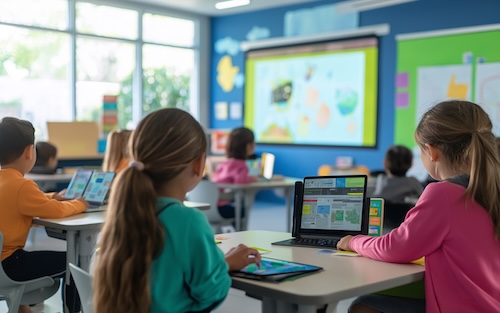
In a classroom where engagement is emphasized, students are asked to participate more rigorously in the learning process and sometimes even in course design. Lectures still exist, but they now incorporate multimedia, technology and class participation. In hybrid and online learning environments, this can mean polling, classwide discussions and competitive activities. Integrating digital tools such as laptops, tablets and videos directly into lesson content can further enhance student engagement and make lessons more dynamic and relevant to digitally literate students. These approaches are highly effective for boosting student engagement by increasing participation, understanding and enjoyment in both online and traditional educational settings. These engaging, relevant activities for students can energize your classroom and take learning to a new level, wherever it takes place.
By engaging in hands-on activities, students learn to support, trust and listen to each other, while developing important skills like collaboration and communication—skills that can’t be learned from a textbook, interactive or not. Learning to get along with peers, for example, isn’t something you can pick up through memorization.
Transition: Next, we’ll define what student engagement strategies are and explore key terms and approaches that underpin effective engagement in the college classroom.
What are student engagement strategies?
Student engagement strategies are activities, tactics and approaches that serve as a core educational practice for effective teaching. Educators can leverage these strategies during and after class to keep students invested in their learning. They can be used to increase active learning, participation and collaboration in the classroom—and can be everything from simple changes made in your next class to a complete revamp of your curriculum, course delivery and assessment methods.
Key definitions and interconnections:
- Active learning techniques include group work, inquiry, hands-on experiments and role-playing.
- Using group work and collaboration gives students a welcome break from solo bookwork, allows them to express their ideas and provides opportunities to encounter and explore new ideas, which can deepen engagement.
- Inquiry-based learning gives students ownership by allowing them to explore their own questions.
- Creating a positive climate involves building strong teacher-student relationships and fostering a safe environment.
- Engaging with students’ interests builds strong relationships and rapport while enhancing their learning experience.
- Using varied active-learning strategies can engage a broader population of students.
- Using diverse engagement opportunities can help reach students with varying learning preferences.
The following strategies are effective methods for engaging diverse learners and can be adapted to fit various educational settings. Here are some creative strategies for engaging students in learning—ranging from small changes to more substantial pedagogical shifts.
Transition: With these definitions in mind, let’s look at how to create a positive classroom environment as the foundation for engagement.
Creating a positive classroom environment
A positive classroom environment is the foundation for promoting student engagement and building a thriving learning community. When students feel welcomed, respected and supported, they are more likely to participate actively and take ownership of their learning.
Arranging the classroom for collaboration
Teachers can foster this environment by thoughtfully arranging the classroom to encourage collaboration—such as grouping desks for small group work or creating spaces for student-led discussions. Displaying inspirational quotes and showcasing student work on classroom walls not only celebrates achievements but also helps students feel valued and connected to the learning process.
Encouraging collaborative learning
Encouraging collaborative learning is another key strategy. By providing opportunities for students to work together in small groups, teachers promote active participation and help students develop strong relationships with their peers. This sense of community makes students more comfortable sharing ideas and taking academic risks.
Modeling positive interactions
Teachers who model positive interactions and set clear expectations for respectful communication further contribute to a supportive classroom environment. Ultimately, a positive classroom climate is essential for keeping students engaged, motivated and eager to learn.
Transition: Once a positive environment is established, instructors can implement specific engagement strategies in their teaching practice.
Student engagement strategies for your teaching
1. Active learning: Create a teaching and learning environment primed for student participation, such as calling on students to answer a question, individual reflection and group problem-solving. Encourage students to take on active roles in collaborative learning environments, where they can teach or practice concepts with their peers. When students explain concepts to other students, it not only reinforces the explainer’s understanding but also benefits the rest of the class by clarifying ideas and promoting inclusive participation. Incorporate open-ended questions that may have more than one correct answer, allowing students to demonstrate comprehension beyond simple recall. Be mindful that distractions and feelings of exclusion can impact students’ working memory and learning outcomes.
Use case: Donna Smith, Instructor of Mathematics at Sierra College, used Top Hat to create a connected, engaging learning experience for students learning asynchronously. Leveraging Top Hat’s streamlined platform with features to customize course content, Smith uses more than 14 different question types to assess student learning as the course progresses. Next term, she plans to embed interactive questions between lecture videos, so students have the opportunity to practice course concepts right after learning them. Key takeaway: Flexibility and anonymity in questioning can support first-generation students and encourage participation.
2. Participatory teaching: This student-centered approach to pedagogy accounts for the different skills, backgrounds and learning styles of students. The focus of participatory teaching is on self-regulation and self-reflection; specific strategies include using different teaching methods and varying means of assessment, which adds a greater level of flexibility, a key part of any engagement strategies for online learning. When asking questions, provide wait time to allow students to think and formulate thoughtful responses, which can enhance participation and engagement.
3. Flip the classroom: Flip the traditional lecture-homework relationship. Students study the subject matter independently and outside class through tools such as pre-recorded videos. Class is then spent on student-centered learning such as working through problems, debating or group work. When engaging in group work, encourage students to collaborate on the same topic to enhance understanding and ensure everyone is included. After posing questions, allow students sufficient wait time to reflect before responding, which supports deeper engagement.
4. Technology in the classroom: Students expect to be constantly connected and want immediate feedback. Online and mobile technology can be used to provide active learning activities and to keep students engaged outside the classroom.
5. Classroom management strategies: Classroom strategies help instructors build a distraction-free environment. As an instructor, you can build in student engagement by asking learners to help shape classroom rules. As an activity in the first week of classes, decide on a set of shared values and create a set of guidelines, like active listening, what respectful disagreements look like and how to create a safe space for questions. Incorporate physical activity into the classroom to maintain engagement and alertness. Structure participation in such a way as to promote inclusivity and equitable involvement from all students. Design classroom environments to support students and their individual needs, ensuring everyone has the opportunity to succeed. Using humor throughout lessons lightens the mood and makes for a more enjoyable learning experience.
6. Writing: Exercises such as journaling and one-minute papers can help keep students engaged in class as well as improve thinking skills. These activities allow students time to reflect and engage more deeply with the material.
7. Culturally responsive teaching: This strategy ensures students see themselves reflected in course readings, activities and lesson plans. Faculty might bring in diverse guest speakers to give a lecture on a niche topic. Alternatively, educators might ensure a certain percentage of their required readings are authored by scholars from under-represented populations. Use relevant examples from students’ cultural backgrounds and real-life experiences to illustrate concepts and promote engagement.
Transition: With foundational teaching strategies in place, the next step is to align engagement activities with your curriculum for maximum impact.
Student engagement activities based on your curriculum
Instructors can start lessons with engaging hooks to capture students’ interest and set the stage for active participation throughout the session.
8. Set expectations: At the beginning of a course, ask students what they expect from you and then try to meet those expectations. Students are more engaged when they have a good relationship with the instructor. It’s also important to recognize and engage individual students, considering their unique learning experiences, characteristics and needs to promote equitable learning outcomes.
9. Integrated curriculum: Combine disciplines rather than compartmentalizing subjects. Some medical schools, for example, have moved away from teaching subjects in isolation such as physiology and anatomy and moved toward studying organ systems where students learn the physiology and anatomy associated with that system.
Use case: John Redden, Associate Professor of Physiology and Neurobiology at the University of Connecticut, is a long-time Top Hat user and has leveraged the platform to offer a consistent and equitable hybrid learning experience. Key takeaway: Giving students control over their schedules and diversifying teaching and assessment methods supports engagement and equity.
10. Think-pair-share: Think-pair-share encourages students to work together to solve problems.
- Students take a few moments of individual reflection to gather their thoughts on a given topic.
- Then, have them discuss their thoughts with a peer.
- Next, have the pair of students form a group with another pair and encourage the group of four to inquire about one another’s opinions.
- Make sure all students share their ideas during group discussions to maximize participation and engagement.
Download Now: The Best Classroom Activities for College Classes [Free]
11. Make the course relevant: Students want courses to be relevant and meaningful. Use real-world examples to teach. Where the course is relevant to a specific occupation, ensure it’s aligned with the current needs of the occupation.
12. Cooperative learning: Encourage students to work together by arranging them in partners or small groups to help them achieve learning goals. Group work can include assignments, discussions, reviews and lab experiments—even having students discuss a lesson with their peers.
13. Authentic learning experiences: Encourage active engagement in the classroom by having students tackle real-world problems and attempt to come up with a solution through methods such as inquiry and experimentation. Ideally, the solution will benefit others or the community. Experiential learning—when students learn from reflecting on their real-world learning experience—is a further development of this, and is an effective teaching strategy.
14. Social media: Potential uses for social media include sharing relevant content, posting instructional videos on YouTube and facilitating ongoing discussion groups. However, strict guidelines for use must be put in place and enforced.
15. Quick writes: During each lesson, ask students to write down their questions, thoughts and points of clarification. This is an easy-to-implement way to encourage students to think critically and analytically about the course content.
Transition: To further promote higher-order thinking, the next section focuses on engagement strategies for critical thinking.
Engagement strategies for critical thinking
Promoting critical thinking in the classroom is essential for deeper learning and academic achievement. Engagement strategies that encourage students to analyze, evaluate and synthesize information help them move beyond surface-level understanding.
Techniques for fostering critical thinking
- Ask open-ended questions that require students to justify their reasoning, interpret data, or solve real-world problems.
- Incorporate real-world examples and case studies, prompting students to apply theoretical concepts to practical situations.
- Use instructional strategies such as think-pair-share, jigsaw reading, and Socratic seminars to encourage discussion, debate and reflection on complex issues.
- Require students to engage in thoughtful dialogue and collaborative problem-solving.
By requiring students to engage in thoughtful dialogue and collaborative problem-solving, teachers help them develop the critical thinking skills needed for success in the modern age. These strategies not only increase student engagement but also foster a classroom culture where deeper learning and meaningful academic achievement are the norm.
Transition: Empowering students with autonomy is another powerful way to enhance engagement, as explored in the next section.
Giving students autonomy
Empowering students with autonomy is a powerful way to enhance student engagement and motivation. When students are given choices in their learning process—such as selecting topics for projects, choosing how to present their work, or setting personal learning goals—they feel a greater sense of ownership and investment in their education. This sense of agency encourages students to take an active role in their learning environment, leading to deeper learning and understanding.
Strategies for student autonomy
- Provide learning menus, choice boards, or opportunities for self-directed projects.
- Allow students to work at their own pace and reflect on their progress through self-assessment.
- Support student autonomy to create a classroom environment where students are motivated to learn and achieve their best.
Transition: Assessment is another key area where engagement strategies can make a significant difference, as detailed in the following section.
Student engagement strategies for assessments
16. Prepare for class before class: Students get more out of class time if they’re familiar with the material before they arrive. Exercises such as pre-class quizzes ensure they’re knowledgeable enough to contribute.
17. Assess early and often: Frequent quizzes for formative assessment (for “fun”) work well alongside traditional midterm and final exams. Frequent testing reduces the temptation for students to cram and forces them to space out their learning, which leads to better retention. Having the first test within the first few classes also helps prevent students from falling behind—boosting student achievement early. Use formative assessments to hold students accountable for their learning, encouraging consistent participation and responsibility.
18. Assess attendance: Student attendance can improve grades as well as engagement. Consider making attendance part of their overall assessment. Many learners enter university without proper study skills and first-year students can benefit from the structure of mandatory attendance.
19. Problem-based or project-based learning: Students are tasked with solving a problem or completing a project, but the focus is on the end product, allowing students to determine what resources are needed to solve the problem or complete the project.
Instructors should also regularly self assess their use of student engagement strategies, using tools like self-assessment tables, to identify which approaches they currently use and which could be adopted to improve classroom inclusion.
Transition: Presentation skills and classroom delivery also play a vital role in engaging students, as discussed next.
Classroom engagement strategies using your presentation skills
20. Use visual representations: Engage students with animations, 3D representations and concept maps, all of which can help them visualize complex subjects. Instructors should also focus on paying attention to individual students’ engagement and needs when using visual tools, ensuring that every learner benefits from these strategies.
21. Inquiry-based learning: To answer questions posed by the instructor or by the students themselves, a learner undertakes his or her own research to arrive at an answer. Inquiry-based learning can be as simple as watching video lectures, or more involvement could come from designing and performing an experiment. Encouraging participation from one student at a time during inquiry-based activities helps foster an inclusive environment where each individual feels valued and supported.
22. Use simulations: Games or role-playing place students in an imaginary setting defined by the instructor, providing for an interactive, participatory learning experience.
23. Tell stories: Wherever possible, tell stories to illustrate concepts when giving lectures. This helps students to process course concepts in their own words and move past rote memorization. For example, you might ask them to paraphrase a story or definition, explain a concept in their own words, tell a story that relates to it, or provide analogies to further illustrate a course concept. Encouraging one student at a time to share their perspective or story can promote inclusivity and ensure that every voice is heard.
Use case: Steve Joordens, Professor of Psychology at the University of Toronto, has devoted much of his career to the issue of student distraction and its ephemeral counterpart, student engagement. And if he’s learned one thing about engagement, it’s that there’s more than one way to foster it. So he set about trying to name the different techniques, which led Joordens to create a taxonomy of student engagement, complete with its own handy label: RIFS, an acronym for “Relevant, Interesting, Fun, Social.”
Key takeaways:
- Relevant: Answering the well-worn student grouse, “Why are we learning this?” Classroom activities such as problem-based or work-integrated learning can enhance any course material’s relevance.
- Interesting: Personalized learning strategies in the classroom encourage students to take greater ownership over their own education, which develops a stronger sense of intrinsic motivation.
- Fun: Making the classroom experience enjoyable helps keep students’ minds relaxed and open.
- Social: Encouraging students to interact and learn from each other as well as from their instructors or their readings. Tactics such as response systems and peer assessments foster more social interaction in learning.
Transition: Technology is another powerful tool for enhancing engagement, as explored in the next section.
Using technology to enhance learning
Integrating technology into the classroom is a highly effective way to boost student engagement and promote deeper learning. Technology offers students interactive and immersive experiences, such as virtual field trips, simulations, and educational games, which make learning more dynamic and memorable.
Leveraging digital tools
- Use online platforms to facilitate collaboration and communication, enabling students to participate in discussions, share resources and work together on projects regardless of location.
- Provide students with real-time feedback, track progress, and identify areas where additional support is needed.
- Encourage critical thinking and creativity by allowing students to explore complex ideas in innovative ways.
By leveraging digital tools, teachers can create a learning environment that supports student engagement, fosters deeper learning and prepares students for success in the modern age.
Transition: Collaboration is also essential for engagement—let’s look at strategies that encourage students to work together.
Student engagement strategies to encourage collaboration
24. Snowball discussions:
- Continue combining groups until the class is back together
- Randomly assign students in pairs with a discussion question.
- After a few minutes, combine the pairs to form groups of four.
- After another five minutes, combine groups of four to form a group of eight—and so on.
25. Philosophical chairs:
- Read a statement that has two possible answers—agree or disagree—out loud to your class.
- Ask students to move to one side of the room or the other, depending on whether they agree or disagree with the statement.
- Once all participants have selected a side, encourage students on either side to argue in favor of their position.
- This way, students can visualize where their peers’ opinions lie, compared to their own.
26. Affinity mapping:
- Place students in small groups and pose a general question or problem to them that has many possible answers, such as “How would the history of the United States be different without Teddy Roosevelt” or “How would society be different if the Internet was never invented?”
- Have students write their ideas on small index cards or on an online discussion thread.
- After ten minutes, ask students to group their similar ideas into categories, then label the different groupings and discuss how each idea fits.
- Suggest that students consider how the categories are related.
- This allows students to participate in critical thinking by analyzing ideas and organizing them in relation to one another.

27. Concentric circles:
- Ask students to form two circles: an inner circle and an outer circle.
- Each student on the inside is paired with a student on the outside. Have them sit facing each other.
- Pose a question to the broader group and ask the pairs to discuss their responses.
- Have students on the outside circle move one space over after five minutes so they’re standing in front of a different peer.
- Repeat the process for a few rounds, asking a new question each time and exposing students to their peers’ different perspectives.
28. Make it personal:
- After a lecture unit or lesson concludes, arrange learners into discussion groups or online breakout rooms.
- To encourage students to reflect on their personal connections to the material they are learning, ask them questions like “How did this change your initial understanding of the concept” or “Describe your initial reaction to this idea.”
29. Socratic seminar:
- To prepare for a discussion, ask students to review a textbook chapter or a separate reading and develop higher-order thinking questions to pose to their peers.
- During class, ask an open-ended question to introduce the activity.
- Have students continue the conversation, encouraging their peers to use evidence-based claims, based on course concepts or texts.
- Students are encouraged to share the floor with their peers, however, there doesn’t need to be a specific order for speaking.
Transition: Communication skills are also vital for student success; the next section highlights strategies to build these skills.
Student engagement strategies to build communication skills
30. Brainwriting:
- To build rapport and respect in your classroom, give students time to reflect on their learnings in writing, following a challenging course concept.
- Using guided prompts or leaving it open to your students’ interpretation, have them share their thoughts and questions in a conversation with peers during class time or through an online discussion thread.
- Knowing how to keep students engaged throughout the duration of class ensures that they will be able to understand course concepts on a deeper level.
31. Concept mapping:
- Collaborative concept mapping is a way of visually organizing concepts and ideas, in order to better understand how they are related.
- In small groups, students can use this exercise to go over past work or to brainstorm ideas for future assignments and projects.
- For face-to-face classes, have students place sticky notes and chart paper on the classroom walls.
- For online classes, the digital whiteboard feature in Zoom allows students to map out ideas and connect concepts.
32. Debate:
- Pose an issue or topic to your class.
- Place students into groups according to the position they hold on the topic.
- Ask each group to develop some arguments or examples to support their opinion.
- Put each group’s idea on a virtual whiteboard or piece of chart paper, to be a starting point for a classwide discussion.
- To conclude, encourage students to debate the strengths and weaknesses of each group’s argument, to help students improve their higher-order thinking and analysis skills.
33. Compare and contrast:
- Place students into groups and ask them to focus on a specific chapter in their textbook.
- Encourage them to find similarities and differences between ideas that can be found in course readings and external sources, like articles and videos they may find.
- This way, students benefit from sharing resources and learning from one another’s perspectives.
34. Assess/diagnose/act: This activity helps strengthen students’ problem-solving abilities and can spur more dynamic discussions. Propose a topic or controversial statement, then follow the steps below to start a discussion:
- Assessment: What is the main problem or issue?
- Diagnosis: What is its root cause?
- Action: How can we, as a group, solve the issue?
Transition: To ensure these strategies lead to meaningful learning, it’s important to focus on fostering deeper understanding, as described in the next section.
Fostering deeper learning and understanding
To foster deeper learning and understanding, teachers must go beyond surface-level instruction and create opportunities for students to engage in critical thinking, analysis, and reflection.
Combining direct instruction with practice
- Combine direct instruction with guided and independent practice to help students build a strong foundation while encouraging them to apply new knowledge in meaningful ways.
- Use scaffolding, think-alouds, and self-assessment to help students connect prior knowledge to new concepts and develop a deeper understanding.
Making learning relevant
- Incorporate real-world examples and case studies to make learning relevant and show students how their knowledge applies outside the classroom.
- Use project-based learning, service-learning and experiential learning activities to give students hands-on opportunities to solve problems and make connections to the real world.
These approaches not only increase student engagement but also help students develop essential skills such as critical thinking, problem-solving, and effective communication. By providing students with varied and authentic learning experiences, teachers support deeper learning and prepare students to thrive in the modern age.
Transition: The following sources inform these strategies for engagement and deeper learning.
Conclusion: The lasting impact of student engagement
Student engagement is a broad concept that extends far beyond simple participation—it is the driving force behind meaningful learning, academic achievement, and the development of essential skills in individual students. When teachers encourage students to take an active role in the learning process, they create a classroom environment where collaborative learning, real-world applications and technology come together to make lessons relevant and memorable.
Promoting student engagement requires a thoughtful blend of instructional strategies, such as think-pair-share, group work, and open-ended questions. These approaches not only hold students accountable for their learning but also encourage them to reflect on their understanding and connect course material to real-world situations. By providing students with relevant examples and opportunities to share their ideas, teachers help students feel valued and motivated to stay engaged.
A supportive learning environment is central to increasing student engagement. When students feel included and respected, they are more likely to participate actively, think critically, and pursue deeper understanding. Engagement strategies that foster emotional engagement, critical thinking and active participation lead to higher levels of motivation, persistence and overall academic achievement.
Teachers play a vital role in promoting student engagement by designing classroom activities that are interactive, inclusive and aligned with learning goals. By prioritizing collaborative learning and giving students the chance to take ownership of their education, educators can transform the classroom into a space where deeper learning and academic success are the norm.
Ultimately, making student engagement a central idea in educational practice benefits both students and teachers. When learning is relevant, interactive and fun, students are more likely to thrive academically and reach their full potential. By following these engagement strategies and fostering a positive classroom environment, teachers can ensure that all students feel supported, motivated, and empowered to learn and grow—creating a lasting impact on their educational journey.
References
- Ojalvo, H. E., & Doyne, S. Five Ways to Flip Your Classroom With The New York Times. [Blog post] New York Times. Retrieved May 15, 2019 from https://learning.blogs.nytimes.com/2011/12/08/five-ways-to-flip-your-classroom-with-the-new-york-times/
- Evans, C., Muijs, D. & Tomlinson, M. (2015). Engaged student learning: high-impact strategies to enhance student achievement. [White paper] Retrieved May 15, 2019 from: https://www.heacademy.ac.uk/knowledge-hub/engaged-student-learning-high-impact-strategies-enhance-student-achievement
- Twelve Best Practices for Student Engagement and Retention. [White paper] Retrieved May 15, 2019 from Mansfield University of Pennsylvania: https://www.mansfield.edu/academic-affairs/upload/Twelve-Best-Practices-for-Student-Engagement-and-Retention-2012.pdf
- Quevillon, K. (2017). Student Attendance Matters, Even If Lectures Are Online. Ask Harvard. [Blog post] Retrieved May 15, 2019 from Top Hat Blog: https://tophat.com/blog/student-attendance-harvard/
- Inquiry-Based Learning. Retrieved May 15, 2019 from Queens’ University, Kingston: https://www.queensu.ca/ctl/teaching-support/instructional-strategies/inquiry-based-learning
Frequently Asked Questions
What exactly counts as “student engagement?”
In this context, “student engagement” refers to students’ active participation and investment in their own learning. That includes not just attending class, but interacting with course content (e.g. doing readings, watching lectures), contributing in discussion, applying ideas to assignments or problem sets and reflecting on materials—whether in class, online, or during self-study.
Why is engagement important—can’t students just passively learn by reading or listening?
Research and teaching experience show that active engagement helps students better understand, retain, and apply concepts. Engaged students learn more deeply, develop critical thinking, and often perform better academically. Passive learning tends to result in poorer retention and less ability to apply knowledge outside the classroom.
Which strategies work best for large lecture courses vs small seminars?
Many engagement strategies can be adapted to both settings. For large lectures, tools like interactive polls, low-stakes quizzes, clicker questions, or online discussion boards help engage many students at once. In smaller seminars, group discussion, peer-review, collaborative assignments, or open discussion foster deeper interaction and student voice. Blended approaches—combining lecture, active learning, and ongoing formative assessments—often work well regardless of class size.
How much time does it take for instructors to implement these engagement strategies?
It depends on the strategy. Some activities like adding a quick in-class poll or discussion prompt may take only a few minutes. Others, like redesigning assignments around active learning or setting up peer review, require more planning up front. However, many instructors find the extra effort pays off: engaged students are often more motivated, more likely to participate, and may require less remedial support later on.
Related pages
Learn more about Top Hat’s student engagement software.