Tag: LMS

  • Agentic AI Invading the LMS and Other Things We Should Know

    Agentic AI Invading the LMS and Other Things We Should Know

    Over the past 18 months, I’ve been spending the majority of my time writing and speaking about how I think we can and should continue to teach writing even as we have this technology that is capable of generating synthetic text. While my values regarding this issue are unshakable, the world undeniably changes around me, which requires an ongoing vigilance regarding the capabilities of this technology.

    But like most people, I don’t have unlimited time to stay on top of these things. One of my recommendations in More Than Words for navigating these challenges is to “find your guides,” the people who are keeping an eye on aspects of the issue that you can trust.

    One of my guides for the entirety of this period is Marc Watkins, someone who is engaged with staying on top of the latest implications of how the technology and the way students are using it is evolving.

    I thought it might be helpful to others to share the questions I wanted to ask Marc for my own edification.

    Marc Watkins directs the AI Institute for Teachers and is an assistant director of academic innovation at the University of Mississippi, where he is a lecturer in writing and rhetoric. When training faculty in applied artificial intelligence, he believes educators should be equally supported if they choose to work with AI or include friction to curb AI’s influence on student learning. He regularly writes about AI and education on his Substack, Rhetorica.

    Q: One of the things I most appreciate about the work you’re doing in thinking about the intersection of education and generative AI is that you actively engage with the technology using a lens to ask what a particular tool may mean for students and classes. I appreciate it because my personal interest in using these things beyond keeping sufficiently, generally familiar is limited, and I know that we share similar values at the core of the work of reading and writing. So, my first question is for those of us who aren’t putting these things through their paces: What’s the state of things? What do you think instructors should, specifically, know about the capacities of gen AI tools?

    A: Thanks, John! I think we’re of the same mind when it comes to values and AI. By that, I mean we both see human agency and will as key moving forward in education and in society. Part of my life right now is talking to lots of different groups about AI updates. I visit with faculty, administration, researchers, even quite a few folks outside of academia. It’s exhausting just to keep up and nearly impossible to take stock.

    We now have agentic AI that completes tasks using your computer for you; multimodal AI that can see and interact with you using a computer voice; machine reasoning models that take simple prompts and run them in loops repeatedly to guess what a sophisticated response might look like; browser-based AI that can scan any webpage and perform tasks for you. I’m not sure students are aware of any of what AI can do beyond interfaces like ChatGPT. The best thing any instructor can do is have a conversation with students to ask them if they are using AI and gauge how it is impacting their learning.

    Q: I want to dig into the AI “agents” a bit more. You had a recent post on this, as did Anna Mills, and I think it’s important for folks to know that these companies are purposefully developing and selling technology that can go into a Canvas course and start doing “work.” What are we to make of this in terms of how we think about designing courses?

    A: I think online assessment is generally broken at this point and won’t be saved. But online learning still has a chance and is something we should fight for. For all of its many flaws, online education has given people a valid pathway to a version of college education that they might not have been able to afford otherwise. There’s too many issues with equity and access to completely remove online from higher education, but that doesn’t mean we cannot radically think what it means to learn in online spaces. For instance, you can assign your students a process notebook in an online course that involves them writing by hand with pen and paper, then take a photograph or scan it and upload it. The [optical character recognition] function within many of the foundation models will be able to transcribe most handwriting into legible text. We can and should look for ways to give our students embodied experiences within disembodied spaces.

    Q: In her newsletter, Anna Mills calls on AI companies to collaborate on keeping students from deploying these agents in service of doing all their work for them. I’m skeptical that there’s any chance of this happening. I see an industry that seems happy to steamroll instructors, institutions and even students. Am I too cynical? Is there space for collaboration?

    A: There’s space for collaboration for sure, and limiting some of the more egregious use cases, but we also have to be realistic about what’s happening here. AI developers are moving fast and breaking things with each deployment or update, and we should be deeply skeptical when they come around to offer to sweep up the pieces, lest we forget how they became broken in the first place.

    Q: I’m curious if the development of the technology tracks what you would have figured a year or even longer, 18 months ago. How fast do you think this stuff is moving in terms of its capacities as they relate to school and learning? What do you see on the horizon?

    A: The problem we’re seeing is one of uncritical adoption, hype and acceleration. AI labs create a new feature or use case and deploy it within a few days for free or low cost, and industry has suddenly adopted this technique to bring the latest up-to-date AI features to enterprise products. What this means is the none-AI applications we’ve used for years suddenly get AI integrated into it, or if it has an AI feature, sees it rapidly updated.

    Most of these AI updates aren’t tested enough to be trusted outside of human in the loop assistance. Doing otherwise makes us all beta testers. It’s creating “work slop,” where companies are seeing employees using AI uncritically to often save time and produce error-laden work that then takes time and resources to address. Compounding things even more, it increasingly looks like the venture capital feeding AI development is one of the prime reasons our economy isn’t slipping into recession. Students and faculty find themselves at ground zero for most of this, as education looks like one of the major industries being impacted by AI.

    Q: One of the questions I often get when I’m working with faculty on campuses is what I think AI “literacy” looks like, and while I have my share of thoughts, I tend to pivot back to my core message, which is that I’m more worried about helping students develop their human capacities than teaching them how to work with AI. But let me ask you, what does AI literacy look like?

    A: I think AI literacy really isn’t about using AI. For me, I define AI literacy as learning how the technology works and understanding its impact on society. Using that definition, I think we can and should integrate aspects of AI literacy throughout our teaching. The working-with-AI-responsibly part, what I’d call AI fluency, has its place in certain classes and disciplines but needs to go hand in hand with AI literacy; otherwise, you risk uncritically adopting a technology with little understanding or demystifying AI and helping students understand its impact on our world.

    Q: Whenever I make a campus visit, I try to have a chance to talk to students about their AI use, and for the most part I see a lot of critical thinking about it, where students recognize many of the risks of outsourcing all of their work, but also share that within the system they’re operating in, it sometimes makes sense to use it. This has made me think that ultimately, our only response can be to treat the demand side of the equation. We’re not going to be able to police this stuff. The tech companies aren’t going to help. It’s on the students to make the choices that are most beneficial to their own lives. Of course, this has always been the case with our growth and development. What do you think we should be focused on in managing these challenges?

    A: My current thinking is we should teach students discernment when it comes to AI tools and likely ourselves, too. There’s no rule book or priors for us to call upon when we deal with a machine that mimics human intelligence. My approach is radical honesty with students and faculty. By that I mean the following: I cannot police your behavior here and no one else is going to do that, either. It is up to all of us to form a social contract and find common agreement about where this technology belongs in our lives and create clear boundaries where it does not.

    Source link

  • 15 Must-Have Features of a Cloud Based LMS in Higher Education

    15 Must-Have Features of a Cloud Based LMS in Higher Education

    Higher education in 2025 will be about customized, data-driven, flexible learning opportunities rather than only classrooms and textbooks. These days, a cloud-based LMS system is not a luxury; rather, it is a must for universities trying to keep competitive, increase student involvement, and raise results.

    But among hundreds of sites available, how do you choose the best one? Supported by statistics and meant to enable institutions to flourish, let us explore the 15 must-have characteristics of a modern customisable LMS for universities.


    The 15 Must-Have Features for a Higher Education Learning Management System (LMS) in 2025


    1. Support for blended learning

    There is nowhere hybrid learning is headed. 73% of students, according to studies, would rather combine in-person and online instruction. To provide an immersive, adaptable experience, your LMS should easily combine digital materials with conventional classrooms.


    2. Learning with self- pace

    Students pick things up at varying rates. According to the Research Institute of America, a self-paced learning environment allows students to direct their development, therefore enhancing retention between 25 and 60%. Bonus—also Designed in-house tests and checkpoints help pupils stay on target.


    3. Tools for collaborative learning

    Better still is learning when done jointly. Especially crucial for Gen Z students, 85% of which favor group projects, peer assessments, and shared workspaces, platforms with these features promote involvement.


    4. Accessible mobile-friendly

    A mobile-optimized LMS is absolutely essential given students spend five to six hours every day on smartphones. Make sure students can access materials, turn in homework, and interact with peers—anywhere, at any moment.


    5. Evaluations driven by AI

    Why use outdated tasks? Student results are improved by adaptive examinations and performance-based assignments in modern LMSs. Pre-quiz adaptive study increased pass rates by 20%, according to research.

    Adjustive learning enhances academic performance in 59% and student engagement in 36%, according to study. Teachers can better identify knowledge gaps and personalize instruction to individual students by using these new technologies.​


    6. Adaptable evaluations

    There is no one-size-fits-all solution here. A strong learning management system should enable you to create customized tests and assignments that highlight each student’s unique advantages and disadvantages.


    7. Integration of course schedules

    Ensure professors and students stay on course. By automatically tracking missed lessons, impending tasks, and class progress, integrated schedules eliminate administrative burdens.


    8. More complex content administration

    Today’s content can be in many different formats, from YouTube videos to PDFs. There should be a variety of content types supported by your LMS so that teachers can design dynamic, multimedia-rich courses.


    9. Messaging boards and discussion notes

    In online courses, fifty-eight percent of students say they feel disconnected. Built-in forums and messaging tools help to build community and enable faculty and student real-time cooperation.


    10. Student tracking for development

    Track engaged and non-involved students in a jiffy! Detailed data on material availability, completion rates, and time spent per module let teachers act early to support difficult students.


    11. Performance Studies

    Performance goes beyond just marks. Dashboards displaying trends in student progress should be part of a strong LMS, therefore stressing areas needing work and increasing retention rates.


    12. Gamification

    Engagement leaps when education feels like a game. Leaderboards, badges, and awards on LMS systems help to increase student involvement by up to 89% hence transforming learning from a passive to an active process.


    13. Instantaneous reporting

    Give up searching frantically for information. Crucially for certification and institutional planning, your LMS should create fast, exportable reports on student performance, course progress, and engagement.


    14. Complete branding and customizing

    Why then do you look like everyone else? From logos to unique workflows, a top-notch LMS should represent the character of your university thereby guaranteeing a customized experience for staff and students.


    15. Distance learning support

    With 74% of students saying they would enroll in online programs even post-pandemic, distance learning support is here to stay. Remote classes are something a modern LMS has to support so that students from wherever may get top-notch instruction.


    The Impact of Predictive Analytics on Student Engagement

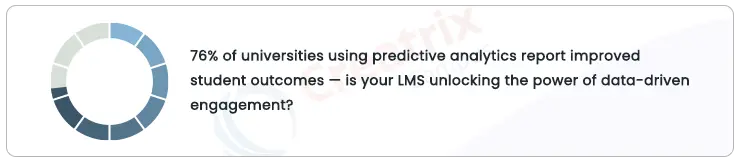
    Predictive analytics is changing higher education. According to a 2024 EDUCAUSE research, 76% of predictive analytics-using universities said their student results have improved Using data insights—tracking behavior, engagement, and performance—an LMS helps staff members intervene before students lag behind.


    predictive-analytics


    How to Choose the Right LMS for Your Institution

    Selecting an LMS goes beyond just filling up boxes. This brief checklist can help you make decisions:

    Scalability: Can your institution help it to flourish?

    Customizability: Does it fit your particular requirements? Customizing

    Integration: Will it flow naturally with your current systems?

    Support: Does the provider give consistent, continuous assistance?

    Analytics: Can it instantly monitor student involvement and performance?

    A cloud-based, customized LMS is about enabling student success rather than only course administration. Your institution can design an interesting, future-ready learning environment with the appropriate features, data insights, and flexibility.

    All set to change your college’s instruction? Start with a platform meant for future success—that of the students.


    Future-Ready Learning Begins with the Correct LMS

    Higher education in 2025 is about empowering student success with flexible, data-driven learning opportunities rather than about course management. More than just a platform, the appropriate cloud-based LMS solution transforms engagement, performance, and institutional growth.

    Ready to future-proof your university using a customisable LMS for those that satisfy all the necessary requirements? Discover how Creatrix Campus LMS enables organizations like yours to provide smarter, more connected learning—built for tomorrow, now. Connect with us now!

    Source link