Tag: MindTap

  • Using MindTap for English to Help Monitor Students’ Use of AI

    Using MindTap for English to Help Monitor Students’ Use of AI

    Reading Time: 4 minutes

    Depending on the era in which we began learning, formally or informally, we all have a diverse range of valuable definitions and perspectives about artificial intelligence pertaining to teaching and learning.

    Teaching and learning with AI

    When I was a student in elementary school during the 1980s, AI was using a calculator rather than longhand or a traditional adding machine for arithmetic. Additionally, the entire school only had six computers for student use, which were housed in the library. Only students acting responsibly earned access to time on these devices to play The Oregon Trail, “an educational game that simulates the hardships of [1848] …”

    With all of this in mind, AI has been teaching us, and we’ve been learning from it, for quite some time, in and out of school.

    However, with the advancement of generative AI, the implications for teaching and learning now have to do more with academic integrity. And academic dishonesty policies about original work vs. AI in education have come into the conversation. This is where MindTap features like Turnitin can be applied to help monitor students’ acceptable and ethical use of AI in English composition courses.

    My conversation with students

    My students may engage in conversations about acceptable, ethical uses of GenAI and academic integrity before they even enroll in my courses. This is because I post the policies in my syllabus. Students learn that there is a monitoring system in place in MindTap for English by Turnitin. Once enrolled in MindTap, there are discussions, in both online and face-to-face modalities, about these policies at length. Policies are also copied into each of the writing assignments in MindTap. Our focus is on ethics, or academic integrity, to ensure students’ coursework is original. Valuable feedback, information and resources can be provided for students to learn and progress rather than to get a grade.

    Since students cannot prove learning and mastery of learning outcomes without work being original, I discuss with them and copy in their assignments that they should not use any words that are not original. MindTap provides me with access to Turnitin to monitor academic integrity.

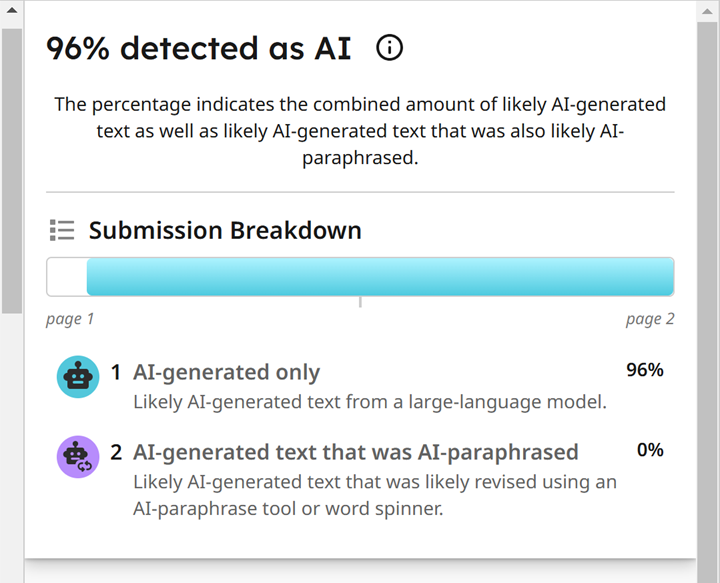
      Turnitin AI detector screenshot

    Suggestions for monitoring

    To help monitor students’ use of AI, parameters in MindTap for English with Turnitin should be set. For example, students need to submit more than 300 words for the detector to perform. Once students submit work, the detector generates an originality report. This can be downloaded to provide the instructor and learner with feedback about the percentage amount of acceptable and ethical usage of AI or plagiarism.

    Turnitin inbox where the similarity percentage can be viewed and clicked on for expanded, detailed information.
    Inbox where the similarity percentage can be viewed and clicked on for expanded, detailed information.

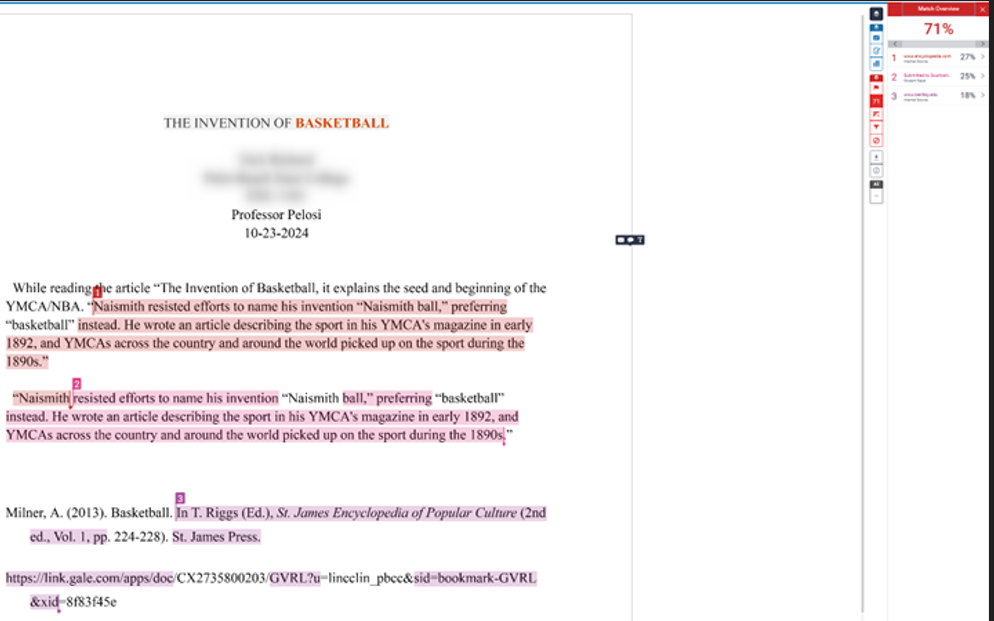
    The report highlights where originality is in question directly on the student’s document. Some instructors will set percentage parameters as well, instructing students that there cannot be more than 15% flagged by the detector in MindTap. Clicking on what the detector has highlighted shows the possible source where information may have been taken or just generally that AI has been used. Note: this is just a monitoring system. So, please be mindful that the report is a tool instructors can use to have conversations with their students. We cannot accuse academic dishonesty based on a report alone.

    Turnitin shows the match overview with all of the plagiarism flagged, which can also be AI. Each part can be clicked on and expanded to show the original source.
    Shows the match overview with all of the plagiarism flagged, which can also be AI. Each part can be clicked on and expanded to show the original source.

    MindTap’s monitoring system has always been correct for me, but conversations are still beneficial for assurance. I use this monitoring document for every submission in MindTap.

    The big picture to consider

    AI can be used ethically as a tool for teaching and learning, bridging student learning gaps and strengthening their mastery of skills. However, when it comes to academic integrity, the concern is that GenAI is being used not as an aid, but as a tool devoid of the values of teaching and learning. According to Cengage’s recent research, 82% of instructors expressed concern specifically about AI and academic integrity. Setting policies and parameters with clear definitions and having conversations with students is essential to my ability to monitor my students’ acceptable use of AI.

    Do you use AI in your English composition classroom? Reach out to discuss the ways you’re utilizing AI as an ethical tool to advance teaching and learning.

    Written by Faye Pelosi, Professor in the Communications Department at Palm Beach State College and Cengage Faculty Partner. 

    Stay tuned for Professor Pelosi’s upcoming video demo of how she uses the MindTap Turnitin feature in her English course.

    Source link

  • counseling-videos-prepare-students-for-on-the-job-hurdles – The Cengage Blog

    counseling-videos-prepare-students-for-on-the-job-hurdles – The Cengage Blog

    Reading Time: 3 minutes

    For students planning for future careers in nutrition counseling, the ability to understand complex nutritional concepts is essential to their success. In these roles, they’ll need to help clients understand important information about their health, address their nutritional needs and demonstrate the benefits of behavior change.

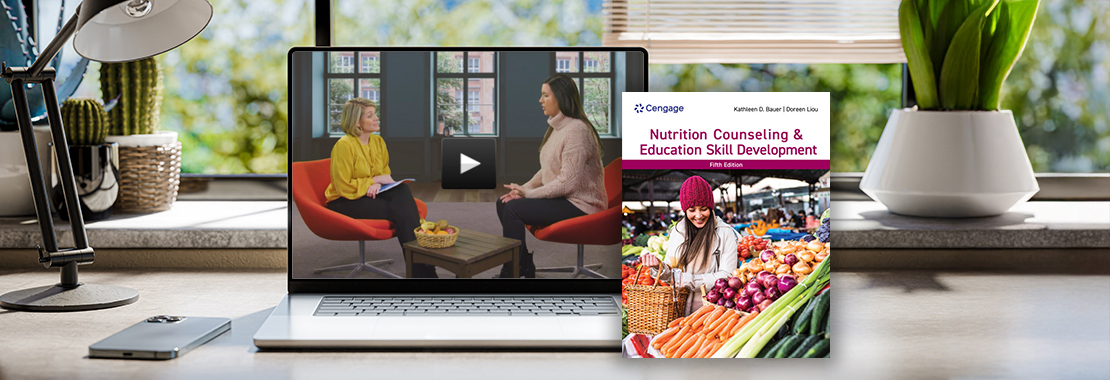
    But before they get there, students must tackle complicated course topics. That’s where MindTap for the new fifth edition of Bauer/Liou’s “Nutrition Counseling and Education Skill Development” comes in. The Learning Path is packed with 14 dynamic Video Quizzes that bring real-world counselor-client exchanges to life.

    These videos are a game-changer for students looking to explore what it’s like inside the counseling practice and apply what they learn. Let’s take a closer look.

    Enhanced understanding through visual learning

    Imagine trying to understand someone’s hesitation to change, tone or personal insecurities just through text — needless to say, it’s not easy. Our counseling videos let students see a nutrition counselor in action. Concepts become easier to grasp when students can watch authentic responses to common problems. And by seeing and hearing actual clients, students can better understand the common hesitancies that arise when it comes to dietary and lifestyle change.

    Play video below:


    Real-world applications

    These videos don’t just stick to theory. They bring real-life scenarios and case studies right into the classroom, whether you’re teaching online or in-person. Students watch the videos as part of a Video Quiz assignment in MindTap, giving them the opportunity to instantly apply what they’ve learned. The videos provide students with a realistic glimpse into situations they’ll likely encounter in their careers, including:

    • Communication essentials
    • Frameworks to understanding behavioral change
    • Developing a nutrition care plan
    • Facilitating client self-management

    Watching how nutrition counseling is applied in various contexts helps students see the relevance of their studies and prepares them for real-world applications. Educators can also use the video content to inspire conversations in the Learning Management System discussion board for further engagement and active participation.

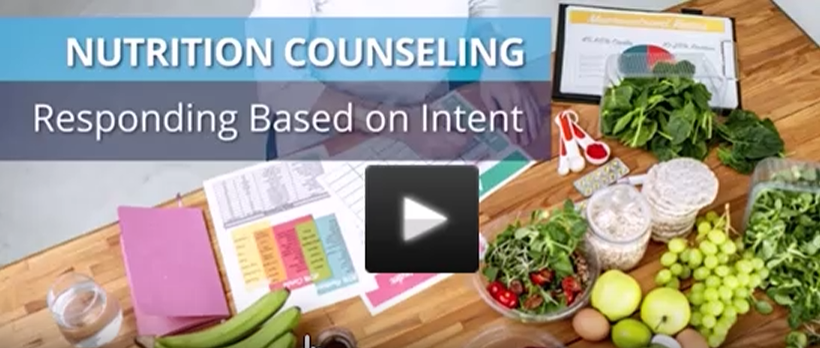
    Screenshot of Video Quiz: Nutrition Counseling: Responding Based on Intent

    Guided counseling experience with author Carolyn Williams

    Leading the video content in the role of the counselor is Cengage author and culinary nutrition expert, Carolyn Williams, Ph.D., RDN. Carolyn exposes students to various viewpoints and perspectives on the types of issues a nutrition counselor might encounter. As students engage with the topics, they’ll develop the skills needed to help clients make behavior changes last and engage in physical activity. Plus, these videos will demonstrate ways to communicate efficiently and empathetically with different types of clients, facilitate groups and develop professionalism.

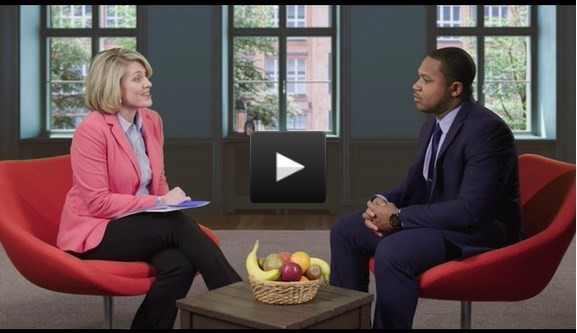
    Carolyn Williams sits down with a client in a counselor-client interaction.

    Skill development

    Educational nutrition counseling videos do more than drive home the facts. They’re about developing essential skills like critical thinking, problem-solving and communication. By analyzing the techniques and strategies used by professionals in these videos, students can learn how to handle similar situations in their practice. In one example, students are given a lifestyle management form with a dietary evaluation. This provides the counselor with a snapshot of a client’s usual food intake and eating habits, as well as lifestyle factors that may impact their food intake. The counselor then guides the client through a 24-hour diet/lifestyle recall.

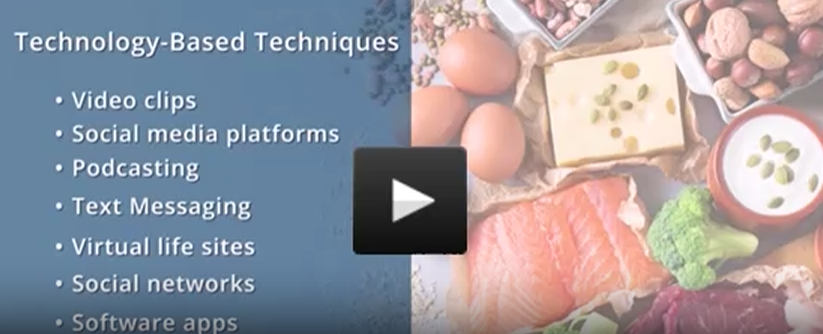
    Screenshot of Nutrition Counseling Video Quiz

    Our counseling videos in offer a look into authentic counseling experiences in the field. From enhancing understanding and engagement to providing real-world applications and different perspectives in the nutrition field, the videos can help you prepare your students for career success.

    Source link

  • mindtaps-diet-wellness-plus-motivates-health-nutrition-students- The Cengage Blog

    mindtaps-diet-wellness-plus-motivates-health-nutrition-students- The Cengage Blog

    Reading Time: 2 minutes

    For many students, it can be a game-changer when they’re able to apply what they’ve learned in class to their own lives. Not only does this help them better understand the relevance of their coursework, but it also motivates them as they progress towards their future careers with the necessary skills they’ll need to succeed.

    For one nutrition/health instructor, introducing Diet & Wellness Plus in MindTap to her students was a decision that helped her students do just that.

    “Knowledge is nothing without understanding…”

    Cinda Catchings, Director and Instructor for the Food, Nutrition, and Community Health Sciences (FNCHS) program at Alcorn State University, knew there was a key component missing in both her Health and Wellness and Introduction to Nutrition courses. Tech-motivated and on track to become Registered Dietitians, Cinda’s students needed a tool that would help them track and identify their own health behaviors, develop healthier lifestyle habits and become more career-confident.

    “…allowed students to apply knowledge…”

    After implementing MindTap’s Diet & Wellness Plus diet analysis software, an application that allows students to collect, input, track and evaluate their dietary habits, Cinda’s students were able to put their in-class knowledge into action. Being able to track their own data not only helped them develop a greater understanding of the skills they’d need in their future careers, but also motivated them to make better lifestyle choices.

    “The use of the combined Diet and Wellness Plus and MindTap and, because it was their data, 90% stated they would change behaviors now or in the near future. This also gave the students clear insight into the importance of nutrition and lifestyle behaviors,” remarked Catchings.

    Learn more about how MindTap’s Diet & Wellness Plus app helped Cinda’s health and nutrition students gain healthier habits and a stronger grasp of the career skills they’d need to succeed.

    Source link

  • videos-in-mindtap-for-education – The Cengage Blog

    videos-in-mindtap-for-education – The Cengage Blog

    Reading Time: 3 minutes

    As a professor, I specifically use education TeachSource videos located in the MindTap Learning Path to enhance online lectures and provide students with a “hands-on learning” component.

    However, my students were neither engaging in assignment completion nor providing full answers. Then, I had an “aha” moment, highlighting a common challenge in online education: students need to move beyond surface-level responses towards deeper analytical engagement. My mindset changed from teaching to mentorship.

    To foster genuine analytical thinking in application assignments — especially relating to real-life experiences — I’d consider the following approaches in combination with the use of TeachSource videos:

    Design open-ended, contextualized prompts

    Instead of questions that can be answered with one or two sentences, or mere definitions, frame prompts around real-world scenarios that require students to analyze, evaluate, and apply concepts. For example, in my early childhood education courses using MindTap, I ask students to: “Describe a situation in your classroom or community where you encountered a child throwing a tantrum over something they wanted which was not in their best interest —  aka: noting a specific concept which is applicable. How would you address the challenges in this video situation using what you have learned in this chapter?”

    Encourage reflection and connection

    As the previous example states, ask students to connect theory with personal experiences or current events. This invites them to reflect critically and relate abstract ideas to concrete situations, deepening understanding. In teaching and learning, we call this reflective thinking. This involves critically analyzing one’s own thought processes and experiences to deepen understanding. In the end, educational psychology tells us that the transfer of learning applies abstract ideas or principles to concrete, real-world situations. This enables learners to generalize knowledge beyond the original context. Together, these processes help learners deepen their understanding by connecting theory with practice through critical reflection.

    Use scaffolded questions

    We understand that our students might be at different levels when it comes to understanding a theory or concept. So, how do we use TeachSource videos to share teaching concepts?

    Start with pre-assessment questions of basic application. In basic application, you identify what the learner’s knowledge of the concept in the video is.

    Then, progress towards deeper analysis. For example:

    • Step One: Identify the concept in a scenario (basic application).
    • Step Two: Explain why it is relevant (interpretation).
    • Step Three: Propose alternative solutions or outcomes (evaluation and synthesis).
    • Step Four: Post assessment of learning outcomes.

    Role playing in class or online

    Role playing is a concept that’s important to scaffolding the “transfer of learning.” For example, a future education student is wired with curiosity to imagine what their classroom will look like and how they will interact with future students. Instructors can create this experience for them in a variety of ways. Linking our teaching of real-life experiences to standards of learning provides the opportunity for instructors to role play. It provides the opportunity to fail and learn from real world mistakes. Therefore, students can develop more marketable skill sets.

    Linking workforce standards to teaching and learning

    We discussed role playing, but how do we link real life to workforce standards using TeachSource MindTap videos? In my early childhood course, I link all course concepts to the National Association for the Education of the Young Child (NAEYC) Professional Standards. This process begins in the syllabus but also in the course shell modules built around MindTap. By doing so, students can see themselves as future employees.

    In conclusion, closing the learning process gap means we teach with purpose and in a systematic cycle. Therefore, my teaching has become a cycle of learning, rather than just a video assignment linked to chapter information. MindTap TeachSource videos happen to be my vehicle for the transfer of learning.

    Dr. Maria C. Rutherford is a Full Professor at Bluegrass Community and Technical College and Cengage Faculty Partner.

    Explore our full education course offerings by downloading the course guide.

    Source link

  • earth-day-2025-virtual-field-trips-feature-earth-sciences-courses- The Cengage Blog

    earth-day-2025-virtual-field-trips-feature-earth-sciences-courses- The Cengage Blog

    Reading Time: 2 minutes

    Each year on April 22, Earth Day invites us to reflect on the beauty, complexity and fragility of our planet. It’s a time to appreciate the natural world, recognize the contributions of the environmental movement and think deeply about how we care for the planet, not just for today but for future generations.

    One of the most meaningful ways we can honor that mission?  Help students see and appreciate the Earth — including its landscapes, features, wonders and history — in new ways.

    Virtual Field Trips in MindTap, an immersive feature for earth sciences courses, provide a unique opportunity for students to do just that.

    Inspiring a deeper connection to our planet

    Virtual Field Trips takes students on an unforgettable journey to some of the most iconic and geologically significant places across the United States. No travel required!

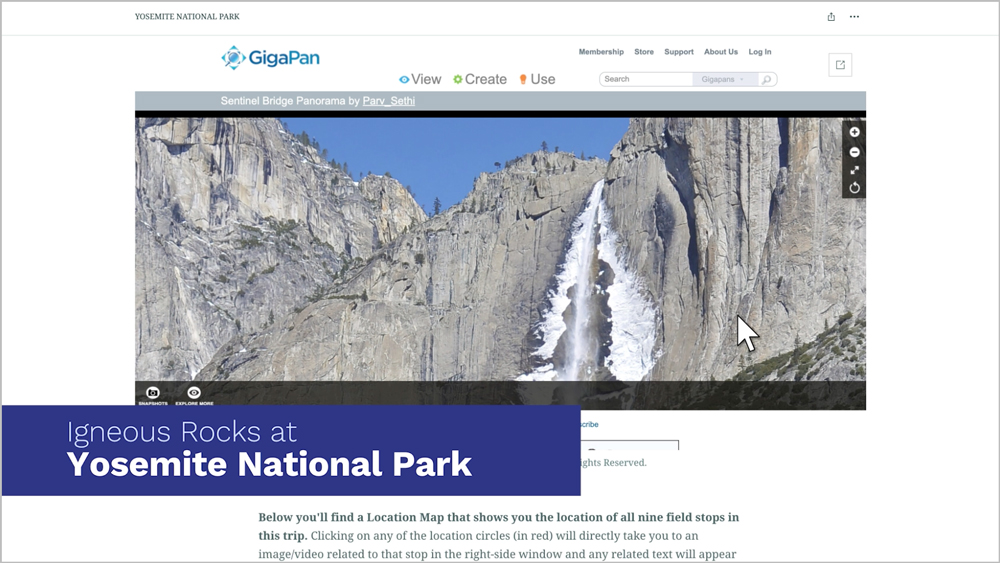
    Through vivid imagery and animation, expert commentary and interactive moments of discovery, students can zoom in on rock formations in striking detail and study patterns shaped over millions of years, as if they were there in-person. Along the way, they can deepen their understanding of key earth science concepts.

    Oh, the places they’ll go

    From towering cliffs to ancient coral reefs, students visit awe-inspiring locations that highlight the planet’s beauty and study critical earth science topics. Field trips include:

    • Igneous Rocks at Yosemite National Park
    • Volcanoes at Hawaii Volcanoes National Park
    • Weathering and Erosion at Arches National Park
    • Sedimentary Rocks at Capitol Reef National Park
    • Fossilization at Petrified Forest National Park
    • Copper Mining at Bingham Canyon
    • Hydrothermal Activity at Yellowstone National Park
    • Deserts at Death Valley National Park
    • Geological Time at the Grand Canyon
    • Depositional Coasts on the US. East Coast
    • Erosional Coasts on the U.S West Coast
    • The Hazards of Living along an Erosional Coast
    • Coral Reef Communities

    These locations are only the beginning, with more soon to come. And they aren’t just destinations, they’re reminders of the Earth’s complexity.


    Watch this video to explore this feature for earth sciences courses:


    Happy Earth Day

    What started as a movement to raise awareness about environmental issues has grown into a global day of action. It’s a reminder that we’re all connected, and that taking care of our planet is something we can all do — together.

    This Earth Day, let’s inspire students to explore the planet in ways that deepen their understanding and spark that sense of wonder. Thank you for teaching the next generation of explorers, scientists and stewards.

    Discover how you can bring the Earth into your classroom.

    Source link

  • the-power-of-mindtaps-college-success-factors-index-csfi – The Cengage Blog

    the-power-of-mindtaps-college-success-factors-index-csfi – The Cengage Blog

    Reading Time: 5 minutes

    As an avid user of Cengage’s MindTap online learning platform for over 10 years, I have tried about every feature it has to offer. Through my role as Chair of English and Study Skills, I am constantly tracking student data and implementing new ways to improve performance measures. In recent years, I have relied heavily on my favorite feature in MindTap, the College Success Factors Index (CSFI). By including it in our study skills courses, I’ve had the privilege of witnessing firsthand the transformative impact it has on student success.

    Understanding student pain points

    The transition to higher education can be a daunting experience for many students. My “babies,” as I call them, often mention challenges they face that extend beyond academic rigor, encompassing a wide range of factors such as time management, study habits, and emotional well-being. These challenges can significantly impact student success, leading to lower grades, decreased motivation, and even withdrawal from courses or institutions.

    The CSFI solution

    The CSFI is a comprehensive assessment tool designed to evaluate students’ readiness for academic success. Most student success tools only measure or discuss a student’s academic journey. The CSFI addresses students’ holistic development by examining cognitive, social, and emotional factors that can impact success. Students complete a 100-statement, self-scoring survey that assesses 10 distinct factors:

    1. College Involvement: Success in college is often defined by the levels and degree of one’s participation with peers and faculty. College involvement also includes being familiar with student organizations, or volunteer work, class research projects, and other college activities.
    2. Competition: Competition is a student’s need to know, learn and take pride in competition related to academic tasks. Academically assertive students have the internal motivation, resourcefulness, competitive drive, and desire to collaborate with others to succeed in college and the workplace.
    3. Expectations: To demonstrate thoughtful goals and decision-making processes, coupled with a plan of action for completing class projects and assignments, and attaining career goals.
    4. Family Involvement: Family/partner encouragement, acceptance, and emotional and financial support are important for college success.
    5. Persistence: Persistence is the will and energy to complete a task or skill through diligence, practice, and extra effort.
    6. Precision: Precision is thinking and applying the detailed and repeated measurement of technical, computer, and internet skills for college success.
    7. Responsibility and Control: Students who take responsibility and control in college succeed. They feel confident and assured regarding their classes, careers, and projects.
    8. Task Planning: Successful students set goals and complete their assignments in their courses of study. They follow step-by-step study practices within specified periods and take pride in the grades earned.
    9. Time Management: Time management relates to the development of skills and techniques such as prioritizing events, establishing calendars and schedules. Learning to assign realistic time limits to class assignments, studying, work, family, and social activities lead to effective time management.
    10. Wellness: Wellness means having positive attitudes and consistent practices of physical, emotional, and stress parameters in one’s college life.

    Benefits for students

    The CSFI offers a multitude of benefits to students, empowering them to take control of their academic journey:

    • Self-Awareness: By completing the CSFI, students gain valuable insights into their strengths and weaknesses. This self-awareness allows them to identify areas where they may need to improve and develop targeted strategies to enhance their skills.
    • Personalized Support: Instructors can leverage the CSFI results to provide tailored support and guidance to each student. This personalized approach ensures that students receive the specific help they need to succeed.
    • Targeted Interventions: The CSFI can identify students who may be at risk of academic difficulty. By proactively addressing these students’ needs, instructors can prevent potential problems and promote student success. You can even set up early alerts based off this feedback!
    • Skill Development: The CSFI can be used to guide students towards resources and activities that can help them develop critical skills such as time management, study habits, and test-taking strategies.
    • Resource Connection: Because the CSFI details where students may struggle, you can determine the best resources and connect students to them early on. Doing so can help students improve their CSFI results from pre- to post-test.
    • Enhanced Motivation: By setting clear goals and tracking their progress, students can stay motivated and focused on their academic pursuits.

    Benefits for administrators

    The CSFI is seamlessly integrated into MindTap, making it easy for students to access and complete. Once the CSFI is completed, students gain access to their report immediately and can download it as a PDF. Instructors can download reports for their individual sections. There’s also an administrator link where a report can be pulled for all students across a department, division, or institution. By having access to admin reports, you can provide:

    • Personalized Advising: Leverage CSFI assessment results to personalize student advising. During advising sessions, discuss individual strengths, challenges, and goals revealed by the assessment to create tailored academic plans. This includes guidance on course selection, major exploration, and career pathways. Regular follow-up meetings will help students maintain progress and address any new concerns. These reports can help advisors, faculty mentors, program chairs, and enhance any First Year Program.
    • Student Success Workshops: Host workshops and seminars informed by CSFI results to address shared student challenges. These sessions can cover topics such as study strategies, goal setting, wellness, financial literacy, and career readiness. Equipping students with these skills and knowledge will contribute to their overall success and well-being. CSFI results can also facilitate the creation of peer support groups by matching students with similar needs and challenges. This is especially important for students who score low in the “Family Involvement” category.
    • Faculty Collaboration: Disseminate CSFI results to faculty. This can improve their understanding of student needs and inform the integration of supportive strategies into their teaching practices. This collaboration can create more supportive and engaging classroom environments, promoting student success. The results can also guide professional development offerings, course design, and instructors’ approaches to student learning.
    • Continuous Monitoring and Evaluation: Continuously evaluate the effectiveness of CSFI-informed interventions and support programs. Monitor student progress, retention rates, and academic performance to assess the impact of these initiatives. Use this data to drive decision-making and continuously enhance student support and success outcomes. Use the CSFI data to your benefit! It can be used to supplement program data, class statistics, or even shape an institution’s Quality Enhancement Plan (trust me – I know!).
    Image of an Administrator CSFI Report

    Conclusion

    Cengage’s CSFI is a truly innovative feature that has the potential to revolutionize the way we approach student success. By providing valuable insights and personalized support, the CSFI empowers students to overcome challenges, develop essential skills, and achieve their academic goals. As an educator and a student advocate, I wholeheartedly endorse the CSFI as a powerful tool for fostering student success. Sometimes, the first step is just getting students to open and admit what they are struggling with, both in- and outside the classroom. The CSFI as a self-assessment encourages those conversations.

    Want to connect?  Reach out.

    Explore CSFI helpful videos:

    Completing CSFI Assessments (Student)

    Reviewing Student Results (Instructor)

    Understanding Your Results (Student)

    CSFI Administrator Results (Admin)

    Written by Dr. Jenny Billings, Chair of ACA (Study Skills), DRE (Developmental Reading and English) and ENG (Curriculum English) at Rowan-Cabarrus Community College in Concord and Salisbury, North Carolina. 

    Interested in learning more about how to use the CSFI tool? Check out Dr. Billings’ walkthrough of the feature in MindTap.

    Source link

  • with-michelle-blesi-author-of-medical-assisting – The Cengage Blog

    with-michelle-blesi-author-of-medical-assisting – The Cengage Blog

    Reading Time: 6 minutes

    Tell us a little bit about yourself and your background (current title, professional milestones, professional history, education, research works, hobbies, etc.)

    I am a Certified Medical Assistant with 39 years of industry and education experience combined. I worked in a family practice clinic for 10 years, emphasizing patient care while completing clinical and laboratory skills. Changing my focus to leadership, I then worked as a lead in the nursing/lab departments and as a Clinical Manager, prior to switching careers. In 2001, I was hired as a full-time educator, Practicum Coordinator and Program Director at Century Community and Technical College in White Bear Lake, MN.

    I have a diploma in medical assisting and am certified through the American Association of Medical Assistants (AAMA.) I also have a bachelor’s degree in psychology and a master’s degree in community psychology. In spring 2005, I completed the TES (Teacher Education Series) courses at the University of Minnesota, earning my teaching license in vocational education.

    I enjoy bringing my career experience into the classroom and making a difference in students’ lives. In addition to being Program Director, I teach both clinical and laboratory courses, a medical assistant refresher course through CECT and Administrative Procedures for Medical Assistants, both in-person and online. Additionally, in my role as the Practicum Coordinator, I oversee all of the clinical externship/practicums for the program. In addition to sitting on numerous committees and work groups over my career span, I have also authored the past four editions of “Medical Assisting: Administrative and Clinical Competencies.”

    In my free time I enjoy hiking, camping, reading, music, gardening, entertaining and spending time with family and friends.

    Tell us about the Medical Assistant program at Century College. What are the most rewarding aspects of teaching the program?

    The Medical Assistant program at Century College has grown significantly since I started in 2001. Originally, I was teaching classes with approximately five students and a total of 8-10 students overall in the program. Today’s classrooms have 20 students in each, for an overall total of 120 students enrolled in the program. We have two courses (Administrative Procedures and Pharmacology) which students can take prior to starting the program. We hold practicums/externships every spring and summer. Fall sessions are available for any students who may have stopped out and returned.

    There are several rewarding things about teaching in the MA program. These include seeing the students understand the concepts, excel at the skills, complete the program course, pass the certification exam and get their first job as a medical assistant. Their success is my success. As of date, I’ve had over 1000 students graduate from the program. I couldn’t be prouder of that fact.

    What are the biggest challenges?

    As for challenges, I’d say the biggest is keeping the enrollment up. We don’t have an abundance of students enrolling. I’d love to see that change. I love seeing high school graduates, people looking for a career change or just people in general who want to contribute and make a change in people’s lives, join the field. Another challenge is teaching up to 20 different levels of students in one classroom and being able to meet the needs of all learners. Depending on their preparedness level prior to joining the program, it can be challenging at times.

    How has the Medical Assistant program changed over the past few years? How have you adapted your teaching to reflect those changes?

    Having to adjust to the learning levels of individual students has been quite a change over the years. I always take it to them and say, “Tell me how you learn best,” and “How can we help you to be successful in your learning path?” We have created language guides using many of the terms found in the coursework to help students comprehend the content better. We have developed an ambassador program within our program where peer-chosen students serve as classroom leaders to assist the faculty with study groups and program outreach.

    I am always researching the best practices and making changes so students can learn better. We survey the students and make changes based off their feedback. We also meet with every single student each semester to work on affective skills. Students set goals to keep their education and learning on track for success.

    How has your work at Century College influenced your work on Medical Assisting: Administrative and Clinical Competencies? What is distinctive about the text? What are your suggestions for instructors getting started with it?

    My work has always revolved around wanting to have the best for the students. My students are great at telling me what they need and how  materials we have help them learn the content necessary to be a successful MA. I wanted a product that made learning easier for both the student and the educator, while including all the required standards and assessments. When I first started in education back in 2001, I couldn’t find a product that had everything I felt students needed or I needed as an educator. I was having to supplement quite a bit and create a lot of my own materials to meet the needs. I was fortunate when I voiced these issues to a Cengage product developer. They were willing to listen and invited me to join them in creating content. Here I am close to 20 years later, continuing to do so.

    “Medical Assisting: Administrative and Clinical Competencies,” 10th Edition is a proven, competency-based learning system with a 40-year history of success. The text associates each learning module with the needs of students and the demands of the workforce. It’s a personalized experience rather than a one-size-fits-all model. The text is written in an interesting, easy-to-understand format and covers the knowledge, skills, behaviors and values necessary to prepare students to become  thriving, multiskilled medical assistants.

    This textbook can be used in a variety of settings:

    • A structured classroom
    • Individualized instruction of learning — much of the content and format is appropriate for self-study
    • On-the-job training in a provider’s office, where the learning package serves as a supplement to employee instruction and as a resource manual
    • Certification exam preparation

    I would advise instructors to ask for training on this product and all the ancillaries that are available with it. Don’t try and do it all alone. There are many educators using the product. There’s also on-demand online training and virtual training that can be set up to help them get started. There are so many tools that can make their lives and educational experience easier.

    How does MindTap connect to your text? How do you use it in your courses? What are your suggestions for professors getting started with MindTap

    This textbook also includes an updated MindTap. We’ve reviewed all activities and assessment questions to ensure alignment with the 10th edition objectives.

    New features and updates include:

    • Medical Assisting Virtual Skills activities: Included in select chapters, these activities walk students through performing various skills in the medical office, from effectively addressing patient questions on the phone to assisting with a variety of patient exams and procedures.
    • Medical Office Simulation Software (4.0): This updated software features a Demographics screen, six new activities and ICD-10-CM and CPT codes.
    • Medical Assisting Exam Review Online (4.0): This software is fully updated.
    • Image labeling activities: Each chapter in Unit 2: Anatomy and Physiology of the Human Body includes new image labeling activities.

    I use some of the exercises in MindTap as part of the students’ graded course materials. Some of the content is for student practice only. They can use it at their leisure. The competency checklists are all downloadable and customizable. You can add or remove any content to fit you and your students’ needs. In my student surveys, over 95% comment on how MindTap is one of the best resources they’ve used throughout the program. MOSS is a great way to get students acclimated to electronic record information entry. And the MAERO certification review questions assist my students with passing their certification exams successfully.

    How do you see this text deepening students’ engagement with medical assisting and fostering more active engagement with core concepts? What is the most significant takeaway students will carry with them after using this textbook?

    The text is such a great resource for the students in so many ways. It’s not just a textbook needed for a course. It has a wealth of information that enables them to make connections between the content and the hands-on skills needed to perform the tasks of a medical assistant. I run into students in the field all the time. Over 1000 past students are out in the workforce. They’re still using the text as a resource well after they have completed the program and are employed.

    Having a variety of exercises in MindTap makes learning so much more meaningful and fun for students. I have yet to meet a student who did not find value in the text and the ancillary resources that go along with it. In fact, I hear from employers that use it when past students bring it in to refresh their own employees on updated skills that they may not have been aware of. I like to think of it as a gift that keeps on giving.


    Michelle Blesi is a Certified Medical Assistant, Program Director and faculty member in the Medical Assistant Department at Century College. She has a diploma in medical assisting and is certified through the American Association of Medical Assistants AAMA. She also has a bachelor’s degree in psychology and a master’s degree in community psychology. She completed the TES (Teacher Education Series) courses in spring 2005 at the University of Minnesota. She is the recipient of numerous awards, including the 2021-2022 League Excellence Award and the 2016 Minnesota State: Academic and Student Affairs Division Excellence in Curriculum Programming Award.  

     

    Source link

  • student-assistant-new-genai-capabilities – The Cengage Blog

    student-assistant-new-genai-capabilities – The Cengage Blog

    Reading Time: 2 minutes

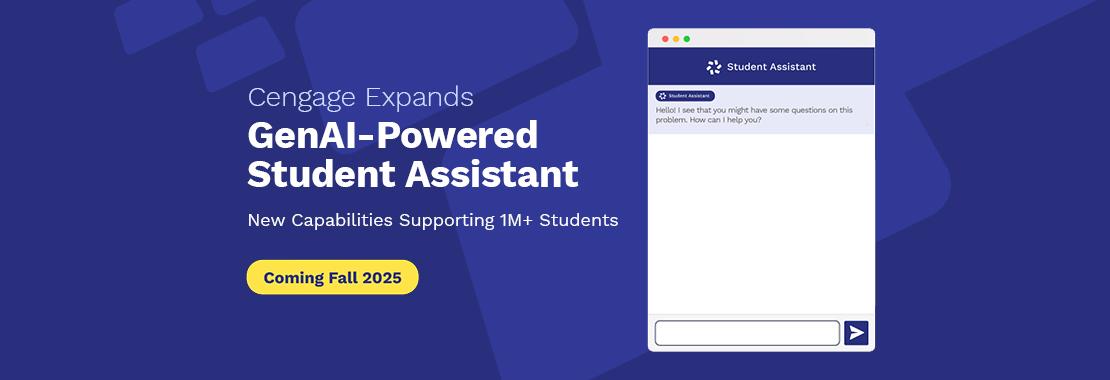
    Since launching the Student Assistant in beta last year, we’ve been working with thousands of faculty and students to train it and bring a personalized learning experience to more students. So, what’s next for this GenAI-powered tool? 

    We’re taking it to the next level. Starting this fall 2025, the Student Assistant will become available to over 1 million students with new capabilities, including integration throughout the learning experience, course offerings across 100+ products and our new AI-powered insights dashboard.  

     Let’s jump in. 

    A quick refresher: Let us reintroduce you to the Student Assistant 

    Leveraging intelligent language models and Cengage-trusted content, the Student Assistant guides students through the learning process within their specific products. Currently, embedded in our online learning platform, MindTap, it provides tailored feedback to help students reach their own solutions, without giving away the answers. We want to support students to not only understand what they’re learning, but apply course concepts with confidence. That’s why this tool was purposefully trained by students and instructors, to ensure academic integrity is at the forefront.  

    Personalized support across learning activities 

    We’ve told you how the Student Assistant personalizes learning. Soon, students can experience that level of comprehensive, personalized support throughout their entire learning experience. The Student Assistant is expanding across various learning activities and can support more difficult question types. Plus, its responses will link to actual textbook chapters, images, videos and other resources. This allows students to instantly connect with their course content and understand exactly what they’re learning.  

    More course options equal more opportunities for students 

    Spanning 100+ products, the Student Assistant will be available to over 1 million students, each with their own set of unique learning needs. We’ve expanded access across our best-selling products, including “Principles of Economics” by N. Gregory Mankiw, “Anatomy & Physiology” by Dr. Liz Co, “Precalculus” by James Stewart and more. With more product offerings and platforms available, we can reach a wider range of students from a variety of key disciplines.

    Allows instructors to look beyond grades with AI-powered insights dashboard  

    The most desired AI use case for 52% of instructors we surveyed is AI that personalizes learning and instruction.  

    Built on real-time interactions from the Student Assistant, our new AI-powered insights dashboard is a tool instructors can utilize to support and meet students right where they’re at in the learning process. Instructors can track students’ learning patterns and increase engagement with personalized, actionable insights on everything from study habits to learning challenges and concept gaps – all before it impacts their grades.  

    The future of learning is looking bright 

    Overall, this expansion will help us create better learning experiences for more students and allow instructors like you to meet their individual needs — so you can support them in their academic journeys and create futures full of opportunity.   

    Want to stay posted on updates about our fall 2025 expansion and learn more about the Student Assistant for your course?  

    Source link

  • Blended and Hybrid Learning With MindTap

    Blended and Hybrid Learning With MindTap

    Reading Time: 4 minutes

    Whether today’s educators are teaching in-person, online or somewhere in between, their dedication to students has remained stronger than ever, despite rapid changes within the space. And in recent years, we’ve seen advances in technology and an increased emphasis on flexible learning environments reshape the higher ed classroom, resulting in both blended and hybrid learning models becoming more common.

    Let’s explore a few common models of blended and hybrid instruction and some course materials that tailor well to this type of learning experience.

    Blended and hybrid learning: a breakdown 

     The definitions of both terms may vary. Typically blended instruction includes teaching with a variety of technology tools, while hybrid instruction includes both in-person and online course sessions. These terms can apply at many levels, from specific course components (for example, a blended activity) to the broadest program or institution level, where an institution has a program with both in-person and online components. 

    Common models 

    Some of the more common models of hybrid and blended instruction include: 

    • Flipped: Students learn new content before class and practice it in the classroom. This approach allows for multimodal content presentation online, and gives students greater control of when, where and how they access course content. 
    • Enriched virtual: Students set the pace of their own learning and complete most of their coursework online.  
    • Rotation: Students rotate between multiple learning modalities, one of which is online. Other modalities may include in-person instruction, group projects, individual guidance and assignments. This approach allows for students to interact with content in a variety of ways, promoting engagement. 
    • Flex: Students direct their learning according to what works best for them among different learning modalities with an emphasis on online learning. The instructor is available for face-to-face support as needed. 
    • A la carte/Self blend: Students choose a supplementary online course to accompany other, in-person experiences.  

    Depending on the model and modality, students can receive immediate feedback through computer graded activities. They can also interact with classmates in a variety of ways, such as discussion forums, online (or in-person) class sessions, group projects and multi-person online recordings, such as those available through Bongo with MindTap 

    Teaching blended and hybrid models with MindTap  

    Here are a few examples of titles across disciplines like world languages, marketing, art & humanities and health care, paired with our online learning platform, MindTap, that readily translate to blended or hybrid formats.  

    Atelier, 2e, Introductory French 

    From its inception, “Atelier: An Introductory French Program,” 2e by Kim Jansma, Margaret Ann Kassen, and Laurence Denié-Higney was designed for hybrid or flipped courses. This program includes a course manual with grammar and vocabulary presentations, readings and many interactive activities that can be assigned in class. Before coming to class, instructors can assign Learn It activities (readings and new content presentations) and Practice It activities (low-stakes, auto graded comprehension and application) in MindTap. Students and instructors then have an opportunity to discuss new content and practice applying it in open-ended and creative ways within a synchronous, in-person or virtual class.  

    Apply It activities (open-ended expansion) can be assigned for follow-up homework, while Got It activities close out the MindTap Learning Path sequence at the end of each chapter section, so students can verify their understanding. Alternatively, these Got It activities can be assigned as review activities at the end of the module prior to formal assessments. Evaluation can be completed during course time or virtually via online tests that accompany the program and are available through Cognero.   

    Marketing, 21e, Principles of Marketing 

    Blended and hybrid approaches can also work in courses that were not initially designed for hybrid instruction. For example, with “Marketing,” 21e by William M. Pride and O. C. Ferrell, students can complete the reading and subsequent Learn It comprehension activities before class. They can complete Apply It activities either before class to prepare for an upcoming discussion or after class as extension activities. Students can also use Study It materials such as flashcards and practice quizzes for review and to identify areas for improvement before a test.  

    In addition, this title’s MindTap contains activities that allow students to personalize their learning online, promoting self-reflection and real-world application of course concepts. For example, Why Does It Matter to Me? is a chapter-opening question that situates upcoming concepts in context and prompts students to reflect on their own knowledge and experiences. Case Activities in each chapter has students apply key concepts from the chapter to a real-world scenario, including media and reflection questions. You Make the Decision are branching-style questions where students walk through a scenario and make important, but difficult decisions. At the end of the Learning Path are comprehensive assessments of marketing analytics and Excel activities. Students review and manipulate data in Microsoft Excel to see how resulting calculations affect business decisions. The robust content in MindTap for “Marketing,” 21e facilitates a variety of blended and hybrid learning approaches by providing students with unique, personalized and authentic materials at all stages of the learning process. 

    Cultures and Values: A Global View of the Humanities, 10eHumanities 

    With a media-rich MindTap, “Cultures and Values: A Global View of the Humanities,” 10e by Lois Fichner-Rathus provides students with the authentic primary materials they are learning about in the readings. In their eBooks, students can zoom in on images to see details such as brush strokes and lighting. They can also access authentic texts of selected literary works, listen to chapter-specific curated playlists on Spotify and watch videos through edited YouTube chapter playlists. By allowing students to view and interact with primary course content directly, hybrid and blended learning brings the materials to life while supporting flexibility and learning on the go. 

    Understanding ICD-10-CM and ICD-10-PCS: A Worktext – 2025, 10e, Medical Coding and Billing 

    While the previous examples have featured humanities and business courses, online learning is also common in workplace skills course such as medical coding and billing. Programs like “Understanding ICD-10-CM and ICD-10-PCS: A Worktext – 2025” 10e by Mary Jo Bowie provide a variety of comprehension and application-based activities, real-life case studies and review materials. Plus, it includes the Official Guidelines for Coding and Reporting for both ICD-10-CM and ICD-10-PCS. As a result, students can complete readings, study using PowerPoints and flashcards and gain vital practice with coding in preparation for the certification exam. Students appreciate the flexibility and independence that blended and hybrid learning offers, while gaining valuable preparation for certification. 

    The takeaways 

    Many forms of blended and hybrid learning – from flipped classrooms to fully-online, self-led courses – are common in higher education today. By providing a variety of robust online content, courses can offer students flexibility, authenticity and personalized learning to boost engagement and prepare them for their studies and future careers.  


    Check out these resources that support different types of learning models: 


    Written by Jarmila Sawicka, Learning Designer at Cengage

    Interested in ways MindTap can help engage students in your blended or hybrid model course? 

    Source link

  • A Deep Dive into MindTap for Anatomy and Physiology: Now With Visible Body

    A Deep Dive into MindTap for Anatomy and Physiology: Now With Visible Body

    Reading Time: 3 minutes

    Students taking Anatomy and Physiology have many challenging and complex topics to navigate through. Some of the common areas where they may struggle include concept visualization, term memorization and learning how to apply their critical thinking skills within a real-world clinical setting.

    Let’s explore MindTap for Elizabeth Co’s “A&P” and examine its suite of interactive features that improve engagement and comprehension, including Visible Body activities, author concept videos, clinical activities and personalized features.

    Visible Body activities help students exercise factual and spatial knowledge

    With Visible Body embedded into the MindTap Learning Path, students can access accurate visual representations, anatomically correct 3D models and immersive activities. Students can manipulate these 3D models and exercise their factual and spatial knowledge while reinforcing the concepts they’ve learned in Co’s “A&P.” Students can also check their understanding of these concepts by taking quizzes. With multiple Visible Body activities available in every chapter of the title, students can take advantage of a whole semester’s worth of 3D learning.

    Visible Body activity in MindTap Learning Path

    Author-driven content at students’ fingertips

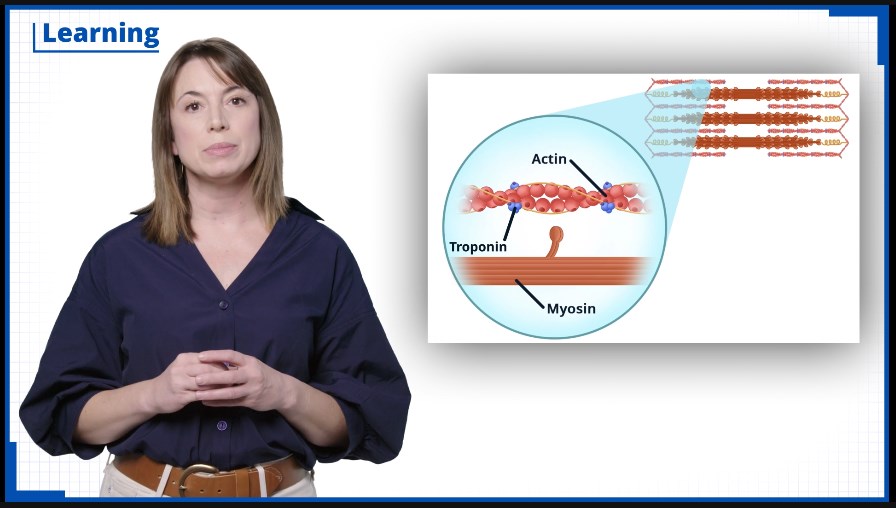
     “A&P” author Liz Co has always been passionate about supporting student learning and study skills. She currently serves on the HAPS (Human Anatomy & Physiology Society) learning objectives panel, is Committee Chair on Inclusive Pedagogy and Principal Investigator of Assessing Student Engagement and Efficacy of Remote Learning. Her wide-reaching experience has influenced new concept videos in each chapter, found under Learn Its in the MindTap Learning Path. Liz walks through what students have deemed to be the toughest topics in A&P, and breaks down those concepts using her pedagogical knowledge.

    Author Elizabeth Co stands next to an A&P graphic image.
    New concept videos with Dr. Elizabeth Co, author of “A&P.”

    Clinical activities get students career-ready

    Many students taking an A&P course are on the nursing/medical profession career track. With various opportunities to practice their critical thinking skills in MindTap for Co’s “A&P,” students can prepare for their future careers working in a clinical setting. Students can enhance those skills through Case Studies, activities which engage them with clinical scenarios and challenge them to achieve a higher-level of understanding with auto-graded assessments.

    Study features reinforce key concepts/terms and personalize the learning experience

    With over 8,000 anatomical terms to cover in the span of two semesters, A&P students need personalized solutions to help hone memorization skills and develop a better understanding of key concepts and terms. Students can improve these valuable skills with:

    • The Student Assistant, leveraging GenAI and exclusive Cengage content, delivers a personalized learning experience to students, available 24/7.


    • Mastery Training (powered by Cerego) uses cognitive science principles to help students learn key terms faster and more effectively. These activities help students make connections between terms and concepts, providing guidance until students have a full grasp of what they’ve learned.


    • Adaptive Test Prep helps students review and understand concepts and skills in the course. Students take a quiz and receive a customized set of study materials.

    Interested in exploring MindTap with Visible Body for your Anatomy and Physiology course?

    The post A Deep Dive into MindTap for Anatomy and Physiology: Now With Visible Body appeared first on The Cengage Blog.

    Source link