Tag: Websites

  • Educational Technology and Personal Academic Websites with Dr. Elizabeth McAplin

    Educational Technology and Personal Academic Websites with Dr. Elizabeth McAplin

    Ready for a conversation about educational technology, artificial intelligence, and personal academic websites? The 2024 season of The Social Academic is here.

    Meet my featured interview guest, Director of Educational Research Technology at New York University, Dr. Elizabeth McAplin. Read, watch, or listen to this episode of The Social Academic.

    The form above subscribes you to new posts published on The Social Academic blog.
    Want emails from Jennifer about building your online presence? Subscribe to her email list.
    Looking for the podcast? Subscribe on Spotify.
    Prefer to watch videos? Subscribe on YouTube.

    Jennifer: Hi everyone, my name is Jennifer van Alstyne. Welcome to the new season of The Social Academic. This blog, podcast, and YouTube channel is about managing your online presence in academia. Today we’re gonna be talking about teaching and educational resources.

    I’m delighted to introduce my guest to you, Dr. Elizabeth McAplin, who is Director of Educational Research Technology at New York University. Elizabeth, thanks so much for joining me today. Would you please introduce yourself and tell us a little bit about your role at NYU?

    Elizabeth: Sure. I’m Director of Educational Technology Research at NYU. I’ve been in this role a little over 7 years now, and at NYU for almost 10 years. I did my PhD at NYU and a MA in Educational Technology at NYU so I have a very long history with NYU.

    When I was a student there and worked, I had multiple hats: student, alumni, faculty, and administrator.

    Jennifer: Wow.

    Elizabeth: Yup, all of them. I was the face of NYU. My role there specifically is to collaborate with faculty who are looking to make pedagogical changes to their courses usually involving some sort of media or technology.

    We had a very large provostial push years ago to encourage faculty to start using technology, trying it out. And seeing how well that could enhance their courses and make things better and easier for themselves as well as their students.

    I’ll work with them in part sometimes to develop a technology. Sometimes it might be a virtual reality project that they might want to use in their course or program. As well as conduct scholarly research to see how well that is impacting student learning in their classroom or program. We aim to publish those findings as well.

    I’m a central resource. I work with all schools and departments at NYU.

    Jennifer: That is amazing. Because you’ve been at NYU for so long, you were a student there, you’ve worked there, and now you’re a director there. I’m curious. You have an internal personal academic website [hosted by NYU]. Is that something you created when you were a student? Or, in your newer role?

    Elizabeth: No, I created it during a time when I was both a student and in my current role. I was finishing my PhD while I was still a Director.

    I created it not for the purpose of my own portfolio site. I do have a presence at NYU that shows my service within the structure of Research, Instruction, and Technology which is my department, within the larger umbrella of NYU IT. [That presence] does get a little bit lost sometimes in that filter. But it is there. It doesn’t describe me personally, it describes my service to faculty and to the university. It’s not focused on me per se.

    The portfolio site is to showcase some of the work I’ve done in the past, mainly at NYU. It does also list my CV, prior work experience as well as teaching experience and the like. In the event life changes, I like to have something available and ready to show.

    Jennifer: I love that. When I was exploring your site it was fun for me to see the different types of videos you were posting about educational technology projects you were working on and collaborating with faculty. I like that even though this is a portfolio site, it sounds like maybe a ‘just in case’ site? That it was helping me prepare for this interview and get to know a little bit more about you. At what point did you create that website?

    Elizabeth: That was many years ago. It’s hosted through NYU. NYU provides faculty a WordPress service just for that. Sometimes they use it to create a portfolio for grants they’ve received or want to receive. They can provide that to their grant funders. It’s another way to showcase the work that gets done.

    It’s an internally managed WordPress hosting site. It’s not something I pay for externally. All faculty have that available to them [at NYU].

    Jennifer: Did NYU encourage you to create a website? Or was it something you learned about and then decided to make yourself?

    Elizabeth: I think when I knew the service was available, and I was teaching there as well, I decided it was a good idea and why not? I mean, if it’s free and I don’t have to pay for it, there’s no non-incentive not to do it, haha.

    The form above subscribes you to new posts published on The Social Academic blog.
    Want emails from Jennifer about building your online presence? Subscribe to her email list.
    Looking for the podcast? Subscribe on Spotify.
    Prefer to watch videos? Subscribe on YouTube.

    A video recording set-up with a professional camera and microphone, an open laptop with a video editor on the screen, and a mug.

    Jennifer: Your portfolio had a nice list of videos where you’ve collaborated with faculty to create resources and technologies for their classrooms. Can you tell me about one of the videos that you were excited to share on your website?

    Elizabeth: Before I was a Director of Research, I was a Director that oversaw a very large team of instructional designers and media producers. Our role was to create a lot of this content for faculty to be used in their courses. I learned a great deal about each faculty member I worked with and their particular expertise. It’s kind of a wonderful way to learn more, because I love learning. And to create and produce those videos.

    Most of those [videos] were created with a team of people. They would be scripted, prepared, and imagery selected for them ahead of time. They were very well planned out videos that were used in their courses.

    Or they were videos demonstrating a virtual reality project. I think one of the 1st videos in the list is something more recent I’ve worked on with faculty: a virtual reality project to help teach students how to deliver local anesthesia in a dental setting. That describes what that project is about. The other videos are more content related to courses specifically.

    They’re just fascinating and visually engaging pieces of work. We did a lot of things! A lot of interactive pieces: videos, games, simulations, etc.

    Jennifer: That is so cool! And I love that there’s support at NYU for faculty who are looking to introduce those newer technologies into their pedagogy, into their teaching.

    The form above subscribes you to new posts published on The Social Academic blog.
    Want emails from Jennifer about building your online presence? Subscribe to her email list.
    Looking for the podcast? Subscribe on Spotify.
    Prefer to watch videos? Subscribe on YouTube.

    A cute blue robot with large eyes hold up a lightbulb. Text reads 'artificial intelligence'

    Jennifer: I’m curious. What technologies are faculty curious about exploring? I’m coming from literature as a field. There’s newer augmented reality [AR] or virtual reality [VR] technology that can be introduced into that. Most faculty just aren’t aware of it. So I’m curious, what are faculty at NYU curious about learning now?

    Elizabeth: Artificial intelligence. It’s a really big topic right now because it has so many unknowns.

    I think there’s still a lot of faculty that are hesitant to use a lot of technology. I think since COVID when faculty had to go online during that time period, that was a big change for them. It did kind of give them that opportunity to learn more about technologies they could use moving forward.

    There’s giving a Zoom presentation, learning how to present, use technologies within Zoom for their classes, making hybrid courses or fully online versions of them. Learning how to create better videos for their courses.

    Not relying so much on lecture as being used for the time in the classroom anymore. Pulling the lecture out, making that as a video or something, and using the classroom for more discussion or interactive uses of the time with their students.

    Jennifer: That is so cool.

    Elizabeth: It’s such a precious amount of time.

    And then, there’s a handful of faculty very interested in virtual reality and augmented reality. Those are mainly in the sciences and medical fields.

    And now, artificial intelligence is the biggest buzz at the university. How are faculty going to manage using artificial intelligence, ChatGPT, in a productive and constructive way as opposed to ways that students want to write their papers with.

    Jennifer: It’s kind of like a shift in how we think about artificial intelligence in the classroom from fear-based to how can it be a part of it in a meaningful way?

    What are your thoughts on it? How are you feeling about artificial intelligence and pedagogy?

    Elizabeth: I think there can be a lot of great uses of it, as long as it’s well planned out. There are efficiencies to things like using ChatGPT that we didn’t have before. That can be wonderful.

    Even doing literature reviews and such through ChatGPT can help speed up that process. We didn’t have to go to a library before to do a lot of research on articles because now they’re all digitized. We can do that through an online library system.

    It just gets a little bit closer to making things more efficient. Maybe we’ll have more doctoral students coming out of it. I’m not sure.

    There’s always going to be pros and cons for whatever technology comes before us. We have to acknowledge it. We have to understand what are the risks? What are the affordances? And work with that. That’s always going to be the case.

    Just like with a calculator, one of those tools that came out and people said, “You won’t have to learn math anymore because you can just use a calculator.” Regardless of all that, yes, we will still turn to our calculators to make sure we’re right in our math.

    It’s not a new problem, and it’s not a new risk. I think some of it comes down to making sure when we’re using these tools, we’re not also putting our students at risk like with identifiable information or grades, things like that. It’s a constant conversation to have with faculty on best uses and practices of these technologies and tools. And to keep monitoring those risks and the things that are gonna come up. They’re going to come up. They always will.

    When students get very stressed out and are under pressure, they’re more apt to want to cheat. Or have something, or someone, help them get the work done. So reviewing how much work we’re imposing on our students, or understanding that their social lives are taking a precedence they need to dial back to focus on their academic careers. It’s always a balance: is it the student’s problem? Or, is it our problem? And how do we find a happy medium in between?

    Jennifer: I really like that. It’s a beautiful point. When I was a student my parents had just passed away. I was working so hard. There were times I struggled to keep up. My teachers’ empathy for understanding what I was going through, even just a little bit made it feel like a safe place in the classroom, and made me excited to learn (even if I was a little bit behind in some areas). So I loved what you just said.

    The form above subscribes you to new posts published on The Social Academic blog.
    Want emails from Jennifer about building your online presence? Subscribe to her email list.
    Looking for the podcast? Subscribe on Spotify.
    Prefer to watch videos? Subscribe on YouTube.

    Virtual reality. A young black man and a young white woman stand back to back holding virtual reality controllers in their hands and wearing virtual reality goggles on their heads.

    Which of the technologies you just share with me are you most excited about? You talked about AR, VR, artificial intelligence, games. Which of those kinds of forms of teaching excites you?

    Elizabeth: I’ve been working so much in virtual reality recently in the past few years, so I guess that’s the most exciting.

    I’ve been working with 1 faculty member for almost 10 years. We just keep evolving resources for her course, which is really large, almost 400 students in her course. The virtual reality project we had for her, we keep trying to find ways to improve the experience overall. We’ve just gotten into working with faculty in the School of Engineering on how to create custom haptics for that virtual reality simulation.

    Jennifer: Would you explain haptics for us?

    Elizabeth: A virtual reality out of the box headset comes with the headset and 2 hand controllers. When you’re trying to learn a procedure that involves medical instruments like a syringe or a scalpel if you’re doing surgery, you want to know and feel what that device is like as you are performing the procedure. It’s not just cognitive. It’s tactile. It’s procedural. It has multiple learning and practice components to it.

    An out of the box hand controller is not particularly authentic to actually holding a syringe and actually practicing learning that procedure. Working with engineers, they developed a 3D printed syringe and connected that to a haptic device that now students can pick up and actually feel something that’s more authentic to that experience as they are in a virtual reality simulation in going through those procedural steps.

    It’s never going to replace working on an actual patient. We’re trying to prepare them to get as close as possible to a real patient experience before they work with a patient because there are so many risks involved in working with a real patient. So that’s the impetus behind that. It’s an ongoing process. We keep learning and we keep trying to make things better. That’s for us, part of the learning process as well. And that’s what’s exciting.

    Jennifer: That sounds so exciting. And I love it’s been an ongoing project and exploration over 10 years to improve the teaching and tools in that course.

    Jennifer van Alstyne waves at the camera. Behind her are icons that represent social media, technology, and being online.

    Jennifer: One of the things I wanted to chat about for faculty who might be listening to this, is that when you do create educational resources or tools like this, it would be great to share on your personal academic website and on social media.

    These tools don’t just help your students and other faculty at your university. They might help or inspire faculty across the world. I want you to know when you do take time to share those educational resources that you’ve made in a new way, in a way that’s accessible for people not directly in your classroom or talking with you at a conference 1-on-1. You can actually help more people with the hard work you’ve already done just by sharing it.

    There’s so many things you can share on your personal website related to teaching. I thought I’d list a few for those listening: your syllabi, course descriptions, any videos, or tools like PDF resources or guides. That can go on your personal academic website. If you find that it’s helpful for you or your students, I’ve had professor clients who actually create lists of internal resources and external resources at their university that they regularly share with not just one class, but multiple. Putting that on their personal website creates a kind of home for it where your students can go to find those resources when it makes sense for them.

    I want you to know that your website can be a portfolio. And that portfolio can be for the job market, it can be for grants like Dr. McAplin said. It can also be for your students. There’s so many ways to share the amazing teaching and educating you do online. I want you to not hide from that if you have resources to share.

    The form above subscribes you to new posts published on The Social Academic blog.
    Want emails from Jennifer about building your online presence? Subscribe to her email list.
    Looking for the podcast? Subscribe on Spotify.
    Prefer to watch videos? Subscribe on YouTube.

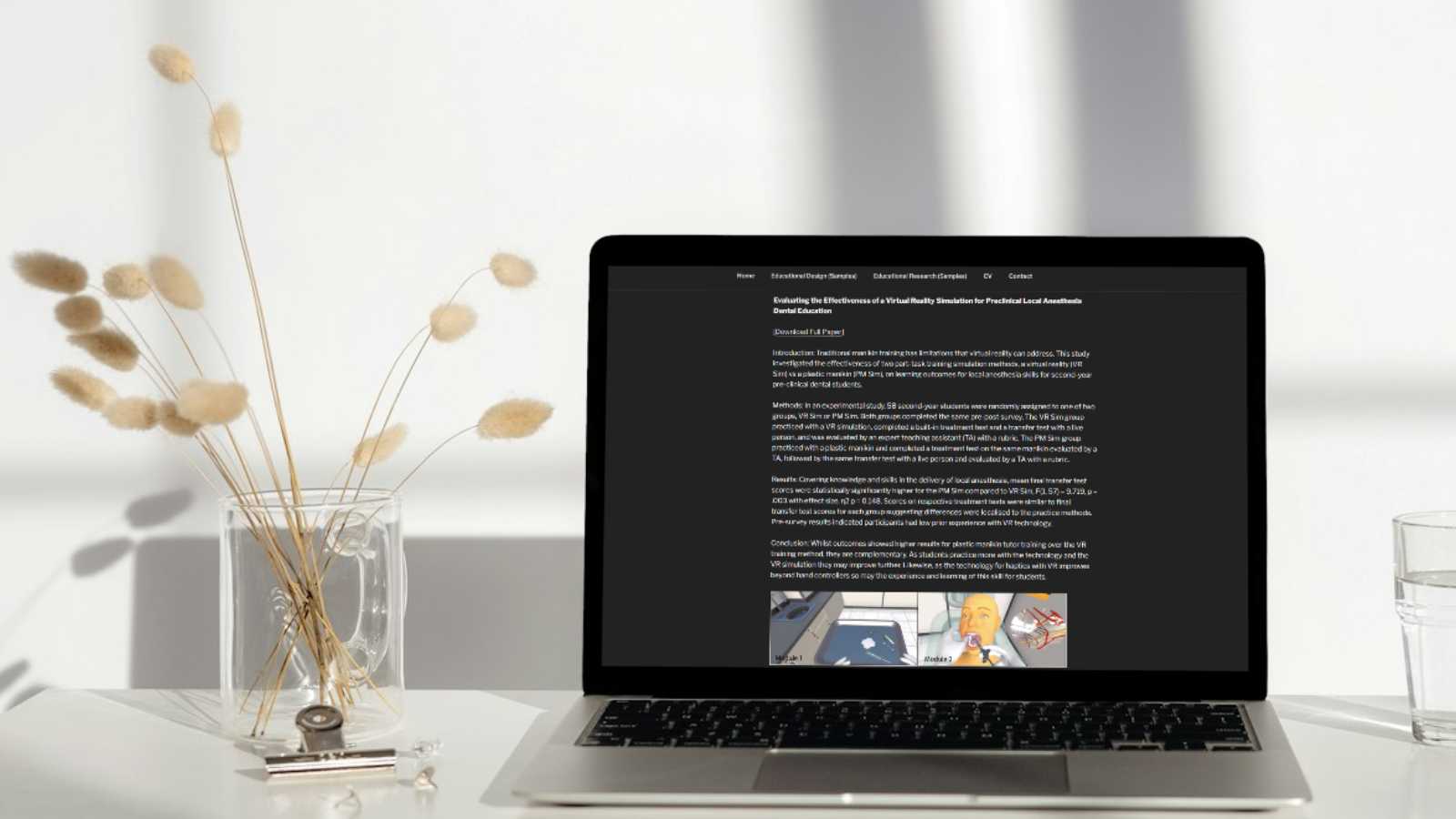
    An open laptop on a white desk next to a clear glass mug holding sprigs of dried decorative plants with puffed ends. There is a clip holder and a glass of water also on the table. On the open laptop screen is Dr. Elizabeth McAplin's website with her Educational Research page pulled up.

    Jennifer: Dr. McAplin, why did you actually choose to share the videos on your website? I think that’s the step a lot of people are missing. They create things, but they don’t always decide to share them. What prompted you to actually share the videos and the resources you helped create?

    Elizabeth: We’re proud of the work that was done. We want to show what’s possible. We’re not creating things for National Geographic or some NOVA high-production value thing. It doesn’t have to be that. But we took as much time and care as we possibly could with very little budget at all to make these resources. So it’s just to show examples of what’s possible and change a little bit the narrative. We get comfortable lecturing, but when we don’t have a visual idea for our students for what we’re talking about as we’re talking about it…we don’t want to cause a cognitive dissonance with that information either. Thinking carefully about the words with the imagery or short clips of documentaries or films that go along with what we’re saying to describe as examples of what we’re talking about. As long as they’re relevant and not overdoing it, I think it’s a good way to connect what we say with our eyes. We process these two things simultaneously, so we have that cognitive ability to do so, and we should take advantage of that ability.

    What we try to encourage with faculty and to try and make it a more enriching experience for our students.

    Jennifer: That is beautiful. I’m so glad we got to talk about this today. Elizabeth, is there anything else you’d like to add about your website, or about the amazing work you do at NYU?

    Elizabeth: I list [on my website] that I do workshops at the university. I get asked to do talks within the university. Those are important things to share, like this conversation. We have something at NYU called Teach Talks through the Provost department and there’s some other departments that do similar things, that connect with faculty to talk about things like their assessment practices, pedagogical practices. We haven’t really had one that talks about their research. That might be a missing link we could try to fill, which is more what my area is, on the research end.

    These are great resources for faculty to connect with other faculty, to learn about more ways to do things, to inspire them to do things differently, and to take a leadership role forward in that department. That’s more or less what I provide on my website.

    Jennifer: That’s amazing. I’m so glad you have your website. And, that I was able to explore it so we could have this conversation today.

    It makes such a difference when people are open to sharing a little bit more about themselves. So I’m happy you were open to coming on The Social Academic to talk with me. Anything else you’d like to add?

    Elizabeth: If anyone has any questions, I’m available to answer them.

    Jennifer: Wonderful. Well thank you so much for listening to this new episode of The Social Academic. Be sure to share it with a friend if you think they’d find it helpful. And, be sure to subscribe so you don’t miss the next episode.

    I’m Jennifer van Alstyne. I’ve been in conversation with Dr. Elizabeth McAplin. I’m so excited to share this episode with you.

    Elizabeth: Thank you Jennifer for asking me to participate.

    Jennifer: Thank you!

    The form above subscribes you to new posts published on The Social Academic blog.
    Want emails from Jennifer about building your online presence? Subscribe to her email list.
    Looking for the podcast? Subscribe on Spotify.
    Prefer to watch videos? Subscribe on YouTube.

    Dr. Elizabeth McAlpin is the Director of Educational Technology Research at NYU Information Technology. Her team assists faculty in scholarly research on teaching and learning strategies when enhanced with technology to improve student learning. She holds an undergraduate degree from Denison University, an Ed.M. in instructional technology and media from Teachers College, and an M.A. and Ph.D in educational communication and technology from New York University. In addition to her full-time position, she also teaches as an adjunct at NYU. Her interests include educational technology research, effective educational design, innovative pedagogy and assessment, and educational technology and media for all kinds of learning experiences.
    Back to the start of the interview.

    Interviews The Social Academic Women in Academia

    Source link

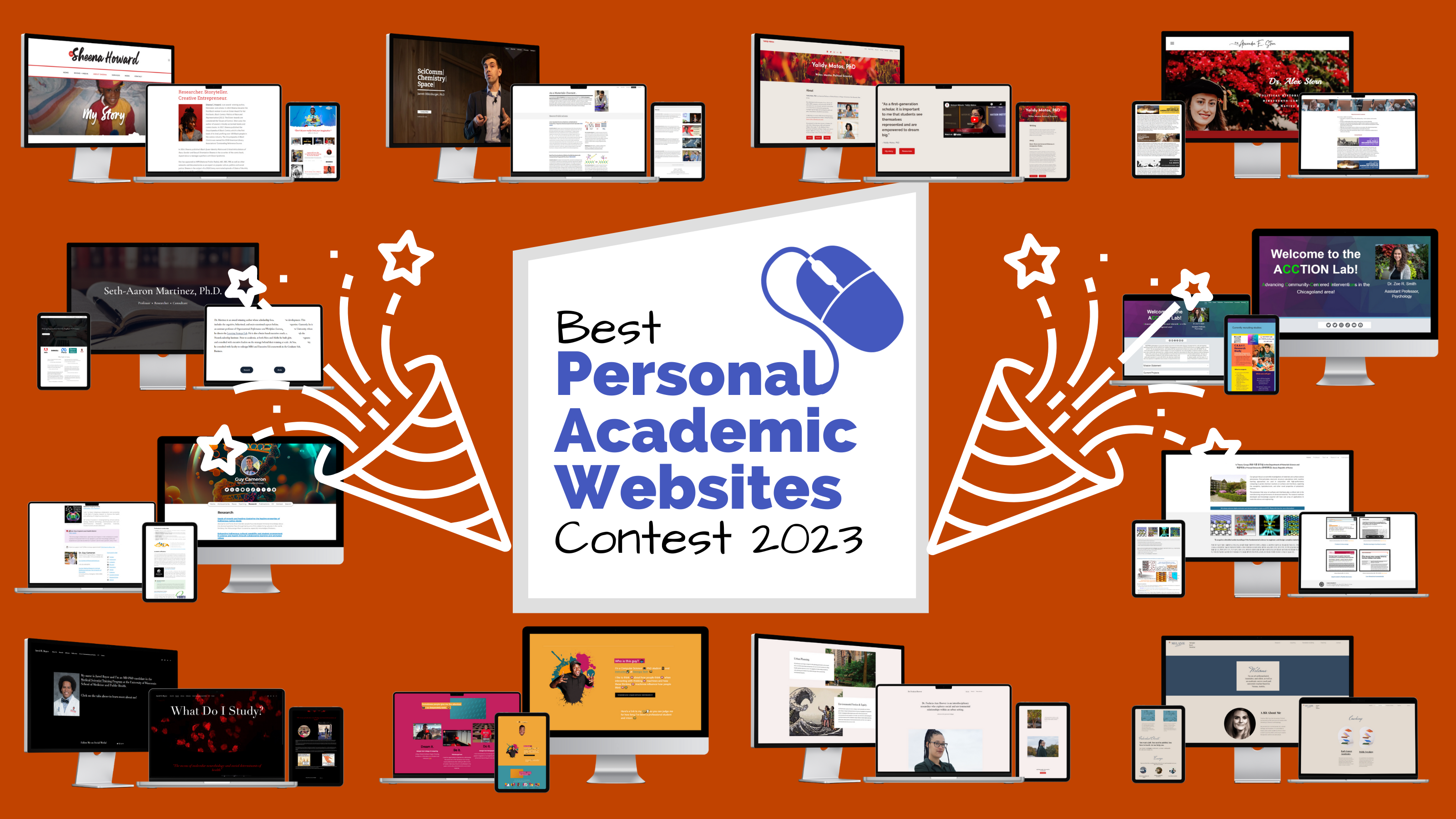
  • Winners of the 2023 Best Personal Academic Websites Contest

    Winners of the 2023 Best Personal Academic Websites Contest

    Update: It’s official! We’ll be back for another contest in early 2025. Jennifer, Brittany, and Ian look forward to your entry next year.

    Your personal academic website is a wonderful thing. Professors, researchers, scientists, graduate students, and independent scholars who make their website a reality should be celebrated. That’s why I created the Best Personal Academic Websites Contest last year with my co-hosts Brittany Trinh and Dr. Ian Li.

    The 2023 award-winning personal academic websites we’re showcasing today are some of the best examples to learn from. I hope exploring their websites inspires you to create your own. Check out winners from the 2nd annual Best Personal Academic Websites Contest.

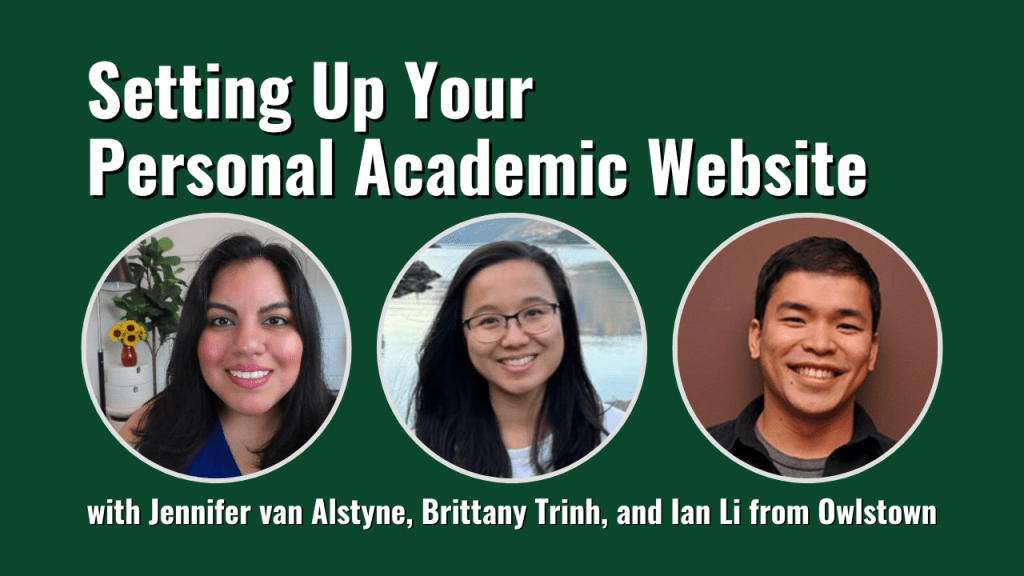
    The Best Personal Academic Websites Contest is brought to you by Jennifer van Alstyne, Brittany Trinh, and Ian Li.

    About the contest

    The Best Personal Academic Websites Contest was open from July 17 through September 30, 2023. Entries were free. The contest recognizes the best personal websites of

    • Faculty
    • Professors
    • Scientists
    • Postdocs
    • Grad students
    • Independent researchers

    Our goal was to award your hard work. And, to create this resource of great examples of personal websites along with with last year’s winners with notes from the judges.

    Jump to our free resources to help you make your own website.

    2023 Winners of the Best Personal Academic Websites Contest

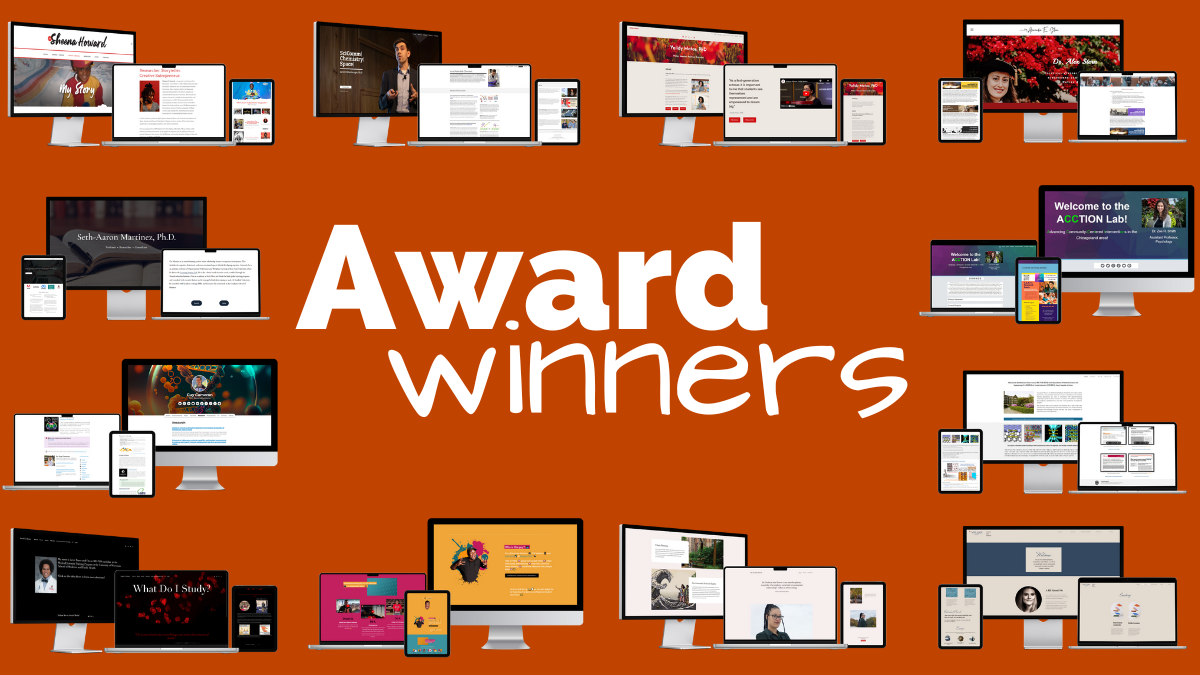
    Congratulations to our winners, Dr. Sheena Howard, Dr. Seth-Aaron Martinez, Dr. Jarrett Dillenburger, Dr. Guy Cameron, Dr. Alex E. Stern, Dr. Yalidy Matos, Dr. Zoe R. Smith, Dr. Aloysius Soon, Kantwon Rogers, Jared Boyce, Dr. Melanie Sindelar, and Dr. Fuschia-Ann Hoover.

    2023 Award Categories

    Overall Best Personal Academic Website Award

    The top 3 websites tied with perfect scores. We are celebrating overall top 3 websites from Dr. Sheena Howard, Dr. Seth-Aaron Martinez, and Dr. Jarrett Dillenburger. Congratulations!

    Your websites excelled in every judged category (Website Content, Website Design and Organization, About You, Portfolio, Contact Info). You are the best examples of personal academic websites.

    Dr. Sheena Howard

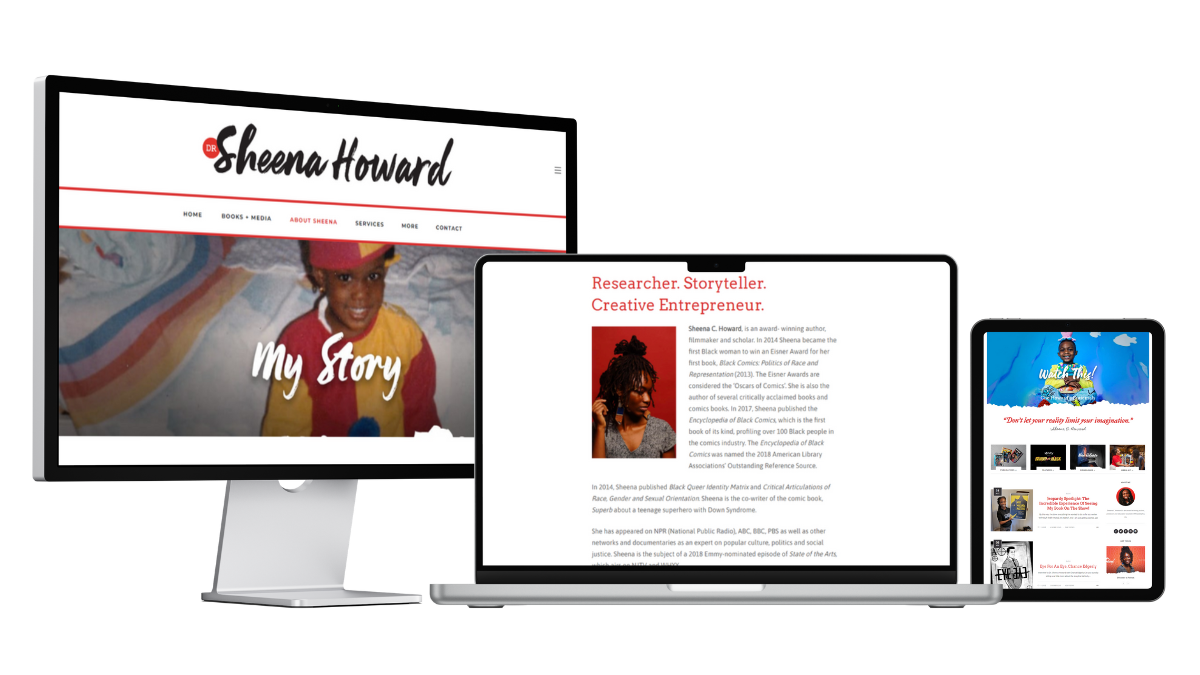
    Dr. Sheena Howard's website on desktop, laptop, and tablet screens

    Dr. Sheena Howard created her website “to highlight my work, skills and accomplishments in a way that best aligns with who I am. In addition, to be able to have a closer relationship with the people that are most interested in my work.”

    She’d love to acknowledge the website designer, Alesha Randolph.

    Notes from the Judges

    Brittany Trinh: I love how Dr. Howard’s work and personality is very present throughout the website. She highlights her work by posting on her blog to announce any recent news and photos. The homepage of the website is also set up to showcase her publications and features. Finally, the contact page is used well, as it not only functions as a contact page, but also a media kit for potential speaking gigs.

    Jennifer van Alstyne: Colorful, personal, and full of stories, Dr. Sheena Howard’s website shows how there’s no limits to being yourself. A great example of how to share your forthcoming book, like her Academic Branding: A Step-by-Step Guide to Increased Visibility, Authority, and Income, online. This website shares Dr. Howard’s story and media appearances along with a well-organized creative portfolio.

    Dr. Ian Li: I really liked Dr. Howard’s website because of the breadth of content that she shares. She has a lot of experiences and accomplishments, which shows through on her website. Dr. Howard shares her academic publications and books, her documentaries and media appearances, and her blog posts.

    Back to the list of award winners

    Dr. Seth-Aaron Martinez

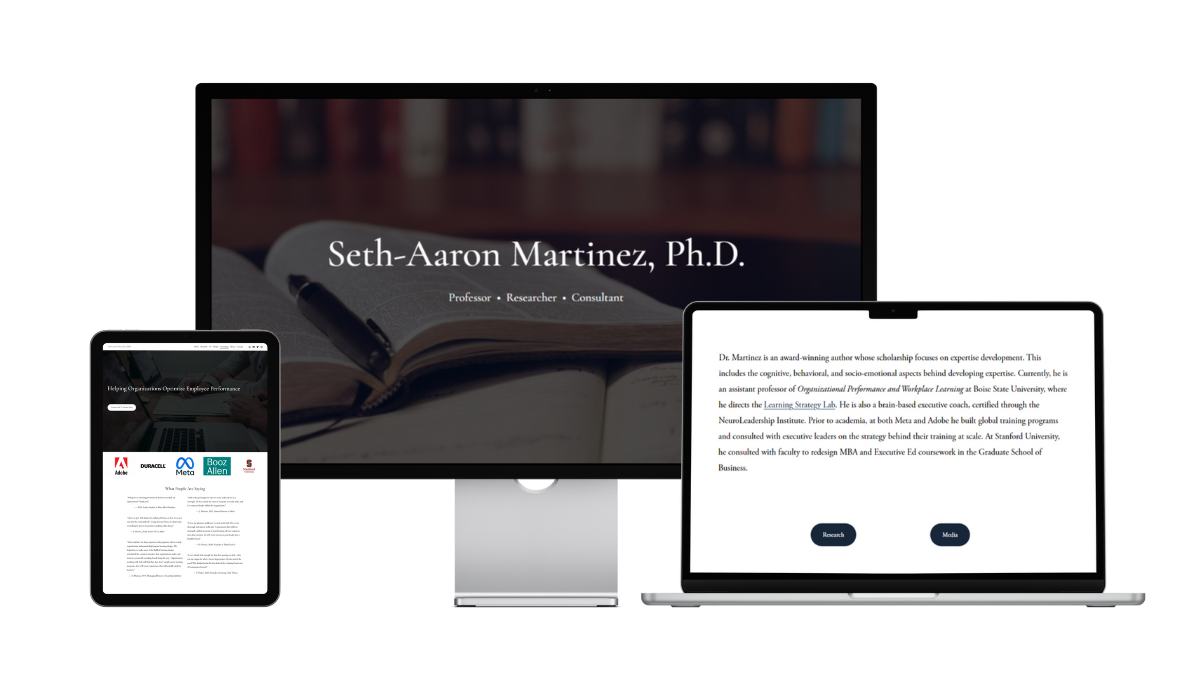
    Dr. Seth-Aaron Martinez' personal academic website on a tablet, desktop, and laptop screen

    Dr. Seth-Aaron Martinez created his website “to provide a single source of information for all of my scholarship and professional work.”

    Notes from the Judges

    Brittany Trinh: My favorite page on Dr. Martinez’s website is the Consulting page. I like how he establishes credibility in his field by including the logos for organizations that he’s worked with along with testimonials. His website is a great example for other professors who want to incorporate their consulting work with their academic work.

    Jennifer van Alstyne: With a clean design, simple structure, and friendly About page, this is a website to remember. I wish the About page and the homepage were combined because Dr. Seth-Aaron Martinez’ bio was memorable. I especially like the descriptive Media mentions page for his YouTube video and podcast appearances.

    Dr. Ian Li:  Dr. Martinez shares a breadth of content on his website. He shares his academic publications and dissertation and his media appearances. I really appreciate that he shared his research philosophy and biography, so you learn more about him as a person. He also shares his consulting services and how his expertise can help organizations.

    Back to the list of award winners

    Dr. Jarrett Dillenburger

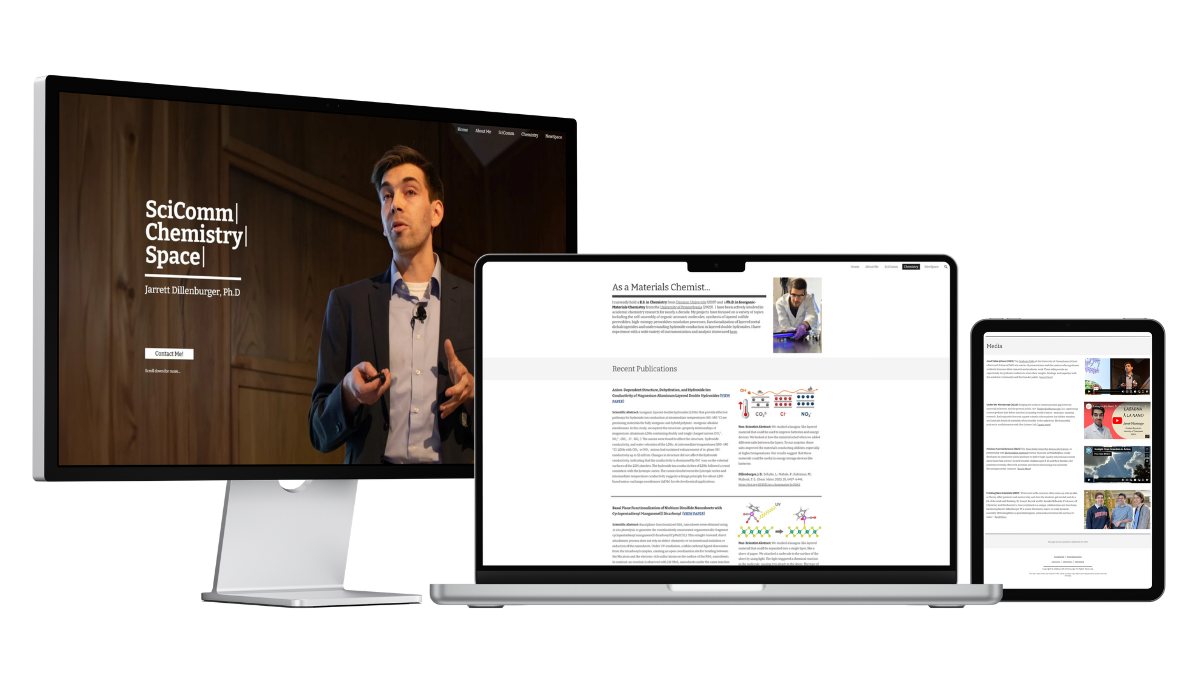
    Dr. Jarrett Dillenburger's personal website on desktop, laptop, and tablet screens

    Dr. Jarrett Dillenburger, “decided to create a personal academic website because it’s challenging to regulate and manage the data and information circulating about us on websites that we cannot modify or keep up-to-date. With my personal website, I gain the power to control what information is accessible to others and how they view it online. The ability to curate my portfolio of research and present the best possible image of myself is crucial for establishing a strong and professional online presence.”

    He says, “My current website was designed and built by myself (through many iterations). I fully expect my website to continue to develop and morph as my career does. I have tried my best to create an adaptive design that will allow for future changes easily. My designs and layouts have been influenced by many academic website designers including Jennifer van Alstyne and Brittany Trinh!”

    Notes from the Judges

    Brittany Trinh: This is a great example of a personal academic website for a chemist! It was built on Google Sites, which just goes to show that it’s not about the platform you use, but how you use it. I like how he incorporates other aspects of his career as a scientist, including his science communication and interest in space science.

    Jennifer van Alstyne: This website is well organized for curious website visitors. It’s a deceptively simple website that doesn’t feel overwhelming. You discover more as you’re curious about exploring each page. Then you find new, more specific resources. On the Chemistry page, I love that there’s the Scientific Abstract typically published with articles and a Non-Scientist Abstract too! It would be great if media mentions got their own space as a page on this website.

    Dr. Ian Li: Dr. Dillenburger’s website is very clear in what his academic website offers: SciComm, Material Science, and Space Science. For each of these topics, Dr. Dillenburger shares a wealth of academic content such as publications, media appearances, and coaching services.

    Back to the list of award winners

    Best Owlstown Website Award

    Owlstown is a website builder specifically designed for academics. It is designed for ease of use and maintenance, so you can focus on sharing your research work. Congratulations to Dr. Guy Cameron for having the best Owlstown website!

    Dr. Guy Cameron

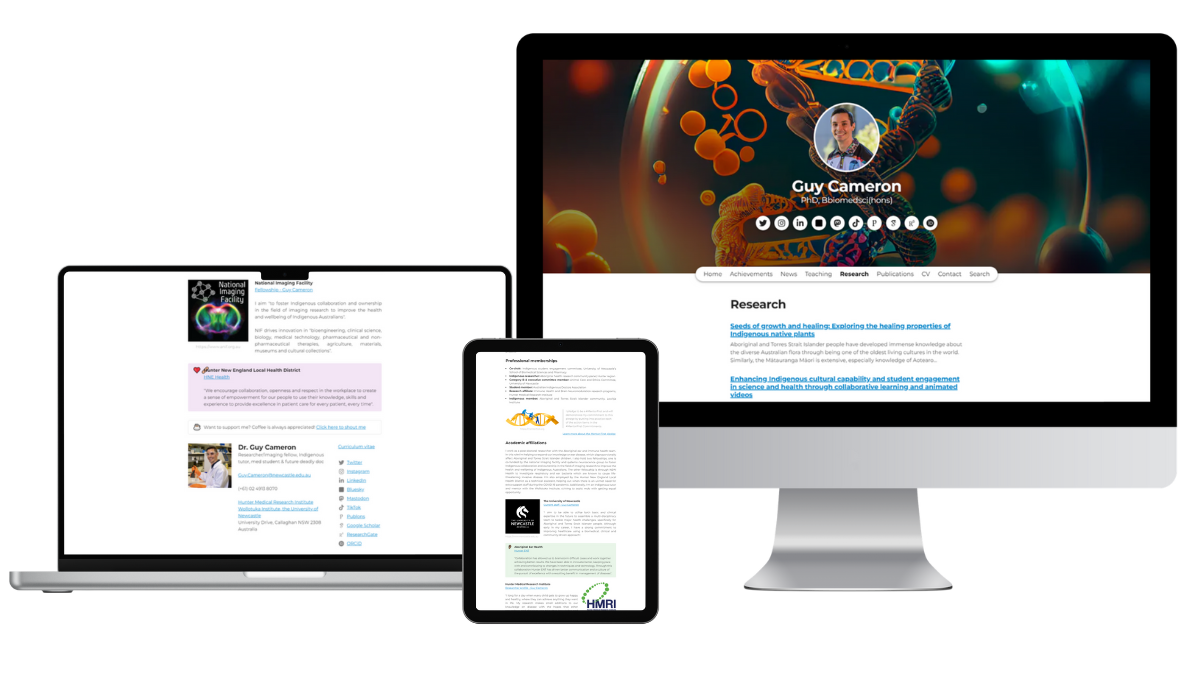
    Dr. Guy Cameron's personal website on desktop, laptop, and tablet screens

    Dr. Guy Cameron says, “I created my personal academic website to share my journey through medicine and scientific research, and my experiences as a proud Wailwan (Aboriginal) man living in Newcastle, NSW. Through my website, I aim to inspire others by showcasing my achievements in academia and research, especially in the field of Immunology & Microbiology. I also want to highlight the importance of Indigenous representation in the medical and research fields, and the significant role that collaboration and community-driven approaches play in improving healthcare for Aboriginal and Torres Strait Islander people. My website reflects my commitment to being a #MentorFirst, where I aspire to guide and support others, particularly those from Indigenous backgrounds, to achieve their academic and career goals.”

    Notes from the Judges

    Ian did not judge Dr. Cameron’s website for this contest.

    Brittany Trinh: I liked how he personalized his Owlstown website with visuals that are relevant to his research. I also like how he delineates his role in each research project and provides a thorough description of each project.

    Jennifer van Alstyne: With memorable details like that he’s a proud catdad, Dr. Guy Cameron is as descriptive about himself as his research. I like that his Research projects page includes details beyond a project description including project status, scheme, role on the project, and the team who worked on it. Dr. Cameron’s Publications page shares abstracts and figures. A great example of a detailed portfolio with an Owlstown website.

    Back to the list of award winners

    Best Portfolio Award

    How do you showcase all the work you do on a personal website? By creating engaging pages for people to explore. We’re excited to award the Best Portfolio Award to Dr. Alex E. Stern and Dr. Yalidy Matos. Congratulations!

    Dr. Alex E. Stern

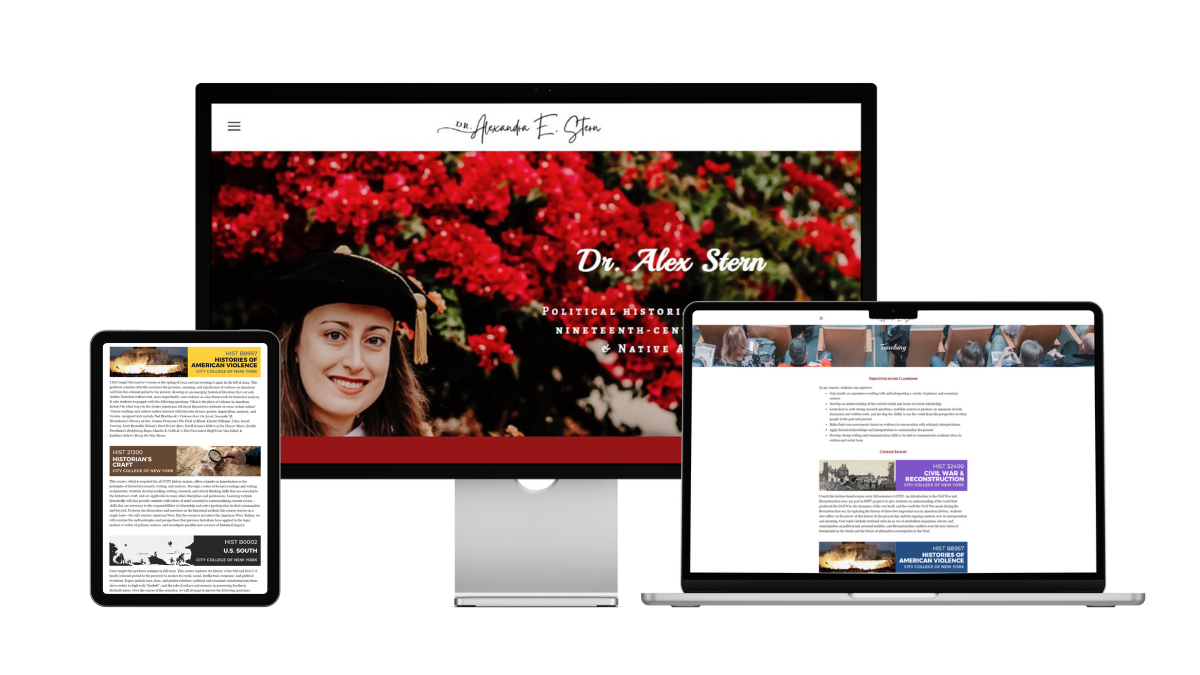
    Dr. Alex E. Stern's personal website on tablet, desktop, and laptop screens

    Dr. Alex Stern, “initially created my personal website when I went on the academic job market. During several interviews, faculty members explicitly commented that they had seen my website and were interested in how I had put it together. It gave me a small but positive boost as a candidate for assistant professor roles. My website allows me to take a leading role in how my work is presented to colleagues, students, and the public and has helped me develop a cohesive narrative of my motivations, accomplishments, and future goals as a scholar. My website is entirely my own creation and I am self-taught.”

    Notes from the Judges

    Brittany Trinh: Dr. Stern’s teaching page stands out to me because of how she clearly states her teaching objectives for students and course descriptions for the classes that she teaches and a photo that complements it. Her research page also highlights a current book project that is in progress and links it to the project’s separate website.

    Jennifer van Alstyne: Yes! You can definitely share a book project in progress. Dr. Alex E. Stern’s website effectively shares her research, public writing, and teaching. I love that Dr. Stern’s portfolio has the same care for Media mentions as Courses on her Teaching page. Advising /  Mentoring pages are becoming more popular. I like that Dr. Stern creates space to celebrate her students’ theses, projects, and publications on her website. With engaging visuals, descriptions, and thoughtful design, this is a great portfolio website to inspire academics.

    Dr. Ian Li: Dr. Stern’s website is a great showcase of her work. In her website, Dr. Stern shares her academic research, public writing, course descriptions, and appearances in events and media. It’s not just a list, instead, she provides summaries, so you can be informed whether you want to dig deeper into learning more about each work.

    Back to the list of award winners

    Dr. Yalidy Matos

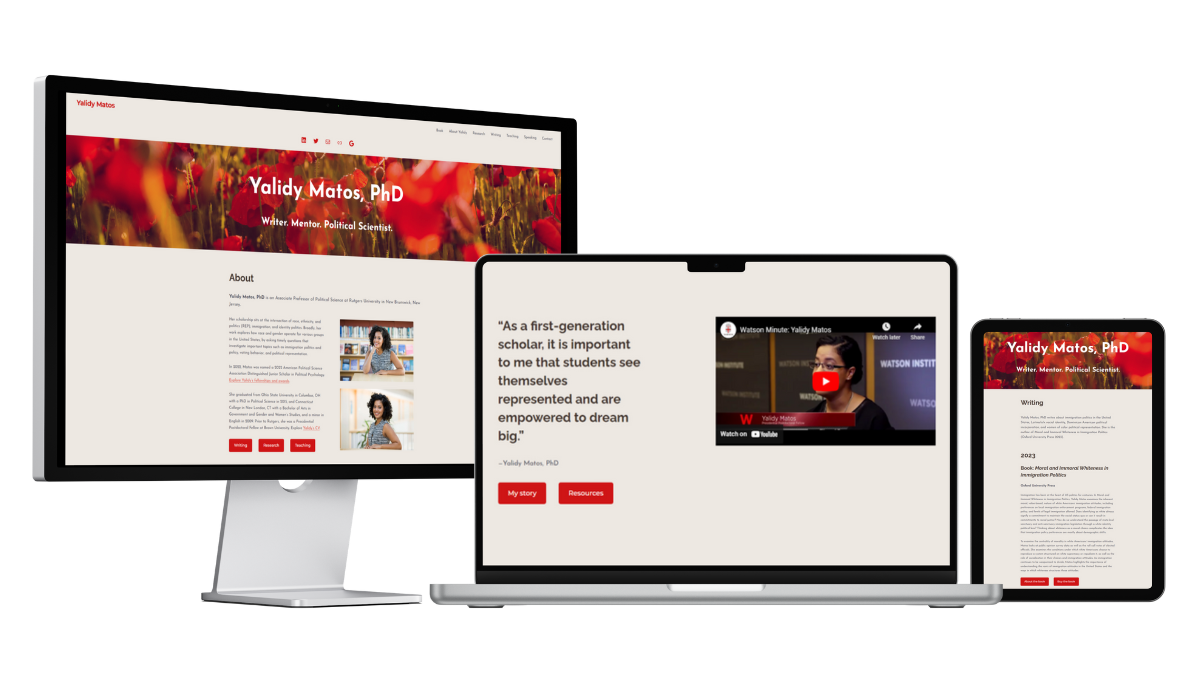
    Dr. Yalidy Matos's personal website on tablet, desktop, and laptop screens

    Dr. Yalidy Matos’ academic website “needed a revamp. As an academic, my website serves as a central location to find information about my writing.”

    She says, “I’d like to acknowledge Jennifer van Alstyne, who helped me develop the concepts and ideas, pulled out information from our interviews that are really important to who I am as an academic, and helped design the foundation of the website.”

    Notes from the Judges

    Jennifer did not judge Dr. Matos’s website for this contest.

    Brittany Trinh: Dr. Matos’ website is a stellar example for a professor-level website that is designed specifically to land new opportunities. I like how the research page gives a broad overview, then the “About This Research” gives a deeper description of the research, highlights the relevant works/publications, and provides an offer to speak for those relevant topics after establishing her authority.

    Dr. Ian Li: Dr. Matos’s website offers a comprehensive view of her work. She shares her publications, writings, courses, and speaking engagements. She presents each work with a detailed description and links to more information, so you can explore her work in more detail.

    Back to the list of award winners

    Best Google Site Award

    We’re excited to present the Best Google Site award to Dr. Zoe R. Smith. Congratulations on making your Google Site stand out!

    Dr. Zoe R. Smith / ACCTION Lab

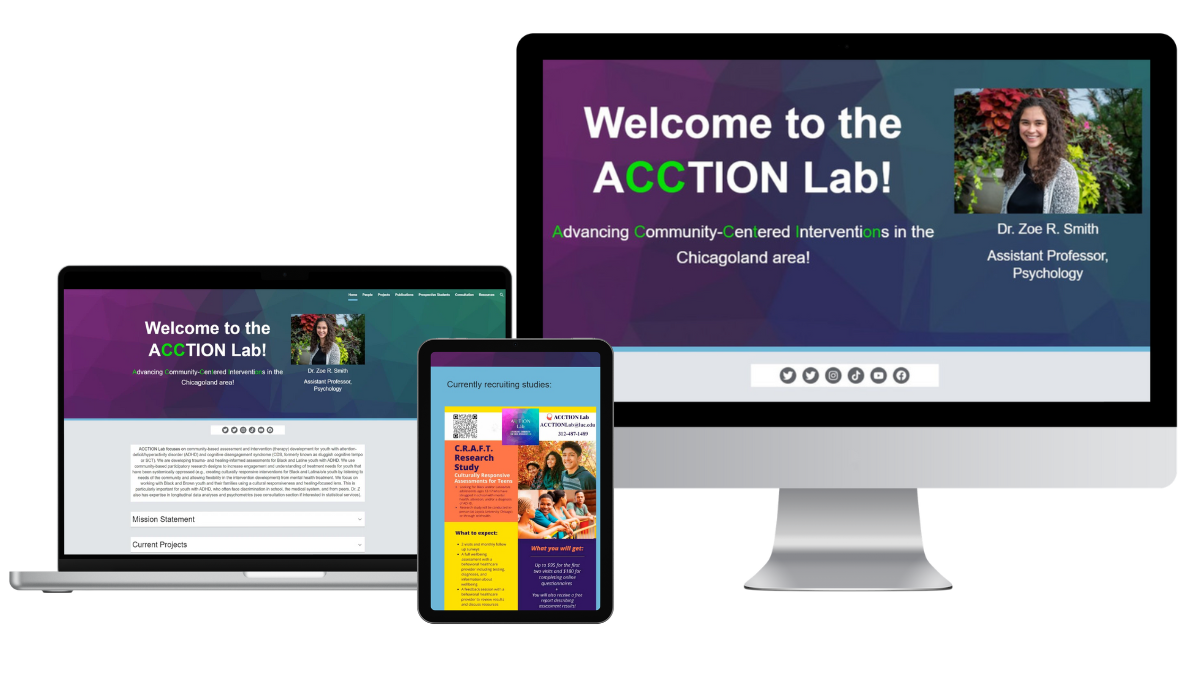
    Screenshot of the ACCTION Lab Website directed by Dr. Zoe R. Smith on laptop, tablet, and desktop screens

    Dr. Zoe R. Smith says, “I wanted our work to be more accessible to our community and students, as a way to disseminate information and also promote the amazing work the ACCTION team does! I also realized that I had skills that were marketable and wanted a place to showcase them, like statistics consulting and workshops. I also wanted to make sure students could get to know what it’s like to work with me and to highlight students’ work so people can see the new exciting things everyone is working on!” She created the website herself.

    Notes from the Judges

    Brittany Trinh: The ACCTION Lab is a fun and colorful Google Site! I like their “prospective students” page, which outlines very clearly what the PI is looking for in an application.

    Jennifer van Alstyne: The colors and branding of the ACCTION Lab flow through each page of this website. Great for visitors who like to skim when reading, this is a great example of using headings and drop downs to organize the written content on your website. I like the Frequently Asked Questions for prospective PhD students interested in joining the lab. I love that the People who are members of the lab are celebrated on their own page with bios that include their photo, pronouns, education, research interests, goals and what I do for fun. “Dr. Z,” as she goes by in her bio, shares what she likes to do for fun in her bio too! I get the personality of this lab and their research.

    Dr. Ian Li: The ACCTION Lab website is a great example of a lab website. It’s well-organized with lots of content about the work of the lab. It has a dedicated page of lab members and some of their group activities. The website also shares resources for prospective students and mental health information.

    Back to the list of award winners

    Best Research Lab or Group Website

    Creating a website for your research lab or group helps everyone. We’re excited to share the Materials Theory Group website as an example for you. Congratulations, Dr. Aloysius Soon!

    Dr. Aloysius Soon / Materials Theory Group

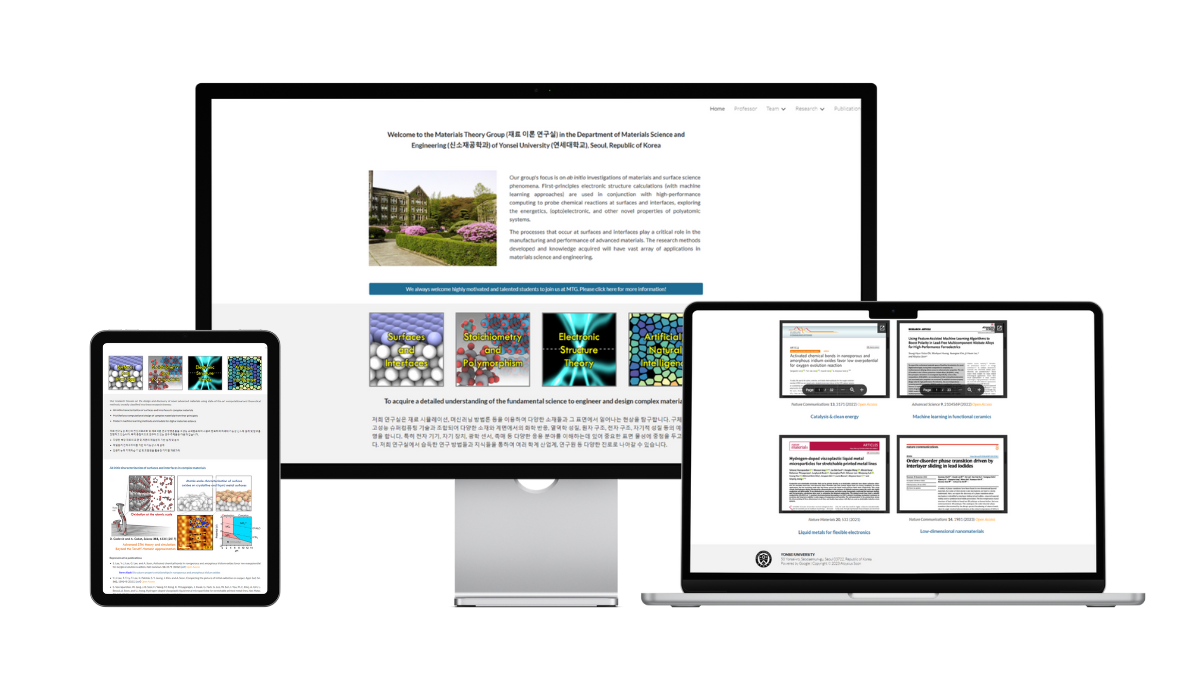
    Materials Theory Group Dr. Aloysius Soon screenshot of research group website

    Dr. Aloysius Soon made the Materials Theory Group website “for publicity and to keep a record of the overall performance of my research group.”

    Notes from the Judges

    Brittany Trinh: As a current graduate student and chemist, I think that this is an awesome example of a lab website made with Google Sites. The homepage highlights their notable papers, making it easy for people to find the right papers to start with. They incorporated their figures into the website to make it more engaging and interesting to look at. I also love how they have videos to promote their group, along with having text in both Korean and English. Finally, my favorite page is the Gallery, which shows annual group photos, which shows the overall group’s personality. It seems like a cool place to do science!

    Jennifer van Alstyne: This lab website shares their specific goal, and a description of the group’s focus. It also welcomes students interested in joining the Materials Theory Group right on the homepage. Dr. Aloysius Soon has a page about himself on the website which feels well balanced with the Team pages. I especially like that this research group website considers current researchers and staff as well as alumni and collaborators. A well-organized way of sharing grants and research funding on this website. Despite having many pages with descriptive, detailed information, this website doesn’t feel overwhelming.

    Dr. Ian Li: The Materials Theory Group exemplifies the qualities of a great lab website. It has lots of information about the activities of the lab, including research publications, patents, and conferences. The website also has a gallery of lab members and a gallery of group pictures, so you can learn more about the people that do the research.

    Back to the list of award winners

    Best Storytelling Award

    Telling your story is powerful and memorable. We’re excited to award the Best Storytelling Award to Kantwon Rogers! Congratulations.

    Kantwon Rogers

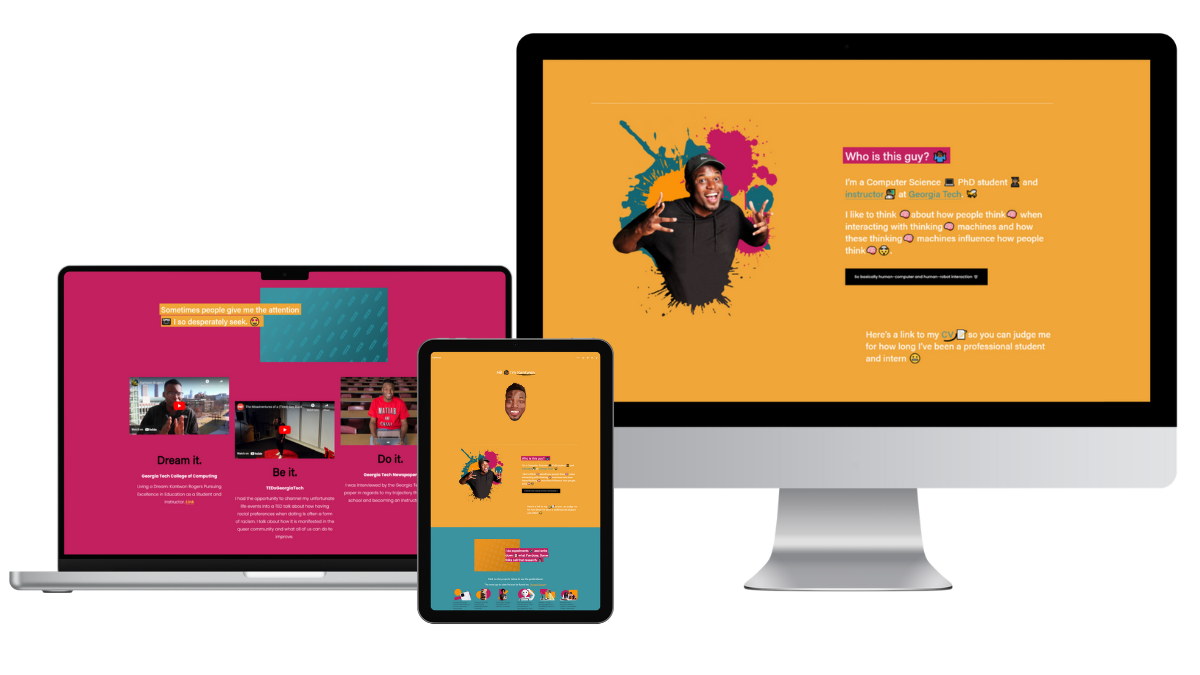
    Screenshot of Kantwon Rogers website on laptop, tablet, and desktop screens

    Notes from the Judges

    Brittany Trinh: I love this website because of the voice/personality that shines through on the page, through the colors, word choice, and images! It’s also unique in that it is a 1 page website, but has more than everything you need to know, by telling the story in order.

    Jennifer van Alstyne: Large font and bright, colorful personality. This PhD student website is one of the best examples I’ve seen of sharing who you are through the aesthetic look and feel of your personal website. 1-page websites can be overwhelming to scroll. Kantwon’s website is exciting to explore. It works as a portfolio, linking to things like his CV, publications with downloadable PDFs, and a sample syllabus. I love that it shares videos Kantwon created for his courses at Georgia Tech too. A beautiful website.

    Dr. Ian Li: Kantwon’s website is lively and engaging. Browsing through his website, you get a great sense of his personality and his research. He also presents his academic content in an organized manner and in a variety of media (papers, video, podcasts). He also shares a lot of videos teaching concepts about computing and engineering.

    Back to the list of award winners

    Best Bio Award

    This award goes to a memorable bio on a personal academic website. We’re happy to award Jared Boyce for his academic bio.

    Jared Boyce

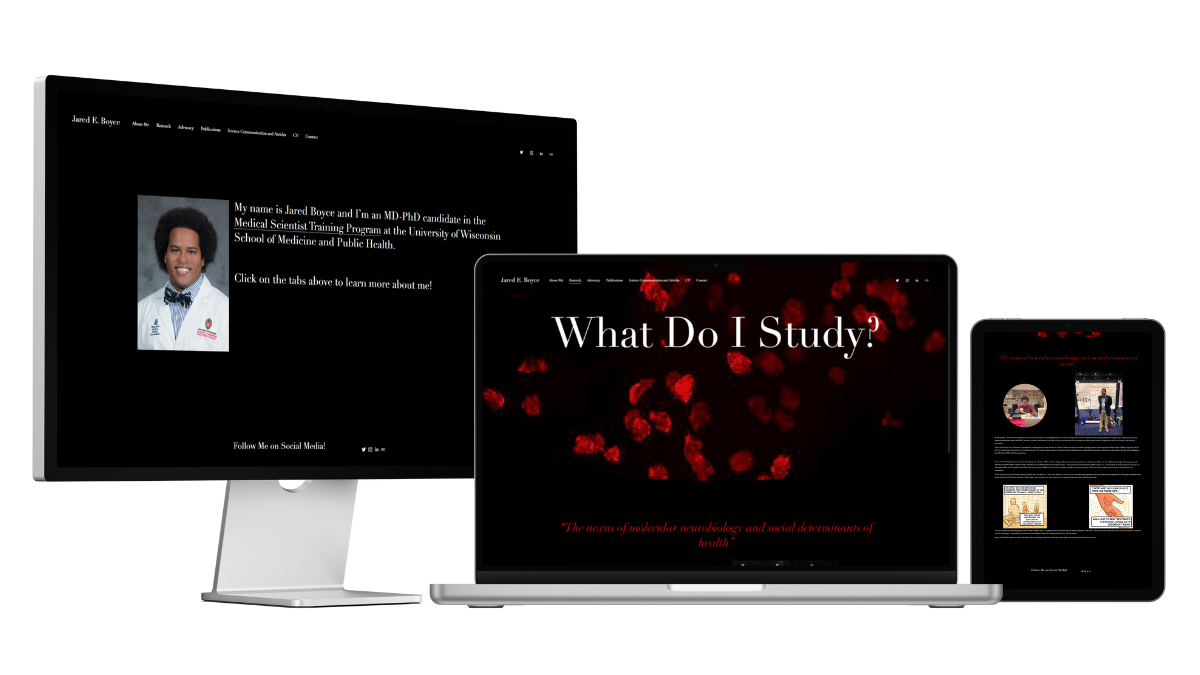
    Jared Boyce's website on desktop, laptop, and tablet screens

    Jared Boyce “decided to make a personal academic website in order to share more about myself and build my brand as a scientist. I’m an MD-PhD student at the University of Wisconsin School of Medicine and Public Health. I’m interested in becoming a Child and Adolescent Psychiatrist and studying the neurobiology of early life trauma. My personal website serves as a place where potential collaborators, recruiters, etc. can see my CV, learn about my advocacy, research, and clinical interests, and learn more about who I am beyond my CV.” He says, “I used Brittany Trinh’s website for guidance.”

    Notes from the Judges

    Brittany did not judge Jared’s website for this contest, but has shared a note about it for you.

    Dr. Ian Li: Jared writes about his experiences and describes what motivated him to pursue medicine and his research. His story engages viewers and invites them to care about the research. His page on his advocacy is great too because it shows the breadth of his interests.

    Jennifer van Alstyne: Jared Boyce’s website feels retro in a good way. His About page shares his personality, family, and journey. This website doesn’t just tell you what Jared does, he shows you why he cares about it too. A great example of how to share your Advocacy and the values important to you. I love the personal photos on this website.

    Brittany Trinh: Jared and I have become friends while studying at UW-Madison, so I didn’t judge his website. What I love about his website is how he wrote his bio and integrated his story and motivation for pursuing medicine and research throughout his website.

    Back to the list of award winners

    Best Academic Entrepreneur Website Award

    Some academics are also amazing entrepreneurs. We’re excited to give the Best Academic Entrepreneur Award to Dr. Melanie Sindelar. Congratulations!

    Dr. Melanie Sindelar

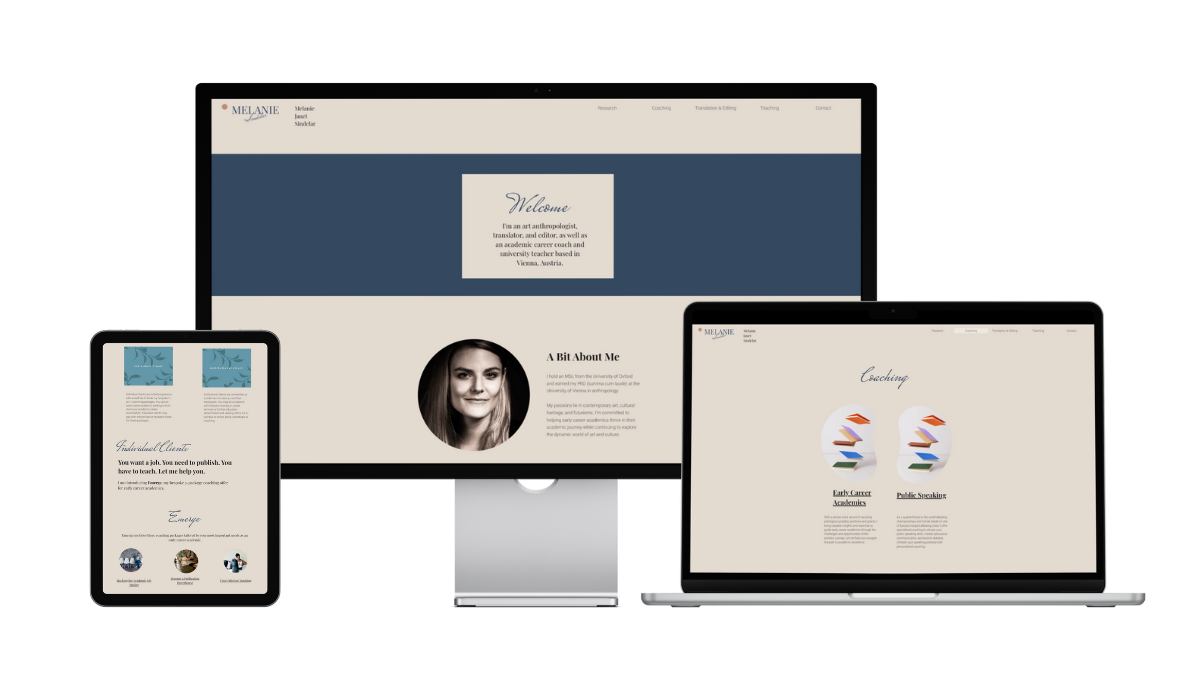
    Screenshots of Dr. Melanie Sindelar website on tablet, desktop, and laptop screens

    Dr. Melanie Sindelar created her website “to showcase my academic and freelance work, to make my coaching, editing, and translation business more visible, and to attract new clients! I used Canva’s Brand Kit tool to design the logo and the Color Palette, Brand Colours, and Fonts. I wanted my brand to appeal to academics, artists, and institutions (my main clients) while using a muted and reduced color palette that remains timeless.”

    Notes from the Judges

    Brittany Trinh: Dr. Sindelar’s coaching webpage is very in-depth about the services she offers and provides clear directions on how to work with her. The packages, pricing, and process are transparent, so you know exactly what she can help you with.

    Jennifer van Alstyne: Calm. That’s how I felt exploring Dr. Melanie Sindelar’s website from the color palette to the easy navigation. Unapologetic about being a researcher, editor, coach, and teacher, this shows your website can adapt to share all of your identities (if you want it to). Many academic entrepreneur websites I see remove research and/or teaching altogether. This one feels approachable for a variety of audiences. I especially like that Dr. Sindelar’s Research page is descriptive about her interests and shares related publications.
    Dr. Ian Li: Dr. Sindelar is a good example of how an academic website can share academic work and teaching as well as other entrepreneurial services. In addition to a Research page, Dr. Sindelar’s website has pages for coaching and translation. Each page has detailed description of how Dr. Sindelar’s expertise can help you.
    Back to the list of award winners

    Most Aesthetic Website

    A new award to honor the best looking website of the pack. Congratulations to Dr. Fuschia-Ann Hoover! This beautiful personal academic website is one to admire.

    Dr. Fuschia-Ann Hoover

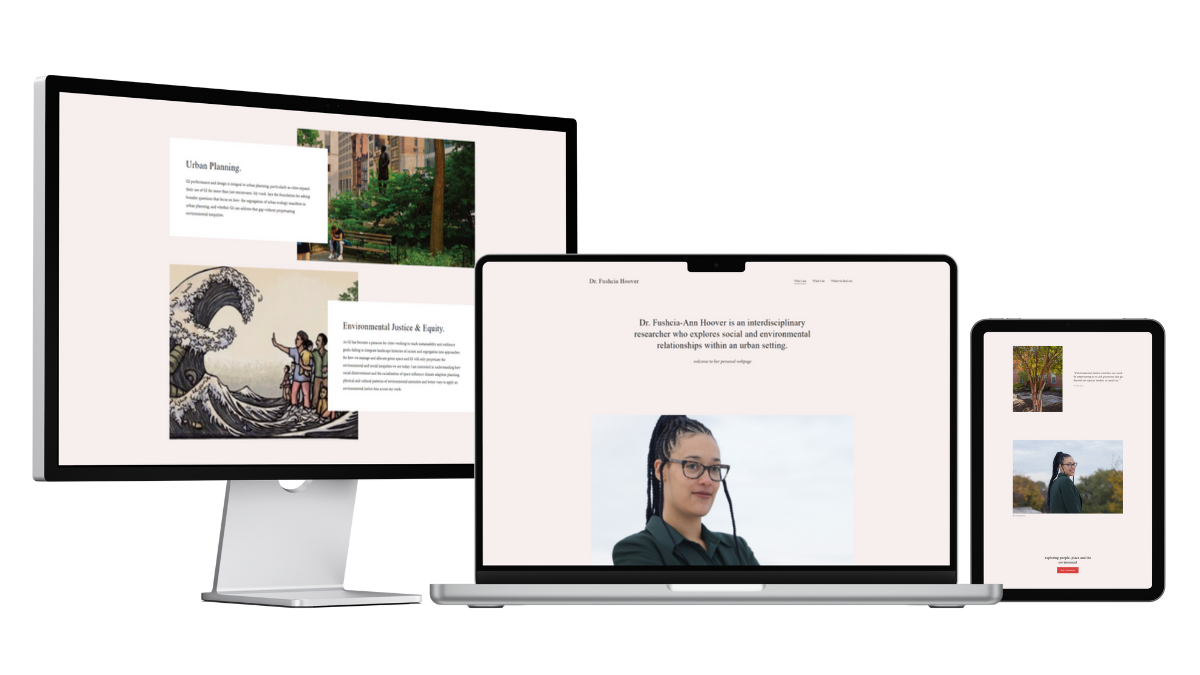
    Screenshot of Dr. Fushcia-Ann Hoover website on desktop, laptop, and tablet screens

    Dr. Fuschia-Ann Hoover says, “I wanted to have a public facing representation of my work, and a research profile that was independent of my affiliation, employer, and business. This allows me to control my own narrative, and in a way that stays with me regardless of where my career takes me.” She’d like to thank the photographers credited on her website.

    Notes from the Judges

    Brittany Trinh: Dr. Hoover’s website is minimal with an artsy aesthetic to it. Her portraits show that your headshots or photos for your website don’t always have to look the same as everyone else’s.

    Jennifer van Alstyne: While there’s an About page with a more traditional bio, Dr. Hoover’s homepage is an excellent example of how to share who you are in different ways. I get a feel for who she is and what she cares about in an easy-to-read way because of how big the font is on Dr. Fushcia-Ann Hoover’s homepage (which I love). The photos on her website compliment the clean, modern design. Green comes in through the photos on Dr. Hoover’s website through trees, landscapes, and even her blazer. It’s a beautiful way to visually relate to her environmental research, using green in the photos rather than in the design of the website itself.

    Dr. Ian Li: Dr. Hoover’s website is aesthetically pleasing with its clean and modern design. Its navigation is easy to use and each page has engaging images along with the text. I felt calm and engaged while browsing through her website.

    Back to the list of award winners

    Thank you!

    Congratulations to our award winners in the 2023 Best Personal Academic Websites Contest!

    Overall Best Personal Academic Website
    Dr. Sheena Howard
    Dr. Seth-Aaron Martinez
    Dr. Jarrett Dillenburger

    Best Owlstown Website
    Dr. Guy Cameron

    Best Portfolio Website
    Dr. Alex E. Stern
    Dr. Yalidy Matos

    Best Google Site
    Dr. Zoe R. Smith / ACCTION Lab

    Best Research Lab or Group Website
    Dr. Aloysius Soon / Materials Theory Grou

    Best Storytelling
    Kantwon Rogers

    Best Bio
    Jared Boyce

    Best Academic Entrepreneur
    Dr. Melanie Sindelar

    Most Aesthetic Website
    Dr. Fuschia-Ann Hoover

    A big thank you to all our contest entrants. We’re so lucky to have you inspiring the world.

    Your website will be added to The Academic Gallery on Owlstown. Thank you for being an amazing example. A website is a big project. You should be proud of sharing who you are and what you do with the world.

    We created this contest to help as many people as possible. I hope these personal website examples encourage you to make your own website! Some of our award winners did-it-themselves, others hired help. They all made their personal website work for them. You can too.

    Please bookmark this page. Share it with your friends. Make your website a reality. And don’t feel like it needs to be “finished” to hit publish.

    Hosts

    Brittany Trinh logo. There is a teal square with the letters "Bt" kind of like a periodic table of elements symbol. Next to it are letters that spell out Brittany Trinh in all caps.

    Brittany Trinh is a website strategist and designer for STEM leaders. She helps grad students, scientists, and academics create impact-driven websites so they can level up in their careers & get paid for their expertise. She’s currently a chemistry PhD student at University of Wisconsin-Madison.


    Ian Li is the creator of Owlstown, the website builder for academics. Owlstown websites are easy to make and maintain, so you can focus on your research. With templates for various research artifacts, Owlstown allows you to present your research in various ways to inspire and inform others.


    Jennifer van Alstyne helps professors feel confident when showing up online. The Academic Designer LLC is a minority woman-owned business helping academics share their research, teaching, and leadership on websites and social media since 2018. The Social Academic blog, podcast, and YouTube channel helps professors manage their online presence to build a strong digital footprint.

    A headshot of Jennifer smiling

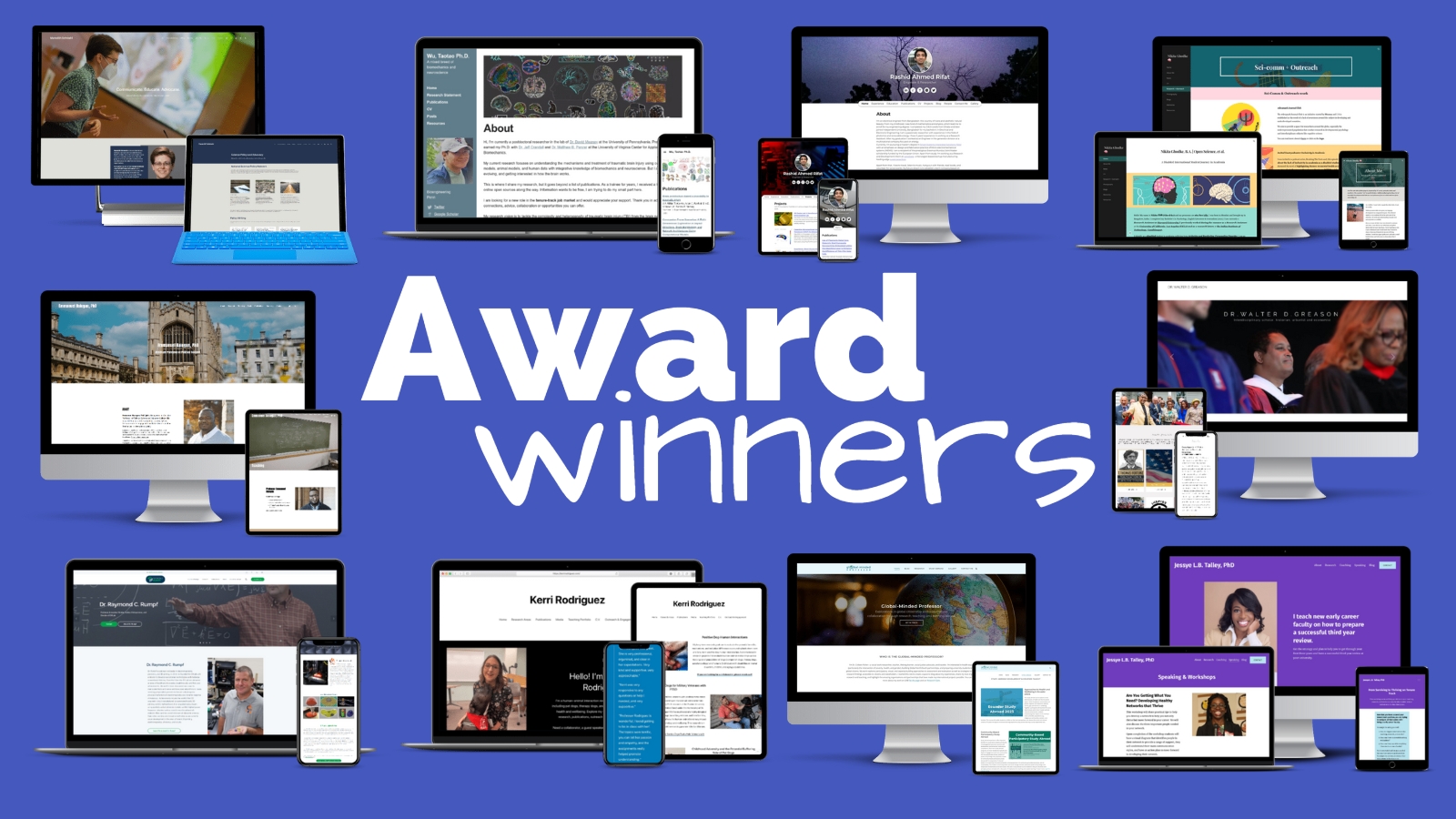
    Winners of the Best Personal Academic Websites Contest 2023 with screenshots of the 12 award-winning websites

    View the 2022 contest winners.

    7 free resources for creating your own personal academic website

    Our goal is to help as many people as possible. Here are free resources from Ian Li of Owlstown, Brittany Trinh Creative, and The Academic Designer LLC to help you make your website. Please share with your friends.

    An open laptop that reads "Website" with arrows pointing this way. Next to the laptop are books held up by a bookend of a person holding up t he books.
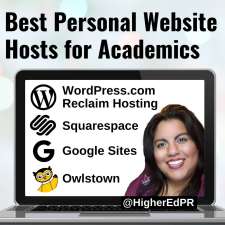
    Best Personal Academic Website Hosts Graphic: WordPress .com or Reclaim Hosting, Squarespace, Google Sites, Owlstown
    Personal Websites Articles
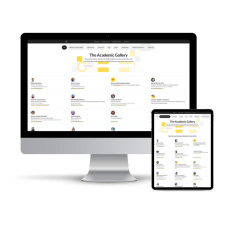
    Screenshots of The Academic Gallery from Owlstown on a desktop monitor and tablet screen

    The 2nd annual Best Personal Academic Websites Contest was hosted by Jennifer van Alstyne, Brittany Trinh, and Dr. Ian Li.

    Official Rules

    Contest Rubric

    Contest Announcement

    2022 Award Winners

    We’ll be back for a 3rd contest in 2025. Thank you!

    The form above subscribes you to new posts published on The Social Academic blog.
    Want emails from Jennifer about building your online presence? Subscribe to her email list.
    Looking for the podcast? Subscribe on Spotify.
    Prefer to watch videos? Subscribe on YouTube.

    Contest Guides and Advice Articles Online Presence How To’s Personal Website How To’s

    Source link

  • Best Personal Academic Websites Contest 2023

    Best Personal Academic Websites Contest 2023

    Entries to the 2nd annual contest are now closed. The winners have been announced!

    Update: We’ll be back for another contest in 2025! Jennifer, Brittany, and Ian look forward to your entry next year.

    Do you have a personal academic website? Enter to win an award

    Thank you for entering to win an award in the Best Personal Academic Websites Contest. The deadline for entries was extended through September 30, 2023.

    Entries are now closed. View the award-winning websites.
    Logo for the Best Personal Academic Websites Contest

    I’m Jennifer van Alstyne of The Academic Designer LLC. My friends Brittany Trinh and Ian Li of Owlstown and I are teaming up again to bring you this professional development contest for

    • Faculty
    • Professors
    • Scientists
    • Postdocs
    • Grad students
    • Independent researchers

    This is the 2nd annual Best Personal Academic Websites Contest. We’re excited to be back in 2023 to celebrate your websites. The entry form is quick to fill out.
    Have a personal academic website? Yay! You should be proud of your website. They’re not common. We’re excited your website is in the world.

    The winner’s announcement for the 2023 Contest.

    This contest is now closed. Entries are free. The form takes just a couple of minutes to complete.


    Don’t have a website yet? We have resources to help you build a website below.

    It’s never too early or too late to make your website a reality. Watch the replay of our free live event to help you set up your website today.


    Why you should enter

    We want to recognize the hard work you’ve put into your personal academic or scientist website.

    There will be awards in multiple categories. Here’s what you get if you win an award

    • A line on your CV
    • A digital badge for your LinkedIn profile and website
    • Be featured as a top academic website in the winner’s announcement and on social media
    • Bragging rights

    Entries in the 2023 contest are now closed. The winners have been announced.

    Watch the replay of our virtual event to help you set up your personal academic website

    This event was recorded live on Zoom on August 1, 2023 at 6pm Pacific Time, hosted by Jennifer van Alstyne @HigherEdPR, Brittany Trinh @BrttnyTrnh, and Dr. Ian Li of Owlstown @Owlstown

    Hosts

    Brittany Trinh logo. There is a teal square with the letters "Bt" kind of like a periodic table of elements symbol. Next to it are letters that spell out Brittany Trinh in all caps.

    Brittany Trinh is a website strategist and designer for STEM leaders. She helps grad students, scientists, and academics create impact-driven websites so they can level up in their careers & get paid for their expertise. She’s currently a chemistry PhD student at University of Wisconsin-Madison.

    “I hope that this contest will motivate more graduate students to get their websites done ASAP. I’m excited to see more academics share their finished websites on Twitter!”

    — Brittany Trinh (@BrttnyTrnh)


    Ian Li is the creator of Owlstown, the website builder for academics. Owlstown websites are easy to make and maintain, so you can focus on your research. With templates for various research artifacts, Owlstown allows you to present your research in various ways to inspire and inform others.

    “I am excited that the contest will encourage people to share their research by creating an academic website. I hope that the experience of creating an academic website will help people to think about how to present their research. I also hope that people may gain inspiration from each other’s websites.”

    — Ian Li (@Owlstown)


    Jennifer van Alstyne helps professors feel confident when showing up online. The Academic Designer LLC is a minority woman-owned business helping academics share their research, teaching, and leadership on websites and social media since 2018. The Social Academic blog, podcast, and YouTube channel helps professors manage their online presence to build a strong digital footprint.

    A headshot of Jennifer smiling

    “This contest inspired so many people last year to make their own websites. I’m delighted we get to bring it back again this year. It’s never too early or too late to make your personal academic website.”

    — Jennifer van Alstyne (@HigherEdPR)


    7 free resources for creating your own personal academic website

    Our goal is to help as many people as possible. Here are free resources from Ian Li of Owlstown, Brittany Trinh Creative, and The Academic Designer LLC to help you make your website. Please share with your friends.

    An open laptop that reads "Website" with arrows pointing this way. Next to the laptop are books held up by a bookend of a person holding up t he books.
    Best Personal Academic Website Hosts Graphic: WordPress .com or Reclaim Hosting, Squarespace, Google Sites, Owlstown
    Personal Websites Articles
    Screenshots of The Academic Gallery from Owlstown on a desktop monitor and tablet screen
    Logo for the Best Personal Academic Websites Contest 2023

    Official Rules for the Best Personal Academic Websites Contest

    Contest Rubric

    View the award winning websites from the 2022 contest!

    This year’s contest is now closed for entries. Entries to the 2023 Best Personal Academic Websites Contest were open through September 30, 2023.

    Thank you for helping us share this contest! Winners will be announced here on The Social Academic blog in early December 2023.

    The form above subscribes you to new posts published on The Social Academic blog.
    Want emails from Jennifer about building your online presence? Subscribe to her email list.
    Looking for the podcast? Subscribe on Spotify.
    Prefer to watch videos? Subscribe on YouTube.

    Questions about the Best Personal Academic Websites Contest? Email [email protected]

    Contest Personal Website How To’s The Social Academic

    Source link

  • Winners of the 2022 Best Personal Academic Websites Contest

    Winners of the 2022 Best Personal Academic Websites Contest

    We’re excited to recognize the hard work these people have put into their personal academic websites. They are examples to learn from. Explore the winners of the 2022 Best Personal Academic Websites Contest, and discover what prompted each of them to take the leap.

    Update: It’s official. We’ll be back for another contest in early 2025! Jennifer, Brittany, and Ian look forward to your entry next year. View the 2023 award winning websites.

    The Best Personal Academic Websites Contest is brought to you by Jennifer van Alstyne, Brittany Trinh, and Ian Li.

    About the contest

    Best Personal Academic Websites Contest 2022 Graphic with 5 people looking excited to have entered to win. Not awardees.

    The Best Personal Academic Websites Contest was open from October 10 through November 2, 2022. Entries were free. The contest recognizes the best personal websites of

    • Faculty
    • Professors
    • Scientists
    • Postdocs
    • Grad students
    • Independent researchers

    Our goal was to award your hard work. And create a resource that can be shared to inspire academics like you to make their own website. These are great examples of personal websites, with notes from the judges.

    Jump to our free resources to help you make your own website.

    2022 Winners

    2022 Award Categories

    • Overall Best Personal Academic Website (tied, top 3)
    • Best Owlstown (tied, top 2)
    • Best Google Site
    • Best Storytelling
    • Best Portfolio
    • Best Blog
    • Best Academic Entrepreneur

    Overall Best Personal Academic Website Award

    The top 3 websites tied in score. We are celebrating overall top 3 websites from Meredith Schmehl, Dr. Emmanuel Balogun, and Dr. Raymond C. Rumpf. Congratulations!

    Your websites excelled in every judged category (Website Content, Website Design and Organization, About You, Portfolio, Contact Info). You are the best examples of personal academic websites.

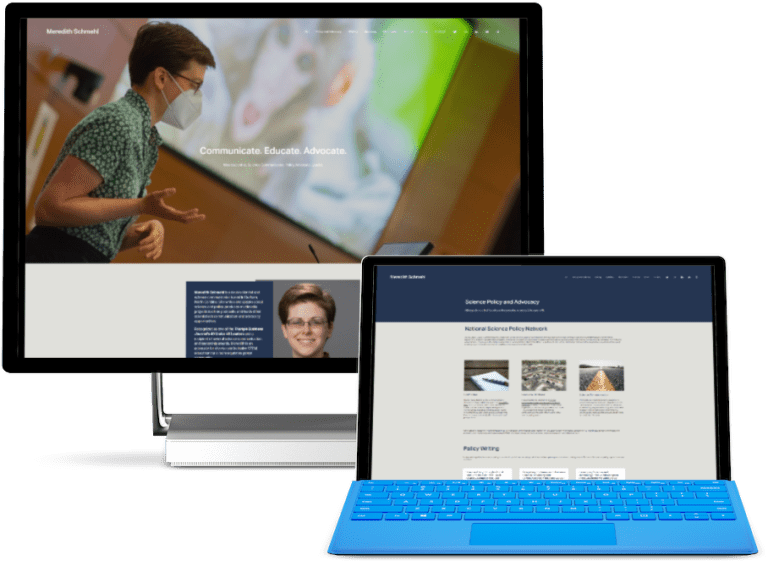
    Meredith Schmehl

    A screenshot of Dr. Meredith Schmel's personal website

    Meredith Schmehl is the sole creator of her website. She says, “I made a website to showcase my work both in the lab and in my community. My website allows me to connect all of my professional interests in a single platform to share my accomplishments and values with a wide audience.”

    Notes from the Judges

    Brittany Trinh: Schmehl’s website is effective with the homepage along, as well as the entire website as a whole website. Not only does her portfolio list their work, she also provides a clear description of what it is, and other awards/recognition related to that work.

    Jennifer van Alstyne: Friendly, personable, and communicative. Meredith took time to share the details of her talks and writing in an accessible way. I love that you get a short abstract with the article. You can also learn about The Gastronauts Podcast and Meredith’s work with the National Science Policy Network on her website.

    Dr. Ian Li: Meredith’s website is a great example of a comprehensive academic website. She presents the breadth of her work from her research, science writing, and advocacy. In each project, she provides a clear summary and points to resources to get more details about them.

    Dr. Emmanuel Balogun

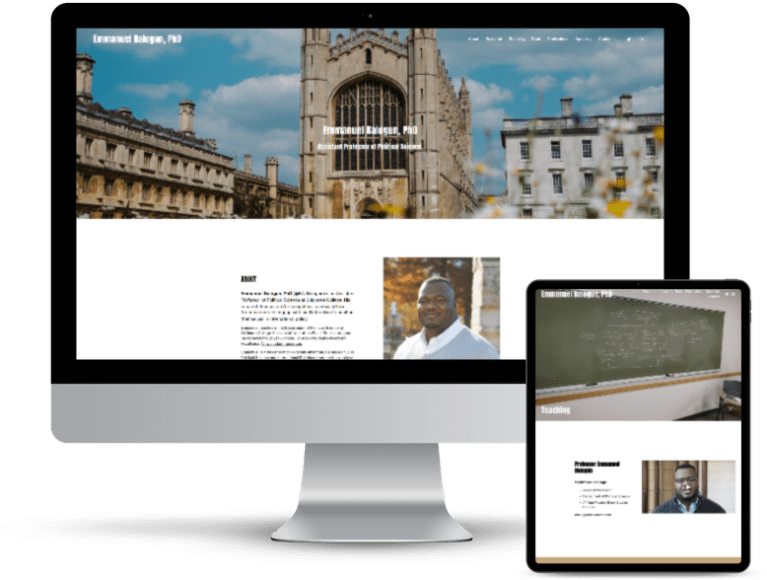
    A screenshot of Dr. Emmanuel Balogun's website on desktop and tablet screens.

    Dr. Emmanuel Balogun wants to acknowledge the help of Jennifer van Alstyne of The Academic Designer LLC who developed the strategic website plan. And, Ryann Russ of Iggy + Stella Creative Studio who designed the website.

    Dr. Balogun says, “I made a website to communicate my research and expertise to an audience beyond academia and to make it easier for my colleagues, students, and professional contacts to reach me. I also wanted to increase my online presence in a more approachable way.”

    Notes from the Judges

    Jennifer did not judge Dr. Balogun’s website for this contest.

    Brittany Trinh: My favorite part about Dr. Balogun’s website is the Teaching page, which includes descriptions of courses taught, along with sample syllabi and assignments. There are also pages to important links for students, such as letter of recommendation (LOR) worksheet, internship list, and scheduling office hours. The LOR worksheet breaks down what the student should provide for the professor, making it easier for the students to advocate for themselves and easier for Dr. Balogun to organize and write the LORs.

    Dr. Ian Li:  Dr. Balogun’s website is a great example of how an academic website can help share a wide array of information from one’s academic work and beyond. Dr. Balogun shares various artifacts from his research publications, classes, media appearances, and presentations. He also shares resources that students can use for internships and research opportunities.

    Dr. Raymond C. Rumpf

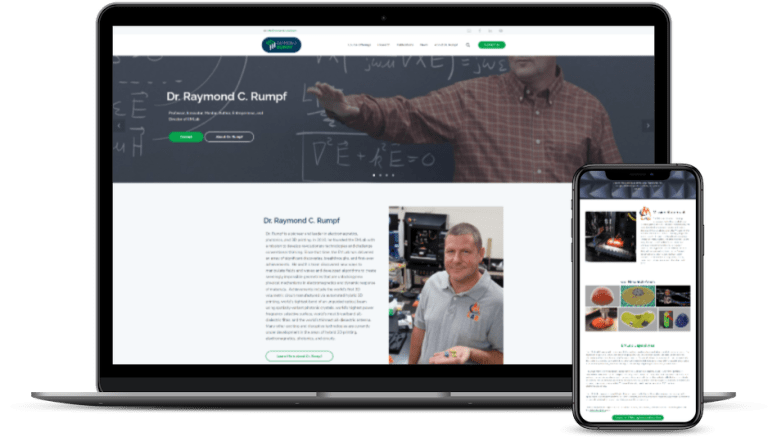
    A screenshot of Dr. Raymond Rumpf's personal academic website.

    Dr. Raymond C. Rumpf wants to acknowledge that “the primary person responsible for the conceptualization, creation, organization, graphic design, photography, and administration of my website is Kristin S. Rumpf of KSR Digital Designs. She came up with the web design, the logo, and did the custom coding to create the website I wanted. She has constructed websites for my two other businesses as well.”

    Dr. Rumpf says, “I decided to create a website to consolidate all the information about my work and research into one place that I had complete control over. I wanted to be able to highlight my research, provide links to my learning resources, and promote my books, online courses, and journal articles that were outside what would be allowed by my university.”

    Notes from the Judges

    Brittany Trinh: Dr. Rumpf’s website is both informative and visually compelling. It does a great job of fulfilling 3 goals – making academic resources freely accessible, providing information about his research lab, and promoting his online courses, EMPossible. I also love the logo design, which cleverly incorporates the letters EM, as in “electromagnetic,” into his personal brand as well.

    Jennifer van Alstyne: This felt like a well-thought out comprehensive archive. With great visuals and detailed research descriptions, Dr. Rumpf makes it easy to explore his website. A great use of a blog as a News section.

    Dr. Ian Li: Dr. Rumpf’s website is a treasure trove of information. It has information about his research, lab, and courses. The website is well-designed to easily navigate the huge amount of information on the site.

    Best Owlstown Website Award

    Owlstown is a website builder for academics created by Dr. Ian Li. Make and maintain your academic website in minutes. We are excited to award the Owlstown websites with the highest scores, Dr. Taotao Wu and Rashid Ahmed Rifat. Congratulations!

    Dr. Taotao Wu

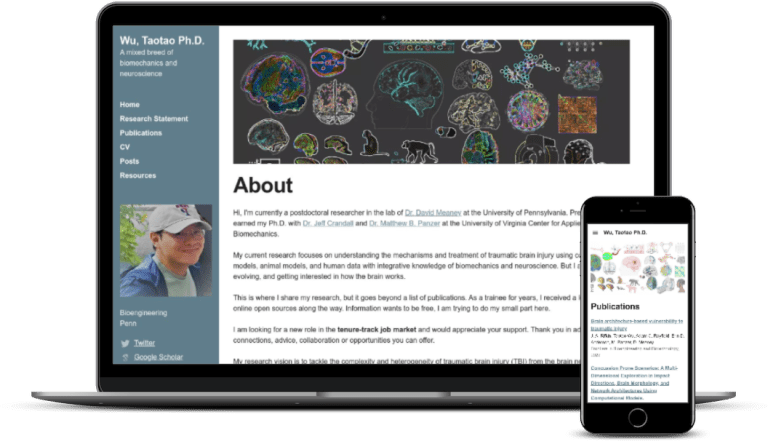
    A screenshot of Wu, Taotao, PhD's website on Owlstown

    Dr. Taotao Wu wants to appreciate “Ian from Owlstown for creating such a convenient platform for the community.”

    Dr. Wu says, “I have always been thinking about building my academic website to communicate science, not just because I am on the job market but also because information should be free. As a trainee for years, I received a lot of help from online open source. I am trying to do small part here.”

    Notes from the Judges

    Ian did not judge Dr. Wu’s website for this contest.

    Brittany Trinh: I like how Dr. Wu leverages his About section to clearly state his intention (finding a tenure-track position). In addition, he provides his research vision, which may appeal to potential employers and future colleagues.

    Jennifer van Alstyne: Dr. Wu takes the extra step of adding abstracts to each of his publications. He makes his research on Traumatic Brain Injury (TBI) approachable with the headline: “Understanding the networked brain through its injury” on his Research page. I like how Dr. Wu creates pages for his presentations which you can contact him about.

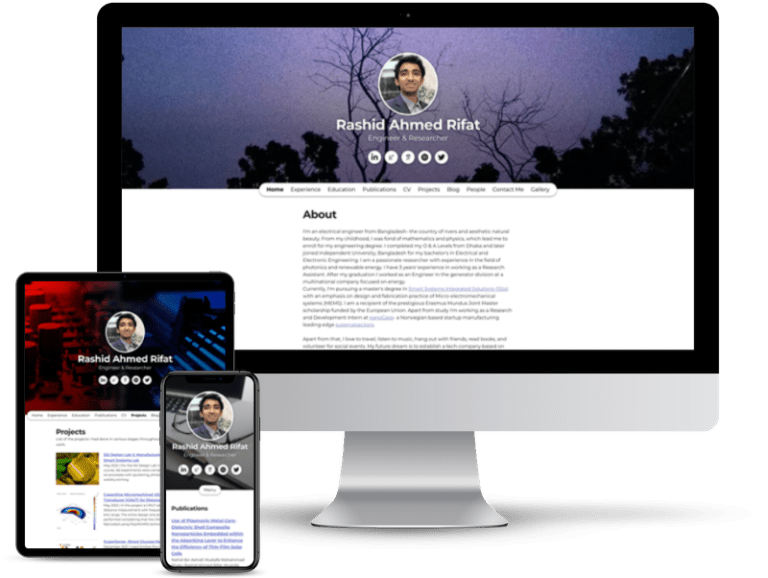
    Rashid Ahmed Rifat

    Rashid Ahmed Rifat's website on desktop screen, tablet, and mobile.

    Notes from the Judges

    Ian did not judge Rashid’s website for this contest.

    Brittany Trinh: Rifat’s project pages are well utilized. Not only does he provides an abstract of the project, but also includes relevant documents, figures, and slides to show his technical communication abilities.

    Jennifer van Alstyne: Rashid’s bio is approachable. It shares his hopes for his research, and how he wants to make change in the future. With abstracts for his publications, Rashid’s website is an approachable resource. A great example of how you can create a portfolio of research projects on your website.

    Best Google Site Award

    We’re excited to present the Best Google Site award to Nikita Ghodke. Congratulations!

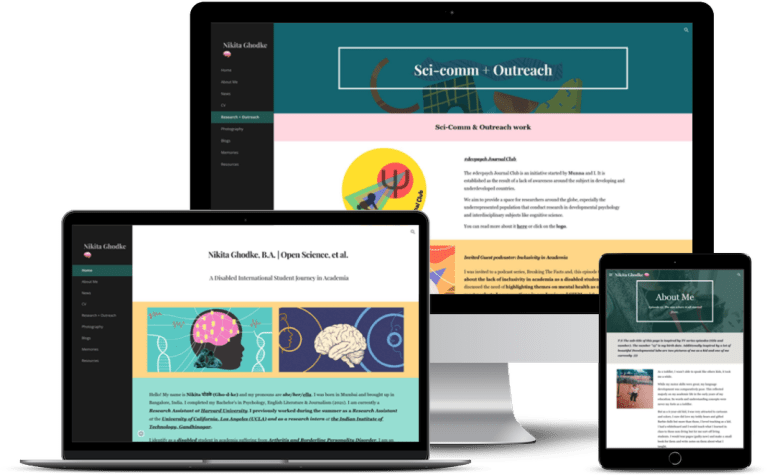
    Nikita Ghodke

    Nikita Ghodke's personal academic website on desktop, laptop, and tablet screens

    Nikita Ghodke made her website “on my own from scratch.” She says, “Making an academic website is important, especially as an International disabled student. My biggest motivation for creating one was for reaching out with resources to the underrepresented populations. I always wanted to create more representations in academia that can tailor a story of me as a person which isn’t just limited to my professional interests but also includes other parts of my life that play an important role in my career.”

    Notes from the Judges

    Brittany Trinh: Ghodke’s website shows that it’s not about the tools or platform you use, but the thought that you put in it. Her website is on Google Sites, which is a free platform.

    Jennifer van Alstyne: Nikita tells the story of her research with engaging visuals and photos. I especially like her Science Communication & Outreach page. Nikita shares her photography on her website; I encourage more academics to share their personal interests on their website.

    Dr. Ian Li: Nikita shares a lot of information about her journey through academia through blog posts, slide presentations, podcast interviews. She also shares resources to help others with their academic careers.

    Best Storytelling Award

    Telling your story is powerful and memorable. We’re excited to award the Best Storytelling Award to Dr. Kerri Rodriguez! Congratulations.

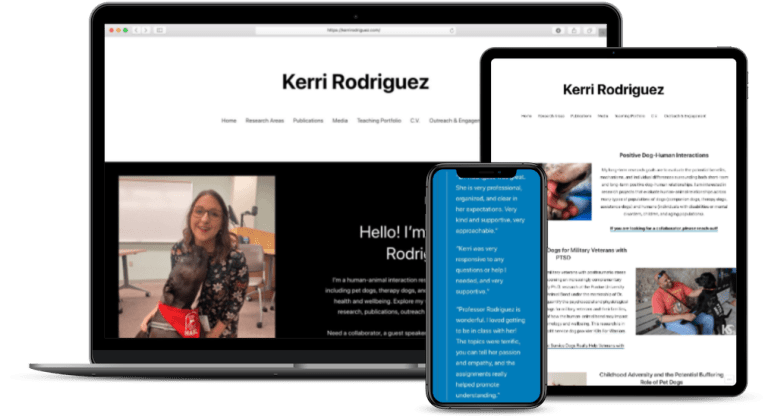
    Dr. Kerri Rodriguez

    Dr. Kerri Rodriguez's website on laptop, tablet, and mobile screens.

    Dr. Kerri Rodriguez made her own website on WordPress. She says, “I originally created an academic website because I thought I had to, but my website quickly transformed into a valuable resource for me to share my research in a fun and engaging way. It also has tremendously helped with networking and being on the job market!”

    Notes from the Judges

    Brittany Trinh: I particularly liked Dr. Rodriguez’s research page, which provides clear and brief descriptions of the focus of her research, related links to work she wanted to highlight, as well as many cute photos of dogs, which is relevant to her research, throughout her website. In addition, the media page makes it easy to find the articles where she has been featured.

    Jennifer van Alstyne: Dr. Rodriguez is so friendly in the GIF on her website. A cute dog? People will find this very approachable. The homepage is detailed without being overwhelming, and helps visitors navigate the site. I love how the Research page also invites people to reach out for collaborations and read her articles.

    Dr. Ian Li: Dr. Rodriguez’s website weaves a cohesive story about her passion for human-animal interaction, which spans across her research, teaching, and advocacy. Her website is a great example of how an academic website can go above-and-beyond a list of publications.

    Best Portfolio Award

    How do you showcase all the work you do on a personal website? By creating engaging pages for people to explore. We’re excited to award the Best Portfolio Award to Dr. Walter Greason. Congratulations!

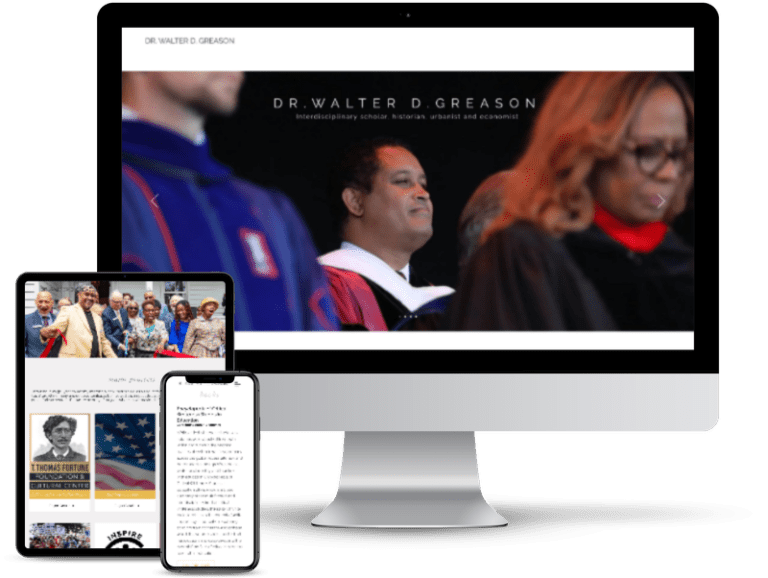
    Dr. Walter Greason

    Dr. Walter Greason's personal website on desktop, tablet, and mobile screens.

    Notes from the Judges

    Brittany Trinh: Dr. Greason’s website shares his portfolio by featuring them all on a Project page. He provides a great example of how to leverage your project portfolio because he highlights specific projects by giving them individual pages. In each project, he provides historical significance to give further context of the impact of their work.

    Jennifer van Alstyne: Dr. Greason had a challenge fitting his many areas of research onto one website. Well done! A bio that helps people explore further. A page focused on program services. The portfolio pages on this website are visually engaging and not overwhelming. This website is an example for all in how to invite people to get involved.

    Dr. Ian Li: Dr. Greason’s project page is a great example of providing summaries of projects to introduce them to a wider audience. He describes each project and explains why they are important and their impact.

    Best Blog Award

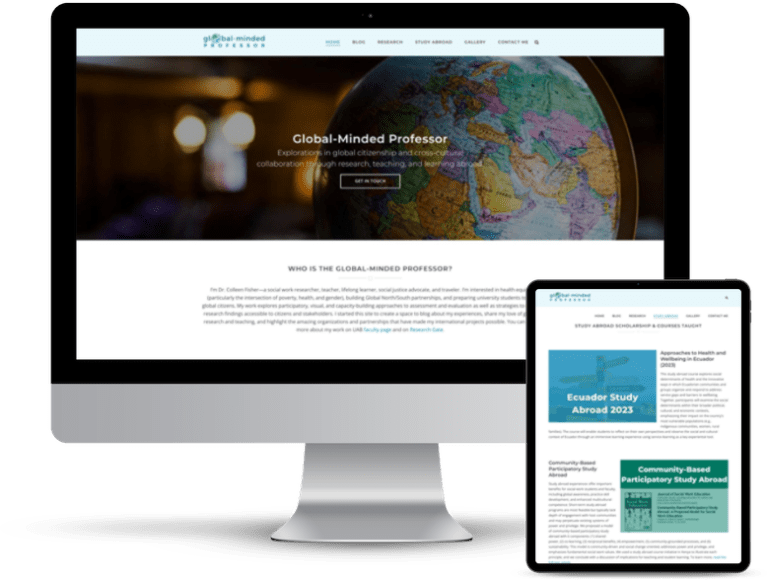
    Having a blog on your website is a big project. We’re excited to award Dr. Colleen Fisher the Best Blog Award for The Global Minded Professor.

    Dr. Colleen Fisher

    Dr. Colleen Fisher's website The Global Minded Professor on desktop and tablet screens.

    Dr. Colleen Fisher wants to acknowledge “the wonderful website designer who helped me bring my vision for this site to life! Her name is KC Pushpa.”

    Dr. Fisher says, “I had been thinking about the benefits of an academic website for some time, thanks in part to compelling blogs like The Academic Designer! I finally took the leap to create my site in 2021 when I was preparing for my Fulbright to India and realized I wanted a space to blog about that experience.”

    Notes from the Judges

    Brittany Trinh: Global Minded Professor’s website includes 3 blogs – one that is current and two that are upcoming. It provides a clear description of what to expect in the blog. In their India blog posts, they include their own perspective and amazing photos. The blog posts are organized well with section headings and written clearly and concisely.  Their blog post have been updated recently and they engage with their readers in the comments sections.

    Jennifer van Alstyne: Dr. Fisher’s website shares her love of global research and teaching. Rich with images from her travels, The Global Minded Professor website includes a photo blog from her Fulbright in India. Her Research page answers questions like “What’s the problem?” and “What did we want to find out?” which invite deeper exploration in Dr. Fisher’s research.

    Dr. Ian Li: Dr. Fisher has an extensive blog on her academic work in India. In her blog posts, she writes about her research and the different places that she visited. She also has 2 upcoming blogs for her trips to Ecuador and Kenya.

    Best Academic Entrepreneur Website Award

    Some of the amazing people who leave academia become entrepreneurs. We’re excited to give the Best Academic Entrepreneur Award to Dr. Jessye L.B. Talley. Congratulations!

    Dr. Jessye L.B. Talley

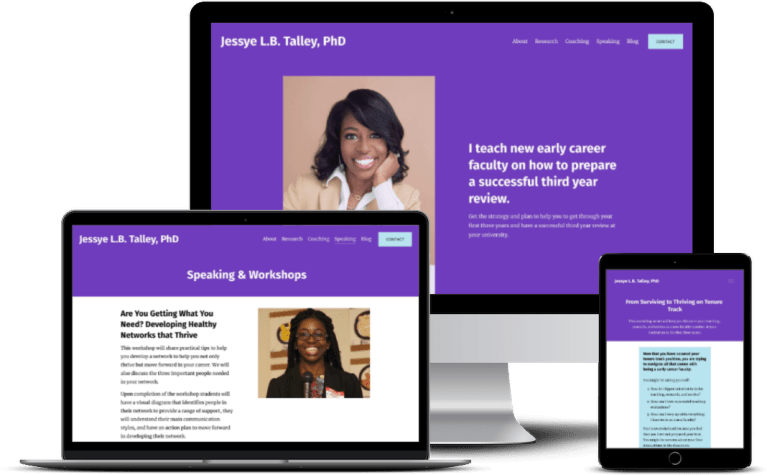
    Dr. Jessye L.B. Talley's personal academic website on desktop, laptop, and tablet screens.

    Dr. Jessye L.B. Talley wants to acknoweldge website designer Brittany Trinh Creative and photographer Stacey Gardin.

    Dr. Talley says, “I created my website to have a way for me to have my own space to connect with the academic community and not be tied to social media. It was also a way for me to share about my experiences and resources to help other academics on their journey.”

    Notes from the Judges

    Brittany did not judge Dr. Talley’s website for this contest.

    Dr. Ian Li: Dr. Talley’s website is well-designed with a modern layout and great use of visuals. In addition to descriptions of her research, she describes her coaching and workshop services, so you understand how they can help with your goals. She also shares several resources on her blog.

    Jennifer van Alstyne: Bright! Memorable. Dr. Talley’s website is inviting for early career faculty who benefit from her services. With professional photography, streamlined copy, and an easy-to-navigate menu, this website is a great example.

    Thank you!

    Congratulations to our award winners.

    A big thank you to all our contest entrants. We’re so lucky to have you inspiring the world. Your website has been added to The Academic Gallery on Owlstown. Thank you for being an amazing example. A website is a big project. You should be proud of sharing who you are and what you do with the world.

    We created this contest to help as many people as possible. I hope these personal website examples encourage you to make your own website! Some of our award winners did-it-themselves, others hired help. They all made their personal website work for them. You can too. Please bookmark this page. Share it with your friends. Make your website a reality. And don’t feel like it needs to be “finished” to hit publish. Keep scrolling for free resources to create your website.

    Brittany, Ian, and Jennifer would like to thank our non-profit partner for the Best Personal Academic Websites Contest 2022.

    STEM Advocacy Institute (SAi) logo

    STEM Advocacy Institute (SAi) is a Boston based incubator that is making it easier for social entrepreneurs to launch new programs and tools that connect people to science via public science engagement, science communication, and informal science learning.

    Finally, we’d like to thank our friends for helping share this event. Including but not limited to

    Did you help us share the contest during the entry period? Please email [email protected]. We’d love thank you here!

    7 free resources for creating your own personal academic website

    Our goal is to help as many people as possible. Here are free resources from Ian Li of Owlstown, Brittany Trinh Creative, and The Academic Designer LLC to help you make your website. Please share with your friends.

    An open laptop that reads "Website" with arrows pointing this way. Next to the laptop are books held up by a bookend of a person holding up t he books.
    Best Personal Academic Website Hosts Graphic: WordPress .com or Reclaim Hosting, Squarespace, Google Sites, Owlstown
    Personal Websites Articles
    Screenshots of The Academic Gallery from Owlstown on a desktop monitor and tablet screen

    Not sure where to get started with your online presence? Start here, with my free training for academics.

    The form above subscribes you to new posts published on The Social Academic blog.
    Want emails from Jennifer about building your online presence? Subscribe to her email list.
    Looking for the podcast? Subscribe on Spotify.
    Prefer to watch videos? Subscribe on YouTube.

    Contest Guides and Advice Articles Personal Website How To’s

    Source link

  • A Common Mistake Academics Make With Their Personal Websites

    A Common Mistake Academics Make With Their Personal Websites

    How often is your name mentioned on your website? For some academics, the answer is 0. I’ve looked at hundreds of personal faculty and scientist websites. A common mistake people make is forgetting to include your name.

    Hi, I’m Jennifer van Alstyne. Welcome to The Social Academic, a blog about your digital presence in HigherEd.

    The form above subscribes you to new posts published on The Social Academic blog.
    Want emails from Jennifer about building your online presence? Subscribe to her email list.
    Looking for the podcast? Subscribe on Spotify.
    Prefer to watch videos? Subscribe on YouTube.

    Does your website show up when someone Googles your name?

    An overhead view of a person working on a laptop. They have the Google Search page pulled up and are starting to type in their search query.

    When you type your full name into Google, does your website show up on the 1st page of results? A personal website should show up high in Google Search results because it often has the information people are most looking for.

    But your website won’t appear in search results if you’ve forgotten to include your name. This is a common mistake for academics who make their own website.

    Why do academics make this mistake? They work hard to create a website to better share their research. Self-promotion often feels strange for professors and researchers. It might feel wrong or unnatural. Because of this, you might have forgotten to include your own name on your website.

    The people who make this mistake often include their name in their

    But they then forget to include it on other pages of their website like in their bio, and on their Research or Publications pages. Have you forgotten to include your name?

    The form above subscribes you to new posts published on The Social Academic blog.
    Want emails from Jennifer about building your online presence? Subscribe to her email list.
    Looking for the podcast? Subscribe on Spotify.
    Prefer to watch videos? Subscribe on YouTube.

    Scavenger Hunt! Find your name on your website

    An open laptop with the word Website written on the screen with a bunch of arrows pointing to the right.

    A good way to see if your name appears on your website is by searching your site in Google.

    To do this, type this into the search bar: site:YourDomainName.com Your Name

    For example: site:JenniferVanAlstyne.com Jennifer van Alstyne

    When I perform this search, it shows that my name appears on most pages of my personal website. Try a search like this to see how often your name appears.

    If you find your name doesn’t appear much on your website, this is an easy change you can make to your website to improve how people find it. Any small change to improve your personal website is a good thing!

    Best of luck with your website project. Want professional help with your website project? I’d love to help.

    Including your name on your website is a best practice for SEO

    Scrabble letters that spell out 'S' 'E' and 'O' stand facing the camera on a shelf. SEO is an acronym for search engine optimization.

    Search engine optimization is a method for improving, or optimizing your website to rank better in search results. In this case, the keyword people are searching for online is your name when they want to find information about you.

    Discover how search engine optimization (SEO) can help your website in my YouTube live with Patrick Wareing.

    Personal Website How To’s The Social Academic

    Source link