Issue 26 (2) of the Journal of Open, Flexible and Distance Learning (JOFDL) is now available to the world. It begins with an editorial looking at readership and research trends in the journal post-COVID, followed by a thought-provoking Invited Article about the nature of distance learning by Professor Jon Dron. This general issue follows with 7 articles on different aspects of research after COVID-19. Alison Fields and Simon Paul Atkinson, JOFDL Joint Editors.
Introducing a short guide entitled: “Writing Good Learning Outcomes and Objectives”, aimed at enhancing the learner experience through effective course design. Available at https://amazon.com/dp/0473657929
The book has sections on the function and purpose of intended learning outcomes as well as guidance on how to write them with validation in mind. Sections explore the use of different educational taxonomies as well as some things to avoid, and the importance of context. There is also a section on ensuring your intended learning outcomes are assessable. The final section deals with how you might go about designing an entire course structure based on well-structured outcomes, breaking these outcomes down into session-level objectives that are not going to be assessed.
Employee learning and development (L&D) offerings at higher ed institutions have changed significantly over the last three years. To find out what other institutions are doing in this area, Krista Vaught, assistant director of employee learning and engagement at Vanderbilt University, conducted a survey in the summer of 2022. Survey responses from L&D professionals at 115 institutions reveal the following trends in program delivery, attendance, topics and outcomes.
Program Delivery
Since 2020, synchronous online sessions have been offered by most (89) institutions, followed by self-paced modules (85). Some institutions indicated that at certain points, employees were limited to online learning and self-paced only, as they did not host live workshops.
Prior to the pandemic, synchronous, in-person workshops were the primary delivery method at most institutions. Now, synchronous online is the primary method at 35 percent of institutions surveyed, asynchronous online at 30 percent of institutions, synchronous in-person at 18 percent of institutions and hybrid at 17 percent of institutions.
Attendance
Attendance and participation have fluctuated. In the early 2020 shift to remote work, there was a sense that employees had newfound time to pursue L&D, at least initially. From March 2020 to December 2021, 31 percent of institutions surveyed saw increased participation, while 27 percent said it was mixed or hard to tell. Eighteen percent said it increased then decreased, and 17 percent said it decreased.
What did institutions see in 2022? Results were mixed again. Twenty five percent said attendance and participation were about the same as prior to 2022, 23 percent said it decreased, 21 percent said it increased and 27 percent said it was mixed or hard to tell.
What’s causing the fluctuations and challenges in attendance and participation?
Time and availability
Burnout
Increased workload as employees transition back to more on-campus work or take on additional responsibilities because of turnover, leaving less time to pursue learning
Unsupportive supervisors who see learning as taking away time from work rather than part of work
Employee preference for different delivery methods (in-person versus virtual)
Learning opportunities are not always prioritized, resulting in last-minute no-shows
Topics
According to respondents, the most popular workshop topics fall under management and leadership, and wellness and communication.
Assessing Outcomes
Follow-up surveys are the most popular tool for assessing outcomes of workshops, followed by attendance and participation numbers.
Prioritizing Learning and Development
In the ongoing competition for talent, L&D can be a game changer, both in attracting new talent and retaining the talent you already have. By investing in and prioritizing programs to support managers, develop leaders and promote better communication, institutions can create a workplace that’s hard to leave.
To learn how one institution launched a multi-faceted retention initiative, including manager and leadership development opportunities, watch the recording of the recent CUPA-HR webinar Solving the Retention Puzzle.
Each year, I look forward to reviewing the results of Jane Hart’s Top 300 Tools for Learning and to submitting my votes for a personal Top Tools for Learning list. I haven’t quite been writing up my list every single year (missed 2020), but I did submit a top 10 list in 2015, 2016, 2017, 2018, 2019, and 2021. I haven’t come across too many others’ 2022 Top Tools for Learning votes, yet, but did enjoy reviewing Mike Taylor’s list.
I avoid looking at the prior year’s lists until I have identified my votes for current year. Once my list was finished for 2022, however, I did compare and realize that I had left Zoom off for this year. Given that I use Zoom pretty much daily for meetings, teaching, speaking engagements, and podcast interviews, I suspect this is one of those things where Zoom has become so integral to my life that it’s become like water that I can’t see because I’m swimming in it.
Another thing I realize as I reflect back on the current and prior years of voting is how much every single tool I use fits into a personal knowledge mastery system, which I have learned so much about from Harold Jarche over decades now. Harold Jarche writes:
Personal knowledge mastery is a set of processes, individually constructed, to help each of us make sense of our world and work more effectively. PKM keeps us afloat in a sea of information – guided by professional communities and buoyed by social networks.
PKM is the number one skill set for each of us to make sense of our world, work more effectively, and contribute to society. The PKM framework – Seek > Sense > Share – helps professionals become knowledge catalysts. Today, the best leaders are constant learners.
Below are my top 10 Tools for Learning for 2022. Jane Hart’s survey methodology has shifted over the years. She now asks us to list each tool and then identify which of three categories we most often use it for: personal learning, workplace learning, or education. Mine overlap quite a bit, within those categories, but I’ve done my best to pick the context in which I use it most often.
1. Overcast | Personal Learning | PKM-Seek
This podcast “catcher” app is a daily part of my life and learning. Overcast received a major design overhaul in March of 2022, which led me to reorganize my podcast playlists to take full advantage of the new features. In October of 2021, I wrote up my podcast favorites, in case you’re interested.
2. Unread | Personal Learning | PKM-Seek
While Overcast is for the spoken word, Unread is primarily for written pieces. Powered by real simple syndication (RSS), Unread presents me headlines of unread stories across all sorts of categories, which I can tap (on my iPad) to read, or scroll past to automatically mark as read. I use Unread in conjunction with Inoreader, which is a robust RSS aggregator that can either be used as an RSS reader, as well, or can be used in conjunction with an RSS reader, such as Unread.
On a related note, if you like the idea of information flowing to you (via RSS) versus you having to go find it – and you like to cook – check out the app Mela. I switched to it in the past year and haven’t looked back.
While the first three tools I mentioned were all about seeking information, Raindrop is all about sense making (in the present and future) for me. It is a digital bookmarking tool. I wrote about how I use Raindrop in late 2020. I continue to see daily benefits with having such a simple-yet-robust way of making sense of all the information coming at me on a daily basis. Raindrop recently added the ability to highlight text on a page you have bookmarked, but I haven’t experimented with that feature much yet. If I want to do something with annotations and highlighting, I tend to gravitate toward Hypothes.is, a social annotation tool.
5. PollEverywhere | Education | PKM-Sense
When I started in a professional career in the early 1990s, I used to work for a computer training company. One regular thing that would happen with less-experienced instructors would be them standing at the front of the class, asking if everyone “got it” or was “with them.” As you can imagine, many times people either didn’t realize that they were lost, or they were too embarrassed to admit it.
Polling tools like PollEverywhere remove the barrier of people not realizing that they don’t understand something, or for those are reluctant to share their confusion publicly. PollEverywhere also has features to support team collaboration, asynchronous and/or synchronous polling, and can integrate with a learning management system (LMS). I primarily use PollEverywhere for formative assessment, allowing people to respond anonymously to the questions being posed. I subscribe to the Present plan, which allows me to have up to 700 people responding at one time on a given poll question. People in an education context who needed to create reports and access archived poll responses would likely need to go with an Individual Instructor premium account, or department/university-wide plan.
6. Padlet | Education | PKM-Sense
One of many collaborative tools I enjoy using is Padlet, a virtual cork board. I use Padlet to create a shared vision for a class or a team, to create a crowd-sourced music playlist for an event or class, as a parking lot, and to collectively come up with ways to extend learning. This year for our faculty gathering, we have Padlet boards for virtual collaboration and have also printed out posters (with QR codes that point back to the Padlet boards) that people can respond in person to using sticky notes. I love the blend of the analog and the digital that is possible using this approach.
7. Loom | Education | PKM-Share
The past couple of years, Loom has become a part of my daily computing life. It is a simple screen casting tool. Record what’s on your screen (with or without your face included via your web cam) and as soon as you press stop, there’s a link that automatically gets copied to your computer’s clipboard which is now ready to paste anywhere you want. I use Loom for simple explanations, to have asynchronous conversations with colleagues and students, to record how-to videos, and to invite students to share what they’re learning. If you verify your Loom account as an educator, you get the pro features for free.
8. Canva | Workplace Learning | PKM-Share
My use of the graphic design website Canva has evolved over the years. I started by using it to create graphics and printable signs for classes. Now I also use it to create presentations (which can include embedded content, slides, videos, etc.). As I just revisited Canva features in writing this past, I discovered even more things I wasn’t even aware that Canva can do.
I find the pro version worthwhile for both work and for Teaching in Higher Ed, as having the ability to include an entire team of people and have everyone be able to access a brand kit(s) to achieve consistent colors, logos, and other brand assets is a game-changer. We haven’t experimented as much with branded templates or comments and sharing, but there’s so much to benefit from with Canva working collaboratively. The free plan is also quite generous and worth signing up for, even if you don’t wind up upgrading to Pro or Canva for Teams.
9. WordPress | Workplace Learning | PKM-Share
The Teaching in Higher Ed website has been on a hosted WordPress site for so long, I can’t even remember where it resided prior to WordPress. My friend and web developer, Naomi Kasa, has helped keep the site beautiful and functional. One of my favorite features of the site is the page Naomi created with all my upcoming and past speaking engagements. It is great having all that information in one place and to see the collection of resources keep growing over time. Take a look at my resources page for a recent speaking engagement and how I embedded a Canva presentation, which includes use of embedded content and video.
10. Blubrry | Workplace Learning | PKM-Share
If you are going to have a podcast and you want to efficiently and effectively get it released to the majority of the various podcast players, you are going to need a podcast hosting company. We have used Blubrry for years now and appreciate its reliability, ease of use, and integration with WordPress.
Your Turn
Would you like to submit a vote with your Top Tools for Learning? You can fill out a form, write a blog post, or even share your picks on Twitter. The 2022 voting will continue through Thursday, August 25 and the results will be posted by Tuesday, August 30, 2022.
If you’ve ever tried to learn a new language, you know that it’s far from easy or straightforward.
Fortunately, we have a lot more language learning tools available than our ancestors (who basically just had books and other humans to learn from).
Indeed, we have an overwhelming number of resources available. Hardly a day goes by without me hearing about a new language learning app that promises to revolutionize the learning process or offer a quick path to fluency.
But no matter how great (or how expensive) the app you use, gaining fluency in a language requires lots of study and practice. You can do things to make your study time more effective or even more fun, but there’s no substitute for putting in the hours.
Having said that, language learning apps can play an important role in your journey to fluency. And not all of them are created equal.
In this article, we take a look at six of the best. Whether you’re looking to practice vocab or find a private teacher, there’s an app for you on this list.
Overview: The best free app for learning the basics of a wide variety of languages.
Price: Free (with ads). For $6.99 / month, you can remove ads and unlock additional practice options.
Platforms: Android, iOS, Web
If you’ve looked into learning a language at all, you’ve probably come across Duolingo. The app launched in 2011, and it’s continued to grow ever since.
Of all the apps on this list, Duolingo offers the most learning content for free. It combines listening practice, vocabulary lessons, grammar info, and even speaking practice. And as long as you don’t mind a few ads, you get all of this without paying a dime.
Duolingo also boasts a vast number of languages. Currently, you can use the app to learn:
Arabic
Czech
Danish
Dutch
Esperanto
Finnish
French
German
Greek
Haitian Creole
Hawaiian
Hebrew
High Valyrian
Hindi
Hungarian
Indonesian
Irish
Italian
Japanese
Klingon
Korean
Latin
Mandarin Chinese
Navajo
Norwegian
Polish
Portuguese
Romanian
Russian
Scottish Gaelic
Spanish
Swahili
Swedish
Turkish
Ukrainian
Vietnamese
Welsh
Yiddish
What’s more, Duolingo lets you learn languages you won’t find in other language learning apps:
There are languages with a small number of speakers, such as Yiddish and Navajo.
There are dead languages such as Latin.
And there are even fictional languages such as Klingon and High Valyrian.
If you’re trying to learn any of these languages, Duolingo is the place to begin.
The only downside of Duolingo is its focus on translation. Even when you reach higher levels, the app continues to present lessons in English. This can impede your ability to learn to think in the language you’re learning.
But if you’re a complete beginner, Duolingo is still a great place to start your language learning journey (especially since it’s free).
Overview: A fantastic app for learning vocabulary in several widely-spoken languages.
Price: $9.99 / month after a 14-day free trial
Platforms: Android, iOS, Web
Many language courses focus too much on grammar in the beginning. And while grammar is important for learning to speak, vocabulary is far more important for communicating.
If you know a bit of vocabulary, you can make yourself understood (even if you sound a bit childlike in the process). The same is not true if you know grammar but lack essential vocab.
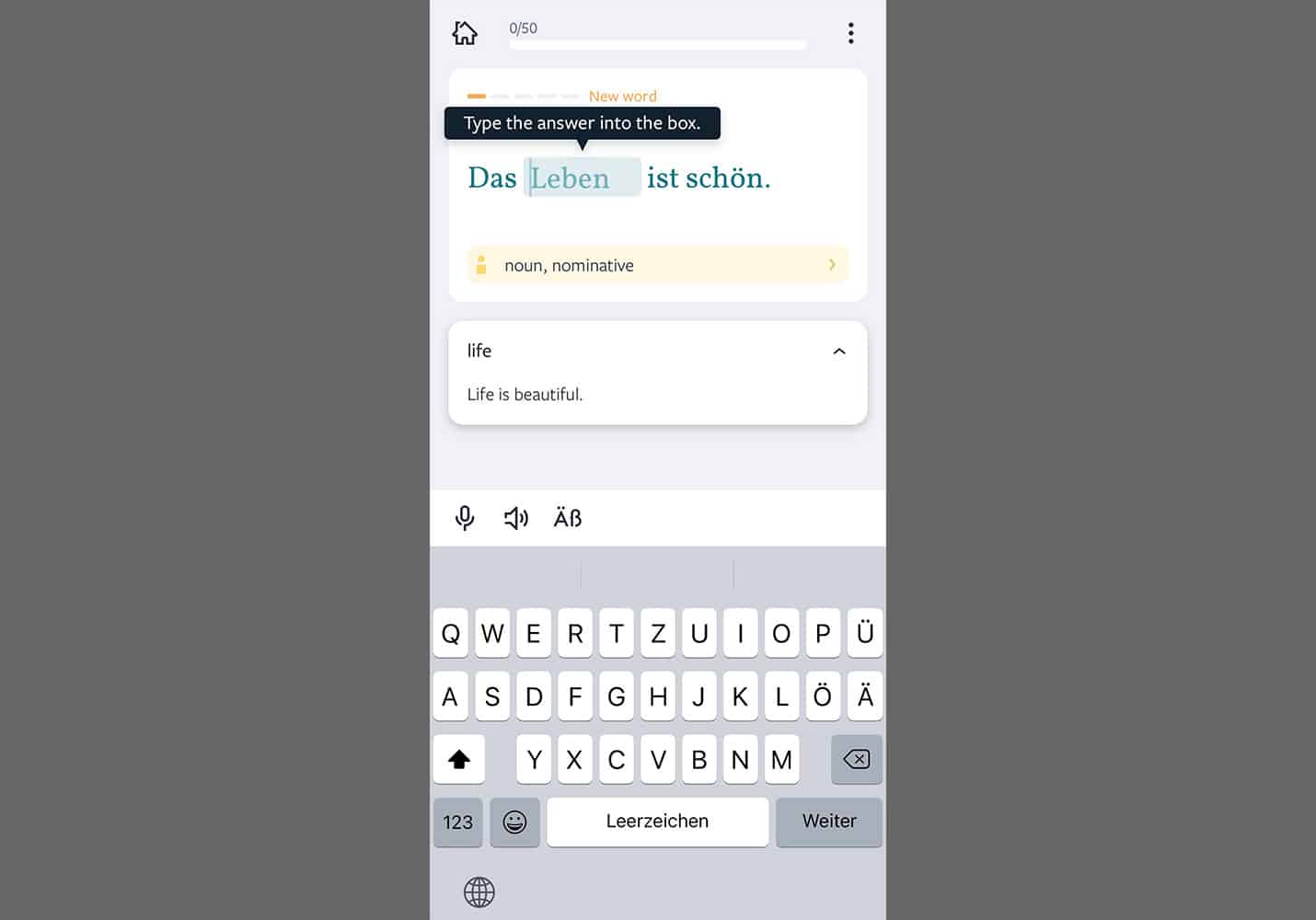
Recognizing this, Lingvist focuses on vocabulary. The app starts by teaching you the most common words in the language you’re learning. The goal is to learn vocab that covers “80% of everyday scenarios.” This way, you don’t waste your time learning words you’re unlikely to use.
Lingvist also uses spaced repetition to help you learn more efficiently. The app quizzes you on words right before you’re about to forget them, which is the most optimal way to memorize information.
Plus, Lingvist will focus on the words you struggle with, not wasting your time reviewing vocabulary you already know. If you’ve used a flashcard app such as Anki, this approach will be familiar.
The only disadvantage of Lingvist is its limited selection of languages. Currently, the app supports:
Dutch
French
German
Italian
Portuguese
Russian
Spanish (Castilian & Latin American)
If you’re learning one of these languages, Lingvist is a great option. But prospective learners of other languages will need to look elsewhere.
Overview: The best app for learning to pronounce, spell, and think in another language.
Price: $9.99 / month after a 14-day free trial. Live coaching is available for an additional fee (select languages only).
Platforms: Android, iOS
Full disclosure: I backed the original Fluent Forever app project on Kickstarter, and I currently use the app. However, I don’t receive any compensation for mentioning it.
Do you want to be mistaken for a native speaker? If so, mastering pronunciation in your target language is essential.
Proper pronunciation will also improve your listening comprehension, making it far easier to communicate with native speakers and enjoy media in the language you’re learning.
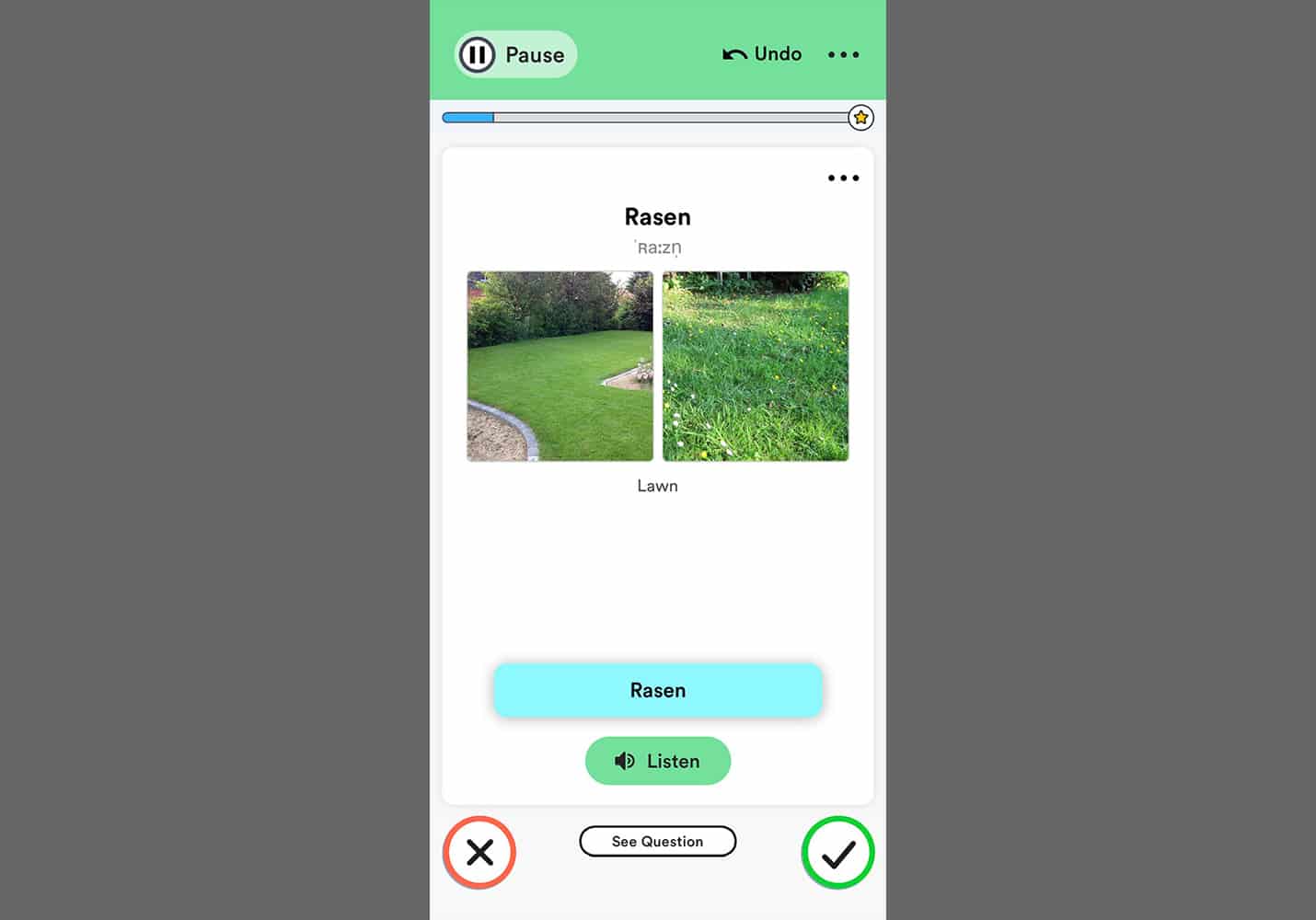
Recognizing this, Fluent Forever focuses on teaching you to pronounce (and spell) your target language first. Only once you’ve mastered these basics do you move on to learning vocabulary and grammar. This approach is based on a method that founder and polyglot Gabriel Wyner developed in his book Fluent Forever.
In addition to teaching you pronunciation and spelling, Fluent Forever uses a frequency-based approach to learning vocabulary. That is, you learn the most common words first.
The app also steers you away from translation and teaches you to think in the language you’re learning. It does this with picture-based flashcards that you create yourself. Making the language more personal in this way improves your learning and retention.
Fluent Forever currently supports the following languages:
Dutch
French
German
Italian
Japanese
Korean
Mandarin Chinese
Portuguese (Brazilian)
Russian
Spanish (Latin American & Castilian)
In addition to the app-based learning, Fluent Forever also offers live coaching with professional teachers (for an additional monthly fee).
Coaching is only available in select languages as of this writing, but the developers are working to expand coaching options based on user interest.
Overview: An app that lets you find language teachers for one-on-one, online lessons.
Price: Varies (each teacher sets their own rate).
Platforms: Android, iOS, Web
Traditionally, live language lessons were prohibitively expensive. But thanks to the power of the internet and video chat platforms, one-on-one lessons are now cheaper and more accessible than ever before.
iTalki has played a big part in this language education revolution.
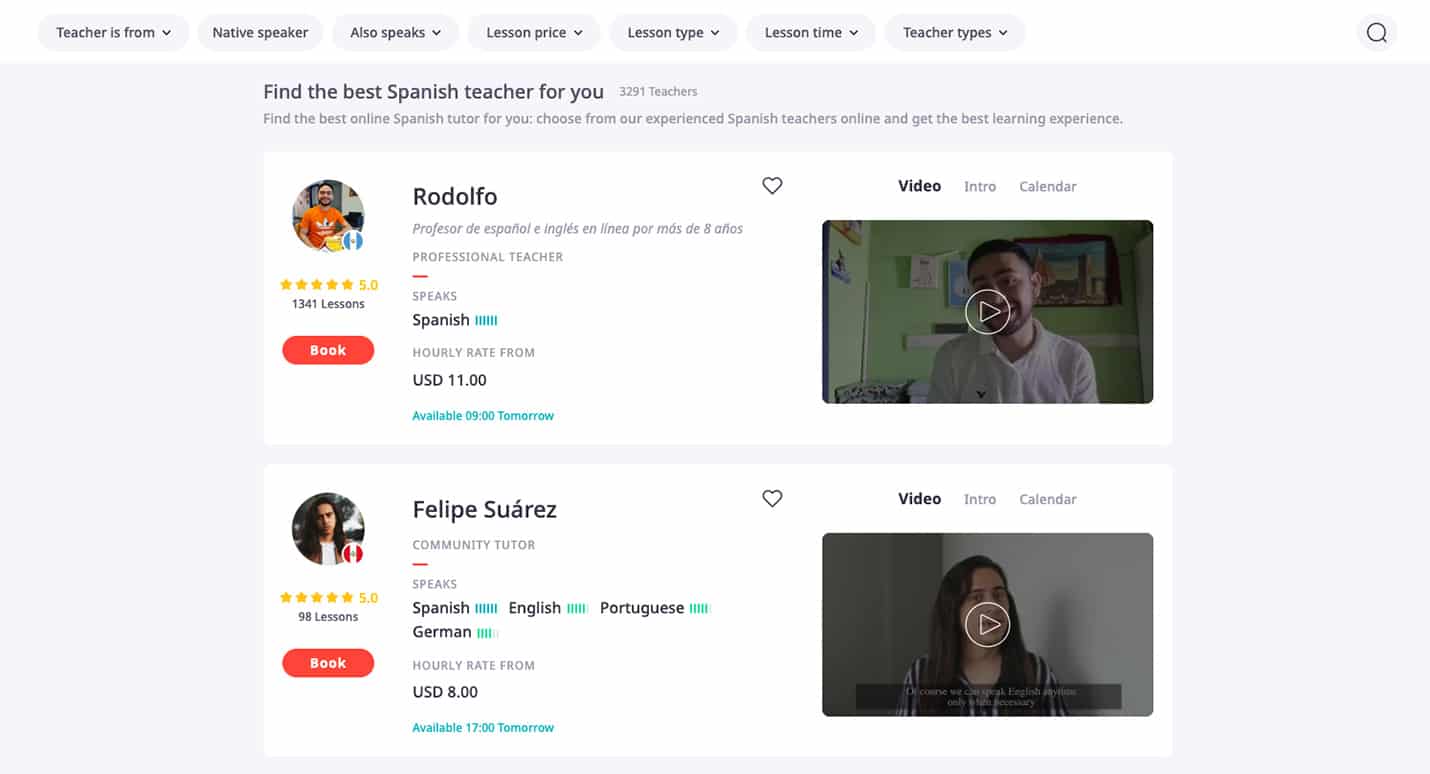
Unlike the other apps on this list, iTalki doesn’t offer language lessons itself. Instead, it’s a place to find and book lessons with live teachers. Teachers on iTalki range from “community tutors” without formal training to professional instructors with decades of experience.
To find a teacher on iTalki, all you have to do is sign up for an account. Then, you can filter prospective teachers based on language, price, and even level of experience. From there, you can typically book a trial lesson for a small fee. This helps you and the teacher decide if you’ll work well together.
The cost of lessons on iTalki varies. Each teacher sets their own rate, and some offer discounts for purchasing multiple lessons in advance. Currency exchange rates and differences in cost of living also mean that some teachers will be cheaper than others.
iTalki claims to offer lessons in over 150 languages. More popular/widely spoken languages will tend to have more teachers available. Still, it’s possible to find teachers of obscure or even endangered languages such as Irish Gaelic or Aramaic.
Overview: A community-driven Q&A platform for language learners.
Price: Free (limited features). For $4.49 / month, you can remove ads, search for questions, and play an unlimited number of audio/video answers.
Platforms: Android, iOS, Web
Apps like Duolingo, Fluent Forever, and Lingvist are great for learning the basics of a language. Eventually, however, you’ll have questions about your target language that these platforms just can’t answer.
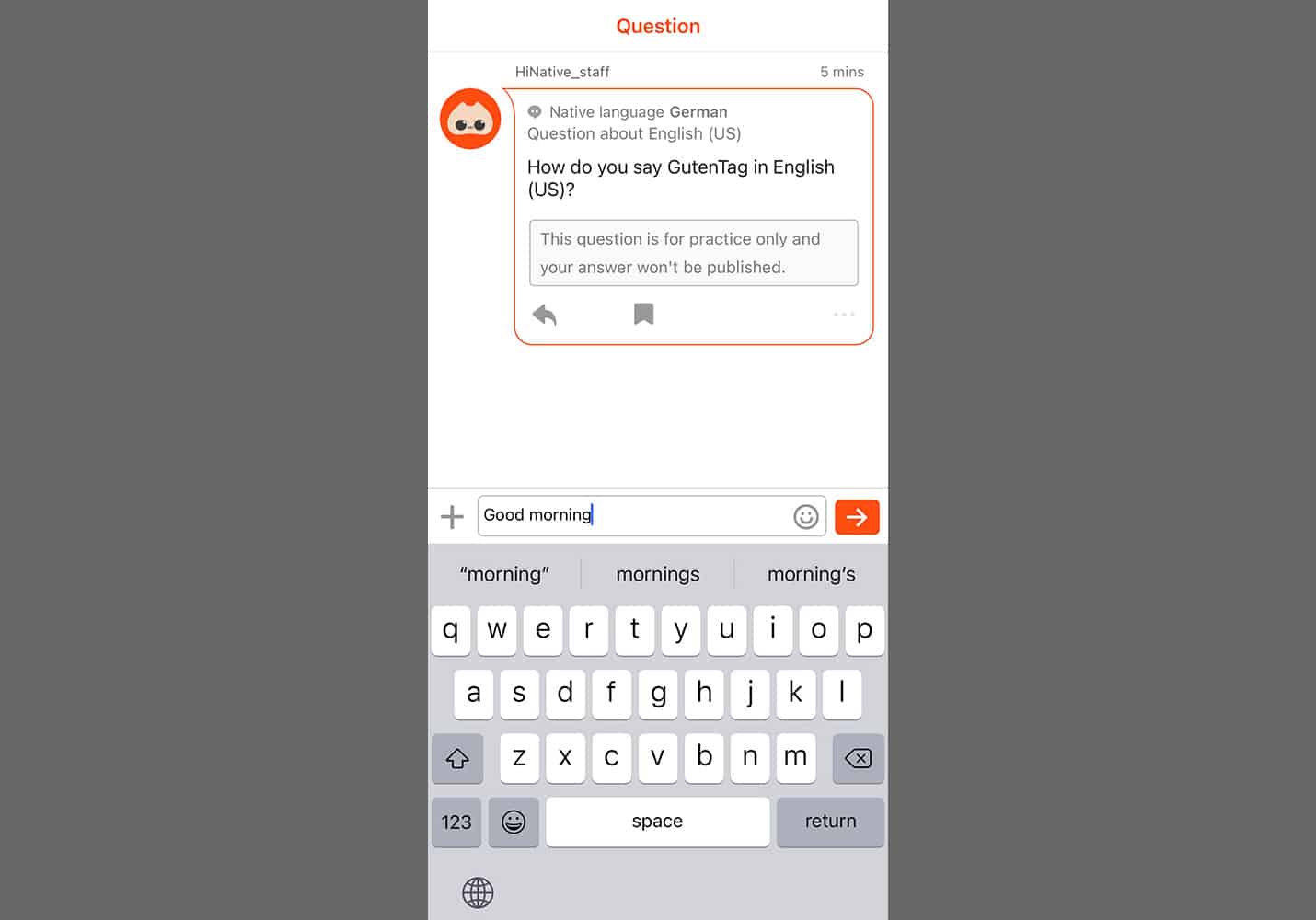
In this case, your best option is to ask a teacher. But hiring a teacher can be expensive (and excessive for one-off questions). As an alternative, consider HiNative. This platform lets you post questions about a language and get answers from native speakers.
For instance, let’s say you’re unsure about the meaning of a particular slang term. HiNative is the perfect place to post your question and get answers you’d never find in a textbook.
Even better, you can ask most questions for free (though you can pay to boost the visibility of your questions and get a response faster).
In addition to posting questions about vocabulary and grammar, you can also get feedback on your writing or even your pronunciation.
Just be sure to take some time to answer questions about your native language. HiNative is a community-driven platform, after all, and it only works if all users contribute.
HiNative currently supports over 110 languages. Though, as with iTalki, more widely spoken or popular languages will tend to have more contributors.
Overview: The best app for learning to read Japanese.
Price: $9 / month. A lifetime subscription is also available for a one-time payment of $299.
Platforms: Web
This last app comes courtesy of a suggestion from Martin (our operations lead, web developer, and an avid Japanese learner).
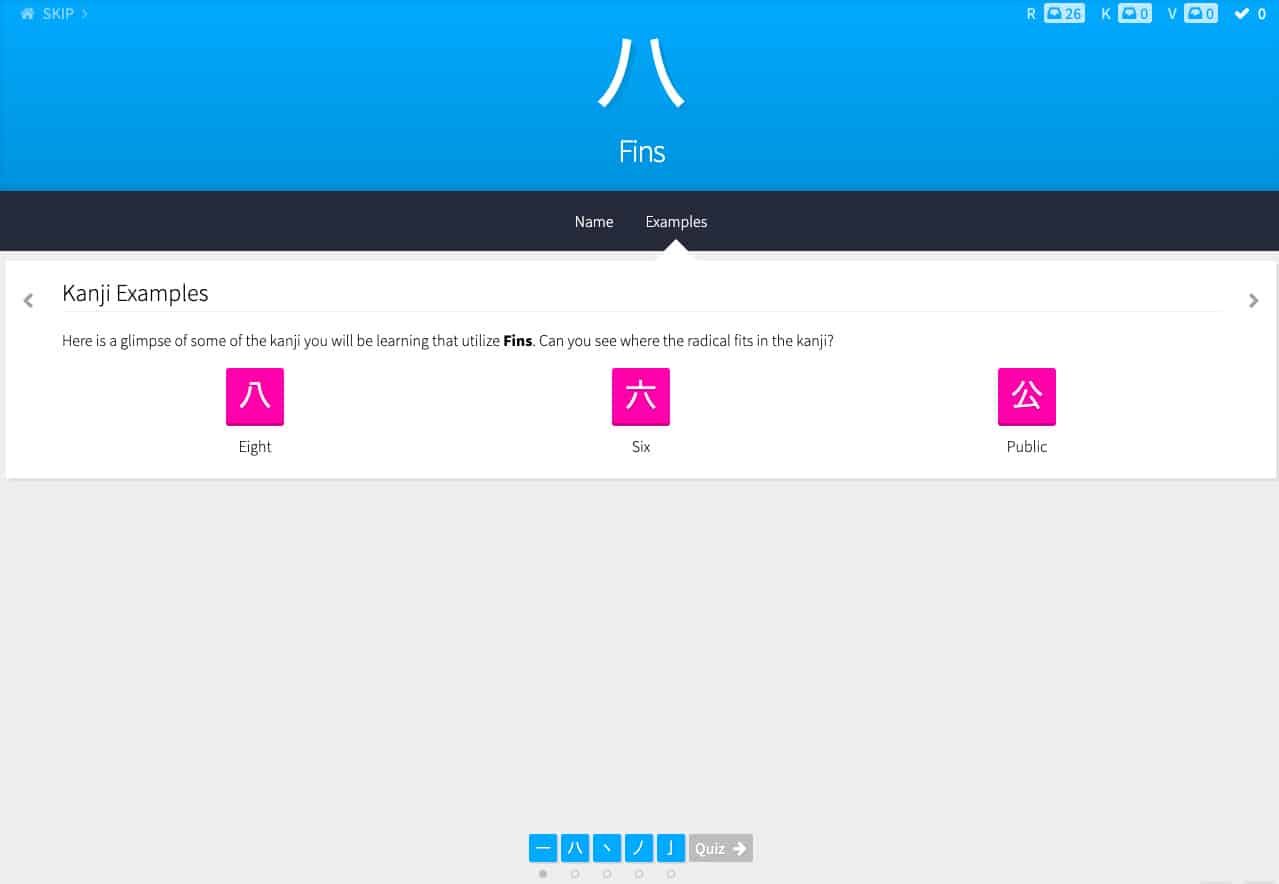
WankiKani addresses one of the biggest challenges for students of Japanese: reading. Japanese uses a writing system unlike any other, and it’s notoriously difficult and confusing. That is, until you start using WaniKani.
The app combines mnemonics and spaced repetition to teach you 2,000 kanji and 6,000 vocabulary words in just over a year. Even better, the first three levels of learning in the app are free (no ads, time limits, or other restrictions).
Great as all of this is, be aware that WaniKani is not a resource for learning to speak Japanese. For that, Martin recommends iTalki or Duolingo (particularly Duolingo Stories, which focus on listening skills).
Finally, WaniKani typically does a New Year’s sale on their lifetime membership. This can save you a fair bit of money if you plan to stick with the app long-term.
Language Learning Apps Are Only the Beginning
If you’re learning a new language, the apps on this list are a great place to start.
However, an app can only get you so far. To truly learn a language, you need to spend lots of time practicing and ultimately using it. Fortunately, this process is a lot of fun once you’re past the beginner stage.
I love gardening. Whether my gardening takes place in a container, in an urban area, or in a rural area, I am all about it! This year, my daughter decided that she wanted to become a mini-gardener as well.
As a result, we are growing…tomatoes, peppers, eggplant, watermelon, and lettuce. I teach her to watch the prices as they continue to increase. My daughter and I talk about innovative ways to counteract the increasing prices. Our strategy is gardening!
I am part of a wealth of gardening groups. My favorites are “Black Girls Garden” and Black girl container gardening groups on Facebook. These groups give me inspiration and ideas to garden for my family and for the community. One thing that I like the most is the emphasis on sharing seeds and supporting one another. I also work with our community garden group as well.
This summer, I have been very fortunate to learn even more gardening skills from the local Agrilife Extension agent in Panola County, Clarissa Moon. She is an excellent teacher and she provides so much educational outreach for the community.
Another resource that I absolutely love is the USDA, which has great resources for gardening as well. I subscribe to their blog, “Farmers.gov Blog” and it has some incredible tips for gardening. It also features several other sections on their website that feature articles. These categories are:
Of course, my favorite is Farm Life! I love the “Friday’s on the Farm” series.
Check them out! What is your favorite part?
Thanks for visiting! Sincerely, Dr. Jennifer T. Edwards Professor of Communication
Executive Director of the Texas Social Media Research Institute & Rural Communication Institute
Why every school needs a Head of Remote Learning (and yes, we should talk about this during a crisis)
Most schools are facing multiple transformations. These range from digital transformation, to future-skills transformation, to the most important and urgent right now, which is distant-teaching and learning transformation.
Whilst the corporate world has innovated with new roles from chief digital officers to agile coaches to futurists to attempt to capture value from these transformations — the roles we have in schools are still operating within the legacy mindset and systems, ranging from Math teacher, English teacher, PE teacher, and Art teacher, representing probably 90% of the roles that exist in any school.
Leaving the titles aside, if we look at it from a skillset point of view, we know ‘subject’ teachers are more than the purveyors of subject knowledge. They are counselors, data analysts, advisors, experimenters, storytellers, investors (with their time), relationship builders, technologists, and today they are required to be remote teaching specialists.
Teachers are more than the purveyors of subject knowledge. They are counselors, data analysts, advisors, experimenters, storytellers, investors (with their time), relationship builders, technologists, and now they are required to be remote teaching specialists.
There’s never been a better case to be made for a Head of Remote Learning in schools and districts.
With 70,000 students told to stay at home and over half the schools closed across the country as of March 18, 2020, for COVID19 prevention measures. With some schools potentially not opening until after summer break, teachers are scrambling to remotely continue the academic learning for students.
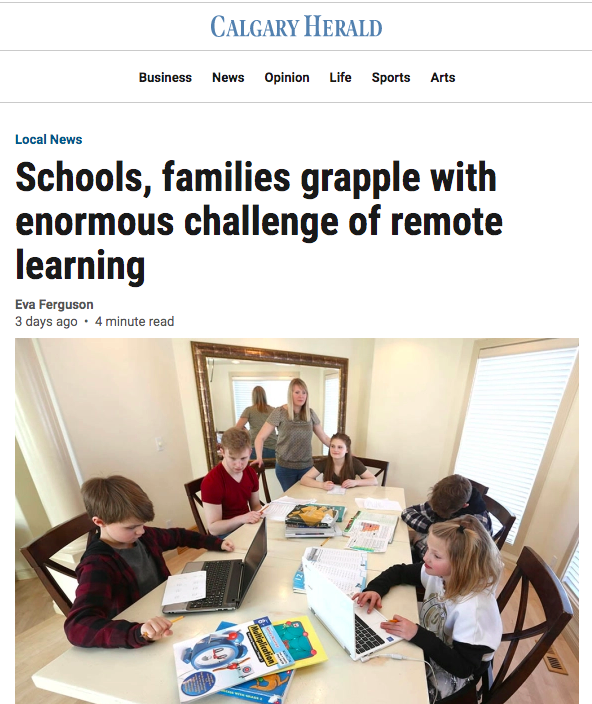
Headlines like this one from the Calgary Herald describe the last-minute scramble.
Before we go on, it’s important to state that this role can be taken on by more than one person in any school, and needn’t have to be a full-time role in the initial instance. First, by experimenting and creating value in the role, it can be used to justify the hiring-case to the wider district to fund this position.
First, let’s discuss why this role is a must-have.
Aside from once-in-a-lifetime (we hope) global pandemics, there are many reasons why schools should now have a remote learning role. Just take examples from the past two years, when schools closed for fires in California and the polar vortex in Wisconsin. Each region has different susceptibilities that threaten the continuation of the education of our children for periods of time.
Remote learning doesn’t only have to occur for school-wide closures. Take, for example, the student with lice or Strep throat who’s out of class for a week who undergoes significant stress on top of their illness due to the difficulty of catching up on missed learning. What if some of those absent days can instead be counted due to remote learning plans?
Never has there been a better time for remote learning than now. The confluence of fast internet capability and quality education technologies, both curricular and administrative, leads to the power to produce high-quality Remote Learning experiences. The considerations of equitable access, student (and home) privacy, screen-time, routine and movement management, and social isolation all need to be addressed. We can look to online high schools, like Stanford K-12 online schools and homeschooling experts, that likely have addressed many of these challenges as a starting point.
March 19th’s article in Politico describes how lack of planning has led to last-minute efforts like how a “school sent home a paper survey Friday for parents to asses their technological access and received 114 responses — 92 percent have smartphones and 94 percent have internet access, but only 58 percent have computers and laptops. There are six different languages spoken at the school, with more than 60 percent of families on the poverty line.” Having someone who is responsible for processing this data in advance would result in better outcomes for the community.
The role of Head of Remote Learning is essential for bridging the gap between school and home. A gap that has existed since the invention of schools. The role includes 3 focus areas, to ultimately create shared-knowledge, skills, mindsets, and behaviors between teachers and teachers, between teachers and parents, and between teachers and children.
Between teachers and teachers
Professional development of teachers to convert to remote learning, including training on the various product platforms and how to integrate technology into learning design, such as with the SAMR Model.
Communication guidelines and templates to make life easier for all teachers to convert to remote learning plans rather than each teacher inventing their own solutions.
Sourcing of products to fulfill the role of communication, curriculum continuity, and emotional support.
Implementation plan for administrators, teachers, students, and parents, whether it’s for a single student or the whole school.
Between teachers and parents
Parent support for difficult conversations with their children to ease anxieties by sharing resources and discussion questions.
Equipment planning, including devices and Wi-Fi hotspots for students’ homes. Why? 10% of students in the U.S. don’t have internet access at home. In these circumstances, the burden falls on parents who aren’t able or confident to take up their child’s education — things have changed so much since we were at school.
Equip parents with the resources to effectively use educational technology, not just to supplement curriculum learning, but also as a way to engage kids in subjects beyond the classroom.
Between teachers and students
There are endless technology options that need to be experimented on, and where there is efficacy of the use-cases they then need to be scaled fast. Creative new technologies that can enhance the learner’s journey, include audio learning tools for connection, communication, and learning. For example, remote learning plans may include podcast tools for students to submit work to teachers and interactive voice technology apps, like Ask My Kid, with social-emotional support, movement breaks, and short academic practice sessions. Unlike most remote learning technology, audio technologies can be screen-free, helping parents stay within the American Pediatric Association’s screen time guidelines.
Show students how to use educational technology to become resilient, independent learners who are capable of organizing their own learning and educational objectives.
A final benefit of remote learning is that they facilitate increased connection to the home. Healthy levels of parent engagement in their child’s education have long been coveted by educators. With children at home, whether due to sickness or catastrophic events, parents can reliably feel connected, and even contribute to the learning, with good remote learning plans.
The most important part of this role is becoming an expert in keeping students calm and on-track. There are sudden isolation and disconnection from classmates, disruption of precious routines, uncertain parents, and distracting home learning environments. Direct daily communication and connection through hearing the teacher’s voice are essential. Students need to know the plan each day and hear it from their own teacher.
Learning in social environments is critical. There will never be a complete substitute for physical togetherness, from the informal play at recess to the smell of the art room and science lab, but quality remote learning plans will only add resilience to our system of education. The role of Head of Remote Learning is central to strengthening the resilience of our schools and the continuity of learning for our children.
Before you go, there are 3 immediate next steps:
If you found value in this article, we would love for you to share with your network to start a robust conversation and spread this thinking.
Everyone is time-poor and dealing with massive change right now. It is natural to think that this conversation should be put on hold, but now is the right time to start documenting what’s difficult so we can define this role with more fidelity when students return to school.
We are working with school, district, and foundation leaders to onboard the Head of Remote Learning role into the education system. Please reach out to us if you are interested to learn more at [email protected].
by Dr. Aparna Ramanathan, CEO and Co-Founder, AskMyClass
Aparna Ramanathan is the CEO and co-founder of AskMyClass. Aparna worked for over a decade as a medical doctor in Australia. After moving to the U.S., she coached professional women in practical stress management techniques, using a data-driven approach. That work led to the development of the first mental health games and programs using voice technology for parents and then the classroom — which lead to the founding of AskMyClass, a Silicon Valley-based Y Combinator-backed startup that creates classroom-specific activities to help students build essential social-emotional skills while increasing their classroom engagement.